


Readers like you help support this site. When you make a purchase using links on our site, we may earn an affiliate commission. All opinions remain our own.
Looking for the best Windows apps to enhance your PC in 2026? Whether you’re a casual user, a creative professional, or a system enthusiast, this list of 25 top tools spans everything from AI-powered software to essential utilities.
We’ve selected these based on their popularity and the unique things each one of them do, offering a mix of free and paid options to fit any need.
Feel free to drop a comment with your favorites, and if you have questions or want us to add your software, reach out to us by contacting us.
Top Apps for Windows
Our top picks for 2026 include the best productivity tools, creative apps, and AI software, all optimized for Windows performance.
1. QuickLook
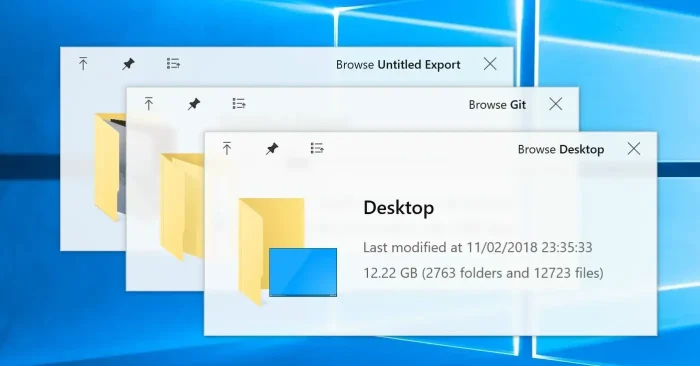

Why We Like It: QuickLook brings a handy file preview feature to Windows 11, mimicking macOS with a simple spacebar press. We appreciate its lightweight design and how it improves file navigation. It’s a free tool that makes managing files more efficient on any Windows setup.
Key Features:
- Preview images, videos, and documents instantly.
- Supports multiple file types with one click.
- Available directly from the Microsoft Store.
- Customizable hotkeys for quick access.
2. Notepad++
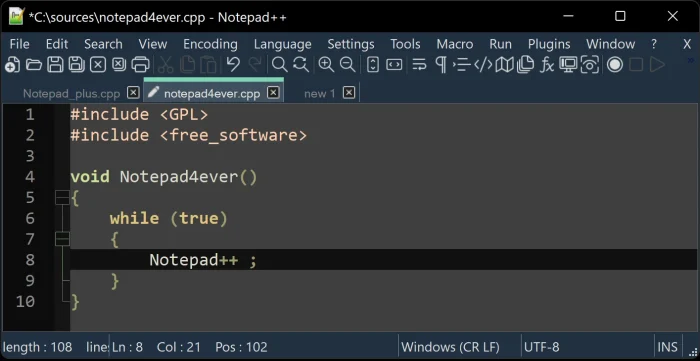

Why We Like It: Notepad++ offers a robust text editing experience with extensive plugin support. We like its free nature and how it runs smoothly on older systems. It’s a versatile tool for coders and writers alike on Windows.
Key Features:
- Supports multiple programming languages.
- Offers syntax highlighting and auto-completion.
- Includes a macro recorder for repetitive tasks.
- Multi-document editing with tab support.
3. Obsidian
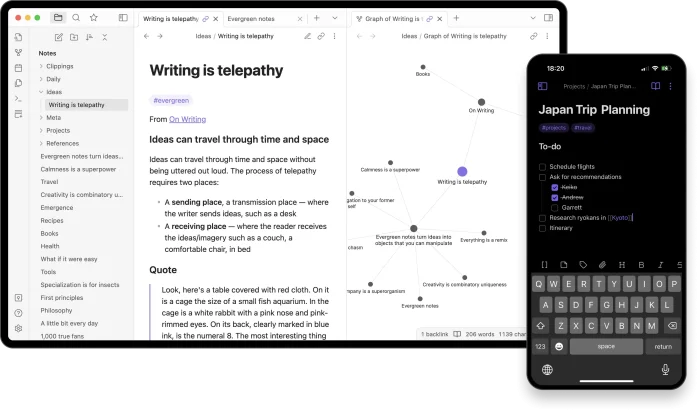

Why We Like It: Obsidian provides a unique way to manage notes with linked markdown files. We enjoy its graph view for visualizing ideas and its flexibility for personal projects. It’s a powerful tool for students and professionals on Windows.
Key Features:
- Supports offline note-taking and syncing.
- Offers a variety of community plugins.
- Includes backlink tracking for notes.
- Export options for sharing content.
4. Microsoft PowerToys
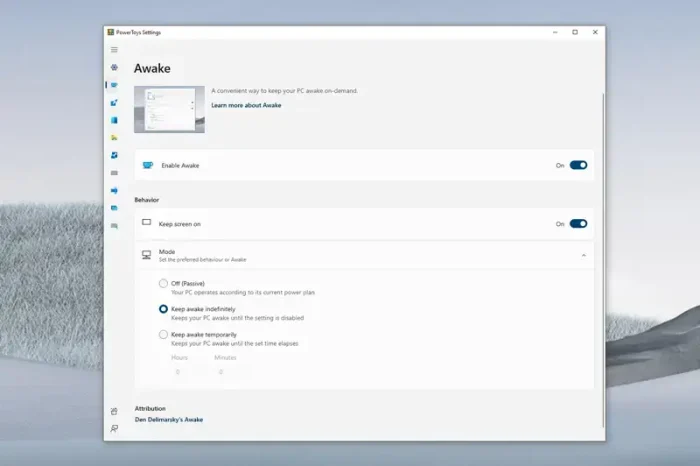

Why We Like It: Microsoft PowerToys enhances Windows with useful utilities like window management. We value its free access and how it tailors the OS to our needs. It’s a must-have for power users on Windows.
Key Features:
- Includes a color picker tool.
- Offers a file explorer add-on.
- Supports keyboard manager for custom shortcuts.
- Provides an image resizer utility.
5. Todoist
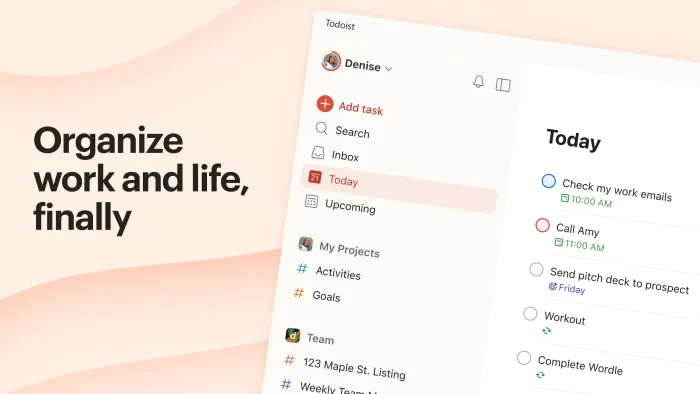

Why We Like It: Todoist simplifies task management with a clean interface and cross-platform syncing. We like its integration with Microsoft tools and how it suits both personal and work use. It’s a reliable choice for staying organized on Windows.
Key Features:
- Supports task prioritization and due dates.
- Offers project templates for quick setup.
- Includes a mobile app for on-the-go access.
- Provides team collaboration features.
6. Everything
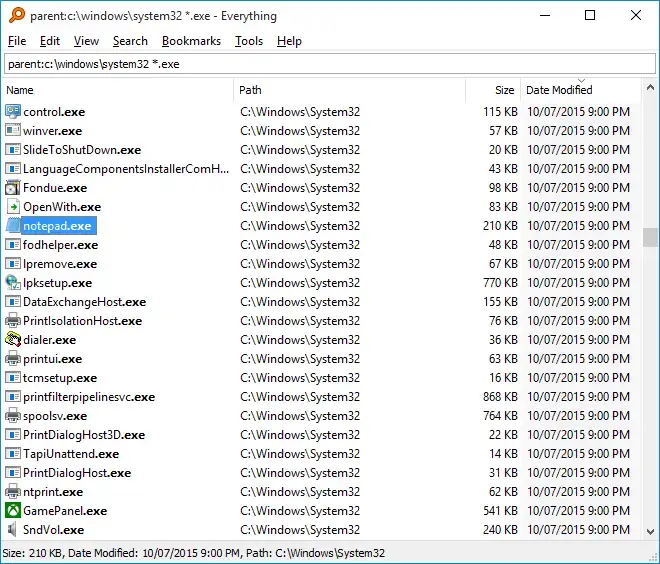

Why We Like It: Everything speeds up file searching with instant results on Windows. We appreciate its lightweight nature and how it outshines the default search. It’s a practical tool for managing large file collections.
Key Features:
- Supports network drive indexing.
- Offers a portable version for USB use.
- Includes duplicate file finder.
- Provides context menu integration.
7. 7-Zip
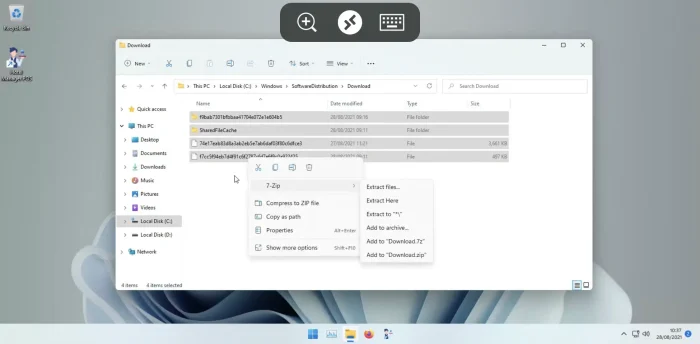

Why We Like It: 7-Zip handles file compression with a high efficiency rate. We enjoy its free access and how it works without extra software. It’s a solid choice for archiving on Windows.
Key Features:
- Supports AES-256 encryption for security.
- Offers a command-line interface.
- Includes self-extracting archive creation.
- Handles large archives with ease.
8. FreeCommander
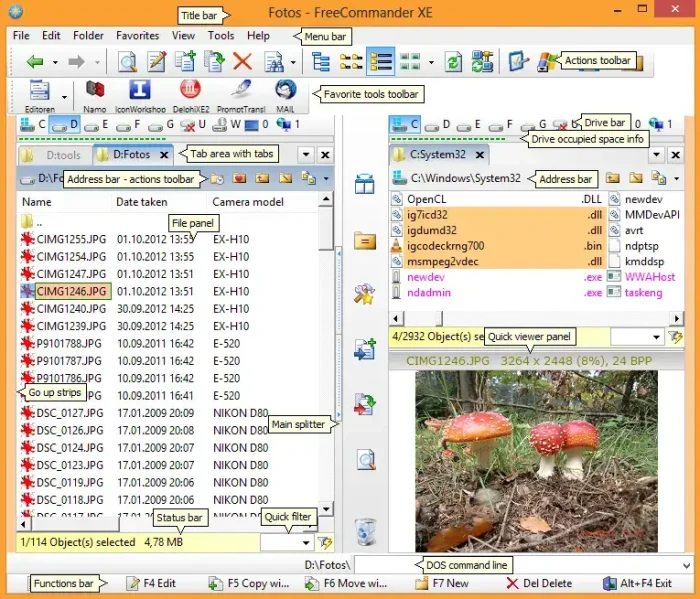

Why We Like It: FreeCommander offers a dual-pane file management experience. We value its advanced features and how it enhances productivity on Windows. It’s a free tool that beats the default explorer.
Key Features:
- Supports file comparison and synchronization.
- Includes a built-in FTP client.
- Offers multi-rename tool for batch edits.
- Provides customizable toolbars.
9. TeraCopy
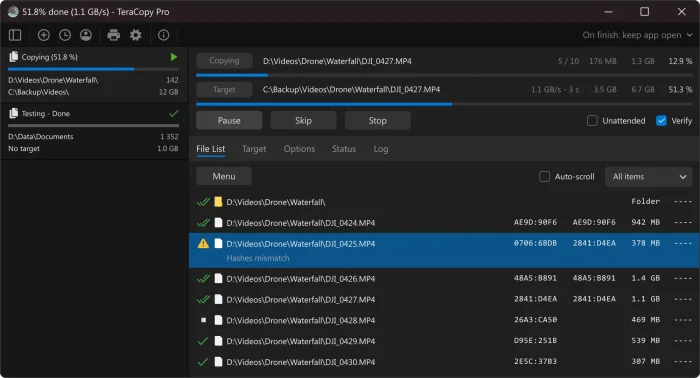

Why We Like It: TeraCopy speeds up file transfers with reliable error checking. We like its ability to resume transfers and how it improves Windows performance. It’s a useful tool for large data moves.
Key Features:
- Supports shell integration for easy access.
- Offers a pause and resume function.
- Includes a verify option for data integrity.
- Provides a batch file copier.
10. VLC Media Player
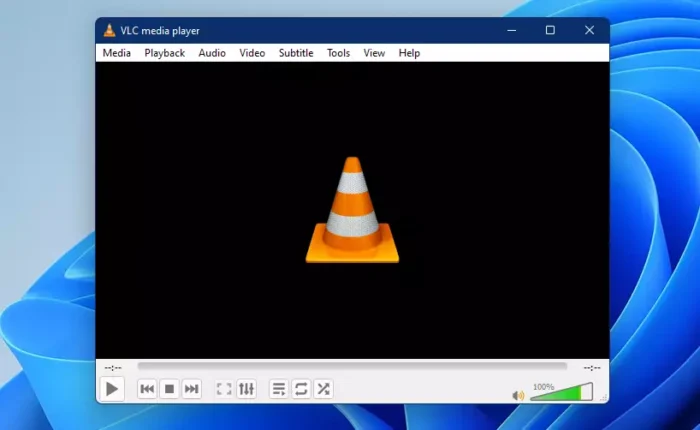

Why We Like It: VLC Media Player handles all media formats with ease. We appreciate its free availability and how it runs smoothly on Windows. It’s a go-to solution for video playback.
Key Features:
- Supports streaming from network sources.
- Offers subtitle synchronization.
- Includes audio equalizer settings.
- Provides conversion to various formats.
11. MusicBee
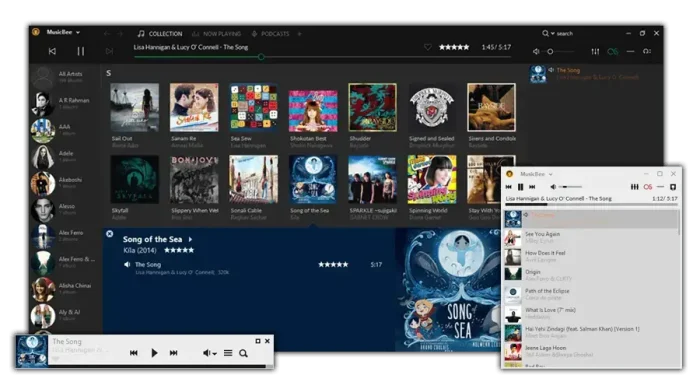

Why We Like It: MusicBee organizes music collections with a customizable player. We enjoy its lightweight design and how it suits audio enthusiasts on Windows. It’s a great alternative to default media players.
Key Features:
- Supports high-resolution audio playback.
- Offers a built-in tag editor.
- Includes internet radio streaming.
- Provides DSP effects for sound tuning.
12. Visual Basic Code
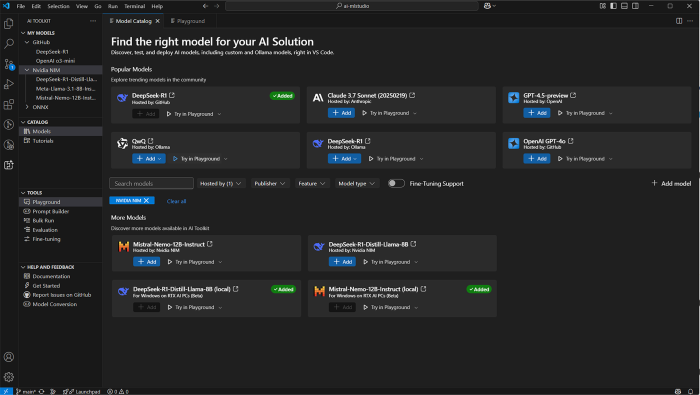

Why We Like It: Visual Basic Code simplifies Windows app development with an intuitive syntax and rapid prototyping. We appreciate how accessible it is for beginners while remaining powerful enough for advanced users. A staple for Windows-centric programmers.
Key Features:
- Easy-to-read, English-like syntax.
- Deep integration with Windows APIs.
- Built-in support for GUI design with drag-and-drop tools.
- Robust debugging and error-handling features.
13. Malwarebytes
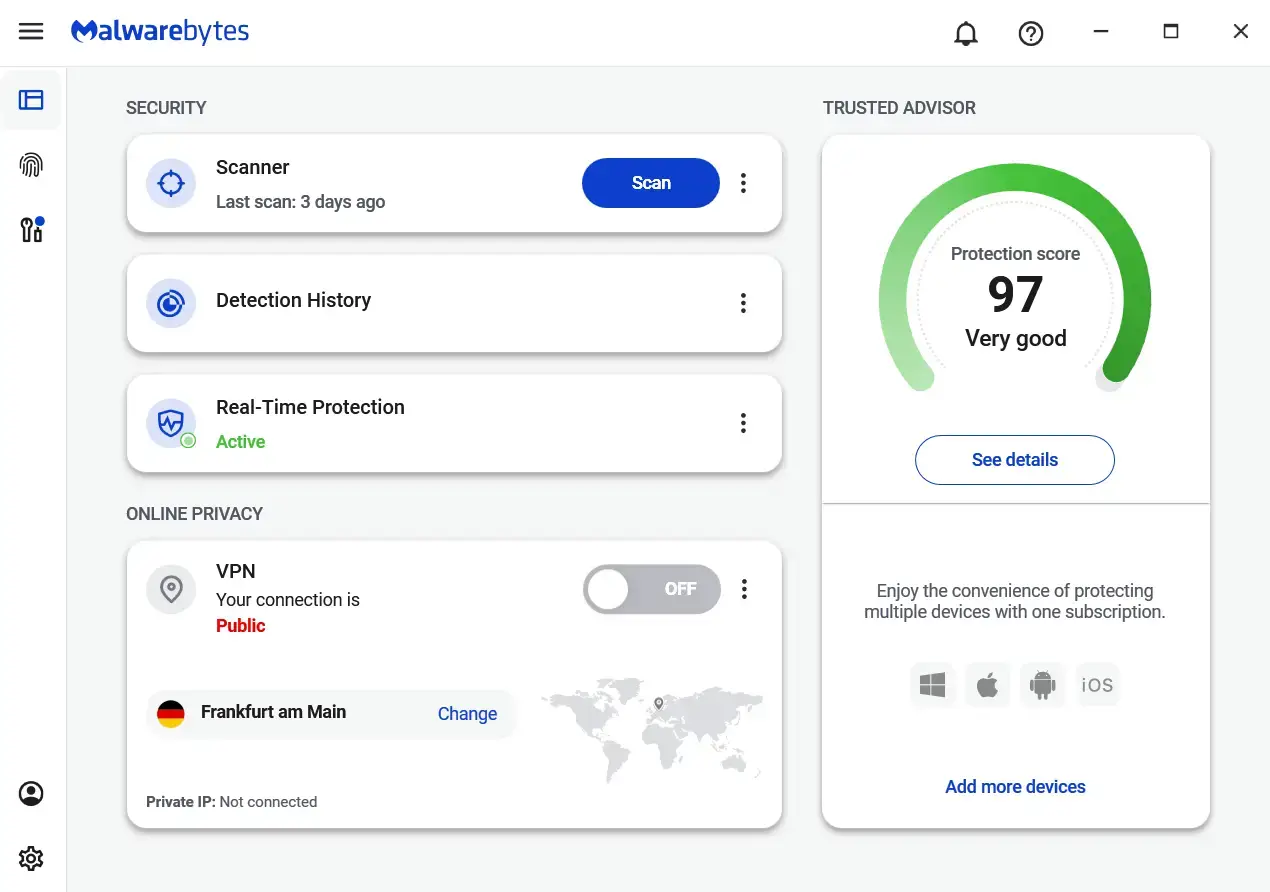
Why We Like It: Malwarebytes provides strong protection against malware with an easy interface. We appreciate its free version and how it secures Windows systems. It’s a trusted tool for keeping PCs safe.
Key Features:
- Offers ransomware protection.
- Includes a scheduled scan option.
- Supports real-time monitoring.
- Provides a quarantine manager.
14. Bitwarden
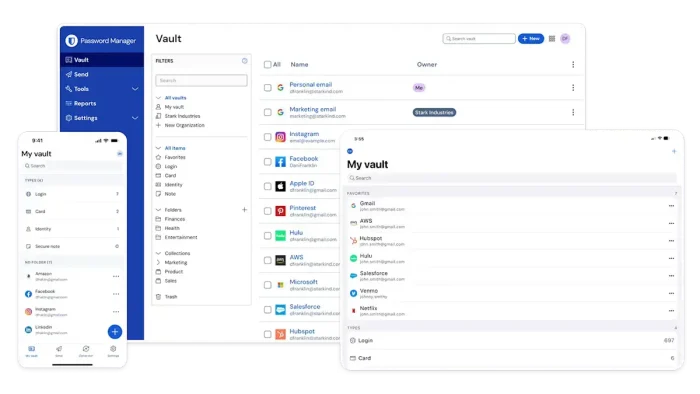
Why We Like It: Bitwarden keeps passwords secure with open-source encryption. We enjoy its free syncing across devices and how it protects Windows users. It’s a top pick for privacy management.
Key Features:
- Supports secure sharing with teams.
- Offers a browser extension.
- Includes a password generator.
- Provides audit reports for security.
15. Avast
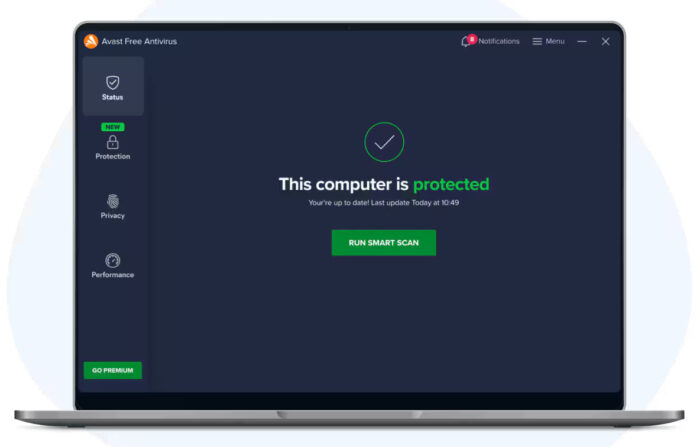

Why We Like It: Avast offers comprehensive antivirus protection with a user-friendly design. We value its free tier and how it safeguards Windows against threats. It’s a reliable choice for security needs.
Key Features:
- Includes a Wi-Fi inspector.
- Offers a password manager.
- Supports behavior shield technology.
- Provides a sandbox for testing files.
16. GIMP

Why We Like It: GIMP delivers powerful image editing without a cost. We appreciate its open-source nature and how it rivals paid software on Windows. It’s a great option for creative projects.
Key Features:
- Supports layer masks for editing.
- Offers customizable brushes.
- Includes a script-fu plugin system.
- Provides RAW image processing.
17. PowerDirector 365
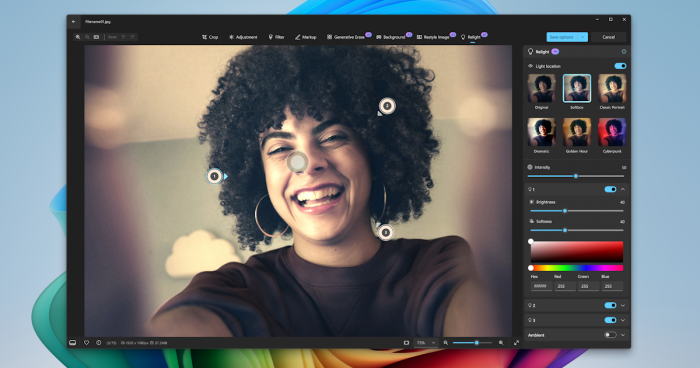

Why We Like It: CyberLink PowerDirector 365 simplifies video editing with AI tools. We enjoy its beginner-friendly interface and how it performs well on Windows. It’s a top choice for video creators.
Key Features:
- Supports 360-degree video editing.
- Offers motion tracking capabilities.
- Includes a library of royalty-free music.
- Provides 4K and 8K export options.
18. Audacity
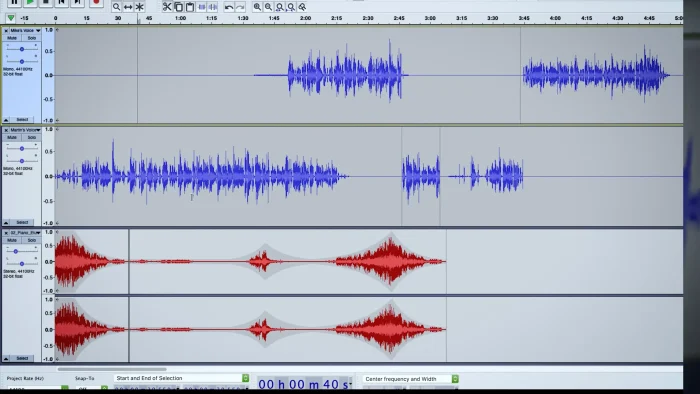
Why We Like It: Audacity provides free audio editing with robust features. We value its open-source status and how it serves musicians on Windows. It’s a versatile tool for sound projects.
Key Features:
- Supports multi-track recording.
- Offers noise removal tools.
- Includes a spectrogram view.
- Provides VST plugin compatibility.
19. Capcut
Why We Like It: Capcut offers intuitive video editing with AI enhancements. We enjoy its free features and how it caters to content creators on Windows. It’s a trending tool for quick edits.
Key Features:
- Supports multi-layer timeline editing.
- Offers AI-powered background removal.
- Includes a stock media library.
- Provides one-click transitions.
20. Firefox
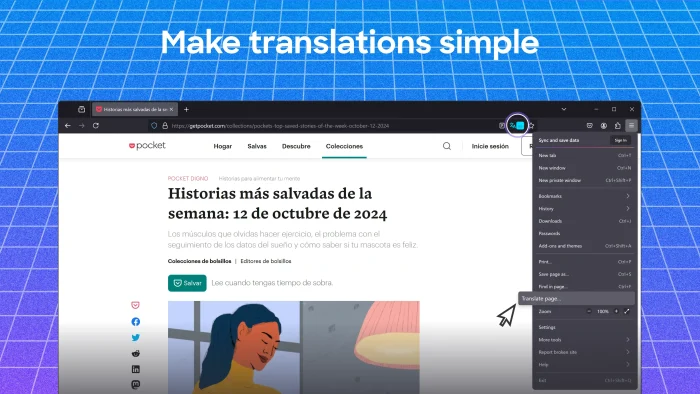
Why We Like It: Firefox delivers a privacy-focused browsing experience. We appreciate its open-source design and how it customizes easily on Windows. It’s a solid alternative to other browsers.
Key Features:
- Supports picture-in-picture mode.
- Offers a built-in PDF viewer.
- Includes a tracking protection shield.
- Provides developer tools for web design.
21. Lively Wallpaper
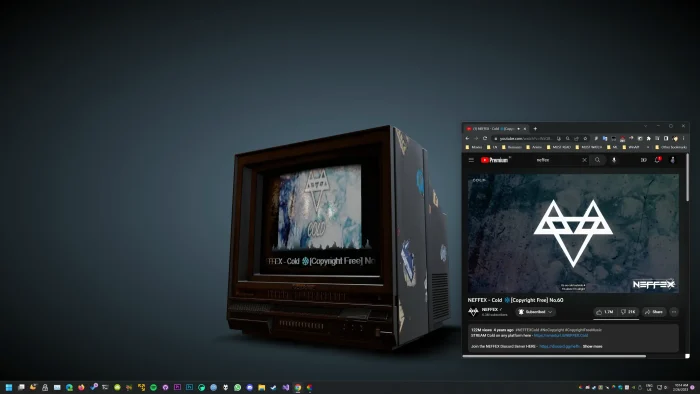
Why We Like It: Lively Wallpaper transforms your desktop into a dynamic canvas. We love how it brings your screen to life with interactive and animated wallpapers—without hogging system resources. It’s a visual treat for anyone who wants their workspace to feel a little more alive.
Key Features:
- Supports video, GIF, and HTML-based live wallpapers.
- Low CPU and RAM usage thanks to hardware acceleration.
- Multi-monitor and HiDPI support.
- Customizable playback rules and interactive elements.
22. Chocolatey
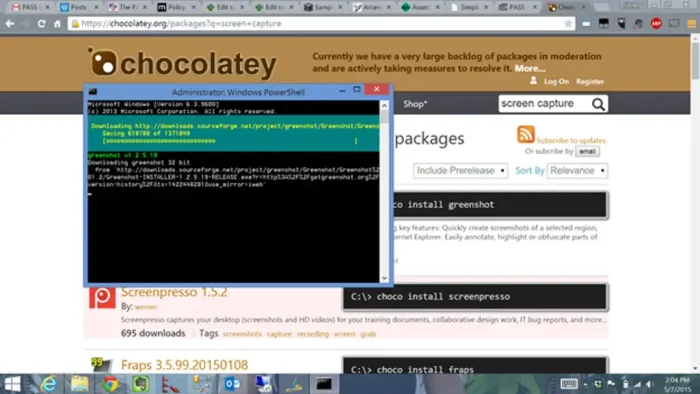
Why We Like It: Chocolatey streamlines software installation with a package manager. We enjoy its command-line efficiency and how it simplifies updates on Windows. It’s a time-saver for tech-savvy users.
Key Features:
- Supports package dependency resolution.
- Offers a graphical interface option.
- Includes a community package repository.
- Provides uninstallation tracking.
23. Microsoft Designer

Why We Like It: Microsoft Designer blends intuitive design tools with the power of AI to help anyone create stunning visuals in seconds. We love how it simplifies graphic design for social media, invitations, and more—no experience required. It’s like having a personal design assistant at your fingertips. Key Features:
- AI-powered image generation and layout suggestions.
- One-click background removal and photo enhancements.
- Hundreds of customizable templates for any occasion.
- Seamless integration with Microsoft 365 and Copilot.
24. Microsoft Copilot


Why We Like It: Microsoft Copilot integrates AI assistance into Windows 11. We appreciate its seamless Office compatibility and how it boosts productivity. It’s a handy tool for daily tasks.
Key Features:
- Supports natural language commands.
- Offers document summarization.
- Includes a task automation feature.
- Provides real-time suggestions.
25. Claude
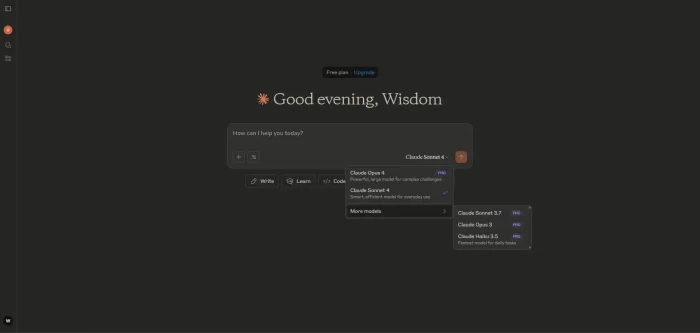

Why We Like It: Claude offers human-like AI writing with research support. We enjoy its Projects feature and how it aids creative work on Windows. It’s a versatile tool for professionals.
Key Features:
- Supports multi-step task handling.
- Offers citation generation.
- Includes a context window for long inputs.
- Provides safety-focused responses.
(BONUS). Perplexity AI
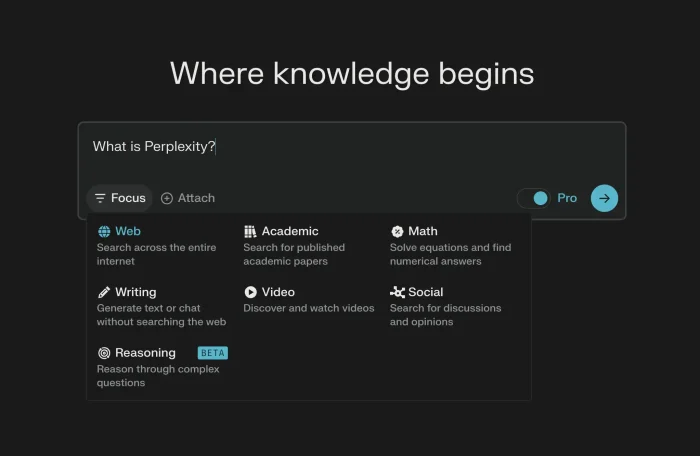

Why We Like It: Perplexity AI delivers accurate search results with cited sources. We value its research capabilities and how it assists Windows users. It’s a smart tool for information gathering.
Key Features:
- Supports follow-up question handling.
- Offers a shopping assistant tool.
- Includes academic paper access.
- Provides real-time web updates.
Compare the Best Windows Software
Compare these top Windows apps by category and features, all optimized for your PC!
| App | Category | Key Benefit |
|---|---|---|
| QuickLook | Utility | Instant file previews |
| Notepad++ | Productivity | Plugin support |
| Obsidian | Productivity | Graph view |
| Microsoft PowerToys | Utility | Window management |
| Todoist | Productivity | Task syncing |
| Everything | Utility | Fast search |
| 7-Zip | Utility | High compression |
| FreeCommander | Utility | Dual-pane view |
| TeraCopy | Utility | Error recovery |
| VLC Media Player | Media | Wide format support |
| MusicBee | Media | Tag editing |
| Visual Studio Code | Productivity | Programming |
| Malwarebytes | Security | Malware detection |
| Bitwarden | Security | Password syncing |
| Avast | Security | Wi-Fi security |
| GIMP | Creative | Layer support |
| CyberLink PowerDirector 365 | Creative | AI editing tools |
| Audacity | Creative | Noise removal |
| Capcut | Creative | AI effects |
| Firefox | Browsing | Privacy features |
| Lively Wallpaper | Personalization | Split-screen view |
| Chocolatey | Utility | Package management |
| Microsoft Designer | Productivity | Real-time insights |
| Microsoft Copilot | AI | Office integration |
| Claude | AI | Writing assistance |
| Perplexity AI | AI | Cited sources |
FAQ
Why is Windows great for these apps? Windows supports a wide range of software with regular updates and strong hardware compatibility.
Which apps are best for productivity? Notepad++, Obsidian, and Todoist offer top tools for managing tasks and notes.
Which apps are free to use? QuickLook, Notepad++, and GIMP are fully free with no hidden costs.
Are there apps for creative work? Yes, GIMP, CyberLink PowerDirector 365, and Capcut cater to creative projects.
Which apps enhance security? Malwarebytes, Bitwarden, and Avast provide strong protection options.
Want more tools? Check out our list of the best free apps for Windows PC.