

Readers like you help support this site. When you make a purchase using links on our site, we may earn an affiliate commission. All opinions remain our own.
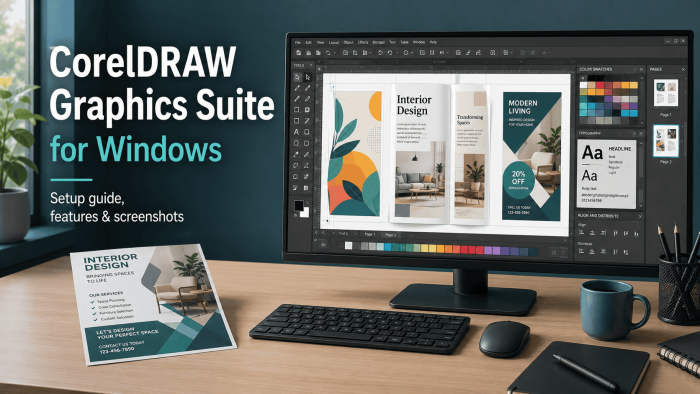

CorelDRAW Graphics Suite 2026 is a full design suite for Windows from Corel, available from the official CorelDRAW website. It helps you make logos, flyers, signs, labels, menus, ads, social graphics, and print-ready layouts. It is built for people who need more control than a template app gives them.
The Windows focus is what keeps CorelDRAW useful for small businesses and print shops. You get vector design, page layout, photo editing, typography, AI image tools, and broad file export support in one suite. That makes it a practical choice if your work moves between screen designs and real print jobs.
CorelDRAW Graphics Suite 2026 runs on Windows 11 and Windows 10 64-bit with the latest updates. Corel lists a 15-day trial, yearly subscription, and one-time purchase options. Pricing and plan details can change by region, so check Corel before you buy.
Already using CorelDRAW for client work? Tell us how it fits your workflow in the comments after publishing.
What You Need to Know
- CorelDRAW Graphics Suite 2026 is paid software with a 15-day trial from Corel.
- The suite includes CorelDRAW for vector and layout work, Corel PHOTO-PAINT for image editing, Corel Font Manager, capture tools, and web access for eligible users.
- The 2026 release adds AI Generate, AI Remix, AI background removal, AI masking tools, performance updates, refreshed UI details, and new templates.
- It is strongest for logos, print layouts, signs, labels, menus, flyers, ads, packaging, and small business design work.
- AI features use credits, so check the current plan details before you choose subscription or one-time purchase.
15 Days
Free Trial
Win 11/10
64-bit Windows
AI Tools
Generate, remix, mask
Corel
Developer
| Developer | Corel |
| Product | CorelDRAW Graphics Suite 2026 |
| Price | Annual plan from US$329/year or one-time purchase at US$644.00 |
| Trial | 15-day trial |
| Windows Versions | Windows 11, Windows 10 64-bit |
| Also On | macOS, web access for eligible plans |
Download CorelDRAW Graphics Suite 2026Check CorelDRAW Pricing
Use the official CorelDRAW page to check the latest trial, plans, and Windows download options before you install.
Who Should Use CorelDRAW Graphics Suite?
- Use it if you make logos, print designs, signage, labels, brochures, menus, packaging, client mockups, or multi-page layouts on Windows.
- Skip it if you only need quick social posts, simple flyers, or template-based designs. Canva or Microsoft Designer may be easier.
- Be careful if your clients send mostly Adobe files. CorelDRAW can import many Adobe formats, but complex effects, missing fonts, and linked assets may need cleanup.
How to Get CorelDRAW Graphics Suite 2026 on Windows
CorelDRAW Graphics Suite 2026 is available from the official CorelDRAW product page. The safest route is to start with the trial, test your real files, then decide whether the subscription or one-time purchase fits your budget.
Install tip: Try it with the kind of work you actually do. Open a client logo, export a PDF, edit a photo in PHOTO-PAINT, test a printer file, and check whether the AI tools are worth the credits for your workflow.
- Step 1. Open the CorelDRAW Graphics Suite page.
- Step 2. Choose the trial, subscription, or one-time purchase option shown for your region.
- Step 3. Download the Windows installer and run it.
- Step 4. Sign in with your Corel account when prompted. Internet access is required for install, sign-in, and some online features.
- Step 5. Open CorelDRAW first, then test Corel PHOTO-PAINT, Font Manager, templates, export settings, and AI features before the trial ends.
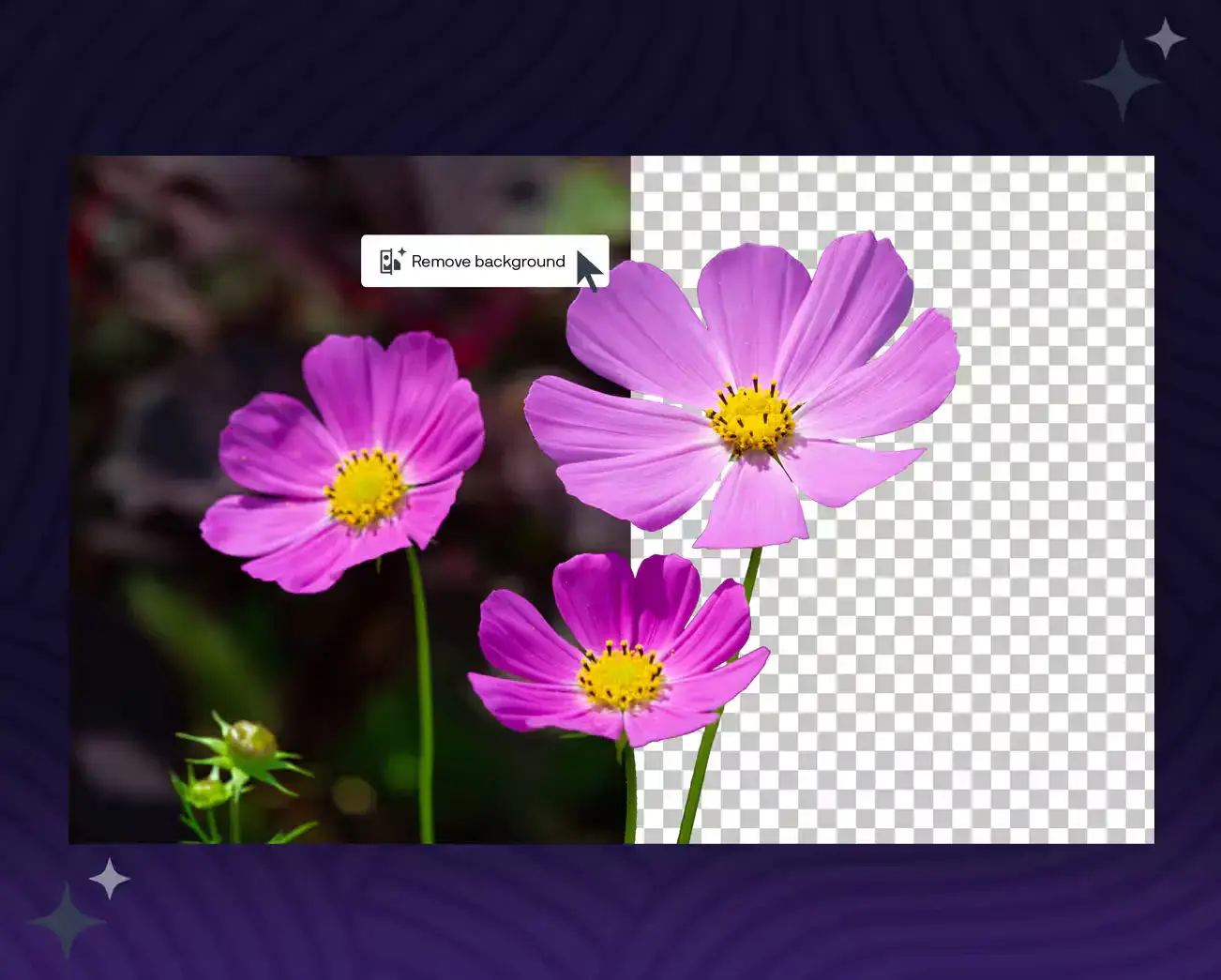

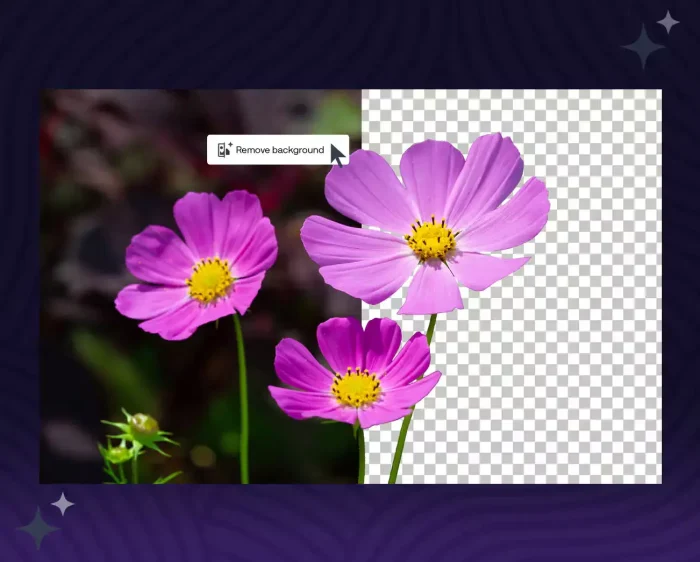
Ability to remove a background on any image using AI
Is CorelDRAW Graphics Suite Safe?
CorelDRAW Graphics Suite is a long-running commercial design app from Corel. It does not patch Windows system files, change your browser, or install itself as a background cleaner. It installs like normal desktop software and adds its own design apps and helper tools.
The honest caveat is size and permissions. Design suites are large, need activation, and may install font, capture, and update components. Download it from Corel or a trusted buying link, keep your Corel account secure, and avoid third-party installer sites that repackage software.
What Is CorelDRAW Graphics Suite?
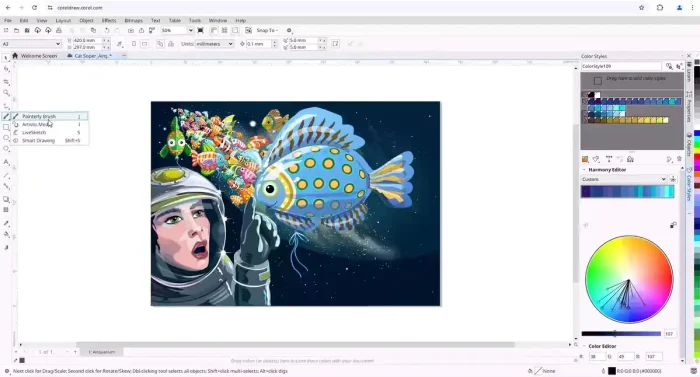
CorelDRAW Graphics Suite is a design package for vector illustration, page layout, image editing, font management, and print production. CorelDRAW is the main app for drawing and layout. Corel PHOTO-PAINT handles photo editing. Corel Font Manager helps organize fonts. The suite also includes tools for screen capture, templates, web access, and file export.
The reason people still choose CorelDRAW on Windows is practical. It fits sign shops, print shops, local businesses, students, and designers who need to make real-world design files without building an Adobe-only workflow. If you make menus, labels, ads, vinyl cuts, banners, t-shirts, brochures, or logos, CorelDRAW feels built for that kind of work.
What Is New or Notable in the 2026 Version?
AI Generate
Create image ideas from text prompts or use existing content as a starting point. It is useful for mockups, concept art, background ideas, and quick creative directions.
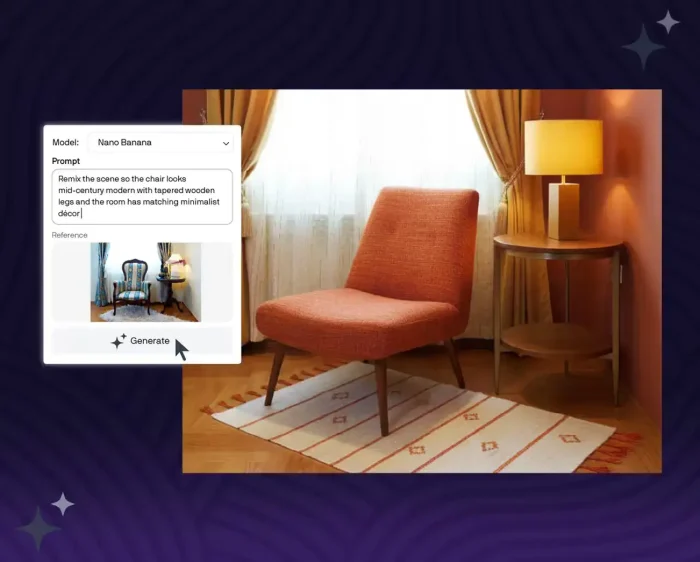
AI Remix
Change an image with a prompt while keeping the main idea intact. This helps when you need a fast style variation or a more client-friendly mockup.
AI Background Removal
Remove backgrounds from photos faster than manual tracing. It helps with product shots, flyers, posters, ads, and online store graphics.
AI Masking in PHOTO-PAINT
PHOTO-PAINT can help select subjects and create masks. That saves time when you need to isolate a person, object, or product photo.
Faster Launch and Refreshed UI
Corel says the suite can launch up to three times faster. The 2026 release also refreshes desktop and web interface details.
More Templates and Web Updates
Eligible subscription and maintenance users get CorelDRAW Web updates, extra templates, and new brush content for creative work.
Key Features
Vector Drawing
Create logos, icons, labels, signs, illustrations, and artwork that scales cleanly from a business card to a storefront banner.
Page Layout
Build flyers, menus, brochures, product sheets, newsletters, posters, and multi-page designs with text, images, shapes, and print settings.
Photo Editing
Use Corel PHOTO-PAINT for photo fixes, masks, cutouts, color edits, product images, ad graphics, and image cleanup.
Typography and Fonts
Manage fonts, style text, create type-based logos, and prepare print layouts without losing control of spacing and alignment.
Print and Export Tools
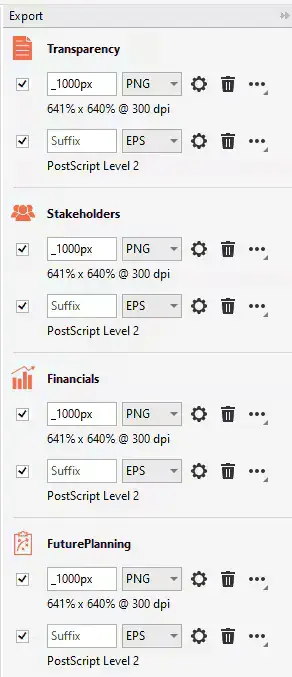
Export to PDF and common design formats, prepare print-ready files, and handle color, page, and output settings for real production work.
File Compatibility
Import and export many formats, including CDR, AI, PSD, PDF, SVG, EPS, TIFF, WebP, DWG, and DXF. Always proof imported client files before sending final artwork.
What You Get After Install
| Tool or Area | What It Helps You Do |
|---|---|
| CorelDRAW | Create vector graphics, layouts, signs, logos, labels, ads, and print-ready pages. |
| Corel PHOTO-PAINT | Edit images, remove backgrounds, create masks, clean product shots, and prepare photos for layouts. |
| Corel Font Manager | Browse, organize, activate, and control fonts for branding and design projects. |
| AI Tools | Generate images, remix visuals, remove backgrounds, and speed up masks using credit-based AI features. |
| Templates and Assets | Start from ready-made designs for business cards, flyers, social posts, layouts, and print work. |
| Export Tools | Prepare PDF, SVG, EPS, image, web, and print files for clients, printers, or online use. |
System Requirements
| Requirement | CorelDRAW Graphics Suite 2026 for Windows |
|---|---|
| Operating System | Windows 11 or Windows 10 64-bit with latest updates |
| Processor | Intel Core i3, i5, i7, or i9 7th gen or newer, or AMD Ryzen, Threadripper, or EPYC |
| Memory | 8GB RAM minimum, 16GB recommended |
| Storage | 5.5GB available disk space for application and install files |
| Graphics | OpenCL 1.2 capable video card with 3GB VRAM or more |
| Display | 1280 x 720 minimum at 100 percent scaling, 1920 x 1080 recommended |
| Internet | Required for install, authentication, online features, and some app services |
Plans and Pricing
Corel sells CorelDRAW Graphics Suite through subscription and one-time purchase options. The purchase page screenshot for CorelDRAW Graphics Suite 2026 shows the annual plan at US$27.42 per month, billed as US$329.00 per year, and the one-time purchase at US$644.00. Treat those as a checkout snapshot, not a permanent price, because Corel can change offers by region, taxes, upgrades, education pricing, and promotions.
For current features
Annual Subscription
US$329/year
Shown as US$27.42/mo on the purchase page screenshot
- Current desktop apps
- Monthly AI credit allowance
- CorelDRAW Web updates for eligible users
- Ongoing feature and compatibility updates
One-Time Purchase
US$644.00
One-time purchase for the 2026 version on the purchase page screenshot
- Pay once for the current major version
- No yearly subscription bill
- One-time AI credit balance listed by Corel
- May miss some ongoing subscription benefits
Trial
15 Days
Try before buying
- Test the Windows apps
- Open your own design files
- Check export, fonts, and print workflows
- Decide before you pay
Pricing note: Do not buy from an old screenshot or third-party price quote. Open the CorelDRAW page and confirm the current price, region, tax, trial status, and upgrade terms before checkout.
CorelDRAW vs Adobe Illustrator vs Affinity Designer
| Feature | CorelDRAW Graphics Suite | Adobe Illustrator | Affinity Designer |
|---|---|---|---|
| Main fit | Windows design, print, signs, layouts, labels, logos | Vector illustration and Adobe workflows | Low-cost vector design and UI artwork |
| Price model | Subscription or one-time purchase | Subscription | Free or one-time model depending on current Affinity plan |
| Photo editing included | Yes, PHOTO-PAINT | Photoshop is separate | Affinity Photo is separate |
| Print shop fit | Very strong | Strong | Good, but depends on handoff needs |
| Learning curve | Moderate, easier for many Windows print users | Moderate to high | Lower for many beginners |
Common Issues and Compatibility Notes
Imported Adobe files may need cleanup
CorelDRAW supports many Adobe file types, but complex effects, missing fonts, linked images, and special blend settings may not convert perfectly. Always check the file before sending it to a printer or client.
AI credits can run out
The 2026 AI tools use credits. If you plan to generate or remix lots of images, compare the subscription and one-time purchase credit terms before buying.
Older PCs may feel slow
Corel lists 8GB RAM as the minimum, but 16GB is recommended. Large print files, many fonts, high-resolution photos, and AI features are smoother on stronger hardware.
Fonts can change a design
If a client sends a file without the right fonts, text may reflow or substitute. Package fonts when allowed, convert final text to curves when needed, and keep editable copies for revisions.
Tips for Getting Started
1. Start with your real work, not a demo file
Open a logo, flyer, PDF, label, or sign file you already use. That tells you faster whether CorelDRAW fits your day-to-day work.
2. Test export settings early
Before the trial ends, export PDF, SVG, PNG, and printer-ready files. Send a sample to your printer or client if file handoff matters.
3. Organize fonts before client work
Use Corel Font Manager to keep business fonts separate from one-off fonts. Font chaos is one of the fastest ways to break a design file.
4. Use AI for mockups, then refine manually
AI tools are good for quick ideas and cutouts. For logos, print files, and client assets, still check edges, text, colors, and layout by hand.
5. Keep editable and print-ready versions
Save an editable CorelDRAW file for revisions and a separate exported PDF for printing. Do not rely on one file for every job.
Official Trailer
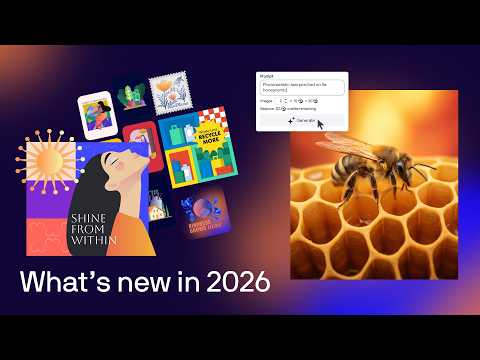
Watch this CorelDRAW Graphics Suite 2026 video to see the refreshed interface, AI tools, background removal, masking updates, and creative workflow changes.
CorelDRAW Graphics Suite Screenshots


Frequently Asked Questions
Does CorelDRAW Graphics Suite 2026 work on Windows 10?
Yes. Corel lists support for Windows 11 and Windows 10 64-bit with the latest updates. You also need a supported Intel or AMD processor, at least 8GB of RAM, 5.5GB of disk space, and internet access for install and sign-in.
Can I try CorelDRAW Graphics Suite before buying it?
Yes. Corel offers a 15-day trial for CorelDRAW Graphics Suite. Use the trial to test vector tools, PHOTO-PAINT, file exports, templates, and AI features before choosing a subscription or one-time purchase.
What is new in CorelDRAW Graphics Suite 2026?
The 2026 release adds AI Generate, AI Remix, AI background removal, AI masking in PHOTO-PAINT, a refreshed interface, faster launch performance, more templates, and updates for CorelDRAW Web.
Can CorelDRAW open Adobe Illustrator or Photoshop files?
CorelDRAW Graphics Suite supports many design and print formats, including Adobe Illustrator and Photoshop files, PDF, SVG, EPS, DWG, DXF, WebP, and CorelDRAW files. Complex effects, fonts, or linked assets can still need cleanup after import.
Is CorelDRAW better than Adobe Illustrator?
CorelDRAW is often easier for Windows users who make signs, print layouts, logos, labels, and business graphics. Adobe Illustrator is stronger if your clients already work in Adobe apps. The better choice depends on your workflow and file handoff needs.
Do the AI tools cost extra?
Corel ties its AI features to credits. The 2026 announcement says subscription and maintenance users get 2,000 credits each month, while one-time purchase users get a one-time 2,000 credit balance. Check Corel’s current plan page before buying.
Is the one-time purchase worth it?
The one-time purchase can make sense if you want to avoid a yearly subscription and do not need every ongoing web, AI, support, or update benefit. The subscription is safer if you want current features and monthly AI credits.
Support and Community
Corel has official product help, support pages, release notes, and user communities. For peer discussion, Reddit can also help with real-world print, font, file, and setup questions.
- r/CorelDRAW on Reddit: community discussion for CorelDRAW users, print workflows, file issues, and design questions.
- CorelDRAW Support: official help, account support, product help, and customer service routes.
- CorelDRAW Help: official documentation and release notes for current CorelDRAW products.
More Windows software guides: Canva for Windows · Affinity Photo 2 for Windows · Best Photo Editors for Windows · Microsoft Designer for Windows