

Readers like you help support this site. When you make a purchase using links on our site, we may earn an affiliate commission. All opinions remain our own.


You can start with EndNote 21 and EndNote 2026 today to manage references like a pro, with a full license at $248 or upgrades from $113.
Built by Clarivate, it works on Windows 7 to 11, Mac, iOS, and web, helping scholars since 1988.
As someone drowning in PDFs or stressing over citation styles, you need a tool to save time and keep your work sharp.
This guide covers getting it on Windows, its top features, and tips to dive in. Ready to organize your research?
Try EndNote now. Share your research pet peeve below, or contact us for help.
How to Get Started with EndNote
To install EndNote on your Windows PC, download it from the official site. Here’s how:
- Official Site
- Visit the page: EndNote Product Details.
- Click Buy for a full license ($248) or upgrade ($113).
- Download the installer (about 500 MB) and run it.
- Open the app and activate with your product key.
Quick Tip: 💡 Sync your library to EndNote Web for access anywhere.
Visit Official Site | Start Organizing Your Research Today

What is EndNote About?
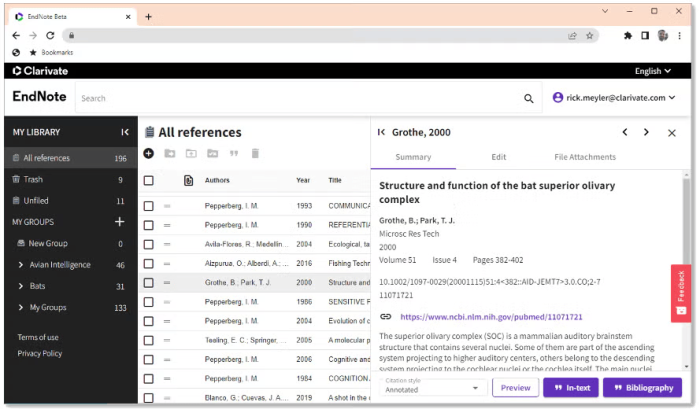
EndNote, crafted by Clarivate since 1988, is a leading reference manager for Windows, Mac, and web.
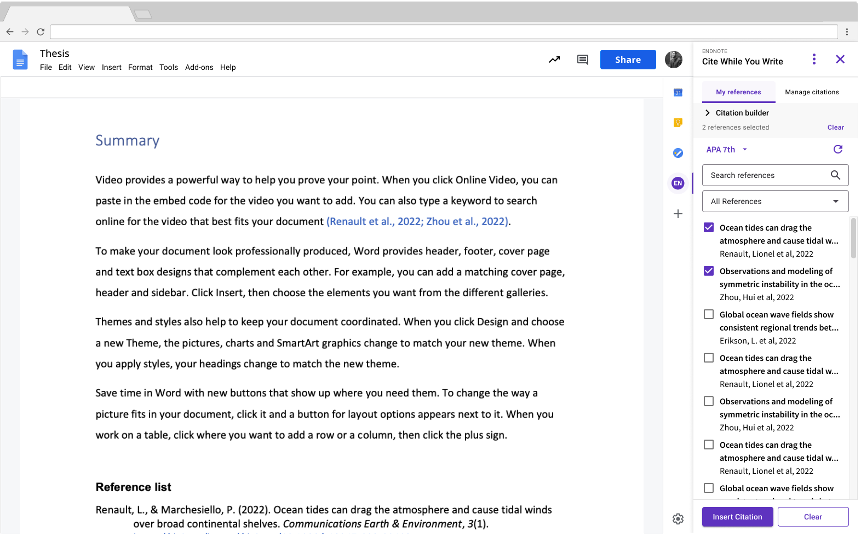
It organizes citations, PDFs, and notes, with tools like Cite While You Write for Word and Google Docs.
Updates bring tags, data restoration, and EndNote Web for seamless sync.
Core Features: Collect references, format citations, and share libraries with ease.
Why Use EndNote on Windows?
It’s a researcher’s best friend, saving hours on citations and keeping your work organized.
- Cite While You Write for Word and Google Docs
- 7,000+ bibliography styles
- Custom tags and library sharing
- One-click PDF imports with EndNote Click
- Data restoration to protect your work
Don’t let citations slow you down; get EndNote to streamline your research
Quick Start Guide for EndNote
New to EndNote? Get going quick:
- Create a library and import references.
- Use Cite While You Write in Word.
- Add PDFs with one-click imports.
Best Settings for EndNote on PC
Tweak these for a better experience:
- Sync: Enable EndNote Web sync in Preferences.
- Styles: Pick APA or MLA in Output Styles.
- Tags: Set custom tags in Library view.
Common Issues & Fixes for EndNote
- Sync Errors: Check internet or re-login.
- Cite While You Write Fails: Reinstall Word plugin.
- PDF Import Stalls: Update EndNote Click.
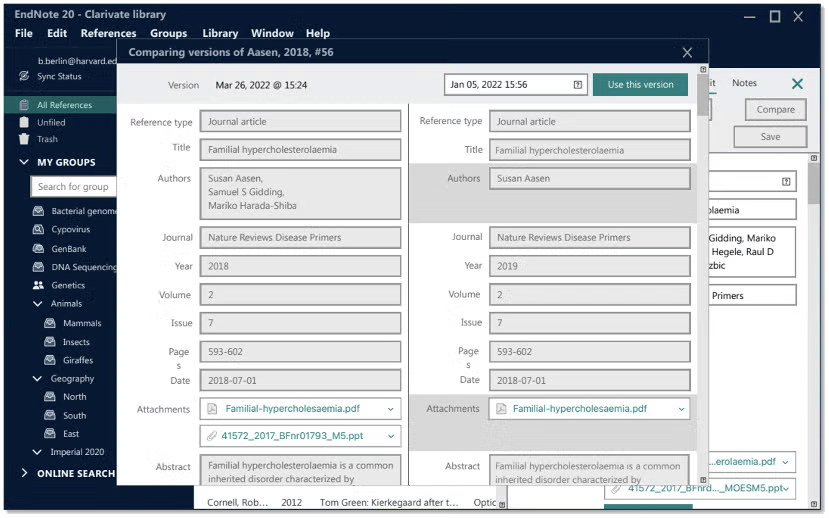
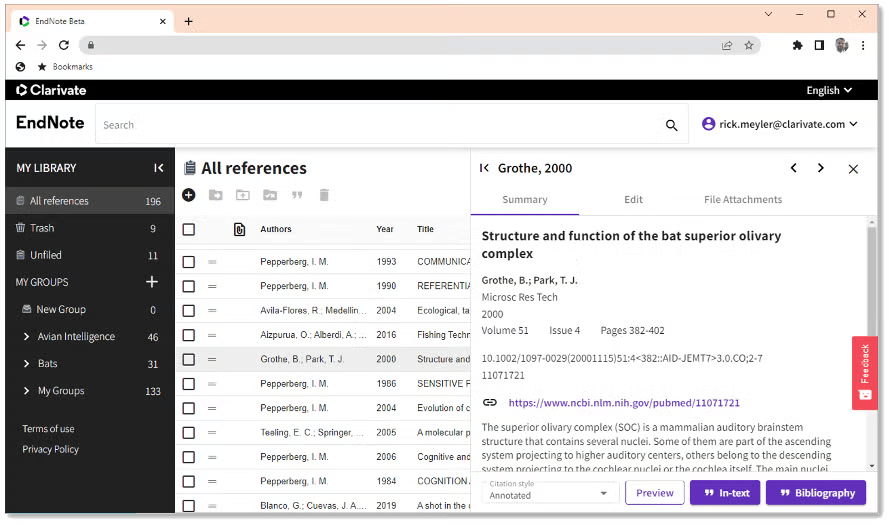
EndNote Screenshots

EndNote Beginner’s Video
Watch this quick guide to learn how to use EndNote on your PC:
System Requirements for EndNote on Windows
- OS: Windows 7, 8, 10, 11 (32 or 64-bit)
- CPU: 1 GHz or faster
- RAM: 2 GB minimum
- Storage: 600 MB free
- Other: Word 2010 or later for CWYW
EndNote on Windows FAQ
- Is there a free trial? Yes, 30 days for EndNote 21.
- Can I use it on Mac? Yes, same license works.
- Does it sync with web? Yes, via EndNote Web.
Support and Community
Ready to make research effortless? Get EndNote today!