


Whether you’re just getting started or want to become a keyboard ninja, this guide breaks down the most useful shortcuts for Windows 10 and 11, all neatly organized by category.
There’s even a downloadable cheat sheet to keep by your desk! Feel free to leave a comment below or contact us for any help.
Guide to Windows 11 Keyboard Shortcuts
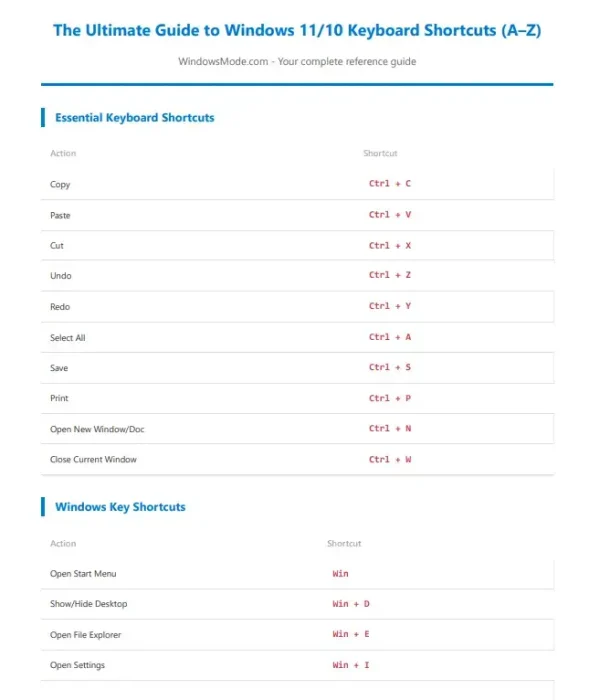
Essential Shortcuts
| Action | Shortcut |
|---|---|
| Copy | Ctrl + C |
| Paste | Ctrl + V |
| Cut | Ctrl + X |
| Undo | Ctrl + Z |
| Redo | Ctrl + Y |
| Select All | Ctrl + A |
| Save Document | Ctrl + S |
Ctrl + P |
|
| Open New Document | Ctrl + N |
| Close Current Window | Ctrl + W |
Windows Key Shortcuts
| Action | Shortcut |
|---|---|
| Start Menu | Win |
| Show Desktop | Win + D |
| File Explorer | Win + E |
| Settings | Win + I |
| Lock PC | Win + L |
| Task View | Win + Tab |
| Action Center | Win + A |
| Search | Win + S |
| Run Box | Win + R |
| System Properties | Win + Pause/Break |
Navigation Shortcuts
| Action | Shortcut |
|---|---|
| Switch Apps | Alt + Tab |
| Switch Tabs | Ctrl + Tab |
| Move Word-by-Word | Ctrl + ← / → |
| Select Word-by-Word | Shift + Ctrl + ← / → |
| Go to Start/End | Ctrl + Home / End |
| Cycle Open Windows | Alt + Esc |
Text Editing Shortcuts
| Action | Shortcut |
|---|---|
| Line Start/End | Home / End |
| Select to Line Start/End | Shift + Home / End |
| Delete Word | Ctrl + Backspace / Delete |
| Select Paragraph | Ctrl + Shift + ↑ / ↓ |
| Select Lines Up/Down | Shift + ↑ / ↓ |
Screenshot Shortcuts
| Action | Shortcut |
|---|---|
| Full-Screen Screenshot | PrtScn |
| Active Window | Alt + PrtScn |
| Custom Area (Snip Tool) | Win + Shift + S |
| Auto-Save Screenshot | Win + PrtScn |
| Game Bar Screenshot | Win + G |
Window Management
| Action | Shortcut |
|---|---|
| Minimize Window | Win + ↓ |
| Maximize Window | Win + ↑ |
| Snap Left/Right | Win + ← / → |
| Minimize All | Win + M |
| Restore All | Win + Shift + M |
| New Virtual Desktop | Win + Ctrl + D |
| Close Virtual Desktop | Win + Ctrl + F4 |
| Switch Desktops | Win + Ctrl + ← / → |
Bonus: Command Prompt + Browser Shortcuts
| Action | Shortcut |
|---|---|
| Copy (CMD) | Ctrl + C |
| Paste (CMD) | Ctrl + V |
| New Tab (Browser) | Ctrl + T |
| Close Tab | Ctrl + W |
| Reopen Closed Tab | Ctrl + Shift + T |
| Switch Tabs | Ctrl + Tab |
| Open History | Ctrl + H |
| Downloads | Ctrl + J |
💾 Download the Printable Shortcut Cheat Sheet (PDF)

If this guide helped you, consider supporting it by downloading the printable PDF version for just $1.
It’s the same content, organized cleanly for printing or offline viewing.
Choose your preferred option below:
Check out our other guide how to disable Windows 11 auto drive updates and how to customize your Windows taskbar.