

Readers like you help support this site. When you make a purchase using links on our site, we may earn an affiliate commission. All opinions remain our own.

DesktopHut is a free live wallpaper app for PC, available via the Microsoft Store.
You pick a video, GIF, or one of thousands of ready-made clips from its own gallery, and it plays on loop as your desktop background. There is no purchase required, and no separate account needed to get started.
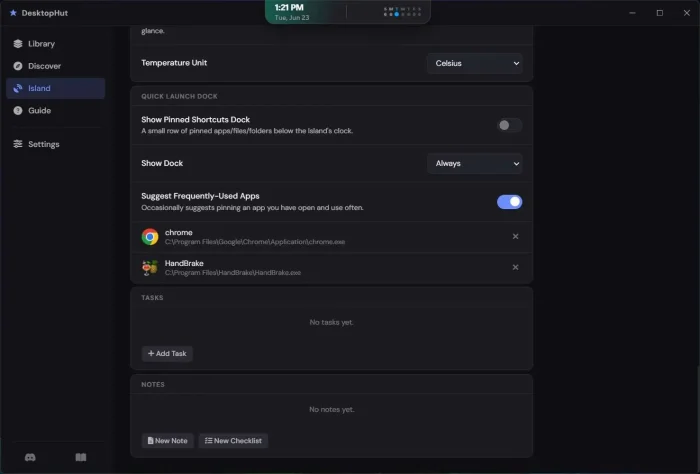
DesktopHut plays your wallpapers through the Luna Engine, built on MPV for hardware-accelerated playback that stays out of the way of your other work. If a wallpaper format ever needs it, you can switch to the Electron engine in Settings instead. The app also just added DesktopHut Island, a small floating widget that sits at the top of your screen with media controls, weather, tasks, notes, and quick-launch shortcuts. It is a separate feature from the wallpaper itself, and it is off by default until you turn it on.
DesktopHut runs on Windows 10 and Windows 11, and installs straight from the Microsoft Store. This guide covers what it actually does, how to set it up, and how it compares to the other live wallpaper tools on Windows.
Already running DesktopHut? Tell us what wallpaper you’re using in the comments. Got a question before you install it? Reach out to us directly.
What You Need to Know:
- DesktopHut is free, installs from the Microsoft Store, and needs no account to set your first wallpaper
- It pauses automatically when a game or full-screen app opens, so it should not cost you frame rate
- The new DesktopHut Island widget is a separate, optional layer for weather, tasks, and quick shortcuts
Who Should Use DesktopHut?
- Use it if you want a moving desktop background without paying anything or setting up a separate account.
- Skip it if your PC is older or has no dedicated graphics card. Live wallpapers lean on your GPU, and a weak one will show it.
- Be careful if young kids will be browsing the gallery with you. It’s rated for teens and up, since some user-submitted wallpapers aren’t kid-friendly.
How to Get DesktopHut on Windows
DesktopHut installs straight from the Microsoft Store, no separate download page or account needed to get moving.
- Step 1. Open the Microsoft Store on Windows 10 or 11.
- Step 2. Search DesktopHut and select the listing from developer Desktophut, or go straight to the DesktopHut Microsoft Store page.
- Step 3. Click Install and wait for it to finish.
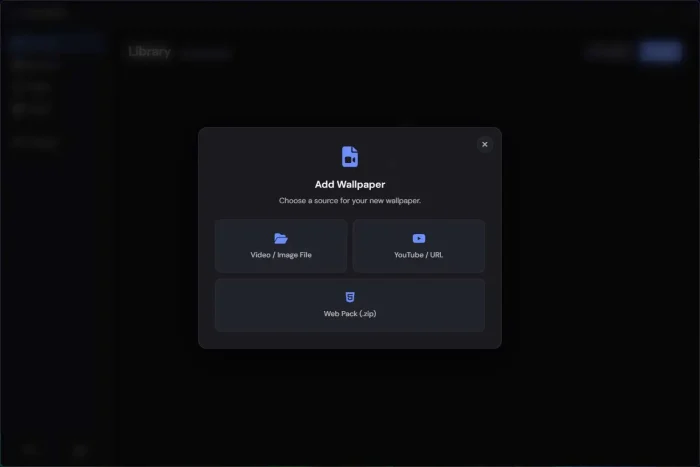
- Step 4. Open the app. Browse the built-in gallery or click Import to use your own video or GIF.
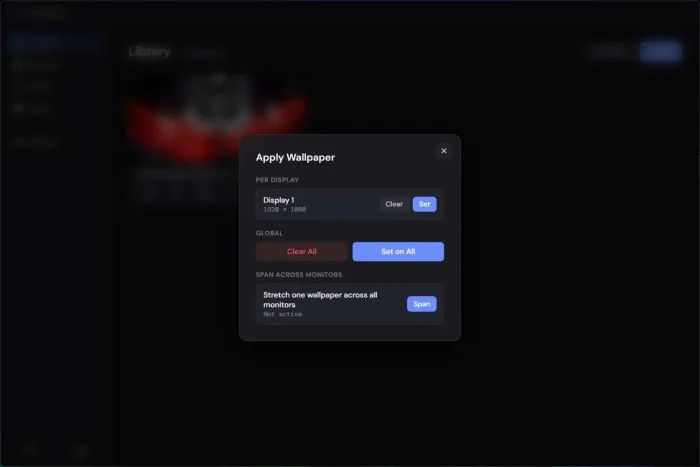
- Step 5. Pick a wallpaper and click Apply. It starts playing on your desktop right away.
Worth knowing: DesktopHut can also work as a screensaver, and it supports MP4, WebM, AVI, MOV, and GIF files if you would rather use your own clip instead of the built-in gallery.
What Is DesktopHut, Really?
DesktopHut turns any video or GIF into your desktop background. No editing skills needed. Pick a clip from the built-in gallery, or import your own, and it loops on your screen like a living wallpaper.
It comes from the team behind the DesktopHut wallpaper website (running since 2017), so the app and the gallery are built by the same people. Everything below is packed into one free download:
- One app, one download. No separate player needed, the gallery is built right in.
- Runs on the Luna Engine. Built for smooth playback without hogging your GPU.
- Also on macOS and Android. Same wallpaper library, different devices.
🛡️ Is it safe? Yes. DesktopHut only touches your wallpaper and widget layer, never system files, and it ships through the Microsoft Store, which screens apps before listing them. The one real tradeoff: a video decoding in the background uses more battery and GPU power than a still image. See the FAQ below for more.
Key Features
Live Video Wallpapers
MP4, WebM, AVI, MOV, and GIF
Multi-Monitor Support
Different wallpaper per screen, or one spanned
Hardware Acceleration
Pauses the moment you launch a game
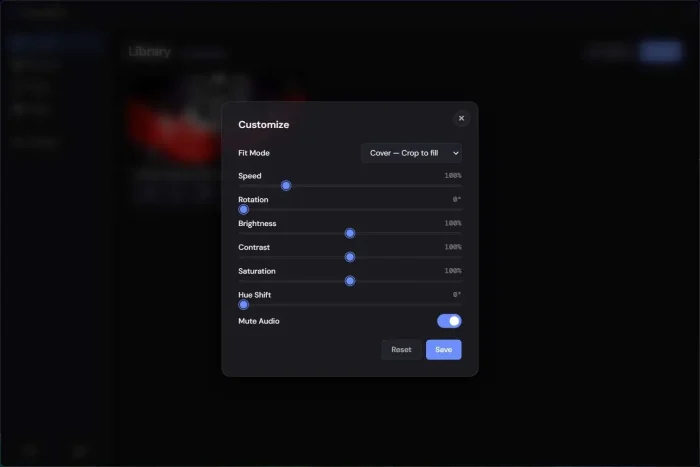
Video Adjustments
Brightness, contrast, saturation, hue, speed
Free Inbuilt Store
Browse new wallpapers without leaving the app
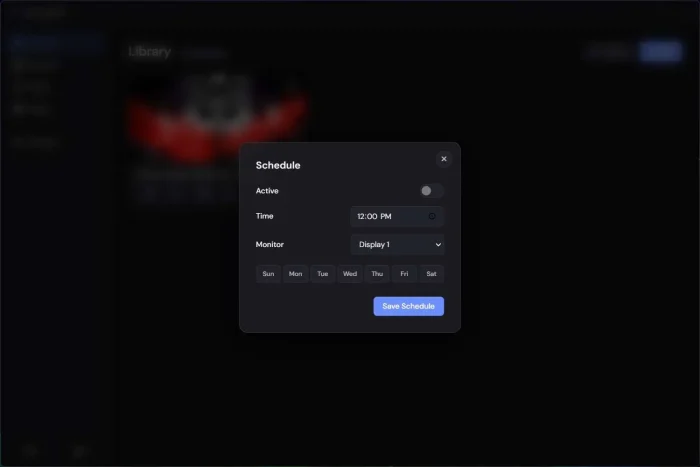
Wallpaper Scheduling
Changes automatically by time of day
DesktopHut Island
Media, weather, tasks, notes, and shortcuts
What You Can Customize
| Area | What Changes |
|---|---|
| Wallpaper Look | Brightness, contrast, saturation, hue, rotation, and playback speed |
| Monitors | Independent wallpapers per screen, or one spanned across all of them |
| App Settings | Light or dark theme, and whether DesktopHut launches automatically when Windows starts |
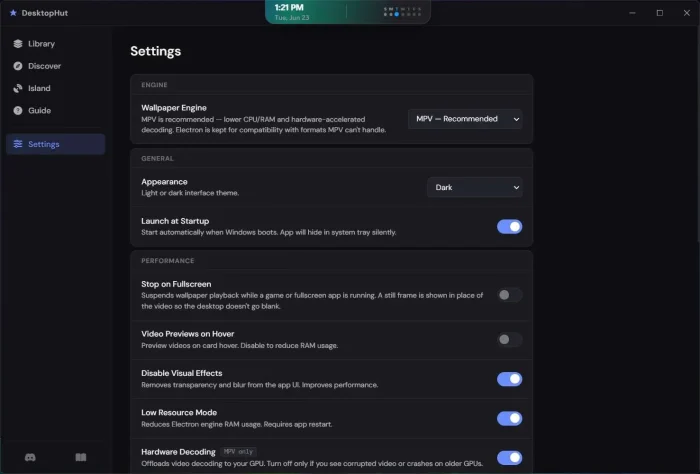
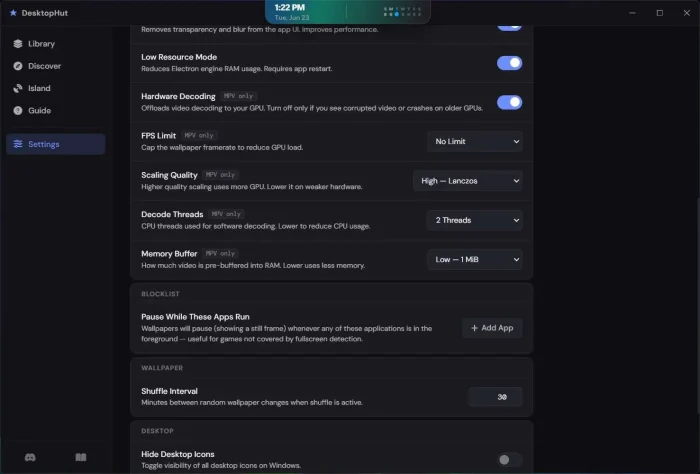
| Performance Mode | Switch between the MPV and Electron playback engines, toggle Low Resource Mode, turn on Stop on Fullscreen, or disable visual effects in the app itself |
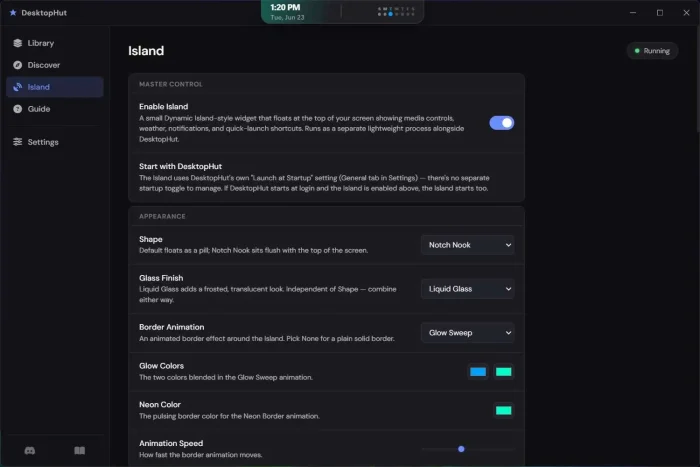
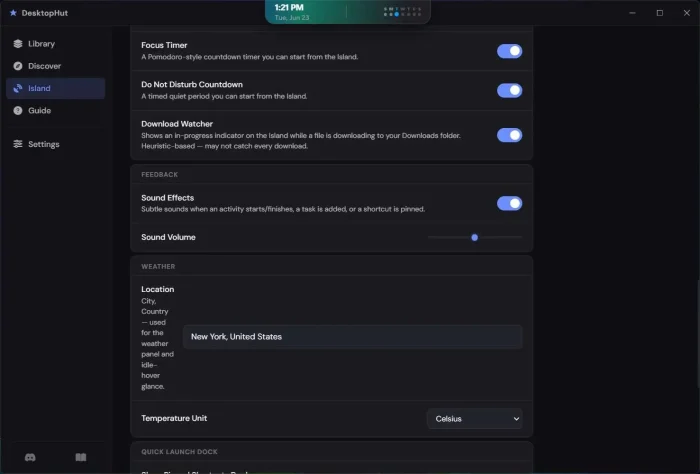
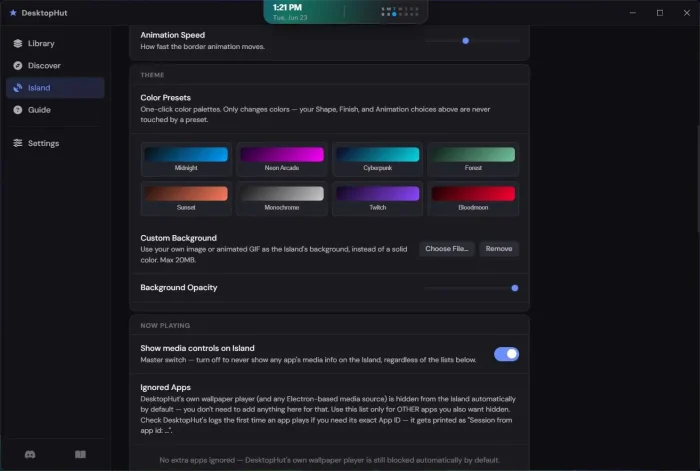
| DesktopHut Island | Shape, theme, background, and which modules show (weather, tasks, notes, shortcuts) |
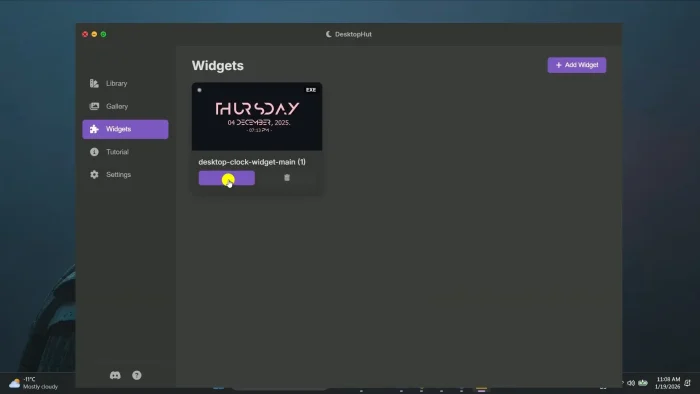
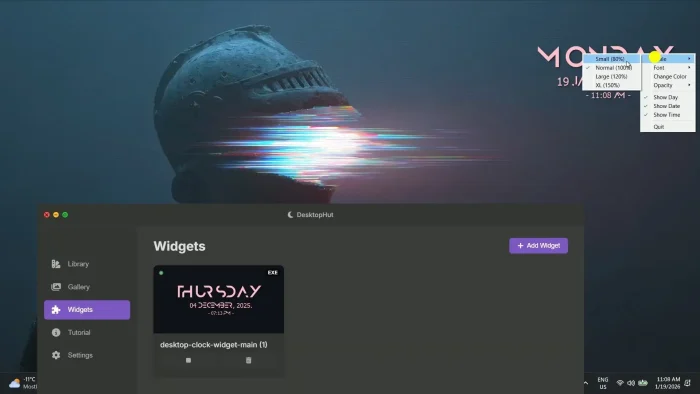
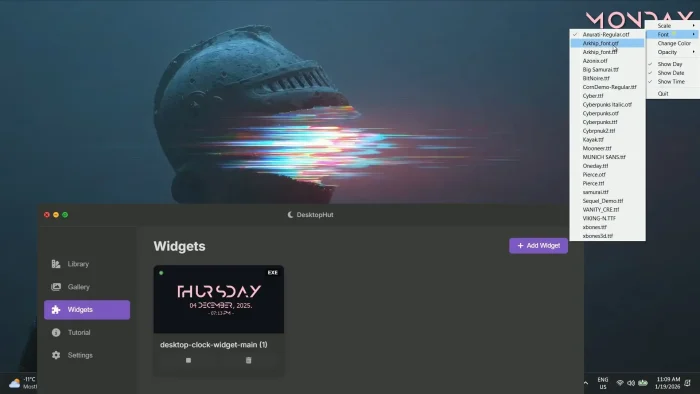
| Extra Widgets | Import add-on widgets like a system monitor, audio visualizer, or clock as a zip file, then adjust their scale, font, and color |
System Requirements
| Requirement | Details |
|---|---|
| Operating System | Windows 10 (build 17763 or later) or Windows 11 |
| Processor | 64-bit (x64) |
| Memory | 4 GB minimum, 8 GB recommended |
| Graphics | DirectX 11 compatible GPU minimum, dedicated GPU with 1 GB VRAM recommended |
| Storage | Around 1.1 GB for the app itself, more for downloaded wallpapers |
How DesktopHut Works
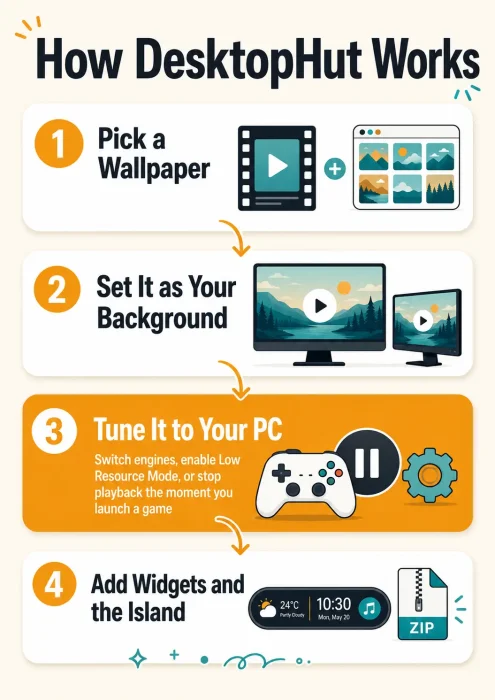
See how a wallpaper goes from the gallery to your desktop, how the performance settings fit in, and where widgets layer on top, in the infographic below.

Common Issues and Compatibility Notes
Battery drain on laptops
A video wallpaper is always decoding in the background, so expect shorter battery life on a laptop. Switch to a static wallpaper when running on battery away from a charger.
Older or integrated GPUs struggle
PCs without a dedicated graphics card can show stutter on 4K wallpapers. Make sure the MPV engine is selected in Settings, turn on Low Resource Mode, or pick a lower-resolution wallpaper if you notice this.
App not reopening after restart
A recent update specifically fixed cases where DesktopHut would not reopen from the tray icon after a PC restart. Update to the latest version if you still see this.
Not all wallpapers are kid-friendly
It’s rated for teens and up. Stick to your own imported files instead of the open gallery if that matters on a shared or family PC.
DesktopHut vs the Alternatives
| App | Price | Built-in Gallery | Open Source |
|---|---|---|---|
| DesktopHut | Free | Yes | No |
| Lively Wallpaper | Free | No, community links only | Yes |
| Wallpaper Engine | $3.99 one-time | Yes, Steam Workshop | No |
Official Trailer
Watch the official DesktopHut walkthrough to see the display picker, the wallpaper scheduler, and the widget system in action.

Tips for Getting Started
Turn on Low Resource Mode first if your PC is a few years old, then turn it off later if performance feels fine.
Try a shorter, looping clip instead of a long video. Shorter loops use less storage and load faster.
Only turn on the DesktopHut Island modules you will actually use. Fewer active modules means less background activity.
Switch to a static wallpaper before a long trip if you are relying on battery, then switch back once you’re plugged in again.
Use the Import option to bring in your own MP4 or GIF instead of only browsing the built-in gallery.
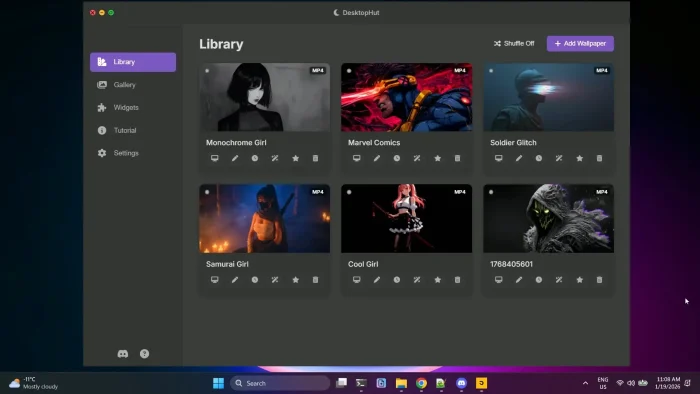
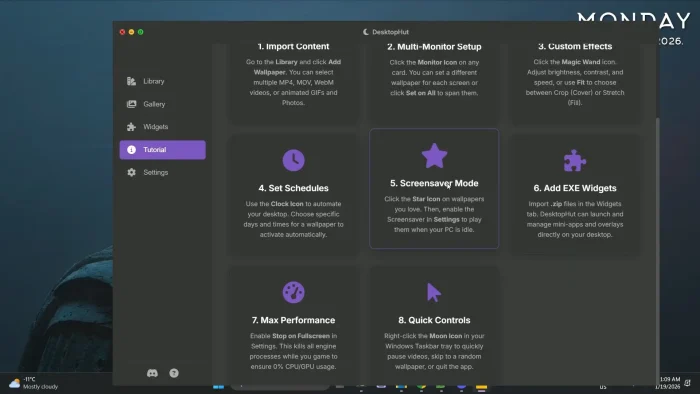
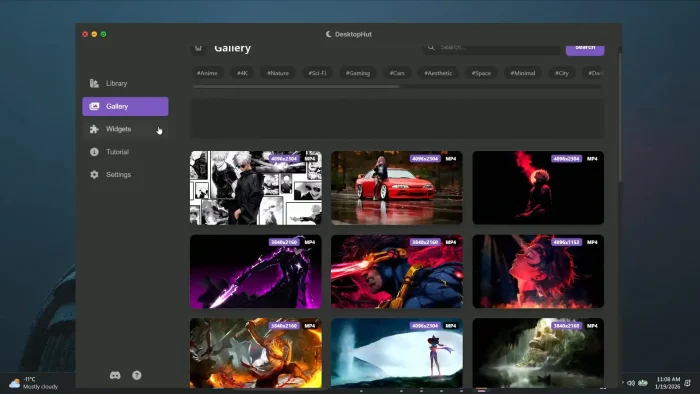
DesktopHut Screenshots
A look at DesktopHut and the DesktopHut Island widget on Windows.
Frequently Asked Questions
Is DesktopHut free?
Will DesktopHut slow down my PC or my games?
What is DesktopHut Island?
What is the difference between DesktopHut, Lively Wallpaper, and Wallpaper Engine?
Is DesktopHut safe to install?
Does DesktopHut work with multiple monitors?
What are the system requirements for DesktopHut?
Can I change how DesktopHut plays wallpapers if one runs poorly?
Support and Community
Need help or want to share your setup? Join the official DesktopHut Discord server, where the developers answer questions directly.
More Windows software guides: Lively Wallpaper for Windows · Wallpaper Engine for Windows · Seelen UI for Windows