



Readers like you help support this site. When you make a purchase using links on our site, we may earn an affiliate commission. All opinions remain our own.
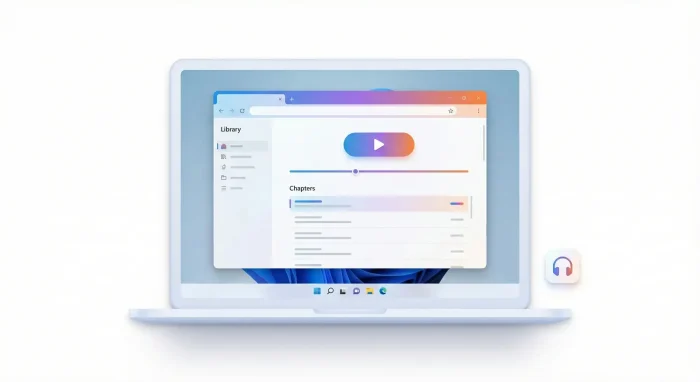
You can’t download the Audible app on Windows the way you used to. The easiest way to listen on a Windows 11/10 PC now is
to use Audible’s Cloud Player in your web browser.
If you need downloads for a supported MP3/accessibility device, Audible also offers
AudibleSync on Windows.
If you found this page because you searched “Audible app for Windows” or “download Audible on PC,” you’re not alone.
The Windows options changed, and older guides (and screenshots) are now outdated. This updated guide shows what still works on Windows in 2026.

What happened to the Audible app on Windows?
For many people, the “Audible app on Windows 11” was actually the Android Audible app installed through the Amazon Appstore on Windows.
Microsoft ended that pathway: new installs stopped, and support ended in 2025.
Windows 11 “Audible app” via Amazon Appstore
- New installs became unavailable after March 6, 2024 (per Audible).
- Support ended March 5, 2025 (WSA / Amazon Appstore end of support).
What you should do now
- Use Audible’s Cloud Player in your browser (best option for most people).
- Use AudibleSync if you specifically need downloads for supported devices.
Best way to listen to Audible on Windows: the Cloud Player
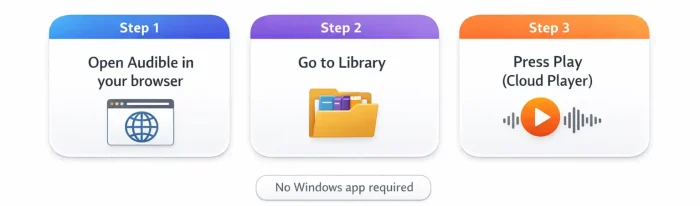

Open Audible in your browser
Go to Audible.com and sign in with your Amazon/Audible account.
Open your Library
Click Library and choose a title. Look for Listen now or Play.
Listen in the Cloud Player
The Cloud Player opens and starts playing in your browser. Use your headphones/speakers as normal.
If you want an official step-by-step from Audible, use this guide:
Listen on a browser.
If the Audible Cloud Player won’t load
Most Cloud Player issues come down to browser data or extensions. Try these quick fixes:
- Open the Cloud Player in a different browser (Edge or Chrome is a good test).
- Turn off ad blockers / privacy extensions for Audible and reload the page.
- Clear browsing data (history/cache) and sign in again.
Player won’t load.
Can you download Audible books on a Windows PC for offline listening?
Here’s the honest answer: for most people, Audible on Windows is now mainly a browser listening experience.
If your goal is offline, AudibleSync may help, but it’s designed for downloading and transferring titles to
supported MP3/accessibility devices, not as a full “Audible player app” for Windows.
Option B: AudibleSync (for supported MP3/accessibility devices)
If you use a supported MP3 or accessibility device, AudibleSync can download your titles on Windows and help transfer them.
If you just want to listen on your laptop, the browser Cloud Player is usually simpler.
Other ways to listen to Audible using your Windows PC
- Phone app + PC speakers/headset: Play Audible on your phone and connect to your PC speakers via Bluetooth (or use your usual headphones).
- Alexa/Echo devices: If you have an Echo device, it’s a straightforward way to keep listening without worrying about Windows app support.
- Stick with the browser: For most Windows users, the Cloud Player is the most direct path.
Audible’s “how to listen” page lists the supported platforms and devices:
Apps and devices for listening.
Community tips (real Windows user experiences)
If you’re troubleshooting something odd (or you want to see what other Windows users are doing now), these are useful starting points: