

Readers like you help support this site. When you make a purchase using links on our site, we may earn an affiliate commission. All opinions remain our own.
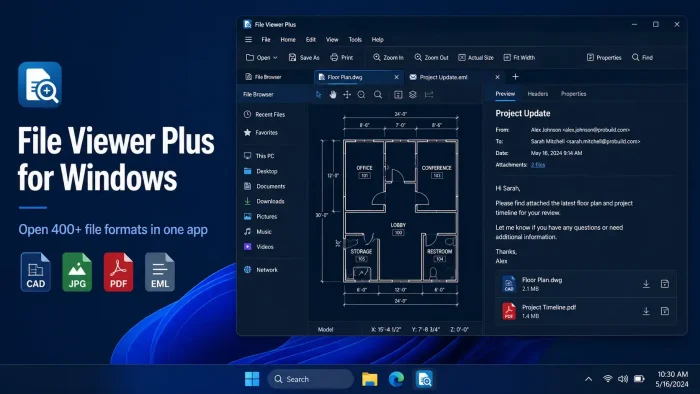

File Viewer Plus is a universal file viewer for Windows from Sharpened Productions, available on the official website and Microsoft Store. It opens over 400 file types inside a single app. Word documents, PDFs, CAD drawings, email files, DICOM medical images, spreadsheets, videos, and source code all open without installing separate programs for each.
The format support is what makes it worth paying for. File Viewer Plus handles file types that most free tools cannot touch, including Visio diagrams, Microsoft Project files, and CAD drawings that normally require expensive software to open. You get a 14-day free trial with full access before you spend anything.
The app is built by Sharpened Productions in Minneapolis, Minnesota. It runs on Windows 10 (64-bit) and Windows 11. There is no Mac version. The current release is File Viewer Plus 6.
Already using it? Share your setup in the comments. Questions before buying? Reach out to us directly.
What You Need to Know
- Opens 400+ file formats including CAD, DICOM, email files, and archives in one app.
- Try free for 14 days with full access. Buy for $50 once or $25 per year after that.
- Built in the USA by Sharpened Productions. Works fully offline. No subscription required for the one-time purchase.
400+
File Formats
$50
One-Time Buy
14 Days
Free Trial
USA
Made In
| Developer | Sharpened Productions |
| Price | $50 one-time or $25/year (14-day free trial) |
| Windows Versions | Windows 10 (64-bit), Windows 11 |
| Also On | Android (separate app) |
| Get It From | Official website or Microsoft Store |
Try File Viewer Plus Free (14 Days)
Also available on the Microsoft Store
Who Should Use File Viewer Plus?
- Use it if you regularly receive files in formats you cannot open without buying extra software. CAD drawings, Visio diagrams, old email exports, DICOM images, and XPS documents are all covered in one license.
- Skip it if you only deal with common file types like JPG, PDF, and DOCX. Free tools like your browser and built-in Windows apps handle those without paying anything.
- Be careful if you are on Windows 10 32-bit. File Viewer Plus 6 requires the 64-bit version of Windows 10. If you are unsure which version you have, check Settings, System, About.
How to Install Viewer Plus on Windows
You can download File Viewer Plus directly from the official website or install it from the Microsoft Store. Both give you the same 14-day free trial. The direct download lets you install it once and use it offline without a Store account.
Two install options: Download the installer from the official website, or get it from the Microsoft Store. The official website version is the most current. The Microsoft Store version sandboxes the app and handles updates automatically.
- Step 1. Click the Download button above or visit the File Viewer Plus download page to get the Windows installer.
- Step 2. Run the downloaded installer. The app needs 560MB of disk space. Installation takes under a minute on most machines.
- Step 3. Follow the on-screen prompts. You can optionally set File Viewer Plus as your default app for supported file types during setup.
- Step 4. Launch File Viewer Plus. The 14-day free trial starts automatically. You get full access to every feature with no credit card required.
- Step 5. To buy after the trial, go to Help, Purchase License inside the app, or visit the buy page directly. Enter your license key to activate.
💡 Not ready to buy? The 14-day trial is fully functional. No features are locked during the trial period.
Is File Viewer Plus Safe?
File Viewer Plus does not modify Windows system files or inject anything into your browser. It installs to your Program Files folder like any standard app. Sharpened Productions is a US-based software company with a long track record and a public support team you can contact directly.
The honest caveat: because File Viewer Plus opens so many file types, it becomes part of how you handle files day-to-day. Make sure you download only from fileviewerplus.com or the Microsoft Store. Some third-party download sites package software with unwanted extras. The official installer is clean.

What Is File Viewer Plus?
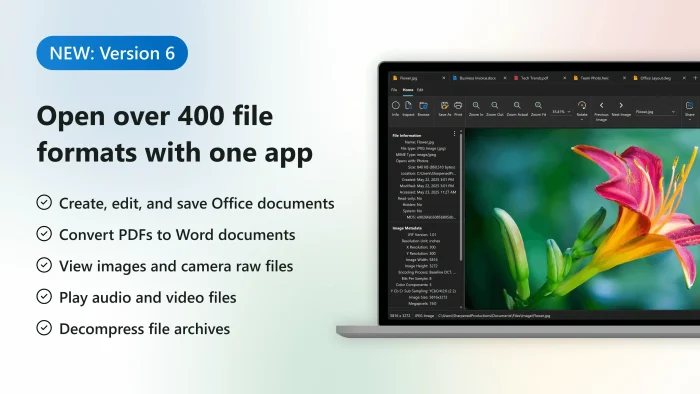
File Viewer Plus is a Windows app built to solve one problem: you receive a file and Windows cannot open it without buying another program. Instead of paying for AutoCAD to open one .DWG file, or Outlook to read a saved .MSG email, or a DICOM viewer for a medical scan, you buy one app that covers all of them.
Sharpened Productions has been building Windows file tools since the early 2000s. File Viewer Plus 6 is the current release, and it is optimized for Windows 11. The app is built and supported entirely in Minneapolis, Minnesota. It is not a subscription-first product trying to lock you in. The $50 one-time purchase covers all version 6.x updates and includes two years of support.
Key Features
Open 400+ File Formats
Covers documents, spreadsheets, presentations, PDFs, images, video, audio, email files, CAD drawings, DICOM medical scans, source code, and compressed archives. One license, one app.
CAD Viewer
Open .DWG and .DXF files without AutoCAD. Zoom, rotate, and navigate 2D and 3D objects, show or hide layers, and export drawings to PDF or image formats.
Batch Converter
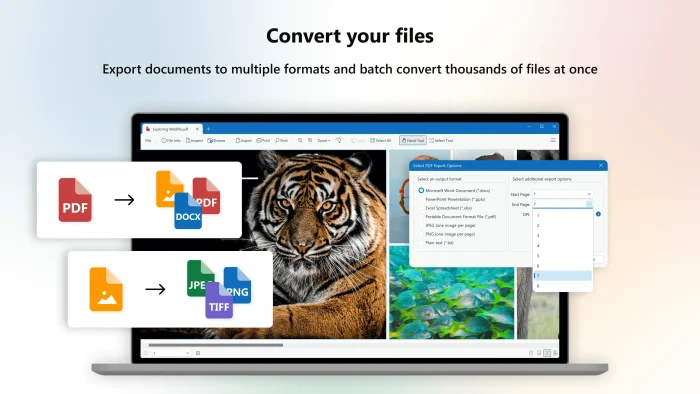
Convert hundreds or thousands of files in one go. Select individual files or entire folders. Save conversion presets so you can repeat the same job without setting it up again.
Email Viewer
Open saved email files (.EML, .EMLX, .MSG, Winmail.DAT) without Outlook. View all fields, embedded images, and attachments. Save attachments directly from the viewer.
DICOM Medical Image Viewer
View DICOM files (.DCM) used for medical imaging like X-rays and CT scans. Displays patient metadata, supports multi-frame files, and exports to standard image formats.
File Identifier and Inspector
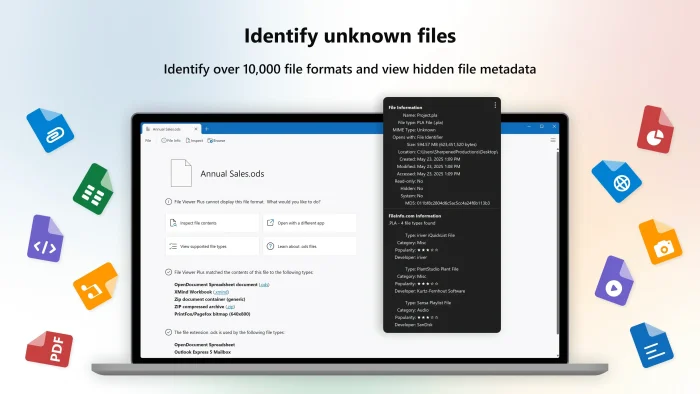
Got a file with no extension and no idea what it is? File Viewer Plus identifies it using a database of over 10,000 formats. Inspect file metadata, EXIF data, MD5 hash, and raw hex content.
What You Can Do After Installing
| File Category | What File Viewer Plus Covers |
|---|---|
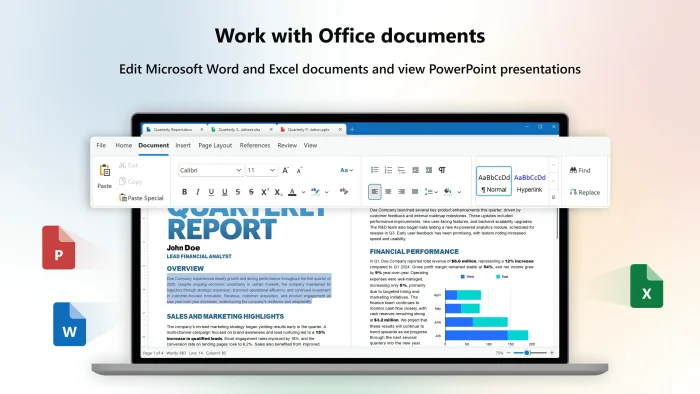
| Documents | Word (.DOC, .DOCX), PDF, RTF, ODT, XPS, and more. Edit documents with the built-in word processor. |
| Spreadsheets | Excel (.XLS, .XLSX), CSV, TSV, ODS, and more. |
| Presentations | PowerPoint (.PPT, .PPTX), ODP, Visio diagrams (.VSD, .VSDX), and Microsoft Project files (.MPP). |
| Images | Over 50 formats including HEIC, PSD, RAW (CR2, DNG), TIFF, animated GIF. Crop, resize, and edit images. Export to different formats. |
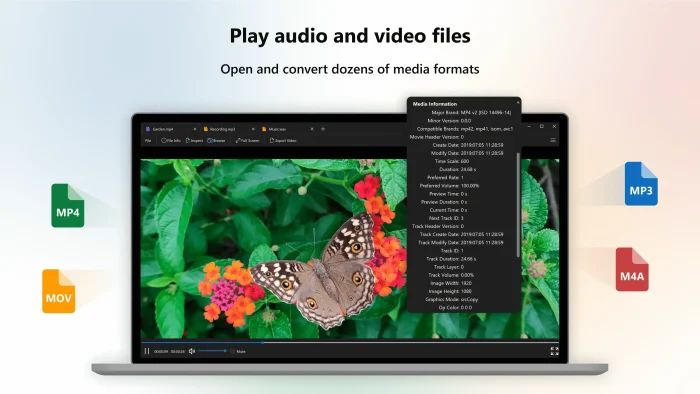
| Audio and Video | Over 150 formats. Convert video to MP4 and audio to MP3 or M4A. Extract audio tracks from video files. |
| Archives | Browse ZIP, RAR, 7Z, GZ, and other compressed archives. Extract individual files without unpacking the whole archive. |
| Source Code | Open and edit code files with syntax highlighting for dozens of languages including PHP, JSON, XML, C++, and more. |
System Requirements
| Component | Requirement |
|---|---|
| Operating System | Windows 10 (64-bit) or Windows 11. Also supports Windows Server 2016, 2019, and 2022. |
| RAM | 1GB minimum |
| Disk Space | 560MB free space |
| Framework | .NET Framework 4.6.2 or later (included in Windows 10 and 11 by default) |
| Display | 1280×800 or higher. HiDPI displays supported. |
| Internet | Required for download and license activation only. The app works fully offline after setup. |
Plans and Pricing
Free Trial
$0
- 14 days, full access
- All 400+ file formats
- Batch converter included
- No credit card needed
Best Value
One-Time Purchase
$50
Pay once, own it
- Permanent license for v6
- All version 6.x updates
- 2 years of free support
- No subscription required
- 30-day money-back guarantee
Annual Subscription
$25/year
Cancel anytime
- Continual updates (incl. future major versions)
- Free support while subscribed
- Cancel anytime
- 30-day money-back guarantee
Volume discounts available. Change the quantity on the buy page to see discounted per-license pricing. Need more than 50 licenses? Contact Sharpened Productions directly.
File Viewer Plus vs the Alternatives
| Feature | File Viewer Plus | Free File Viewer | IrfanView | XnView |
|---|---|---|---|---|
| Price | $50 one-time / $25/yr | Free | Free | Free |
| CAD viewer (.DWG) | Yes | Limited | No | No |
| DICOM viewer | Yes | No | No | No |
| Email viewer (.EML, .MSG) | Yes | Limited | No | No |
| Batch converter | Yes | No | Yes | Yes |
| File identifier | Yes (10,000+ formats) | No | No | No |
| Formats covered | 400+ | ~200 | Images only | Images + some others |
Tips for Getting Started
1. Set File Viewer Plus as your default for specific file types
Go to Settings in Windows, then Default Apps. Search for the file type you want (like .EML or .DWG) and set File Viewer Plus as the default. This way, double-clicking those files opens them directly without hunting for the right program each time.
2. Use the File Browser to replace Windows Explorer for specific folders
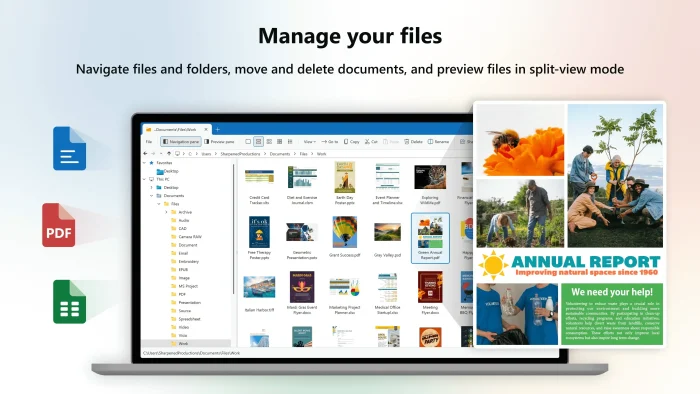
File Viewer Plus has a built-in file browser with thumbnail previews for documents, PDFs, and images. If you work with a folder full of mixed file types, opening it inside File Viewer Plus shows previews that Windows Explorer cannot generate for formats like .DWG or .MSG.
3. Save batch converter presets for recurring jobs
If you regularly convert the same types of files (say, .DWG drawings to PDF every week), set up the conversion once, save it as a preset, and load it next time. The batch converter runs through entire folders including subfolders, so you do not need to pick files one at a time.
4. Use the file identifier for unknown files
Got a file with no extension or a generic name like “data.bin”? Drag it into File Viewer Plus and go to Tools, Identify File. The app checks the file against a database of over 10,000 formats using the file’s internal data (called a binary signature) rather than just the file name.
5. Open multiple files in tabs or side-by-side
File Viewer Plus supports multi-tab and split-view modes. If you need to compare two documents or check a drawing against a PDF spec sheet at the same time, use split view under the View menu. Both files stay in the same window without switching between apps.
Common Issues and Compatibility Notes
Windows 10 32-bit is not supported
File Viewer Plus 6 requires the 64-bit edition of Windows 10. If you are on a 32-bit system, the installer will not run. Check Settings, System, About to confirm your Windows edition before downloading.
.NET Framework must be installed
The app needs .NET Framework 4.6.2 or later. This comes pre-installed on Windows 10 and 11. If you are running Windows Server or an older build, you may need to install it manually from Microsoft’s website before File Viewer Plus will launch.
Some CAD files may render differently
File Viewer Plus opens most .DWG and .DXF files correctly, but complex CAD drawings with proprietary fonts or linked external references (xrefs) may not render exactly as they appear in AutoCAD. Use it for viewing and basic export, not for precision engineering review.
Antivirus may flag the installer
Some security tools flag new or less common installers as a precaution (sometimes called a heuristic warning, meaning the software triggered a pattern-matching rule rather than a confirmed threat). The official installer from fileviewerplus.com is clean. Download only from the official site or Microsoft Store.
Get File Viewer Plus for Windows
Also available on the Microsoft Store
File Viewer Plus Screenshots
Frequently Asked Questions
What are the system requirements for File Viewer Plus?
File Viewer Plus 6 requires Windows 10 (64-bit) or Windows 11, 1GB of RAM, 560MB of free disk space, and .NET Framework 4.6.2 or later. It also runs on Windows Server 2016, 2019, and 2022. Windows 10 32-bit is not supported.
Can I use File Viewer Plus on multiple computers?
Each license covers one computer. If you need to use it on more than one PC, you can buy additional licenses. Volume discounts are available on the buy page when you increase the quantity.
Does File Viewer Plus work offline?
Yes. Once installed and activated, File Viewer Plus works fully offline. You do not need an internet connection to open, view, or convert files. Internet is only needed for the initial download and license activation.
What happens when my subscription expires?
If you cancel or do not renew the annual subscription, the app stops working until you renew or switch to the one-time purchase. Your files are not affected. Nothing is deleted. You just lose access to the app itself.
Can I edit files or just view them?
You can do both. File Viewer Plus includes a word processor for editing text documents, an image editor for basic photo adjustments, and a source code editor with syntax highlighting. For most other formats like PDFs, video, and CAD files, you can view and convert but not edit directly inside the app.
Does File Viewer Plus support password-protected or encrypted files?
It can open some password-protected archives if you provide the correct password. Encrypted documents that require a specific application key or certificate to decrypt are generally not supported. DICOM files with access restrictions may also require institutional credentials.
Is there a portable version of File Viewer Plus that runs without installing?
No. File Viewer Plus requires a standard Windows installation. There is no official portable version. Third-party sites that offer a portable build are not endorsed by Sharpened Productions and may package the software with unwanted extras.
Support and Community
Sharpened Productions offers direct support and a solid knowledge base. The r/software subreddit is a good place for general questions from other Windows users.
- r/software on Reddit: general community for Windows software questions and file format tips.
- File Viewer Plus Support Center: official documentation, getting started guides, and answers to common setup questions.
- What’s New: release notes and changelog for every File Viewer Plus update.
More Windows software guides: Adobe Acrobat Reader for Windows · Best Free PDF Editors for Windows · WinZip for Windows · BreeZip for Windows