

Key Points
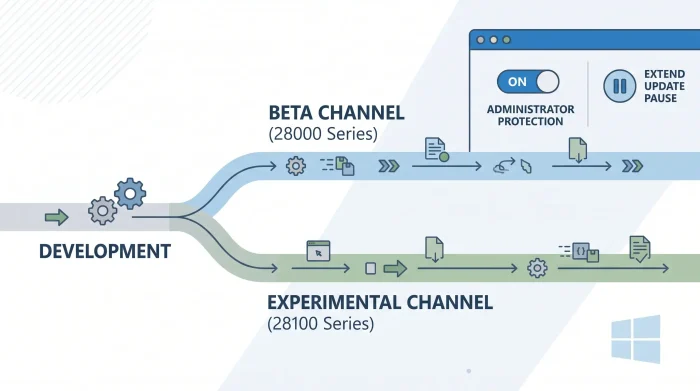
- Windows 11 26H1 splits into distinct Beta (28000 series) and Experimental (28100 series) channels.
- Build 26220.8575 (Beta) introduces the ability to extend Windows Update pauses multiple times.
- Build 28120.2242 (Experimental 26H1) rolls out a user-facing toggle for Administrator Protection.

What is changing
Microsoft announced a new wave of Insider Preview builds, bringing a major structural update to the Windows 11 26H1 development path. To give testers more control, Microsoft has split the 26H1 branch into two distinct paths: the Beta channel now moves to the 28000 series builds, while the Experimental channel jumps to the 28100 series builds.
This update allows Insiders to move between the Beta and Experimental development tracks directly through Settings > Windows Update > Windows Insider Program via a simple in-place upgrade, completely avoiding the need for a clean OS reinstallation.
Alongside the branch split, Microsoft released several specific build updates:
- Beta Channel (Build 26220.8575): Adds a highly requested quality-of-life feature allowing users to extend their Windows Update pause duration as many times as necessary. It also resolves recent audio bugs, app settings crashes, and system freezes affecting Notepad and search functionality.
- Experimental 26H1 Channel (Build 28120.2242): Introduces a manual toggle to enable Administrator Protection directly within the Windows Security app under Account Protection (requires a system restart).
Why it matters
These adjustments provide streamlined flexibility for Windows Insiders who want to manage their testing environments without losing their data or apps. The 26H1 release target is highly specific, primarily optimizing for upcoming silicon platforms like the Qualcomm Snapdragon X2 Series devices. Microsoft continues to recommend that standard testers stick to the default core Windows version unless running these specific hardware architectures.
For the average tester on the standard Beta track, the reliability fixes bring welcome stability to daily workflows by patching frustrating app hangs and audio drops. Furthermore, the flexibility to repeatedly extend update pauses ensures that critical work won’t be abruptly interrupted by a mandatory machine restart.
Are you jumping onto the new 26H1 build tracks on your machine, or are you keeping your primary testing device on the default core channel?