

Readers like you help support this site. When you make a purchase using links on our site, we may earn an affiliate commission. All opinions remain our own.


This free tool simplifies upgrades and maintenance for all users.
You can download the PC Health Check App for free on your Windows PC via Microsoft’s official site, requiring Windows 10 (version 2004 or higher) or Windows 11, 100 MB free space, and an internet connection.
Developed by Microsoft themselves, it’s trusted by users to verify Windows 11 compatibility (e.g., TPM 2.0, Secure Boot) and track system health for Windows 11 version 24H2, the latest release with AI features like Recall.
If you’re a professional, student, or home user wanting to upgrade to Windows 11 or keep your PC in top shape, you need a tool that’s easy and reliable.
This guide covers downloading it on Windows, its key features, and tips to get started.
Share your PC Health Check experience below, or contact us for help.
How to Download PC Health Check App on PC
To get the PC Health Check App on your Windows PC, download it from Microsoft’s site. Here’s how:
- Microsoft Website
- Visit the page: PC Health Check App.
- Click Download PC Health Check App (about 13 MB, named WindowsPCHealthCheckSetup.msi).
- Run the installer, accept the license terms, and click Install.
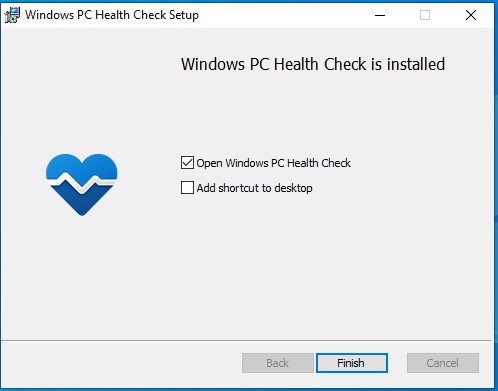
- Click Finish to launch the app, then select Check now to scan for Windows 11 compatibility or explore health features.
Quick Tip: 💡 Download only from Microsoft’s site to avoid fake versions that could harm your PC.
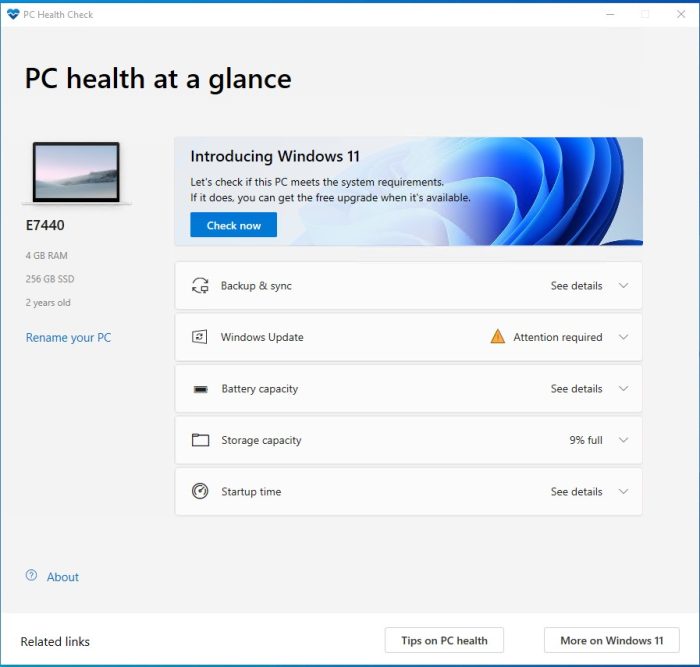

What is the PC Health Check App About?
The PC Health Check App, developed by Microsoft, is a free tool that checks if your Windows 10 PC can upgrade to Windows 11 version 24H2 (October 2024) and monitors system health on Windows 10 or 11.
It verifies hardware compatibility (e.g., TPM 2.0, Secure Boot, 4 GB RAM) and tracks performance like battery life, storage, and updates.
For Windows 10 users, it’s key for planning upgrades before support ends on October 14, 2025.
Windows 11 users can use it for health checks, but it’s not installed by default.
Users on X like its simplicity but note vague error messages.
It’s ideal for ensuring your PC is ready for Windows 11 or running smoothly, it’s also a good idea to try the Microsoft PC Manager to help boost your PCs performance.
For direct upgrades, see our guide: Windows 11 Installation Assistant. For bootable media, try: Windows 11 Installation Media.
Core Features: Checks Windows 11 compatibility and monitors PC health.
Why Use the PC Health Check App on Windows?
It’s simple, free, and helps you prepare for Windows 11 or keep your PC healthy.
- Confirms if your PC can run Windows 11 24H2
- Monitors battery, storage, and update status
- Offers tips to improve performance
- Lightweight, only 13 MB to download
- Syncs settings with a Microsoft account
PC Health Check App Features Explained
Here’s what the PC Health Check App does and why it matters to you:
-
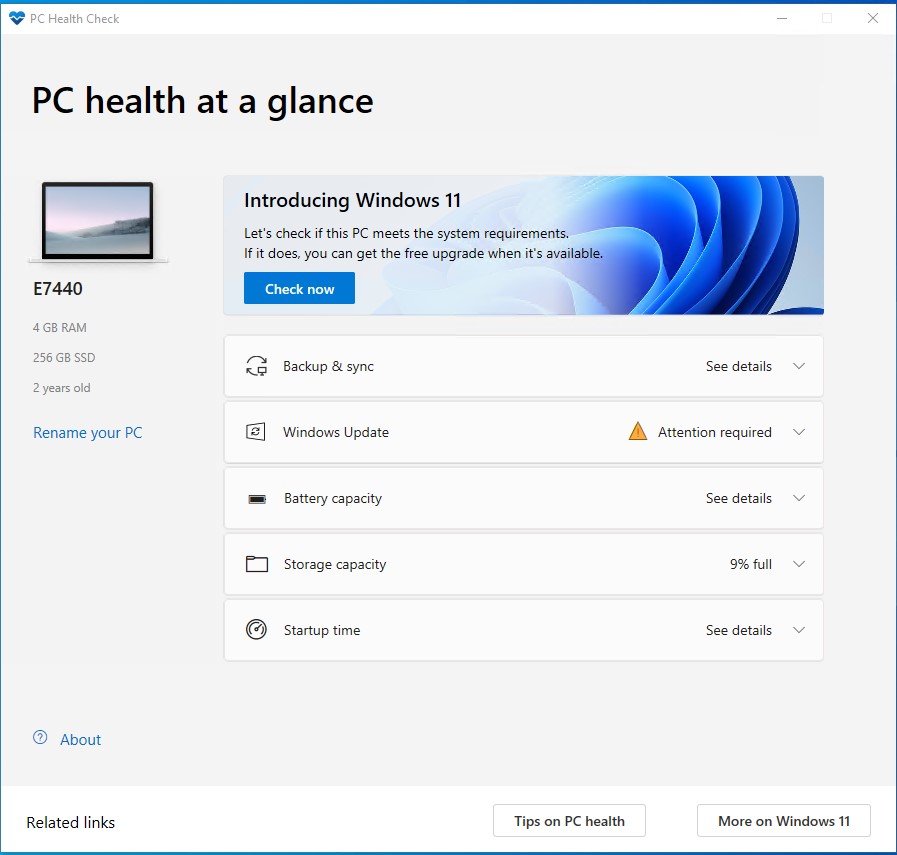
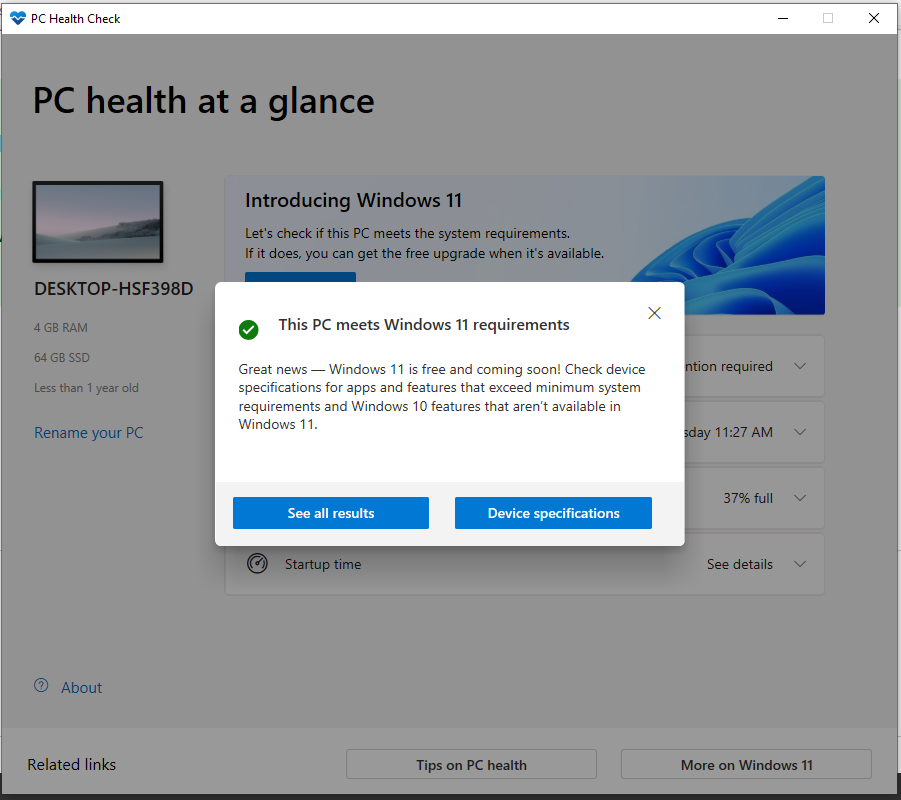
- Windows 11 Eligibility: Checks if your PC meets Windows 11 requirements (e.g., TPM 2.0, 4 GB RAM). If it doesn’t, it explains what’s missing, like an outdated processor. This helps you decide if you can upgrade or need new hardware.
-
- Backup and Sync: Lets you sign into a Microsoft account to sync settings (e.g., passwords, Edge bookmarks) across devices and back up files to OneDrive. This keeps your data safe and accessible if your PC fails.
-
- Windows Update: Shows if your PC is up-to-date with the latest security patches. If not, it links to Windows Update in Settings to download them, keeping your system secure from bugs or hackers.
-
- Battery Capacity: For laptops, it compares your battery’s current performance to its original capacity (if over 3 years old). It offers tips like dimming the screen to extend battery life, saving power on the go.
-
- Storage Capacity: Shows how full your main drive (C:) is and how much space is left. It suggests turning on Storage Sense to auto-delete junk files, freeing up room for apps or files.
-
- Startup Time: Measures how fast your PC boots and lists apps that slow it down. You can disable unnecessary startup programs to make your PC start quicker each day.
-
- Tips on PC Health: Provides general advice, like managing startup apps or updating drivers, to boost performance. This is handy if your PC feels sluggish or crashes often.
Is the PC Health Check App for You?
-
- It’s for you if: You’re on Windows 10 and want to upgrade to Windows 11, or you want to monitor your PC’s health (battery, storage, updates) to avoid slowdowns or crashes.
- It’s not for you if: You’re already on Windows 11 and don’t need health checks, or you want a tool that automatically fixes issues (this only diagnoses).
Popular Industries and Use Cases for PC Health Check App
The PC Health Check App is used across industries and tasks, including:
- Industries: Home (personal PCs), Education (student laptops), Small Business (workstations)
- Use Cases: Checking Windows 11 compatibility, monitoring system health, preparing for upgrades, optimizing performance
Quick Start Guide for PC Health Check App
New to the PC Health Check App? Get going quick:
- Download and install the app from Microsoft’s site.
- Open the app and click Check now to test Windows 11 compatibility.
- Explore health sections like battery or storage for performance tips.
Best Settings for PC Health Check App
Tweak these for a better experience:
- Microsoft Account: Sign in to sync settings and back up to OneDrive.
- Storage Sense: Enable via the app to auto-clear junk files.
- Startup Apps: Disable unused programs to speed up boot time.
Common Issues & Fixes for PC Health Check App
-
- Vague Error Messages: If it says “PC doesn’t meet requirements” without details, check Microsoft’s requirements page or update your BIOS for TPM 2.0.
- App Not Launching: Reinstall from Microsoft’s site or ensure Windows is updated to version 2004 or higher.
- Inaccurate Results: Update the app to the latest version, as older ones may misreport compatibility.
PC Health Check App Screenshots
PC Health Check App Beginner’s Video
Watch this quick guide to learn how to use the PC Health Check App on your PC:

System Requirements for PC Health Check App
- OS: Windows 10 (version 2004 or higher) or Windows 11
- CPU: 1 GHz or faster, 32-bit or 64-bit
- RAM: 2 GB minimum, 4 GB recommended
- Storage: 100 MB free space
- Other: Internet connection, Microsoft account (optional)
PC Health Check App on Windows FAQ
-
- Is the PC Health Check App free? Yes, it’s a free Microsoft tool.
-
- Do I need it on Windows 11? Not usually, as it’s mainly for Windows 10 users checking compatibility, but it can monitor health on Windows 11.
-
- Is it safe to download? Yes, if downloaded from Microsoft’s site; avoid third-party sites to prevent fake versions.
Support and Community
Explore More Windows Apps: Windows 10 Update Assistant, Windows 10 Installation Media, Windows 11 Installation Assistant, Windows 11 Installation Media Tool