

Readers like you help support this site. When you make a purchase using links on our site, we may earn an affiliate commission. All opinions remain our own.

The game has earned an “Overwhelmingly Positive” rating on Steam with over 27,000 reviews, praised for its addictive gameplay loop and creative card-based mechanics. Since its 2022 release, Stacklands has received substantial content updates and two major DLCs that expand the experience significantly.
With the base game featuring over 200 cards, 60+ ideas to discover, and 50+ quests to complete, Stacklands offers 5-7 hours of engaging gameplay that feels both fresh and surprisingly deep for a card game.
If you enjoy creative puzzle-solving, village management, and discovering new combinations in a relaxed but challenging format, Stacklands delivers a uniquely satisfying experience.
This guide covers how to install it on Windows, its key features, and essential beginner tips for building your card-based civilization.
Have questions or your own strategies to share? Leave a comment below or contact us.
Download and install Stacklands on PC
Stacklands is available primarily on Steam. Here’s how to install it:
- Method: Steam
- Open the store page: Stacklands on Steam.
- Click Add to Cart and complete the checkout process.
- In your Steam Library, click Install and select your preferred drive.
- Wait for the download to complete (approximately 200 MB).
- Launch the game from your Library and start building your card village.
Quick Tip: 💡 The game has two major DLCs: “Stacklands 2000” adds industrial and automation mechanics, while “Cursed Worlds” expands the core experience with new challenges and content.
What is Stacklands?
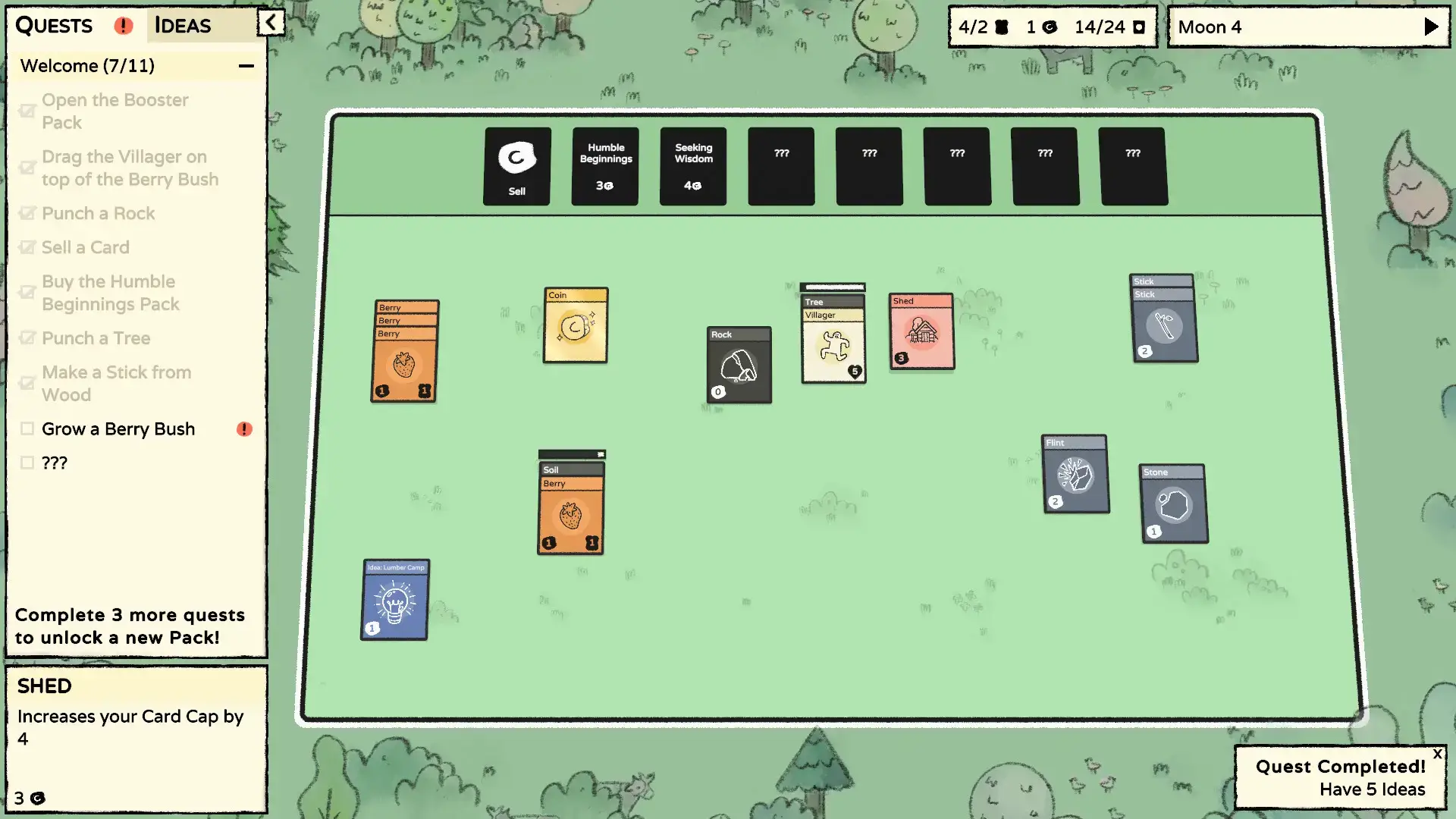
Stacklands is a creative village builder that replaces traditional controls with card-based mechanics. Instead of directing villagers directly, you stack cards together to make things happen: drag a Villager onto a Berry Bush to gather food, stack resources to build structures, and combine cards to discover new “Ideas” that unlock advanced technology.
The core gameplay loop involves managing your villagers’ needs while exploring the world through card packs. Each “Moon” (game day) ends with your villagers needing food, creating constant pressure to maintain food production while expanding your village and defending against monsters.
Unlike traditional village builders, Stacklands focuses on experimentation and discovery. The game doesn’t hold your hand, you learn by trying different card combinations and seeing what new Ideas you can unlock, making each playthrough a unique puzzle-solving experience.
Key Features
- Card-Based Village Building: Build your entire village through card stacking mechanics where different combinations create new structures, resources, and technologies.
- Idea Discovery System: Unlock over 60 recipes by experimenting with card combinations, encouraging creativity and exploration rather than following predetermined paths.
- Survival & Combat: Manage villager hunger each day and defend against hostile creatures through automatic combat that can be influenced by equipment and numbers.
- Card Pack Economy: Sell unwanted cards for coins to buy themed card packs that expand your possibilities with new resources, villagers, and discoveries.
- Substantial Content: With 200+ cards, 50+ quests, and regular updates, the game offers deep replayability and continuous discovery.
Why play on Windows?
Playing on PC provides the ideal environment for Stacklands’ card-based gameplay. The mouse and keyboard controls offer perfect precision for dragging, stacking, and organizing cards, while Windows ensures smooth performance for managing your growing village and card collections.
Tips for PC beginners
- Prioritize Food Production Early: Your first goal should be establishing reliable food sources like Berry Bushes or Farms. Villagers starve quickly if you don’t feed them at the end of each Moon.
- Experiment with Card Combinations: Don’t be afraid to try stacking different cards together. Many important discoveries come from experimentation rather than following guides.
- Use Multiple Villagers for Combat: When fighting tougher enemies like Bears or Goblins, make sure multiple villagers are stacked together to increase your chances of survival.
- Manage Your Card Economy: Regularly sell unnecessary cards to buy new card packs. Exploration and Cooking packs are great for early game expansion.
- Plan Your Village Layout: Keep related cards grouped together. Place food sources near villagers and production buildings close to resource generators for efficiency.
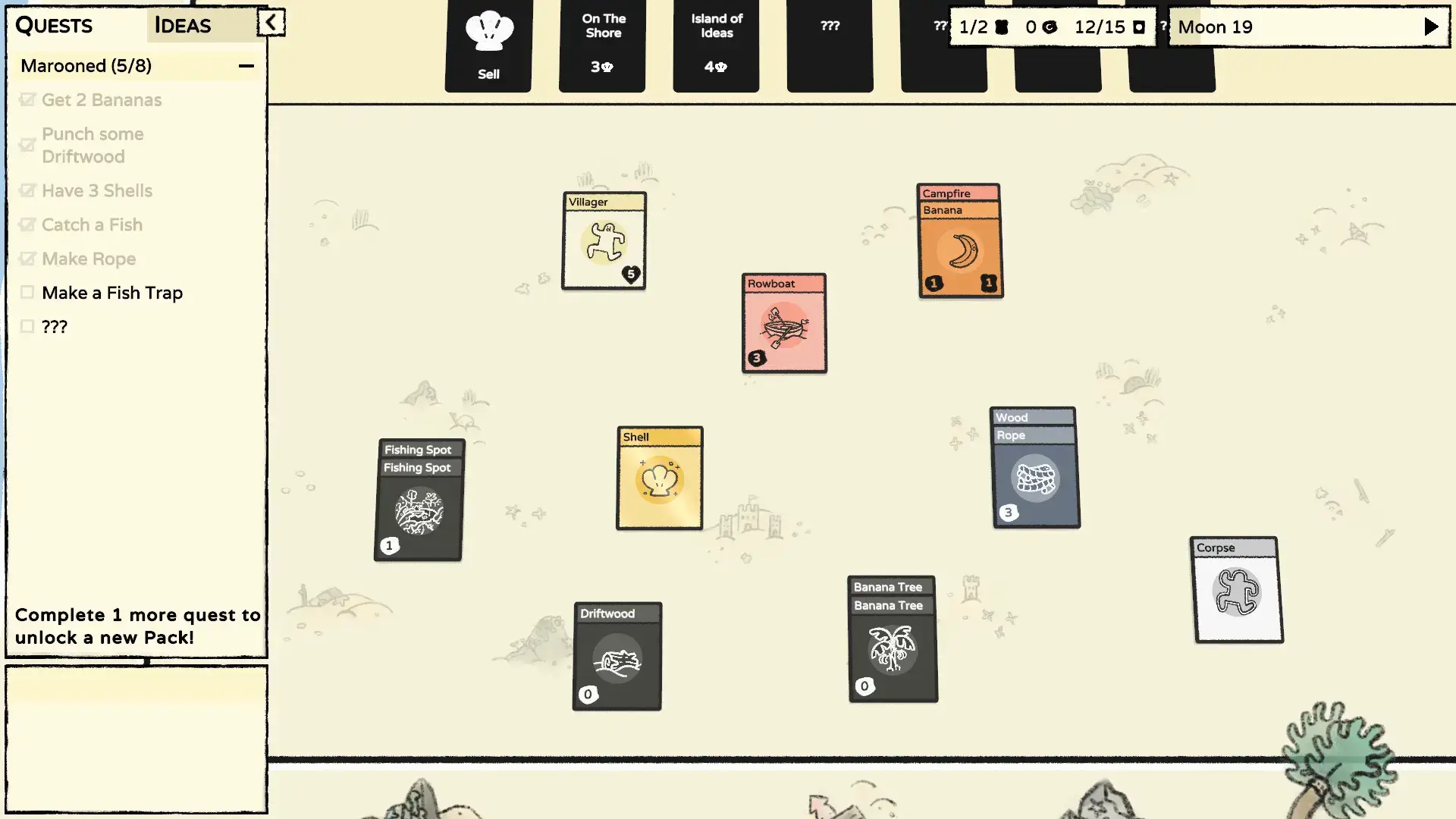
Stacklands Gameplay Screenshots


Stacklands Official Trailer
Watch the official trailer to see the unique card-stacking mechanics and village building in action.
Stacklands PC Requirements
Minimum:
- OS: Windows 7 or newer
- CPU: Dual Core 2 GHz
- RAM: 2 GB
- GPU: DirectX9 compatible with 512 MB VRAM
- DirectX: Version 9.0
- Storage: 200 MB available space
Recommended:
- OS: Windows 10 or newer
- CPU: Dual Core 2 GHz or better
- RAM: 4 GB
- GPU: DirectX9 compatible with 1 GB VRAM
- DirectX: Version 9.0
- Storage: 200 MB available space
Stacklands on Windows FAQ
- Is it a single-player game? Yes, Stacklands is designed as a single-player experience focused on village building and card management.
- How long does it take to complete? The base game offers 5-7 hours of content, with additional playtime available through DLCs and experimentation.
- Are there any DLCs available? Yes, “Stacklands 2000” adds industrial automation, and “Cursed Worlds” expands the core game with new challenges and content.
- Is the game difficult to learn? The basic mechanics are simple, but mastering card combinations and efficient village management provides satisfying depth.
- Does it work on Mac or other platforms? Yes, the game is also available on macOS and was released on Nintendo Switch in 2024.
Support and Community
Explore more Windows games: RV There Yet? · Best Indie Games · Best Card Games · Best Puzzle Games · Strategy Games