

Readers like you help support this site. When you make a purchase using links on our site, we may earn an affiliate commission. All opinions remain our own.
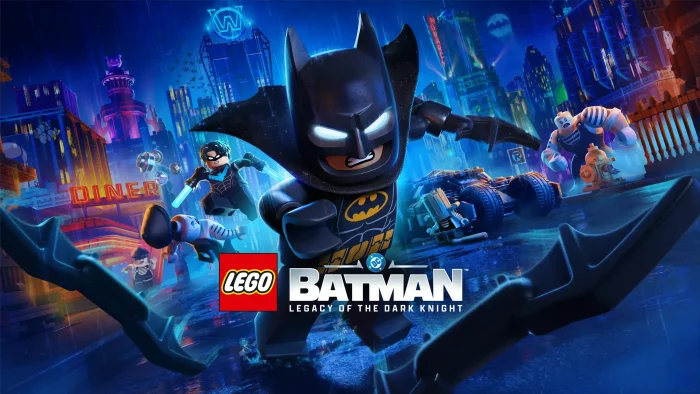

LEGO Batman: Legacy of the Dark Knight is an open-world action-adventure for PC from TT Games, available on Steam and Epic Games. You play as Batman and six allies through a story that covers Bruce Wayne’s entire journey: from training under the League of Shadows to becoming Gotham’s protector and building a family of heroes around him.
TT Games made this with the same team behind LEGO Star Wars: The Skywalker Saga. Legacy of the Dark Knight is the biggest LEGO game they have made: an open Gotham City you can explore freely, 7 playable characters each with unique abilities and upgrade paths, and over 100 suits to unlock. The combat is new for the series, built around chaining attacks together and using gadgets rather than simple button mashing.
The game released on May 22, 2026, for PC (Steam and Epic Games Store), PlayStation 5, and Xbox Series X/S. Nintendo Switch 2 is coming later in 2026. It supports 2-player local co-op throughout. It has no online co-op and is not on Xbox Game Pass.
Already playing? Drop your favourite character in the comments. Got questions before buying? Reach out to us directly.

Quick Facts
| 💰 Price | From $69.99 |
| 📅 Released | May 22, 2026 |
| 🛠️ Developer | TT Games |
| 📦 Publisher | Warner Bros. Games |
| 🎮 Genre | Action-Adventure / Open World |
| 👥 Players | Solo + 2P Local Co-op |
| 💾 Storage | 50GB SSD (required) |
| ⭐ Steam | Overwhelmingly Positive |
How to Download LEGO Batman: Legacy of the Dark Knight on PC
The game is available on Steam and the Epic Games Store. Both versions are identical. You need 50GB of free SSD space. An SSD is mandatory and the game will not run properly on a spinning hard drive.
Install via Steam
- Step 1. Go to the LEGO Batman Steam page and click Add to Cart.
- Step 2. Sign in to your Steam account or create one for free. Complete the purchase.
- Step 3. Open the Steam client. Find the game in your Library and click Install.
- Step 4. Choose a location on your SSD. The game needs 50GB of space.
- Step 5. Wait for the download to finish, then click Play.
Install via Epic Games Store
- Step 1. Go to the LEGO Batman Epic Games page and purchase the game.
- Step 2. Open the Epic Games Launcher. The game will appear in your Library.
- Step 3. Click Install, select your SSD, and wait for the download to complete.
Editions and Pricing
- ✓ Full base game
- ✓ 100+ suits and outfits
- ✓ 20+ vehicles including the Tumbler
- ✓ 250+ Batcave props and trophies
- ✓ Day-one access (May 22, 2026)
- ✓ Everything in Standard Edition
- ✓ Legacy Collection (at launch): Arkham Trilogy Pack, Batman Beyond Pack, Party Music Pack
- ✓ Each pack: 7 new character suits, 1 Batmobile, 5 Batcave props
- ✓ Mayhem Collection (September 2026): New Story Mission + Mayhem Mode with Joker and Harley Quinn + Sinister Pack
- ✓ 3-day early access (May 19, 2026)
What Is LEGO Batman: Legacy of the Dark Knight?
LEGO Batman: Legacy of the Dark Knight is a story-led action-adventure from TT Games, the studio behind the best-selling LEGO games series and LEGO Star Wars: The Skywalker Saga. The game covers Bruce Wayne’s full journey from his earliest days of training under the League of Shadows to becoming Batman and building a team of allies across Gotham City. You face the Joker, the Penguin, Mr. Freeze, Poison Ivy, Ra’s al Ghul, and Bane across a fully explorable open world.
The combat is a significant step up from earlier LEGO games. Each of the 7 playable characters has their own gadgets, abilities, and upgrade system. Batman uses his Batclaw and Batarangs. Robin has a Cable Launcher. Jim Gordon carries a Foam Sprayer. Catwoman uses her whip. Switching between characters in co-op lets you cover different strengths and hit different puzzle solutions. The open world contains crimes to stop, challenges to complete, and hundreds of collectibles hidden across Gotham’s districts, including familiar landmarks like Arkham Asylum, Ace Chemicals, Wayne Tower, and the Gotham Botanical Gardens.
This is the first LEGO Batman game to give TT Games’ full open-world treatment to the Batman license. Earlier LEGO Batman games were level-based. Here, the entire city is connected and you can drive, grapple, or glide between any point. The game draws on decades of Batman history: films, television, comics, and earlier Batman video games all feed into the character designs, suits, and Batmobile lineup.
Official Trailer
Watch the official launch trailer for LEGO Batman: Legacy of the Dark Knight to see the open-world Gotham City, the 7 playable characters, Batmobile driving, and the game’s blend of action and LEGO humour.

Key Features
Open-World Gotham City
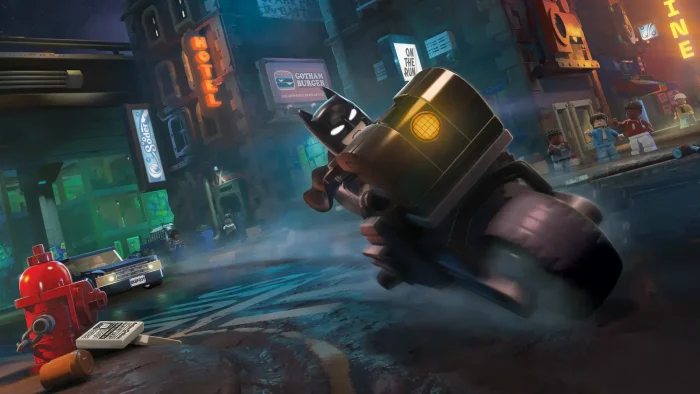
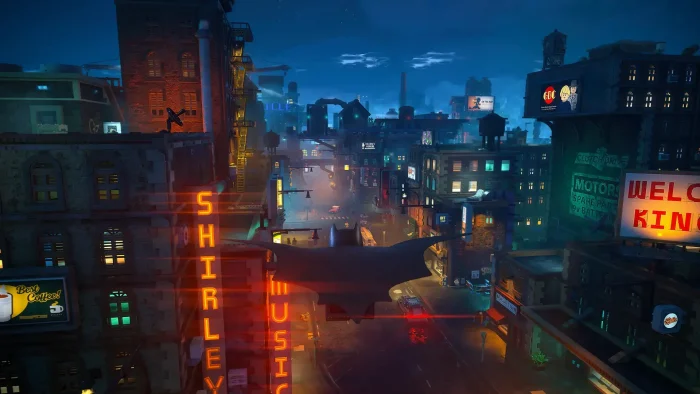
The entire city is connected and explorable on foot, by Batmobile, by Batcycle, by grapple hook, or by gliding between rooftops. Gotham’s districts include recognisable locations like Arkham Asylum, Ace Chemicals, the Gotham Botanical Gardens, and Wayne Tower. Crimes, puzzles, rewards, and secrets are scattered throughout.
7 Playable Characters
Batman, Robin, Nightwing, Batgirl, Jim Gordon, Catwoman, and Talia al Ghul are each fully playable with their own gadgets, upgrade paths, and combat moves. Each character unlocks new areas and puzzle solutions the others cannot reach.
New Combat System
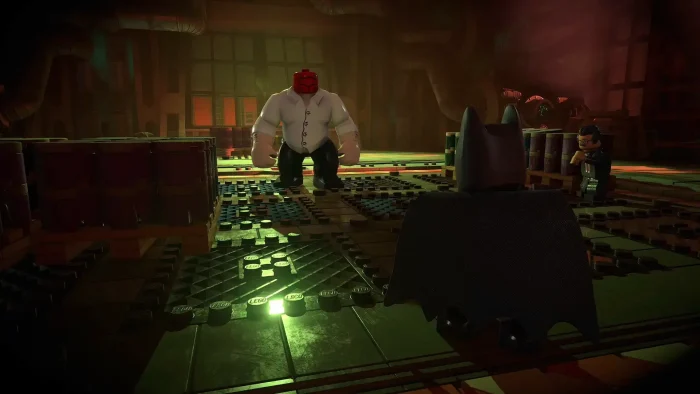
TT Games built a new fighting system for this game. Attacks chain together fast, takedowns are over-the-top and satisfying, and each character’s gadgets change how you approach a group of enemies. This is a clear upgrade from the simpler brawling in earlier LEGO games.
2-Player Local Co-op
The entire game supports drop-in, drop-out local co-op for two players on the same screen. A second player can jump in at any point during the campaign or open world and take control of any available character. No online subscription is required.
100+ Suits and Vehicles
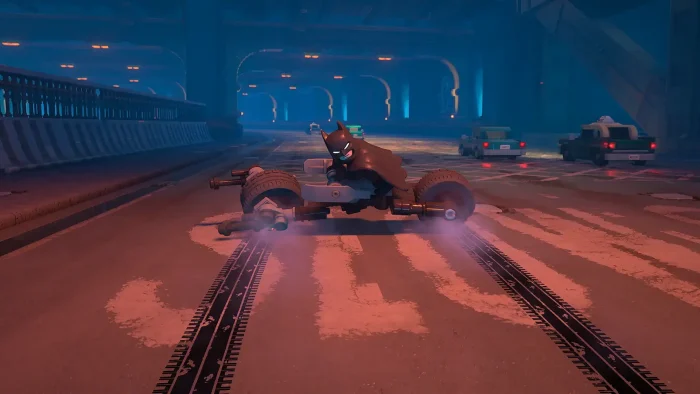
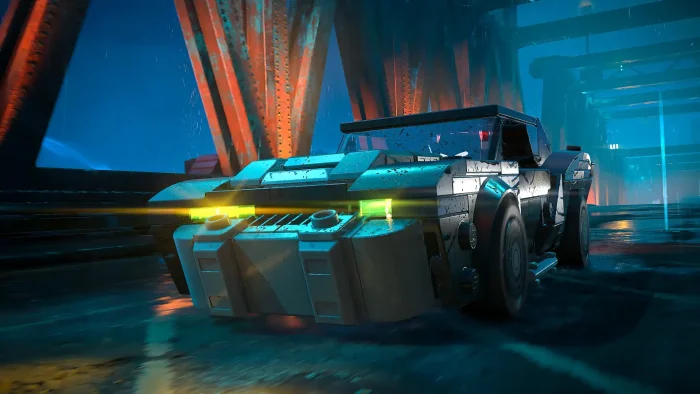
Over 100 suits and outfits can be earned for each playable character, pulled from films, TV shows, comics, and games across Batman’s history. More than 20 Batmobiles and Batcycles are available to drive around Gotham, including the legendary Tumbler from The Dark Knight films.
LEGO Humour Throughout
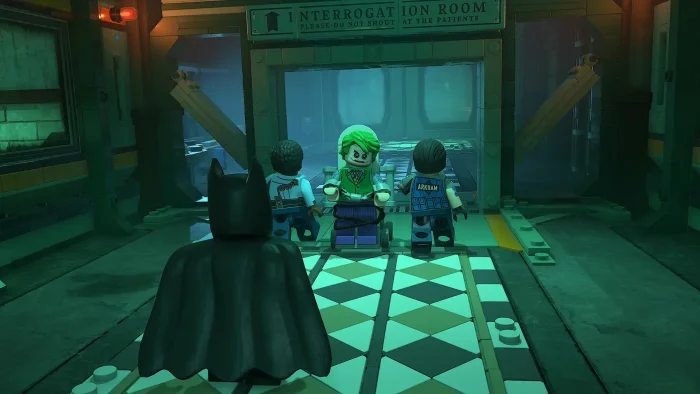
TT Games kept the signature LEGO tone that fans expect. The story is serious enough to follow but packed with physical comedy, sight gags, and self-aware moments. The Joker, Penguin, and other villains all get the LEGO treatment, which makes even tense confrontations entertaining.
Is This Game for You?
You Will Love It If:
- ✅ You want a fun, story-led single-player campaign
- ✅ You have kids and want a couch co-op game for all ages
- ✅ You are a Batman fan who wants the full origin story
- ✅ You liked LEGO Star Wars: The Skywalker Saga
- ✅ You enjoy open worlds with lots to collect and explore
You Might Not If:
- ❌ You only play online multiplayer games
- ❌ You want a mature, realistic Batman game (try the Arkham series)
- ❌ Your GPU is below the RTX 2070 or RX 5700 XT minimum
- ❌ You are waiting for a Game Pass release (not available)
- ❌ You want a short game (this is a large open-world release)
🎮 Our Take
Legacy of the Dark Knight is the best LEGO game in years and the best Batman game since the Arkham series ended. TT Games took the scale and ambition of Skywalker Saga and applied it to Gotham City, and the result is a game that earns the open-world format instead of feeling padded by it. The combat is genuinely improved over every previous LEGO game, the character variety gives you real reasons to experiment, and the city itself is dense enough to reward exploration without feeling like homework. The Overwhelmingly Positive rating on Steam reflects a game that delivers on what it promises.
If you want a couch co-op game for yourself and a family member or friend, buy this now. It carries an E10+ rating (suitable for ages 10 and up) and plays well at any skill level. If you want a dark, serious Batman experience closer to the Arkham games, manage your expectations: this is LEGO Batman, and the tone stays playful throughout. Both things can be true at once, and for most people, the mix works well.
Why Play on PC?
- Higher Framerates: Console versions are capped. PC lets you push well beyond that on capable hardware, making the open world and combat feel noticeably smoother.
- Full Graphics Control: Adjust texture quality, shadow detail, and draw distance (how far into the city the game renders at once) to match your hardware. The game scales well from minimum to recommended spec.
- Keyboard and Mouse Support: The game supports both controller and keyboard and mouse. All inputs can be fully remapped from the settings menu.
- Family Sharing: Steam Family Sharing lets another person in your household use your purchased copy. Useful if you want to set it up for a younger family member.
System Requirements
Minimum
Windows 11 required
- OS: Windows 11 (64-bit)
- CPU: Intel Core i5-9600K or AMD Ryzen 5 3600
- RAM: 16GB
- GPU: RTX 2070 8GB, RX 5700 XT 8GB, or Arc A770 16GB
- Storage: 50GB SSD (required)
Recommended
Windows 11 required
- OS: Windows 11 (64-bit)
- CPU: Intel Core i7-12700K or AMD Ryzen 7 7700X
- RAM: 16GB
- GPU: RTX 3080 10GB or RX 6800 XT 16GB
- Storage: 50GB SSD (required)
Tips for Getting Started
Try Every Character Before Settling on a Favourite
Each of the 7 characters has unique gadgets and abilities that open up different parts of the open world. Catwoman can reach spots Batman cannot. Jim Gordon’s Foam Sprayer handles groups differently than Batman’s Batarangs. Spend time exploring the open world with each character early on before committing to how you approach the main story.
Use the Batcave to Track Your Progress
The Batcave is your hub between missions. Props and trophies you collect in the open world go on display here. Check the Batcave regularly to see which collectible categories you are missing and which districts still have uncompleted challenges.
Stop Street Crimes to Level Up Faster and Unlock Suits
Random crimes appear on the Gotham City map as you explore. Stopping them earns experience points (XP) that go toward your character’s upgrade path and occasionally unlock new suits. If you find yourself stuck on a main story section, clearing a few street crimes first will level up your character and make the next encounter easier.
Play Co-op for a Different Experience
Drop-in co-op works at any point in the game. A second player joins as one of the currently available characters. Puzzles and combat both change with two players covering different abilities. The game is designed to be fun solo, but the co-op mode adds real value for playing with a family member or friend on the same screen.
Link a WB Games Account for Bonus Suits
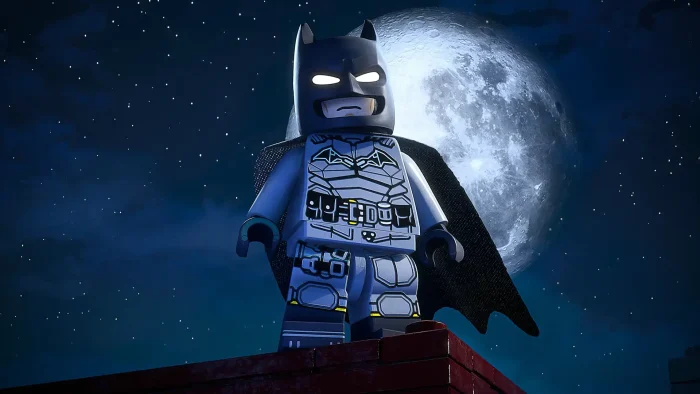
Creating or linking a Warner Bros. Games account in-game unlocks the Golden Age Batsuit inspired by Batman’s first comic appearance in Detective Comics #27 from 1939. Linking your WB Games account to an active Max subscription also unlocks the Dark Knights of Steel and Black Lantern Batsuits. These are free extras that take about two minutes to set up.
Gameplay Screenshots
Here is what LEGO Batman: Legacy of the Dark Knight looks like in action on PC.

FAQ
What are the system requirements for LEGO Batman: Legacy of the Dark Knight on PC?
Does LEGO Batman: Legacy of the Dark Knight have co-op?
Is LEGO Batman: Legacy of the Dark Knight on Xbox Game Pass?
What is included in the Deluxe Edition?
Does the game have microtransactions?
Support and Community
Explore more Windows games: Best DC Games on PC · Best LEGO games for PC · Paralives for PC · Batman: Arkham Knight for Windows · LEGO Marvel Super Heroes 2 for Windows
Need a PC upgrade to run this? See our Best Gaming Desktops guide.