Readers like you help support this site. When you make a purchase using links on our site, we may earn an affiliate commission. All opinions remain our own.

Paralives is a life simulation game for PC from Alex Massé and team, available now on Steam in Early Access. You design a Parafolk in the Paramaker creator, build their home with grid-less tools that allow curved walls and split levels, then send them out into an open town to find work, make friends, and build a life. There is no combat. The whole game is about the story you choose to write.
The project spent seven years in development, funded directly by its community through Patreon. The team has promised Paralives will never have paid DLC, only free updates for as long as the game is supported. That promise shaped how the Early Access launch was built and what comes next.
Paralives launched into Early Access on May 25, 2026, for Windows and Mac (Mac needs one of Apple’s newer M-series chips). There is no console version. Full 1.0 has no announced date yet, and the developers are adding features like weather, pets, and vehicles as Early Access continues.
Already playing? Tell us what your first Parafolk looks like. Got questions before buying? Reach out to us directly.
How to Download Paralives on PC
Paralives is available on Steam for Windows and Mac. The Mac version needs one of Apple’s newer M-series chips. Older Intel-based Macs are not supported. You need 8GB of free space.
Install via Steam
- Step 1. Go to the Paralives Steam page and click Add to Cart.
- Step 2. Sign in to your Steam account or create one for free. Complete the purchase.
- Step 3. Open the Steam client. Find Paralives in your Library and click Install.
- Step 4. Choose where to install it. The game needs about 8GB of space.
- Step 5. Wait for the download to finish, then click Play.
What Is Paralives?
Paralives is a sandbox life simulation game built around three things: the people you create, the homes you build for them, and the open town they live in. You start in the Paramaker, an advanced character creator that lets you adjust height, body shape, facial features, outfits, and personality traits to make a Parafolk that feels like your own. From there, you place them in a vibrant open-world town filled with shops, parks, restaurants, museums, and other Townies to meet.
The house-building tools are the game’s biggest selling point. Paralives uses grid-less construction, so you can build curved walls, split-level floors, and resize or recolor almost any piece of furniture freely. The developers say recreating a real house or designing an eight-story mansion is meant to feel natural rather than fiddly. Once your Parafolk has a home, you guide their life: find a job, build relationships, raise a family, and watch them grow older over time.
The game also ships with Steam Workshop support and an in-game modding interface, so players can create and share houses, Parafolks, and other content from day one. Paralives spent about seven years in development, funded directly by its community through Patreon, and the developers have publicly promised the game will never carry paid DLC, only free updates.
Official Trailer
Watch the official Early Access launch trailer for Paralives to see the Paramaker character creator, grid-less house building in action, and a glimpse of the open-world town.
Key Features
Grid-Less House Building
Build curved walls, split-level floors, and place objects freely instead of snapping to a grid. Furniture and decor can be resized, recolored, and stacked, which makes recreating a real home or designing something completely new much easier.
The Paramaker Character Creator
Adjust height, facial and body features, outfits, and personality traits to build a Parafolk that looks and acts the way you want. The creator is built to handle small details, from posture to clothing layers.
Open-World Town to Explore
Your Parafolk lives in a connected town with shops, parks, restaurants, and museums. Townies have their own routines, jobs, and relationships, giving the world a sense of life beyond your own household.
Careers, Relationships, and Growth
Guide your Parafolk through a job and career path, build friendships and romances, raise a family, and watch them age over time. Personality traits, skills, wants, needs, and emotions all shape how their story plays out.
Multiselect and Group Actions
Select multiple Parafolks at once and direct them as a group, whether that is a family sharing a meal or friends hanging out at the park. It is a small touch that saves time when managing a full household.
Steam Workshop and In-Game Modding
Browse and install community-made houses, Parafolks, and mods directly through Steam Workshop, or use the built-in modding interface to edit and add your own content without leaving the game. Beyond Steam Workshop, the modding community is also active on CurseForge and Nexus Mods, both worth a look once you are ready to customize beyond the built-in tools.
Is This Game for You?
You Will Love It If:
- ✅ You enjoy slow, creative, story-of-your-own-making games
- ✅ Detailed house building is something you actually want to spend hours on
- ✅ You like the idea of supporting a community-funded indie project
- ✅ You want a relaxing single-player game with no combat or pressure
- ✅ You are open to playing a game that is still being built
You Might Not If:
- ❌ You want a finished, feature-complete game right now
- ❌ You are looking for multiplayer or co-op (single-player only)
- ❌ You expect features like pets, weather, or vehicles on day one (these are planned for later)
- ❌ You are on an older Intel-based Mac (you need one of Apple’s newer M-series chips)
- ❌ You want fast-paced gameplay with clear goals and challenges
🎮 Our Take
Paralives is the strongest new option in the life sim space in years. The grid-less building tools are the standout feature, and they deliver on the promise the developers made during seven years of Patreon-funded development. The Paramaker has a lot of options without feeling complicated to use, and the open town gives the game a sense of place that some life sims lack. That said, this is a true Early Access release: several systems players expect from the genre, like weather, pets, vehicles, and a calendar for events, are not in the game yet. The roadmap covers them, but they are not here today.
If you love building and customizing and do not mind playing a game that will keep changing under you, buy it now and grow with it. If you would rather wait for pets, seasons, and a fuller list of life events before diving in, it is reasonable to wishlist it and check back as updates land. Either way, the no-paid-DLC promise means whatever you buy today keeps growing for free.
What’s Coming During Early Access
The developers have shared a list of features planned for the Early Access period, all to be delivered as free updates. None of these are in the game at launch, so go in with that in mind:
- 🌦️ Weather and seasons
- 🐾 Dogs, cats, and horses
- 🚗 Cars, bikes, boats, and houseboats
- 🏊 Pools and swimming
- 📅 A calendar for organizing parties, weddings, and other events
- 👴 Story progression for NPCs and a family tree
- 🌱 Gardening and fishing
- 🗺️ Tools to edit and create your own towns
System Requirements
Tips for Getting Started
Spend Time in the Paramaker Before You Build
The character creator has more depth than it looks like at first glance. Before you start building a house, experiment with body shape, facial features, and personality traits until your Parafolk feels like a real character. It is much easier to plan a home around a character you already know.
Start Small With Your First House
The grid-less building tools are powerful, but that also means it is easy to get lost trying an eight-story mansion on your first try. Build a small starter home first to learn how curved walls, split levels, and object resizing work, then scale up once you are comfortable.
Walk Your Town Before Settling Down
Before locking in a job and a daily routine for your Parafolk, explore the open-world town. Knowing where the shops, parks, and workplaces sit relative to your house will help you plan a life that fits together instead of feeling scattered.
Browse Steam Workshop for Ready-Made Houses
If building from scratch feels slow at first, Steam Workshop already has community-made houses and Parafolks you can drop straight into your game. It is a good way to see what the building tools can do before you try advanced techniques yourself.
Treat the Roadmap as a Reason to Come Back
Features like pets, weather, and family trees are not in the game yet, but they are planned and will arrive as free updates. Rather than waiting for everything at once, enjoy what is here now and treat each future update as a reason to revisit your Parafolk’s story.
Gameplay Screenshots
Here is what Paralives looks like in action on PC.
-
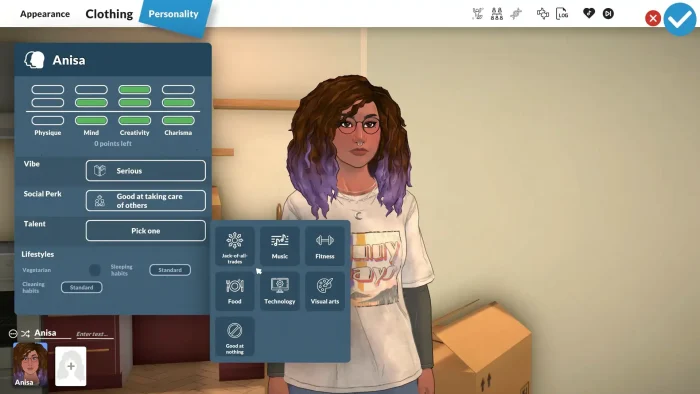
- Customize your character from Paralives for PC: Guide, Tips & System Requirements
-
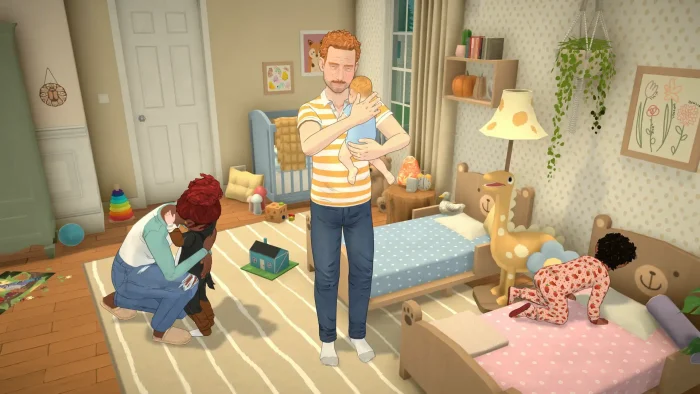
- Family life from Paralives for PC: Guide, Tips & System Requirements
-
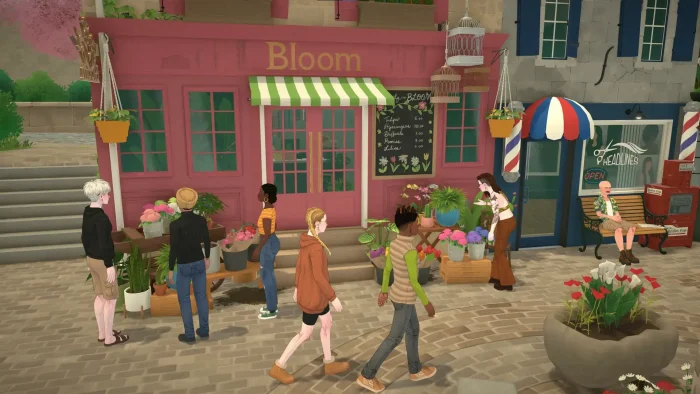
- Gameplay graphics from Paralives for PC: Guide, Tips & System Requirements
-

- Laughing graphics from Paralives for PC: Guide, Tips & System Requirements
-
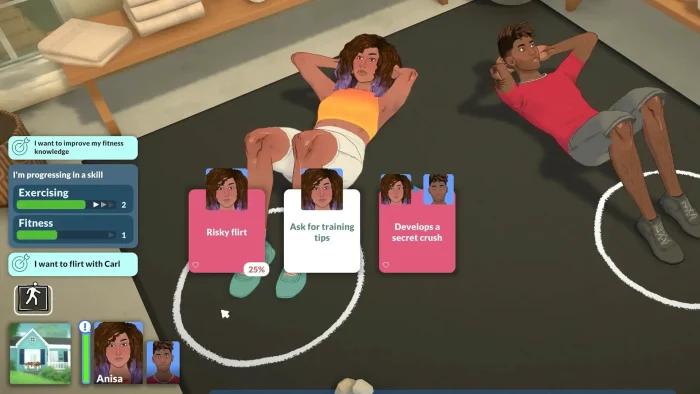
- Make a decision from Paralives for PC: Guide, Tips & System Requirements
-
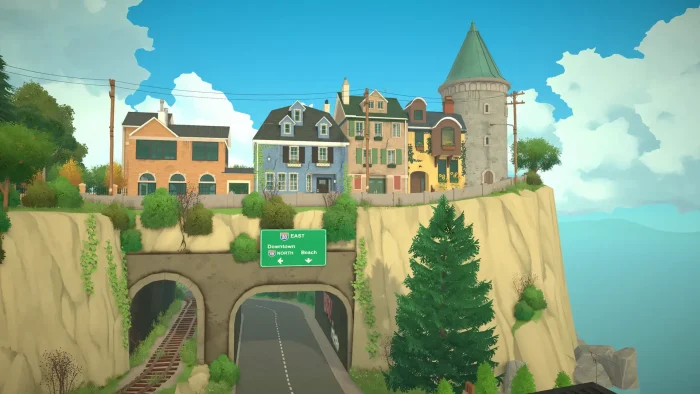
- Neighborhoods graphics from Paralives for PC: Guide, Tips & System Requirements
-
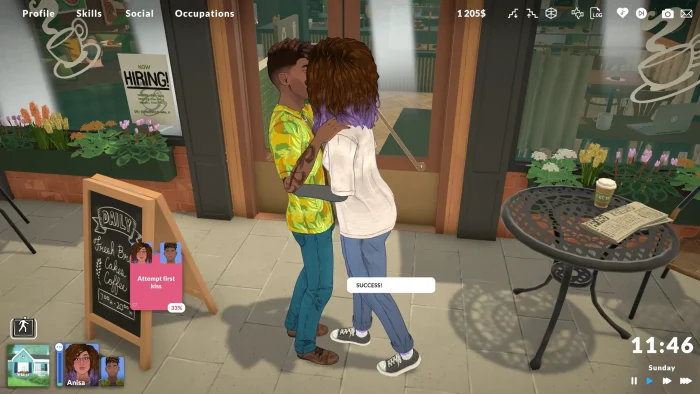
- Attempt first kiss sucess from Paralives for PC: Guide, Tips & System Requirements
FAQ
Support and Community
Explore more Windows games: The Sims 4 for PC · Stardew Valley for PC · Gothic 1 Remake for PC · Fatekeeper for PC · Best Simulation Games on PC · LEGO Batman: Legacy of the Dark Knight for PC
Need a PC upgrade to run these? See our Best Gaming Desktops guide.
Discover more from Windows Mode
Subscribe to get the latest posts sent to your email.

















Add your first comment to this post