

Readers like you help support this site. When you make a purchase using links on our site, we may earn an affiliate commission. All opinions remain our own.
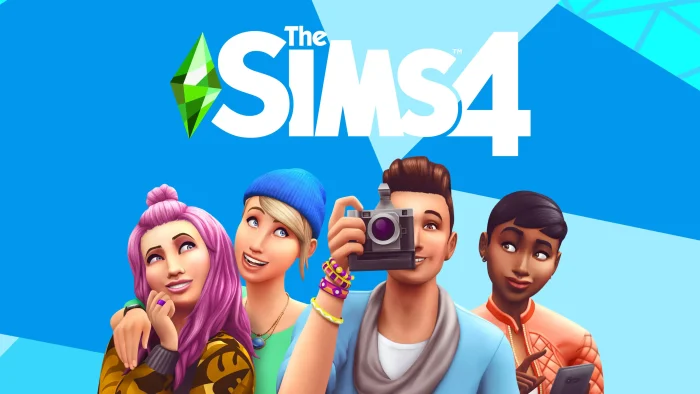

The Sims 4 is a life simulation game for PC from Maxis, available free on Steam and the Epic Games Store. You build Sims from scratch, design their homes, and guide them through everyday life: jobs, relationships, hobbies, and family. There is no fixed goal. You decide what kind of story your Sims live out.
The base game has been free to download since 2022, which sets it apart from most life sims that charge upfront. You can play the full core game, build houses, and create Sims without spending a cent. Expansion packs add extra content later if you want more depth.
Released September 2, 2014, and still updated by Maxis today. Runs on Windows 10 and 11. Played with mouse and keyboard, no controller support on PC.
Already playing? Share your latest build in the comments below. Got questions before installing? Reach out to us directly.
What You Need to Know
- The base game is completely free. You only pay for expansion packs, game packs, and stuff packs.
- You need both an EA account and Steam or Epic Games, linked together, to play.
- PC is the only platform where you can add mods and custom content, something console versions cannot do.
Quick Facts


Quick Facts
| 💰 Price | Free (base game) |
| 📅 Released | September 2, 2014 |
| 🛠️ Developer | Maxis |
| 📦 Publisher | Electronic Arts |
| 🎮 Genre | Life Simulation |
| 👥 Players | Single-player only |
| 💾 Storage | 26 GB (base game) |
How to Download The Sims 4 on PC
The Sims 4 is free on both Steam and the Epic Games Store for Windows 10 and 11. Either store works the same way once installed, since both route through EA’s own service in the background. You need 26GB of free space for the base game.
Install via Steam or Epic Games
- Step 1. Go to the Sims 4 Steam page or the Epic Games Store page and click Play or Get.
- Step 2. Sign in to your Steam or Epic account, or create one for free.
- Step 3. Install the EA app when prompted. This is required to play, even through Steam or Epic.
- Step 4. Sign in to or create an EA account, then link it to your Steam or Epic account. This link is permanent once made.
- Step 5. Wait for the 26GB download to finish, then launch the game from your library.
- Step 6. Open Create a Sim mode and build your first character to get started.
What Is The Sims 4?
The Sims 4 is a life simulation game (a game where you control characters living out daily routines rather than chasing a fixed objective). You create Sims in Create a Sim mode, build or buy them a home in Build Mode, then guide their choices: their jobs, friendships, romances, and goals.
There is no win or lose state. Some players spend most of their time building houses and never play a single Sim’s story. Others focus entirely on relationships and family trees across generations. The game adapts to whichever style you prefer, and that flexibility is the main reason it has stayed popular for over a decade.
Official Trailer
Watch the official trailer for The Sims 4 to see Create a Sim mode, house building tools, and a glimpse of the everyday Sim life the game revolves around.
Key Features
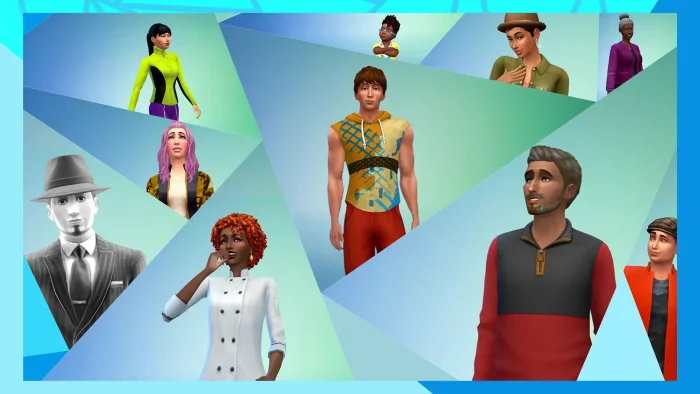
Create a Sim
Shape your Sim’s body, face, voice, walk, and personality traits in detail before you ever start playing.
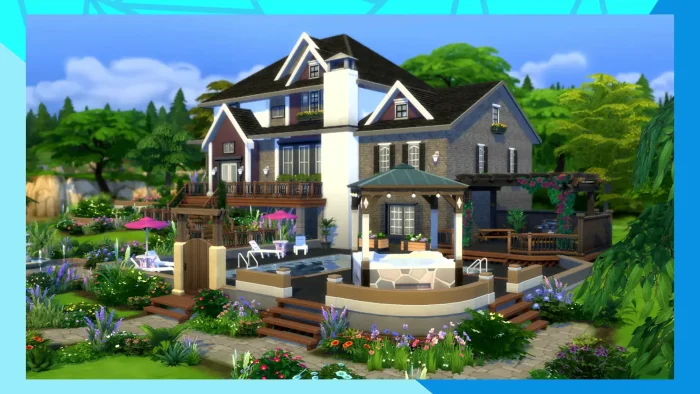
Build Mode
Design houses room by room, place furniture freely, and reshape terrain, gardens, and pools without limits.
Aspirations and Traits
Give each Sim long-term goals and personality quirks that shape how they react to events in their lives.
Careers and Skills
Send Sims to work, level up skills like cooking or painting, and watch their abilities open new options.
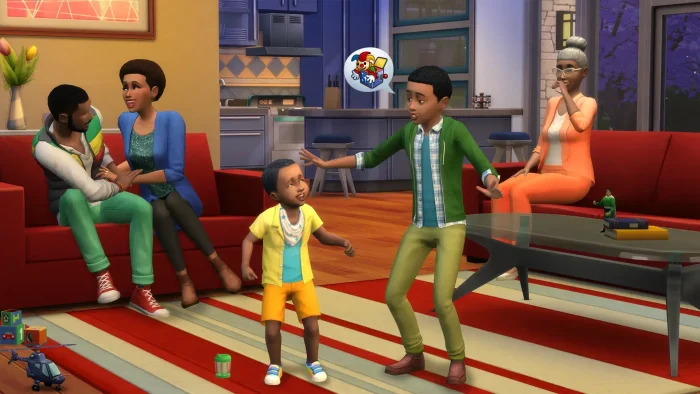
Relationships and Family
Build friendships, romances, and family trees that carry across generations as Sims age and pass on.
The Gallery
Browse, download, and share Sims, houses, and rooms made by other players around the world.
Is This Game for You?
You Will Love It If:
- ✅ You enjoy slow, open-ended games with no win condition
- ✅ Building houses and designing characters sounds fun on its own
- ✅ You want to try a big life sim without paying anything upfront
- ✅ You like writing your own stories through gameplay rather than following a script
- ✅ You are comfortable using mods and custom content to expand the game
You Might Not If:
- ❌ You want fast action, competition, or a clear goal to chase
- ❌ You are not willing to deal with linking an EA account to play
- ❌ You expect deep features like seasons, pets, or university for free (these are paid packs)
- ❌ You are looking for multiplayer or co-op (this is single-player only)
- ❌ You want a game that feels fresh and modern rather than a decade-old engine
🎮 Our Take
The Sims 4 base game is a solid, polished entry point into life simulation. The Create a Sim and Build Mode tools are still some of the best in the genre, and going free-to-play in 2022 removed the biggest barrier to trying it. The catch is that the base game alone feels thin after a few weeks. Most of the depth players associate with The Sims, careers with real story arcs, seasons, university, pets, sits behind paid expansion packs that can add up to hundreds of dollars over time.
If you want to find out whether life sims are for you without spending anything, install the free base game first and spend real time in it before buying packs. If you already know you love this style of game and have specific things you want, like seasons, pets, or university, pick up just those expansions on sale rather than buying everything at once.
System Requirements
- OS: 64-bit Windows 10
- Processor: Intel Core i3-3220 or AMD Ryzen 3 1200
- Memory: 4 GB RAM
- Graphics: GeForce 6600 or Radeon X1300 (128 MB of video memory, also called VRAM)
- DirectX: Version 11
- Storage: 26 GB available space
- OS: 64-bit Windows 10
- Processor: Intel Core i5 (4 cores) or AMD Ryzen 5
- Memory: 8 GB RAM
- Graphics: GTX 650 or Radeon HD 7750 (1 GB of video memory, also called VRAM)
- DirectX: Version 11
- Storage: 51 GB available space
Tips for Getting Started
Spend extra time in Create a Sim
Your Sim’s traits and aspiration shape how the whole game plays out. A few extra minutes here saves frustration later.
Don’t build a mansion on day one
Starting funds are limited. A small starter home leaves money for furniture and skill-building items your Sim actually needs.
Check your Sim’s needs often
Hunger, energy, and bladder needs drop steadily. Letting them run out leads to bad moods and missed work.
Browse the Gallery before buying packs
Free community-made houses and Sims in the Gallery can scratch the same itch as paid content. Try that first.
Save often and use multiple save slots
Random events can take a household in a direction you did not want. Extra save slots let you go back without losing everything.
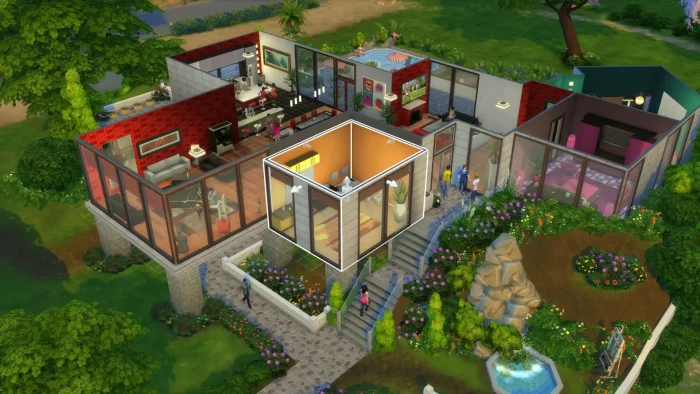
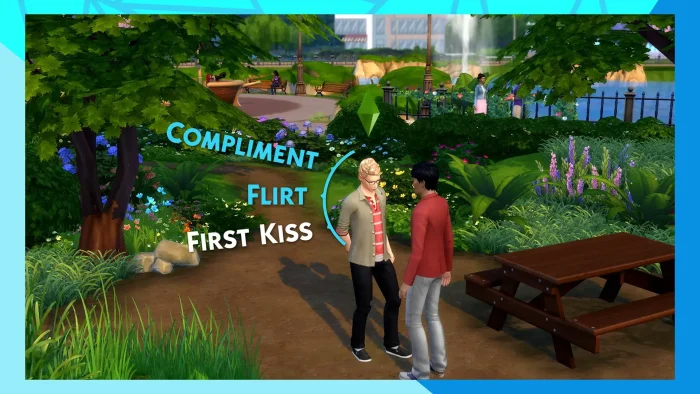
Gameplay Screenshots
Here is what The Sims 4 looks like in action on PC.
FAQ
Is The Sims 4 actually free on PC?
Do I need an EA account to play The Sims 4 on Steam?
Can I transfer my saves between the Steam and Epic Games versions?
Does The Sims 4 support mods and custom content on PC?
Will The Sims 4 run on a laptop with integrated graphics?
Why does The Sims 4 keep asking me to sign in to EA and Steam separately?
What are the system requirements for The Sims 4 on Windows?
Support and Community
Explore more Windows games: Best games for girls for PC · Cities: Skylines 2 on PC · Best city building games · Best simulation games · inZoi for PC · Paralives for PC
Need a PC upgrade to run these? See our Best Gaming Desktops guide.