Readers like you help support this site. When you make a purchase using links on our site, we may earn an affiliate commission. All opinions remain our own.
Dolby Access is a free Windows app that helps you set up Dolby Atmos audio on your PC. Depending on your setup, it can enable immersive sound through headphones, a home theater system, or your PC’s built-in speakers.
The app itself is free. Dolby Atmos for Headphones is the paid part, and it comes with a free trial. If you already have compatible home theater hardware, that mode works at no extra cost.
This guide explains what Dolby Access is, how each setup mode works, how to install and configure it, and when the Dolby Atmos for Headphones purchase is actually worth it.
What You Need to Know
- Dolby Access is free to download from the Microsoft Store.
- Dolby Atmos for Headphones is a paid add-on with a free trial.
- Dolby Atmos for Home Theater is free if your hardware supports it.
- It works with any headphones. You do not need a special Dolby-certified headset.
- Your Dolby Atmos for Headphones purchase is tied to your Microsoft account and also works on Xbox.
- Dolby and Microsoft both support Dolby Access on Windows 10 and Windows 11. Check the Microsoft Store listing for the latest device requirements.
Price
Free app + paid add-on
Developer
Dolby Laboratories
Windows
Windows 10 / 11
Paid Part
Dolby Atmos for Headphones
Best For
Gaming, movies, and music on PC
Who Should Use Dolby Access?
Dolby Access is worth installing if you want better sound on your Windows PC. The app is free, and if you already have a Dolby Atmos-capable soundbar or AV receiver, you can set that up at no extra cost. The paid part only comes in if you want Dolby Atmos for Headphones.
- Use it if: you want spatial audio for gaming, movies, or music on your PC using headphones or compatible speakers.
- Try the free trial if: you are not sure whether Dolby Atmos for Headphones is worth paying for.
- Skip the paid add-on if: you only use your PC’s built-in speakers and do not game or watch movies often.
- Already on Xbox? Your Dolby Atmos for Headphones license carries over through your Microsoft account.
What Is Dolby Access?
Dolby Access is the official Dolby app for Windows. It acts as the control center for turning on and managing Dolby Atmos audio on your PC. The app is free. What it unlocks depends on your hardware and whether you buy Dolby Atmos for Headphones.
Dolby Atmos is a type of spatial audio that makes sound feel more three-dimensional. Instead of sound coming from only left and right channels, it can feel like it is coming from above, behind, and around you. Through Dolby Access, you can get that effect through headphones, a home theater system, or built-in PC speakers on supported devices.
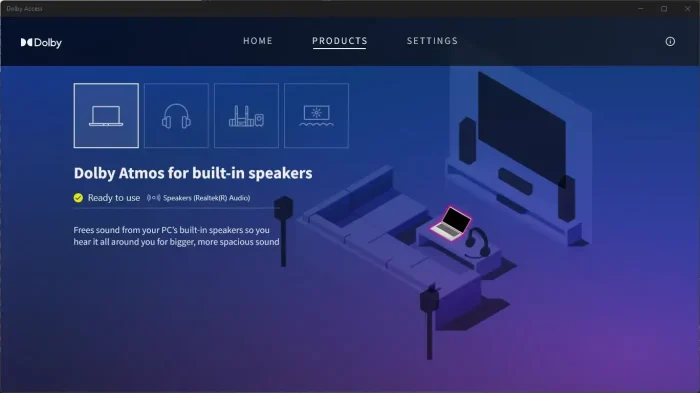
The app has three main modes: Dolby Atmos for Headphones, Dolby Atmos for Home Theater, and Dolby Atmos for Built-in Speakers. Each one fits a different setup, and the app walks you through the right one.
The Three Setup Modes
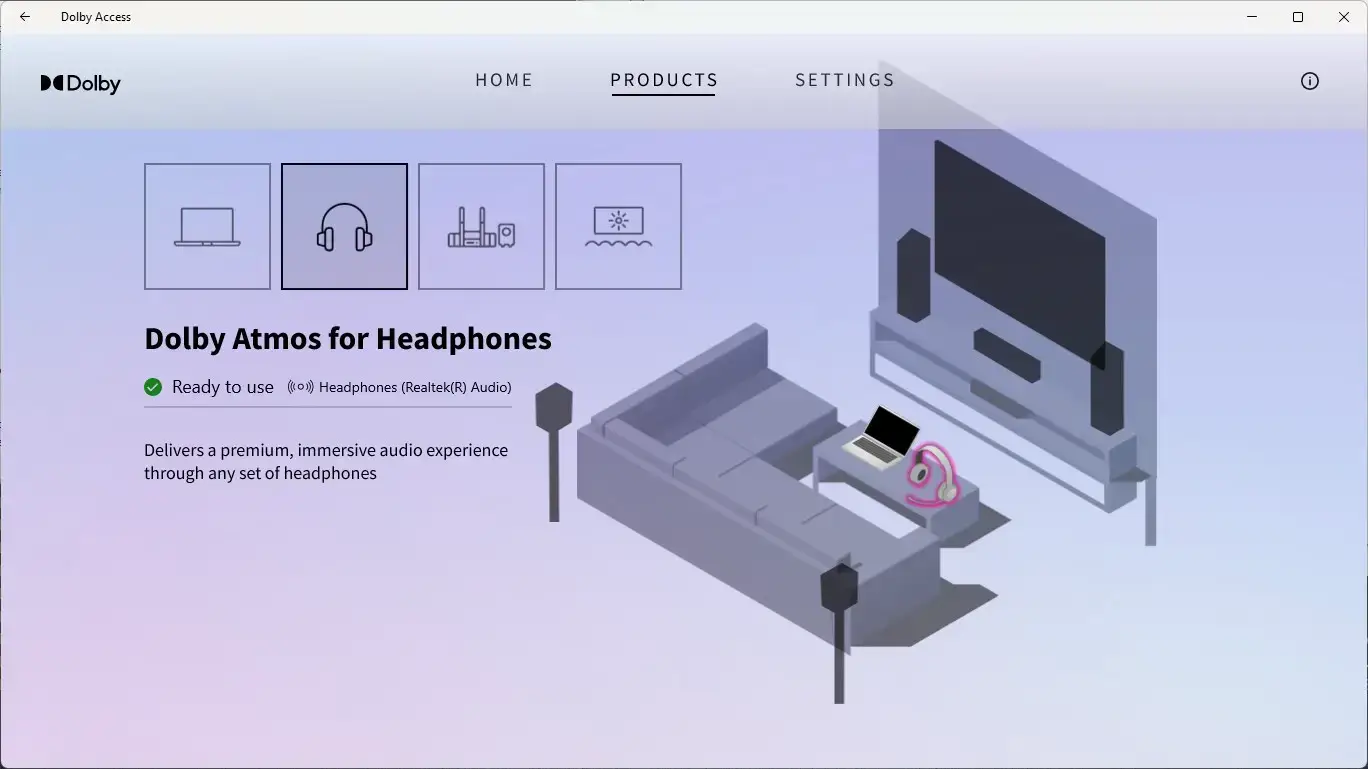
Dolby Atmos for Headphones
Software-based spatial audio that works with any headphones. It is a paid add-on after a free trial. It creates a virtual surround effect so games, movies, and music can feel more immersive even on a normal stereo headset.
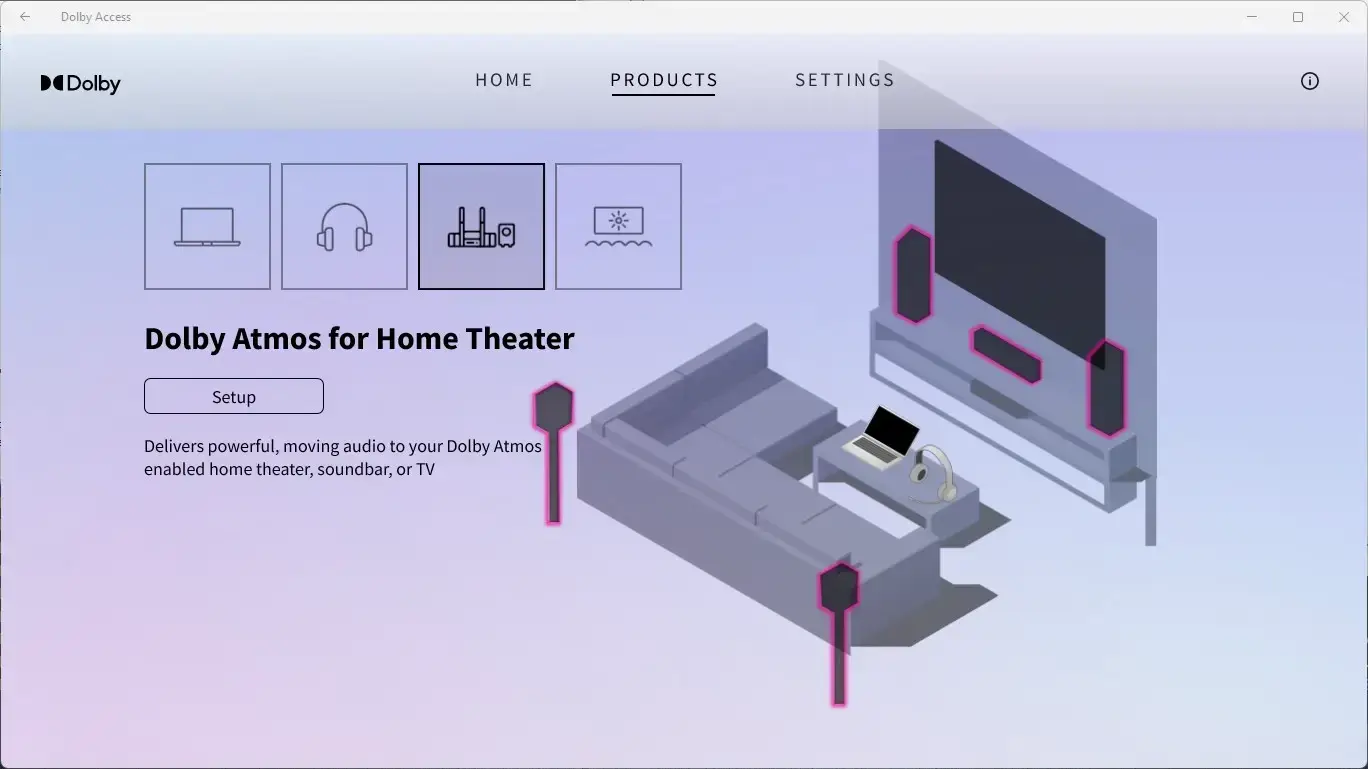
Dolby Atmos for Home Theater
Free if you have a compatible soundbar or AV receiver. Dolby Access passes the Dolby Atmos signal through HDMI to your hardware, which handles the decoding.
Dolby Atmos for Built-in Speakers
Available on select PCs where the manufacturer has certified the device for Dolby Atmos. This mode is free on supported hardware. Not all laptops or desktops support it.
How to Install Dolby Access on Windows
Dolby Access installs from the Microsoft Store. Setup usually takes only a few minutes, and the app helps you choose the mode that fits your hardware.
- Step 1. Open the Microsoft Store and search for Dolby Access, or use the link below.
- Step 2. Click Get or Install. The app is free.
- Step 3. Launch Dolby Access and open the Products tab.
- Step 4. Choose your setup: Headphones, Home Theater, or Built-in Speakers.
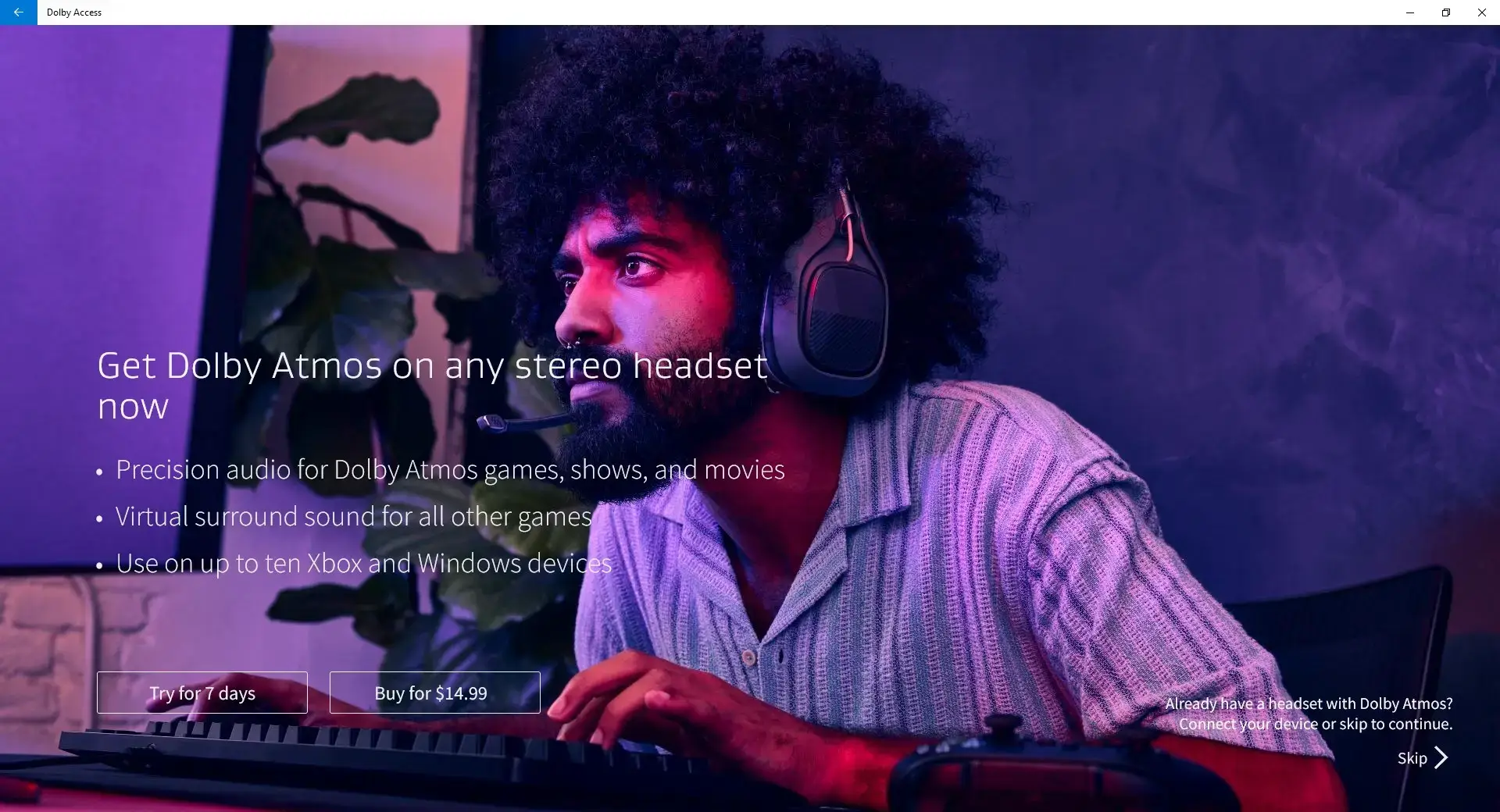
- Step 5. If you choose Headphones, start the free trial of Dolby Atmos for Headphones.
- Step 6. Open Windows Settings, go to System, then Sound, then Device Properties for your output. Set Spatial Audio to Dolby Atmos for Headphones.
Key Features
Spatial Audio for Any Headphones
Dolby Atmos for Headphones works with wired, USB, and Bluetooth headphones. You do not need special hardware.
Custom Sound Profiles
The Settings tab includes presets for Game, Movie, Music, and Voice. You also get custom preset slots for your own tuning.
Works with Dolby Atmos Content
When the app, your device, and the content all support Dolby Atmos, Dolby Access helps you get the full effect on your PC.
Useful for Gaming
Spatial audio can make it easier to hear where sounds are coming from in supported games, which helps with awareness and makes things feel more real.
Microsoft Account License
Your Dolby Atmos for Headphones purchase is tied to your Microsoft account, so it also works on Xbox without a separate purchase.
Home Theater Passthrough
If you have a Dolby Atmos soundbar or AV receiver connected through HDMI, Dolby Access can pass the Atmos signal through for free.
When Dolby Access Is Worth Paying For
The paid part is Dolby Atmos for Headphones.
- Worth trying: if you game often with headphones, watch a lot of movies on your PC, or want a stronger sense of space in supported audio.
- Probably not worth it: if you mostly use laptop speakers, casual earbuds, or you are already happy with Windows Sonic.
- Best approach: use the free trial with your own headphones and your own content before deciding.
Dolby Atmos for Headphones vs Free Spatial Audio Options
Windows includes Windows Sonic for Headphones as a free spatial audio option. Here is the simplest way to compare it with Dolby Atmos for Headphones.
| Feature | Dolby Atmos for Headphones | Windows Sonic (Free) |
|---|---|---|
| Cost | Paid add-on with free trial | Free, built into Windows |
| Works with any headphones | Yes | Yes |
| Spatial audio option | Dolby processing through Dolby Access | Microsoft’s built-in spatial sound mode |
| Custom sound profiles | Yes | No |
| Xbox license included | Yes | No |
| Dedicated app and setup wizard | Yes | No, enabled in Windows Settings |
Which one should you use?
Start with the free trial of Dolby Atmos for Headphones through Dolby Access. If you can hear the difference and it improves your games or movies, the one-time purchase can make sense. If you cannot tell much difference, Windows Sonic is already free on your PC.
Tips for Getting Started
Use the free trial before buying
Dolby Atmos for Headphones sounds different on every headset. Try it with your actual headphones during the trial before paying.
Set the right output device in Windows
Dolby Access only works on the output device currently selected in Windows. If you switch between headphones and speakers, check the spatial audio setting again.
Try the Game and Movie presets
The presets are set up for different types of content. Game mode helps with directional sound, while Movie mode can make films and shows sound fuller.
Home theater users should use HDMI
For the best home theater setup, connect your soundbar or AV receiver through HDMI. Your hardware should show a Dolby Atmos indicator when Atmos content is playing.
System Requirements
| Requirement | Details |
|---|---|
| Operating system | Windows 10 or Windows 11. Check the Microsoft Store listing for the latest device requirements. |
| Download source | Microsoft Store |
| For headphone mode | Any wired, USB, or Bluetooth headphones |
| For home theater mode | An HDMI-connected soundbar or AV receiver that supports Dolby Atmos |
| For built-in speaker mode | A manufacturer-certified Dolby Atmos PC |
Screenshots
-
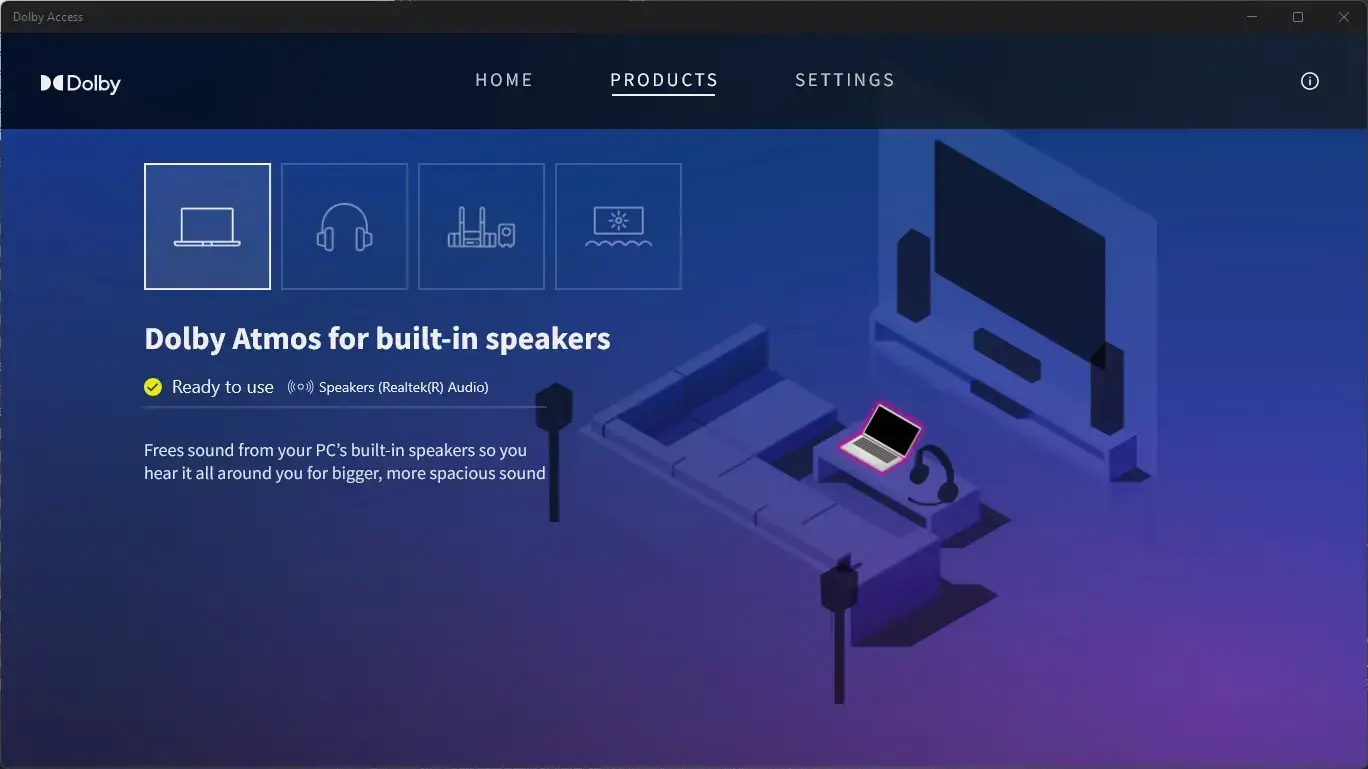
- Built in speakers from Dolby Access for Windows: Setup Guide, Price and Is It Worth It?
-
- Dolby atmos stereo headphones from Dolby Access for Windows: Setup Guide, Price and Is It Worth It?
-
- Dolby trial from Dolby Access for Windows: Setup Guide, Price and Is It Worth It?
-
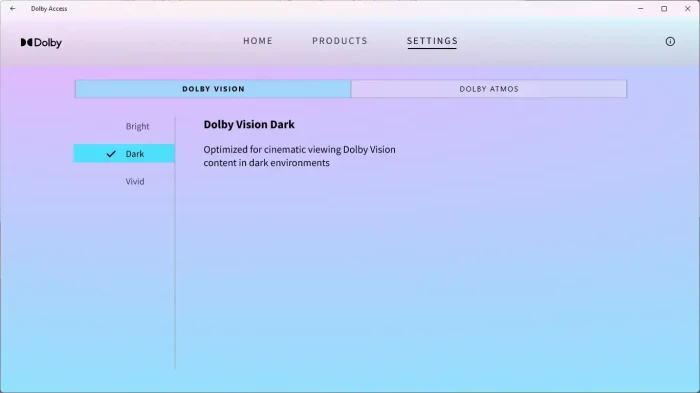
- Dolby vision from Dolby Access for Windows: Setup Guide, Price and Is It Worth It?
-
- Home theatre from Dolby Access for Windows: Setup Guide, Price and Is It Worth It?
-
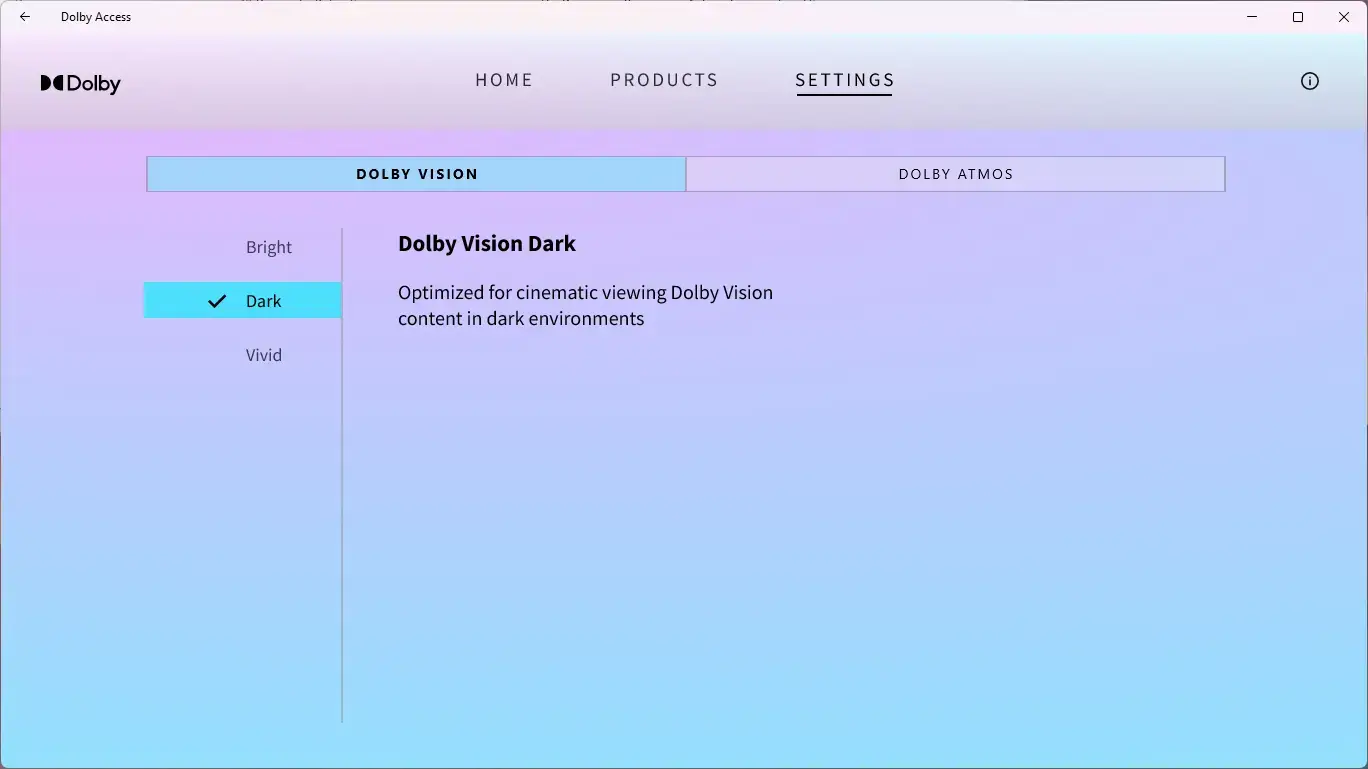
- Settings from Dolby Access for Windows: Setup Guide, Price and Is It Worth It?
Frequently Asked Questions
Is Dolby Access free?
Dolby Access is free to download from the Microsoft Store. Dolby Atmos for Headphones is the paid add-on, and it comes with a free trial.
What does Dolby Access do?
Dolby Access is the app that manages and activates Dolby Atmos on your Windows PC. Depending on your setup, it can enable spatial audio for headphones, configure a home theater system, or activate Dolby Atmos on supported built-in speakers.
How much does Dolby Atmos for Headphones cost?
It is a one-time purchase, with price depending on your region. A free trial is available through Dolby Access so you can test it before buying.
Does Dolby Atmos for Headphones work with any headphones?
Yes. It works with almost any headphones connected to your Windows PC, wired or wireless. You do not need special Dolby-certified headphones.
What is the difference between Dolby Atmos for Headphones and Dolby Atmos for Home Theater?
Dolby Atmos for Headphones creates a spatial audio effect in software for any headphones. Dolby Atmos for Home Theater sends the Atmos signal to compatible external hardware such as a soundbar or AV receiver, and that mode is free if your hardware supports it.
What Windows version does Dolby Access require?
Dolby Access is available for Windows through the Microsoft Store. Dolby and Microsoft both support it on Windows 10 and Windows 11. Check the Store listing for the latest requirements for your device.
Can I use Dolby Access on Xbox?
Yes. Dolby Atmos for Headphones purchased through Dolby Access is tied to your Microsoft account, so the license also works on Xbox without a separate purchase.
More Windows software guides: Lively Wallpaper for Windows · Best Windows Software · Best Free Windows Software
Feel free to leave a comment below or contact us.
Discover more from Windows Mode
Subscribe to get the latest posts sent to your email.
















Add your first comment to this post