Microsoft released new Windows 11 Insider Preview builds on October 16, 2026, covering the Beta, Experimental and Release Preview channels. The Windows Insider Blog announcement highlights two changes you can see: a navigation bar in Gaming Task View for Xbox mode, and an option that lets Windows Hello brighten your screen so face sign-in works in a dark room.
Neither feature is on regular Windows 11 PCs yet. The gaming change is in the Beta and Experimental channels, while the Windows Hello option is only in Experimental for now.
| Channel | Build | Highlighted changes |
|---|---|---|
| Beta | 26220.9739 (26H1 PCs: 28020.3262) | Gaming Task View navigation bar |
| Experimental | 26340.9750 (26H1 PCs: 28120.3272) | Gaming Task View navigation bar and Windows Hello brightness assist |
| Experimental (Future Platforms) | No build this week | None |
| Release Preview | 26200.9807 / 26300.9807 (25H2/26H2), 28000.3351 (26H1) | See the channel release notes |
Microsoft now ships separate builds depending on which version of Windows 11 a PC runs, which is why each channel lists more than one number. To see yours, press Windows + R, type winver and press Enter.
Gaming Task View gets a navigation bar
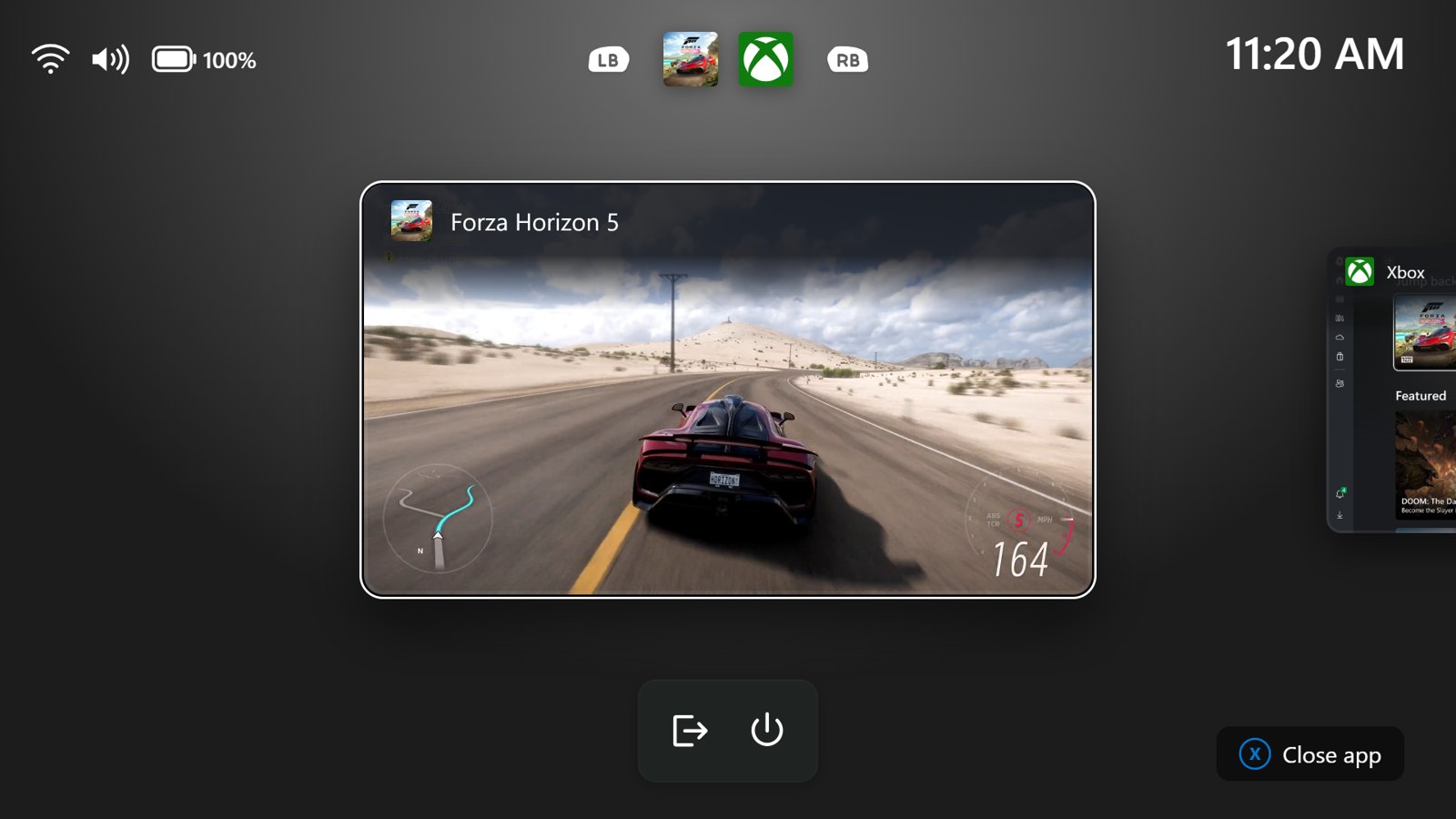
Xbox mode is the full-screen, controller-friendly gaming view in Windows 11, and Gaming Task View is its screen for switching between what you have open. The refreshed version adds a navigation bar with two shortcuts: Exit to Desktop and Power Options.
That should help most on handhelds and living room PCs, where you’re using a controller rather than a mouse and keyboard. Microsoft says the goal is to make key system actions easier to reach while you’re playing.
Windows Hello can brighten your screen for face sign-in
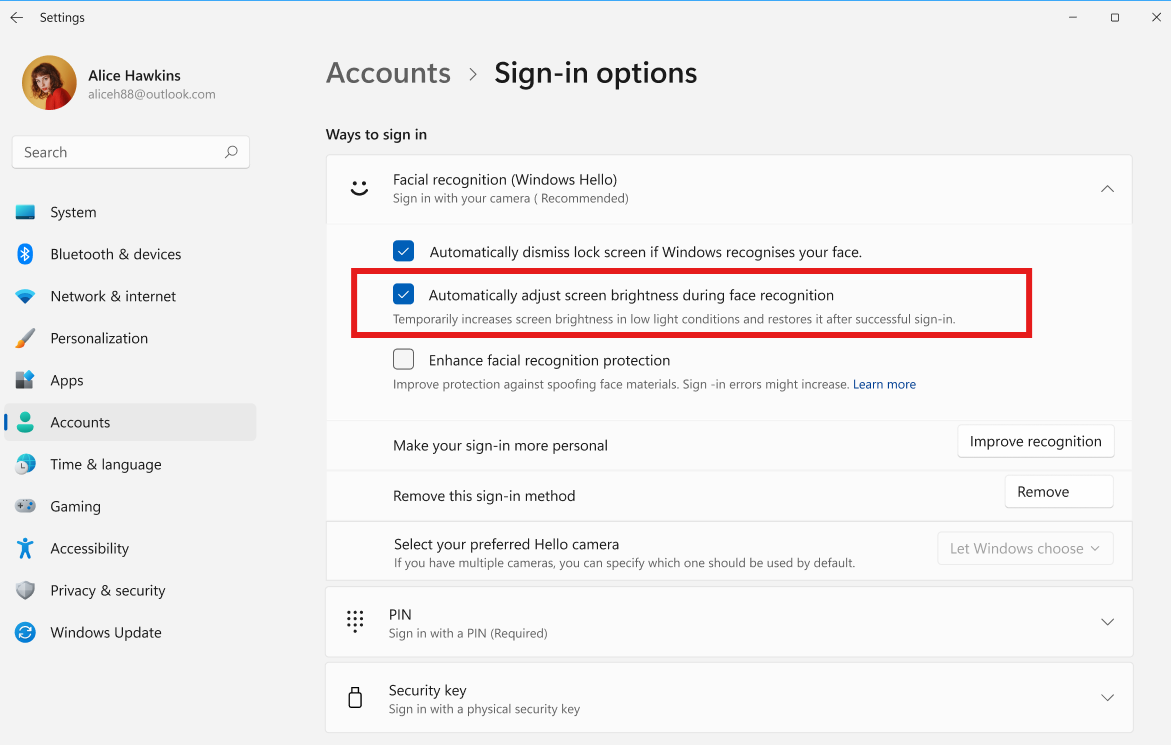
In the Experimental channel, Windows Hello facial recognition can temporarily raise screen brightness when you sign in from a dark or dimly lit room. The extra light is there to help the camera recognize you, and the brightness goes back down afterwards.
How to turn it on
Go to Settings > Accounts > Sign-in options > Facial recognition (Windows Hello) and switch on Automatically adjust screen brightness during face recognition. You need an Experimental channel build and a PC with a Windows Hello face camera.
RTX Spark PCs join the Insider Program
The same announcement marks the launch of the first Windows 11 devices built on the NVIDIA RTX Spark chip, including the Surface Laptop Ultra. Microsoft says it expects a new group of Insiders on those devices to start sending feedback.
Features in the Beta and Experimental channels can change or be dropped before they reach everyone, and Microsoft has not given a date for either change to reach regular Windows 11 PCs. If you want to compare with the previous round, our October 7 builds roundup covers the new Search and battery widget changes.
Discover more from Windows Mode
Subscribe to get the latest posts sent to your email.














Add your first comment to this post