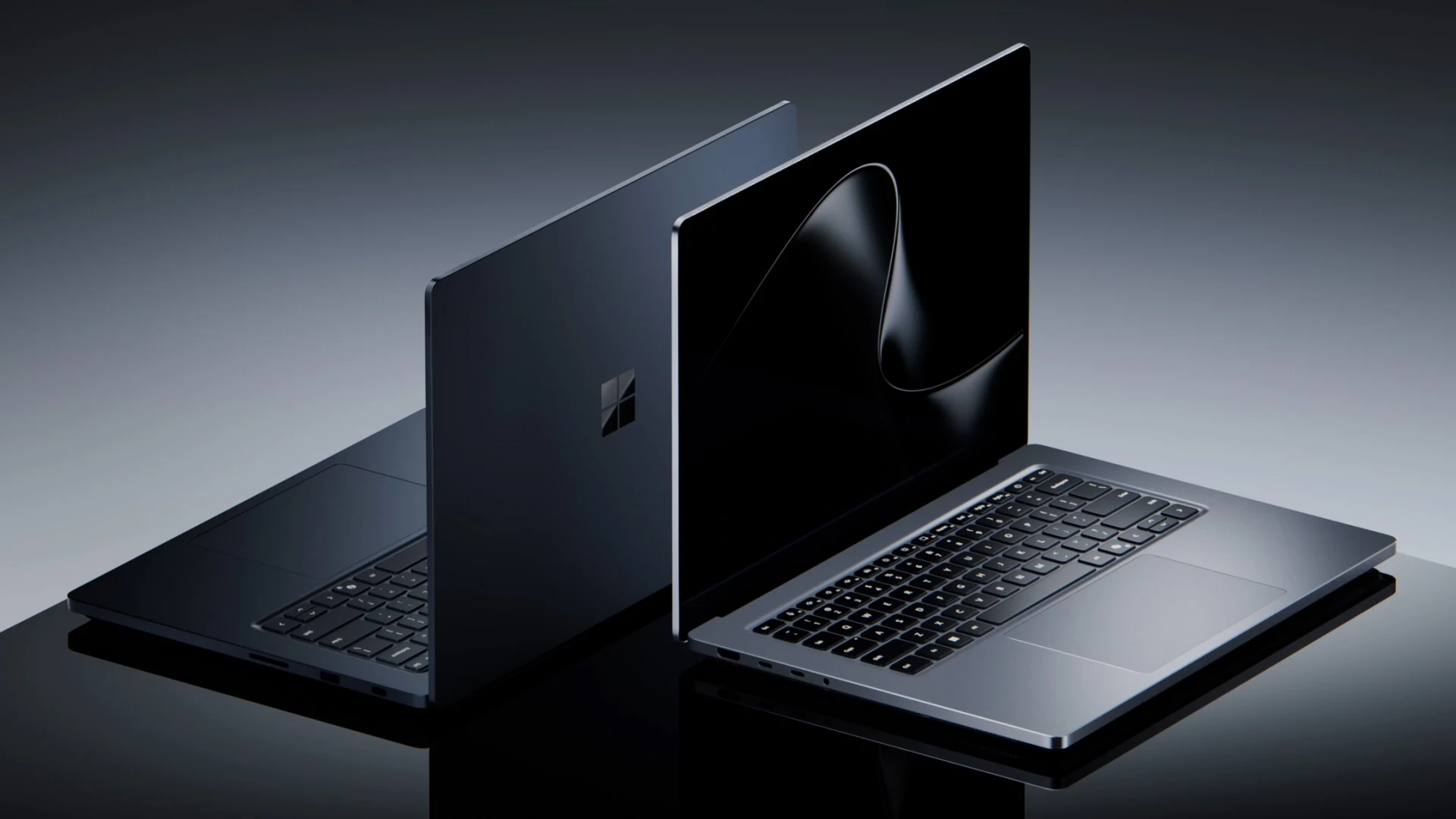
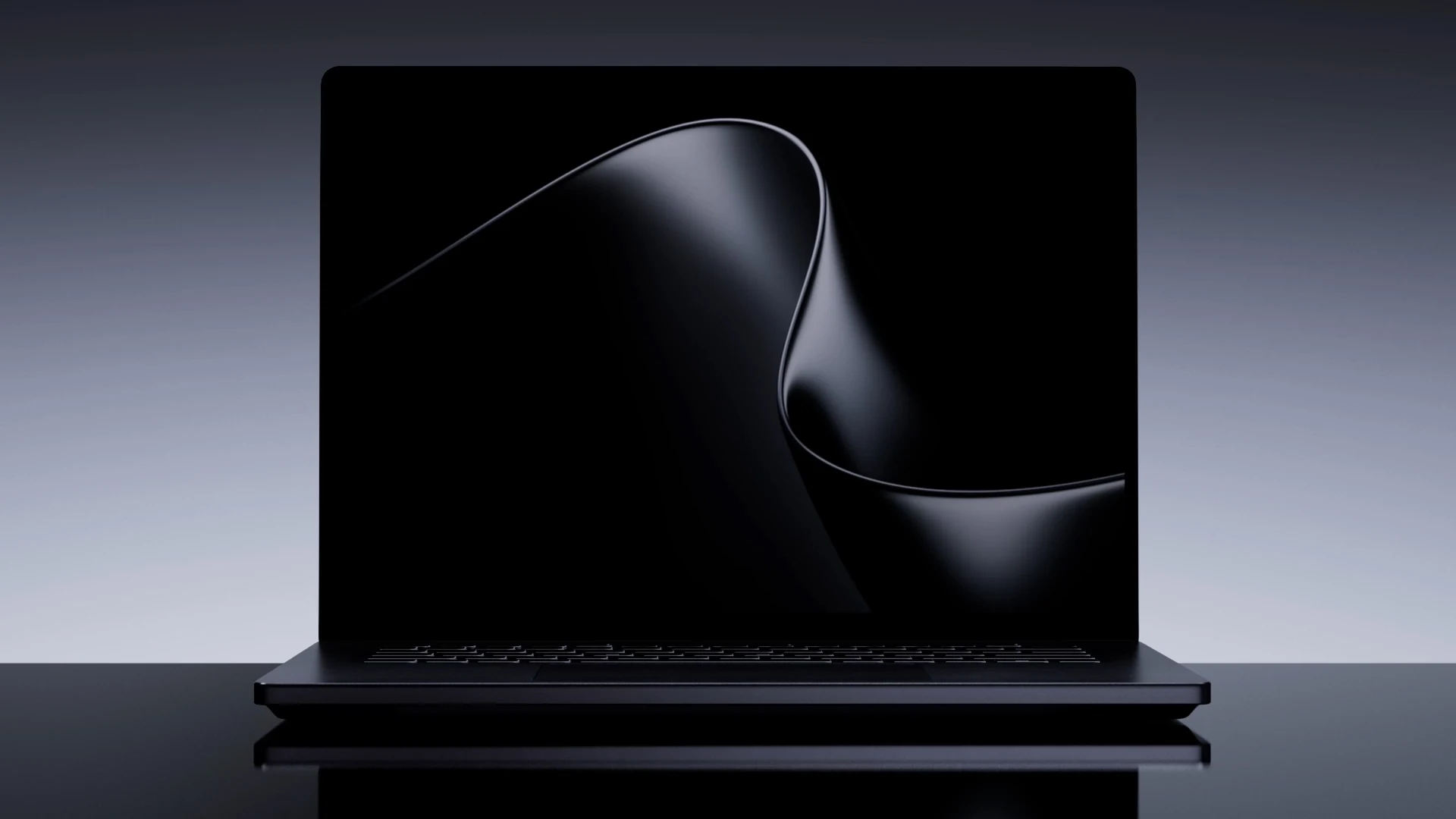
Surface Laptop Ultra comes in Platinum (left) and Nightfall (right). Image: Microsoft.
Key Takeaways
- Microsoft opened pre-orders for Surface Laptop Ultra and Surface RTX Spark Dev Box on October 7, 2026.
- Surface Laptop Ultra starts at $2,599.99 and ships from October 16, 2026. The top model with 128 GB of memory costs $5,899.99.
- The Dev Box is a small desktop for AI developers at $5,999.99, sold only on Microsoft.com in the US, shipping in November 2026.
- Both run on the NVIDIA RTX Spark chip, an Arm-based design that puts the processor, graphics and memory in one package.
- Surface Laptop Ultra brings back HDMI, USB-A and an SD card reader, and adds the first built-in magnetic USB-C charging port on a laptop.
Microsoft has opened pre-orders for its two most powerful Surface devices so far. Surface Laptop Ultra is a 15-inch laptop built for creators, developers and anyone running AI models on their own PC. Surface RTX Spark Dev Box is a compact desktop that puts the same chip on a developer’s desk.
We first covered the laptop when Microsoft showed it off in June, in Surface Laptop Ultra: Built for creators. This guide has what changed since: final prices for every configuration, ship dates, full specs, the Dev Box, and the things worth checking before you pay.
Pre-order Surface Laptop UltraPre-order RTX Spark Dev Box
Surface Laptop Ultra at a Glance
The six numbers most buyers ask about first, taken from Microsoft’s spec sheet and store page.
Price
From $2,599.99
Up to $5,899.99 for 128 GB of memory
Ships
Oct 16, 2026
Pre-orders opened October 7
Chip
NVIDIA RTX Spark
Up to 20 CPU cores and a 6,144-core GPU
Memory
24 GB to 128 GB
Unified memory shared by CPU and GPU
Display
15-inch touch
3270 x 2180, up to 120Hz, 2,000 nits peak HDR
Weight
4.41 lb (2.0 kg)
Just under 18 mm thin
What Makes Surface Laptop Ultra Different
This is not a faster version of the regular Surface Laptop. Microsoft says it designed a new chassis, new cooling and a new display around one chip. These are the changes that matter most.
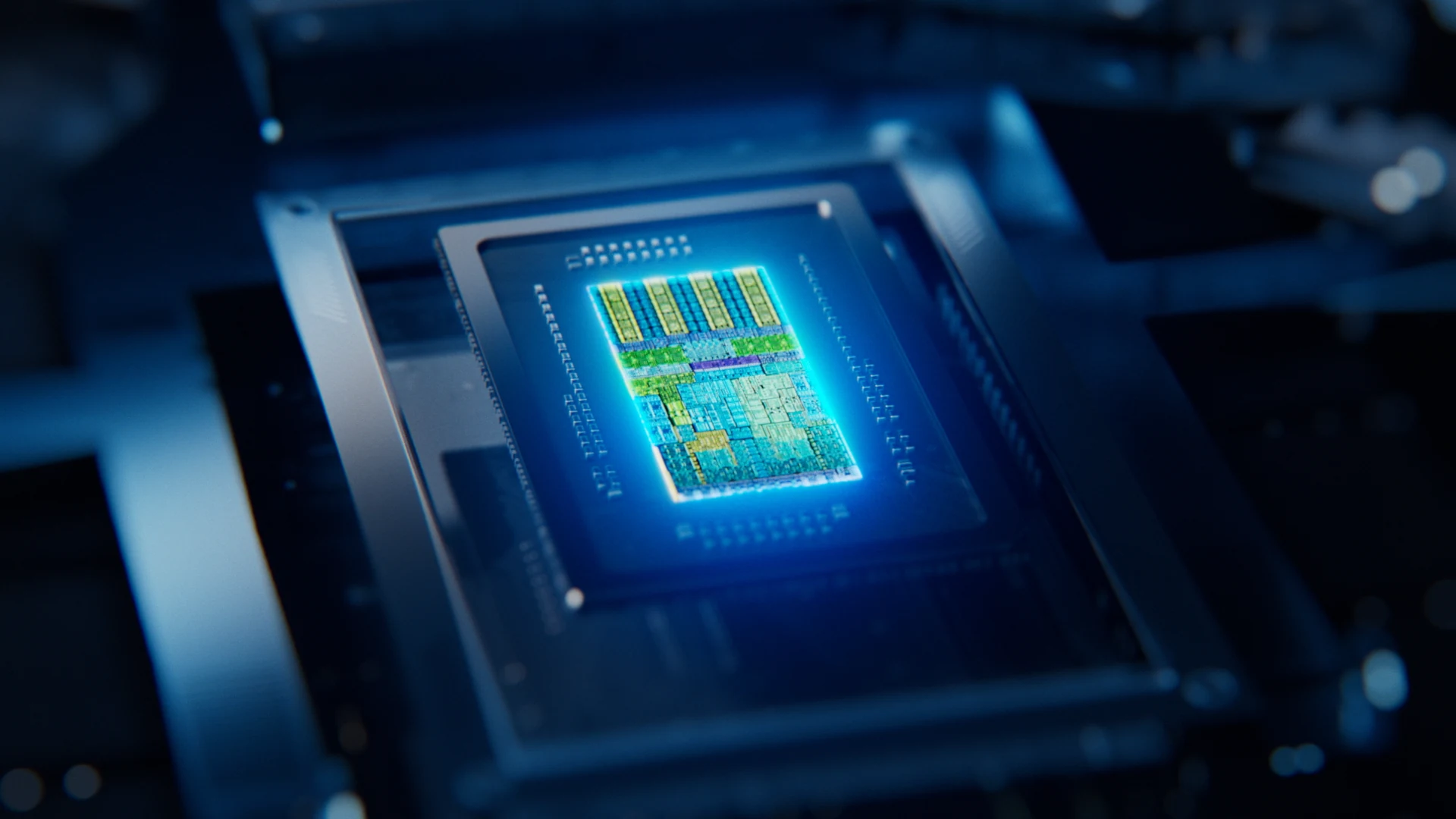
One chip for CPU, graphics and memory
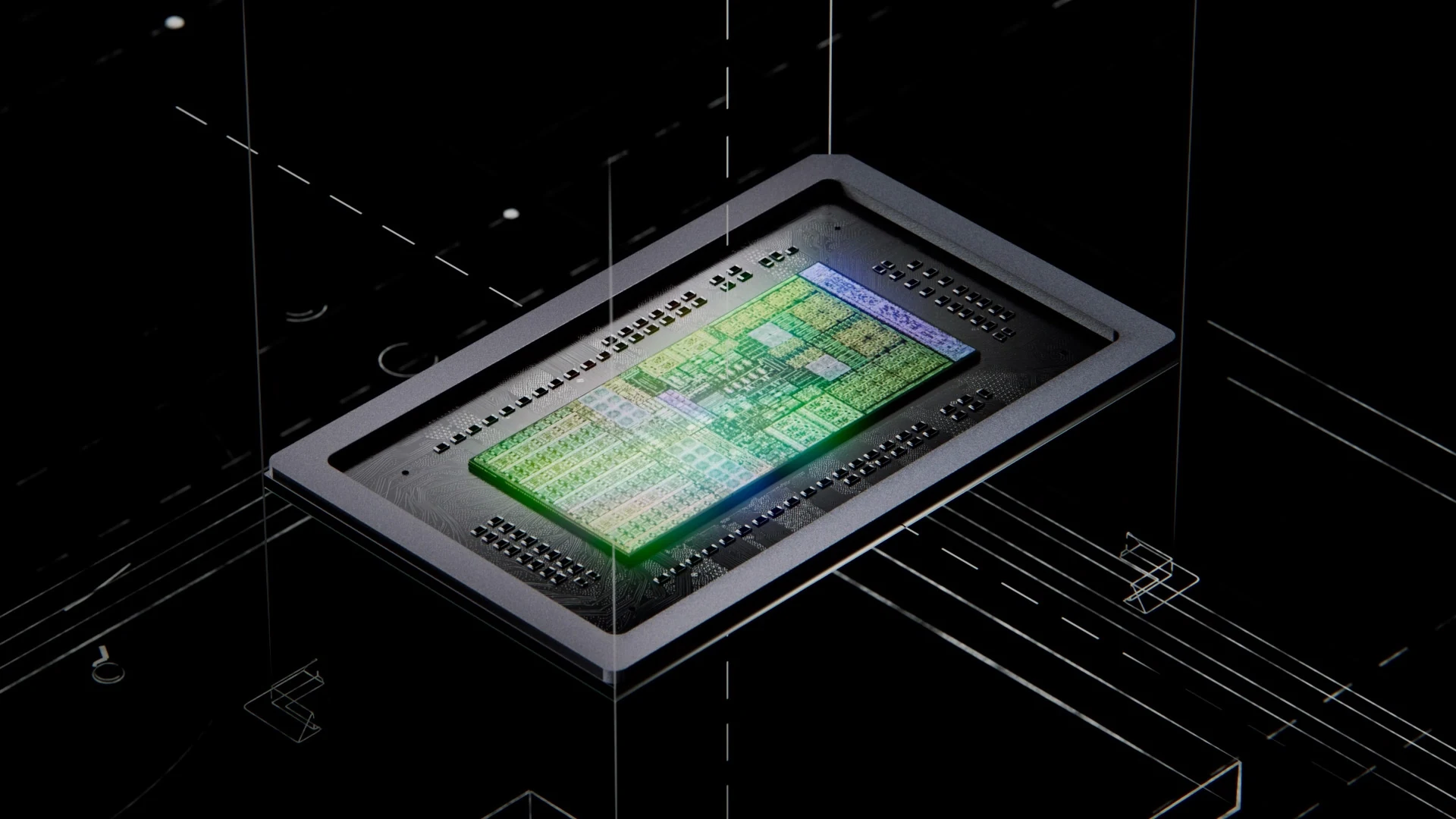
The NVIDIA RTX Spark chip combines an NVIDIA Grace processor, Blackwell RTX graphics and up to 128 GB of unified memory (one memory pool the processor and graphics share, instead of each having its own). Microsoft says it can run AI models above 120 billion parameters on the laptop itself.
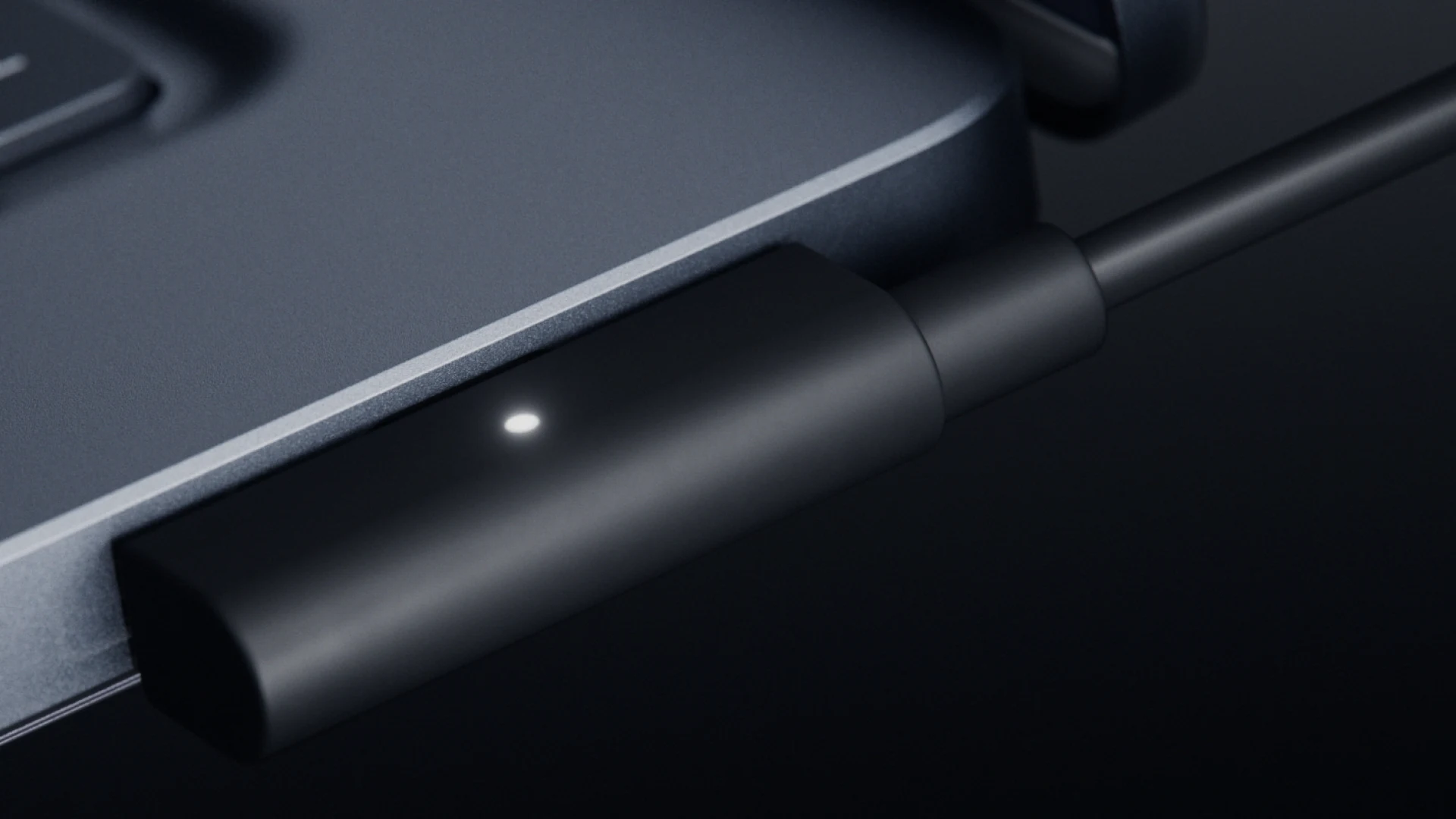
Magnetic USB-C charging
The included charging cable snaps onto the right-side USB-C port with magnets and pulls off if someone trips on it. The port still works as a normal USB-C port for video, data and other devices. Microsoft calls it Magnetic Connect.
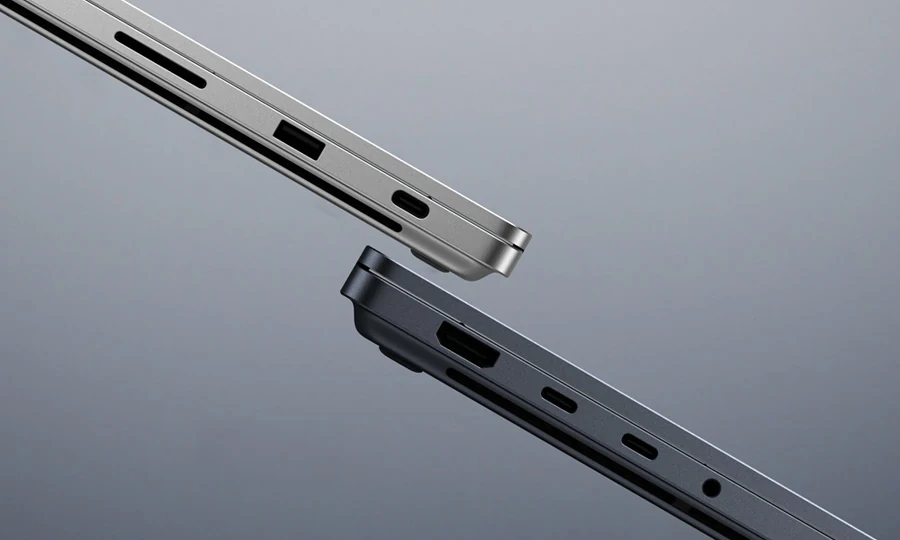
The ports are back
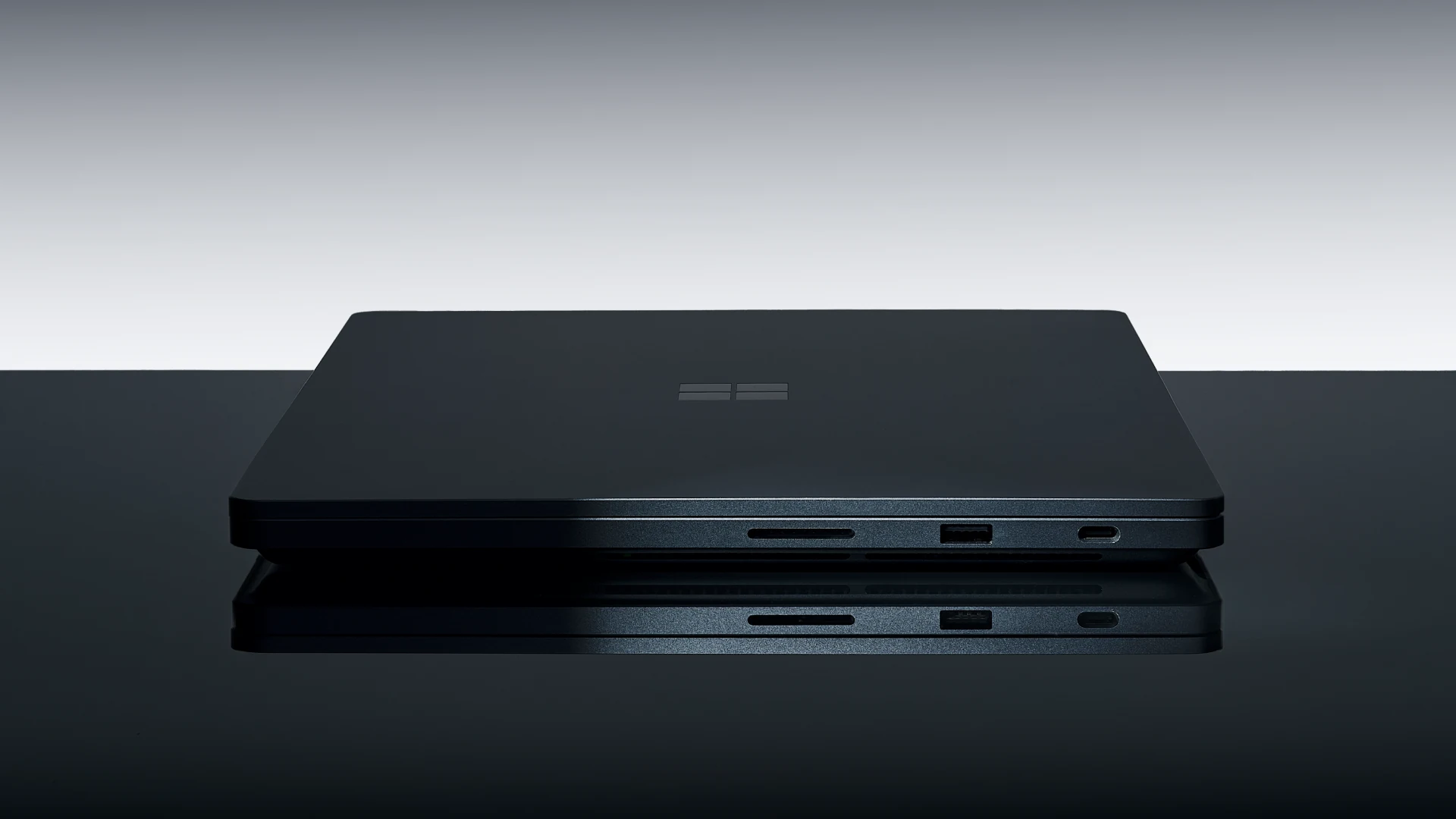
Three USB-C ports with USB4 (40 Gbps), plus HDMI, USB-A, an SD card reader and a headphone jack. It can drive up to three 4K monitors at 60Hz. For anyone who carries a bag of adapters, that alone is a reason to look.
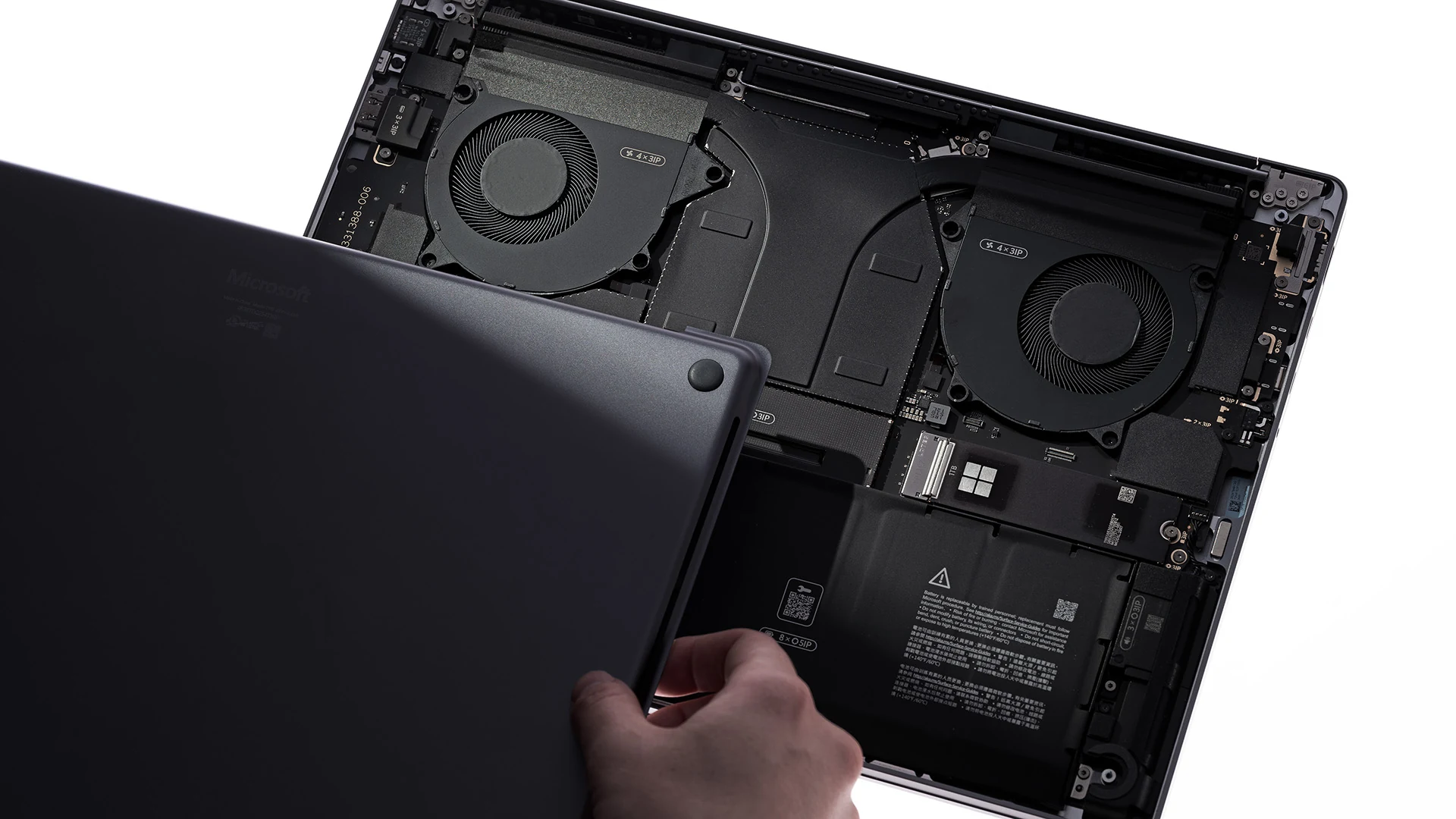
Storage you can swap yourself
The SSD is removable, so you can upgrade it, replace it, or pull it out before sending the laptop for repair. Microsoft publishes repair guides and sells replacement parts through the Microsoft Store and iFixit.
The brightest Surface screen yet
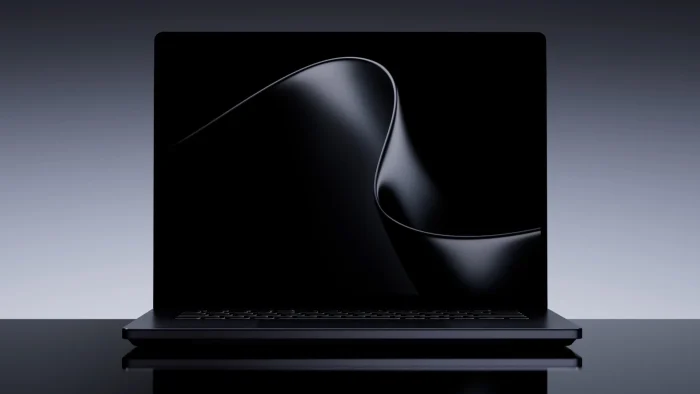
The 15-inch PixelSense Ultra touchscreen reaches 2,000 nits of peak HDR brightness, covers 100% of the DCI-P3 color range used in film work, and supports Dolby Vision IQ. Touch only: Microsoft says Surface pens do not work on it.
Cooling built for long jobs
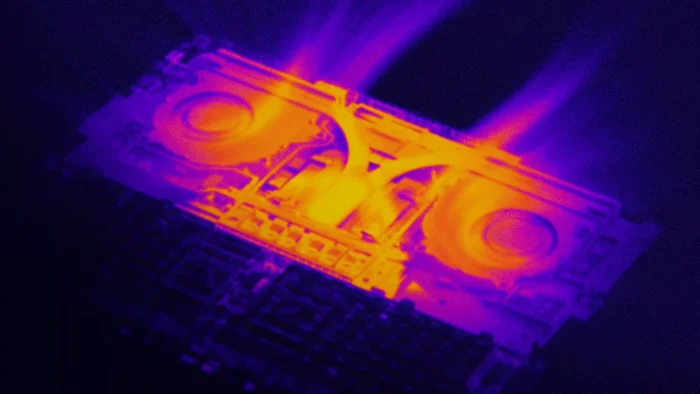
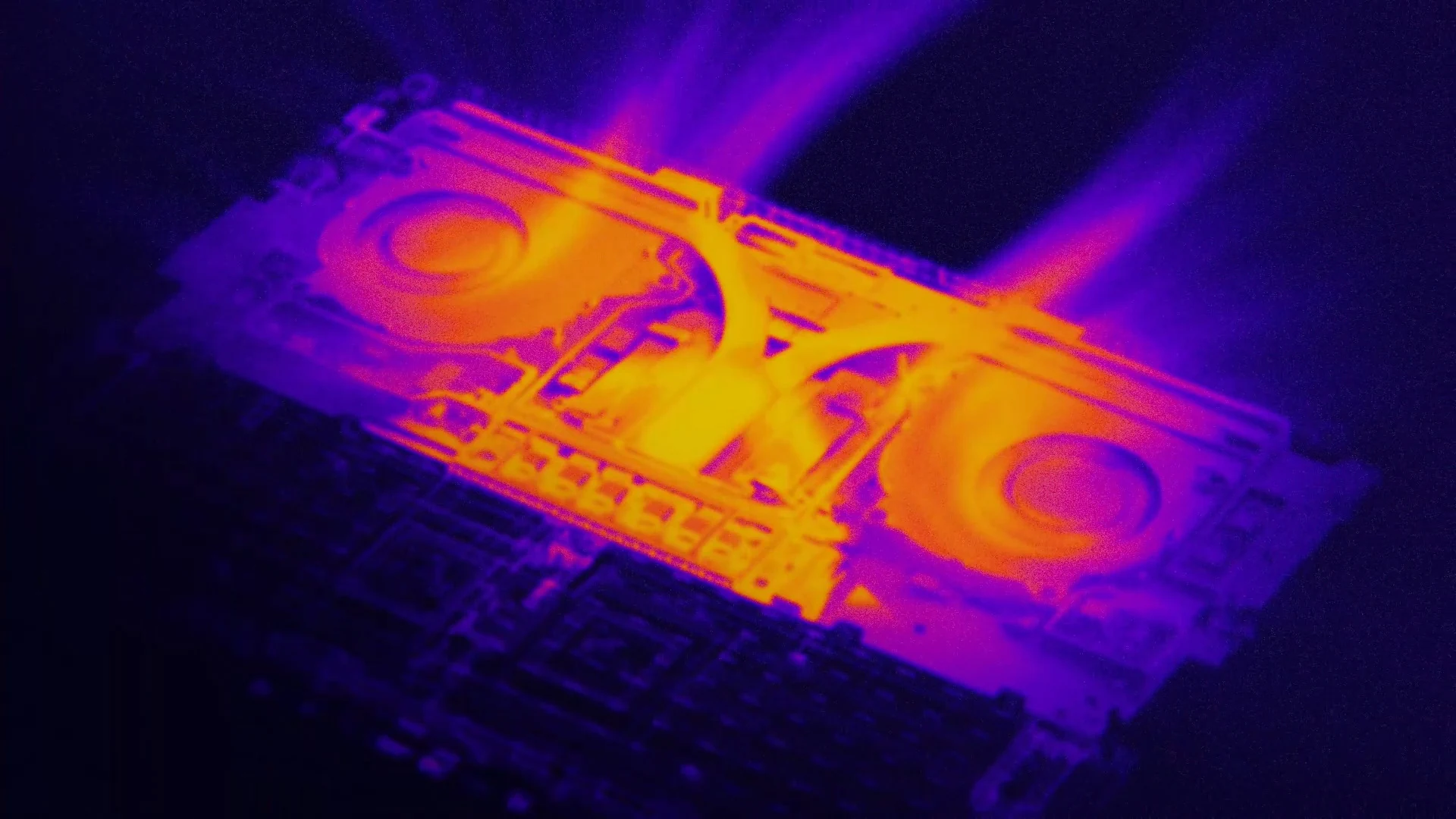
Microsoft says the new dual-fan design handles up to 2.5 times more heat than its current Surface Laptops. That matters for long renders, exports and AI jobs, where thin laptops usually slow down to stay cool.
Watch: Introducing Surface Laptop Ultra
Microsoft’s official launch video shows the laptop’s design, the magnetic charger and the display in both colors.
Surface Laptop Ultra Prices and Configurations
There are two chip options and five memory sizes. The colors depend on the model: the entry model is Platinum only, and every model from 48 GB of memory up is Nightfall only. These are Microsoft Store prices in the US at launch.
MacBook trade-in offer: from October 7 to November 23, 2026, Microsoft is paying up to $1,000 cash back when you buy Surface Laptop Ultra and trade in an eligible MacBook Pro. It is only on the Microsoft Store website in the US and Canada, the device must be in full working order, and the final amount depends on an inspection by Microsoft’s trade-in partner, Teladvance.
Buying for a company? Business configurations are on pre-order too, on the Surface Laptop Ultra for Business page. Microsoft also sells optional Microsoft Complete protection plans at checkout, from $249 for two years.
How to Pre-Order Surface Laptop Ultra
1
Open the Surface Laptop Ultra page on the Microsoft Store.
2
Pick the chip: 18-core for $2,599.99 and up, or 20-core for $3,699.99 and up.
3
Choose your memory, then the storage and color that come with it.
4
Decide on add-ons: a protection plan, a trade-in, and Microsoft 365 if you need Office apps.
5
Check out. Microsoft charges and ships when the laptop becomes available on October 16, 2026.
Before you check out: Microsoft’s spec sheet lists a 140W power adapter and the Magnetic Connect cable in the box, but the FAQ on the same page says the charger is sold separately. Read the “What’s in the box” line for the exact model you pick, so you are not left without a charger on day one.
Pre-order Surface Laptop Ultra
Surface RTX Spark Dev Box: A Desktop for AI Developers
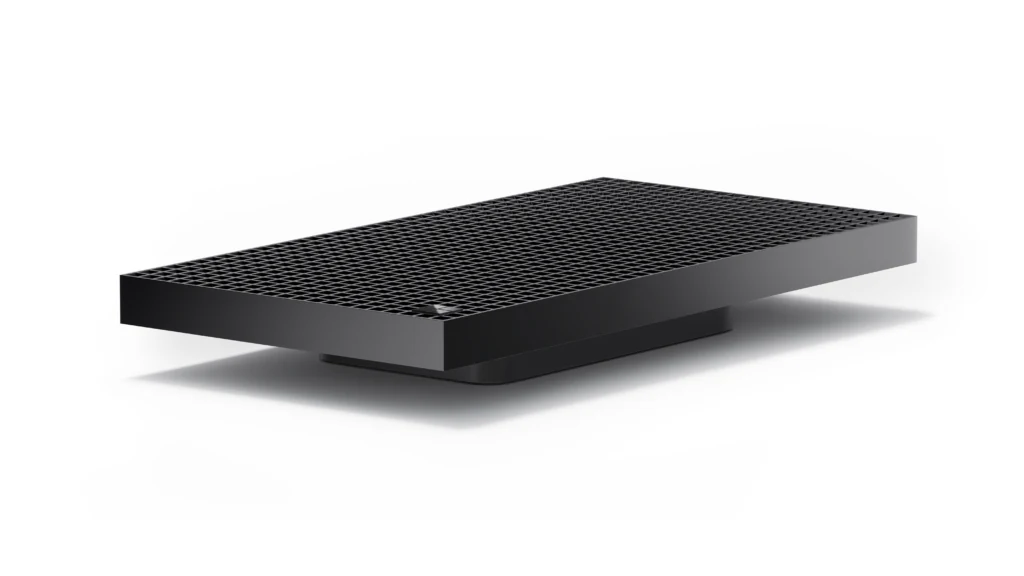
Surface RTX Spark Dev Box has about 1,000 air vents cut into its aluminum top. Image: Microsoft.
The Dev Box uses the same NVIDIA RTX Spark chip, in its top configuration, inside a small black aluminum box. There is no screen or keyboard. It is built to run AI models and coding agents locally, so developers can test ideas without paying a cloud service for every request.
It ships with Windows 11 Pro already set up for coding. Microsoft preinstalls Visual Studio Code, GitHub Copilot CLI, WSL (Windows Subsystem for Linux, which runs Linux tools inside Windows) with Ubuntu, PowerShell 7, Git, Python, Node.js, the .NET SDK and PowerToys.
Price
$5,999.99
Microsoft.com only, US only
Ships
November 2026
Pre-orders opened October 7
Memory
128 GB
Unified memory, plus a 2 TB removable SSD
Size
4.4 lb (2.0 kg)
12.85 x 6.77 x 1.69 inches
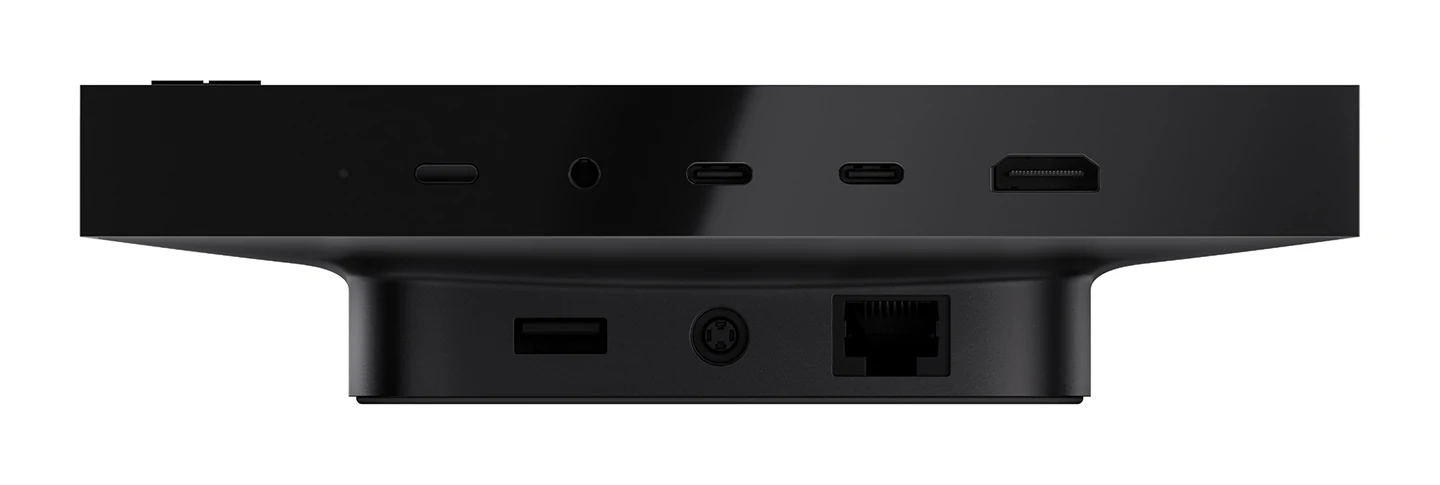
Dev Box ports: two USB-C, HDMI, USB-A, a headphone jack and Ethernet. Image: Microsoft.
Surface Laptop Ultra vs Surface RTX Spark Dev Box
Same chip family, two very different jobs. Here is how the two compare on Microsoft’s published specs.
The math is simple. If you want 128 GB on the move, the laptop costs $5,899.99, about the same as the Dev Box, and adds a screen, keyboard and battery. The Dev Box makes sense for a team that wants a quiet machine sitting on a desk, running models all day, next to a PC they already own.
Which Surface Should You Pick?
Microsoft now sells four quite different Surface computers. This is how Microsoft itself positions each one, with our own read added.
Surface Laptop Ultra
For video editing, 3D, engineering software, gaming and running AI models locally. Pick it when power and ports matter more than weight or price. Product page
Surface Laptop
For everyday work: browsing, Office, email and calls, with all-day battery and a much lower price. Most people are better served here. Product page
Surface Pro
A tablet that becomes a laptop with a detachable keyboard, and the one built around Surface Slim Pen for drawing and notes. Product page
Surface RTX Spark Dev Box
For developers and AI teams who want local computing power on a desk, not in a bag. Product page
Comparing older models too? Our list of the best Surface laptops covers the wider range.
Things to Check Before You Buy
Surface Laptop Ultra is an Arm-based PC, like the Snapdragon laptops of the last few years. That brings a few catches that do not apply to a typical Intel or AMD laptop.
App and driver support
Many popular apps run natively on Arm. Apps that do not run through Prism, the translation layer built into Windows. Microsoft itself warns that specialized drivers, plug-ins and older utilities may not work, so check yours first.
24 GB models come with Home
The two 24 GB configurations ship with Windows 11 Home. Every model from 32 GB up includes Windows 11 Pro, which Microsoft says adds extra management, security and business features.
No pen support
The touchscreen is for fingers only. If you sketch or take handwritten notes with a Surface Slim Pen today, it will not work here. Surface Pro is the pen option.
A different Windows update path
PCs built on NVIDIA’s N1X chips ship with Windows 11 version 26H1, which cannot move to the Windows 11 26H2 update. Microsoft says these PCs will get a path to a later Windows release instead.
Microsoft has been expanding Arm app support for a while. Our earlier report on the growing list of Arm apps for Copilot+ PCs covers which big apps moved over.
What Microsoft Announced for Windows Alongside It
The hardware launch came with a Windows announcement that Microsoft calls hybrid intelligence: letting AI agents run on your PC when that is cheaper or more private, and in the cloud when they need more power. Three parts stand out, all from the Windows Experience Blog post published the same day.
Microsoft Execution Containers
A safety fence for AI agents. It lets you or your IT team decide which files and networks an agent can reach. Microsoft made it generally available on Windows 11 on October 7, 2026.
Large models running locally
Microsoft is shrinking its own coding model and others, including an upcoming NVIDIA Nemotron model, so they fit in the memory of PCs like Surface Laptop Ultra.
GitHub Copilot that picks where to run
GitHub is adding a feature that sends simple coding tasks to a local model and harder ones to the cloud. Microsoft said it would reach the GitHub Copilot app, Copilot CLI and VS Code as an experimental preview in late October 2026.
Copilot with local context
With your permission, Copilot will be able to use information from your PC and take actions for you. See our Microsoft Copilot guide for what it does today.
Should You Pre-Order Surface Laptop Ultra?
Our Take
This is the most interesting Surface in years, and the first one aimed squarely at people who would otherwise buy a MacBook Pro or a workstation laptop. The return of HDMI, USB-A and an SD reader, a swappable SSD and a 2,000-nit screen are real wins, not spec-sheet filler. But the AI pitch and the entry price do not line up. The 120-billion-parameter models Microsoft talks about need the 128 GB model at $5,899.99. The $2,599.99 model has 24 GB and a 512 GB drive.
If you edit video, work in 3D or CAD, or build AI tools and have checked that your apps run on Arm, pre-ordering makes sense, and the 32 GB model with the 20-core chip is where we would start. If you are trading in a MacBook Pro before November 23, 2026, the cash back narrows the price gap a lot.
If your work is mostly browsing, documents and calls, this is too much laptop and too much weight. And if you depend on one niche app or driver, wait for the first hands-on reviews to confirm it runs before you commit.
Surface Laptop Ultra Pictures
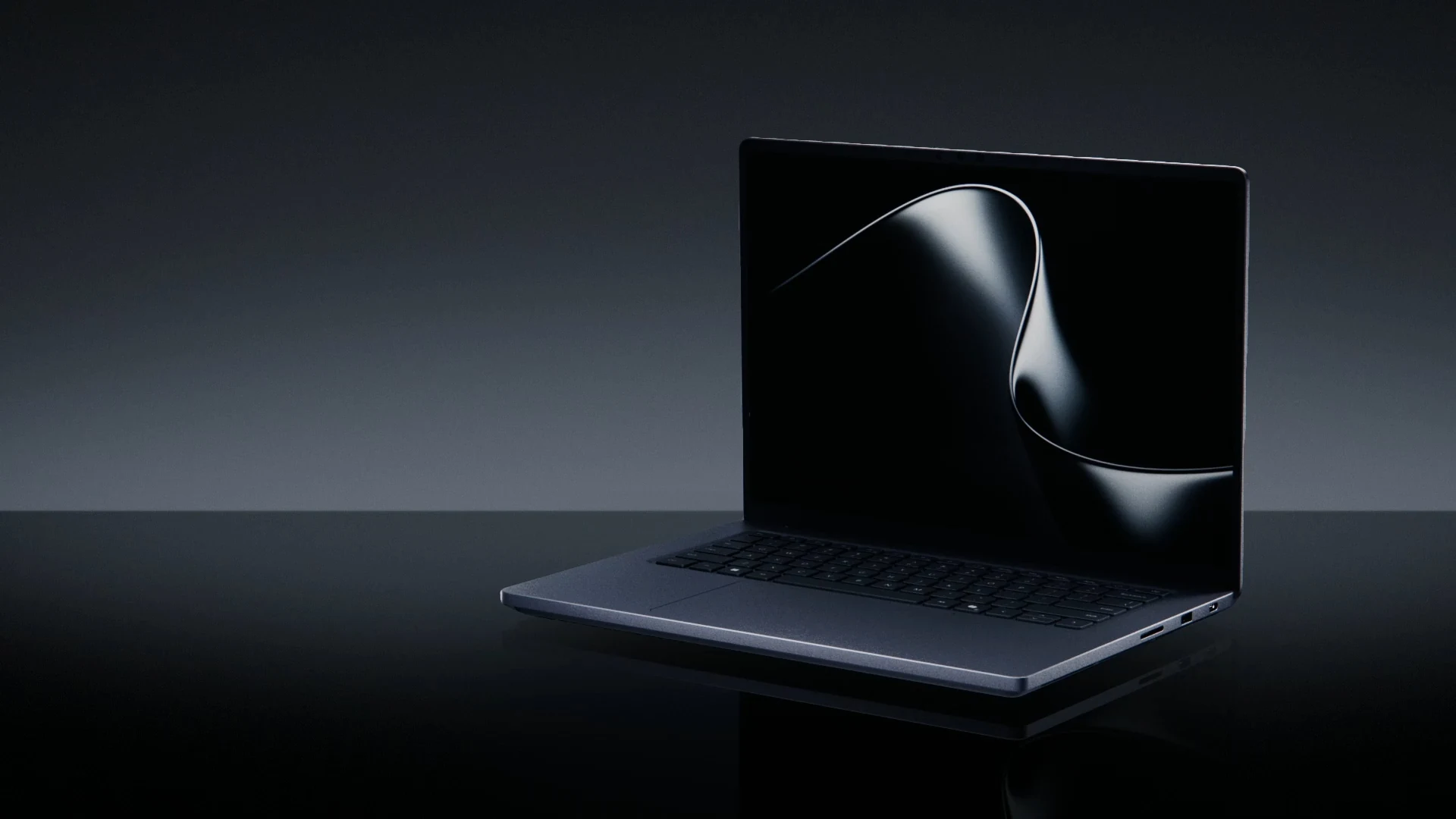
More official images from Microsoft: the laptop open and closed, the chip board, the cooling system, the display and the touchpad. Select any image to see it full size.
-
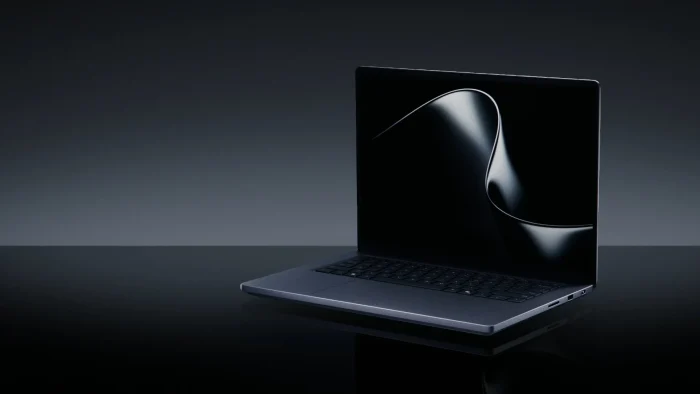
- Surface laptop ultra open from
-
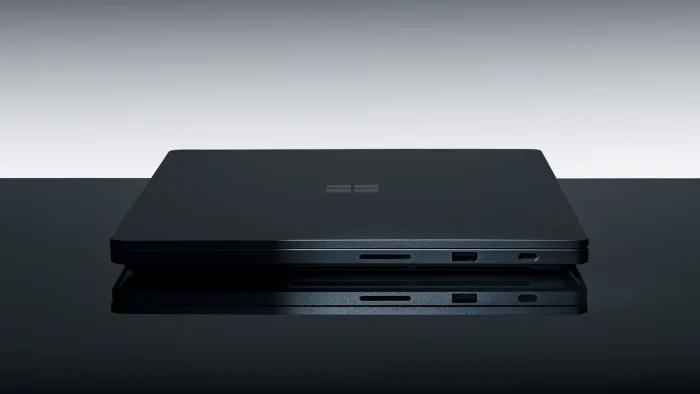
- Surface laptop ultra closed side from
-
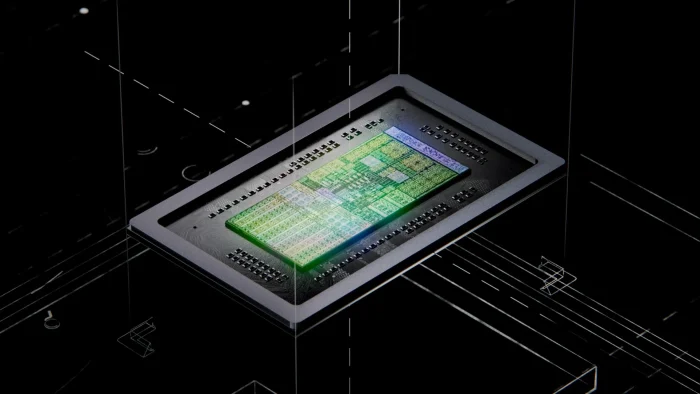
- Surface laptop ultra rtx spark board from
-
- Surface laptop ultra cooling thermal from
-
- Surface laptop ultra display from
-
- Surface laptop ultra haptic touchpad from
Frequently Asked Questions
Does Surface Laptop Ultra come with Microsoft Office?
Can I upgrade the storage on Surface Laptop Ultra later?
How many external monitors can Surface Laptop Ultra run?
Can Surface Laptop Ultra play PC games?
Can I buy Surface RTX Spark Dev Box outside the US?
Official Sources
Every price and spec here comes from Microsoft. Read the launch post, Pre-order our most powerful Surface devices ever, on the Microsoft Devices Blog, the full spec sheets on the Surface Laptop Ultra and Surface RTX Spark Dev Box pages, and Microsoft’s tested peripherals list before buying a dock or monitor.
More Windows software guides: Best Surface Laptops · Best Gaming Laptops · Windows 11 26H2
Discover more from Windows Mode
Subscribe to get the latest posts sent to your email.
















Add your first comment to this post