Key takeaways
- Microsoft released Beta Build 26320.10022 and Experimental Build 26340.10032 on November 20, 2026.
- The headline change is Experimental only: Bluetooth LE Audio headsets can keep full-range stereo (48 kHz) while the microphone is on.
- The Experimental build also adds a People widget, file type and date filters in File Explorer search, and richer Windows Search results.
- The Beta build gets one change: a new Microsoft account benefits area in Settings.
Does your Bluetooth headset suddenly sound flat the moment you join a call? Windows 11 is testing a fix. In the newest Experimental build, LE Audio headsets, earbuds and speakers can keep playing in full stereo while you talk.
That matters for game chat, voice calls, voice typing and voice chat in Copilot. The same build adds a People widget for your Phone Link and WhatsApp contacts, plus quick filters for File Explorer search. Like most Insider features, these are rolling out gradually, so they are not on regular PCs yet.
Which builds went out
Both builds are based on Windows 11, version 26H2 through an enablement package. If you are new to that release, our Windows 11 26H2 guide covers the basics.
| Channel | Build | Main changes |
|---|---|---|
| Experimental | 26340.10032 | Stereo LE Audio with the mic on, People widget, File Explorer search filters, richer Search results, new recovery environment servicing |
| Beta | 26320.10022 | Microsoft account benefits in Settings |
Channel switching is back
Last week Microsoft paused moves from the Beta and Experimental channels to Experimental (Future Platforms), as we noted in our November 16 Insider builds roundup. Those moves are allowed again. Keep in mind that leaving Future Platforms later means a full reinstall of Windows.
Bluetooth LE Audio keeps full stereo while your mic is on
With many Bluetooth headsets today, turning on the microphone forces Windows into a call-style audio mode. Music and game sound get noticeably duller until the mic turns off again.
In Build 26340.10032, Bluetooth LE Audio devices can play at full-range stereo while their microphone is in use. LE Audio is the newer Bluetooth audio standard found in recent headphones, earbuds and speakers.
What you need
- A PC on the Experimental build that supports Super Wideband Stereo.
- An LE Audio headset, earbuds or speaker that supports 48 kHz playback.
How to turn it on
- Connect your LE Audio device and open Settings > System > Sound.
- Under Output, select your Bluetooth device.
- In Output settings, find Format when microphone is active and choose 2 channels, 16 bit, 48000 Hz.
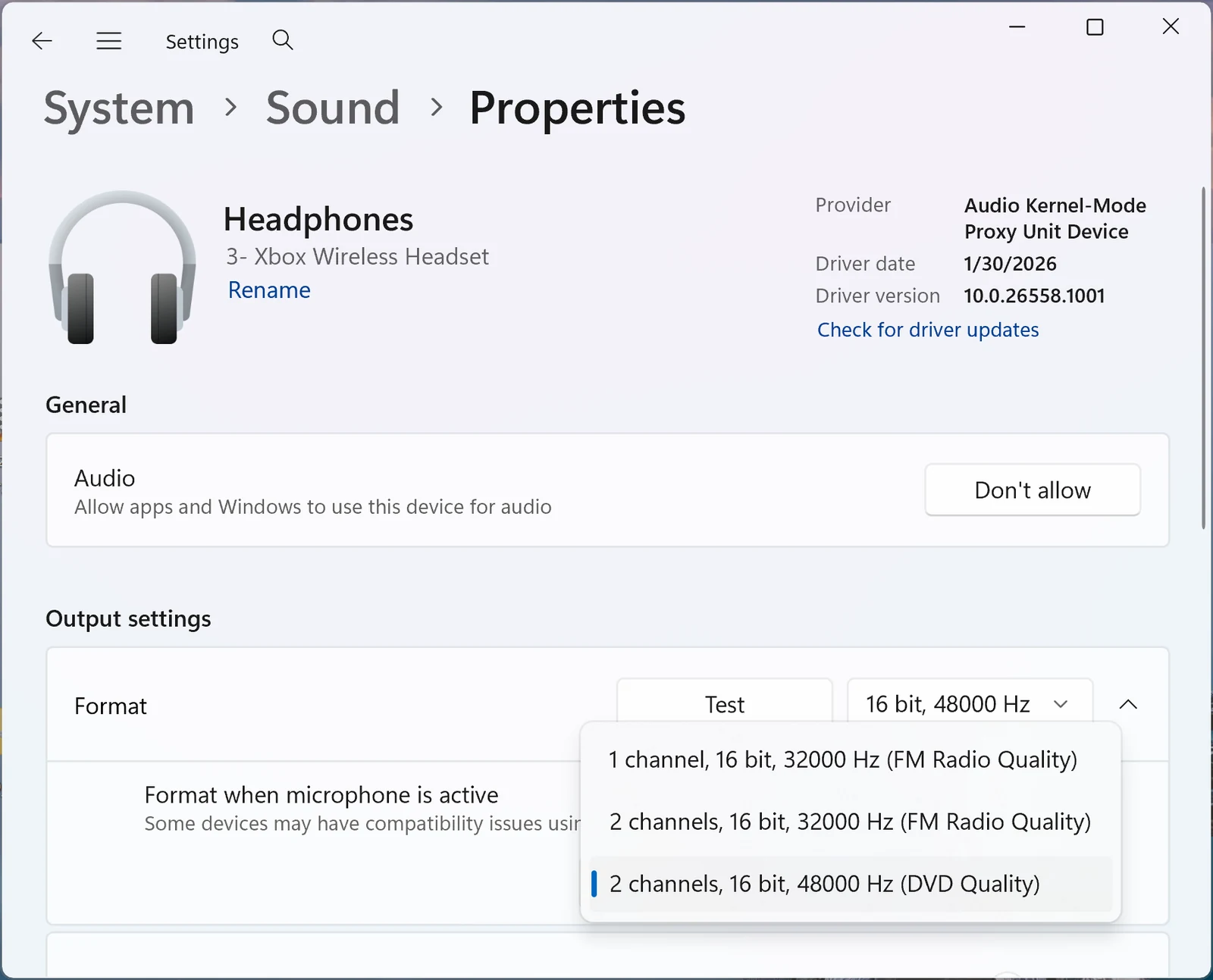
Microsoft asks anyone who runs into problems with a specific LE Audio device to report it through Feedback Hub, so expect some headsets to behave better than others while this is in testing.
The new People widget
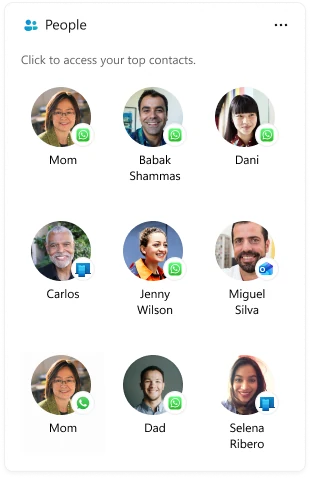
The People widget puts the people you message most on the Widgets board. It pulls contacts from supported communication apps, and selecting a contact opens that conversation in the right app.
How to add it
- Press Windows key + W to open Widgets.
- Select the + button to open the widget picker.
- Add the People widget.
Before you start: set up Phone Link, WhatsApp or both on your PC. Without one of them, the widget has no contacts to show.
Other changes in the Experimental build
File Explorer search filters
When a search returns too many files, new file type and date filters help you narrow the list down to the one you want.
Richer Windows Search results
The new Windows Search now shows richer results for definitions, currency conversions and general web searches. Regular PCs can get the new Search through the optional KB5132057 update, and our Windows Search rollout explainer covers the Copilot opt-in.
Recovery tools updated with each update
The Windows Recovery Environment (WinRE) is what loads when Windows can’t start. It is now rebuilt from the freshly updated Windows files whenever a cumulative update installs, so your recovery tools stay current. BitLocker users don’t need to change anything. Some third-party disk encryption tools may need their drivers added to WinRE.
Small fixes
- More reliable mobile devices section in Quick settings.
- The Ctrl + Shift shortcut for switching input languages works more reliably.
- The feature flags section that went missing for some Insiders should be back.
Known issue
Microsoft is still looking into reports that the CPU speed shown in Task Manager stops updating on recent builds.
What the Beta build changes
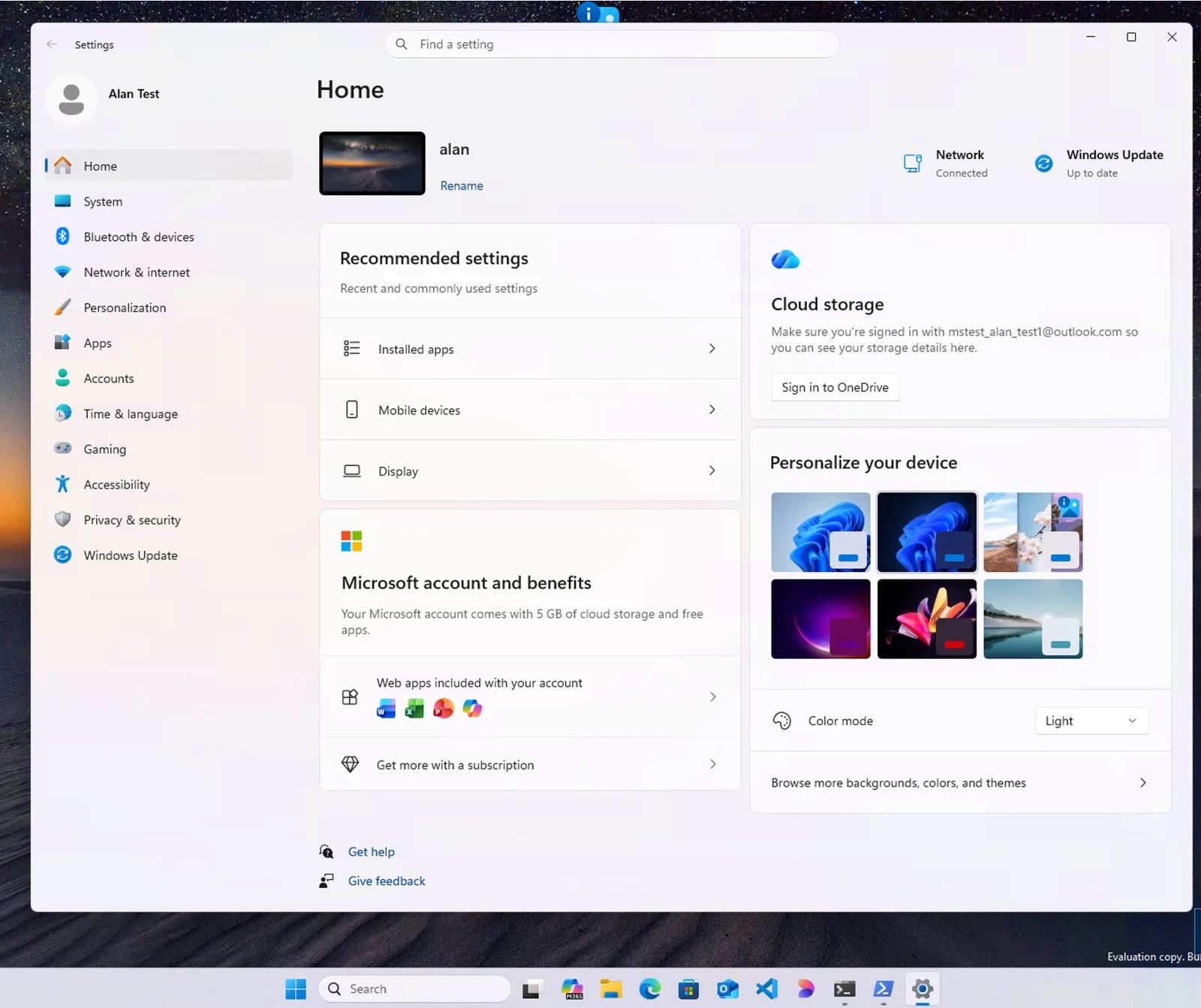
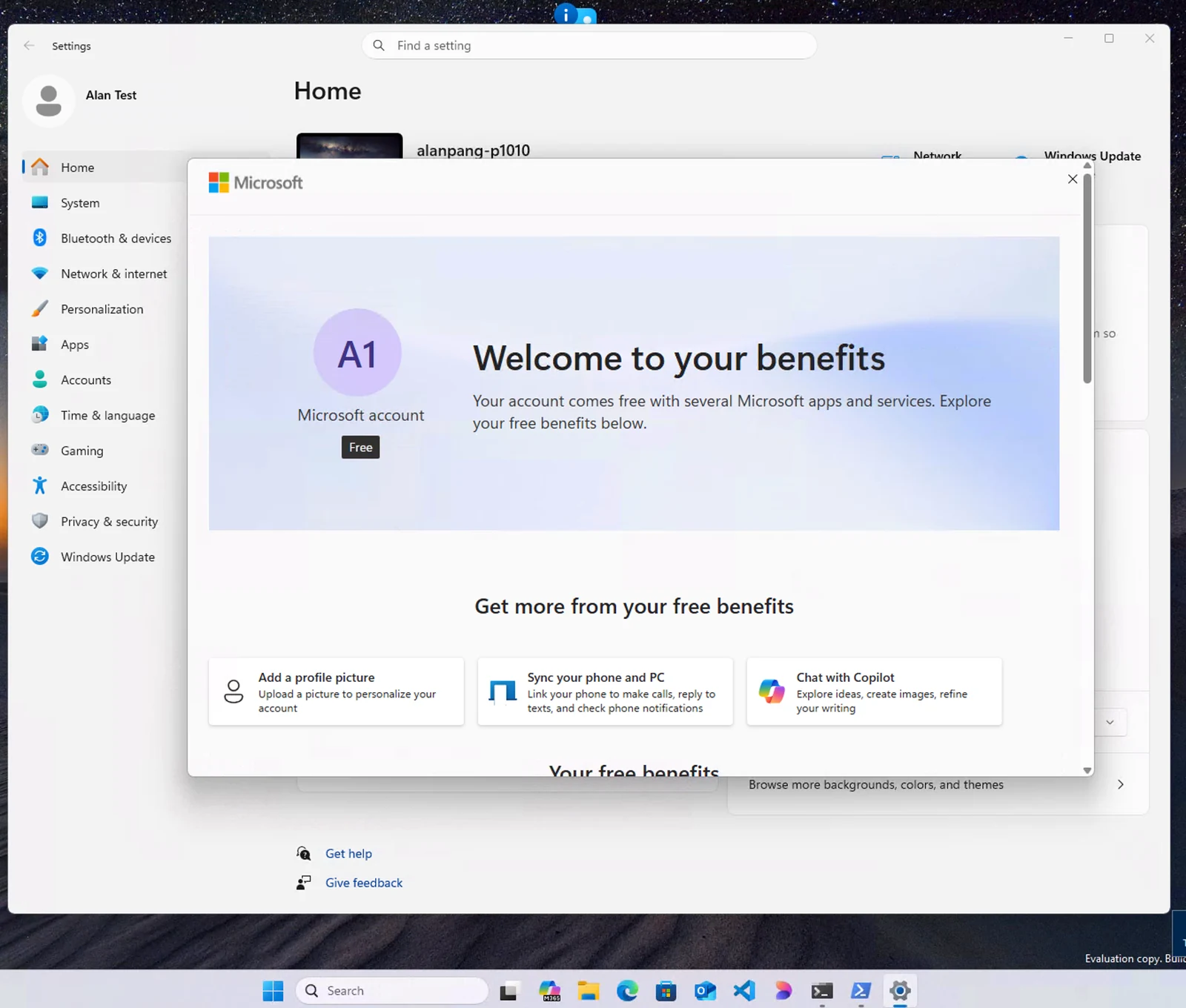
Beta Build 26320.10022 has none of the features above. Its one change is a new place in Settings that shows the benefits and services that come with your Microsoft account, such as cloud storage and the web versions of Microsoft 365 apps.
Should you install these builds?
Only on a PC where you are fine with test software. Beta and Experimental builds can have bugs, and features roll out to a small group of Insiders first. Even after installing Build 26340.10032, the stereo audio option or the People widget may not show up right away.
The stereo audio change is also tied to hardware: you need a PC with Super Wideband Stereo support and an LE Audio device that plays at 48 kHz. If your headset uses older Bluetooth audio, this build won’t change how it sounds. For everyone else, the safer choice is to wait for these features to reach a regular Windows 11 update, since Microsoft says features in Insider builds can change or never ship.
Source: Windows Insider Blog.
Discover more from Windows Mode
Subscribe to get the latest posts sent to your email.












Add your first comment to this post