Windows 11 is changing when your laptop hibernates from Modern Standby. In the October 28, 2026 preview update KB5127936, Microsoft improved the adaptive hibernate policy so devices resume faster when the battery is high, and protect remaining charge when it is critically low.
The change applies to Windows 11 version 25H2 and 26H2 (OS builds 26200.9818 and 26300.9818 in this preview). It is listed under the gradual rollout features in that KB, so not every eligible PC will see it at the same moment.
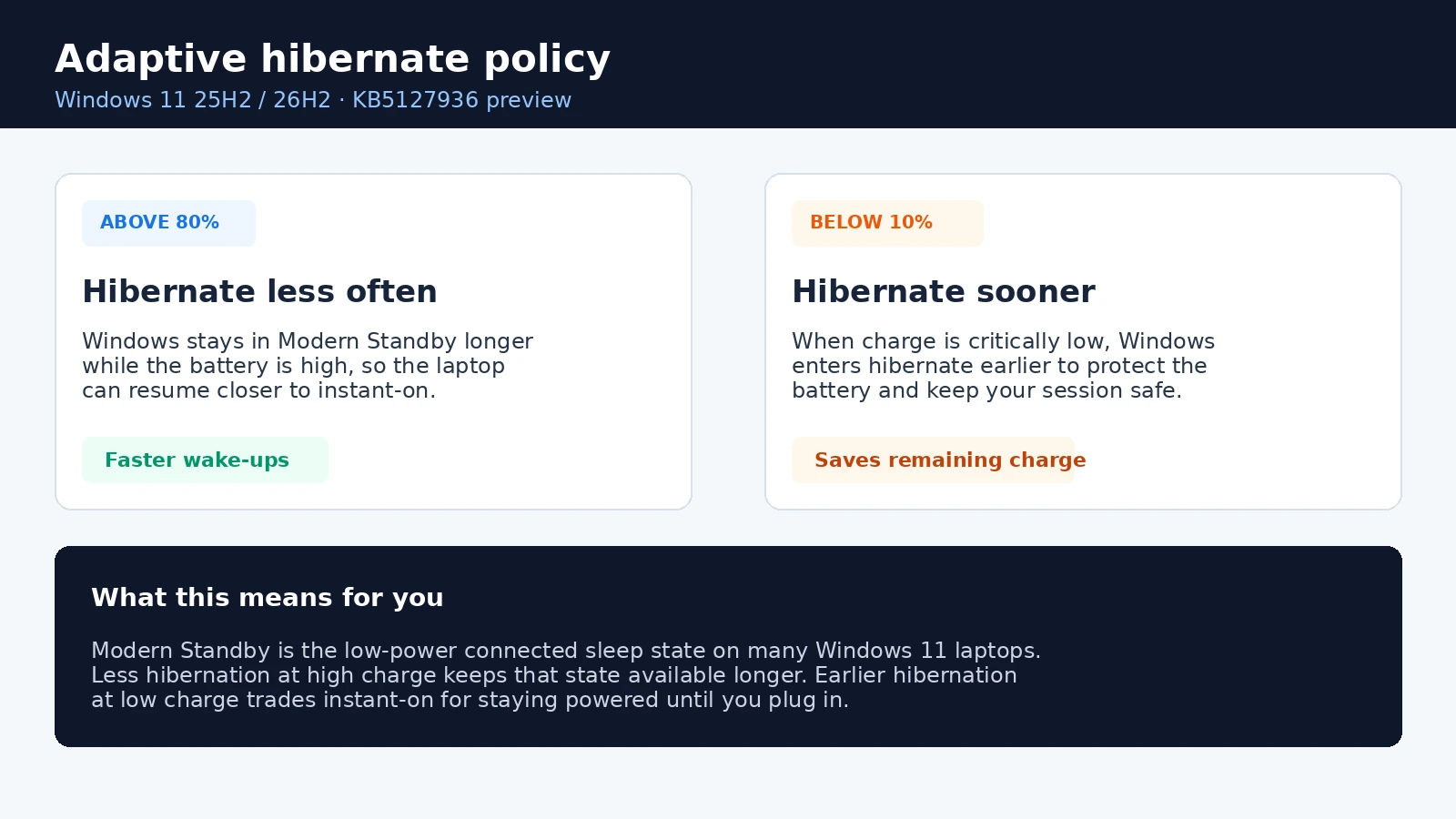
What Adaptive Hibernate changes
Modern Standby is the connected low-power sleep state on many Windows 11 laptops. From that state, Windows can still hibernate to save power. Hibernate writes memory to disk and powers the machine down further, which is safer for the battery but takes longer to wake from than staying in Modern Standby.
Microsoft says the improved adaptive hibernate policy aims for more instant-on resumes from Modern Standby, while still preserving battery life when charge is low. The two noticeable changes in KB5127936 are:
| Battery level | What Windows does now | Why it matters |
|---|---|---|
| Above 80% | Hibernates less often | The laptop is more likely to stay in Modern Standby, so waking should feel closer to instant-on. |
| Below 10% | Hibernates sooner | Windows protects the remaining charge when power is critically low. |
In Microsoft’s words
The update improves the adaptive hibernate policy "to provide more instant-on resumes from Modern Standby while helping preserve battery life when the charge is low." Noticeable changes include less hibernation above 80% and hibernating sooner below 10%.
Who gets it, and how to install it
KB5127936 is a non-security preview for Windows 11 25H2 and 26H2. Starting with the October 2026 release, Microsoft says non-security preview updates are available only for those two versions (24H2 Enterprise and Education still get monthly security updates, but not these preview packages).
You can try it now as an optional update, or wait for the next security update if your PC is managed through Windows Update for Business.
- Home and Pro on Windows Update: open Settings > Windows Update > Advanced options > Optional updates, then install KB5127936 if it is offered.
- Windows Update for Business: Microsoft says these preview changes appear in the next security update, so you do not need to chase the optional package unless you want them early.
- Standalone / WSUS: packages are also listed in the Microsoft Update Catalog. Microsoft notes this update contains MSU files that must be installed in a specific order for Arm64 or x64.
Gradual rollout
Adaptive hibernate is in the gradual rollout section of the KB. Features in that phase reach devices over time instead of all at once, so availability can vary by device even after the update is installed.
What laptop users should expect
If your Windows 11 laptop supports Modern Standby, the everyday effect should be subtle:
- When the battery is still high (above 80%), the PC should spend less time dropping into full hibernate, so lifting the lid after a short break is more likely to feel like an instant resume.
- When the battery is almost empty (below 10%), Windows is more willing to hibernate early, which can mean a slightly longer wake but less chance of draining the last of the charge overnight.
There is no new Adaptive Hibernate toggle called out in the KB. The change is a policy adjustment inside the existing power behavior, not a separate setting for most people to configure.
For earlier context on this same preview package, we also covered the Restore Summary and 26H2 availability notes in our Windows 11 26H2 and KB5127936 Restore Summary post. Patch Tuesday security updates are the next likely place this behavior reaches managed fleets.
Quick FAQ
Does this apply to Windows 10?
No. KB5127936 is a Windows 11 25H2 and 26H2 preview. Windows 10 is not in scope for this adaptive hibernate change.
How do I know if I have it?
Check Settings > Windows Update > Update history for KB5127936, or look for OS build 26200.9818 / 26300.9818 (or a later build that includes this preview). Because it is a gradual rollout, installing the KB does not guarantee every gradual feature is active yet.
Can I turn Adaptive Hibernate on or off?
Microsoft does not document a user-facing switch for this policy in the KB. Treat it as automatic power behavior once the update (and gradual feature) reaches your device.
Source: Microsoft.
Discover more from Windows Mode
Subscribe to get the latest posts sent to your email.














Add your first comment to this post