Is Windows 11 26H2 available for everyone now? Yes, if your PC is eligible. Microsoft’s Windows 11 26H2 release health page now says version 26H2 “is now available for all eligible devices,” ending the gradual rollout that began on September 29. In practice, that means any PC running Windows 11 24H2 or 25H2 with recent updates should be offered it in Windows Update, unless Microsoft is holding it back for a known compatibility problem.
At the same time, Microsoft’s October 28 preview update, KB5127936, adds a new Restore summary. After you restore a backup to a new PC, it lists which Windows settings and Microsoft Store apps came across, so you don’t have to check them one by one.
New to 26H2? Our Windows 11 26H2 guide covers every feature in the update. This article sticks to what changed this week and how to get it.
Which PCs are eligible for Windows 11 26H2?
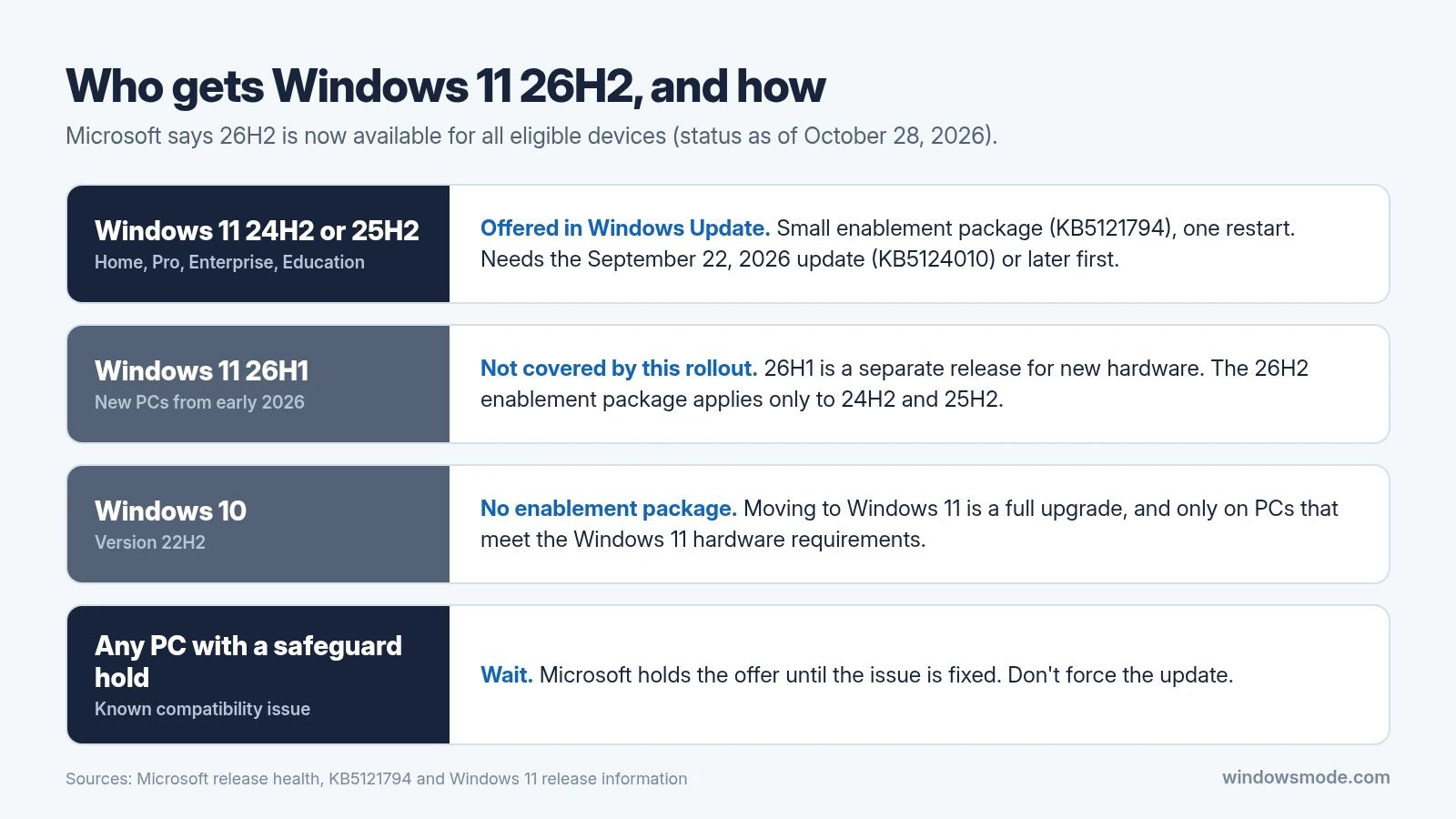
Eligibility here is about which version of Windows you’re running, not new hardware. Microsoft delivers 26H2 to existing PCs as a small enablement package, KB5121794, which switches on features already sitting on the PC and needs just one restart.
- Windows 11 24H2 or 25H2: eligible, as long as the September 22, 2026 update (KB5124010) or a later cumulative update is installed.
- Windows 11 26H1: not part of this rollout. 26H1 is a separate release for new hardware, and the 26H2 enablement package applies only to 24H2 and 25H2.
- Windows 10: there’s no enablement package. Getting 26H2 means a full upgrade to Windows 11, and only on a PC that meets the Windows 11 hardware requirements.
If you’re still on 24H2 Home or Pro, this matters more than usual. According to Microsoft’s Windows 11 release information, those editions stopped getting updates in October 2026. Version 26H2 Home and Pro get updates until October 10, 2028, while 25H2 Home and Pro run until October 12, 2027.
How to get Windows 11 26H2 now
- Open Settings > Windows Update and select Check for updates.
- If you see Windows 11, version 26H2 is available, select Download & install.
- Restart when asked. On a 24H2 or 25H2 PC, it’s one restart, and your files and apps stay put.
- Press Windows + R, type winver and press Enter. You should see version 26H2 (OS build 26300).
Want new features the moment they’re ready? Turn on Get the latest updates as soon as they’re available on the same Windows Update page.
Not seeing the offer?
- Install all pending updates first. Without KB5124010 or later, 26H2 won’t appear.
- Your PC might have a safeguard hold, which Microsoft uses to block the update on devices with a known problem. Microsoft advises waiting for the hold to lift rather than forcing the update.
- Work PCs follow their IT department’s update policies.
One known issue is worth checking before you update: some USB Audio Class 1.0 devices, such as older USB headsets and audio interfaces, can show error Code 10 in Device Manager or produce no sound. It started with the September 8 security update, and Microsoft’s KB5127936 notes still list it as open.
What the new Restore summary does
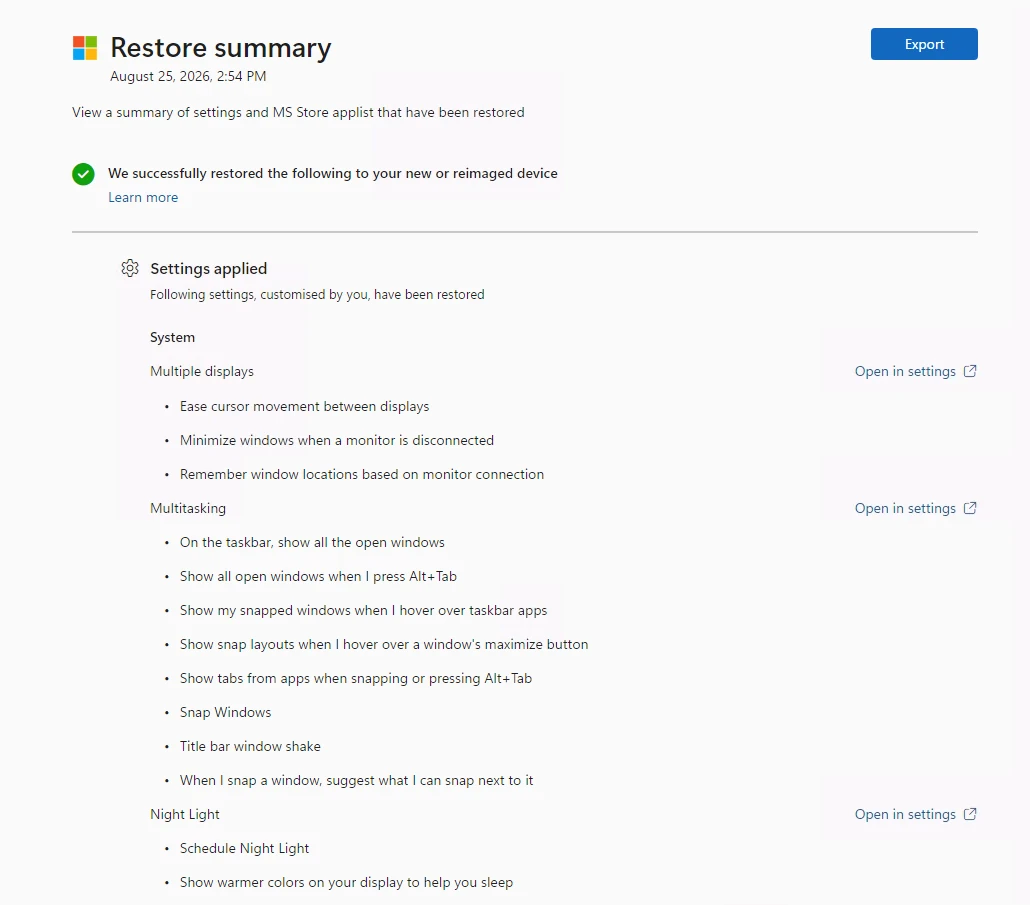
When you set up a new PC and restore settings from a backup, Windows hasn’t made it easy to tell what actually came across. The Restore summary fixes that. According to Microsoft’s Windows settings backup and restore documentation, it lists:
- The personalization settings restored from your backup, grouped by area, such as multiple displays, multitasking and Night Light, each with an Open in settings link.
- The Microsoft Store app list from the backup that was restored to the device.
Microsoft notes that the list can sometimes include settings that were left at their default values. That’s by design, so don’t be surprised to see a setting you never changed. The report also has an Export button.
How to see your Restore summary
- On the new PC, choose a backup to restore during setup or at first sign-in.
- Let the restore and the rest of setup finish until you reach the desktop.
- About an hour later, a notification invites you to review the summary. Select View.
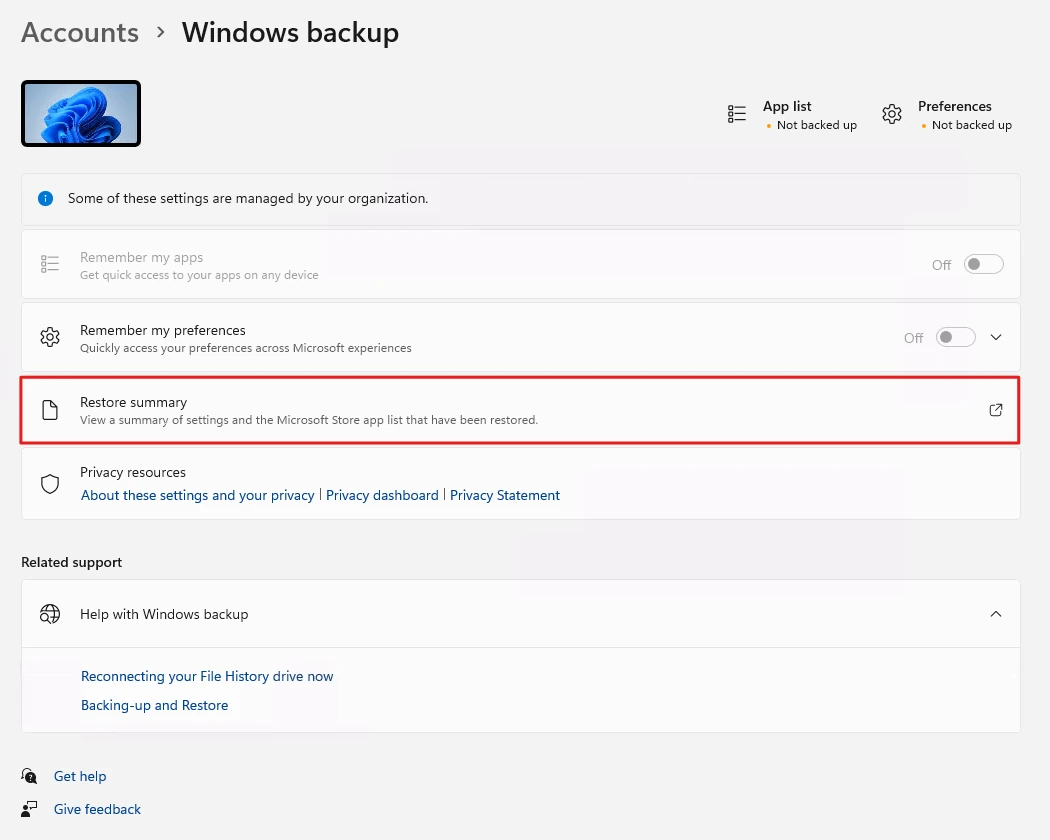
- Missed it? Go to Settings > Accounts > Windows backup and select the link icon next to Restore summary.
Two limits to know
- It expires after seven days. You can open the summary for seven days after setup. After that, it’s gone.
- Microsoft documents it for work and school PCs. The detailed instructions are part of Windows settings backup and restore (formerly Windows Backup for Organizations), which uses Microsoft Entra ID accounts and needs IT to turn on the restore policy. Microsoft hasn’t said whether the summary also appears when you restore a personal Microsoft account backup.
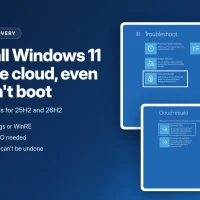
To get it, install KB5127936 on Windows 11 25H2 or 26H2. It’s an optional preview, so it appears under Windows Update when you check for updates, and the Restore summary is part of its gradual rollout, so it may take a while to reach your PC. The same update also brings Cloud rebuild, which can reinstall Windows from the cloud even when a PC won’t start.
Frequently Asked Questions
Is Windows 11 26H2 available for all PCs now?
Does Windows 10 get Windows 11 26H2?
How long can I see the Restore summary?
Source: Microsoft, via Windows Report.
Discover more from Windows Mode
Subscribe to get the latest posts sent to your email.














Add your first comment to this post