The Best Christmas Themes for Windows 11 in 2026: 12 Free Holiday and Winter Packs

Share

Best Christmas themes for PC cover - free winter and holiday packs for Windows

The best Christmas theme for Windows is Microsoft’s free Winter Holiday Glow, a 9-image pack of ornaments, holiday cookies and twinkling lights rated 4.7 stars by 505 people.

For something more playful, Ninja Cat Holiday Escape and Snow Sculptures bring the fun, and Warm Winter Nights is the coziest snowy pack in the Store.

Microsoft’s holiday themes lean on winter as much as on Santa, so this list mixes festive packs with cozy cabins, snowy scenes and New Year fireworks. That also means you can keep most of them on well into February.

All 12 picks are free, install in a few seconds, and only change your wallpaper and accent color, which is the highlight color Windows uses on buttons and menus.

Prefer one classic holiday pack? See our Christmas Theme for PC guide. And if your style runs more to characters than snow, try our anime themes guide or the best game themes for Windows.

Got a favorite holiday theme we missed? Tell us in the comments, or reach out to us directly if you need a hand installing one.

๐Ÿ” What We Looked For

  • Real holiday feel: Lights, ornaments, snow, cozy cabins and fireworks. Packs that only happened to include one snowy photo did not make the cut.
  • Ratings from real users: Every pick has at least 4.4 stars on the Microsoft Store, and most sit at 4.7 or higher.
  • How many wallpapers you get: The packs range from 9 to 18 images, and we list the count on every card.
  • Checked listings only: Every button on this page opens a live Microsoft Store listing that we loaded and checked on November 2, 2026.

How to Install a Christmas Theme on Windows

Every pack in this guide installs the same way. There is no installer file and no third party tool. You need Windows 10 or Windows 11 and a Microsoft account signed in to the Store.

STEP 1

Click the download button on any card below. The theme opens on its store page in your browser.

STEP 2

Choose Get, then let the Store app open and finish the download. Most packs take a few seconds.

STEP 3

Open Settings, go to Personalization, then Themes. Your new pack is waiting in the list.

STEP 4

Click it once to apply it. Windows sets the wallpaper and picks a matching accent color for you.

The Top Christmas and Winter Themes for Windows

Our picks are grouped by mood rather than ranked against each other. A festive ornament pack and a frosty mountain pack do different jobs, so pick the group that fits how you want your desktop to feel this December.

Christmas and Holiday Packs

Ornaments, snowmen, Ninja Cat and New Year fireworks. These are the most festive packs in the Store, and the ones to install first.

1

01 winter holiday glow windows theme

BEST CHRISTMAS THEME OVERALL

Winter Holiday Glow

Close-ups of tiny ornaments, holiday cookies and warm decorative lights. This is the most Christmassy pack Microsoft has in the Store.

โญ 4.7 stars ย ย ๐Ÿ–ผ๏ธ 9 images ย ย ๐Ÿ“… Dec 1, 2017 ย ย ๐Ÿท๏ธ Microsoft Corporation ย ย ๐Ÿ’ฒ Free

What You Get

  • 9 holiday wallpapers
  • Ornaments, cookies and twinkling lights
  • Published by Microsoft Corporation
  • Free download

Why We Like It

It has more ratings than any other holiday pack we checked, 505 of them at 4.7 stars. The close-up shots are soft and blurry around the edges, which keeps your desktop icons easy to read.

2

02 ninja cat holiday escape windows theme

MOST FUN HOLIDAY PACK

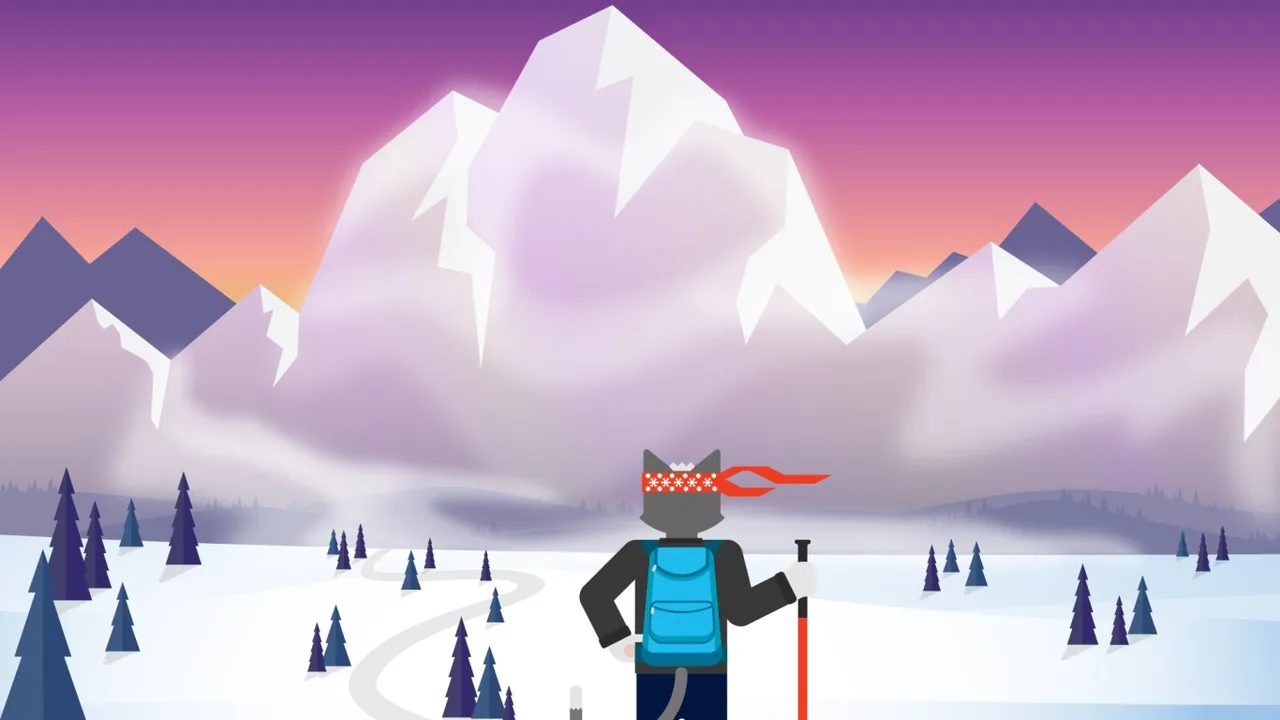
Ninja Cat Holiday Escape

Microsoft’s Ninja Cat on a holiday getaway, from a dogsled under the northern lights to a monster truck in the Outback, with a Yeti chase along the way.

โญ 4.8 stars ย ย ๐Ÿ–ผ๏ธ 14 images ย ย ๐Ÿ“… Dec 6, 2017 ย ย ๐Ÿท๏ธ Microsoft Corporation ย ย ๐Ÿ’ฒ Free

What You Get

  • 14 illustrated wallpapers
  • Bonus ugly sweater patterns
  • Published by Microsoft Corporation
  • Free download

Why We Like It

The only illustrated holiday pack on the page and easily the silliest. Not every scene is snowy, since Ninja Cat also hits the sun and sand, but the ugly sweater patterns make it a festive pick for December.

3

03 snow sculptures windows theme

BEST FOR FAMILY PCs

Snow Sculptures

Snow people families, castles and detailed trains, all carved out of glittering snow.

โญ 4.7 stars ย ย ๐Ÿ–ผ๏ธ 14 images ย ย ๐Ÿ“… Oct 31, 2018 ย ย ๐Ÿท๏ธ Microsoft Corporation ย ย ๐Ÿ’ฒ Free

What You Get

  • 14 wallpapers of snow and ice sculptures
  • Bright, cheerful daytime shots
  • Published by Microsoft Corporation
  • Free download

Why We Like It

A good pick for a shared family computer. Kids like the snowmen, and the white backgrounds work well with light mode.

4

04 remix 3d winterscapes windows theme

BEST 3D ART PACK

Remix 3D Winterscapes

3D snowy scenes made by artists on Microsoft’s Windows team, including a wintry steampunk village and a bear driving a Zamboni.

โญ 4.4 stars ย ย ๐Ÿ–ผ๏ธ 14 images ย ย ๐Ÿ“… Dec 1, 2017 ย ย ๐Ÿท๏ธ Microsoft Corporation ย ย ๐Ÿ’ฒ Free

What You Get

  • 14 3D-rendered winter scenes
  • Playful, cartoon-style art
  • Published by Microsoft Corporation
  • Free download

Why We Like It

If photo packs feel too plain, this one has more personality. It is the lowest rated pick on the page at 4.4, but the Zamboni bear alone is worth the download.

5

05 fireworks on new years windows theme

BEST FOR NEW YEAR’S EVE

Fireworks on New Year’s

New Year fireworks over cities around the world, from Singapore and Kuala Lumpur to Montreal, Berlin, Tokyo and Amsterdam.

โญ 4.7 stars ย ย ๐Ÿ–ผ๏ธ 16 images ย ย ๐Ÿ“… Dec 12, 2017 ย ย ๐Ÿท๏ธ Microsoft Corporation ย ย ๐Ÿ’ฒ Free

What You Get

  • 16 fireworks photos
  • Night skies over world cities
  • Published by Microsoft Corporation
  • Free download

Why We Like It

Switch to this one after Christmas and keep it through January 1. The dark night skies look great with dark mode turned on.

Cozy Winter Night Themes

Glowing cabins, warm interiors and knitted textures. Good for anyone who wants the holiday mood without a tree on the screen.

6

06 warm winter nights windows theme

BEST COZY WINTER PACK

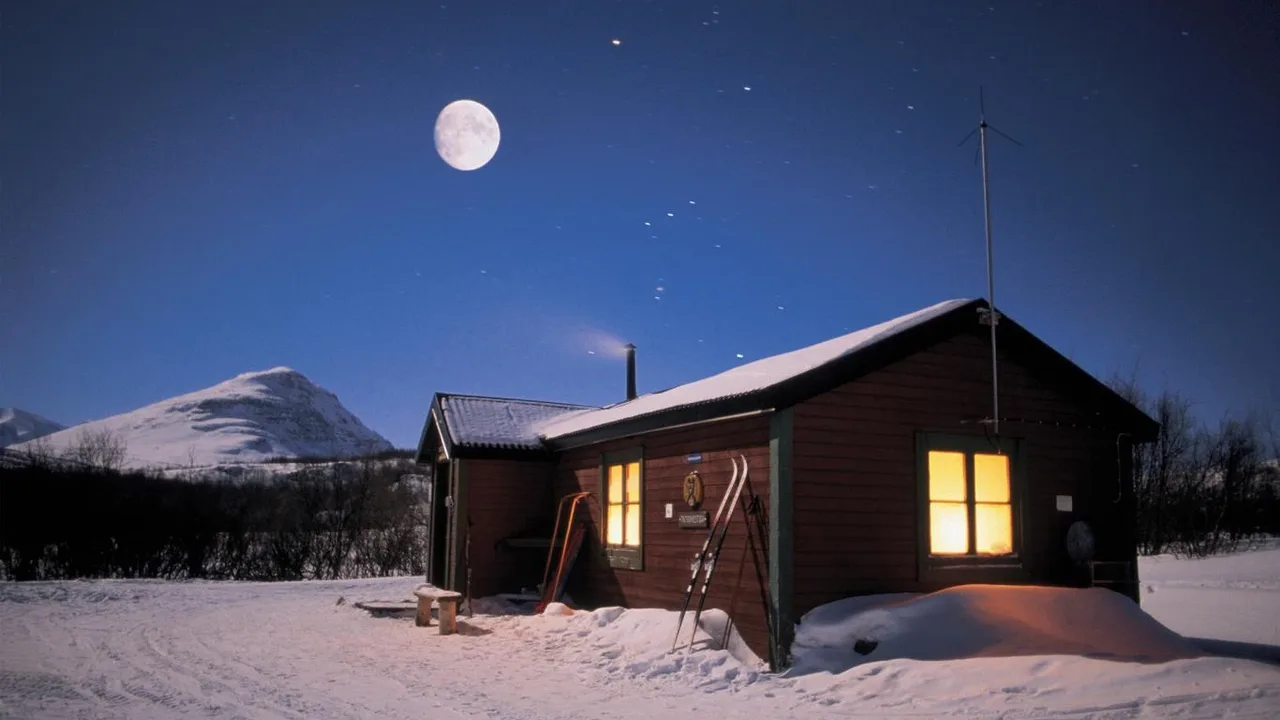
Warm Winter Nights

Cozy cabins lit up against the snow at night.

โญ 4.7 stars ย ย ๐Ÿ–ผ๏ธ 18 images ย ย ๐Ÿ“… Oct 31, 2018 ย ย ๐Ÿท๏ธ Microsoft Corporation ย ย ๐Ÿ’ฒ Free

What You Get

  • 18 wallpapers
  • Glowing cabins on snowy nights
  • Published by Microsoft Corporation
  • Free download

Why We Like It

Tied for the biggest pack on the page, with 281 ratings at 4.7. Warm windows against a dark blue night give you that Christmas card feeling without any Santa in sight.

7

07 a moment of hygge windows theme

HIGHEST RATED COZY PACK

A Moment of Hygge

Cozy, comfy and communal scenes built around the Danish idea of hygge.

โญ 4.9 stars ย ย ๐Ÿ–ผ๏ธ 16 images ย ย ๐Ÿ“… Oct 4, 2019 ย ย ๐Ÿท๏ธ Microsoft Corporation ย ย ๐Ÿ’ฒ Free

What You Get

  • 16 premium 4K wallpapers
  • Warm, homey indoor scenes
  • Published by Microsoft Corporation
  • Free download

Why We Like It

Rated 4.9 from 186 people. It is a cozy pack more than a winter one, which means you can leave it on long after the decorations come down.

8

08 knits and wool windows theme

BEST SWEATER WEATHER PICK

Knits and Wool

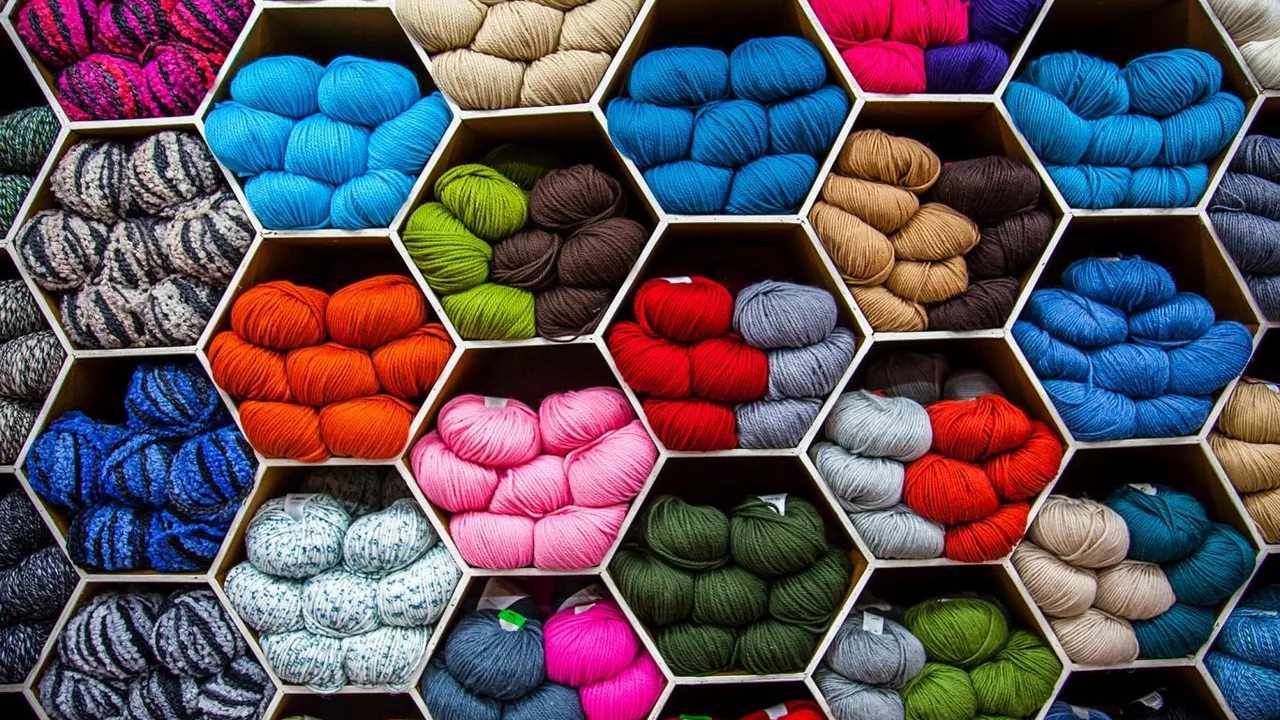
Shelves of yarn skeins and close-ups of cozy cable knits.

โญ 4.7 stars ย ย ๐Ÿ–ผ๏ธ 16 images ย ย ๐Ÿ“… Jan 8, 2019 ย ย ๐Ÿท๏ธ Microsoft Corporation ย ย ๐Ÿ’ฒ Free

What You Get

  • 16 wallpapers
  • Soft textures in warm colors
  • Published by Microsoft Corporation
  • Free download

Why We Like It

Texture wallpapers are easy on the eyes, and these look like a holiday sweater up close. A nice quiet option for a work PC.

Snowy Winter Landscapes

Frost, mountains, ice and a few happy dogs. These packs work all winter long, not just in December.
9

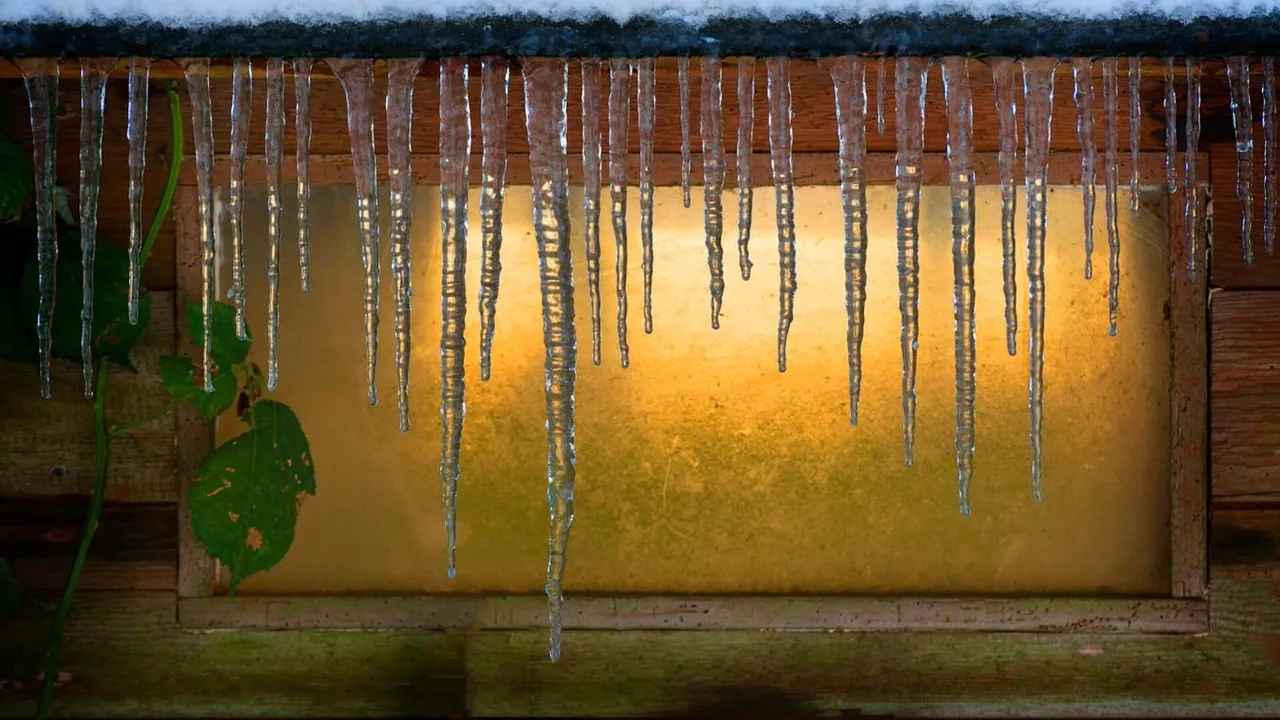
09 chilly morning windows theme

BEST FROSTY LANDSCAPES

Chilly Morning

Frosty, light-filled views of early winter mornings.

โญ 4.9 stars ย ย ๐Ÿ–ผ๏ธ 15 images ย ย ๐Ÿ“… Dec 11, 2019 ย ย ๐Ÿท๏ธ Microsoft Corporation ย ย ๐Ÿ’ฒ Free

What You Get

  • 15 wallpapers
  • Frost and soft morning light
  • Published by Microsoft Corporation
  • Free download

Why We Like It

One of the best rated winter packs in the Store at 4.9 from 161 ratings. The pale colors suit light mode and make the taskbar look clean.

10

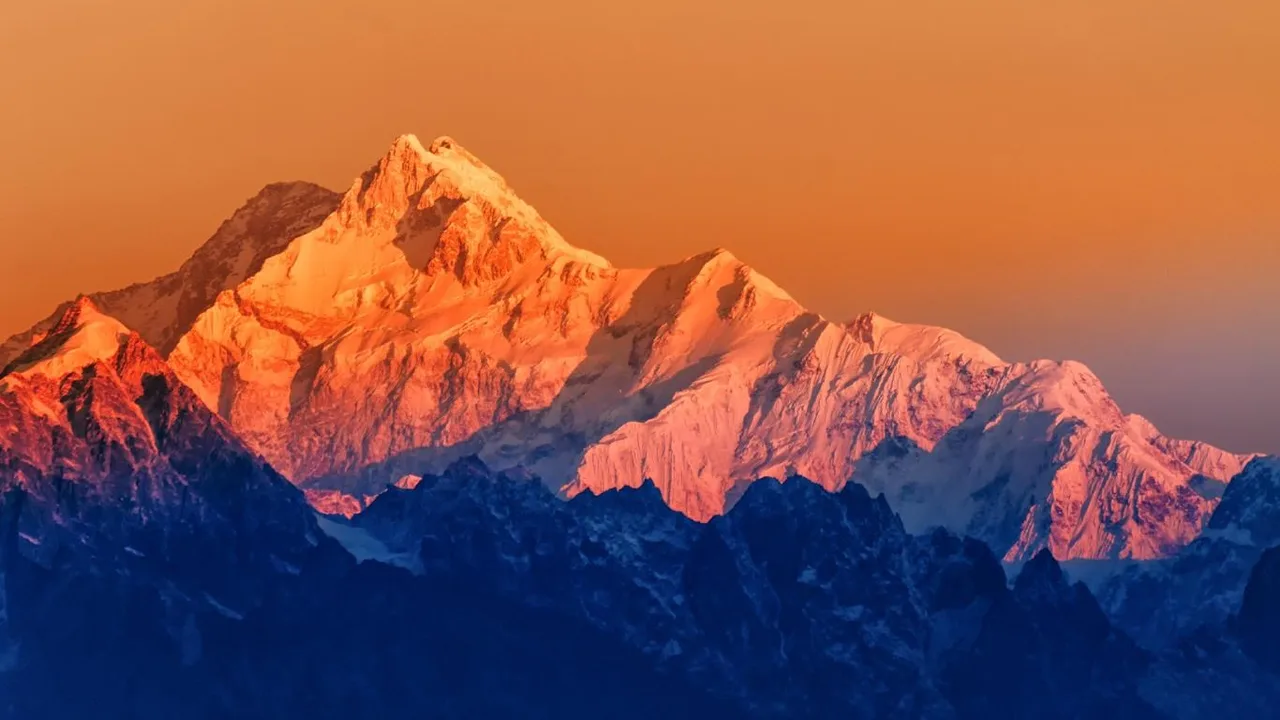
10 snowy mountains windows theme

BEST FOR BIG SCREENS

Snowy Mountains

Snowy peaks under the moon, stars and Northern Lights, plus sunrise and sunset on towering cliffs.

โญ 4.8 stars ย ย ๐Ÿ–ผ๏ธ 18 images ย ย ๐Ÿ“… Dec 1, 2018 ย ย ๐Ÿท๏ธ Microsoft Corporation ย ย ๐Ÿ’ฒ Free

What You Get

  • 18 wallpapers
  • Mountains by day and by night
  • Published by Microsoft Corporation
  • Free download

Why We Like It

Tied with Warm Winter Nights for the most images here. Wide mountain views hold up well on large and ultrawide monitors.

11

11 ice crystals windows theme

BEST MINIMAL WINTER PACK

Ice Crystals

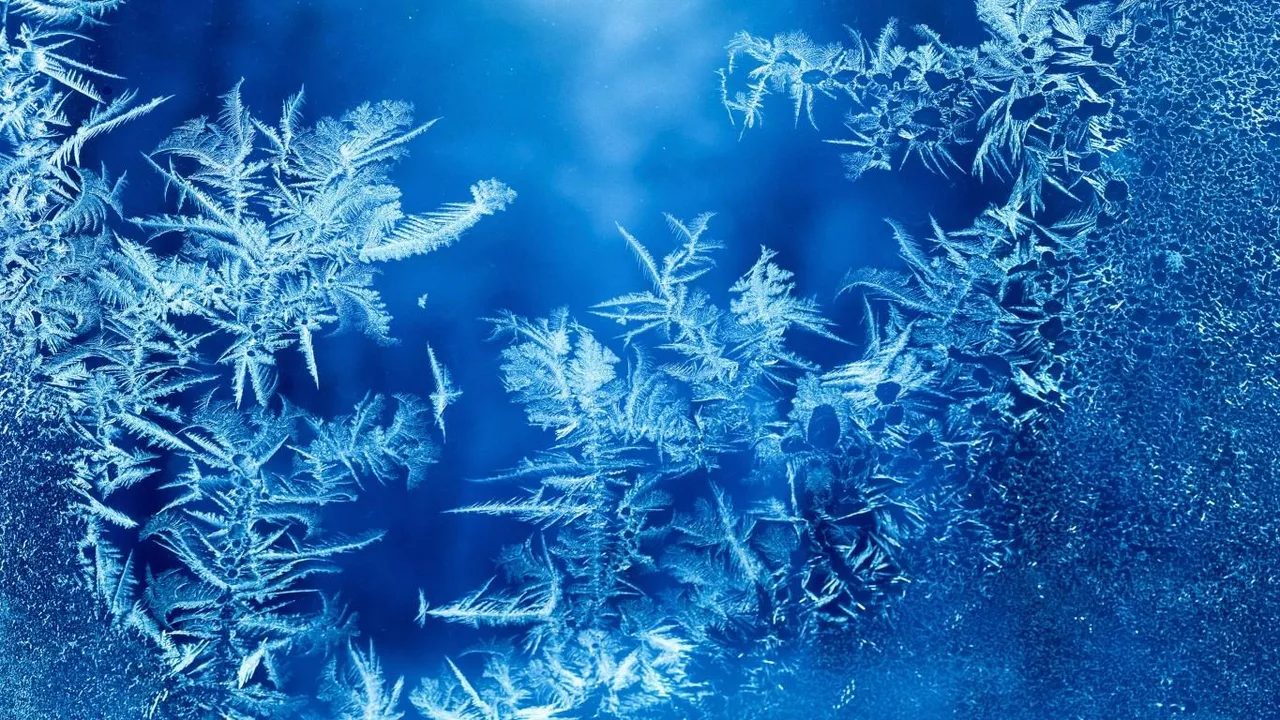
Frosty swirls and detailed ice patterns, shot up close.

โญ 4.9 stars ย ย ๐Ÿ–ผ๏ธ 15 images ย ย ๐Ÿ“… Dec 17, 2019 ย ย ๐Ÿท๏ธ Microsoft Corporation ย ย ๐Ÿ’ฒ Free

What You Get

  • 15 premium 4K wallpapers
  • Abstract frost patterns
  • Published by Microsoft Corporation
  • Free download

Why We Like It

Rated 4.9. Abstract patterns never fight with your icons, so this is the pack to pick if you want winter on your desktop without a busy picture.

12

12 dogs in winter windows theme

BEST FOR DOG LOVERS

Dogs in Winter

Playful dogs out in the frost and snow.

โญ 4.8 stars ย ย ๐Ÿ–ผ๏ธ 15 images ย ย ๐Ÿ“… Dec 12, 2016 ย ย ๐Ÿท๏ธ Microsoft Corporation ย ย ๐Ÿ’ฒ Free

What You Get

  • 15 wallpapers
  • Happy dogs in winter scenes
  • Published by Microsoft Corporation
  • Free download

Why We Like It

Rated 4.8 from 141 people, and hard to look at without smiling. A fun one to set as a slideshow on a family PC.

๐Ÿ’ก Want snow that actually moves? Theme packs use still images. If you want falling snow or a crackling fireplace behind your icons, an animated wallpaper app can play a looping video instead. Start with our Lively Wallpaper guide.

Christmas Themes at a Glance

Every pick on this page in one table, so you can compare what each pack is best at, how many wallpapers you get, and how it is rated, without scrolling back up. Open the panel below to see it.

๐Ÿ“Š Compare every Christmas theme in this guide
Theme Best for Wallpapers Publisher Stars
1. Winter Holiday Glow Best Christmas theme overall 9 Microsoft Corporation 4.7
2. Ninja Cat Holiday Escape Most fun holiday pack 14 Microsoft Corporation 4.8
3. Snow Sculptures Best for family pcs 14 Microsoft Corporation 4.7
4. Remix 3D Winterscapes Best 3d art pack 14 Microsoft Corporation 4.4
5. Fireworks on New Year’s Best for New Year’s eve 16 Microsoft Corporation 4.7
6. Warm Winter Nights Best cozy winter pack 18 Microsoft Corporation 4.7
7. A Moment of Hygge Highest rated cozy pack 16 Microsoft Corporation 4.9
8. Knits and Wool Best sweater weather pick 16 Microsoft Corporation 4.7
9. Chilly Morning Best frosty landscapes 15 Microsoft Corporation 4.9
10. Snowy Mountains Best for big screens 18 Microsoft Corporation 4.8
11. Ice Crystals Best minimal winter pack 15 Microsoft Corporation 4.9
12. Dogs in Winter Best for dog lovers 15 Microsoft Corporation 4.8

Every pick here is free to download. Wallpaper counts come from each pack’s own Microsoft Store listing, and star ratings were checked on November 2, 2026.

Five Ways to Get More Out of These Themes

1. Build one holiday slideshow from several packs

Install Winter Holiday Glow, Snow Sculptures and Warm Winter Nights, copy the images you like into one folder, and set it as a slideshow under Settings, Personalization, Background. You get a rotating Christmas desktop instead of one picture.

2. Pick a red or green accent color by hand

Windows picks an accent color from your wallpaper, and with snowy images that is often a pale gray. Go to Settings, Personalization, Colors, and choose a deep red or pine green yourself for a properly festive Start menu and taskbar.

3. Match the pack to light or dark mode

Fireworks on New Year’s, Warm Winter Nights and Snowy Mountains all have dark night skies that look best in dark mode. Chilly Morning, Snow Sculptures and Ice Crystals are bright and white, so they suit light mode.

4. Swap packs as the season moves on

Run a festive pack through Christmas, switch to Fireworks on New Year’s for the last week of the year, then move to a plain winter pack like Chilly Morning or Ice Crystals for January and February.

5. Put your favorite image on the lock screen too

Windows stores theme images under C:\Users\YourName\AppData\Local\Microsoft\Windows\Themes. Copy a favorite out, then set it under Settings, Personalization, Lock screen so the holiday look starts before you even sign in.

How to Remove a Christmas Theme After the Holidays

When the decorations come down, the theme can go too. Removing one takes about ten seconds and does not need any extra software.

STEP 1

Open Settings, go to Personalization, then Themes. Every theme on your PC is in that list.

STEP 2

Click a different theme first, so the one you want gone is not the one you are using.

STEP 3

Right-click the theme you want to remove and choose Delete. It disappears from the list.

๐Ÿ’ก Two things to know. Windows will not let you delete the themes that came with it, only the packs you added yourself. And deleting a pack takes its wallpapers with it, so copy out any image you want to keep first. You can always download the pack again next December from the same Store page.

Frequently Asked Questions

How do I get a Christmas theme on Windows 11?

Open a Christmas theme on the Microsoft Store, such as Winter Holiday Glow, and choose Get. Then go to Settings, Personalization, Themes and click the new theme to apply it. Windows changes your wallpaper and accent color straight away.

Are Microsoft’s Christmas themes free?

Yes. Every pack in this guide is a free download from the Microsoft Store and is published by Microsoft. You only need a Microsoft account to download them.

How do I make my own Christmas theme for Windows?

Put your holiday photos in one folder. Go to Settings, Personalization, Background and set that folder as a slideshow, then pick a red or green accent color under Colors. Finally open Themes and click Save to keep it as your own theme.

More Windows software guides: Best Anime Themes for Windows ยท Best Game Themes for Windows ยท Christmas Theme for PC


Discover more from Windows Mode

Subscribe to get the latest posts sent to your email.