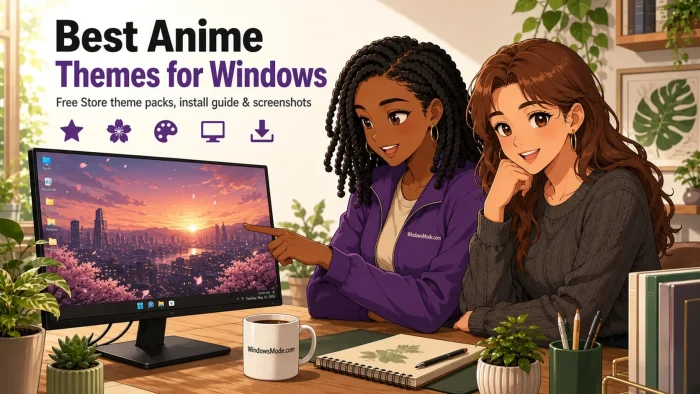
The best anime themes for Windows right now are Crunchyroll’s official Tower of God, The Beginning After the End and Maebashi Witches packs, plus VIZ Media’s RWBY theme.
Between them: the only officially licensed anime wallpapers we could find in the Microsoft Store, a pack with a perfect 5.0 score, and two Japan-inspired Microsoft sets with 18 and 16 images for when you want something calmer.
Every pack here is free, installs in about ten seconds, and changes nothing except your wallpaper and your accent color, which is the highlight color Windows uses on buttons and menus.
This guide sits alongside our main Windows themes guide, the game themes guide and the nature and landscape guide.
Running an anime theme we missed? Tell us in the comments, or reach out to us directly if you need a hand installing one.
🔍 What We Looked For
- Official packs first: The anime themes here were published by Crunchyroll and VIZ Media themselves, and we name the publisher on every card. Third-party wallpaper apps are a different product, so we label them as apps.
- How many wallpapers you actually get: The official anime packs are small, two images each. We list the count for every pick so you know what you are downloading.
- What is new in 2026: Most of the official packs here arrived in the Store in August 2026, so this list reflects what you can actually download right now.
- No made-up listings: Every button on this page opens a live Microsoft Store listing that we loaded and checked on November 2, 2026.
How to Install an Anime Theme on Windows
Every pack in this guide installs the same way. There is no installer file and no third party tool. You do need to be signed in with a Microsoft account, and you need Windows 10 or Windows 11. You do not need a Crunchyroll subscription.
STEP 1
Click the download button on any card below. The theme opens on its store page in your browser.
STEP 2
Choose Get, then let the Store app open and finish the download. Most packs take a few seconds.
STEP 3
Open Settings, go to Personalization, then Themes. Your new pack is waiting in the list.
STEP 4
Click it once to apply it. Windows sets the wallpaper and picks a matching accent color for you.
The Top Anime Themes for Windows
Our picks below are grouped by type rather than ranked against each other. An official Crunchyroll pack and a live wallpaper app do different jobs, so putting them on one numbered ladder would not help you choose.
Official Crunchyroll Anime Themes
Seven free packs Crunchyroll put on the Store in August 2026. Each has two official stills from the anime, so they are small, but they are the real thing rather than fan edits.
1
HIGHEST RATED CRUNCHYROLL PACK
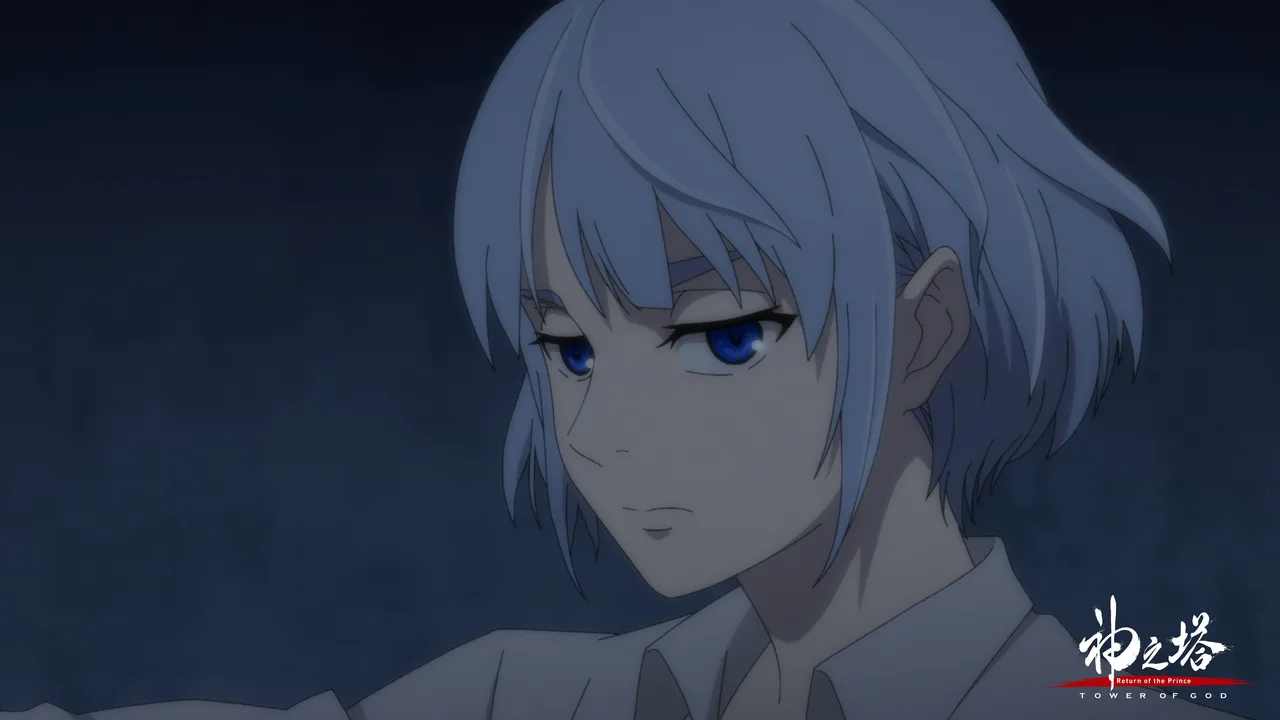
Tower of God Official Theme
Two official stills: a sharp gray profile of Khun and Baam surrounded by his glowing electric blue powers.
⭐ 4.8 stars 🖼️ 2 images 📅 Aug 12, 2026 🏷️ Crunchyroll, LLC 💲 Free
What You Get
- 2 official wallpapers from the anime
- One muted gray shot, one bright blue action shot
- Published by Crunchyroll, LLC
- Free download
Why We Like It
The only one of the Crunchyroll packs that people have actually rated so far, and it sits at 4.8. The two images pull in opposite directions, so you get a quiet wallpaper for work and a loud one for the weekend in the same pack.
2
BEST FOR ISEKAI FANS
The Beginning After the End Official Theme
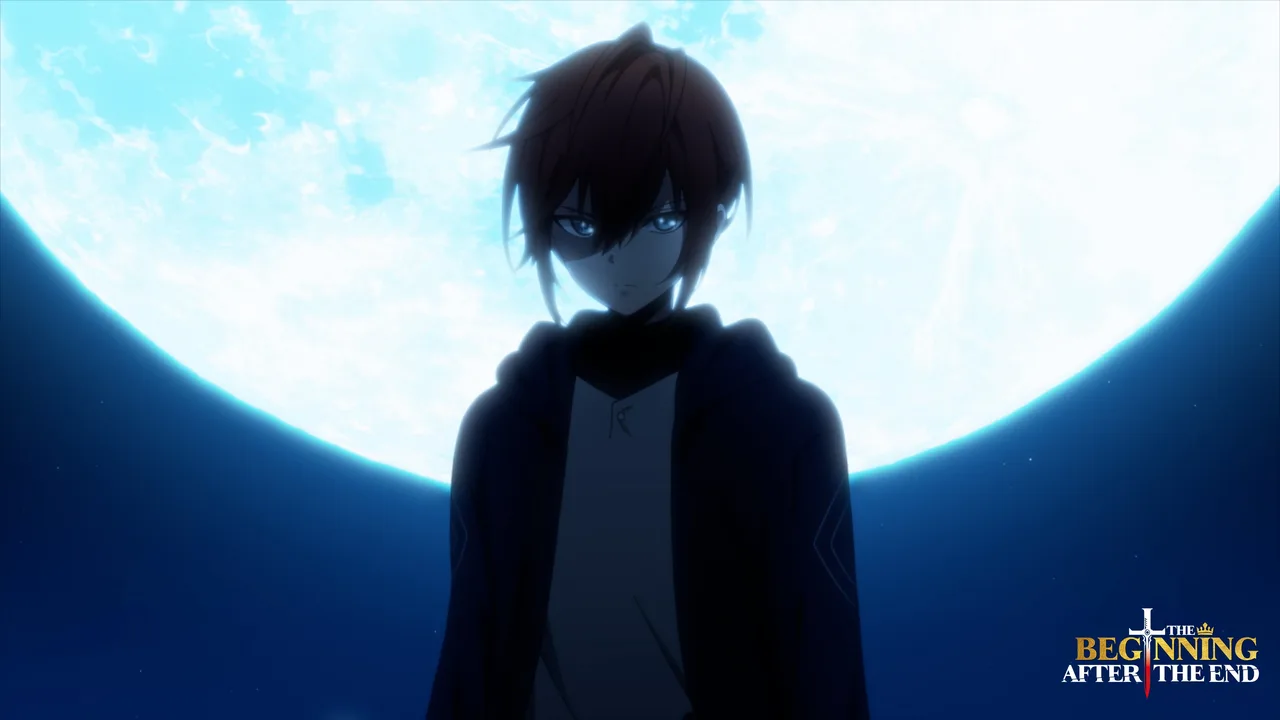
Two wallpapers that show Arthur at both ends of the story: young Arthur shaping green mana, and older Arthur backlit by a full moon.
⭐ Not rated yet 🖼️ 2 images 📅 Aug 12, 2026 🏷️ Crunchyroll, LLC 💲 Free
What You Get
- 2 official wallpapers from the anime
- Green mana glow and a full moon night shot
- Published by Crunchyroll, LLC
- Free download
Why We Like It
If you read the web novel or the manhwa before the anime arrived, this is the one to grab. The moonlit shot is the stronger desktop of the two, with a lot of dark space for your icons.
3
BEST DARK FANTASY PICK
Bye Bye, Earth Official Theme
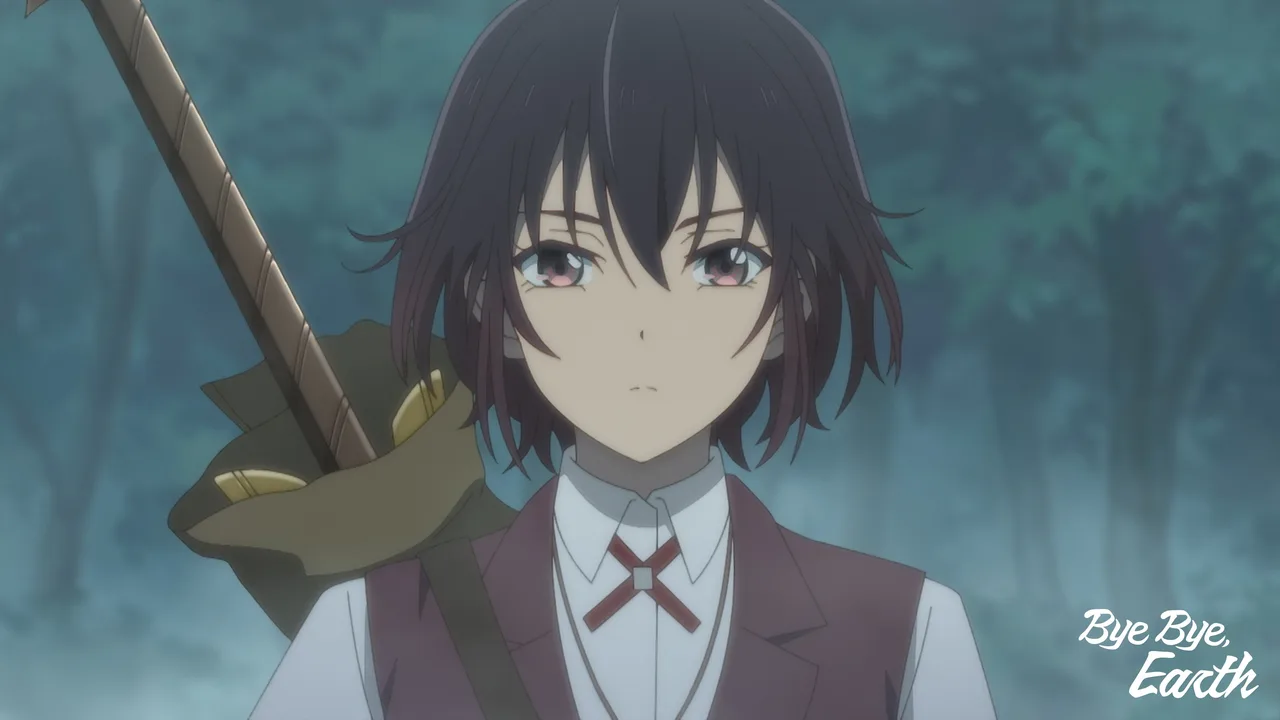
Belle and Adonis facing off against an ethereal blue background, or Belle alone in a thick forest with her sword.
⭐ Not rated yet 🖼️ 2 images 📅 Aug 12, 2026 🏷️ Crunchyroll, LLC 💲 Free
What You Get
- 2 official wallpapers from the anime
- Cool blue tones and deep forest greens
- Published by Crunchyroll, LLC
- Free download
Why We Like It
The forest shot is the pick here. It is calm enough for everyday use, and the blue face-off image works nicely if you set Windows to pull its accent color from the wallpaper.
4
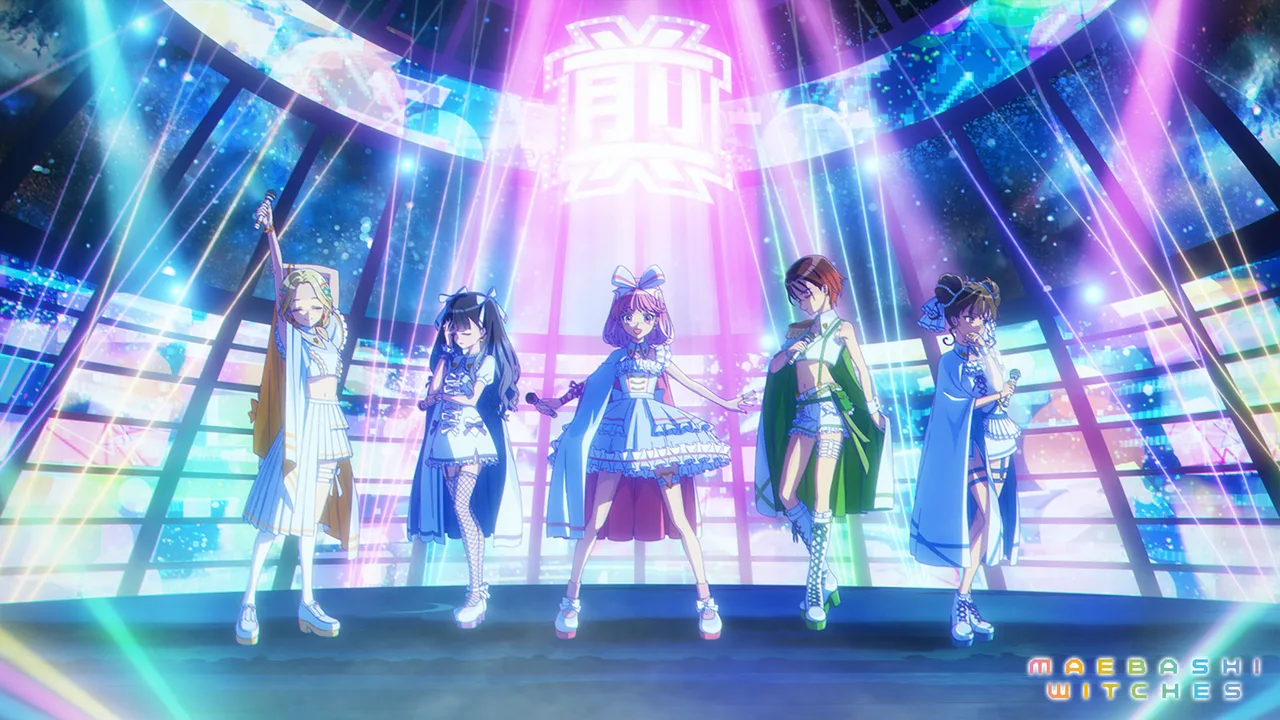
MOST COLORFUL PACK
Maebashi Witches Official Theme
A group performance on stage flooded with pink and blue lights, plus a solo shot of Yuina under a starry purple and pink sky.
⭐ Not rated yet 🖼️ 2 images 📅 Aug 12, 2026 🏷️ Crunchyroll, LLC 💲 Free
What You Get
- 2 official wallpapers from the anime
- Pink, blue and purple stage lighting
- Published by Crunchyroll, LLC
- Free download
Why We Like It
This is the pack that looks the most like an anime desktop should. The starry sky image pairs well with dark mode and a purple accent color.
5
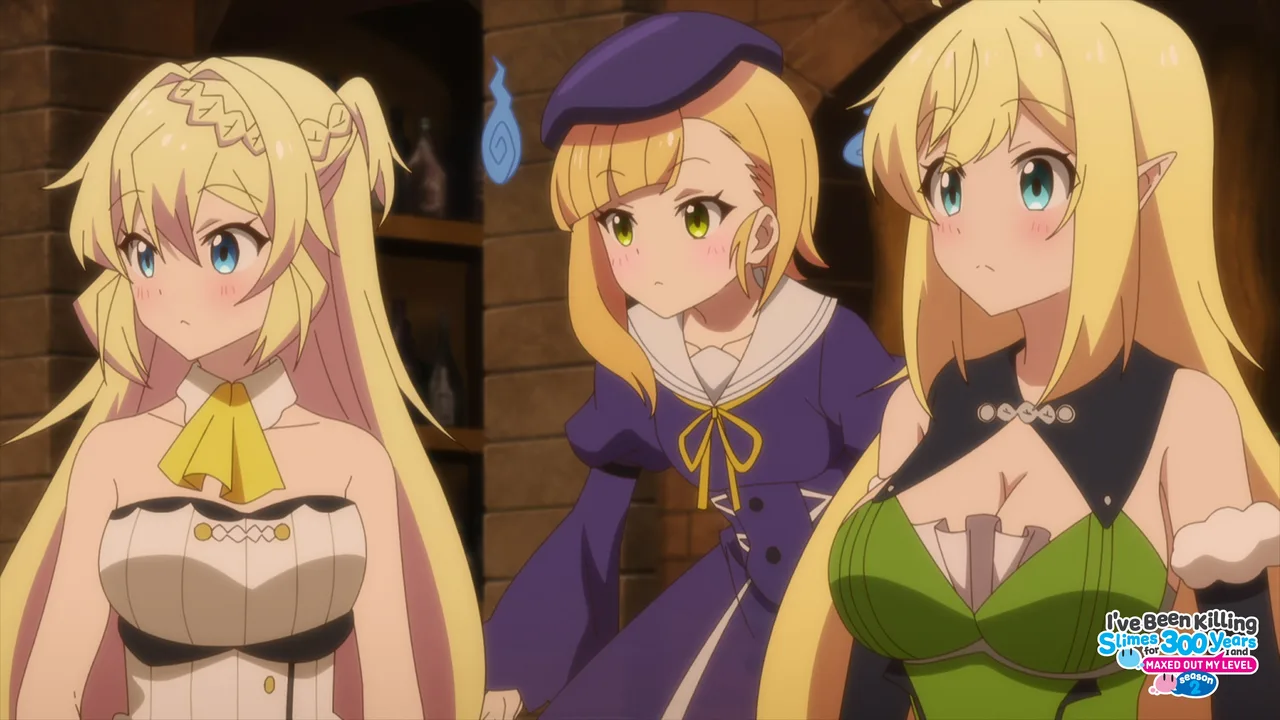
BEST COZY PICK
Killing Slime Official Theme
From I’ve Been Killing Slime for 300 Years: a close-up of Azusa against a neutral background, and Azusa, Rosalie and Halkara together.
⭐ Not rated yet 🖼️ 2 images 📅 Aug 12, 2026 🏷️ Crunchyroll, LLC 💲 Free
What You Get
- 2 high-resolution stills from the anime
- A soft neutral close-up and a group shot
- Published by Crunchyroll, LLC
- Free download
Why We Like It
Slow life anime makes for a relaxed desktop. The neutral background on the close-up keeps your icons easy to read, which is not something you can say about most anime art.
6
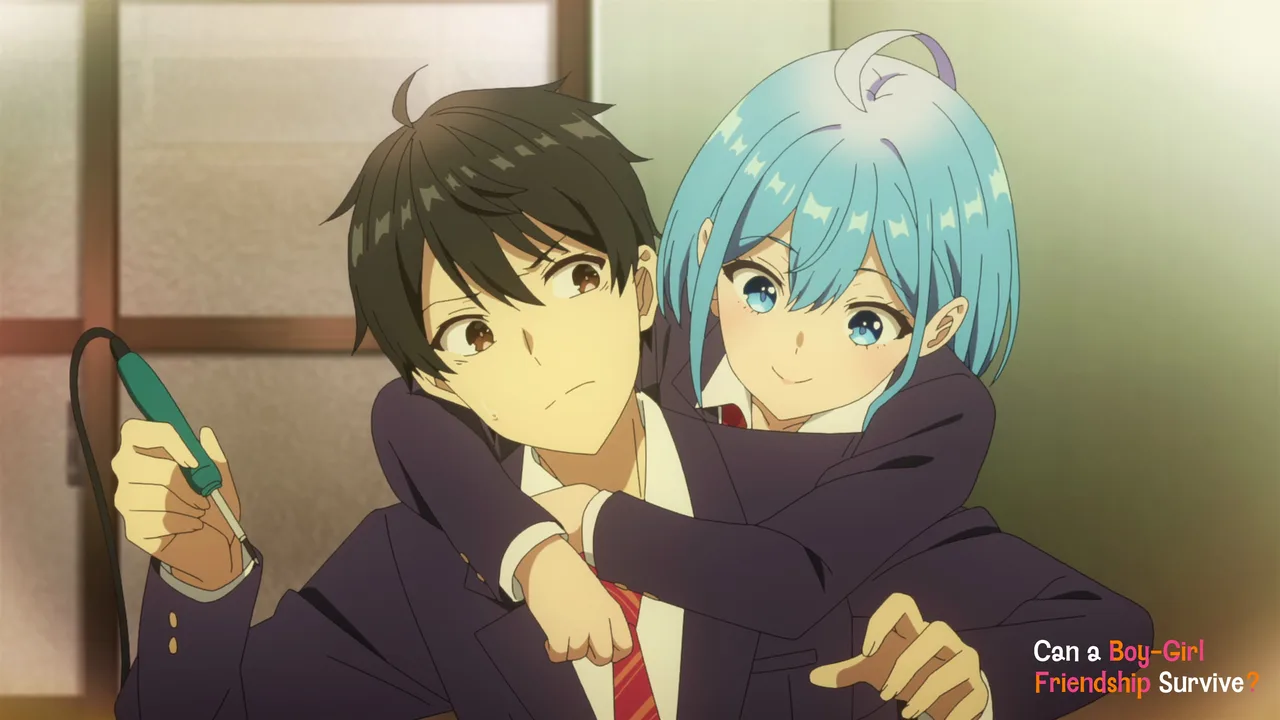
BEST ROMCOM PICK
Boy-Girl Friendship Official Theme
From Can a Boy-Girl Friendship Survive?: Himari and Yu in class, and Himari looking up wistfully against a sunset.
⭐ Not rated yet 🖼️ 2 images 📅 Aug 12, 2026 🏷️ Crunchyroll, LLC 💲 Free
What You Get
- 2 official stills from the anime
- A classroom scene and a sunset shot
- Published by Crunchyroll, LLC
- Free download
Why We Like It
A good choice for a shared or work PC, since nothing in it shouts. The sunset image has warm orange tones that look great with a matching accent color.
7
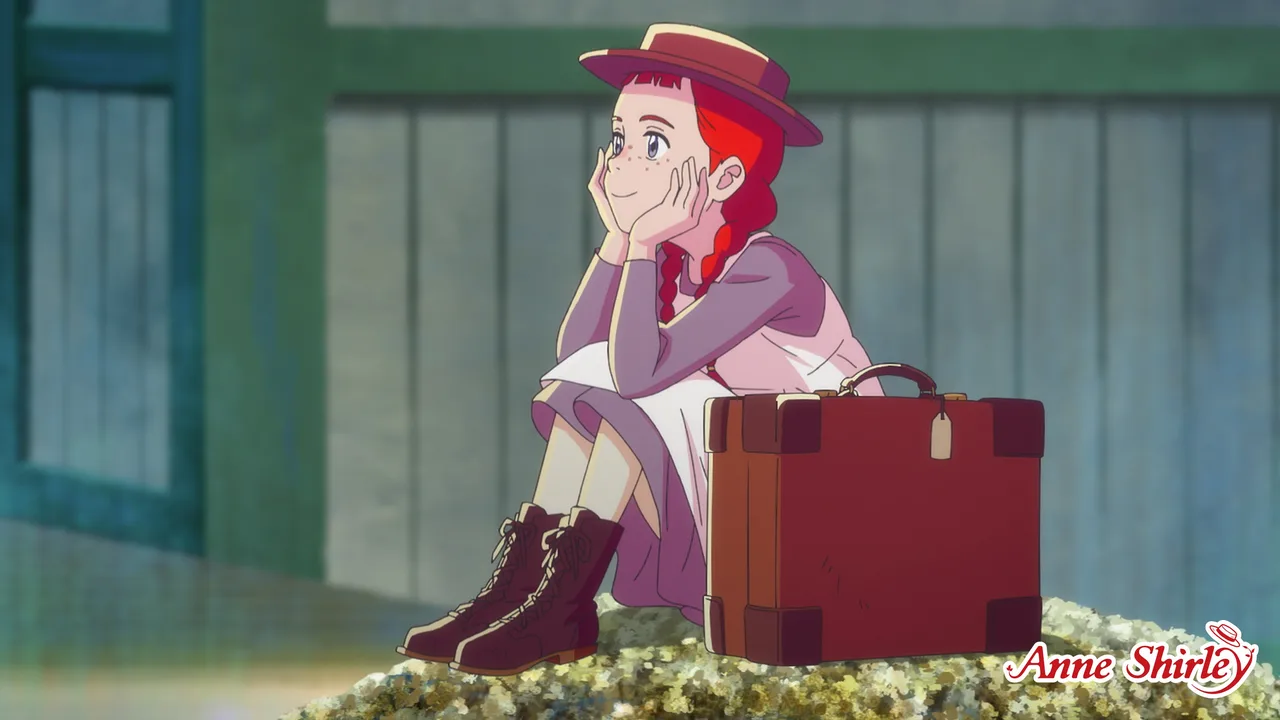
BEST FOR A LIGHT DESKTOP
Anne Shirley Official Theme
Anne and Diana in a garden full of colorful flowers, and Anne sitting next to her suitcase, smiling softly.
⭐ Not rated yet 🖼️ 2 images 📅 Aug 12, 2026 🏷️ Crunchyroll, LLC 💲 Free
What You Get
- 2 official wallpapers from the anime
- Bright garden colors
- Published by Crunchyroll, LLC
- Free download
Why We Like It
The gentlest pack on the page, based on the classic Anne of Green Gables story. It suits light mode best and is the one to pick if you want anime on your screen without it looking like a gaming rig.
Anime-Style and Japan-Inspired Packs
One licensed anime-style series pack, two Microsoft photo sets that capture the look of Japan, and two wallpaper apps that let you put art from any anime on your desktop.
8
TOP RATED ON THE PAGE
RWBY Official Theme
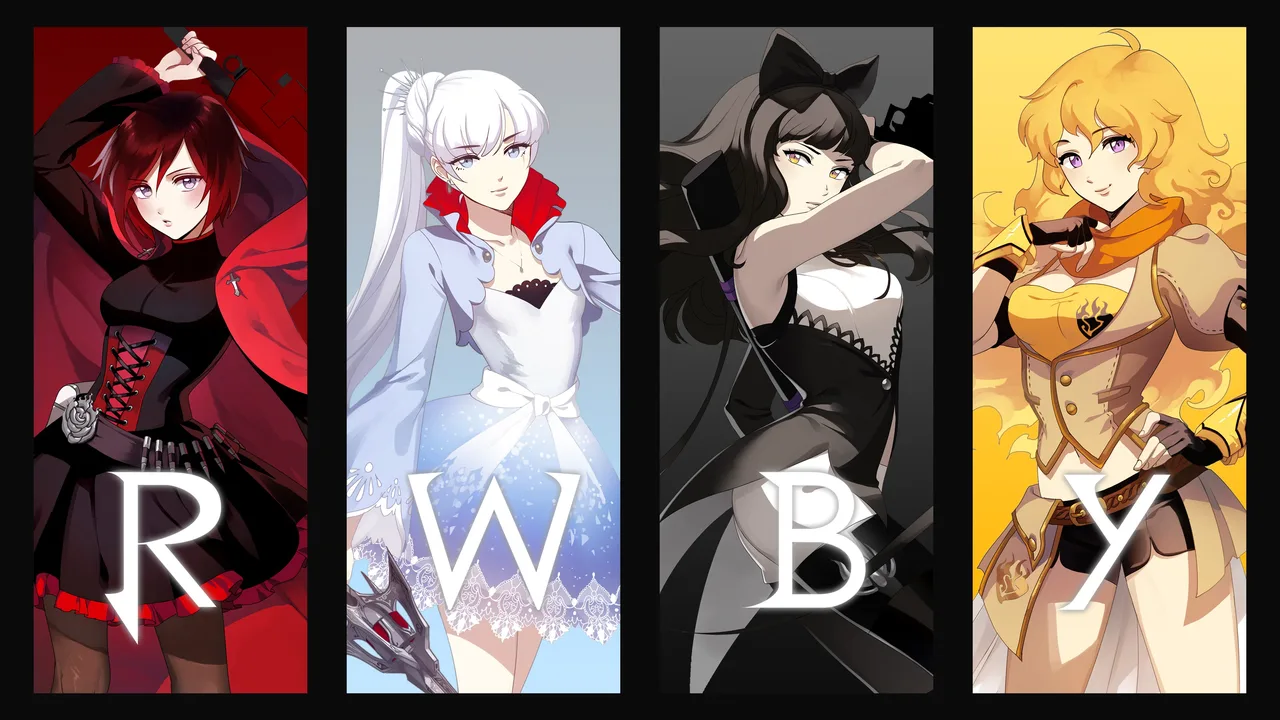
Team RWBY from the anime-style web series, published by VIZ Media with visuals built for a fresh desktop look.
⭐ 5.0 stars 🖼️ 2 images 📅 Nov 20, 2025 🏷️ VIZ Media 💲 Free
What You Get
- 2 preview images on the listing
- Character art of Team RWBY
- Published by VIZ Media
- Free download
Why We Like It
RWBY was made in the US by Rooster Teeth, but it is drawn in an anime style and VIZ Media handles it, so it belongs here. It has a perfect 5.0 from 16 ratings, the best score of anything we found.
9
MOST IMAGES ON THE PAGE
Japanese Islands
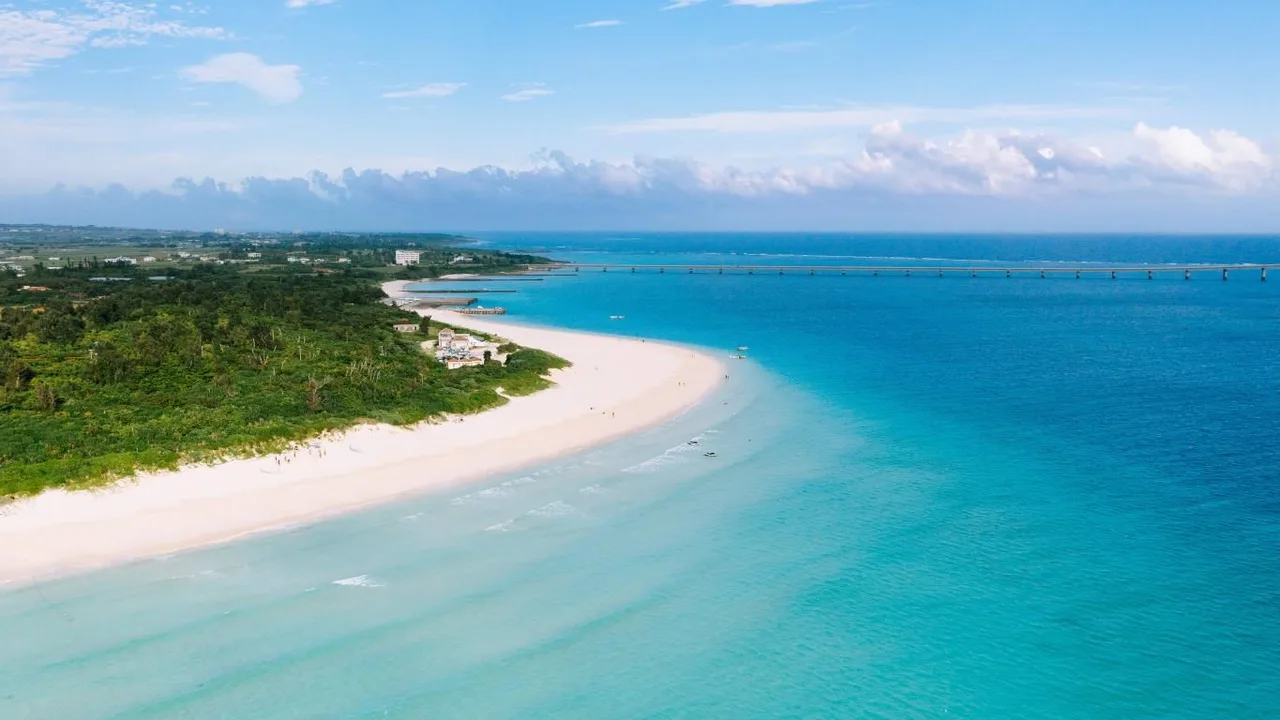
Eighteen premium 4K photos of Japanese coastlines, including Aogashima, Kujukushima and Hokkaido.
⭐ 4.8 stars 🖼️ 18 images 📅 Jun 10, 2020 🏷️ Microsoft Corporation 💲 Free
What You Get
- 18 wallpapers in 4K
- Real photos of Japanese islands
- Published by Microsoft Corporation
- Free download
Why We Like It
Not anime, but it is the backdrop half of anime is set against. With 18 images it gives you far more variety than any of the official anime packs, and it mixes well with them in a slideshow.
10
BEST CALM BACKUP PACK
Cherry Blossoms
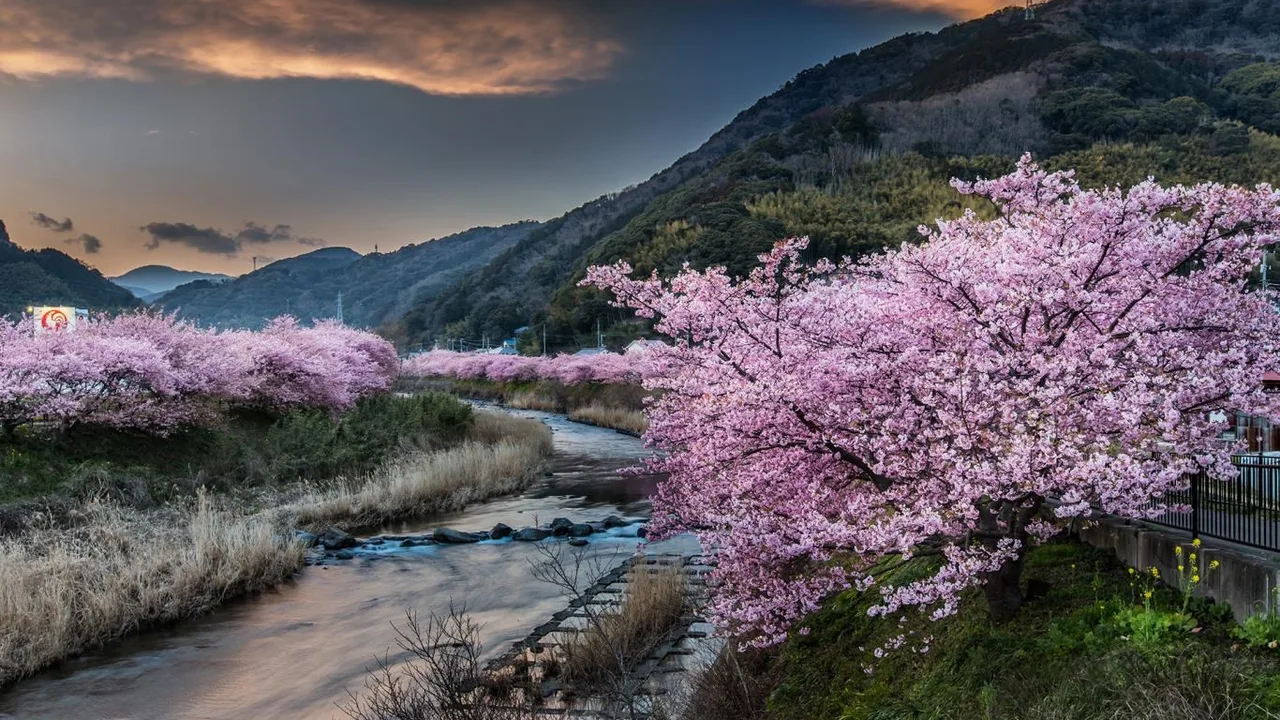
Sixteen lush photos of cherry blossoms, the flower that shows up in more anime opening credits than anything else.
⭐ 4.8 stars 🖼️ 16 images 📅 Aug 8, 2017 🏷️ Microsoft Corporation 💲 Free
What You Get
- 16 wallpapers
- Pink sakura photography
- Published by Microsoft Corporation
- Free download
Why We Like It
Rated 4.8 from 346 people, so it is a safe bet. Keep it installed next to your favorite anime pack and switch over on the days you need a quieter screen.
11

BEST FOR ANY ANIME
Crunchy – Anime Live Wallpapers 4K
A wallpaper app rather than a theme pack, with a large collection of HD and 4K anime wallpapers plus live and animated ones.
⭐ 4.4 stars 🖼️ Wallpaper app 📅 Mar 25, 2026 🏷️ AeronApps 💲 Free
What You Get
- Browse anime wallpapers inside an app
- HD and 4K stills plus animated wallpapers
- Published by AeronApps
- Free download
Why We Like It
This is the easiest way to get art from whatever show you are watching right now onto your desktop. It is a third-party app, not an official studio pack, so treat the art as fan-sourced.
12
BEST FOR ANIMATED WALLPAPERS
Lively Wallpaper
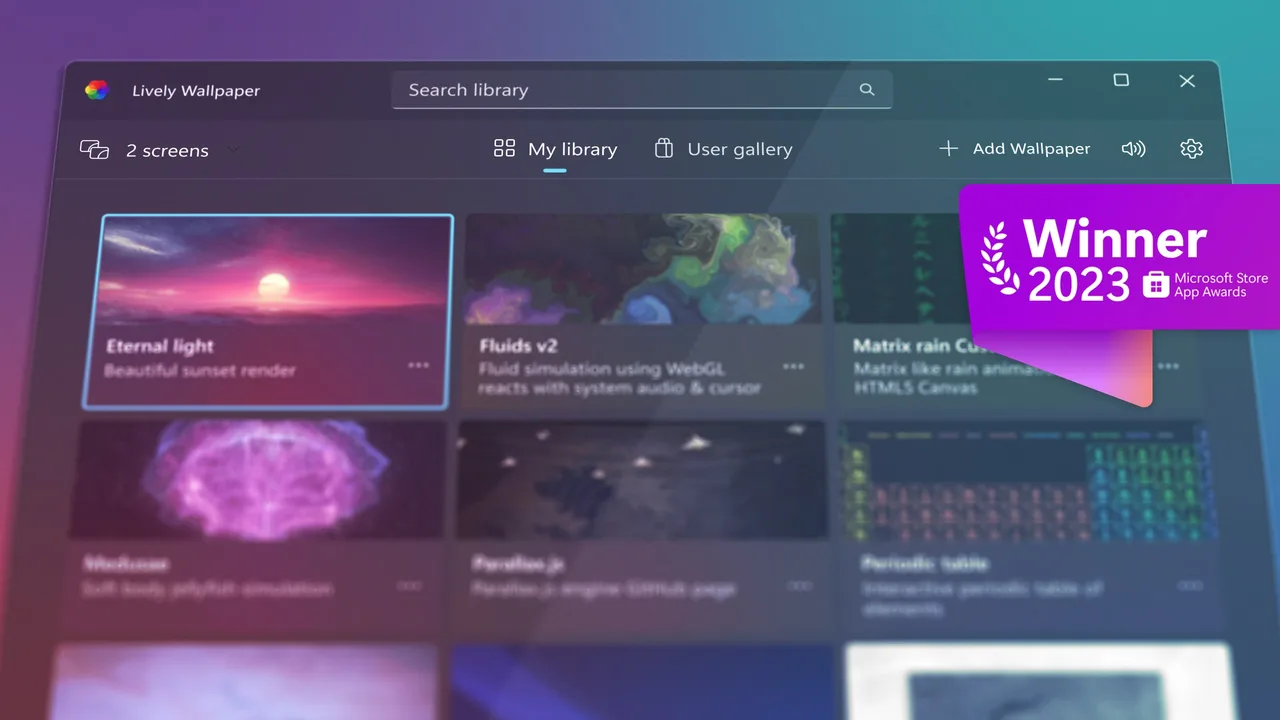
A free, open source live wallpaper app that sets videos, GIFs, web pages and animated scenes as your desktop background.
⭐ 4.6 stars 🖼️ Wallpaper app 📅 Nov 25, 2020 🏷️ Sketches SRL 💲 Free
What You Get
- Use your own video clips as wallpaper
- Animated and interactive scenes
- Published by Sketches SRL
- Free download
Why We Like It
Want a looping clip of an opening you love behind your icons? This is how you do it. Nearly 19,000 ratings at 4.6 make it the most trusted wallpaper tool in the Store.
💡 Want art from a different show? You can set any still image yourself, or use an animated wallpaper tool to run a clip behind your icons. Keep in mind that most anime wallpaper apps pull fan art and screenshots from around the web, which is fine on your own PC but is not licensed the way the Crunchyroll packs are. Start with our Lively Wallpaper guide.
Anime Themes at a Glance
Every pick on this page in one table, so you can compare what each pack is best at, how many wallpapers you get, and who made it, without scrolling back up. Open the panel below to see it.
📊 Compare every anime theme in this guide
| Theme |
Best for |
Wallpapers |
Publisher |
Stars |
| 1. Tower of God Official Theme |
Highest rated crunchyroll pack |
2 |
Crunchyroll, LLC |
4.8 |
| 2. The Beginning After the End Official Theme |
Best for isekai fans |
2 |
Crunchyroll, LLC |
New |
| 3. Bye Bye, Earth Official Theme |
Best dark fantasy pick |
2 |
Crunchyroll, LLC |
New |
| 4. Maebashi Witches Official Theme |
Most colorful pack |
2 |
Crunchyroll, LLC |
New |
| 5. Killing Slime Official Theme |
Best cozy pick |
2 |
Crunchyroll, LLC |
New |
| 6. Boy-Girl Friendship Official Theme |
Best romcom pick |
2 |
Crunchyroll, LLC |
New |
| 7. Anne Shirley Official Theme |
Best for a light desktop |
2 |
Crunchyroll, LLC |
New |
| 8. RWBY Official Theme |
Top rated on the page |
2 (preview count) |
VIZ Media |
5.0 |
| 9. Japanese Islands |
Most images on the page |
18 |
Microsoft Corporation |
4.8 |
| 10. Cherry Blossoms |
Best calm backup pack |
16 |
Microsoft Corporation |
4.8 |
| 11. Crunchy – Anime Live Wallpapers 4K |
Best for any anime |
App |
AeronApps |
4.4 |
| 12. Lively Wallpaper |
Best for animated wallpapers |
App |
Sketches SRL |
4.6 |
Every pick here is free to download. Wallpaper counts come from each publisher’s own store listing. The RWBY listing does not state a number, so we counted its preview images. Stars marked New have no ratings yet.
Five Ways to Get More Out of These Themes
1. Build one slideshow out of several packs
Each Crunchyroll pack only has two images, so install four or five of them, copy every image into a single folder and point Windows at it as a slideshow. Settings, Personalization, Background, Slideshow. Now you have a rotating anime desktop instead of the same two stills.
2. Match the pack to your Windows mode
The moonlit Beginning After the End shot and the starry Maebashi Witches image want dark mode. The garden and classroom stills in Anne Shirley and Boy-Girl Friendship lean light. Getting this backwards is the main reason a good wallpaper feels wrong.
3. Check the top left corner before you commit
That is where your icons live. Anime art often puts a character dead center or fills the frame with effects. Apply the theme and look at that corner first. If it is busy, the pack will annoy you inside a week.
4. Pull the raw files out and reuse them
Windows stores the images under C:\Users\YourName\AppData\Local\Microsoft\Windows\Themes, one folder per theme. Paste that path into File Explorer and you can copy a favorite out for your phone, a second PC or your lock screen.
5. Keep a calm pack installed alongside the loud one
Install Cherry Blossoms or Japanese Islands next to your favorite anime pack. Switch to it on the days you need to see what is on your screen. Switching takes one click and costs nothing.
How to Remove a Theme You Do Not Want
Installing a few of these and keeping only your favorite is the normal way to do it. Removing the rest takes about ten seconds and does not need any extra software.
STEP 1
Open Settings, go to Personalization, then Themes. Every theme on your PC is in that list.
STEP 2
Click a different theme first, so the one you want gone is not the one you are using.
STEP 3
Right-click the theme you want to remove and choose Delete. It disappears from the list.
💡 Two things to know. Windows will not let you delete the themes that came with it, only the packs you added yourself. And deleting a pack takes its wallpapers with it, so if there is one image you want to keep, copy it out of the theme folder first. To go back to the stock look, pick Windows (light) or Windows (dark) in the same Themes list.
Frequently Asked Questions
How do I install an anime theme on Windows 11?
Open the theme on the Microsoft Store and choose Get. Once it downloads, open Settings, go to Personalization, then Themes, and click the new theme once to apply it. Windows sets the wallpaper and a matching accent color for you. To switch back later, pick Windows (light) or Windows (dark) in the same list.
Do I need a Crunchyroll subscription to use the Crunchyroll themes?
No. A theme pack is just wallpapers and an accent color. The Crunchyroll packs are free Store downloads and nothing checks whether you have an account with them or have watched the show.
Can I make my own anime theme from my own wallpapers?
Yes, and it is easier than it sounds. Put your images in one folder. Open Settings, go to Personalization, then Background, and set that folder as a slideshow. Now go to Themes and click Save. Windows writes a theme file you can copy to another PC and open with a double click.
More Windows software guides: Best Windows Themes for PC · Best Game Themes for Windows · Best Nature Themes for Windows
Views: 110
Related Posts
Discover more from Windows Mode
Subscribe to get the latest posts sent to your email.









Add your first comment to this post