Microsoft says Edge for Business is now the most used browser at work. At Ignite 2026 on November 17, the company used that milestone to launch a set of tools aimed at one problem: AI agents that open web pages and click around for people, and the IT teams who have to keep them in check.
The headline feature, agentic browsing in Copilot Cowork, is generally available today. Most of the security and governance tools around it are still in preview, and several need a Microsoft 365 E3, E5 or E7 license.
Key takeaways
- The claim: “most used” is based on browser minutes on Windows PCs at organizations with more than 1,000 employees.
- Agents: Cowork can now finish multi-step web tasks in Edge. Agents from other vendors can be forced into a managed Edge window with their own Entra identity (preview, E5).
- Security: new extension risk scores, a Microsoft Sentinel connector, VPN-free access to private web apps and on-screen redaction, mostly in preview.
- Admins: Cowork browsing is off by default and must be switched on in the Microsoft 365 admin center.
What “most used enterprise browser” means
Microsoft’s footnote is specific. The ranking is based on worldwide share of browser minutes on Windows devices at companies with more than 1,000 employees. It does not count Macs, phones or smaller businesses, so it is a statement about big Windows fleets, where Edge ships built in.
The company also cites an Omdia estimate that roughly 85% of work now happens in a browser. That is the bet behind everything else in the announcement: if the browser is where work happens, it is also where AI agents will act, and where they need rules.
In their words
“Your organization is probably already juggling more than one agent… Users want the power. You need the control.”
Sean Lyndersay, Microsoft Edge, on the Microsoft Edge Blog
AI agents that browse the web for you
An AI agent is a program that carries out tasks instead of just answering questions. In a browser, that means opening sites, filling in forms and moving between pages until a job is done.
Cowork can now finish tasks on websites
Copilot Cowork, Microsoft’s agent for Microsoft 365, can now complete multi-step tasks across websites. Users start it from the Edge side pane, the new tab page or the web. It is generally available, but needs a Microsoft 365 Copilot license with usage-based billing turned on.
According to Microsoft Learn, Cowork works in a hidden tab in the user’s own Edge profile, so it can reach the same sites the person can and no more. It hands control back for sign-ins and payments, and asks before sensitive actions.
Watch Cowork take a request in the Edge side pane and work through it across web pages. Video: Microsoft Edge on YouTube.
For IT admins: Cowork browsing is off by default
- Turn it on in the Microsoft 365 admin center under Copilot > Settings > View All > Cowork settings, then Allow browser access. You can limit it to security groups or named users.
- Microsoft recommends Edge 152.0.4191.53 or later. The CopilotCoworkToolActionsEnabled policy controls which Edge installs Cowork can act in.
- Browser tasks only run from Cowork on the web in Edge. The Copilot desktop app, mobile, InPrivate windows and guest profiles are not supported.
Record a task once, reuse it as a skill
Skills recorder lets a user record a process once and save it as a Cowork skill that teammates can reuse. Because the agent repeats known steps instead of working them out each time, Microsoft says results are more consistent and use fewer tokens (the units AI models are billed by). It arrives in preview by the end of the year.
Separately, Microsoft is tuning how any agent, not only its own, handles common actions on popular websites. Early internal tests show an average of 30% fewer tokens used. That is Microsoft’s own early figure, not an independent benchmark.
Agents from other vendors, inside a managed window
Plenty of companies also use agents such as Claude or ChatGPT. Managed agent browsing lets IT require those agents to use Edge for Business whenever they need a browser. Each agent gets its own window, marked so people can tell it apart, and its own Microsoft Entra agent identity (a work account for the agent). It stays inside the user’s permissions and company policies. This is in preview with Microsoft 365 E5.
Later, with no date given, Microsoft plans to show these browser agents in Agent 365 and in Entra logs, so admins can see which agent did what for which user, and block or quarantine an agent that misbehaves.
The safety rules around built-in AI
Microsoft describes “controls-in-depth” for AI inside Edge for Business. In practice, the existing company rules carry over to the AI features:
- Data loss prevention: Microsoft Purview DLP and session controls apply to built-in AI, not just to regular browsing.
- Protected session (preview): an isolated chat where Copilot can work with protected content while company data policies still apply.
- Enterprise data protection: Copilot prompts, responses and files stay in the company’s tenant and are not used to train models.
- Policies: advanced AI features come with policies so IT decides who gets them.
New AI features for everyday browsing
Remix is generally available. It lets users change how a clunky website looks and works, such as hiding clutter or switching themes and fonts, by picking a preset or describing the change in plain words. The site itself is not changed. Remixes are saved locally and can be switched off with a toggle.
Three more features are in preview:
- Interactive brief turns the information in open tabs into a page you can explore and share. Briefs are saved to OneDrive. Preview by end of year, Copilot license required.
- Writing assistance helps draft text in any web form, including internal company sites. With a Copilot license it can use context from your calendar and files.
- Journeys appears as “Get things done” on the new tab page and suggests next steps based on your work and browsing.
Security tools for IT teams
Some of the most useful changes for admins are not about AI at all.
Faster patches with fewer interruptions
Restart to update on idle, available now, relaunches Edge to install an update while the user is away. Security Insights shows which Edge versions run across the company, and Security Update Alerts notify admins only above a chosen severity. Microsoft is also prototyping updates that would not need a restart at all.
Know which extensions are risky
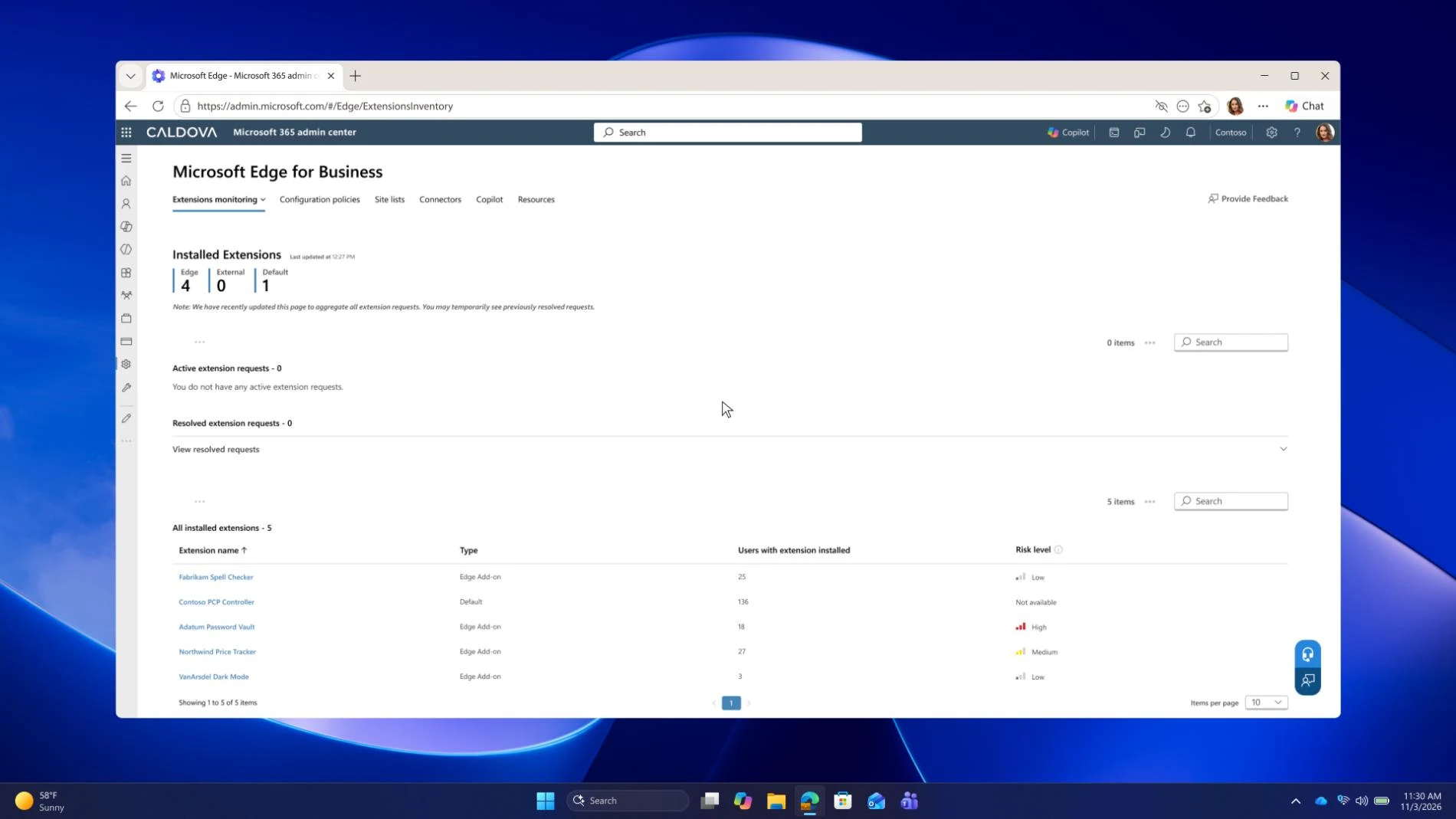
Extension safety is generally available. It gives a company-wide list of installed extensions with risk scores from Akamai and Spin.AI, down to individual versions. Extension leak control (preview, E3) stops company-installed extensions from reading protected pages while they keep working elsewhere.
Browser activity in Microsoft Sentinel
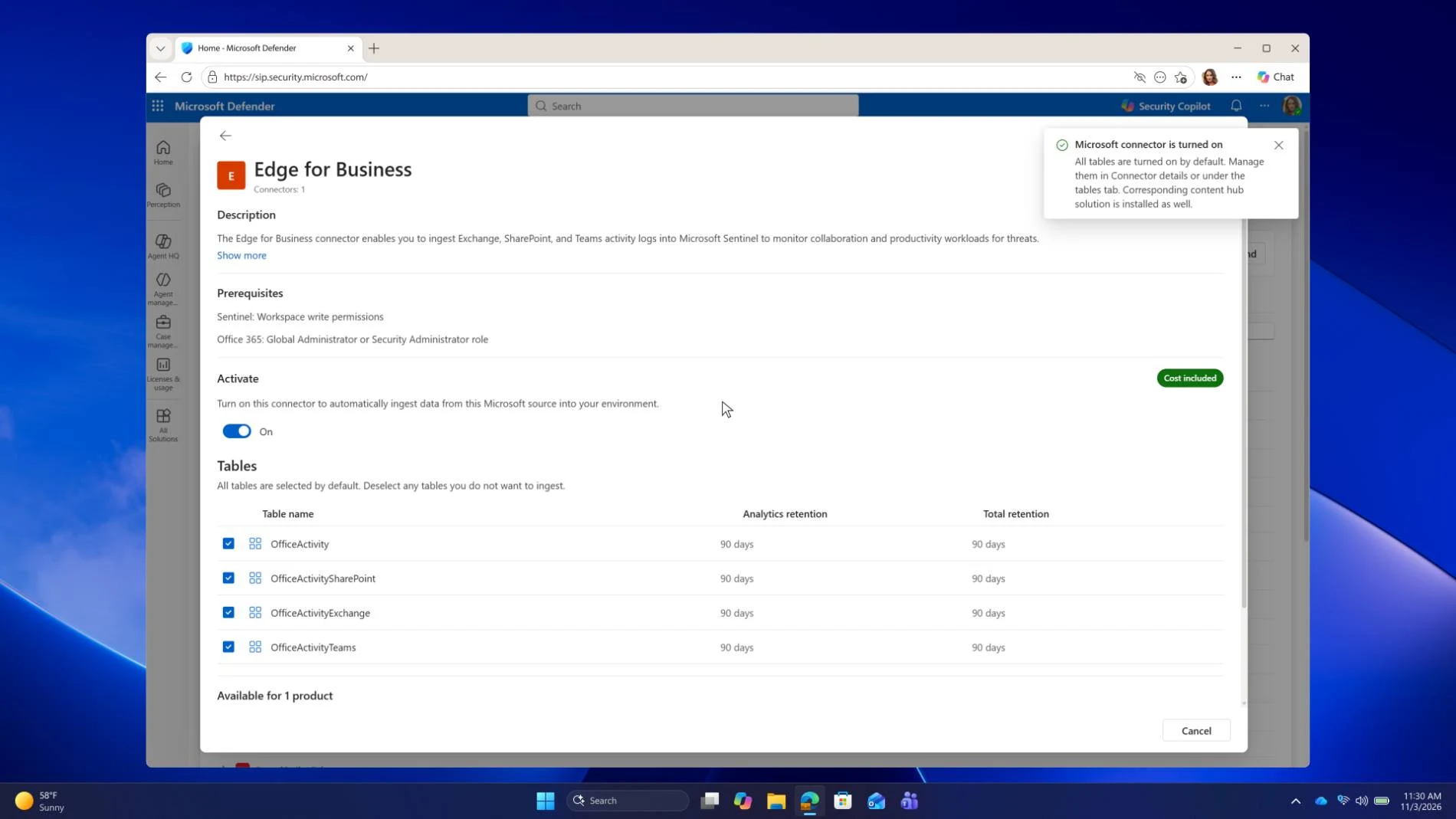
A new native connector sends Edge for Business security events and audit logs into Microsoft Sentinel, Microsoft’s security monitoring service, so security teams can see browser activity alongside everything else. It is in preview and needs Sentinel licensing.
Private apps without a VPN, and blurred data on screen
Microsoft Entra Global Secure Access in Edge for Business lets staff reach approved internal web apps just by signing in to their Edge work profile, with no separate VPN client. It is in preview and needs Microsoft 365 E7.
Redaction leak control (preview, E5) blurs supported sensitive data on DLP-protected pages, which helps in call centers and shared spaces. Users can reveal a value when they need it.
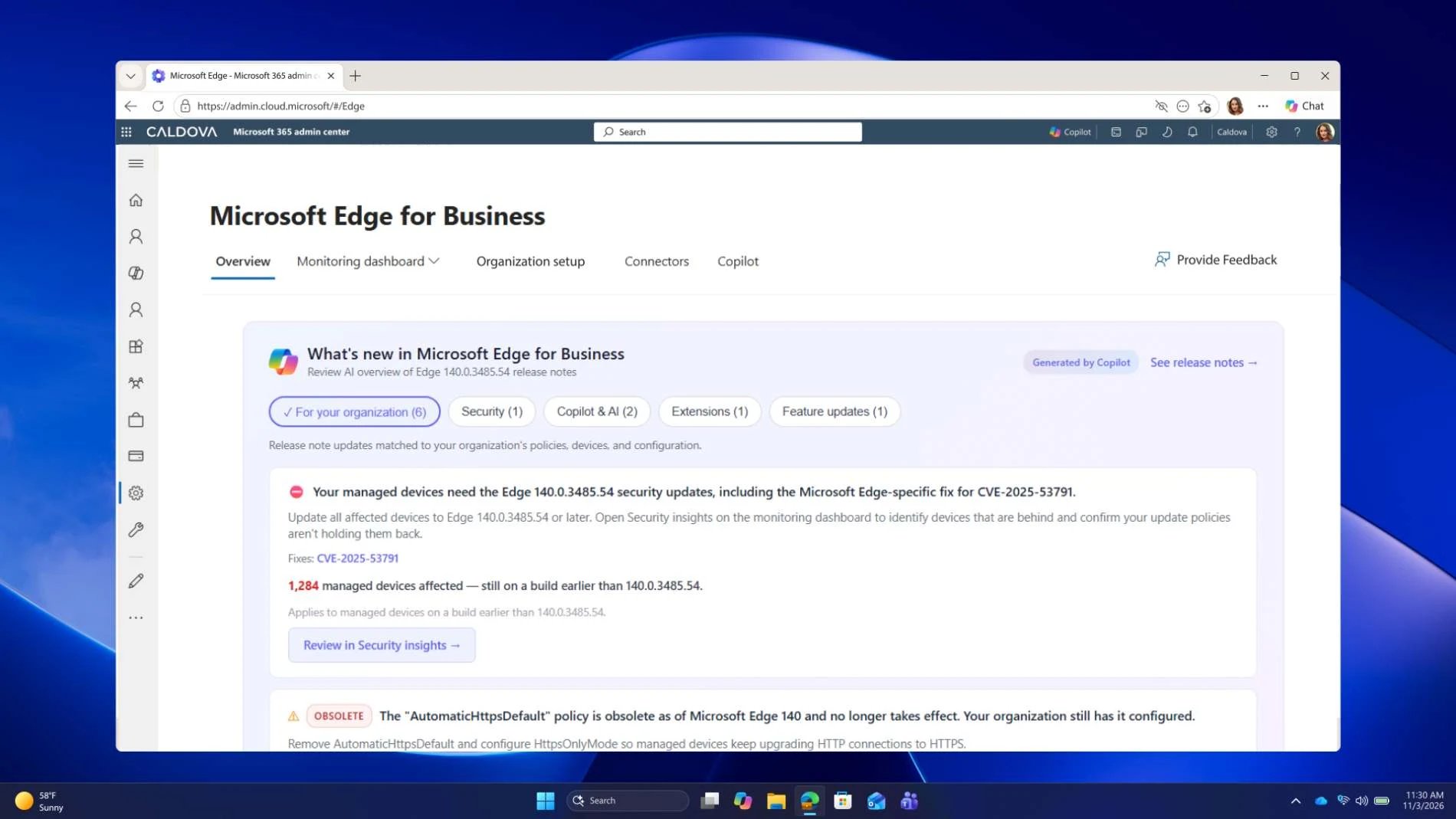
Finally, AI insights in the Edge management service (preview, no extra license) reads the latest release notes and recommends what your tenant should act on.
Help for MSPs and partner tools
Managed service providers (MSPs), the outside firms that run IT for small and midsize businesses, can now apply a recommended Edge security baseline across many customer tenants through inforcer. The baseline builds on Microsoft and CIS guidance, works on Windows and macOS, and is generally available. Each customer tenant needs a Microsoft Intune license.
Edge’s partner connectors are also spreading. Reporting connectors now cover macOS, iOS and Android as well as Windows, and device trust connectors now support macOS, with partners including Cisco Duo and Omnissa. Akamai Workforce Protector policies now apply in Edge for Business on managed iPhones and Android devices. We covered the earlier connector wave in our Edge for Business security connectors explainer.
What you can use now and what comes later
Licensing decides most of this. Here is every feature from the announcement with its status and the license Microsoft lists.
| Feature | Status | License needed |
|---|---|---|
| Agentic browsing in Cowork | Available now | Microsoft 365 Copilot with usage-based billing |
| Skills recorder | Preview by end of 2026 | Microsoft 365 Copilot with usage-based billing |
| Managed agent browsing | Preview | Microsoft 365 E5 |
| Browser agents in Agent 365 and Entra logs | Planned, no date | Not stated |
| Remix | Available now | None stated |
| Interactive brief | Preview by end of 2026 | Microsoft 365 Copilot with usage-based billing |
| Writing assistance | Preview | Microsoft 365 Copilot for work context |
| Journeys | Preview | Microsoft 365 Copilot |
| Restart to update on idle, Security Insights, Security Update Alerts | Available now | None stated |
| Extension safety | Available now | Microsoft 365 |
| Extension leak control | Preview | Microsoft 365 E3 |
| Microsoft Sentinel connector | Preview | Microsoft Sentinel |
| Global Secure Access without a VPN client | Preview | Microsoft 365 E7 |
| Redaction leak control | Preview | Microsoft 365 E5 |
| AI insights in the Edge management service | Preview | No extra license |
| Multi-tenant policies through inforcer | Available now | Microsoft Intune per customer tenant |
For admins who want one place to start, Microsoft points to aka.ms/ConfigureEdgeEZ, which walks through common browser security setups step by step. For the rest of the week’s news, including Copilot on Windows and Windows Server 2028, see our Microsoft Ignite 2026 announcements roundup.
Source: Microsoft Edge Blog and Microsoft Learn. Checked November 18, 2026.
Discover more from Windows Mode
Subscribe to get the latest posts sent to your email.














Add your first comment to this post