Readers like you help support this site. When you make a purchase using links on our site, we may earn an affiliate commission. All opinions remain our own.
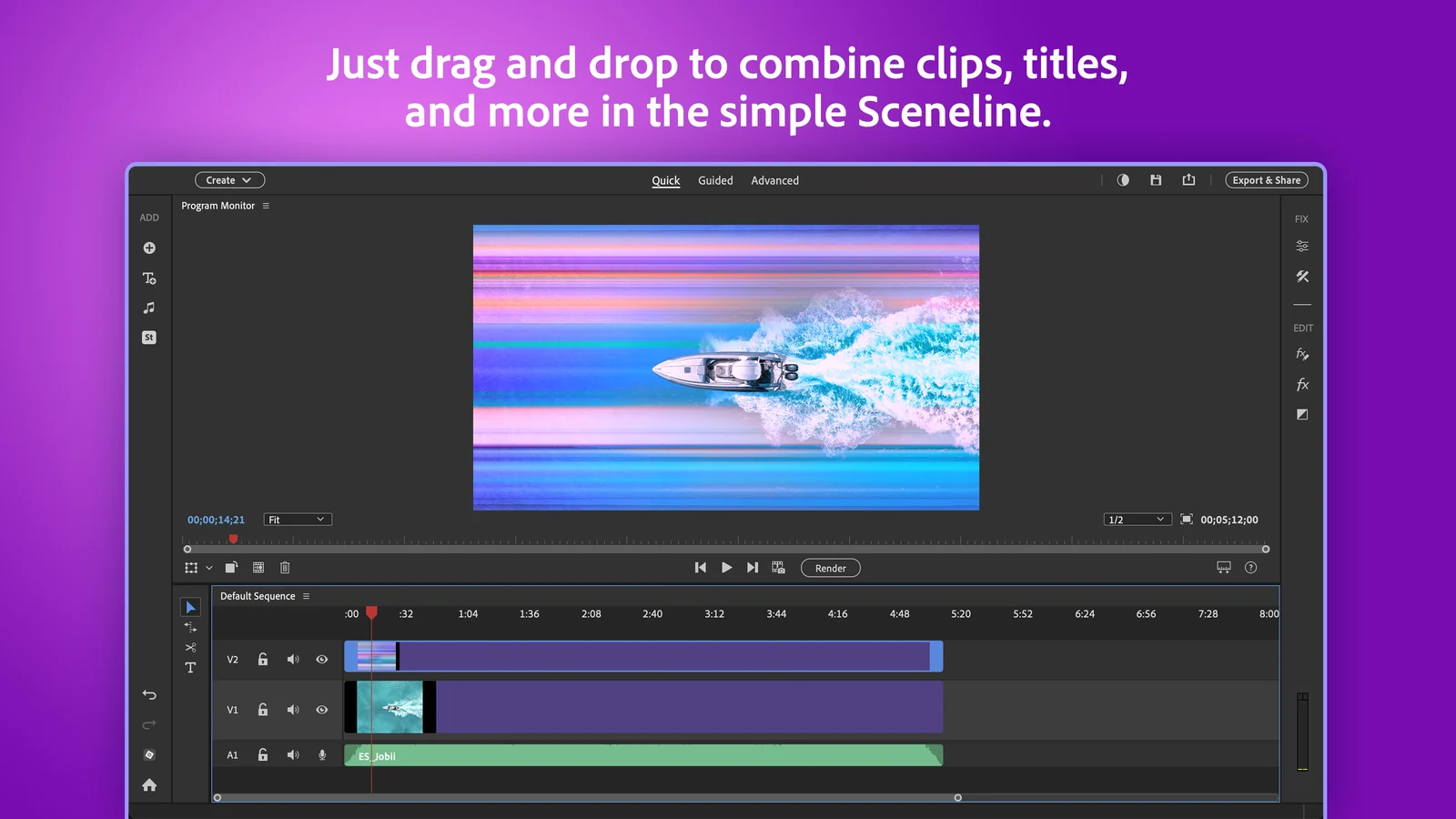
Premiere Elements in Quick mode, where clips, titles and music line up on one simple track view. Image from Adobe.
Adobe Premiere Elements is a video editor for home users, sold on adobe.com and the Microsoft Store. It turns phone clips, trip footage and family videos into finished movies with simple trimming, effects, music and titles, plus a few AI tools that make custom images and title art from a typed description.
It is not Premiere Pro with buttons hidden. It is built for people who want a good-looking video in an evening, with no monthly subscription. You pay once and get three years of use.
The current version needs Windows 11 (version 24H2 or later) on a regular Intel or AMD PC. Windows 10 and Arm laptops are no longer supported. There is a free 7-day trial with no credit card needed.
Below: what the main tools look like, what your PC needs, how the 3-year license and AI credits work, and how it compares to the free Clipchamp app. Questions? Reach out to us directly.
What Is Adobe Premiere Elements?
Premiere Elements is two apps that work together: a video editor and the Elements Organizer. The Organizer imports, sorts and backs up your photos and videos. The editor is where you cut them into a movie.
The editor has three modes, so it grows with you. Quick lines your clips up on one simple track. Guided walks you through an effect one step at a time. Advanced opens the full multi-track timeline for more control.
It is made by Adobe and sold as a 3-year license rather than a subscription. Adobe releases a new version every fall, named after the next year. The Organizer is the same one used by Photoshop Elements, so if you own both, your photos and videos live in one library.
Key Features of Premiere Elements on Windows
Every screenshot below comes from Adobe’s own Microsoft Store listing for the current version.
Turn a title into custom art
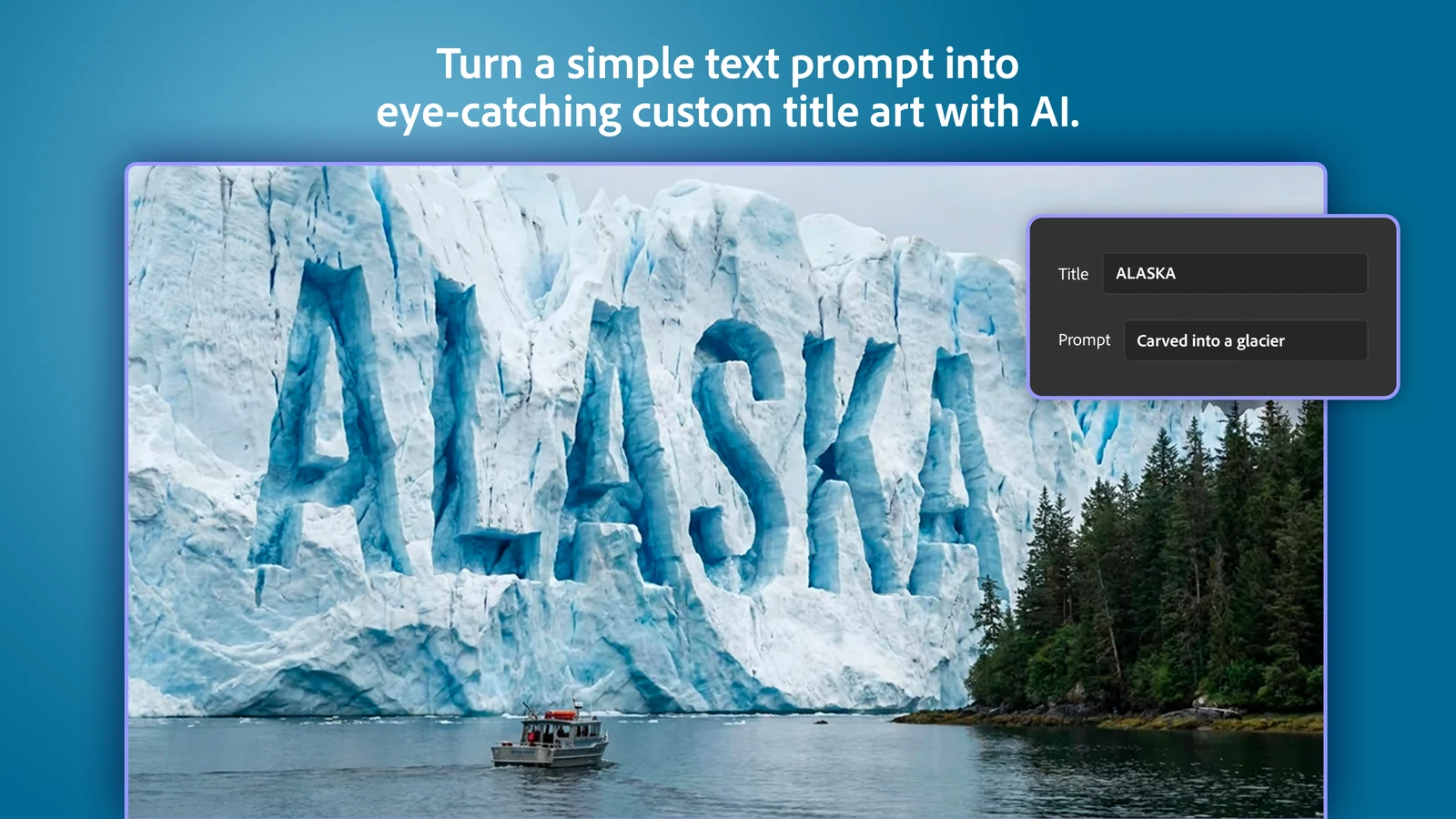
Type a title, describe a look like carved into a glacier or made of frosting, and AI turns the words into title art you can lay over your video. It is the quickest way to make an opening title that does not look like a template.
Generated title art uses AI credits. See the credits section below for how many you get.
Make custom images for your video
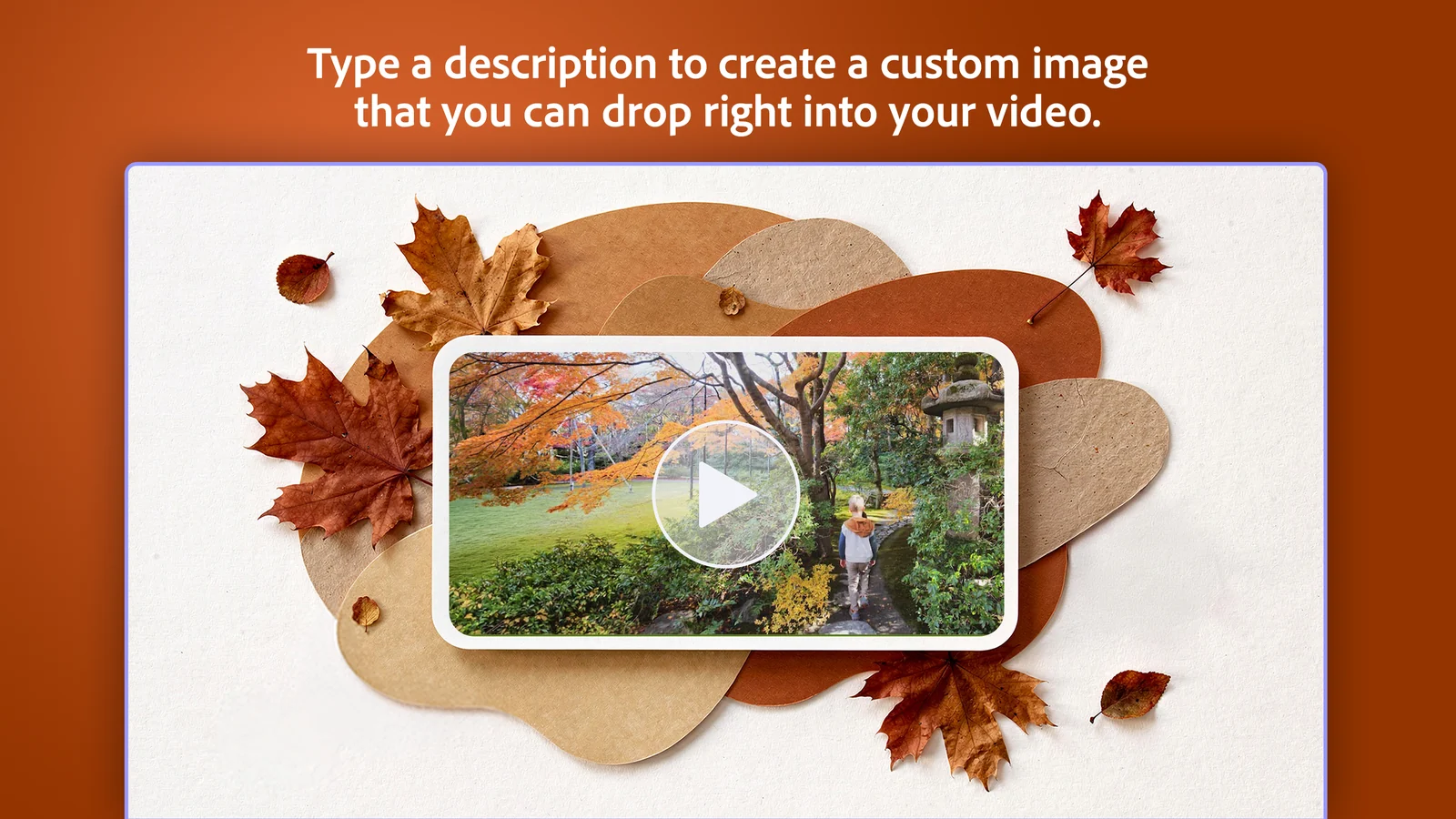
Need a frame, a background or a picture to fill a gap in your story? Type a description and drop the generated image straight onto your timeline as an overlay.
It runs on Adobe Firefly and, if you choose, a set of partner AI models, and it also uses AI credits.
Crop and reframe for any screen
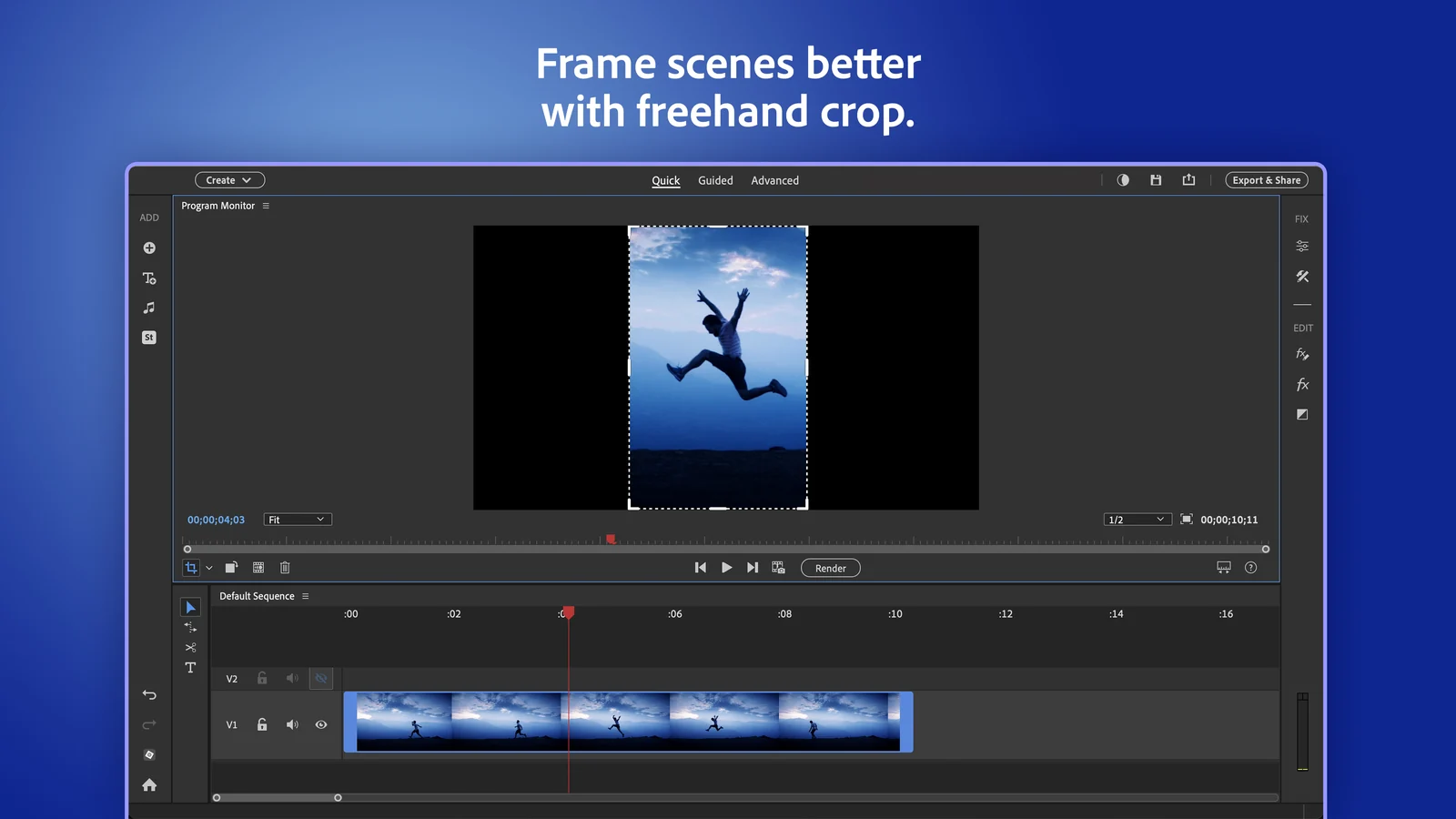
Drag the crop handles to turn a wide video into a tall one for phones. Auto Reframe goes further and keeps the main subject in the frame for you when you switch between wide, square and vertical sizes.
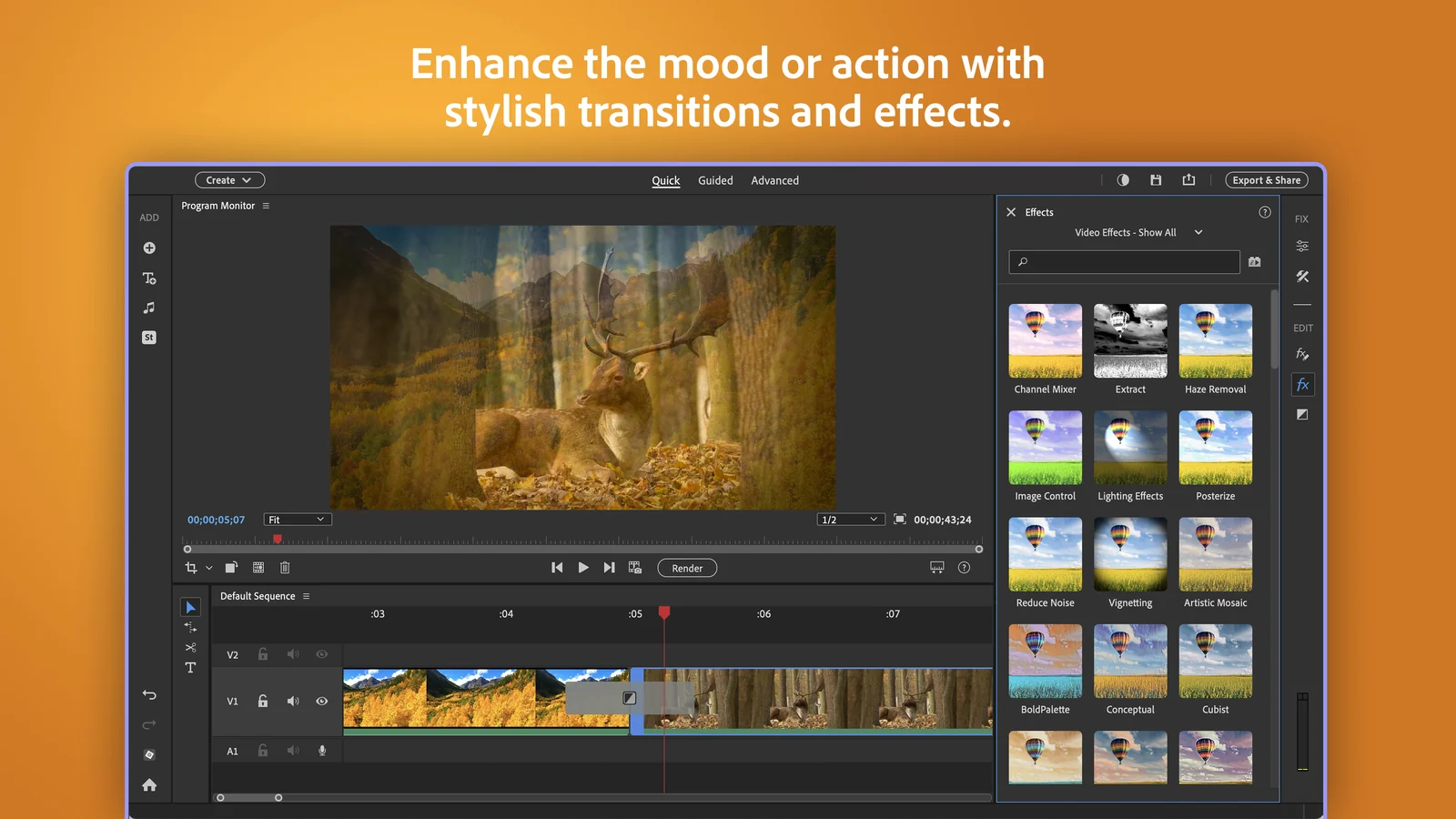
Effects, transitions and cleaner footage
Drag an effect or transition onto a clip and see it right away. The same panel holds the fixes: Reduce Noise cleans up grainy low-light video, and shadow and highlight tools pull detail out of dark or bright scenes.
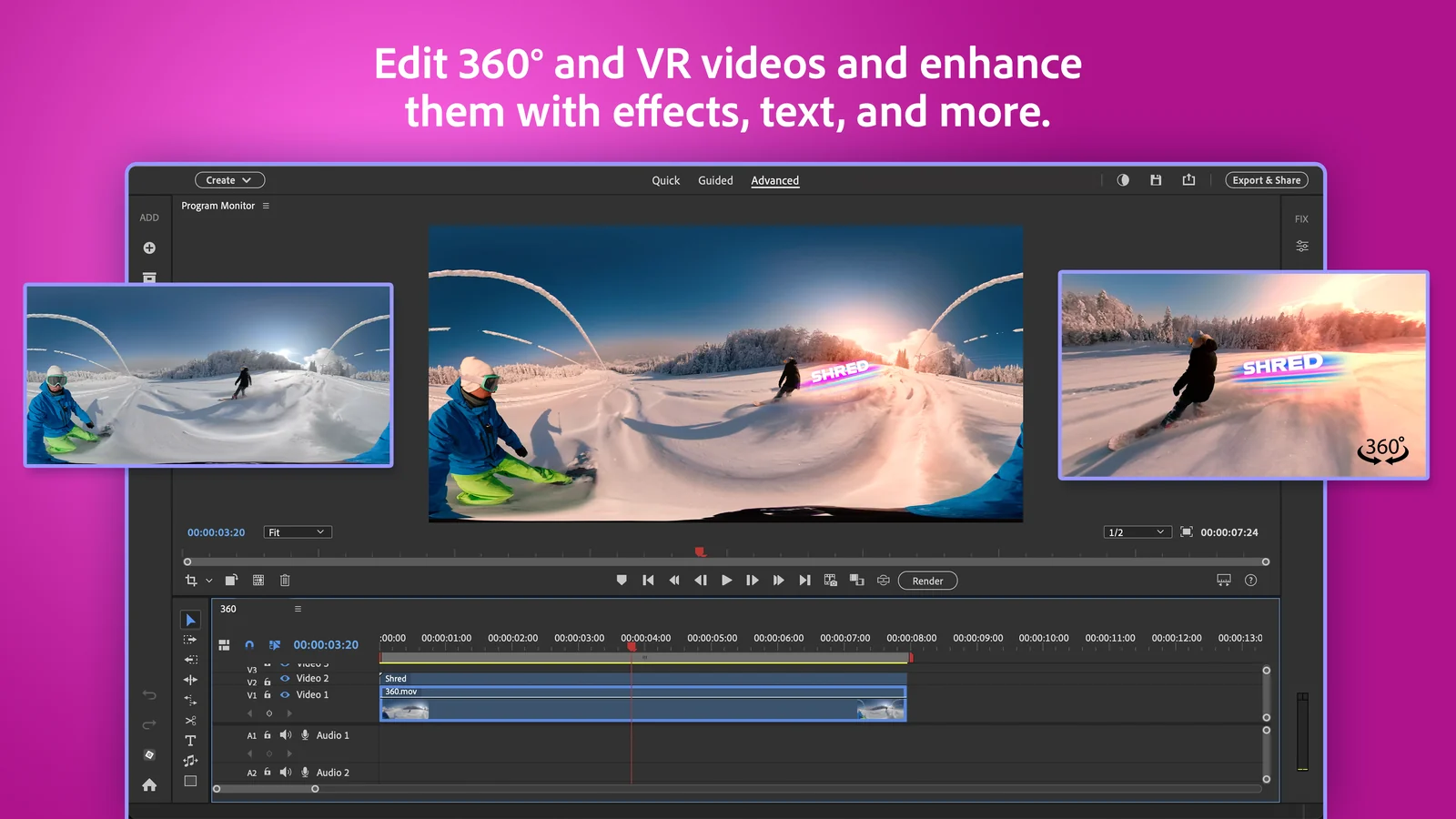
Edit 360 and VR video
Shot something on a 360 camera? Premiere Elements opens 360 and VR footage in Advanced mode, so you can trim it, add text and apply effects without a separate app.
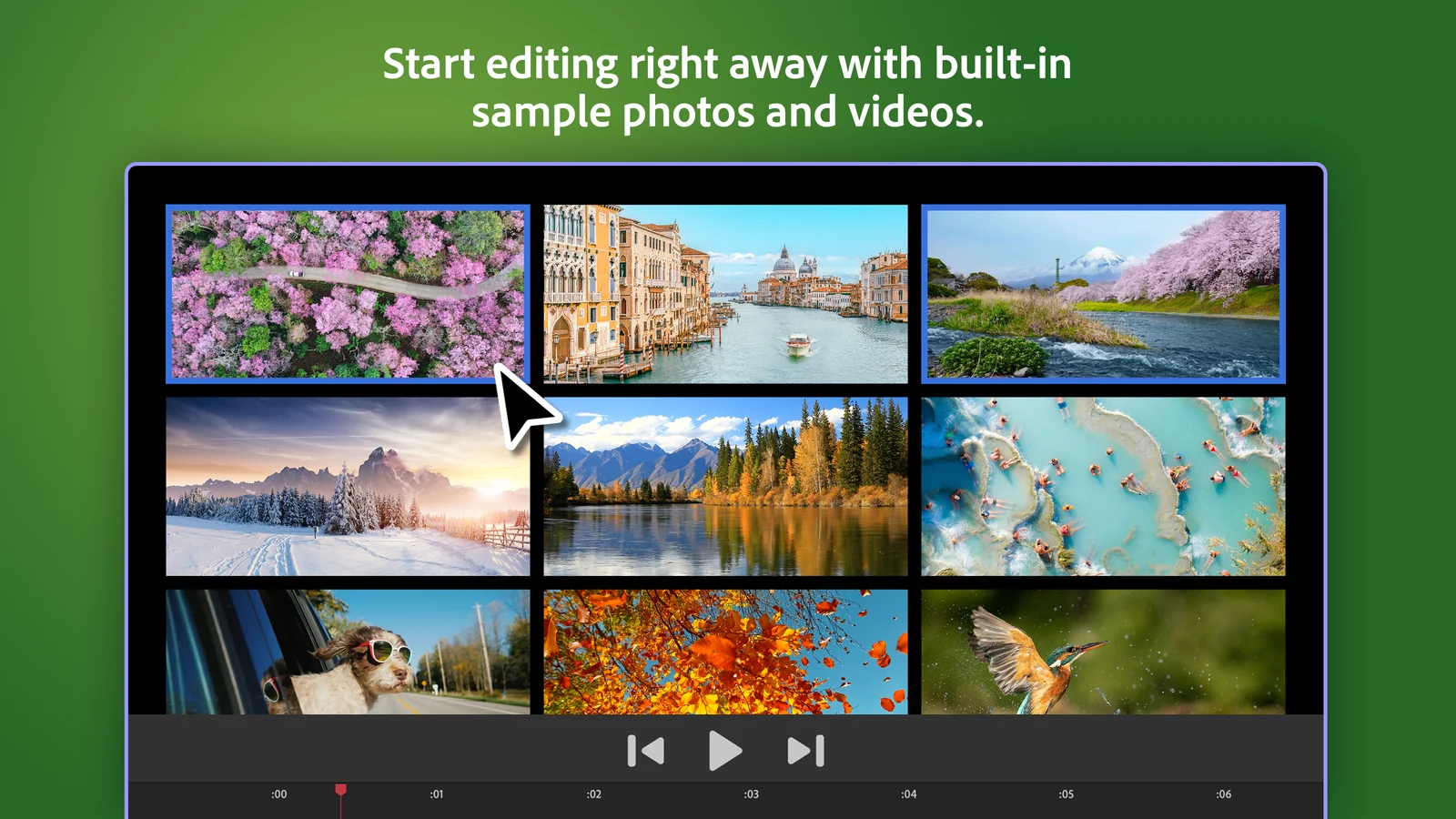
Practice with built-in sample media
New to video editing? The app now ships with sample photos and videos, so you can try every tool before you import your own footage. Contextual toolbars then show the tools that fit whatever you have selected, so you spend less time hunting through menus.
Guided Edits
Step-by-step lessons inside the app for things like adding a musical score, fixing action camera footage or making a double exposure video. You learn the technique while you finish the edit.
Smart Trim and music remix
Smart Trim finds the best scenes in long footage and cuts the rest. Music remix stretches or shortens a song to fit the length of your video, so it ends on a natural beat.
Premiere Elements System Requirements
Check this before you buy. The current version runs only on Windows 11 version 24H2 or later, and not on Arm laptops like Snapdragon-based Copilot+ PCs. Windows 10 is not supported at all.
Not sure which Windows version you have? Press Windows + R, type winver and press Enter. The box that opens shows your version, for example 24H2. Full list: Adobe tech specs.
How to Get Premiere Elements on Windows
The easiest start is the free trial. It is the full app, and when the 7 days end you can buy from inside it without downloading again.
1 Go to Adobe’s Premiere Elements free trial page.
2 Click Download for Windows. No credit card is needed.
3 Open the downloaded file from your Downloads folder.
4 Sign in with your Adobe account, or create a free one.
5 Follow the install prompts, then open Premiere Elements from the Start menu and choose Video Editor.
Three ways to get it
- Adobe.com: the trial download above, then buy from inside the app or on the Premiere Elements page.
- Microsoft Store: search for Premiere Elements, or open the Store listing. The publisher is Adobe Inc., and it offers the same 7-day trial.
- Amazon: buy an online code on Amazon, then install the trial above and enter the code to unlock it.
Bought a code from Amazon or another store? You still install the same app. Sign in with your Adobe account and enter the 24-character redemption code when the app asks for it.
How Much Does Premiere Elements Cost?
There is no subscription. You pay once and can use the app for three years. After that the license ends and the editor stops opening, so think of it as about $33 a year rather than a lifetime purchase.
How the 3-Year License and AI Credits Work
The license ends after 3 years
The clock starts when you redeem it. When it runs out, the editor no longer opens and nothing renews by itself. Your video files stay on your PC, and the Organizer catalog stays readable for as long as you want.
25 AI credits every month
Only the generative tools use credits: making custom images and generating title art. You get 25 a month, and they reset each month rather than piling up.
What happens when credits run out
You wait for the monthly reset, or buy more by adding an Adobe Firefly plan. Partner AI models can cost more credits than Adobe’s own, and the app shows the cost before you generate.
Most tools need no credits
Trimming, Smart Trim, Guided Edits, effects, transitions, titles, Auto Reframe and the Organizer all work without credits. Most videos never touch your balance.
Check your balance with the Credit Balance icon in the app, or on your Adobe account page. Details: Adobe generative credits help page.
Premiere Elements vs Clipchamp
Clipchamp is Microsoft’s own video editor, and it is free from the Microsoft Store. So the real question is whether Premiere Elements does enough more to be worth $99.99.
Our take
For a quick social clip, Clipchamp is free and good enough. Premiere Elements earns its price when you edit family videos often, want the Guided Edits to teach you real techniques, or need the Organizer to keep years of footage findable. If you want pro tools for free, try DaVinci Resolve, and if you edit for clients, Premiere Pro is the subscription step up.
Who Should Buy Premiere Elements?
- You want to turn family and trip videos into real movies
- You want an editor that teaches you as you go
- You dislike monthly subscriptions
- Your PC runs Windows 10 or is an Arm laptop
- You only trim the odd clip; the free Clipchamp app covers that
- You edit for clients or need pro color and audio tools
- You expect to own it forever; the license ends after 3 years
- You edit 4K on a PC with 8 GB of RAM; Adobe recommends 32 GB for 4K
- You buy it near a fall release; a new version may be weeks away
Tips for Getting Started with Premiere Elements
1 Try the sample media first. Practice cuts, effects and titles on Adobe’s built-in clips before you touch your own footage.
2 Start in Quick mode. One track for video, one for titles, one for music. Move to Advanced only when you need more layers.
3 Let Smart Trim do the first pass. On long footage, Smart Trim cuts the dull parts so you start from the good scenes.
4 Save your credits for titles. Only generated images and title art use credits, so keep the 25 a month for the openings and overlays that matter.
5 Keep footage on an SSD. Video files are large. Editing from a fast internal drive makes playback smoother than an old hard drive or a USB stick.
Premiere Elements Basic Training Video
Watch the first part of Steve Grisetti’s beginner series for the current version to see the workspace, the editing modes and how a project comes together.
Frequently Asked Questions
What are the system requirements for Premiere Elements on Windows?
Does Premiere Elements run on Snapdragon or other Arm laptops?
What happens when the 3-year license ends?
Is there a free version of Premiere Elements?
What is the difference between Premiere Elements and Premiere Pro?
Support and Community
- Adobe, the developer’s own website.
- Premiere Elements Help, Adobe’s guides for every tool, plus install and activation help.
- Premiere Elements community forum, where Adobe staff and longtime users answer questions.
- r/premiere on Reddit, a large community for Adobe video editing that includes Premiere Elements.
More Windows software guides: Photoshop Elements · Premiere Pro · DaVinci Resolve · CapCut · VLC Media Player · Best Video Editing Software
Discover more from Windows Mode
Subscribe to get the latest posts sent to your email.









Add your first comment to this post