Readers like you help support this site. When you make a purchase using links on our site, we may earn an affiliate commission. All opinions remain our own.

LibreWolf is a private Firefox fork for Windows that you can download from the official website, the Microsoft Store, or from the Codeberg releases page. It takes Firefox and strips out everything that sends your data back to Mozilla: usage tracking, crash reports, sponsored shortcuts, Pocket, and experiments.
What makes LibreWolf different from just tweaking Firefox’s settings yourself is that it does all of this for you before you even open the browser for the first time.
It comes with uBlock Origin pre-installed, cookies that delete themselves when you close the browser, and DuckDuckGo as the default search engine.
In this guide, we cover what LibreWolf changes, how to install it, things to watch out for, and common questions.
If you need help, feel free to contact us or leave a comment below.
No Data Collection
Nothing phones home
uBlock Built-in
Ads blocked from day one
Auto Cookie Clear
Clean slate on close
Private Search
DuckDuckGo default
📋 System Requirements
| Requirement | Details |
|---|---|
| Operating System | Windows 10 or Windows 11 |
| Architecture | 64-bit (x64) |
| Memory | 4 GB RAM |
| Engine | Gecko (same as Firefox) |
What LibreWolf Changes Compared to Firefox
LibreWolf is not a “new” browser. It is Firefox with the tracking removed and the privacy turned up. Here is what it actually does differently.
🛡️ All Data Collection Removed
Firefox sends usage data, crash reports, and experiment results back to Mozilla by default. LibreWolf compiles Firefox with all of this turned off at the code level. It also removes Normandy (Mozilla’s remote configuration system), so Mozilla cannot change settings on your browser remotely.
🚫 uBlock Origin Pre-installed
Instead of asking you to go install an ad blocker yourself, LibreWolf ships with uBlock Origin already configured. It comes with default filter lists that block ads, trackers, analytics scripts, and cryptominers right out of the box.
🍪 Cookies and Data Cleared on Close
Every time you close LibreWolf, it deletes all your cookies and site data. This means websites cannot track you across sessions. The downside is that you will need to log in to websites again each time you reopen the browser (unless you whitelist certain sites).
🔒 Anti-Fingerprinting Protection
Websites can identify your browser by its unique combination of screen size, fonts, and hardware. LibreWolf enables resistFingerprinting by default, which makes your browser look more generic to websites, making it harder for them to build a profile of you.
How to Download and Install LibreWolf on Windows
1
You have several options: download the installer from the official website, install from the Microsoft Store (recommended for auto-updates), or use a package manager like
winget install LibreWolf.LibreWolf.2
If you downloaded the installer, run it and follow the prompts. LibreWolf installs separately from Firefox, so both can exist on your computer at the same time.
3
Everything is already configured. uBlock Origin is running, cookies will clear on close, and DuckDuckGo is your search engine. If you want to add more extensions, visit the Mozilla Add-ons store.
Screenshot of LibreWolf
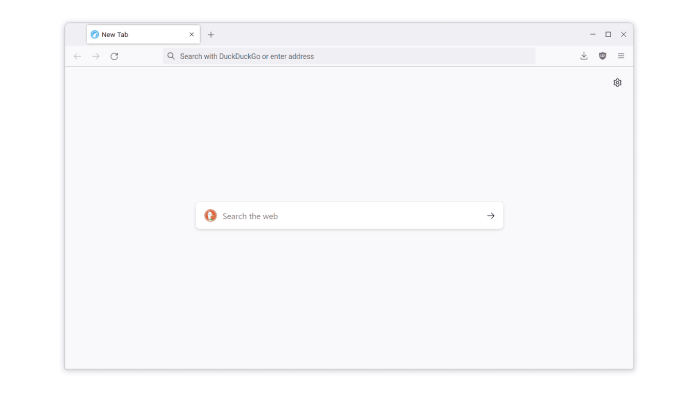 Homepage simple from LibreWolf for Windows
Video of LibreWolf
Keyboard Shortcuts
LibreWolf uses the same keyboard shortcuts as Firefox. Here are the ones you will use the most.
| Shortcut | What It Does |
|---|---|
| Ctrl + T | Open a new tab |
| Ctrl + W | Close the current tab |
| Ctrl + Shift + P | Open a new private window |
| Ctrl + L | Jump to the address bar |
| Ctrl + Shift + T | Reopen the last closed tab |
| Ctrl + Shift + Delete | Clear browsing data |
| Ctrl + D | Bookmark the current page |
| Ctrl + H | Open browsing history |
| Ctrl + K | Focus the search bar |
| F11 | Toggle full screen |
Things to Know Before Switching
LibreWolf is strict about privacy. Some of its defaults are different from what you might expect if you are coming from a regular browser.
Netflix, Spotify, and Disney+ will not play until you enable DRM
LibreWolf disables DRM by default because it considers it a privacy concern. If you need streaming services, go to Settings > General > Digital Rights Management (DRM) Content and check the box. After that, Widevine will download and streaming will work normally.
You have to log in to websites every time you open the browser
LibreWolf deletes all cookies when you close it. This is by design, for privacy. If you want to stay logged in to certain sites, go to Settings > Privacy & Security > Cookies and Site Data and add those sites to the exceptions list.
The browser does not update automatically (unless using Microsoft Store)
If you installed LibreWolf from the website, it will not auto-update like Firefox does. The easiest fix is to install the LibreWolf WinUpdater tool from GitHub, which checks for updates and installs them for you. Or switch to the Microsoft Store version, which handles updates automatically.
Frequently Asked Questions
Is LibreWolf just Firefox?
LibreWolf is built from Firefox’s source code, so the core engine is the same. The difference is that LibreWolf removes all of Mozilla’s data collection, sponsored content, Pocket integration, and tracking. It also comes pre-configured with stricter privacy settings and uBlock Origin already installed.
Does LibreWolf update automatically?
LibreWolf does not have a built-in auto-updater on Windows. You can install LibreWolf from the Microsoft Store for automatic updates, or use the community-made WinUpdater tool from GitHub to keep it current. Updates are released within a few days of each Firefox release.
Why does Netflix not work in LibreWolf?
LibreWolf disables DRM (Digital Rights Management) by default as a privacy measure. You can turn it on manually by going to Settings > General > Digital Rights Management and checking the box. After that, streaming services like Netflix and Spotify will work.
Can I use my Firefox profile in LibreWolf?
You can import bookmarks and some settings, but fully copying a Firefox profile is not recommended because LibreWolf uses different default configurations. It is better to start fresh and re-add your extensions manually.
What makes LibreWolf different from Waterfox?
Both remove Mozilla’s data collection, but they take different approaches. LibreWolf is more aggressive about privacy out of the box. It disables DRM, deletes cookies on close, pre-installs uBlock Origin, and sets DuckDuckGo as the default search engine. Waterfox is more of a “clean Firefox” that keeps things closer to the standard experience.

Community Poll: Share Your Thoughts
Helpful Resources and Community
📦 LibreWolf Source (Codeberg)
The primary open-source repository where development happens. Bug reports and feature requests go here.
🗨️ r/LibreWolf
The community subreddit for discussing updates, troubleshooting issues, and sharing privacy configurations.
🌐 LibreWolf Website
The official homepage with installation instructions, FAQ, and a detailed list of every setting LibreWolf changes from default Firefox.
Get LibreWolf for Windows
Firefox with all the background data collection removed, uBlock Origin pre-installed, and cookies that clear themselves. Privacy without the setup.
Requires Windows 10 or Windows 11
Related Browsers: Waterfox for Windows, Floorp Browser for Windows, Helium Browser for Windows, Tor Browser for Windows or check out our list of the best browsers for PC.
Discover more from Windows Mode
Subscribe to get the latest posts sent to your email.
















Not bad!!