


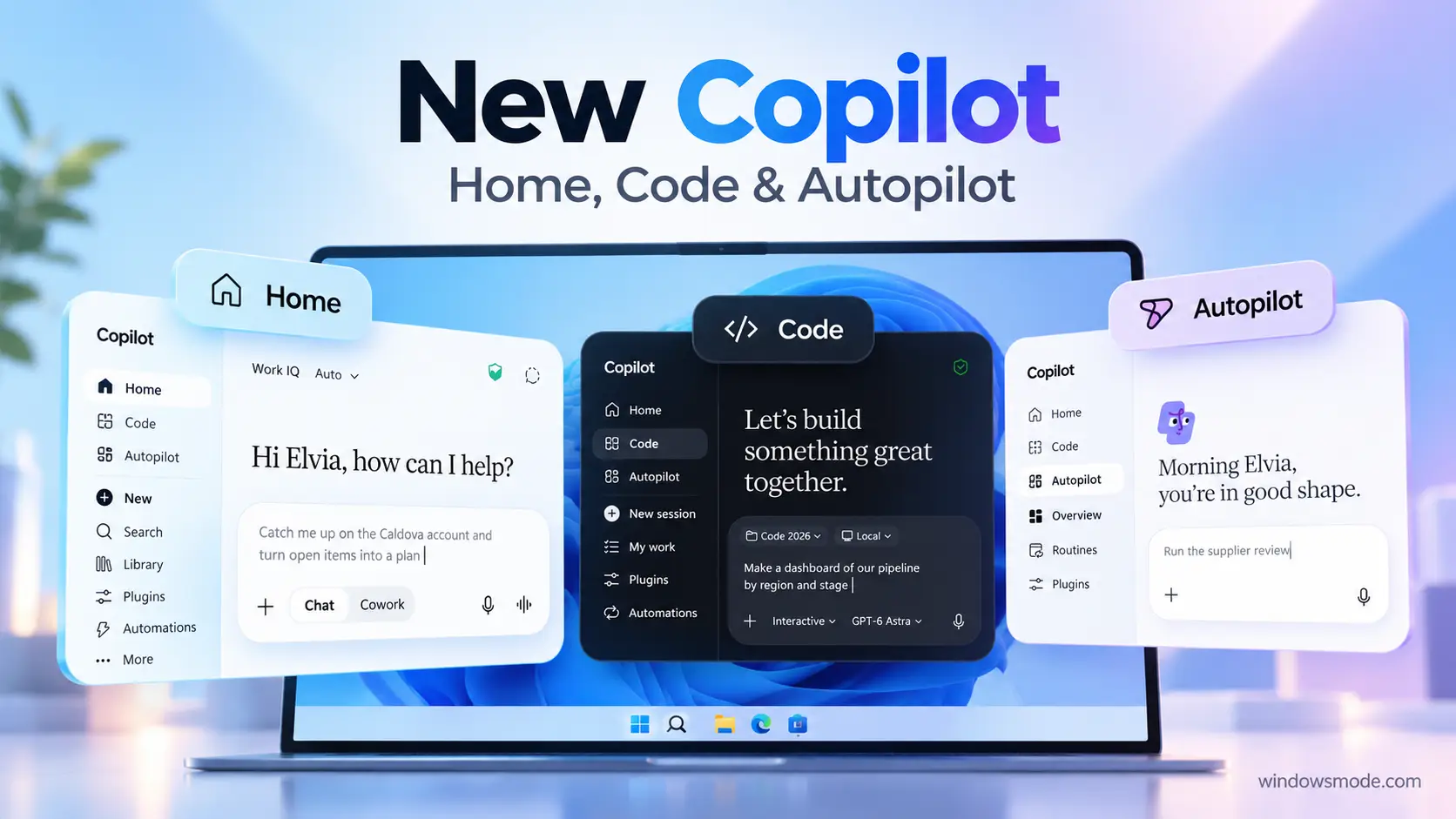
The new Copilot app puts Home, Code and Autopilot side by side. Image: Microsoft.
Key Takeaways
- Microsoft rebuilt the Copilot app around three tabs: Home, Code and Autopilot.
- Home combines Chat and Cowork, and Word, Excel and PowerPoint now work inside Copilot itself.
- Code lets people who do not write code build small apps, dashboards and automations by describing them.
- Autopilot is an agent that keeps working on tasks without waiting for a prompt.
- Pricing splits in two: a per-user license for everyday AI and usage-based credits for long-running agent work.
Microsoft announced a rebuilt version of Microsoft Copilot on September 25, 2026. The app now opens on three tabs. Home is where you ask questions and hand off work, Code builds small tools for you, and Autopilot is an agent that runs tasks in the background.
This is the work version of Copilot, the one tied to Microsoft 365 accounts. Almost everything arrives first through Microsoft’s early access program, called Frontier, and reaches everyone else later. Below is what each part does, when it lands, and what the new pricing means. If you want the basics of the Copilot app first, see our Microsoft Copilot for Windows guide.
Watch the New Copilot in Action
Microsoft’s launch video walks through Home, Code and Autopilot, showing a document built inside Copilot, a dashboard created from one sentence, and an agent following up on a project.
Home: Chat and Cowork in One Place
Home is the new starting screen. It shows your recent activity, suggests what Copilot can help with, and lets you pick up work where you left off. From one prompt box you choose how Copilot should handle the request.
Chat
For quick questions, lookups and first drafts. It answers right away and keeps you in the loop on every step.
Cowork
For work you hand off. You describe the result you want, such as a customer briefing or a launch kit, and it runs until the job is done.
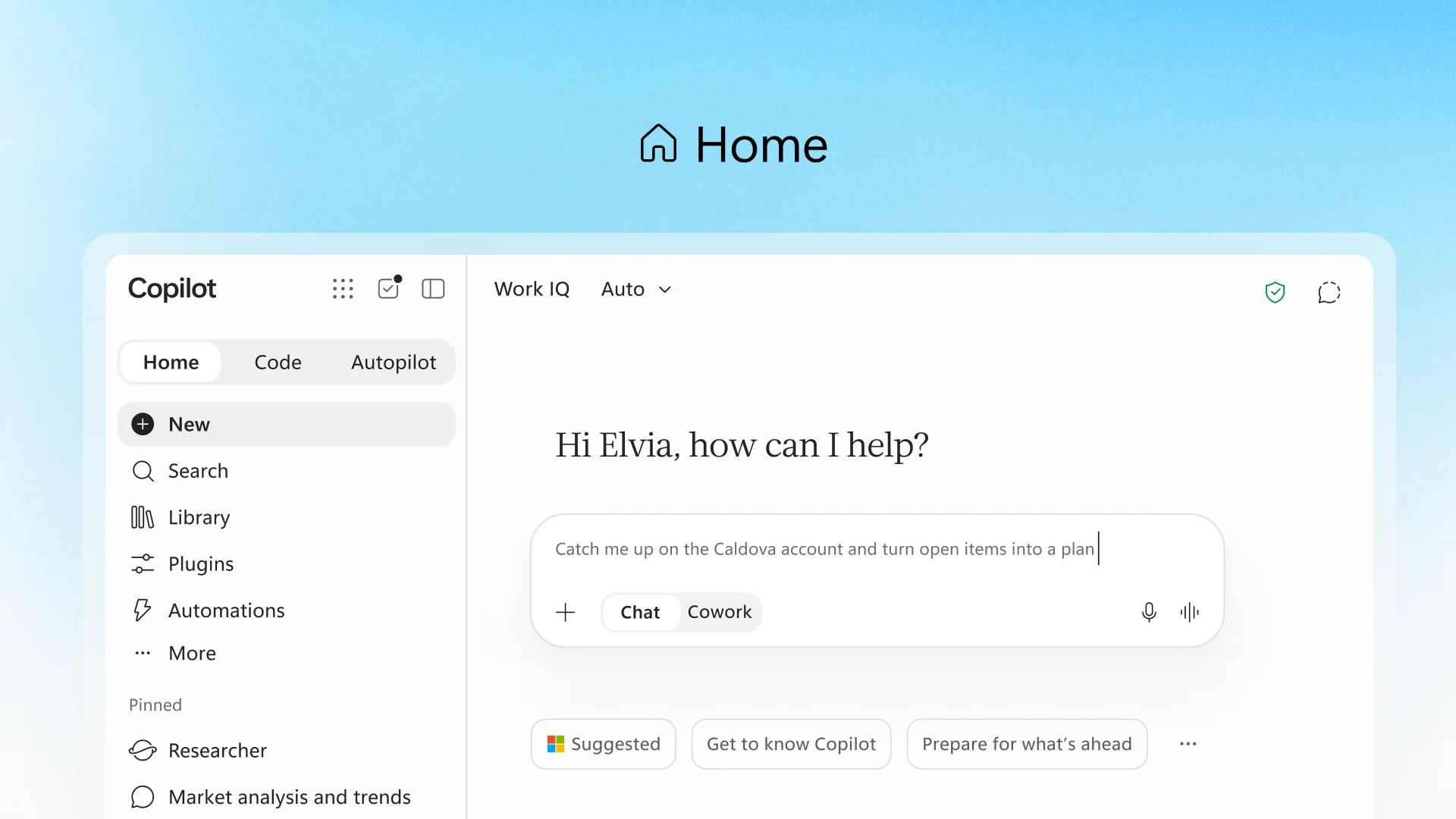
Home, with the switch between Chat and Cowork under the prompt box. Image: Microsoft.
Microsoft says a later update will remove the choice altogether. You will state what you need and Copilot will send it to Chat, Cowork or Code on its own.
Office in Copilot: Word, Excel and PowerPoint Built In
The second big change inside Home is Office in Copilot. When you ask for a launch brief, a budget or a slide deck, Copilot now creates a real Word document, Excel workbook or PowerPoint file instead of a block of text you have to copy somewhere else.
The file stays live for your whole team. You can edit it next to the conversation, or @mention a coworker, and their changes show up as they type. Everything stays in sync with the regular Office apps, so you can open the same file in Word or Excel later without losing formatting.
Microsoft also listed updates inside the Office apps themselves. PowerPoint keeps decks on-brand automatically and applies custom templates. Excel shows exactly what changed when Copilot or a coworker edits a sheet, and suggests the best chart for your data. For more on what Copilot already does in these apps, read what Copilot can do in Word, Excel and PowerPoint.
Code: Build Your Own Tools Without Being a Developer
Code is the most unusual part of the announcement. You describe an app, tracker, dashboard or automation in plain words, and Copilot picks an approach and builds it for you. That can be a small widget that stays on your desktop, an interactive dashboard for exploring data, or an internal web app your team can share.
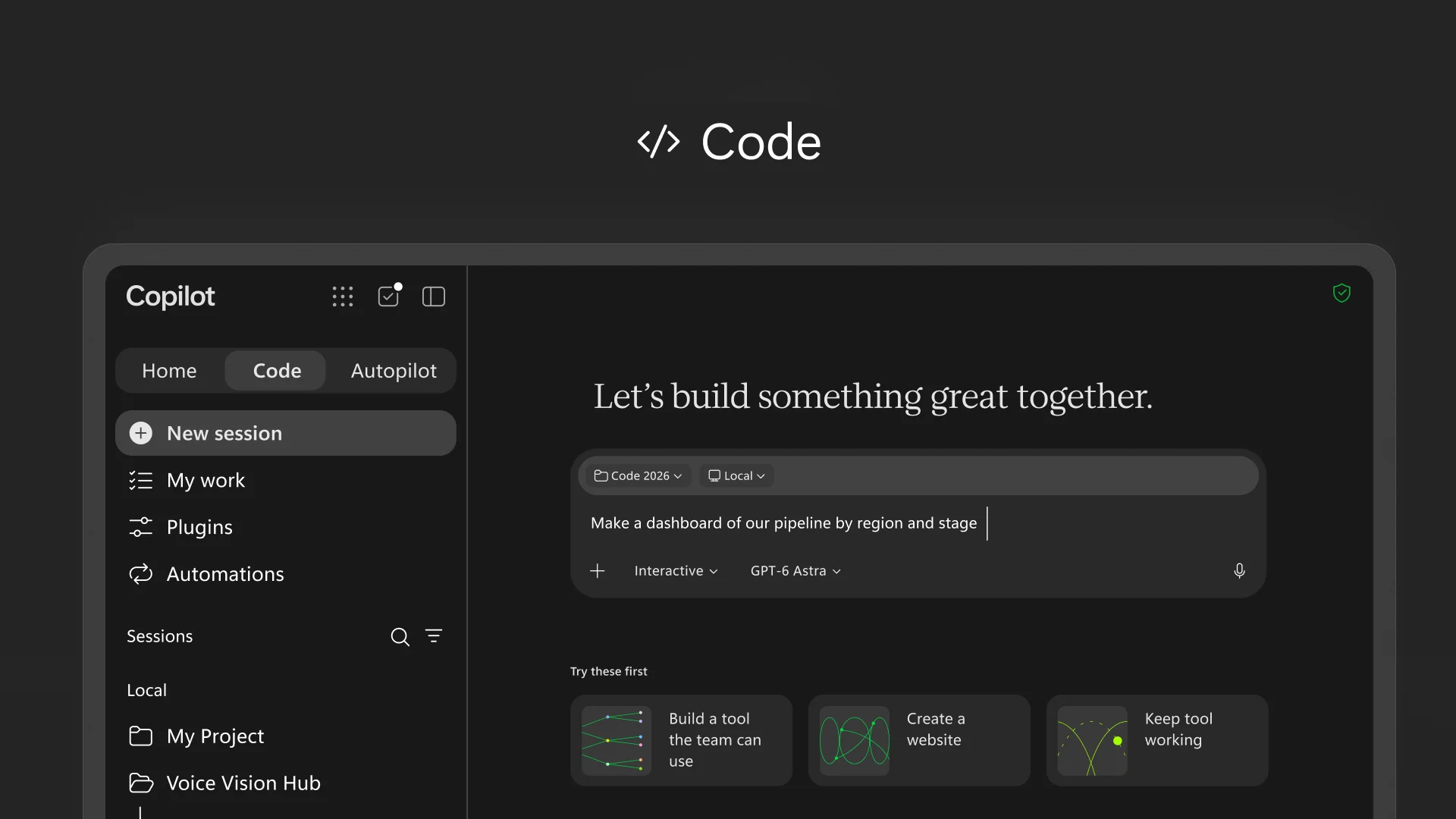
Code, asked to build a sales pipeline dashboard by region and stage. Image: Microsoft.
Code runs in a sandbox (a sealed-off space where the code cannot touch the rest of your system) and can be hosted inside your company’s own Microsoft 365 setup. Microsoft calls that hosting layer Copilot Managed Runtime. IT stays in control of it, while everyone else can share an app with teammates and connect it to live data.
Who gets Code first: the Frontier program, then a wider rollout. Microsoft says it will also come as a preview for Microsoft 365 Premium and Pro subscribers later in 2026.
Autopilot: An Agent That Keeps Working
Autopilot is a digital teammate. You give it a name, a role and a goal, and it goes to work: watching channels, following up on threads, running recurring tasks and picking a project back up days later without being asked.
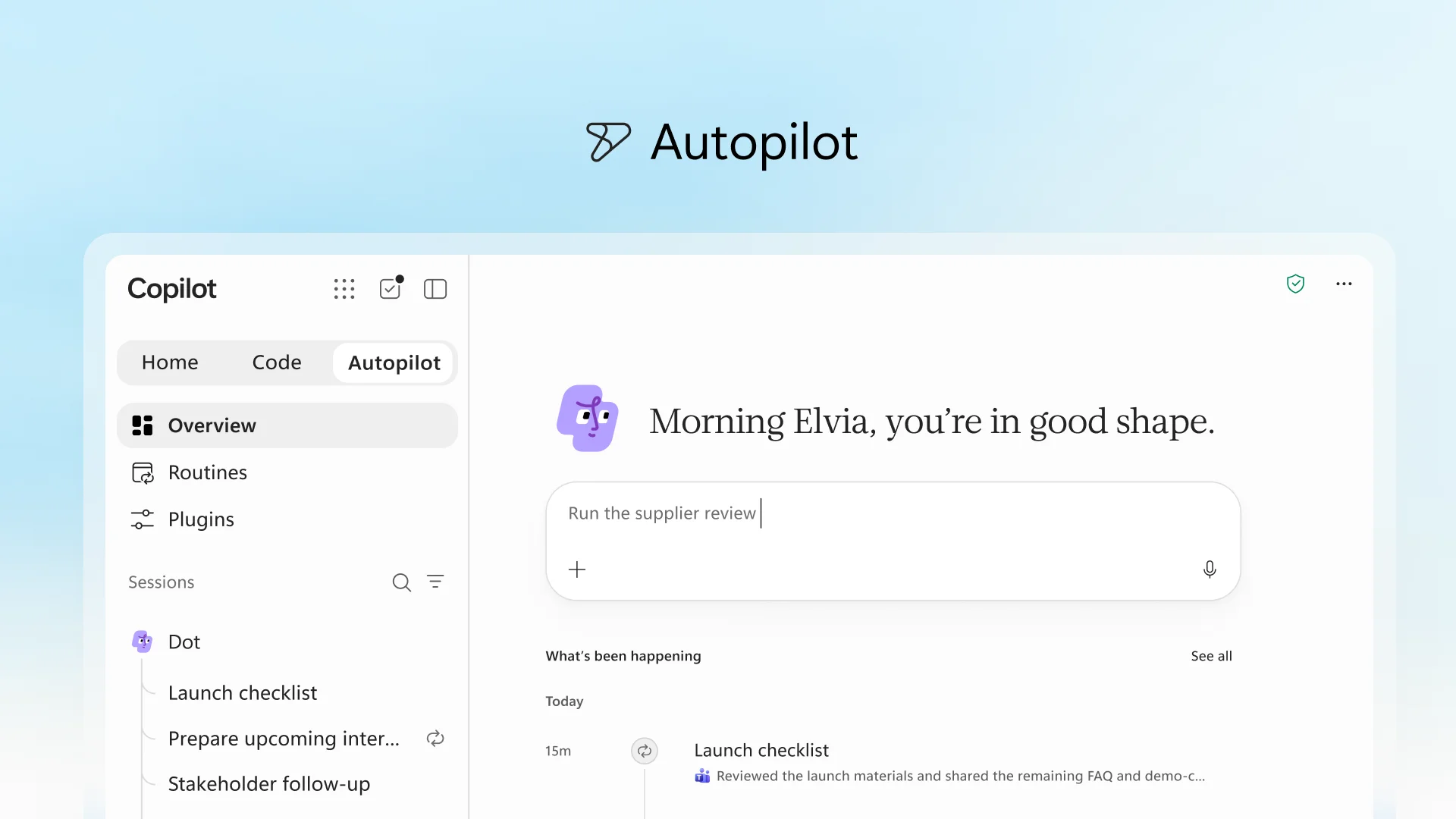
Autopilot’s overview, with an agent named Dot running a supplier review and follow-ups. Image: Microsoft.
Microsoft’s example is a full supplier review. Autopilot builds the schedule and the plan, handles prep and meetings, and reaches out to people for updates. It shows up where people already work, in Teams, Outlook, chats and documents, so you can @mention it like a coworker. It works under the same permissions, audit logs and admin rules as the rest of Microsoft 365.
If you have used agents in Teams before, this builds on the idea we covered in our breakdown of AI agents in Microsoft Teams.
When Each Feature Arrives
Most of the new Copilot starts in preview. Here is the timing Microsoft gave for each piece.
What Is Coming and When
Timing as Microsoft announced it on September 25, 2026
| Feature | What it does | Availability |
|---|---|---|
| Home (Chat and Cowork, with Office in Copilot) | Your starting point for quick questions and for work you hand off | Rolling out to the Frontier program in the weeks after the announcement |
| Code | Builds small apps, widgets, dashboards and automations from a description | Frontier from late September 2026, broader rollout in the following weeks. Preview for Microsoft 365 Premium and Pro subscribers later in 2026 |
| Autopilot | An agent that runs recurring work and follow-ups on its own | Private preview from the end of September 2026 |
| Copilot Managed Runtime | Hosting that lets apps built in Copilot run inside your company’s Microsoft 365 setup | Preview, also reachable inside Code |
| Fabric IQ in Chat and Cowork | Lets Copilot answer from company data, including Power BI models | Generally available at announcement |
| Dynamics 365 and Power Platform data | Pulls sales history, support tickets and workflows into Copilot answers | Public preview over the month after the announcement |
| Today (in Home) | A daily view of mail, meetings and tasks with drafts already prepared | Private preview in October 2026 |
| @Copilot in Teams | A Copilot the whole channel or meeting can talk to, with shared context | Private preview by the end of September 2026 |
How Copilot Pricing Changes
Alongside the new app, Microsoft split Copilot pricing into two parts. The idea is simple: everyday tasks stay on a fixed monthly price, and long-running agent work is paid for by use.
Everyday AI: per-user license
Covers Chat and Copilot in Word, Excel, PowerPoint, Outlook and Teams for a fixed monthly price per person. A setting called Auto picks the right AI model for each request. Heavy users get a warning before a usage limit, then can switch to Auto or buy credits.
Advanced AI: usage-based credits
Cowork, Code, Autopilot and the most powerful models run on Copilot Credits, billed by how much you use. You need the per-user license first. Workers can see their own credit use and remaining balance inside Copilot.
Microsoft’s announcement did not include credit rates. The full explanation is in its post on the Copilot pricing model.
Coming Next: Today and @Copilot in Teams
Microsoft’s second video shows Today, a daily view that lists what you missed and has drafts and schedule changes ready before you open it.

Today will sit inside Home and pull together mail, calendar, Teams threads, meetings and tasks. It does more than list them: the reply is already drafted and the forgotten follow-up is waiting to send. It enters private preview in Copilot in October 2026, with Outlook and Teams versions to follow.
@Copilot in Teams changes who Copilot works for in a meeting or channel. Instead of helping one person, it shares the context of the whole conversation with everyone in it. Ask why a decision was made and it pulls the background from earlier chats. Microsoft plans more details at Ignite, held November 17 to 20, 2026 in San Francisco and online. New to Teams? Start with our Microsoft Teams for Windows guide.
Our Take
This is a real change in what Copilot is. It stops being a chat box you ask things and becomes a place you hand work to. Code is the piece we find most interesting, because a working dashboard from one sentence is useful to people who would never open a code editor. Autopilot is the one to watch carefully: an agent that emails coworkers and runs meetings on your behalf needs tight limits, and Microsoft is right to launch it as a private preview first.
Almost none of this is ready for everyone yet. If you run IT, set up spending policies before anyone turns on the credit-based features. If you are a business user, ask your admin whether your company is in Frontier. If you use Copilot at home, this announcement is mostly about work accounts, and the preview of Code later in 2026 is the part to look out for.
New Copilot FAQ
What is the Microsoft Frontier program?
What happened to Microsoft Scout?
Is Copilot Code the same as GitHub Copilot?
Can my company be charged for Cowork, Code or Autopilot without approving it?
Does Autopilot keep working when my PC is turned off?
Sources and Official Links
- Microsoft’s announcement, the official post this article is based on.
- Evolution of the Copilot pricing model, Microsoft’s full explanation of the license and credit split.
- Microsoft Frontier program, to check whether you can try new features early.
- Microsoft Copilot on YouTube, for demo videos as new features roll out.
More Windows software guides: Microsoft Copilot for Windows · Claude for Windows · ChatGPT for Windows · Gemini for Windows