

Readers like you help support this site. When you make a purchase using links on our site, we may earn an affiliate commission. All opinions remain our own.
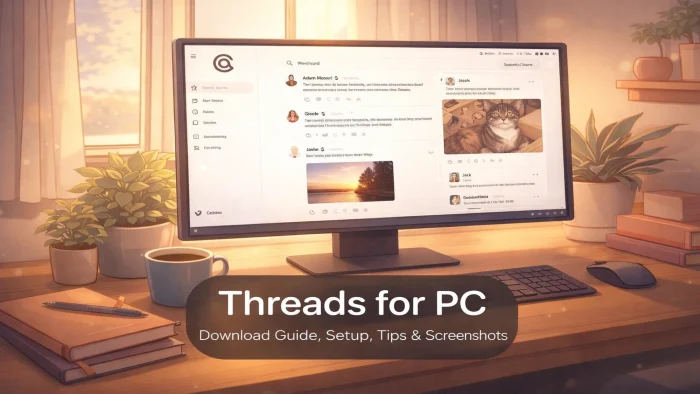

Threads is a free text-based social app for PC from Meta, available for download from the Microsoft Store and available in your browser via threads.net. You post short updates, reply to others, and follow conversations on topics you care about. You can install it from the Microsoft Store as a standalone app, or use it in any browser without installing anything.
Threads launched in July 2023 and grew faster than any social app before it. By early 2026, it had crossed 450 million monthly active users. Because it runs on the same systems as Instagram, your existing followers carry over automatically the moment you sign in.
The app runs on Windows 10 and Windows 11. You need an Instagram account to sign in.
Already on Threads? Share your handle in the comments. Got questions before joining? Reach out to us directly.
What You Need to Know
- Install Threads from the Microsoft Store for its own window and taskbar icon. If you prefer not to install anything, it also works in any browser.
- You need an Instagram account to sign in. Your Instagram followers who are on Threads appear in your suggested follows automatically.
- Threads is completely free. Ads started rolling out globally in January 2026, but using the app costs nothing.
Price
Free
Developer
Instagram (Meta)
Windows
10 / 11
Also On
Android, iPhone, Web
Monthly Users
450 million+
Launched
July 2023
Get it on Microsoft Store Open Threads in Browser
How to Get Threads on Your PC
There are three ways to get Threads on Windows. The Microsoft Store gives you the best app experience with its own window, taskbar icon, and notifications. You can also install it in seconds with a single winget command. If you prefer not to install anything, the browser version works too.
Option 1: Install from the Microsoft Store
- Step 1. Open the Microsoft Store on your Windows 10 or 11 PC.
- Step 2. Search for “Threads” or go directly to the Threads listing.
- Step 3. Click “Get” and wait for the install to finish.
- Step 4. Open Threads from the Start menu and log in with your Instagram account.
- Step 5. The app opens in its own window and stays pinned to your taskbar.
Option 2: Install with a Command (Power Users)
Windows has a built-in package manager called winget. It lets you install apps from the Microsoft Store using a single command, no clicking required.
- Step 1. Right-click the Start button and select Terminal (Admin) or Command Prompt (Admin).
- Step 2. Type the following command and press Enter:
winget install --id 9MXBP1FB84CQThe ID 9MXBP1FB84CQ is the same code from the Microsoft Store URL for Threads. winget uses it to find and install the correct app. Once the install finishes, Threads appears in your Start menu like any other app.
Option 3: Use Threads in Your Browser (No Install)
If you prefer not to install anything, Threads works in any browser on any Windows PC, no download required.
- Step 1. Open Chrome, Edge, Firefox, or any browser on your PC.
- Step 2. Go to threads.net.
- Step 3. Click “Log in with Instagram” and enter your Instagram username and password.
- Step 4. Your feed loads. Use the icons at the top to switch between Home, Search, Notifications, and your Profile.
What is Threads?
Threads is a text-based social platform from Meta, the company behind Instagram and Facebook. It launched in July 2023 as a direct competitor to X (formerly Twitter) and reached 100 million sign-ups in its first five days, the fastest any social app had grown at the time.
You post short updates up to 500 characters, attach photos or videos, reply to other people’s posts, and follow topics and accounts you care about. Because Threads is built on top of Instagram, your existing Instagram followers who have joined Threads will show up in your suggested follows the first time you log in. This gives new users a ready-made feed from day one.
Threads supports ActivityPub, which is the open standard also used by Mastodon and other independent social platforms. This means people on those platforms can follow and reply to public Threads posts without needing a Threads account.
Key Features
Posts Up to 500 Characters
Write posts, replies, and quotes up to 500 characters each. Attach up to 20 photos or videos per post. Videos can be up to 5 minutes long.
Direct Messages
Send private messages to anyone on Threads. Group chats support up to 50 people. You can share photos and text in DMs. Rolled out globally in 2026.
Polls
Create polls with up to four options. Anyone who follows you can vote and reply. Good for quick audience feedback or starting a conversation.
Instagram Integration
Your Instagram followers who are already on Threads show up in your suggested follows automatically. Cross-post from Threads to your Instagram Stories in one tap.
Works Across Platforms
Threads supports ActivityPub, an open standard that connects different social platforms. People on Mastodon and compatible apps can follow and reply to your Threads posts without joining Threads.
Reply Controls
Choose who can reply to your posts: anyone, people you follow, or no one. You can also approve replies before they go public, which keeps unwanted comments off your posts.
System Requirements
| Method | Requirement |
|---|---|
| Browser (Chrome, Edge, Firefox) | Windows 7 or later. Any modern browser. |
| Microsoft Store App | Windows 10 version 19041.0 or higher |
| Internet Connection | Required. Threads has no offline mode. |
| Instagram Account | Required to sign in and post. |
Threads vs X (Twitter)
| Feature | Threads | X (Twitter) |
|---|---|---|
| Price | Free | Free / from $8/mo (Premium) |
| Character limit per post | 500 | 280 (free) / 25,000 (Premium) |
| Windows app | Yes (browser or Microsoft Store) | Browser only |
| Direct messages | Yes | Yes |
| Works with other social platforms | Yes (ActivityPub) | No |
| Account requirement | Instagram account | Email or phone number |
| Monthly active users | 450 million+ | ~600 million |
Tips for Getting Started
These make a big difference once you are set up on PC.
Pin Threads to your taskbar
If you use the Microsoft Store version, right-click the Threads icon in your taskbar and select “Pin to taskbar.” This keeps it one click away, the same as any other app on your PC.
Follow your Instagram contacts first
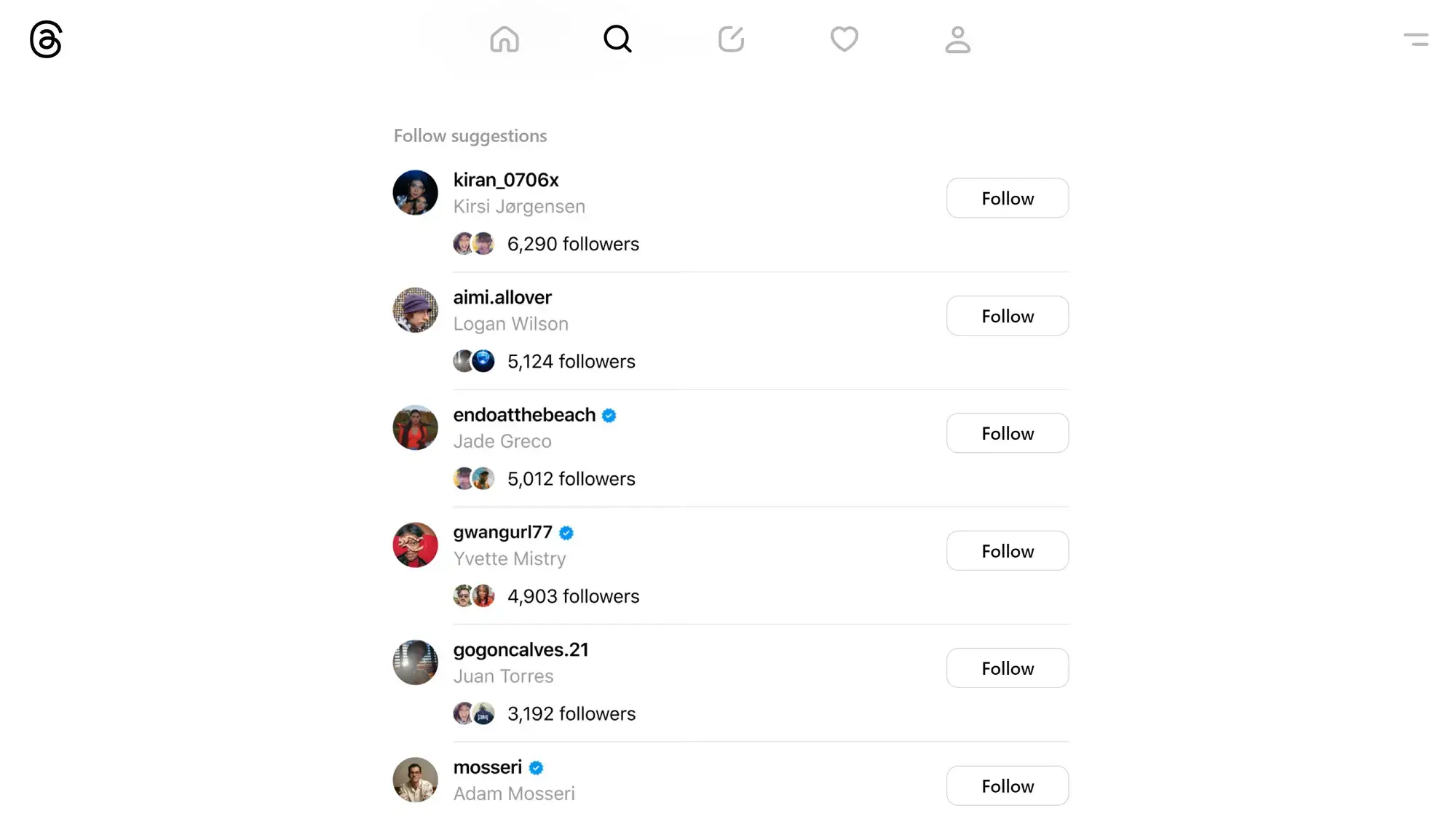
On your first login, Threads shows you a list of your Instagram followers who are already on Threads. Follow them all at once so your feed starts with people you already know, not strangers.
Switch to the Following feed
The default “For You” feed shows posts from accounts you do not follow. Tap “Following” at the top to see only people you chose to follow. This makes the feed much more useful from day one.
Set your reply controls before posting
Before you start posting publicly, go to your profile settings and choose who can reply to your posts. Setting this to “Profiles you follow” cuts down on unwanted replies from people you do not know.
Save drafts before closing the tab
Threads lets you save up to 100 drafts. If you are working on a longer post, hit the back arrow instead of closing the window and choose “Save draft.” Your post will be there when you come back.
App Screenshot
Here is what Threads looks like on PC.
Poll
Frequently Asked Questions
Do I need an Instagram account to use Threads on PC?
Yes. You sign in with your Instagram username and password. Your Threads profile is linked to your Instagram account. If you are in the EU, Meta is testing a standalone sign-up option, but this is not available globally yet.
Is Threads free on PC?
Yes, completely free. There are no paid plans or subscriptions. Ads started appearing on Threads globally in January 2026, but using the app costs nothing.
Does Threads have a Windows app?
Yes. You can install Threads from the Microsoft Store and it runs in its own window, pins to your taskbar, and supports Windows notifications. You can also use it in any browser at threads.net. Both options are free. The Microsoft Store version requires Windows 10 version 19041.0 or higher.
Can I send direct messages on Threads?
Yes. Meta rolled out direct messages on Threads in 2026. You can send text and photos in DMs, and group chats support up to 50 people. DMs work in both the browser version and the Microsoft Store app.
How is Threads different from X (Twitter)?
Threads posts are limited to 500 characters and you can attach up to 20 photos or videos per post. Your Instagram followers who are already on Threads appear in your suggested follows automatically. Threads also supports ActivityPub, an open standard that lets people on other platforms like Mastodon follow and reply to your Threads posts.
Support and Community
- Threads Help Center (official help articles from Meta on account settings, privacy, and posting)
- r/Threads on Reddit (community discussions, tips, and troubleshooting)
Explore More Windows Apps: WhatsApp for Windows · Signal for Windows · Telegram Desktop · Instagram for Windows · Discord for Windows