

Readers like you help support this site. When you make a purchase using links on our site, we may earn an affiliate commission. All opinions remain our own.


Tubi is a free, ad-supported streaming app for PC from Fox Corporation, available via the Microsoft Store or the official website.
You get movies, TV shows, and live channels without ever entering a credit card. There is no premium tier, no free trial that turns into a bill, and no account required to start watching.
The library is what sets Tubi apart from most free streaming apps. Tubi carries more than 200,000 movies and TV episodes, plus over 200 live channels covering news, sports, and entertainment. That puts it closer in size to a paid service than most people expect from something free.
Tubi runs on Windows 10 and Windows 11 through the Microsoft Store app or any modern browser. It is owned by Fox Corporation, which gives it access to FOX network content alongside its own Tubi Originals.
Already using Tubi? Browse the live channel guide to see what is on right now. Got questions before you install it? Reach out to us directly.
What You Need to Know:
- Completely free, no subscription, no credit card ever required
- 200,000+ movies and shows plus 200+ live TV channels
- Works on Windows 10/11 through the Microsoft Store app or your browser
Who Should Use the Tubi App on Windows?
- Use it if you want free movies, shows, or live TV and do not mind watching ads.
- Skip it if you need 4K, HDR, or offline downloads. Tubi does not offer any of these.
- Be careful if you expect a paid-service-sized new release catalog. Tubi leans older and licensed titles over day-one premieres.
How to Get Tubi on Windows
- Step 1. Open the Microsoft Store on your Windows 10 or 11 PC.
- Step 2. Search for “Tubi” or use the download button above.
- Step 3. Click Install and wait for the app to download.
- Step 4. Open Tubi and start browsing. No account is required to watch.
- Step 5. Optional: create a free account to save your watchlist and resume progress across devices.
Prefer not to install anything? Tubi works the same way in a browser at tubitv.com. There is no functional difference between the app and the website version.
What Is Tubi?
Tubi is a free, ad-supported video streaming service owned by Fox Corporation, which acquired it in 2020. It works like normal broadcast TV: you watch ads between segments, and that is how the service makes its money.
The library covers movies, TV series, and a large slate of live channels spanning news, sports, and entertainment. Tubi also produces its own original movies and shows under the Tubi Originals banner, and carries dedicated hubs for Spanish-language content and international titles including anime and Korean dramas.
Because Fox owns Tubi, the app also carries FOX network programming and local FOX affiliate news feeds in many markets, something most other free streaming apps cannot offer.
Key Features
200+ Live Channels
News, sports, and entertainment channels that play like regular TV, no scheduling needed.
Tubi Originals
Exclusive movies and series made only for Tubi, including titles like Boarders and Big Mood.
Tubi Kids
A separate kids hub with family-friendly content and its own linked account.
Tubi Español
A dedicated Spanish-language hub with movies, shows, and channels.
Tubi Shuffle
A randomizer feature that picks something to watch when you cannot decide.
Multiple Linked Accounts
Up to eight accounts per device, including kids accounts, each with separate viewing history.
System Requirements
| Requirement | Details |
|---|---|
| OS | Windows 10 or Windows 11 |
| Install Method | Microsoft Store app, or any modern browser |
| Internet | Stable broadband connection required, no offline mode |
| Video Output | Up to 1080p, most content plays at 720p, no 4K or HDR |
Keyboard Shortcuts
These shortcuts work while watching on-demand content in the Tubi web player and app on Windows.
| Key | Action |
|---|---|
| Spacebar or K | Play or pause |
| J or ← | Rewind 10 seconds |
| L or → | Fast-forward 10 seconds |
| M | Mute or unmute |
| ↑ / ↓ | Volume up or down |
| F | Toggle fullscreen |
| Tab | Cycle through menu buttons and settings |
| Enter | Select the highlighted item |
| Esc | Exit fullscreen or close a menu |
Common Issues and Compatibility Notes
Video keeps buffering or stalling.
This is almost always a connection speed issue, since Tubi has no offline mode to fall back on. Try closing other apps using bandwidth or switching to a wired connection.
A live channel froze or will not load.
Live channels stream differently from on-demand titles. Refresh the page or restart the app, and check that the channel is not down for everyone by trying a different one.
Ads are longer than expected.
Ad breaks are how Tubi stays free. There is no way to skip or shorten them since there is no paid ad-free tier.
Watch history or watchlist did not save.
These features only work if you are signed into a free account. Without one, Tubi does not track your progress between sessions.
Tips for Getting Started
Create a free account early so your watchlist and progress carry over if you switch devices.
Set up a Tubi Kids account if children will be using the app, so they get age-appropriate content automatically.
Try Tubi Shuffle if you spend more time scrolling than watching. It picks something for you instantly.
Check the live channel guide if you want something to play in the background without picking a title.
Use a wired or strong Wi-Fi connection for live channels, since there is no offline backup if the stream drops.
Tubi App Screenshots
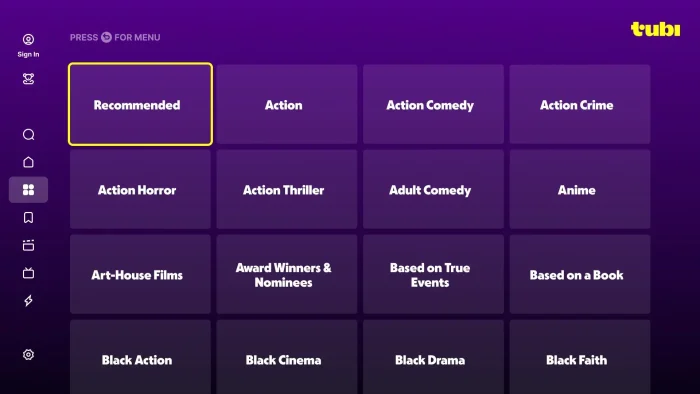
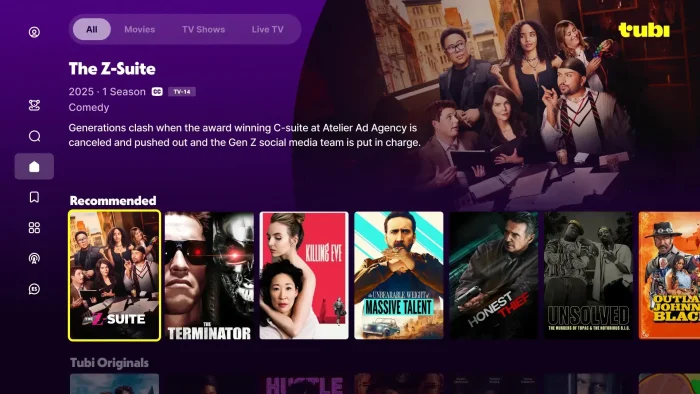
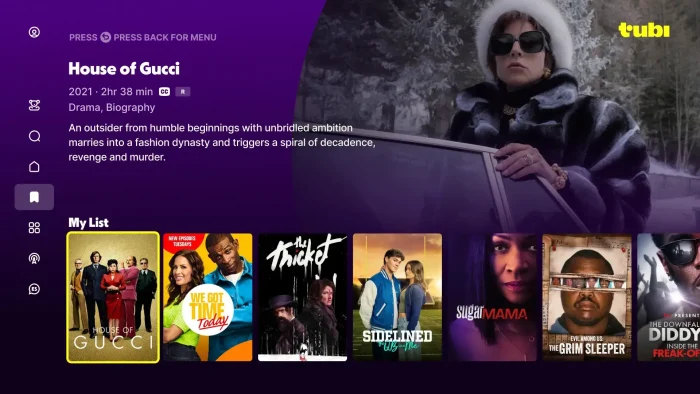
A look at the Tubi interface on Windows, including the home browse screen and live channel guide.

Frequently Asked Questions
Is Tubi really free, or are there hidden fees?
Do I need to create an account to use Tubi?
Can I create separate profiles for my kids on Tubi?
Does Tubi support 4K or HDR video?
Can I download Tubi content to watch offline?
Is there a limit to how many devices can stream Tubi at once on the same account?
What are the system requirements to run Tubi on Windows?
Support and Community
Need help or want to talk with other users? Visit the official Tubi Help Center or join the discussion on r/Tubi on Reddit.
More Windows software guides: Pluto TV for Windows · Paramount+ for Windows · Prime Video for Windows · Netflix for Windows