Readers like you help support this site. When you make a purchase using links on our site, we may earn an affiliate commission. All opinions remain our own.
Prime Video is Amazon’s video streaming service, available on Windows through a free app from the Microsoft Store or directly in your browser.
Your Prime membership unlocks a library of movies, shows, live sports, and Amazon-made originals, plus the option to rent or buy titles outside that library.
What sets the Windows app apart from most other streaming apps is downloads. You can save movies and episodes straight to your PC and watch them with no internet connection. Netflix and several competitors don’t offer that on a Windows PC at all.
This guide covers how to install the app or use the browser, what your plan actually gets you on a PC, and the picture-quality limit almost nobody mentions before you sign up.
Already a Prime member? Jump to the install steps below. Got questions about plans or quality before you sign up? Reach out to us directly.
What You Need to Know
- The Prime Video app is free to install, but you need a Prime or Prime Video subscription to watch anything.
- Downloads for offline viewing work on Windows, unlike on several rival streaming apps.
- Picture quality on a Windows PC caps at HD. 4K and Dolby Atmos are reserved for TVs, streaming devices, and consoles, even on the paid Ultra tier.
Price
Free app, subscription to stream
Developer
Amazon.com Services LLC
Windows Versions
Windows 10/11
Also On
Mac, Mobile, TV, Consoles
Who Should Use the Prime Video App on Windows?
Most people streaming Prime Video on a PC are fine with either the app or a browser tab, since both cap at the same HD picture quality. The app earns its place for one reason: offline downloads.
- Use it if you want to download movies or shows to watch on a laptop without internet, like on a flight or a commute.
- Skip it if you only watch occasionally at your desk. A browser tab plays the same content at the same quality with no install.
- Be careful if you were hoping for 4K or Dolby Atmos on your PC. Neither works on Windows, in the app or a browser, regardless of plan.
How to Get Prime Video on PC
- Step 1. Open the Start menu and search for “Microsoft Store.”
- Step 2. Search for “Prime Video” inside the Store and select the official app from Amazon.
- Step 3. Click Get or Install. The app itself is free.
- Step 4. Open Prime Video from the Start menu once installed.
- Step 5. Sign in with your Amazon account email and password.
- Step 6. Pick a profile, or create one, and start watching.
Prefer a browser instead? Go to primevideo.com, sign in, and press play. No install needed, though you will lose access to offline downloads. Not a Prime member yet? Check current Prime membership options on Amazon.
What Is Prime Video?
Prime Video is Amazon’s video streaming service. It comes included with an Amazon Prime membership, or you can subscribe to it on its own without the rest of Prime’s shipping and shopping perks.
The Windows version is not a separate product. It streams the same catalog as the phone, TV, and web versions, with your watchlist, watch progress, and profiles synced across every device you use.
Beyond what is included in your subscription, Prime Video also sells and rents individual movies and shows, the same as it does on other devices, and those purchases show up in the same library.
Amazon has also folded in live sports over the past few seasons, including select NFL, NBA, and NASCAR coverage, along with channel add-ons for services like Apple TV+ and Paramount+ that you can subscribe to right inside the app.
Key Features
Offline Downloads
Save movies and episodes to your PC and watch them with no internet connection. Prime covers up to 50 downloads, Ultra raises that to 100.
X-Ray Trivia
Pause a scene to see the cast, the song playing, and behind-the-scenes facts, powered by IMDb.
Multiple Profiles
Up to six profiles per account, each with its own watchlist, recommendations, and watch history.
Live Sports
Select NFL, NBA, NASCAR, and other live sports stream straight through the same app, no separate subscription required for Prime-exclusive games.
Rent or Buy Outside Your Plan
New releases and titles outside the included library are available to rent or buy, and they stay in your library afterward.
Channel Add-Ons
Subscribe to services like Apple TV+ or Paramount+ inside the same app and billing, no extra app needed.
System Requirements
| Requirement | Minimum |
| Operating System | Windows 10 or 11, fully updated |
| Browser (if not using the app) | Microsoft Edge, Google Chrome, or Firefox, latest version |
| Internet Connection | Broadband, faster speeds recommended for HD playback |
| Maximum Picture Quality | HD with stereo sound, on any Windows device or browser |
| Account | Amazon account with an active Prime or Prime Video subscription |
Plans and Pricing
Prime Video comes included with a Prime membership, or you can subscribe to just Prime Video on its own. Ultra is a paid add-on layered on top of either one, mainly for households that want more streams, more downloads, and no ads.
| Plan | Ads | Downloads | Concurrent Streams |
| Prime Video benefit (with Prime) | Yes, on some titles | Up to 50 | Up to 4 |
| Prime Video Ultra (add-on) | No | Up to 100 | Up to 5 |
Amazon changes plan prices often enough that printing exact figures here would go stale fast. Check Amazon’s own Prime membership page for current prices in your country before you sign up. Note that Ultra’s 4K, HDR, and Dolby Atmos features only apply to supported TVs and devices, not to a Windows PC.
Keyboard Shortcuts
These shortcuts work the same way in the Windows app and in a browser.
| Key | Action |
| Space | Play or pause |
| ← | Rewind 10 seconds |
| → | Fast-forward 10 seconds |
| ↑ ↓ | Increase or decrease volume |
| M | Mute or unmute |
| F | Enter or exit full screen |
| Esc | Exit full screen or exit playback |
| C | Turn captions on or off, and switch caption languages |
| A | Switch audio tracks, including audio description for blind and low-vision viewers |
Common Issues and Compatibility Notes
Video looks stuck in HD even on a 4K monitor
This is expected, not a bug. Prime Video caps at HD on every Windows PC, app or browser, regardless of your monitor or subscription tier.
Can’t find Watch Party in the app
Watch Party only works in a browser right now. Open primevideo.com in Edge or Chrome to use it instead of the Windows app.
Downloaded titles disappear or won’t play
Downloads use copy-protected storage and most titles expire 48 hours after you start watching, even if the 30-day download window hasn’t run out. Re-download if a title stops playing.
App won’t sign in or keeps logging out
Make sure the Microsoft Store and the app are both fully updated. Signing out and back in on amazon.com first can also clear up account sync issues.
Tips for Getting Started
Set up separate profiles right away
Give each person in your household their own profile before you start watching. It keeps recommendations accurate and keeps everyone’s watch history separate.
Download before you travel, not after you board
Downloads need a strong connection and can take a while for full seasons. Start them the night before a flight or commute, not five minutes before you leave.
Use a TV or console for 4K and Dolby Atmos
If picture and sound quality matter to you, watch on a supported smart TV, streaming stick, or console instead. Your Windows PC will not show the difference.
Check before you rent or buy
Some titles outside your subscription cost extra to rent or buy. Look for the price tag on the title page before you click play.
Bookmark primevideo.com as a backup
If the app ever acts up, the browser version plays the same catalog at the same quality, plus Watch Party, with zero install needed.
Prime Video Screenshots
These screenshots show Prime Video running in the Windows app, from browsing the home screen to playback and X-Ray.
-
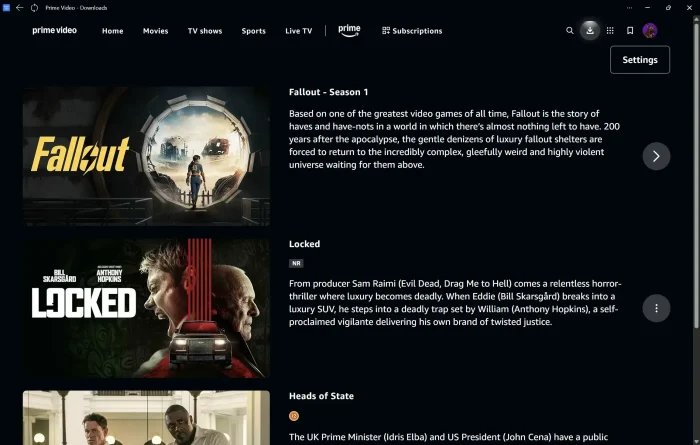
- Choose shows from Prime Video for Windows: Download, Setup & What to Know (2026)
-
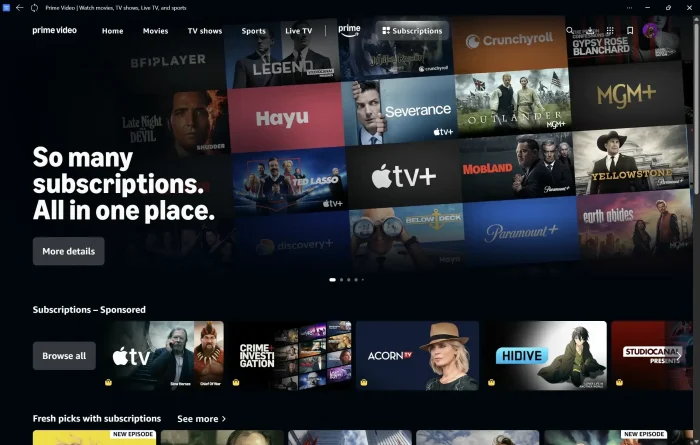
- Combined subscriptions from Prime Video for Windows: Download, Setup & What to Know (2026)
-
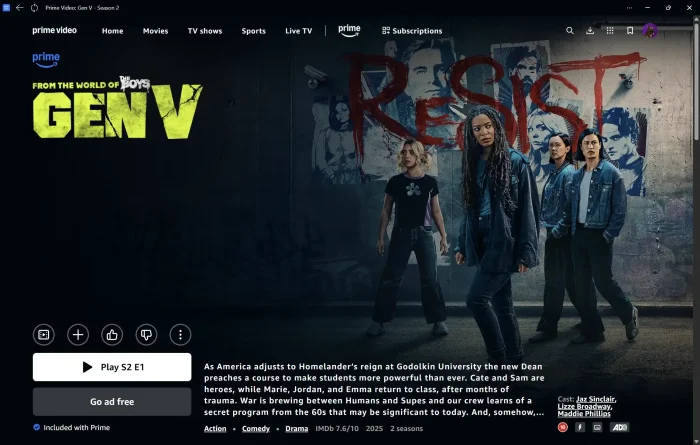
- Gen v playing episodes from Prime Video for Windows: Download, Setup & What to Know (2026)
-
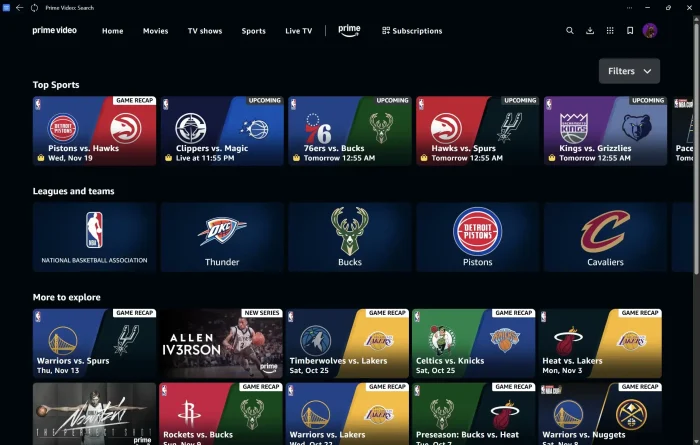
- Live sports on prime from Prime Video for Windows: Download, Setup & What to Know (2026)
-
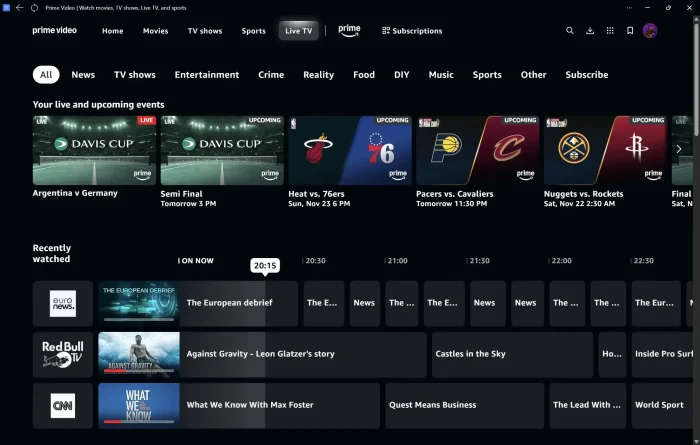
- Live tv on prime video from Prime Video for Windows: Download, Setup & What to Know (2026)
-
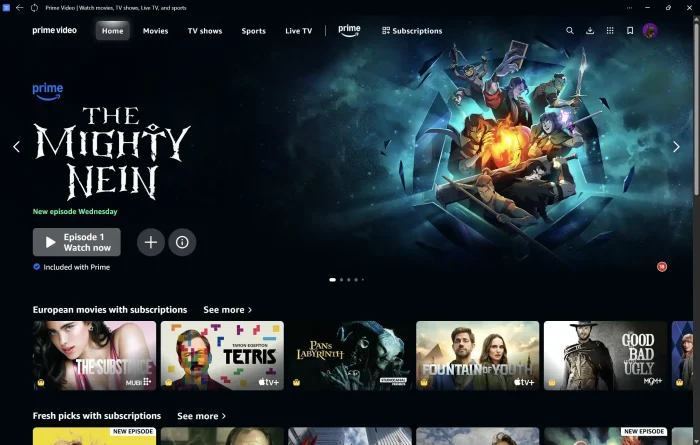
- Mighty nein on prime video from Prime Video for Windows: Download, Setup & What to Know (2026)
-
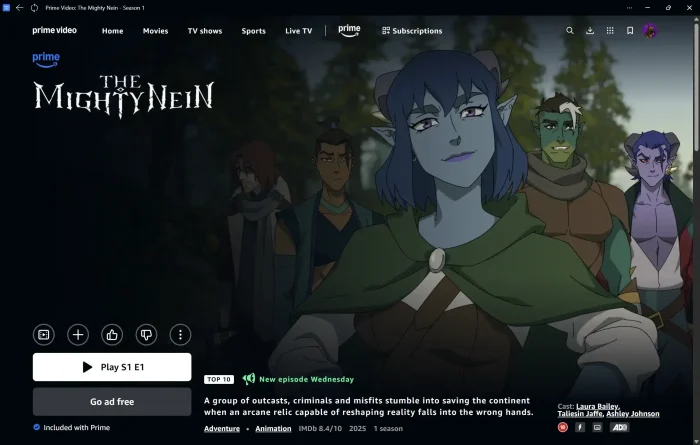
- Trending shows cartoons from Prime Video for Windows: Download, Setup & What to Know (2026)
Frequently Asked Questions
Can I download Prime Video shows to watch offline on Windows?
Yes. Unlike some other streaming apps, the Windows Prime Video app lets you download movies and TV episodes to your PC. Your Prime membership covers up to 50 downloads, and Prime Video Ultra raises that to 100.
Does Prime Video support 4K or HDR on a Windows PC?
No. Whether you use the Windows app or a browser, Prime Video caps out at HD with stereo sound on PC. 4K, HDR10, Dolby Vision, and Dolby Atmos are reserved for supported TVs, streaming devices, and consoles.
Do I need Amazon Prime to use the Windows app?
You need either a Prime membership or a standalone Prime Video subscription. The app itself is free to install, but it won’t play anything without an active subscription tied to your Amazon account.
What is Prime Video Ultra?
Prime Video Ultra is a paid add-on, on top of Prime or a Prime Video subscription, that removes ads and adds more concurrent streams and downloads. It also unlocks 4K and Dolby Atmos, but only on devices that support them, which does not include the Windows app or a browser.
Can I rent or buy movies through the Windows app?
Yes. Prime Video sells and rents movies and shows outside your subscription, the same as on other devices. These purchases show up in your library and play through the same app.
Why can’t I find Watch Party in the Windows app?
Watch Party is a browser-only feature right now. To watch synced with friends and chat in real time, open Prime Video in Microsoft Edge, Chrome, or another supported browser instead of the app.
What are the system requirements for the Prime Video app on Windows?
Windows 10 or 11 with the Microsoft Store kept up to date, plus a broadband internet connection for streaming. Full details are in the System Requirements section above.
Support and Community
Stuck on something this guide didn’t cover? Amazon’s official Prime Video help page covers app-specific troubleshooting, and the Amazon customer service page handles account and billing questions. The r/PrimeVideo subreddit is also active and useful for real-world troubleshooting from other users.
More Windows software guides: Netflix App for PC · Crunchyroll App for PC · Disney Plus for Windows · VLC Media Player for Windows · Best Free Media Players for Windows
Discover more from Windows Mode
Subscribe to get the latest posts sent to your email.













Add your first comment to this post