Key Points
- Taskbar can now be moved to any screen edge in Windows 11 build 22631.
- Start menu layout controls let you hide Recommended, All, or pinned items with a single toggle.
- Smaller taskbar option available in Settings → Personalization → Taskbar → Taskbar behaviors → Show smaller taskbar buttons.
What is changing
Starting today, Windows Insiders on the Experimental channel can move the taskbar to the top, left, right, or bottom of the screen. The new setting appears under Settings → Personalization → Taskbar → Taskbar behaviors, and you can also choose icon alignment for each position.
In addition, the Start menu gets section‑level toggles. You can now turn off Pinned, Recommended, or All items with a single switch, hide your profile picture, and choose a consistent Small or Large size across displays. These changes roll out in the same Experimental channel and are ready for testing today.
Read our improved and updated guide on how to customize the Windows 11 Taskbar
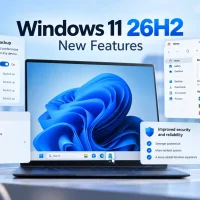
Now available to everyone: these taskbar and Start changes shipped in Windows 11 26H2 in September 2026. Read our Windows 11 26H2 guide for how to get the update and use them.
Why it matters
Developers and designers who work on wide monitors will find vertical taskbar placement useful for reclaiming screen real estate. If you rely on the Start menu to track recent files, the new toggle system gives you cleaner control over what shows up, reducing clutter.
The impact is mainly for power users and IT admins who deploy customized Windows environments. The new smaller taskbar is ideal for compact laptops or touch‑enabled devices where space is limited. Feedback is still encouraged as the features are in preview.
After trying these options, feel free to share your thoughts in the Feedback Hub with WIN + F.
Discover more from Windows Mode
Subscribe to get the latest posts sent to your email.













Add your first comment to this post