Readers like you help support this site. When you make a purchase using links on our site, we may earn an affiliate commission. All opinions remain our own.
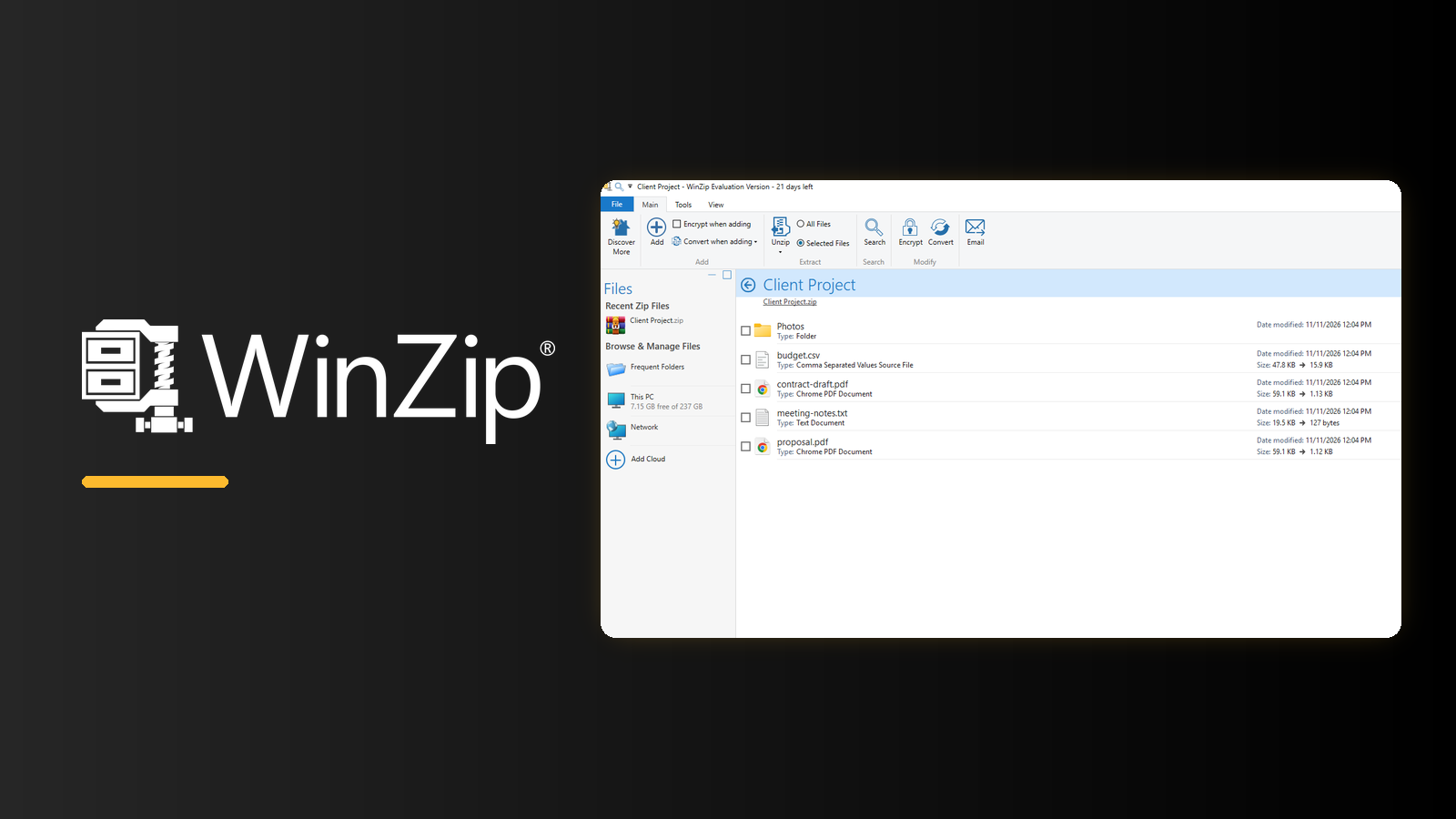
WinZip on a Windows 11 PC, captured by WindowsMode during the free trial.
WinZip is a paid file compression app for Windows from Corel, available as a free 21-day trial from the official website. It zips and unzips files, opens most archive formats, locks archives with a password and connects to cloud storage such as OneDrive, Google Drive and Dropbox.
Windows 11 can already zip and unzip files on its own. What WinZip adds is encryption, cloud sharing and a set of file tools that Windows does not have. If you only open the odd zip attachment, you probably do not need it.
WinZip runs on 64-bit Windows 11 and Windows 10. After the trial it is a yearly subscription with three plans: Standard, Pro and Ultimate.
This guide covers how to install WinZip, what it does on Windows, how it compares with the built-in ZIP tool and 7-Zip, and what each plan costs. Questions? Reach out to us directly.
How to Get WinZip on Windows
WinZip installs from the official website. The trial is the full app, so you can test everything before you pay, and you do not enter a credit card to start it.
1 Open the WinZip download page on winzip.com and click Download WinZip.
2 Run winzip.exe from your Downloads folder and click Yes when Windows asks to allow the install.
3 Follow the setup screens. The small download fetches the rest of the app and installs it.
4 Choose your file types. On first launch WinZip asks to become the default app for archive files. Untick any format you want to keep with another app, or close the box to skip it.
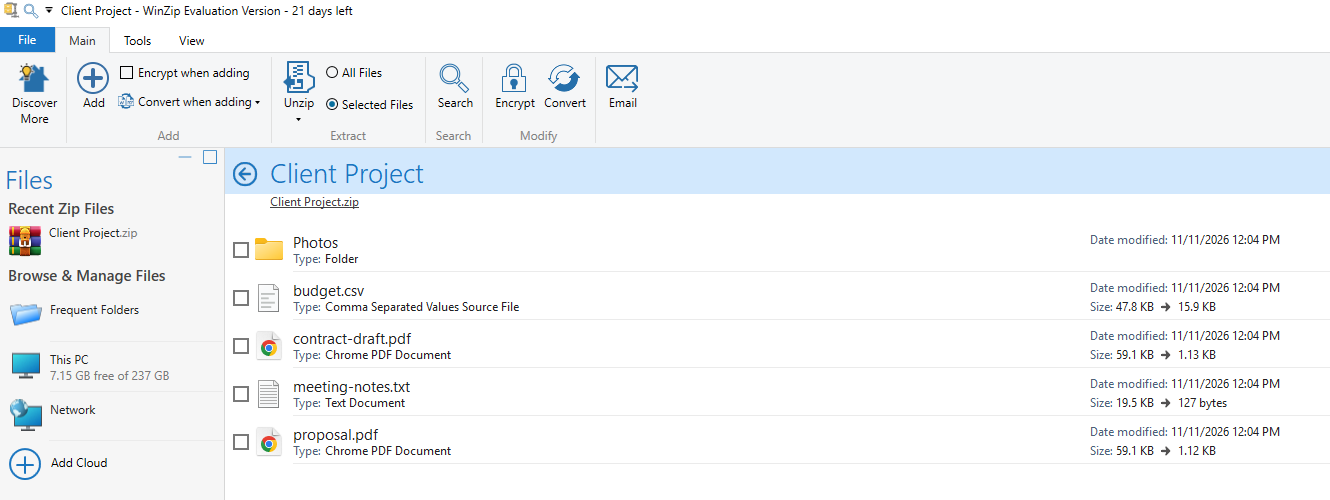
5 Start using the trial. The title bar and the bar along the bottom show how many trial days you have left.
What happens when the trial ends? WinZip says the 21-day trial blocks access to the app when it expires, and you are not charged, since no card was entered. To keep using it, buy a plan from the trial’s Buy now button or from the WinZip pricing page.
What Is WinZip?
WinZip is a file compression and archive app. It packs files and folders into one smaller zip file, which is easier to email, upload or store, and unpacks the archives other people send you.
Basic zipping is free in Windows, so WinZip leans on the extras. Its main pitch is security: it can lock a zip with AES encryption (a strong, standard way to scramble files so only the password opens them). Around that sit cloud storage links, photo and PDF tools and a set of extra apps in the higher plans.
WinZip is made by Corel. It is also sold to businesses as WinZip Enterprise, with central IT control, which this guide does not cover.
Key Features on Windows
We installed the WinZip trial on a Windows 11 PC and took these screenshots ourselves, using a sample folder of test files.
Open almost any archive
WinZip opens zip files and most other archive types, including RAR, 7z, TAR, GZIP, ISO, CAB, XZ and VHD disk images. You browse the files inside like a normal folder and pull out only the ones you need.
It can create Zip, Zipx and LHA archives, but not RAR. Zipx is WinZip’s own format, which can compress some files smaller, but the person you send it to needs an app that supports it.
Lock a zip file with a password
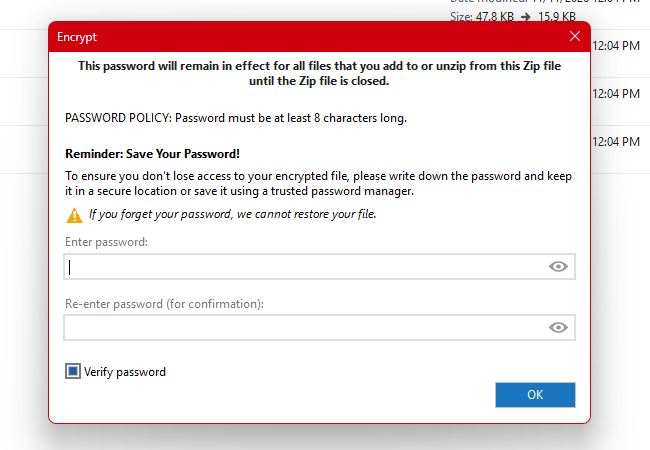
Click Encrypt, or tick Encrypt when adding, and WinZip asks for a password of at least 8 characters before it adds files.
WinZip uses AES encryption, up to 256-bit, which is the part Windows cannot do on its own. Write the password down: WinZip warns that it cannot restore a forgotten one.
Work with cloud storage and servers
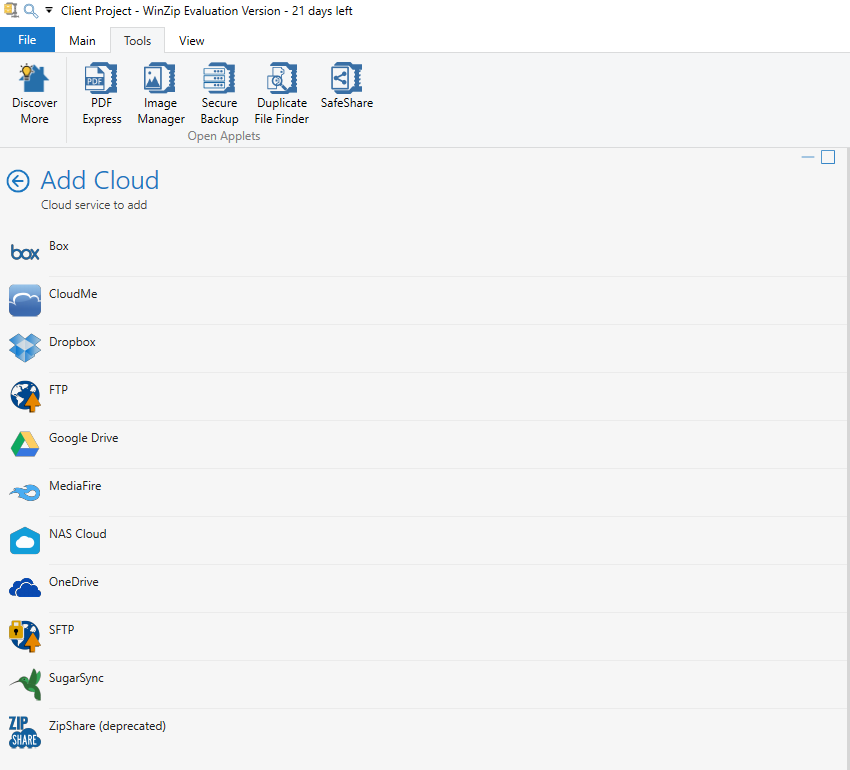
Add Cloud links WinZip to Box, Dropbox, Google Drive, OneDrive, MediaFire, SugarSync, CloudMe, a NAS drive (network storage at home or work), FTP and SFTP (a secure way to send files to a server).
Once linked, you can zip files straight from the cloud or save a finished zip back to it, without opening a browser.
Shrink photos and convert PDFs as you zip
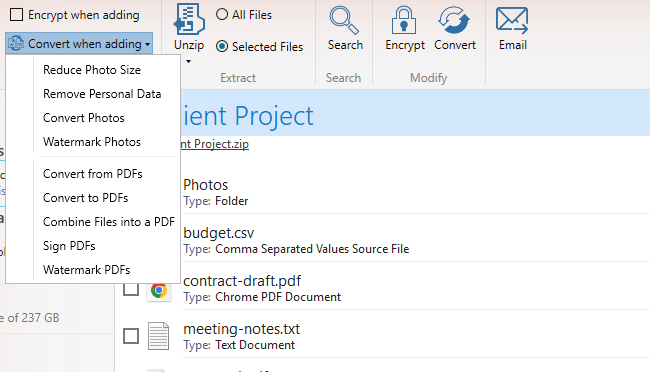
Convert when adding changes files on the way into the archive: reduce photo size, strip personal data such as location from photos, or add a watermark.
The same menu turns documents into PDFs, combines files into one PDF and signs PDFs, which saves a trip to a separate PDF app for simple jobs.
Extra apps in the Tools tab
The Pro and Ultimate plans add separate apps: PDF Express, Image Manager, Secure Backup, Duplicate File Finder and SafeShare, a sharing tool that encrypts files and can set them to expire.
Scan zips before you open them
The Actions pane has a Scan for Threats button that checks an archive for viruses and malware before you extract it, which is handy for zips that arrive by email.
Video: How to Zip Files Using WinZip
In this short video from WinZip’s own YouTube channel, you can see how to make a zip file in WinZip, step by step.
WinZip vs the Windows ZIP Tool vs 7-Zip
Every Windows PC already has a free archive tool built in, and 7-Zip is the free app most people install next. On current Windows 11, File Explorer opens ZIP, RAR, 7z and TAR files, but it cannot open or create password-protected archives, according to Microsoft’s own help page.
Our take: For opening attachments and zipping a folder now and then, the tool in Windows is enough. If you need password-protected archives for free, install 7-Zip. WinZip earns its price when you want encryption, cloud storage and the photo and PDF tools in one app with a friendly interface, or when your workplace already uses it. Need to make RAR files? That is WinRAR.
WinZip Pricing and Plans
WinZip is sold as a yearly subscription, with a 30-day money-back guarantee. If you cancel, it keeps working until the year you paid for runs out. All three plans include the Windows and Mac versions.
Prices change with promotions and by country, so check the WinZip pricing page for today’s price where you live. Businesses that need central control can ask for a WinZip Enterprise quote on the same page.
WinZip System Requirements
Tips for Getting Started
1 Test the features you would pay for. Use the 21 days on encryption, cloud links or the PDF tools. If you only ever unzip files, Windows already does that for free.
2 Keep sharing in plain Zip. Zipx files can be smaller, but plain Zip opens on any computer without extra software.
3 Send the password separately. If you email an encrypted zip, share the password by text or phone, not in the same email.
4 Pick your file types on first launch. If you already use another archive app, untick the formats you want it to keep handling.
5 Right-click to zip in File Explorer. WinZip adds its own options to the File Explorer right-click menu, so you can zip, unzip or encrypt files without opening the app first.
Frequently Asked Questions
What are the system requirements for WinZip?
What happens when the WinZip free trial ends?
Can WinZip create RAR files?
Can people without WinZip open my encrypted zip file?
Can I get a refund on WinZip?
Is WinZip on the Microsoft Store?
Support and Community
- WinZip.com, the developer’s own site with product details and news.
- WinZip Support, for account, license and billing help.
- WinZip Knowledge Base, with how-to articles and fixes for common problems.
- WinZip on YouTube, the official channel with short tutorials.
More Windows software guides: WinRAR for Windows · BreeZip for Windows · Google Drive for Windows · Dropbox Lite for Windows · Best Free PDF Editors for Windows
Discover more from Windows Mode
Subscribe to get the latest posts sent to your email.













I haven’t used winzip since like 2009!! Wow, let me try it now lol!
lol!, It’s still great!