Readers like you help support this site. When you make a purchase using links on our site, we may earn an affiliate commission. All opinions remain our own.
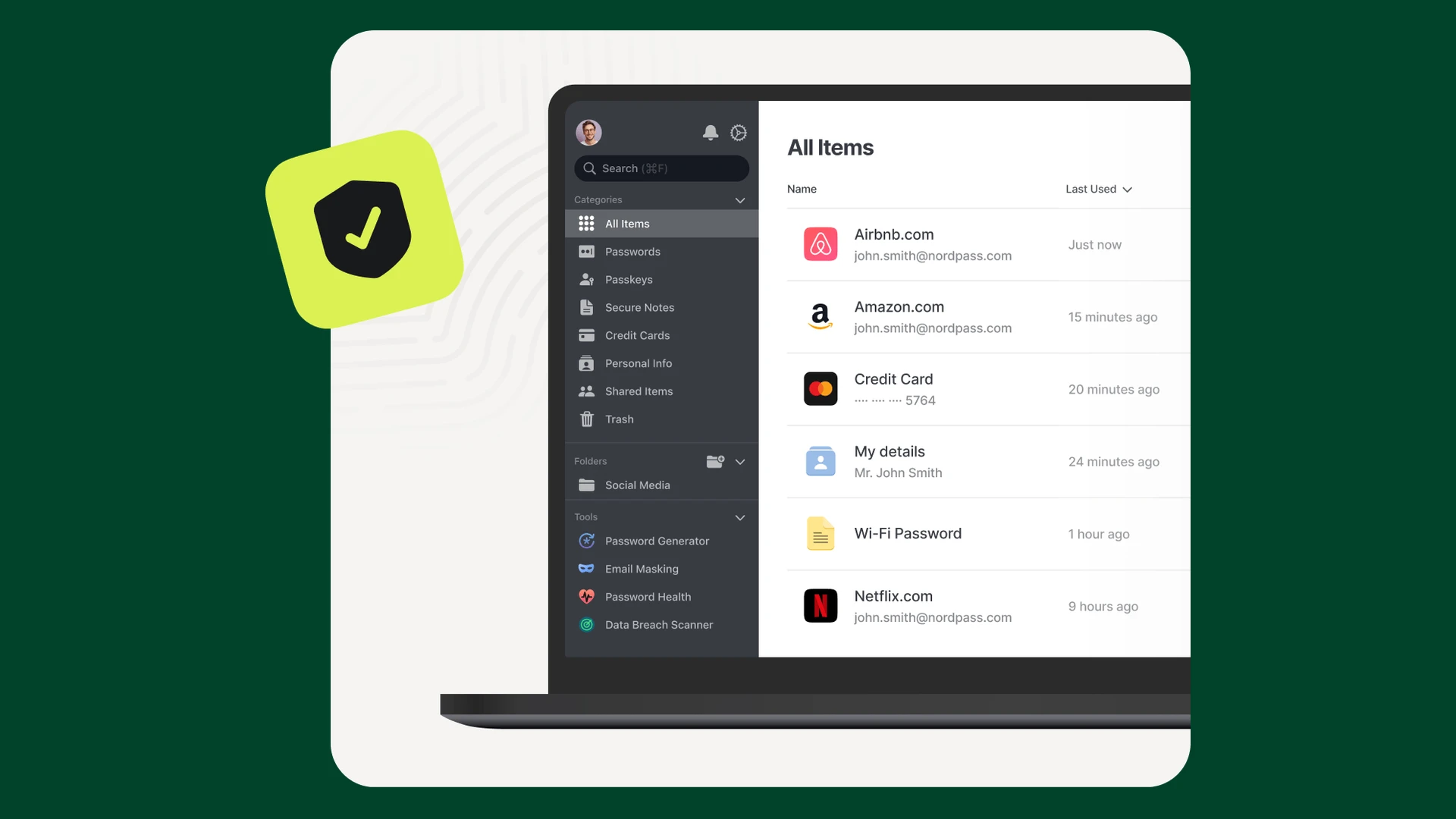
The NordPass Windows app keeps passwords, passkeys, cards and notes in one encrypted vault.
NordPass is a password manager for Windows from Nord Security, the company behind NordVPN, available from the official NordPass website. It saves your logins as you sign in, fills them in for you next time, and keeps them behind one master password.
The free plan covers the basics for one person. Premium adds the security checks: Password Health, a Data Breach Scanner and Email Masking. It also lets you stay signed in on your PC and phone at the same time.
The desktop app runs on Windows 10 and Windows 11, with separate downloads for Intel and AMD PCs and for Snapdragon (Arm) laptops. Browser extensions cover Chrome, Edge, Firefox, Opera, Brave and Safari.
Below: the main features with screenshots, the free vs Premium split, current prices, how it compares to the password manager already in Edge, and setup tips. Questions? Reach out to us directly.
What Is NordPass?
NordPass is a vault for everything you sign in with. You unlock it once with a master password, Windows Hello or a PIN, and it fills the right login on each site.
On Windows it comes in two parts that work together:
- The desktop app: where you browse and edit your vault, run the security checks and change settings.
- The browser extension: the part that saves new logins and fills forms as you browse. Autofill works in browsers, not inside other desktop programs such as games.
The vault holds more than passwords: passkeys, credit cards, addresses, secure notes and ID documents. Everything syncs to your phone through the NordPass apps for Android and iPhone.
NordPass encrypts the vault on your device with XChaCha20 (a modern encryption method) before it syncs, and works on a zero-knowledge basis: Nord says it cannot see what is inside.
Key Features of NordPass on Windows
These images come from NordPass. Features marked Premium are not in the free plan.
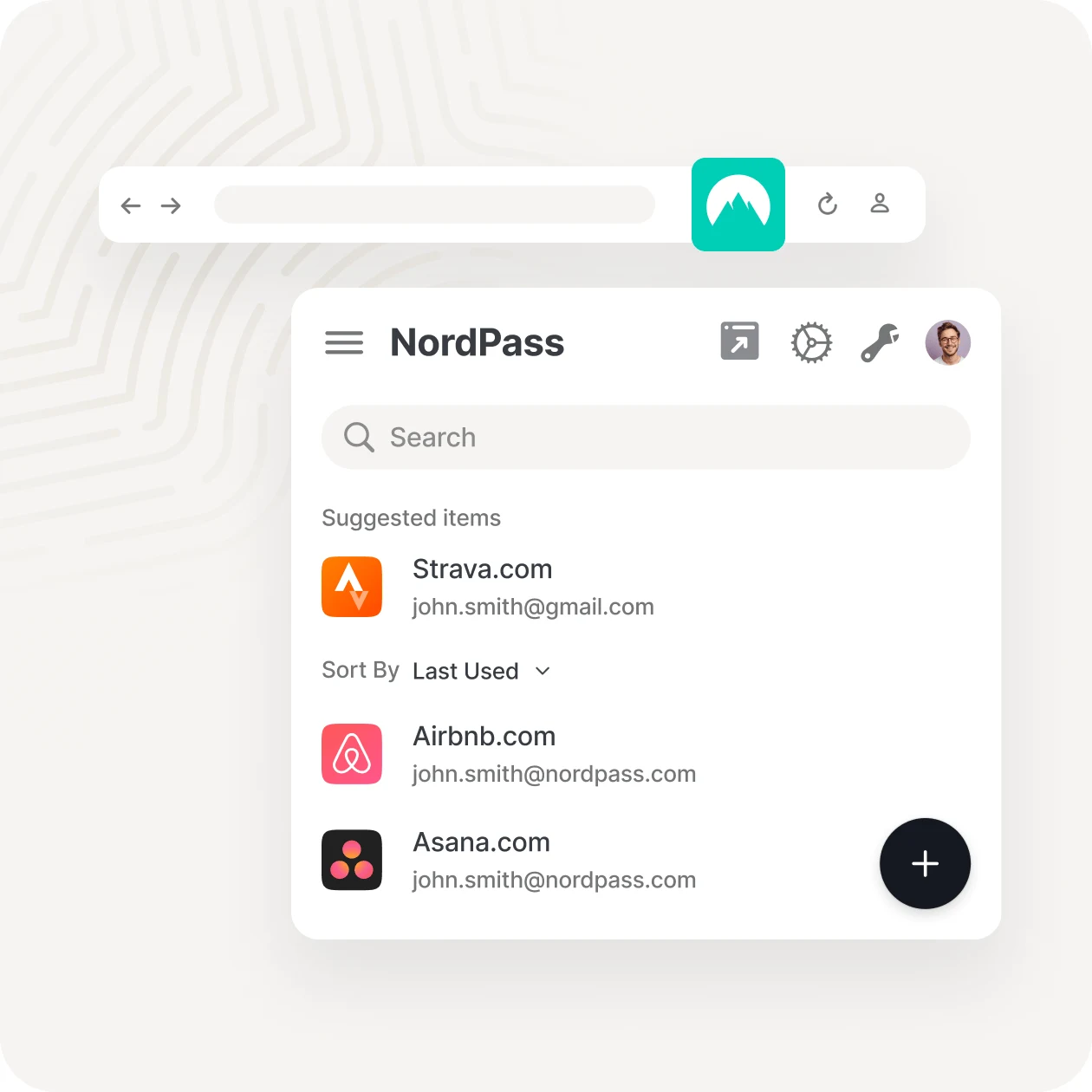
Save and fill logins in your browser
When you sign in to a site, the extension offers to save the login. Next time, it suggests the right account and fills it in one click.
It also fills credit cards and addresses at checkout. This part is free, with no limit on how many passwords you store.
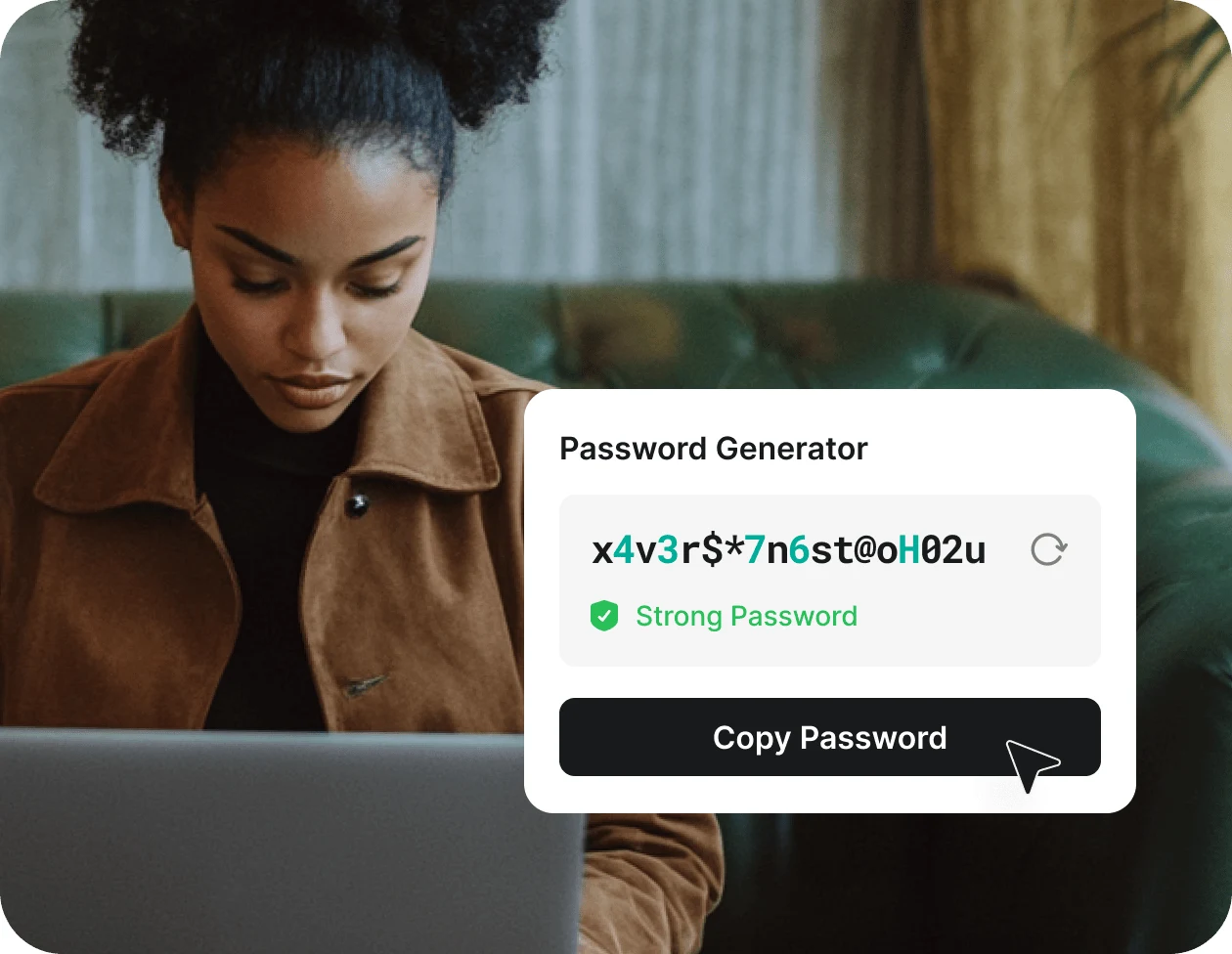
Create strong passwords in one click
The Password Generator makes long random passwords and saves them with the new account. You choose how long it should be.
Password History keeps your last 10 passwords for each login, so you can roll back if a change goes wrong.
PREMIUM
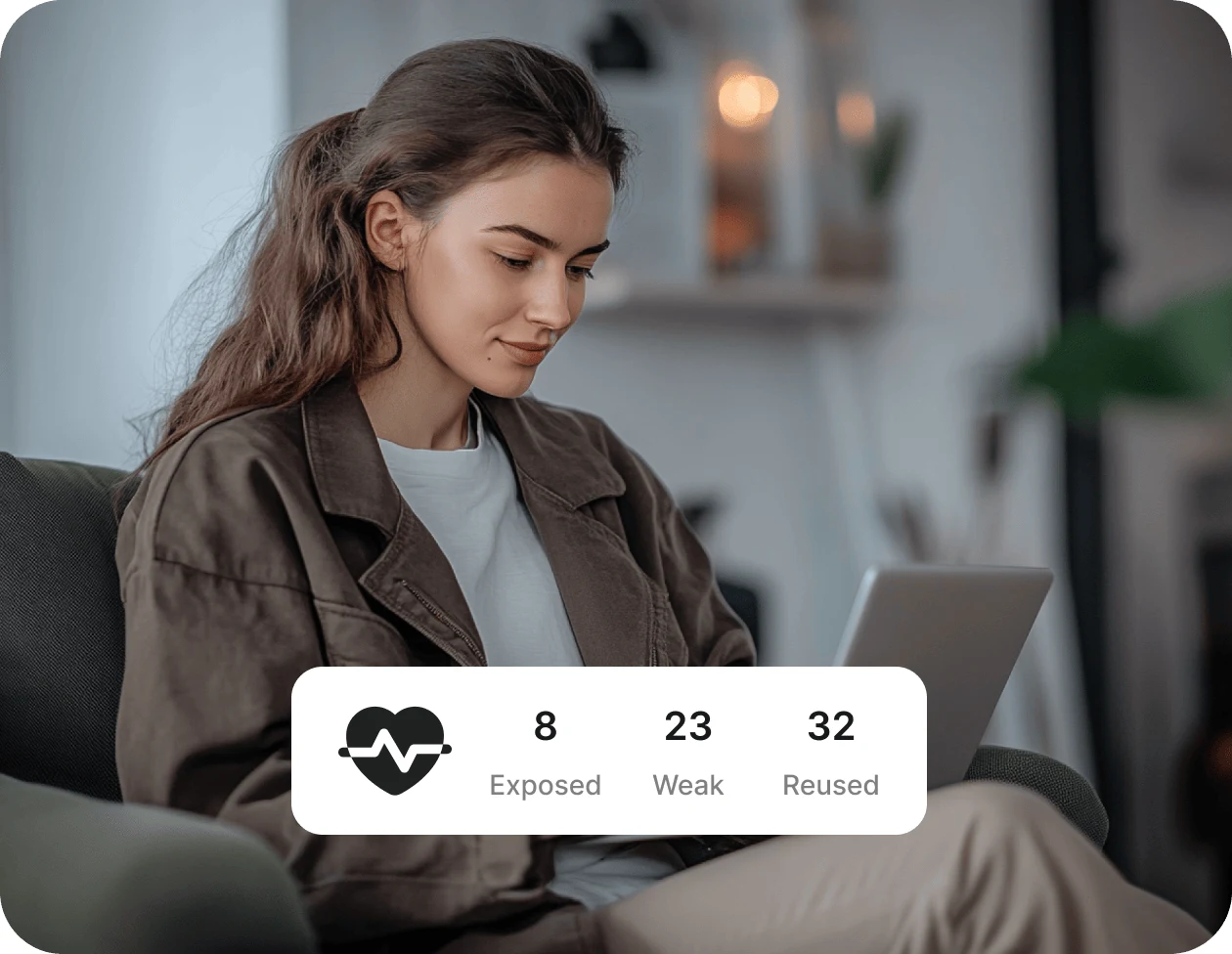
Find weak and reused passwords
Password Health scans your vault and counts the passwords that are weak, reused on several sites, or old. Click a group to see the accounts and change them one by one.
PREMIUM
Get alerts when your data leaks
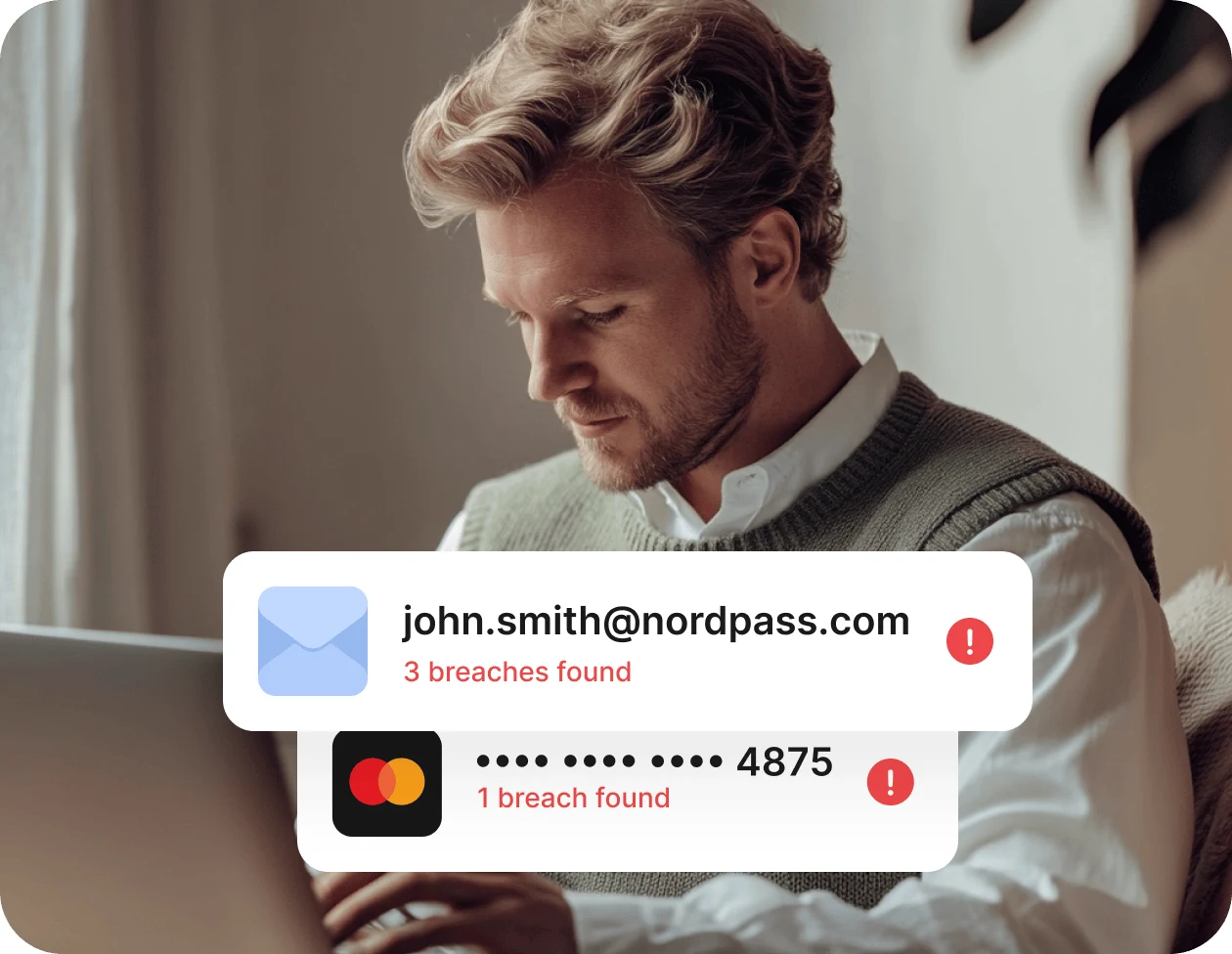
The Data Breach Scanner checks your email addresses and saved cards against known data leaks. If one turns up, NordPass tells you which breach it was and what to change.
It keeps watching after the first scan and alerts you when something new appears.
PREMIUM
Sign up without giving out your real email
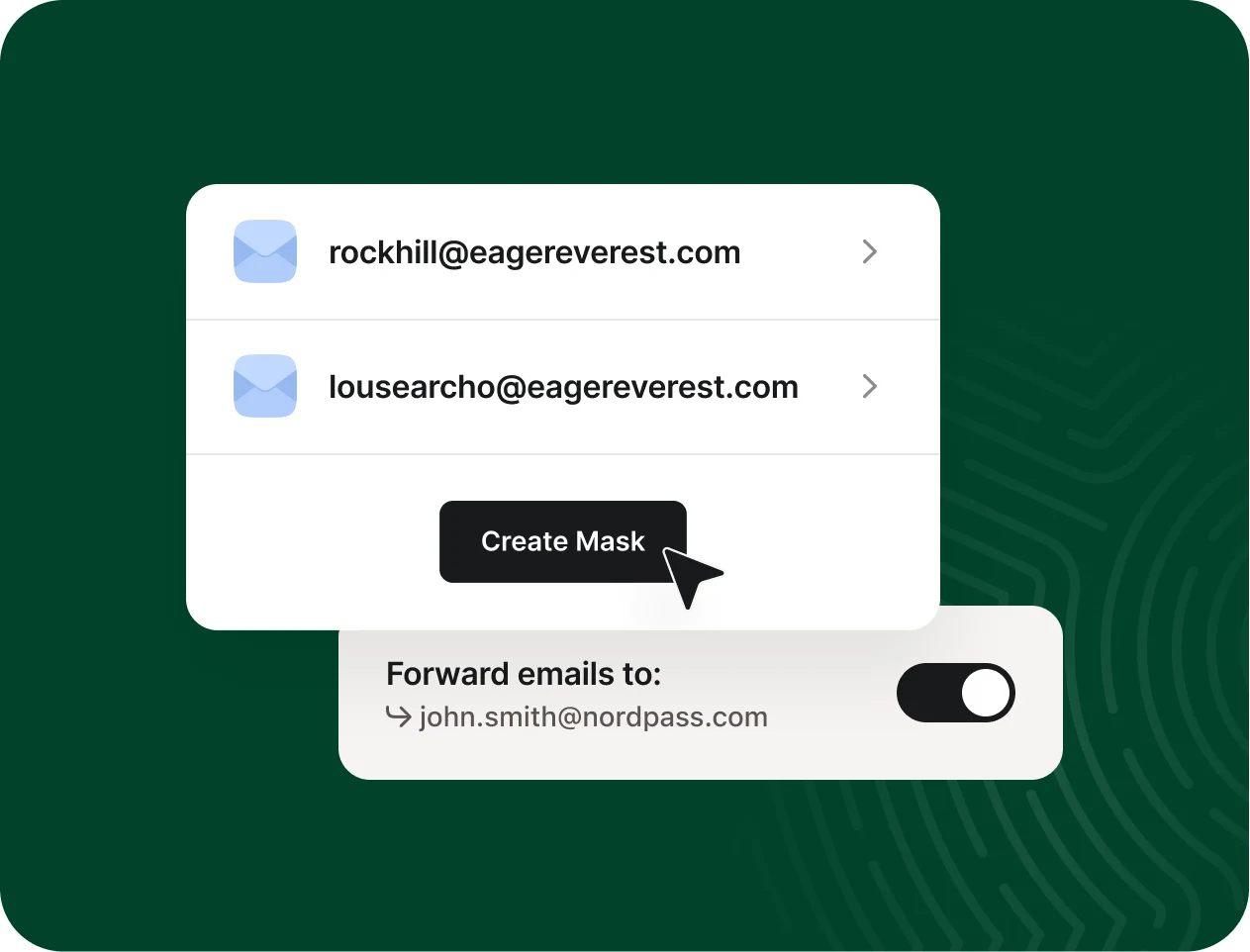
Email Masking creates a spare address that forwards mail to your real inbox. Use it for shops, newsletters and trials. If one starts getting spam, switch off forwarding and the spam stops.
Sign in with passkeys instead of passwords
A passkey is a login that uses a key stored on your device instead of a password you type, so there is nothing for a fake site to steal. NordPass saves passkeys in your vault and offers them when a site asks.
Because they live in NordPass, they sync to your other devices like your passwords do.

PREMIUM
Share logins with family or a team
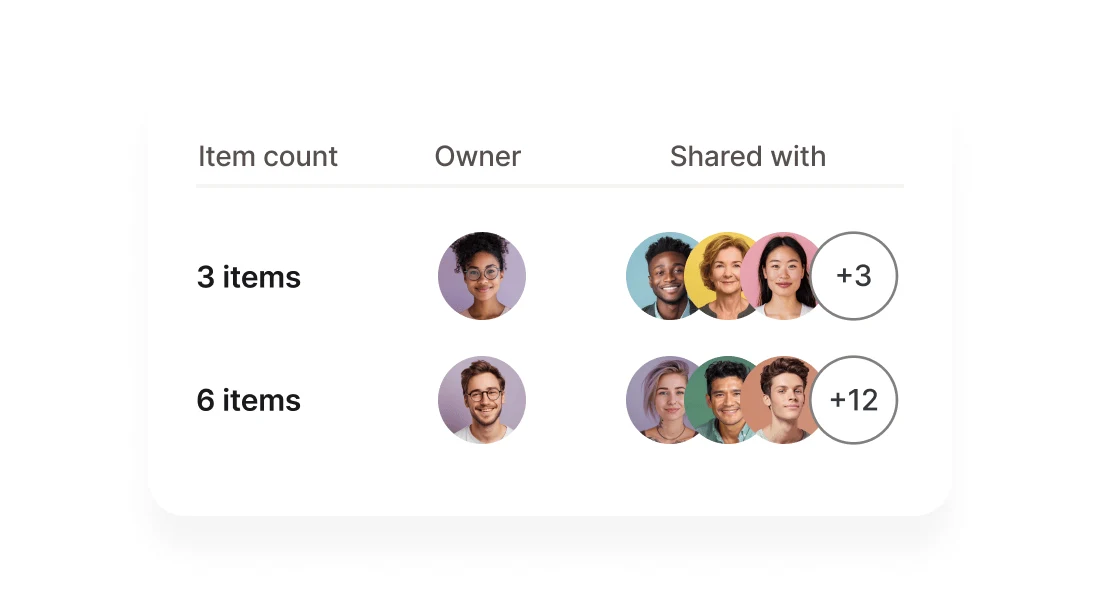
Share a password, passkey or card with another NordPass user and choose what they can do with it: view, fill, edit or share it on. Free users can receive shared items, but only paid plans can share them.
The Sharing Hub shows everything you have shared and with whom.
Emergency Access
Pick a trusted NordPass user who can request access to your passwords and notes if something happens to you, without ever knowing your master password. Even a free user can be your contact.
File attachments
Attach scans, photos or documents to any vault item. Premium includes 3 GB of encrypted storage, up to 40 MB per file on desktop.
Windows Hello unlock
Unlock the app and the extension with your face, fingerprint or Windows PIN instead of typing the master password every time.
Offline Mode
No internet? You can still open the app, view your items and copy a password. You just cannot add or edit anything until you are back online.
How to Install NordPass on Windows
NordPass is not in the Microsoft Store, so it installs from its own website. Start with the free plan; you can upgrade from inside the app later.
1 Open the NordPass for Windows download page.
2 Pick your download: Intel / AMD for most PCs, or Snapdragon for Windows on Arm laptops.
3 Run the setup file from your Downloads folder and wait for it to finish.
4 Create a Nord Account or sign in to the one you use for NordVPN.
5 Set your master password and save the 24-character Recovery Code somewhere safe.
6 Add the browser extension when the app offers it, then import your passwords.
Not sure which download you need? Open Settings > System > About and look at System type. “x64-based processor” means Intel / AMD; “ARM-based processor” means Windows on Arm.
The Premium link goes to nordpass.com through our affiliate partner. The price is the same for you.
NordPass Free vs Premium: Plans and Prices
There are three personal plans. The biggest difference is that Free keeps you signed in on one device at a time. You can install it everywhere, but opening it on your phone signs you out on your PC.
Intro prices renew higher. The first-term discount ends at renewal, which then bills at the regular price. Every paid plan has a 30-day money-back guarantee. Business plans are sold separately on the NordPass Business plans page.
Check today's NordPass prices →
NordPass vs the Password Manager in Edge
Every Windows PC already has a free password manager inside Microsoft Edge, and Chrome has its own. For many people that is enough. Here is where NordPass is different.
Our take
If you only use Edge, its built-in manager is free and does the job. NordPass earns its place when you switch between browsers, share logins with family, or want your passwords to live outside any one browser company's account. The free plan is generous on storage but the one-device limit gets old fast if you use a phone and a PC every day, so most people who stick with NordPass end up on Premium. Using Chrome instead? See our Google Chrome guide.
Is NordPass Safe?
What protects your vault
Your vault is encrypted on your PC before it is uploaded, and Nord Security says it never has your master password, so it cannot read your data. The desktop app and browser extension were independently audited by the security firm Cure53, according to NordPass.
What you need to do
The weak point is you. If you forget the master password and lose the Recovery Code, Nord cannot reset your vault for you. Store the code offline, turn on multi-factor login for your Nord Account, and never type your master password into a site that asks for it.
Tips for Getting Started with NordPass
1 Import, then turn off your browser's saving. Bring your passwords over from Chrome, Edge or another manager with a CSV file, then switch off password saving in the browser so you do not get two pop-ups on every login.
2 Delete the CSV file afterward. The export file holds every password in plain text. Empty it from the Recycle Bin once the import is done.
3 Save your Recovery Code offline. Print it or write it down. It is the only way back in if you forget the master password, and you can generate a new one in Settings.
4 Turn on Windows Hello. Unlocking with your face, fingerprint or PIN makes it easy to keep the auto-lock timer short without typing a long password all day.
5 Fix your worst passwords first. On Premium, open Password Health and start with reused passwords on email and banking. Those protect everything else.
NordPass Tutorial Video
Watch this beginner walkthrough from CoolTechZone to see the NordPass vault, autofill, the password generator and the security tools in use.
Frequently Asked Questions
What are the system requirements for NordPass on Windows?
Is NordPass really free?
Does NordPass work offline?
Can NordPass fill passwords in desktop programs and games?
What happens if I forget my NordPass master password?
Do I need NordVPN to use NordPass?
Support and Community
- NordPass, the developer’s own website.
- NordPass Help Center, with setup guides and 24/7 live chat for every plan.
- r/NordPass on Reddit, where users trade fixes for extension and sync problems.
More Windows software guides: Microsoft Edge · Brave Browser · Bitdefender · Malwarebytes Premium · McAfee Antivirus · Avast Premium Security
Discover more from Windows Mode
Subscribe to get the latest posts sent to your email.














Add your first comment to this post