Readers like you help support this site. When you make a purchase using links on our site, we may earn an affiliate commission. All opinions remain our own.
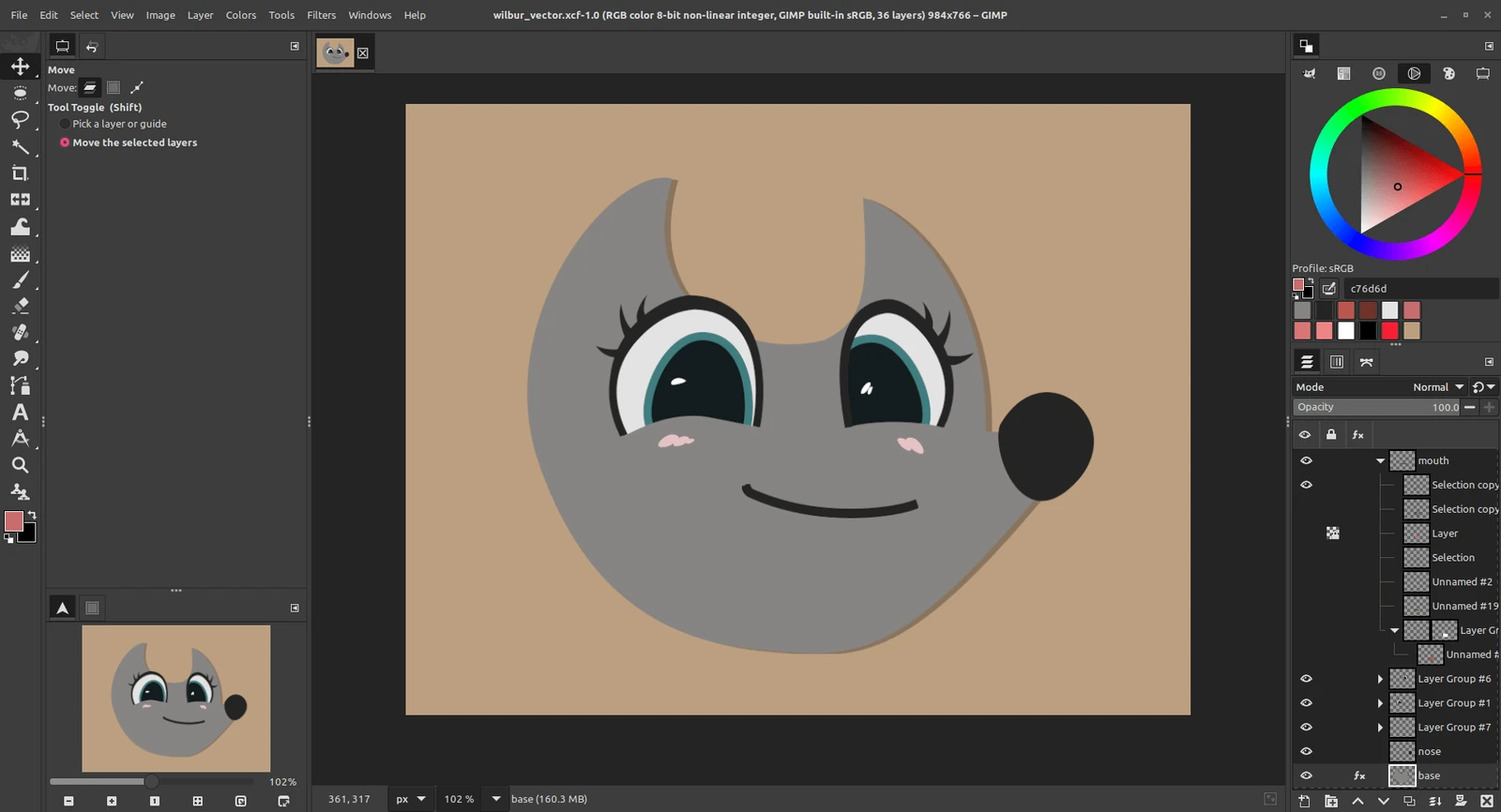
GIMP 3.2 with a drawing built from vector layers. Screenshot: GIMP team, gimp.org (CC BY-SA 4.0).
GIMP is a free, open source image editor for Windows, available from gimp.org or the Microsoft Store. You can retouch photos, cut out backgrounds, build graphics with layers and text, and paint with a mouse or a pen tablet. There is no paid version, no account and no watermark.
It is the free editor most people try first when they want something closer to Photoshop. GIMP 3 added filters you can change later without redoing your work, plus vector and linked layers. It also opens and saves Photoshop .psd files.
The gimp.org installer runs on Windows 10 and Windows 11, on both regular PCs and ARM laptops. The Microsoft Store version needs Windows 11.
Below: install steps, installer vs Store, how GIMP compares with Photoshop, and tips for your first week. Questions? Reach out to us directly.
What Is GIMP?
GIMP stands for GNU Image Manipulation Program. It is a raster editor (it edits images made of pixels, like photos), in the same family as Adobe Photoshop. Volunteers have built it since the 1990s, and the current stable release is GIMP 3.2.
The code is open source under the GPL (a license that lets anyone use, study, change and share it). You can use GIMP for paid client work, and the GIMP team says it puts no limits on what you make with it.
GIMP does not try to copy Photoshop, so menus and tool names differ. If you want Photoshop’s layout and shortcuts, the free PhotoGIMP patch rearranges GIMP to match.
What You Can Do in GIMP
GIMP covers most everyday photo and graphics jobs. These are the features that matter most for a new user.
Layers, masks and selections
Stack images, text and adjustments on separate layers. Masks hide parts of a layer without deleting them, and selection tools cut out objects, from a simple rectangle to a click-and-spread fuzzy select.
Filters you can change later
Since GIMP 3, most filters stay editable. Apply a blur or a color fix, then go back and change it, hide it or remove it without undoing everything after it.
Photo retouching
Fix exposure with Curves and Levels, boost color with Vibrance, remove spots with the Heal and Clone tools, and crop or straighten in a few clicks.
Vector and linked layers
GIMP 3.2 adds shape layers you can resize without blur, and link layers that update when you edit the original file in another app.
Painting and drawing
Use GIMP’s own brushes or the MyPaint brush engine, with pressure from a pen tablet. GIMP 3.2 added 20 new MyPaint brushes.
Opens almost any image
JPG, PNG, WebP, HEIF, TIFF, PDF, SVG and Photoshop .psd files all open. For camera RAW files, GIMP hands off to free darktable or RawTherapee if you install one.
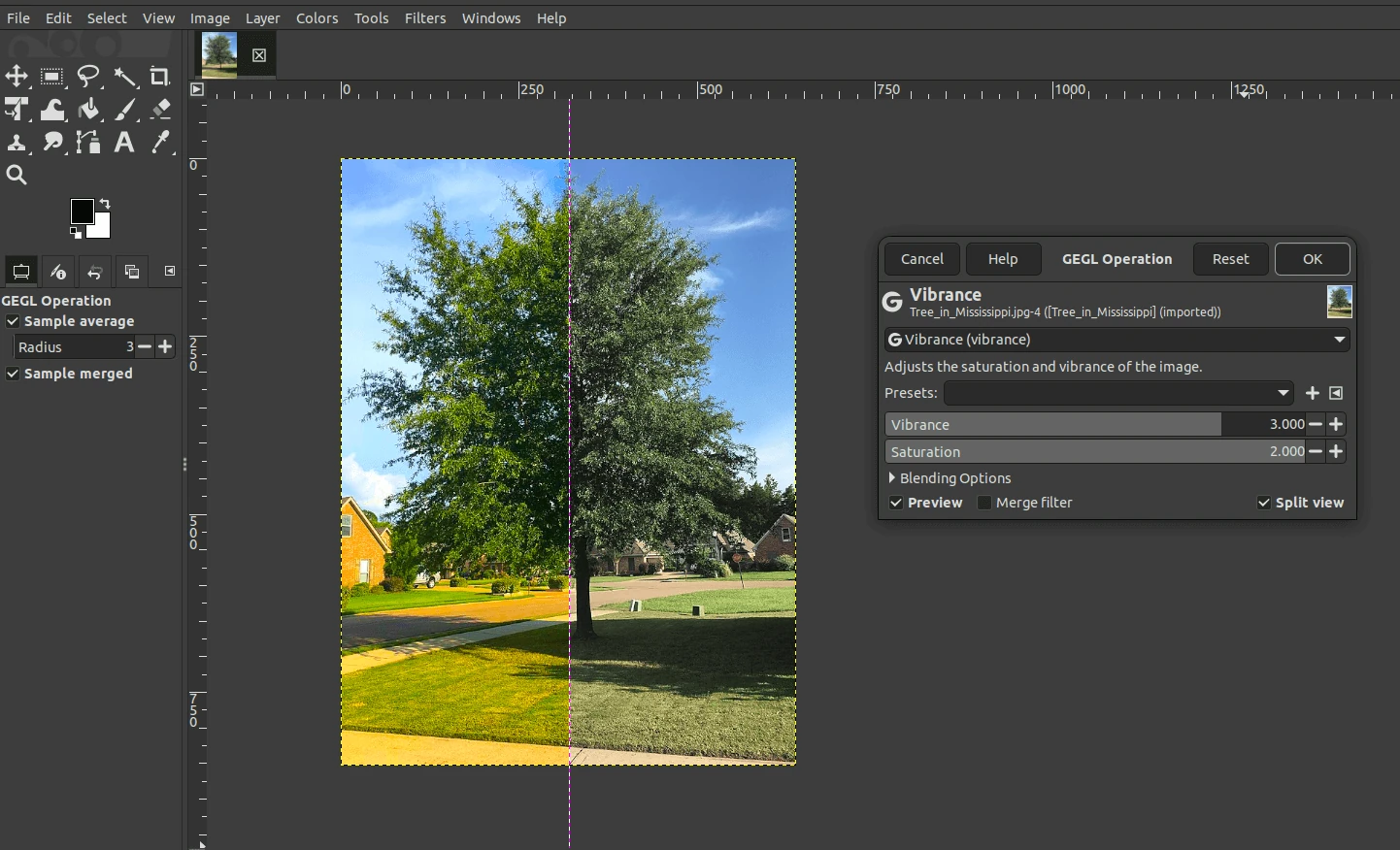
Split view shows a filter’s before and after on one image. Screenshot: GIMP team, gimp.org (CC BY-SA 4.0).
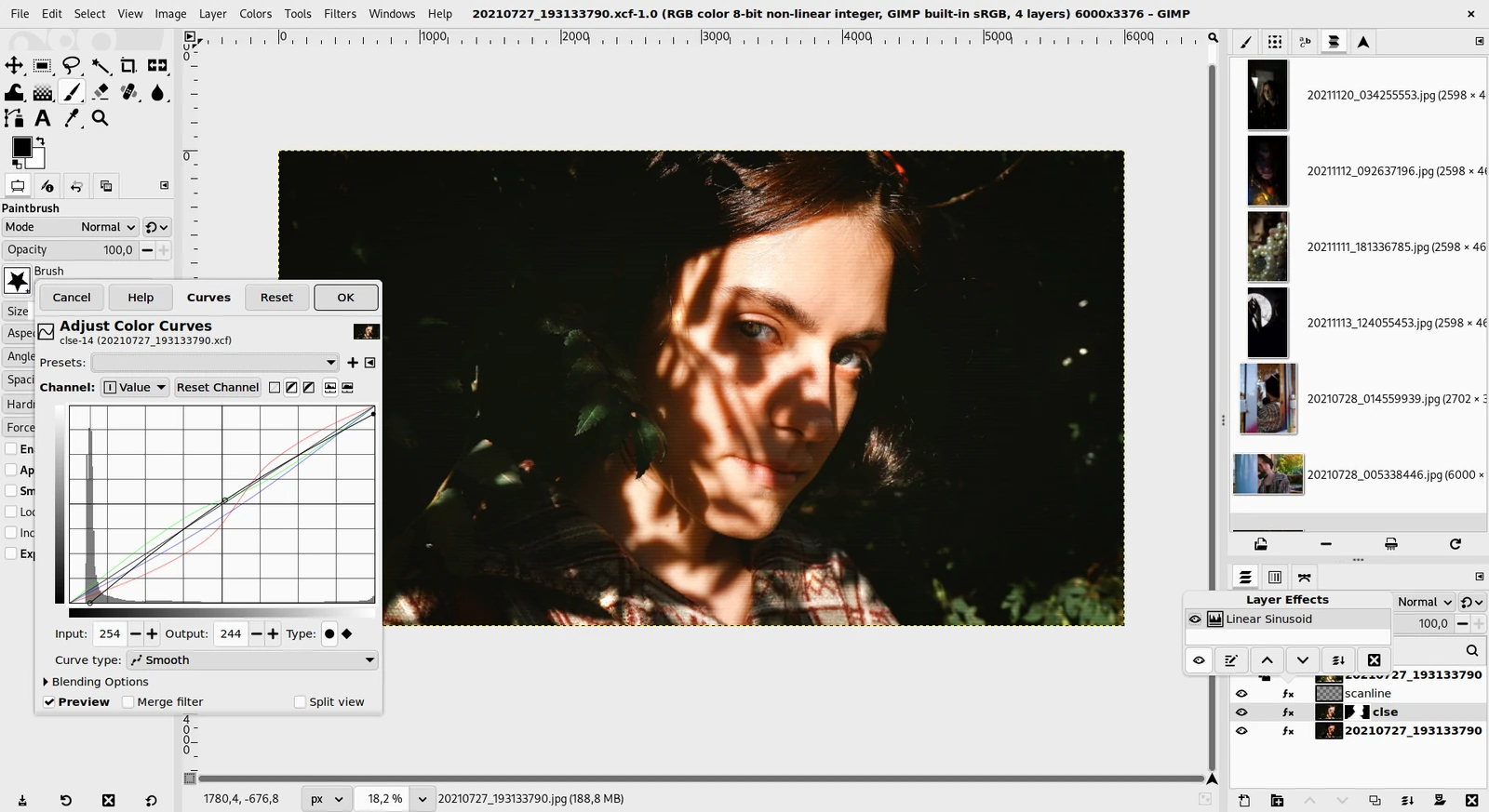
Layer Effects lists every filter on a layer, so you can edit it later. Screenshot: GIMP team, gimp.org (CC BY-SA 4.0).
How to Install GIMP on Windows
The gimp.org installer is one file for both regular Intel or AMD PCs and ARM laptops, so you do not need to pick a version.
1 Open the downloads page at gimp.org/downloads.
2 Click the Windows download link to get the setup file. It names the current version, such as gimp-3.2.6-setup.exe.
3 Run the setup file and click Yes when Windows asks for permission.
4 Follow the setup screens. The default options are fine for most people.
5 Open GIMP from the Start menu. The first launch takes a little longer while it loads fonts and brushes.
Prefer the Microsoft Store? Search for GIMP in the Store app, or use the button below, and click Get. It installs the same program and updates itself. It needs Windows 11.
Only download from gimp.org or the Microsoft Store. The GIMP team lists only these, plus a BitTorrent link, for Windows. Other “GIMP download” sites may bundle extra software.
gimp.org Installer vs Microsoft Store
Both are official and free, and the GIMP team says the program inside is exactly the same. The differences are which Windows versions they support and how updates arrive.
No 32-bit version any more. GIMP 3.2.0 was the last release built for 32-bit Windows. If your PC runs 32-bit Windows 10, GIMP 3.2.6 and later will not install on it.
GIMP vs Photoshop
Most people weighing GIMP are deciding whether they can skip a Photoshop subscription. For photo fixes, cutouts and web graphics, GIMP is enough. The gap shows in AI tools, print work and team files.
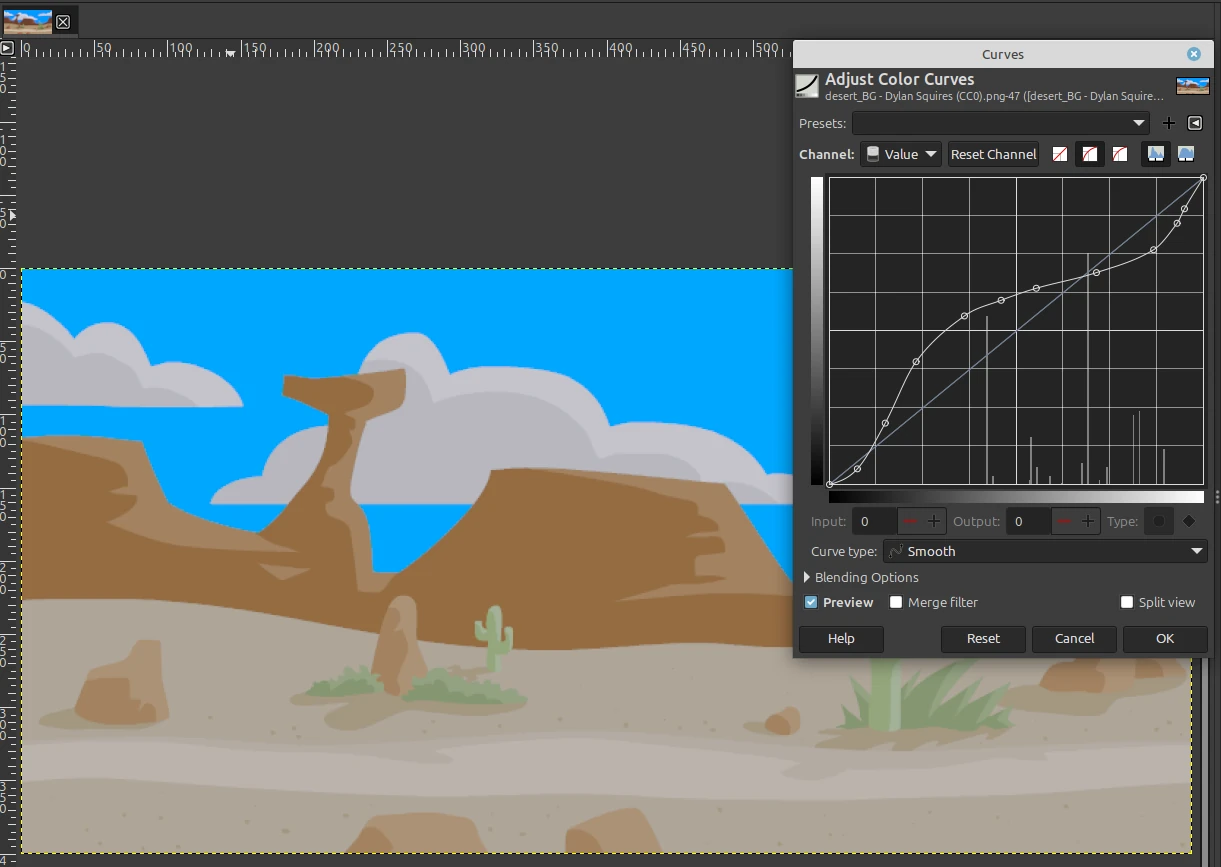
GIMP 3.2 can load Photoshop Curves (.acv) and Levels (.alv) presets. Screenshot: GIMP team, gimp.org (CC BY-SA 4.0).
Our take
Install GIMP if you edit photos for yourself, a blog, a small shop or social media. It does the core jobs well and costs nothing. Stay with Photoshop if a client or team sends you layered .psd files every day, or if you rely on Adobe’s AI tools. For other free and paid options, see our best photo editors for Windows.
Back Up or Reset GIMP’s Settings
GIMP keeps your settings, brushes, fonts and plug-ins in one folder: %APPDATA%\GIMP\3.2. Both the installer and the Store version use it. Knowing where it is fixes most strange problems.
Back up your setup
Close GIMP, press Windows + R, type %APPDATA%\GIMP and press Enter. Copy the 3.2 folder somewhere safe. Paste it back on a new PC to get your setup back.
Reset GIMP to defaults
If panels vanish or GIMP acts oddly, close it and rename the 3.2 folder to 3.2-old. Open GIMP and it builds fresh settings. Delete the old folder once all is well.
Tips for Getting Started
1 Use Export As for JPG and PNG. Save only writes GIMP’s own .xcf format, which keeps your layers. File, then Export As, makes a normal image file.
2 Search for any command. Open Help, then Search and Run a Command, type what you want, such as “rotate” or “blur”, and run it from the list. It finds commands that are not in any menu.
3 Lost a panel? Reset the window layout. Open Edit, then Preferences, then Window Management, and click Reset Saved Window Positions to Default Values. Restart GIMP.
4 Turn on split view in filters. Most filter dialogs have a Split view box that shows before and after on the same image.
5 Check plug-ins before you add them. GIMP 3 cannot run plug-ins written for GIMP 2.10. Make sure a plug-in says it supports GIMP 3.
Frequently Asked Questions
Is GIMP really free?
Can I use GIMP for commercial work?
What are GIMP’s system requirements on Windows?
Does GIMP work on Windows on ARM laptops?
Can I still use GIMP 2.10 plug-ins in GIMP 3?
Is GIMP made by Adobe?
Support and Community
- gimp.org, the GIMP team’s official site, with news, release notes and tutorials.
- GIMP documentation, the official manual for every tool and menu.
- GIMP forum on GNOME Discourse, the official forum the GIMP team links to.
- r/GIMP on Reddit, linked from gimp.org, for help from other users.
- GIMP bug tracker, to check known bugs or report a new one.
More Windows software guides: PhotoGIMP · Best Photo Editors · Inkscape · Affinity Photo · PaintShop Pro · Photoshop Express
Discover more from Windows Mode
Subscribe to get the latest posts sent to your email.












Add your first comment to this post