Readers like you help support this site. When you make a purchase using links on our site, we may earn an affiliate commission. All opinions remain our own.
The best free Windows apps in 2026 are ShareX for screenshots and screen recording, WizTree for finding what is using your disk space, Flow Launcher for opening anything instantly, and EarTrumpet for controlling volume per app.
We collected 23 free apps that solve real problems on Windows. Every app on this list has a fully functional free version. Whether you need to take better screenshots, speed up your workflow, manage files, or customize your desktop, there is a tool here for you.
All of these apps work with Windows 11 and Windows 10. Most are lightweight and will not slow down your PC. Let us know in the comments your favorite software, don’t be shy!
ShareX
WizTree
Flow Launcher
EarTrumpet
Rainmeter
🔍 What We Looked For
Truly Free
No hidden costs or forced upgrades
Ease of Use
Can you use it without a tutorial?
Performance
Lightweight and fast on any PC
Solves a Real Problem
Does something Windows cannot do well
Quick Verdict: The Top 5 Essentials
| App | Category | Best For | Rating |
|---|---|---|---|
| 1. ShareX | Utility | Screenshots + Recording | ⭐⭐⭐⭐⭐ |
| 2. WizTree | System | Disk Space | ⭐⭐⭐⭐⭐ |
| 3. Flow Launcher | Productivity | Speed | ⭐⭐⭐⭐⭐ |
| 4. EarTrumpet | Audio | Volume Control | ⭐⭐⭐⭐½ |
| 5. Rainmeter | Customization | Desktop Design | ⭐⭐⭐⭐½ |
23 Top Free Apps for Windows
1. Greenshot
Best Lightweight Screenshot Tool
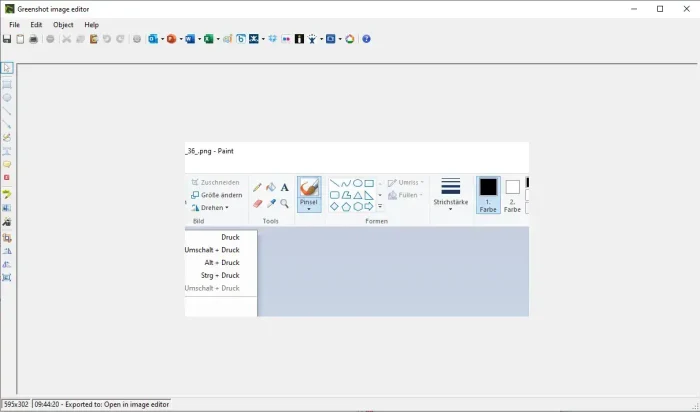
Key Features:
- Edit screenshots with arrows and text instantly
- Upload directly to cloud services
- Set custom keyboard shortcuts for captures
- Works with Microsoft Office apps
Why We Like It: Greenshot is the lightweight king of screenshots. It outshines the default Snipping Tool by letting you add arrows, text, and highlights the second you capture an image. Essential for anyone who takes screenshots regularly.
2. ShareX
🏆 Best All-in-One Screenshot and Recording Tool
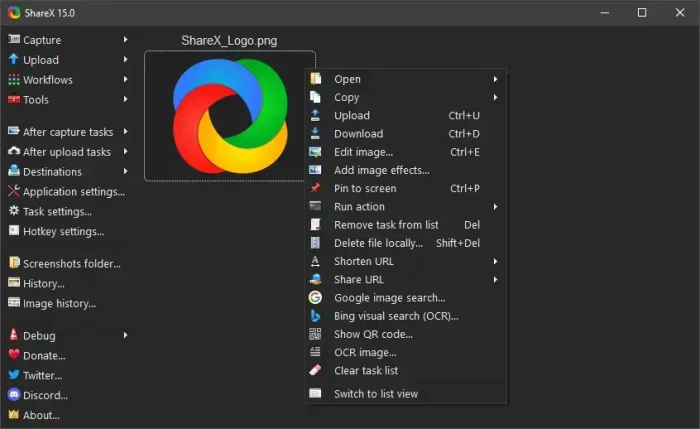
Key Features:
- Record your screen as video or GIF
- Read text from images (copy text from a screenshot)
- Automatically upload and share captures
- Built-in color picker and screen ruler
Why We Like It: ShareX is the power-user version of Greenshot. It can record video, copy text from images, and automatically upload files to your preferred service. A true open-source powerhouse that does everything.
3. Flow Launcher
Best Quick-Access Launcher (Faster Than Start Menu)
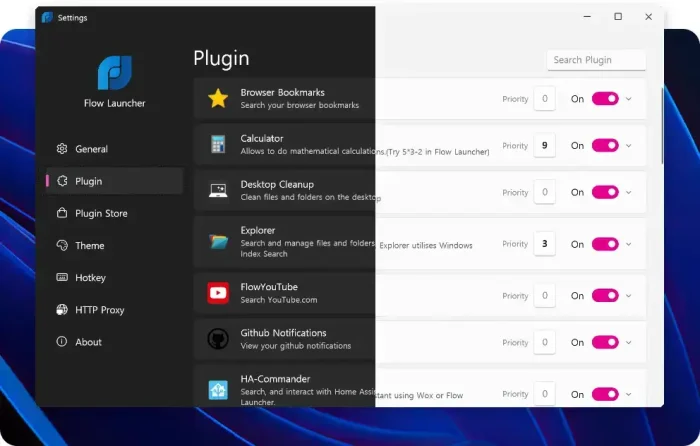
Key Features:
- Find and open files, apps, and websites instantly
- Hundreds of community add-ons
- Customizable look and feel
- Much faster than the Windows Start menu
Why We Like It: Press a keyboard shortcut, type what you need, and it opens instantly. Flow Launcher replaces the slow Windows Start menu with something lightning fast. Once you try it, you will never go back.
4. EarTrumpet
Best Per-App Volume Controller
Key Features:
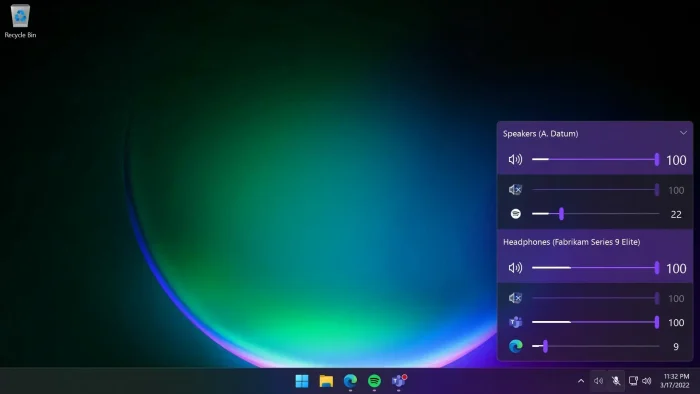
- Set different volume levels for each app
- Matches the Windows 11 look
- Drag and drop audio between speakers and headphones
- Lives in your system tray, always ready
Why We Like It: Microsoft should have built this into Windows. EarTrumpet lets you turn down Spotify without affecting your game sound, or mute your browser without touching everything else. Simple and essential.
5. Rainmeter
Best Desktop Customization Tool
Key Features:
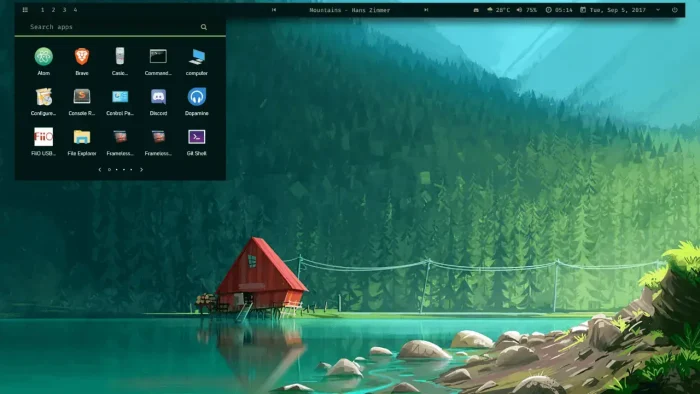
- Completely redesign your desktop look
- Add live widgets showing CPU, RAM, weather, and more
- Thousands of free designs made by the community
- Uses very little memory and processing power
Why We Like It: The ultimate tool for making your desktop look like a sci-fi command center or a minimalist workspace. Rainmeter puts live information right on your wallpaper and looks stunning.
+ Read our Rainmeter setup guide including our favorite skins.
6. FastStone Image Viewer
Best Fast Photo Browser
Key Features:
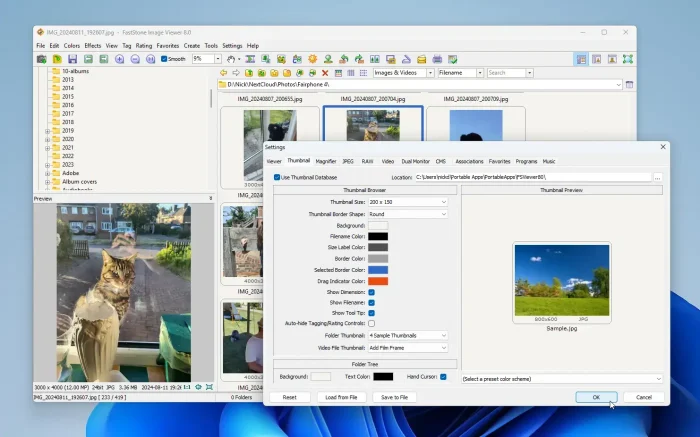
- Opens and browses images much faster than Windows Photos
- Convert or rename hundreds of photos at once
- Edit photos without losing quality
- Compare two images side by side
Why We Like It: It might look old-school, but it is much faster than the built-in Windows Photos app. Great for anyone with large photo collections who needs quick browsing and basic editing.
7. Agent Ransack
Best File Search Tool (Searches Inside Files)
Key Features:
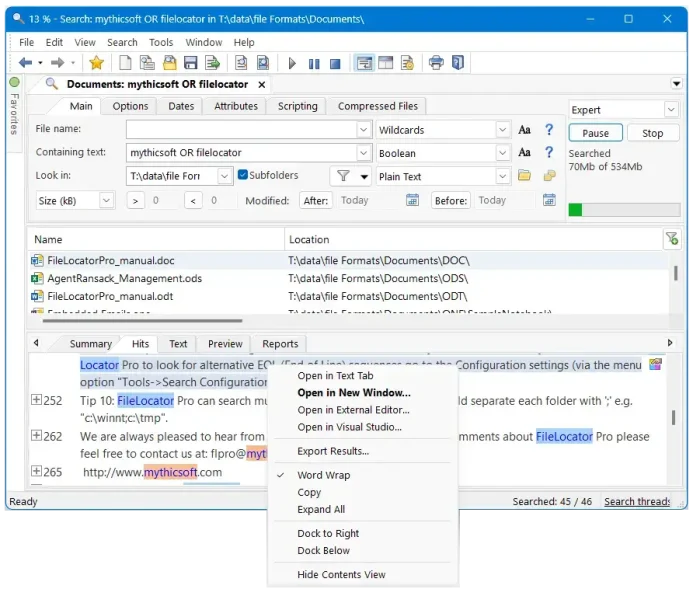
- Search for words inside PDFs, Word documents, and text files
- Combine search terms (find files with “invoice” AND “2026”)
- Save and export your search results
- Scans your drive quickly
Why We Like It: When Windows Search fails to find that one specific document, Agent Ransack finds it. The key difference is that it searches the contents of your files, not just the file names.
8. ClipClip
Best Clipboard Manager
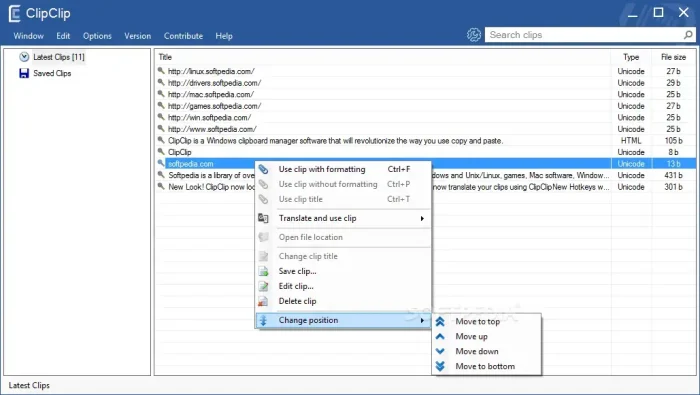
Key Features:
- Saves everything you copy (text, images, files)
- Organize copied items into folders
- Search through your copy history
- Never lose a copied item again
Why We Like It: The built-in Windows Clipboard (Win+V) is limited. ClipClip saves, organizes, and lets you search through everything you have ever copied, so you never lose that important text you copied three hours ago.
9. AutoHotkey
Best Keyboard and Mouse Automation Tool
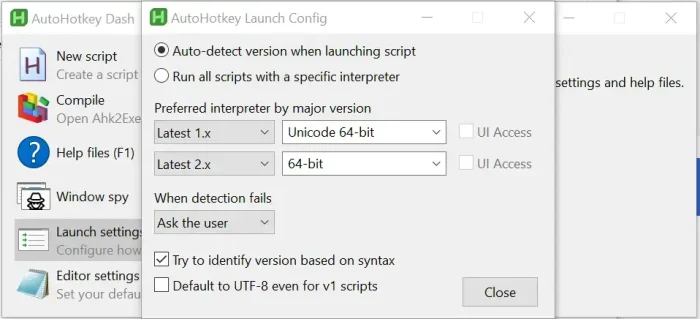
Key Features:
- Reassign any key or button on your keyboard
- Create text shortcuts (type “eml” and it types your full email)
- Automate repetitive mouse clicks and keystrokes
- Thousands of ready-made scripts to download
Why We Like It: The ultimate tool for automating repetitive tasks. Whether you want to type your email address with two keystrokes or automate a boring, repetitive workflow, AutoHotkey can do it.
10. CodeLite
Best Lightweight Code Editor for C/C++ Developers

Key Features:
- Lightweight code editor focused on C and C++ programming
- Works with popular compilers (GCC, Clang, Visual C++)
- Built-in debugger to find and fix errors
- Works on Windows, Mac, and Linux
Why We Like It: For developers who find Visual Studio too heavy and slow, CodeLite is a fast, open-source alternative that has everything you need to write and debug code without the bloat.
11. Fluentcast
Best Podcast Player for Windows
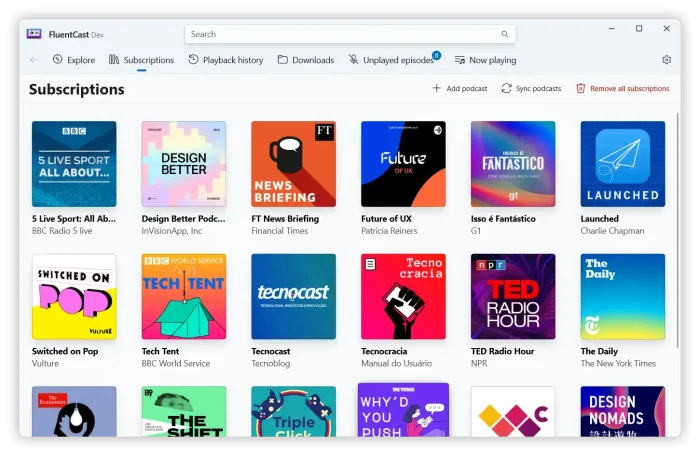
Key Features:
- Beautiful podcast player designed for Windows 11
- Download episodes to listen offline
- Import and export your podcast subscriptions
Why We Like It: A podcast app that actually looks and feels like it belongs on Windows 11. Beautiful design, smooth performance, and completely free.
12. Waterfox
Best Privacy-Focused Browser

Key Features:
- Tracking and data collection turned off by default
- Works with both Chrome and Firefox browser add-ons
- Built for speed
Why We Like It: For users who want a fast browser without the tracking found in Chrome, Edge, and even regular Firefox. Waterfox strips out the data collection while keeping everything else you love about browsing.
13. MyPhoneExplorer
Best Android-to-PC Sync Tool
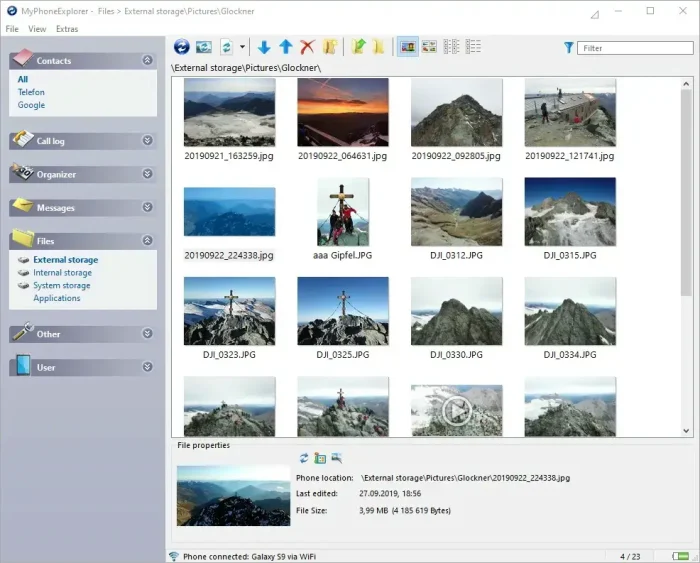
Key Features:
- Connect your Android phone to your PC over WiFi or USB
- Manage text messages, calls, and files from your computer
- Create full local backups of your phone
Why We Like It: Unlike Microsoft’s Phone Link app, MyPhoneExplorer works completely offline and keeps all your data on your computer, not in the cloud. Great for people who value privacy.
14. Snapdrop
Best Instant File Sharing (Like AirDrop for Windows)
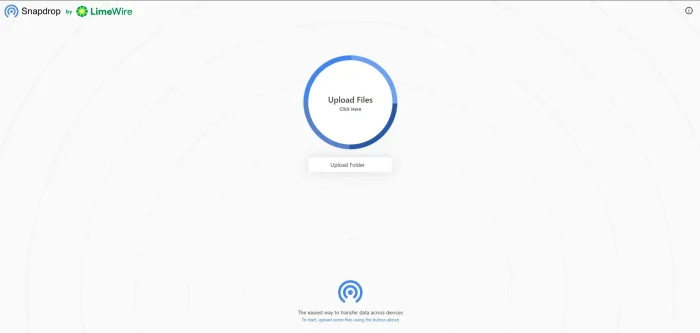
Key Features:
- Send files between any devices on the same WiFi network
- No app to install, just open the website
- Files go directly between devices, not through a server
Why We Like It: The fastest way to send a photo from your phone to your PC without cables or emailing it to yourself. Open the website on both devices and drag a file. That is it.
15. GnuCash
Best Free Accounting Software
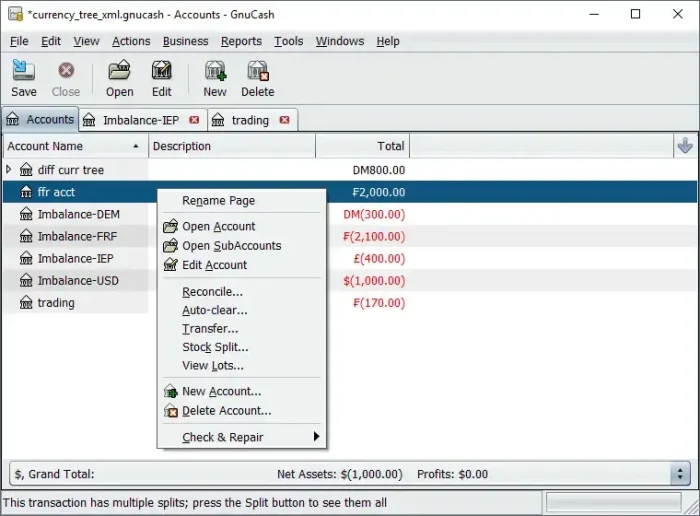
Key Features:
- Professional accounting with proper financial records
- Track income, expenses, and invoices for small businesses
- Generate financial reports
Why We Like It: A powerful, professional-grade financial tool that is completely free. Perfect for freelancers and small business owners who need proper bookkeeping without paying for QuickBooks.
16. ONLYOFFICE Desktop Editors
Best Free Microsoft Office Alternative
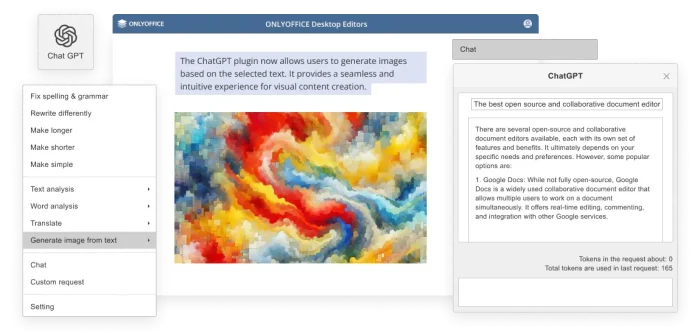
Key Features:
- Includes documents, spreadsheets, and presentations
- Opens and saves Microsoft Office files without problems
- Clean, tabbed interface that feels familiar
Why We Like It: It looks and feels like Microsoft Office but does not cost a thing. If you need to open .docx, .xlsx, or .pptx files without paying for Office, this is the best free option.
17. Archi
Best Free Diagram and System Planning Tool
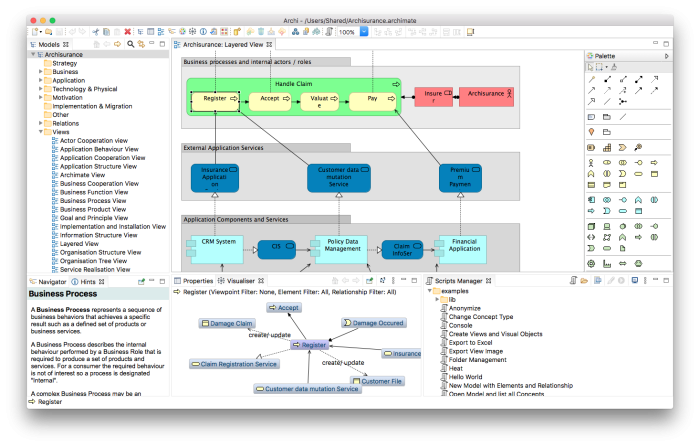
Key Features:
- Create professional system and business diagrams
- Visualize how different parts of a project connect
- Free and open source
Why We Like It: A specialized but essential tool for IT professionals, project managers, and system planners. It lets you map out complex structures and workflows visually, completely free.
18. FXSound
Best Free Audio Enhancer
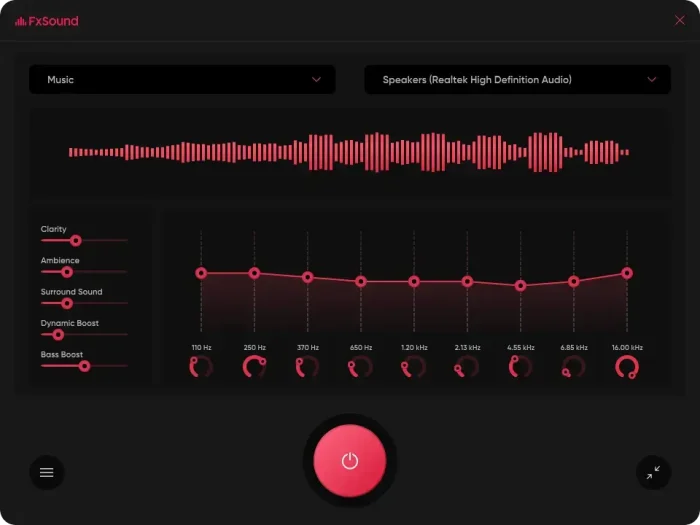
Key Features:
- Improves all audio on your PC (music, movies, games)
- Bass boost and voice clarity settings
- Ready-made settings for gaming, music, and movies
Why We Like It: It instantly makes cheap laptop speakers sound noticeably better. Turn it on and everything from Spotify to YouTube to your games sounds richer and clearer. The free version is surprisingly powerful.
19. SumatraPDF
Best Lightweight PDF Reader
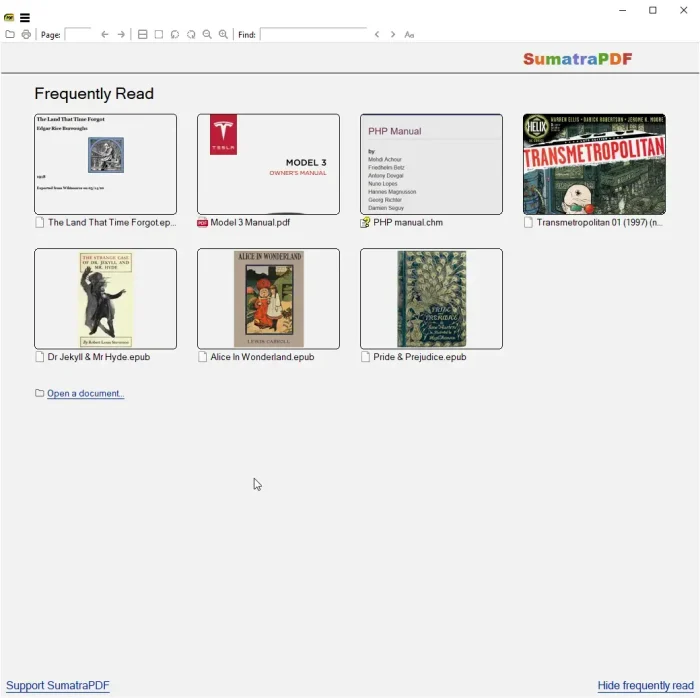
Key Features:
- Opens PDF files instantly (even large ones)
- Also reads ebooks (ePub, MOBI) and comic books (CBR)
- Portable version runs from a USB drive with no install
Why We Like It: Adobe Reader is bloated and slow. SumatraPDF opens massive files instantly, uses almost no memory, and stays completely out of your way. The best PDF reader for speed.
20. Xtreme Download Manager (XDM)
Best Free Download Accelerator
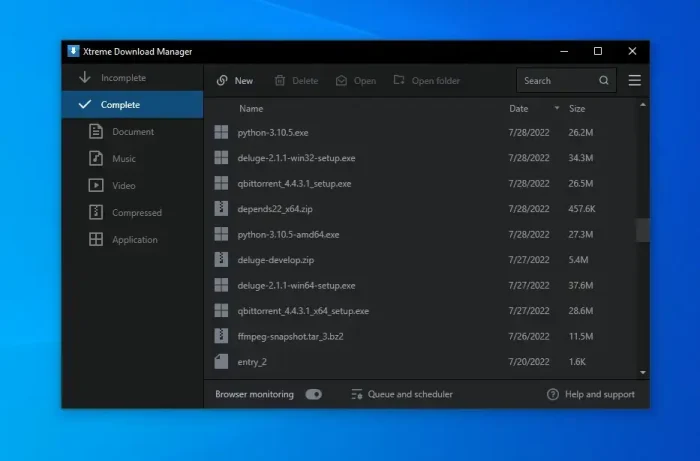
Key Features:
- Speeds up downloads by splitting files into parts
- Grab videos from streaming websites
- Works with Chrome, Firefox, and Edge
Why We Like It: A completely free alternative to Internet Download Manager (IDM). It speeds up large downloads significantly and can save streaming videos from websites directly to your PC.
21. WizTree
🏆 Fastest Disk Space Analyzer
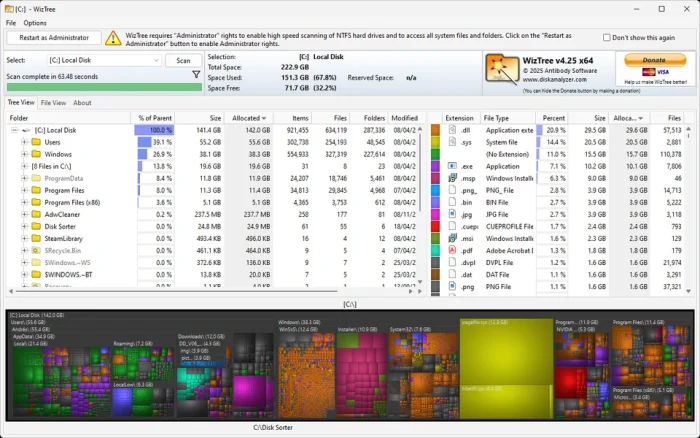
Key Features:
- Scans your entire hard drive in seconds (not minutes)
- Shows a visual map of what is using your space
- Reads the drive’s file index directly for maximum speed
Why We Like It: When your drive is full and you need to know why, WizTree gives you the answer in seconds. It is dramatically faster than similar tools like WinDirStat and shows you exactly which files and folders are eating your space.
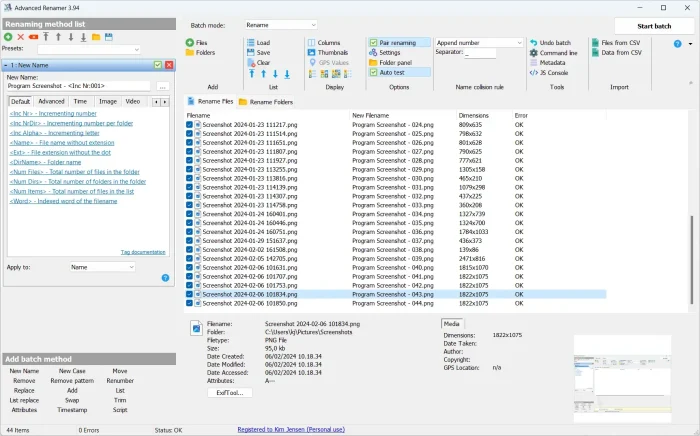
22. Advanced Renamer
Best Batch File Renaming Tool
Key Features:
- Rename hundreds or thousands of files at once
- Use photo dates or music info to build file names automatically
- Undo any rename if you make a mistake
Why We Like It: Essential for organizing messy photo folders, music libraries, or project files. You can rename 1,000 files in seconds using rules like date taken, file type, or custom patterns.
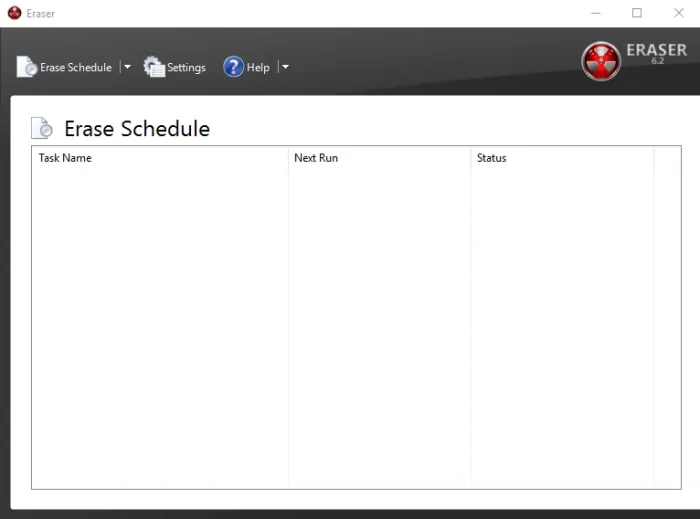
23. Eraser
Best Secure File Deletion Tool
Key Features:
- Permanently deletes files so they cannot be recovered
- Overwrites data multiple times for maximum security
- Schedule automatic secure deletion of specific folders
Why We Like It: When you delete a file in Windows, it is not really gone. Someone with recovery software could get it back. Eraser overwrites the data so sensitive files are truly destroyed beyond recovery.
All 23 Apps at a Glance
| App | Category | Best For |
|---|---|---|
| Greenshot | Utility | Quick screenshots |
| ShareX | Utility | Screenshots + recording |
| Flow Launcher | Productivity | Opening apps fast |
| EarTrumpet | Audio | Per-app volume |
| Rainmeter | Customization | Desktop widgets |
| FastStone | Media | Fast photo browsing |
| Agent Ransack | Utility | Finding files by content |
| ClipClip | Productivity | Clipboard history |
| AutoHotkey | Automation | Keyboard shortcuts |
| CodeLite | Development | Lightweight coding |
| Fluentcast | Media | Podcasts |
| Waterfox | Browsing | Private browsing |
| MyPhoneExplorer | Utility | Android sync |
| Snapdrop | Utility | Quick file sharing |
| GnuCash | Finance | Bookkeeping |
| ONLYOFFICE | Productivity | Office documents |
| Archi | Planning | System diagrams |
| FXSound | Audio | Better speakers |
| SumatraPDF | Utility | Fast PDF reader |
| XDM | Utility | Faster downloads |
| WizTree | System | Disk space analysis |
| Advanced Renamer | Utility | Batch renaming |
| Eraser | Security | Secure file deletion |
Common Problems and Solutions
Windows SmartScreen blocks an app from installing
This happens with lesser-known free apps. Click “More info” then “Run anyway.” SmartScreen warns about apps it has not seen often, not necessarily unsafe ones. All apps on this list are well-established and safe.
An app runs slowly or freezes
Try running the app as administrator (right-click the shortcut and choose “Run as administrator”). Also check if your antivirus is scanning the app in real-time, which can slow things down. Adding the app to your antivirus exclusion list usually fixes this.
FXSound or EarTrumpet does not detect my audio device
Make sure your audio drivers are up to date. Go to Settings, then Windows Update, then check for updates. If the issue continues, uninstall the app, restart your PC, and reinstall. Some Bluetooth headphones need to be connected before opening these apps.
Snapdrop does not find my other device
Both devices must be on the same WiFi network. If you are using a VPN, disconnect it first. Some corporate or public WiFi networks block device-to-device connections, so try it on your home network.
AutoHotkey scripts are not working
If a script does not work in a specific app, try running AutoHotkey as administrator. Some apps (especially games) require admin-level access for scripts to interact with them. Also make sure you are using AutoHotkey v2 syntax if you downloaded v2.
Frequently Asked Questions
Are all of these apps really free?
Yes. Every app on this list has a fully functional free version with no trial period or hidden costs. Many of them are open source, meaning their code is publicly available and maintained by volunteer communities.
Which apps should I install first?
Start with our top 5: ShareX (screenshots), WizTree (disk space), Flow Launcher (quick access), EarTrumpet (volume control), and SumatraPDF (PDF reader). These five solve everyday problems you did not know you had.
Do these apps work on Windows 10?
Yes. All 23 apps work on both Windows 11 and Windows 10. A few visual features (like Fluentcast’s design) look best on Windows 11, but the functionality is the same on both.
Will these apps slow down my computer?
No. Every app on this list was selected because it is lightweight. Most use less than 50MB of RAM. Apps like EarTrumpet and Flow Launcher run quietly in the background with almost no impact on performance.
Which apps help with productivity the most?
Flow Launcher saves time opening apps and files. ClipClip saves time by keeping your copy history. AutoHotkey automates repetitive tasks. ONLYOFFICE handles documents without paying for Microsoft Office. Together, these four can save you hours every week.
Which apps improve file management?
Agent Ransack finds lost files by searching inside documents. WizTree shows you what is eating your disk space. Advanced Renamer organizes messy folders by renaming thousands of files at once. Eraser permanently deletes sensitive files.
What is the best free alternative to Microsoft Office?
ONLYOFFICE is the best free alternative on this list. It opens and saves Word, Excel, and PowerPoint files without formatting problems. For more options, check our full guide on free Office alternatives for Windows.
Our Top Recommendations
Everyone should install: ShareX for screenshots, EarTrumpet for volume control, and SumatraPDF for reading PDFs. These three solve problems you face every day.
Running out of disk space: WizTree will show you exactly what is using your storage in seconds.
Want to work faster: Flow Launcher and ClipClip will speed up everything you do on your PC.
Better audio: FXSound makes your speakers sound noticeably better in one click.
Start With the Essentials
ShareX and EarTrumpet are free, take 60 seconds to install, and improve your PC immediately.
Related Guides: Best Free AI Apps for Windows, Free Office Alternatives, Best Antivirus Software, Best Free AI Code Editors
Discover more from Windows Mode
Subscribe to get the latest posts sent to your email.















I love Rain meter, have been using for the past 5 years straight. Microsoft should just include it as part of Windows.
Good point, I think slowly Microsoft will make their own built-in software like this and I think, for some reason, they will bundle it with their Copilot, basically you will be able to ask/or tell your AI what you want your wallpaper/screen to look like and it will do it.