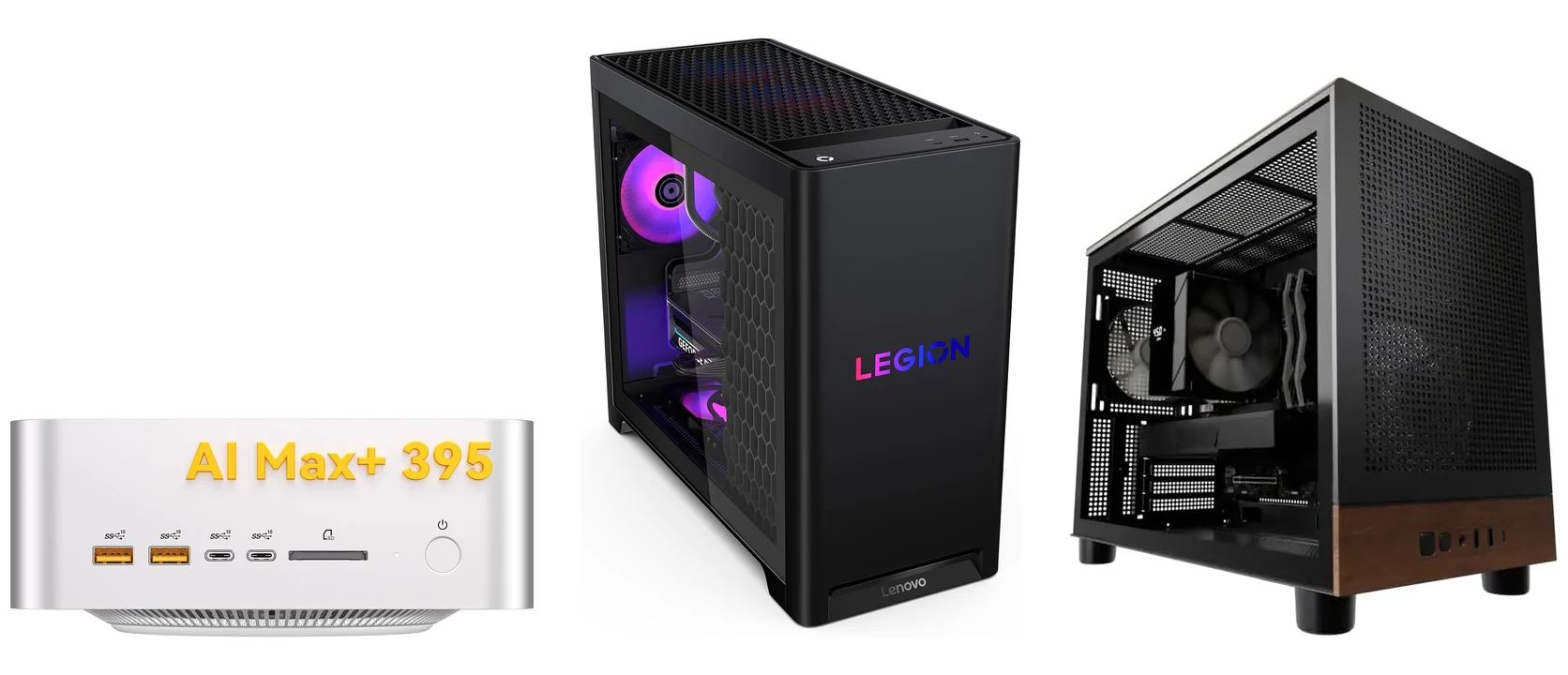
The top Windows desktops for running AI locally are the Lenovo Legion Tower 5 with a 16GB RTX 5070 Ti for most people, the GEEKOM A9 Mega mini PC with 128GB of memory for very large models, the Andromeda Insights AI Workstation with a 32GB Radeon AI PRO R9700 for the most graphics memory, and the Skytech Aurora with a 16GB RTX 5060 Ti on a budget. The Skytech Chronos 3 with an RTX 5080 is the faster 16GB option.
We picked these from manufacturer specs and published AI testing, not hands-on use, and linked the exact configuration we describe. Every link goes to Amazon. Three picks are shipped and sold by Amazon itself, the GEEKOM is sold by GEEKOM’s own store and shipped by Amazon, and the Andromeda tower is sold and shipped by its builder. We earn a commission if you buy through these links, at no extra cost to you. Need something portable instead? See our best laptops for running AI locally.
- Best for most people: Lenovo Legion Tower 5 (16GB RTX 5070 Ti)
- Best for large models: GEEKOM A9 Mega (128GB shared memory)
- Most graphics memory: Andromeda Insights AI Workstation (32GB Radeon AI PRO R9700)
- Fastest 16GB pick: Skytech Chronos 3 (16GB RTX 5080)
- Best budget: Skytech Aurora (16GB RTX 5060 Ti)
Best Desktops for Running AI Locally
Each pick lists the graphics memory, system memory, processor and storage or size of the exact model we link.
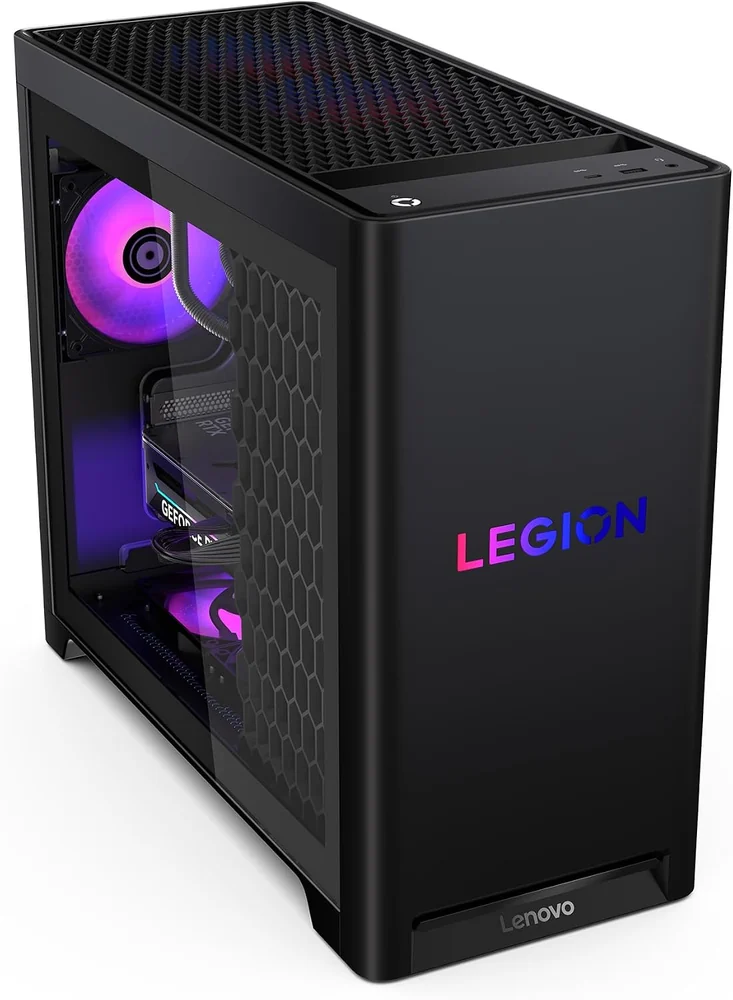
Lenovo Legion Tower 5 (RTX 5070 Ti)
Best for most people
Graphics
RTX 5070 Ti, 16GB
System memory
32GB DDR5, 4 slots
Processor
Ryzen 7 9800X3D
Storage
1TB SSD
The desktop RTX 5070 Ti has 16GB of graphics memory, the same amount as the RTX 5080, for less money. That holds 4-bit versions of models up to about 14 billion parameters with plenty of room for long chats, and some 20 to 24 billion parameter models with a shorter context. Because it is NVIDIA, Ollama, LM Studio and ComfyUI all use CUDA (NVIDIA’s AI software layer), so most guides work without extra setup.
What to consider
- 16GB is the ceiling. A model bigger than that spills into system memory and runs several times slower.
- 1TB fills up quickly once you keep a few large models around, so plan on a second drive.
Good to know: this is model 90YJ00A9US. Lenovo fits two 16GB memory sticks and leaves two of the four slots free, so adding memory later is easy. The Ryzen 7 9800X3D has no NPU (a small chip for light AI tasks).
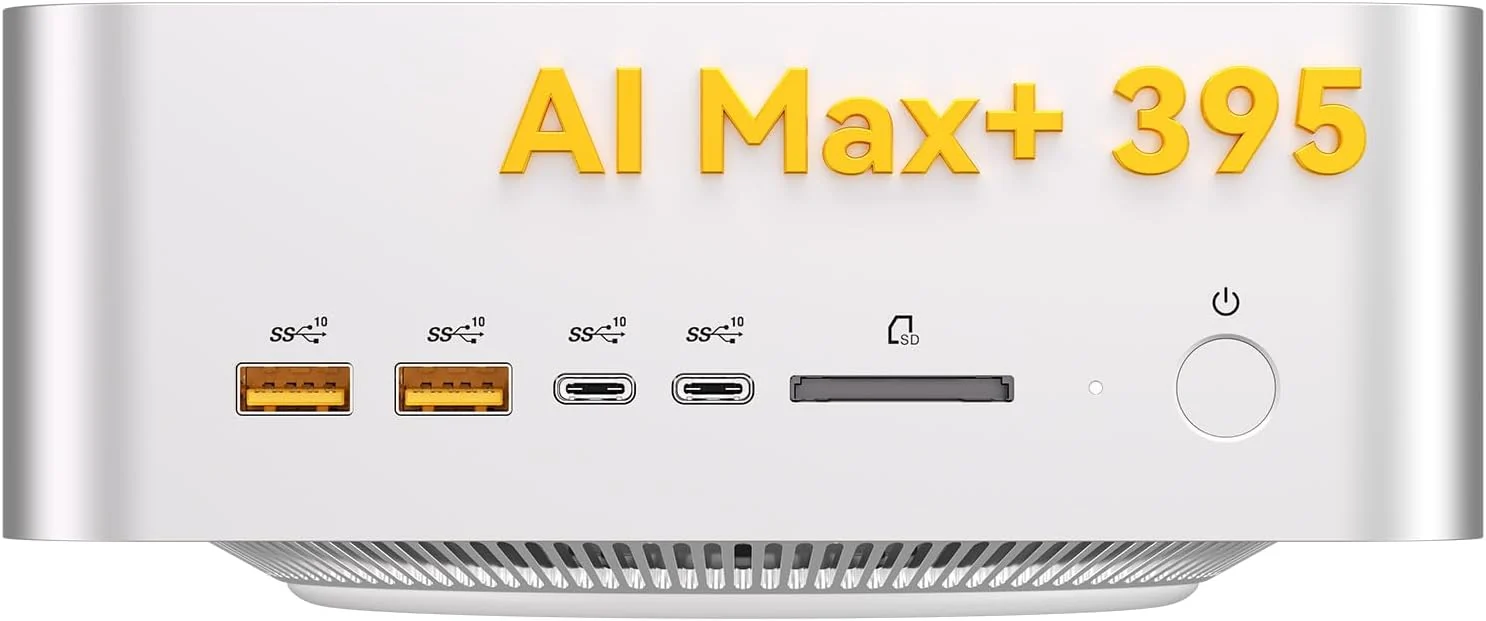
GEEKOM A9 Mega (128GB)
Best for large models
Graphics
Radeon 8060S (built in)
Memory
128GB shared, up to 96GB for graphics
Processor
Ryzen AI Max+ 395
Storage
2TB SSD, 2 slots
This mini PC, about 2 liters in size, has no separate graphics card. Its built-in graphics share one 128GB pool of memory, and GEEKOM and AMD both say Windows can give up to 96GB of it to the graphics. That loads models far too large for any single consumer graphics card, such as 70 billion parameter models at 4-bit. In its own testing, AMD reports Meta’s Llama 4 Scout (109 billion parameters) running on this chip at up to 15 tokens per second, roughly 10 words a second.
What to consider
- Big models load, but large “dense” models answer slowly. It trades speed for capacity, and any 16GB RTX card is faster on a model that fits in 16GB.
- There is no CUDA. Ollama and LM Studio run on its graphics through Vulkan, so some NVIDIA-only tools and guides will not apply.
Good to know: it is sold by GEEKOM’s own store and shipped by Amazon, and GEEKOM lists a 3-year limited warranty. Memory cannot be upgraded, which is why we link the 128GB model. Its 50 TOPS NPU (a small chip for light AI tasks) clears Windows’ 40 TOPS bar, so it is the only pick here that gets Windows’ on-device AI features such as Recall.
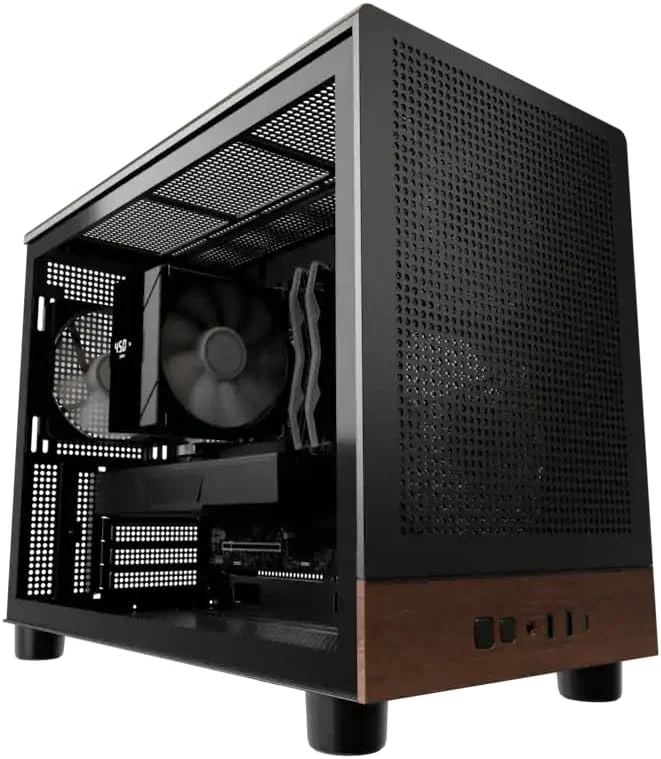
Andromeda Insights AI Workstation (Radeon AI PRO R9700)
Most graphics memory
Graphics
Radeon AI PRO R9700, 32GB
System memory
32GB DDR5
Processor
Ryzen 5 9600X
Storage
1TB SSD
AMD’s Radeon AI PRO R9700 is a workstation card with 32GB of graphics memory, twice the 16GB on the RTX 5080. It fits 4-bit models up to about 30 to 40 billion parameters entirely in graphics memory, and it is much faster than shared memory on any model that fits. 70 billion parameter models still need the 128GB GEEKOM.
What to consider
- It is AMD, so there is no CUDA. On Windows, Ollama and LM Studio use Vulkan, and ComfyUI uses AMD’s ROCm (AMD’s answer to CUDA). Expect a little more setup than on NVIDIA.
- Andromeda Insights is a small US system builder. It sells and ships this PC itself rather than Amazon, and returns may carry a shipping fee.
Good to know: this is model M4MW-R9700-9600-1T-32G-850-BLK, with Windows 11 Home. Andromeda also sells a Ryzen 9 9950X version with 64GB of system memory for more. The only other 32GB graphics card is the RTX 5090, and RTX 5090 towers cost far more.
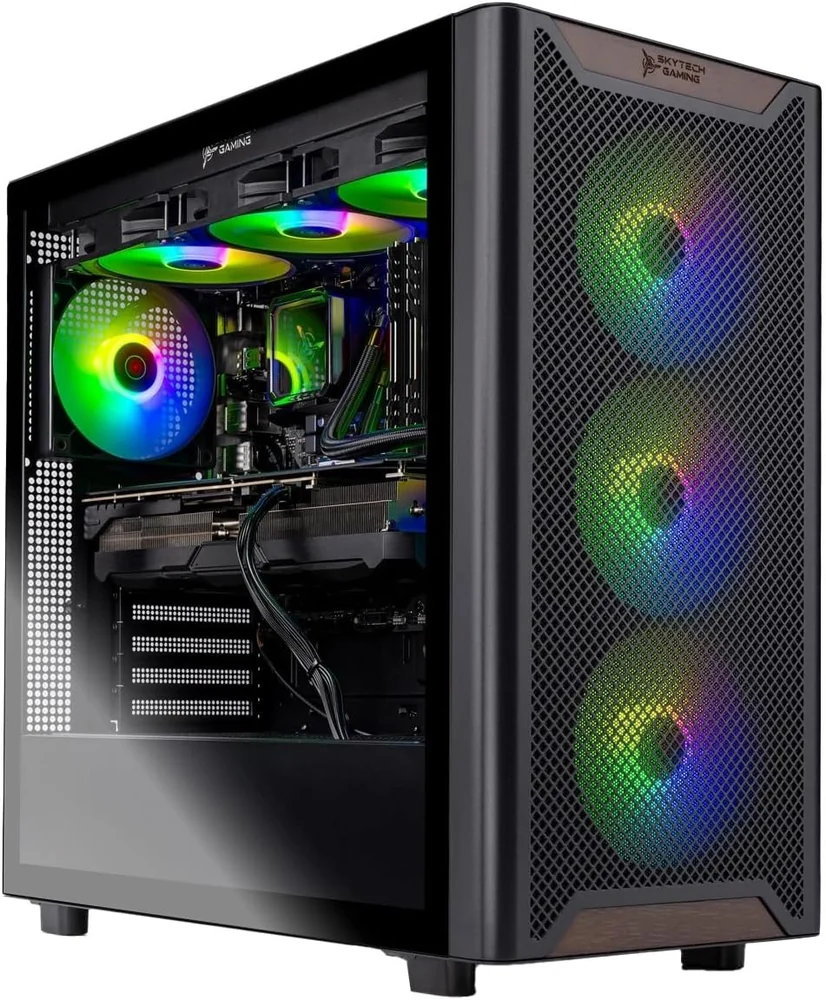
Skytech Chronos 3 (RTX 5080)
Fastest 16GB pick
Graphics
RTX 5080, 16GB
System memory
32GB DDR5
Processor
Core Ultra 7 270K Plus
Storage
1TB SSD
The RTX 5080 has the same 16GB as the RTX 5070 Ti, so it runs the same models. Pick it for the faster graphics chip, which helps most in ComfyUI, where image and video jobs finish sooner. It comes with a liquid cooler and an 850W power supply.
What to consider
- It does not fit bigger models than the Legion Tower 5. If model size matters more than speed, the R9700 tower gives you twice the graphics memory.
- Skytech’s listing says the graphics card brand may vary, and the RGB fans are a lot of light on an office desk.
Good to know: 1TB fills up quickly once you keep a few large models around, so plan on a second drive.
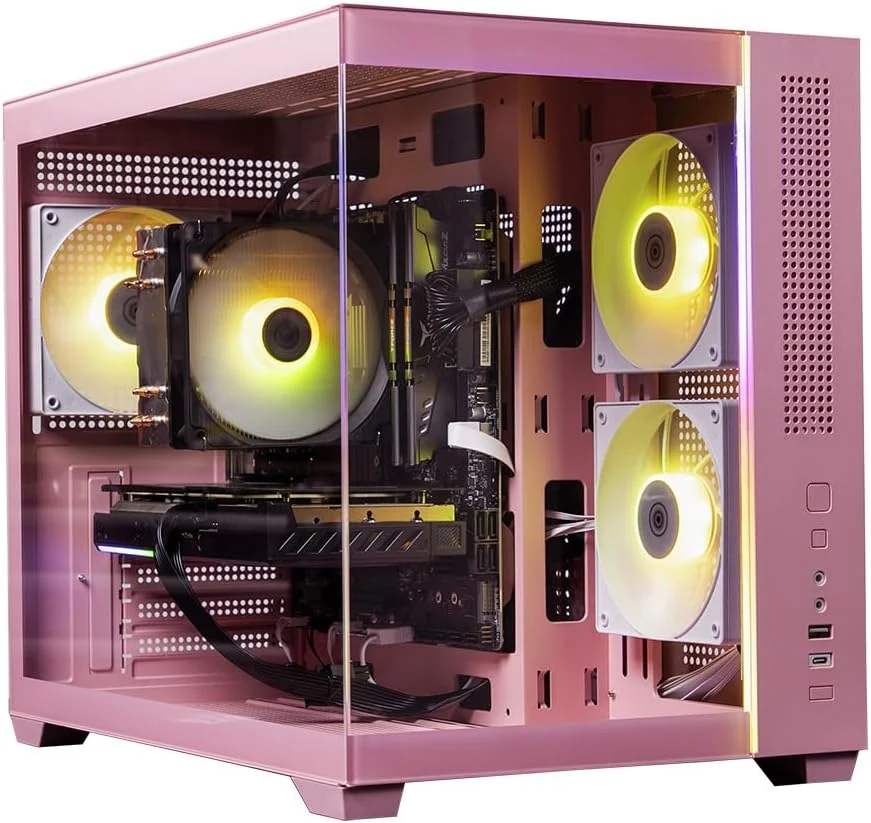
Skytech Aurora (RTX 5060 Ti 16GB)
Best budget
Graphics
RTX 5060 Ti, 16GB
System memory
32GB DDR5
Processor
Ryzen 7 7700
Storage
1TB SSD
The cheapest way we found to get 16GB of NVIDIA graphics memory in a prebuilt desktop sold by Amazon. The 16GB version of the RTX 5060 Ti loads the same models as the RTX 5070 Ti and RTX 5080, just with slower replies. It also ships with 32GB of system memory, which is rare at this price.
What to consider
- The RTX 5060 Ti is the slowest 16GB chip here, so long answers and image jobs take noticeably longer.
- Skytech’s listing says the graphics card brand may vary, and the case is pink.
Good to know: make sure the listing says RTX 5060 Ti 16GB. The 8GB version of the same chip sells for less and fits much smaller models.
Local AI Desktops Compared
Swipe the table sideways on a phone to see every column.
Do You Need a Desktop Built for AI?
It depends on where the AI runs. Most people only need the first case.
Cloud AI: any PC works
ChatGPT, Copilot, Claude and Gemini run on the company’s servers. Your PC only shows the chat, so these alone are no reason to buy special hardware.
Windows AI features: a 40+ TOPS NPU
Features such as Recall and Click to Do run on an NPU rated at 40 TOPS or more. Of our picks, only the GEEKOM mini PC has one. Desktop processors with a big graphics card usually do not.
Your own models: graphics memory
Ollama, LM Studio and ComfyUI run models on your own PC, offline and private. That is what this guide is about, and the next section explains what to look for.
What Actually Matters for Local AI
Graphics memory comes first
A model runs fast only when it fits in graphics memory (VRAM). At 4-bit, a common compressed format, a model’s download is roughly 0.6GB per billion parameters, so a 14B model needs about 8 to 9GB. Leave extra room for the conversation itself.
System memory is a separate pool
16GB of VRAM plus 32GB of system RAM does not make 48GB for AI. Tools can spill a model into system RAM, but it runs several times slower. System RAM still matters for Windows, your apps and image tools.
Shared memory trades speed for size
On the GEEKOM mini PC, graphics and Windows share one 128GB pool, and AMD caps the graphics share at 96GB on Windows. It holds huge models, but a graphics card with its own fast memory answers quicker on any model that fits.
NVIDIA or AMD changes the software
CUDA works only on NVIDIA, and it is what most AI tools expect. On AMD, Ollama and LM Studio use Vulkan on Windows, and ComfyUI supports AMD graphics on Windows through AMD’s ROCm.
Ignore TOPS for local models
NPU TOPS and “AI TOPS” on the box measure something Ollama and LM Studio barely use. Compare graphics memory, then the graphics chip.
Running, not training
These desktops run models and can fine-tune small ones with extra tools. Training a large model from scratch needs data center hardware, not a desktop.
Run Your First Local Model
Each of our step-by-step guides uses free tools such as Ollama and works on every desktop above: OpenAI gpt-oss, Gemma 3, DeepSeek R1, Llama 4, Qwen 3 VL, Phi-4 and Ministral 3. If you want AI help while you code, see our best AI code editors, several of which can use a local model.
Local AI Desktops FAQ
Is a desktop or a laptop better for running AI locally?
A desktop gives you more for the money. Desktop graphics cards carry more memory than their laptop versions (16GB on the desktop RTX 5070 Ti against 12GB on the laptop chip), and a tower stays cooler and quieter during long jobs. Buy a laptop only if you need to carry it. Our best laptops for running AI locally cover that side.
Can I upgrade the graphics card later?
In the four towers, yes. Each uses a standard graphics card in a standard slot, so you can swap in a bigger one later. Check that the power supply and the case have room for it first. The GEEKOM mini PC cannot be upgraded this way, because its graphics and memory are part of the processor.
Does local AI work offline?
Yes. Once a model is downloaded, Ollama, LM Studio and ComfyUI run it without an internet connection, and your prompts never leave your PC. You only need internet to download models and app updates.
Should I start with Ollama or LM Studio?
Both are free and run on every desktop in this guide. LM Studio is easier for a first try, with a chat window and a built-in model browser. Ollama is lighter and is what many other apps, such as coding assistants, connect to.
Does NVIDIA DGX Spark run Windows?
No. DGX Spark is a small NVIDIA box with 128GB of shared memory, but it runs NVIDIA’s own Linux-based DGX OS, not Windows. If you want 128GB of shared memory on Windows, the GEEKOM A9 Mega above is the closest match.
More Windows hardware guides: Best Laptops for Local AI · Best Gaming Desktops · Best Gaming Laptops · Best Surface Laptops
Discover more from Windows Mode
Subscribe to get the latest posts sent to your email.













Add your first comment to this post