Readers like you help support this site. When you make a purchase using links on our site, we may earn an affiliate commission. All opinions remain our own.
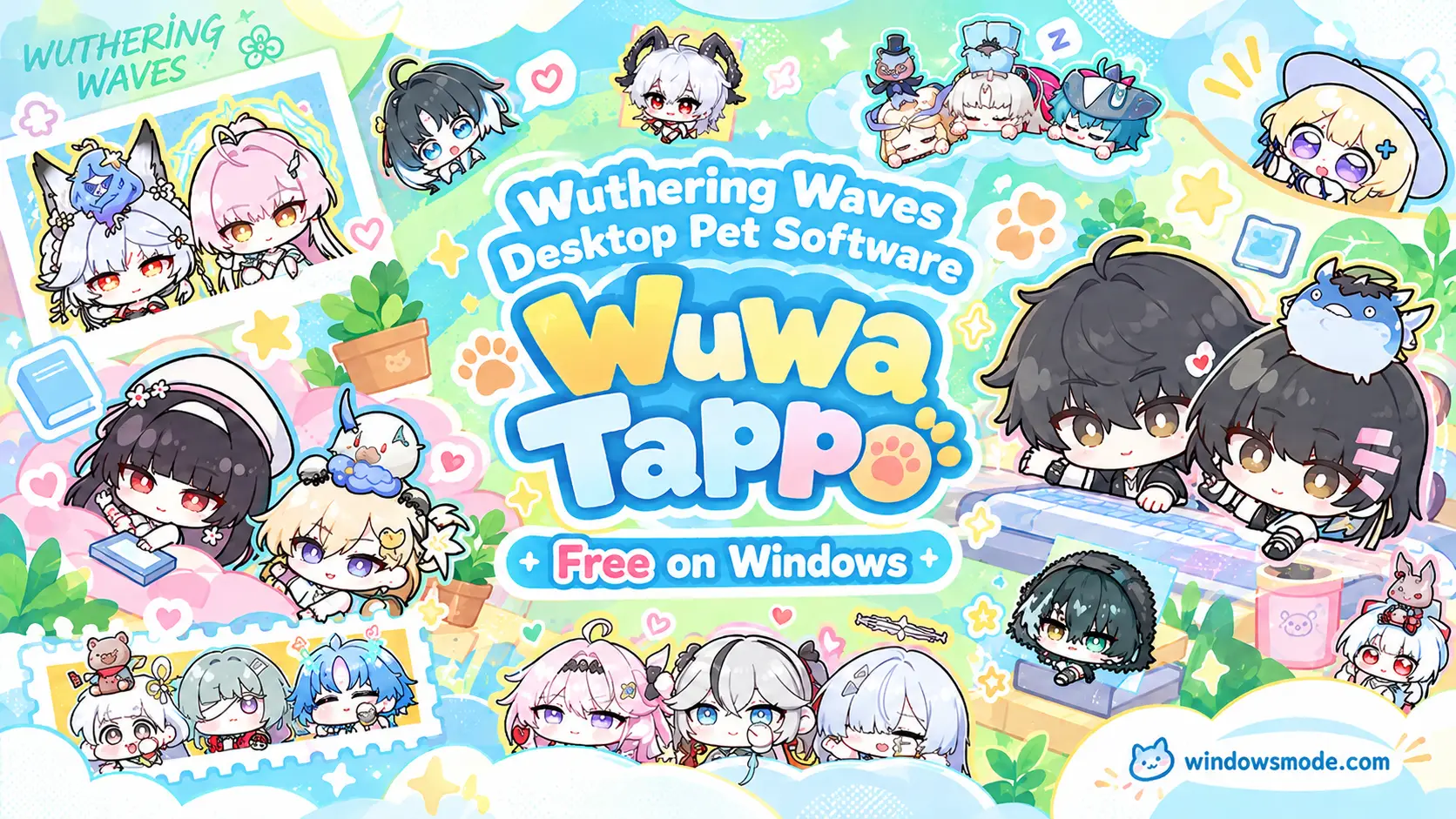
Wuwa Tappo is Kuro Games’ free desktop pet for Windows. Click to open it full size.
Wuwa Tappo is a free Wuthering Waves desktop pet for Windows from Kuro Games, available from the official download page. Chibi versions of the game’s characters sit above your taskbar and tap along every time you type or click. Your keystrokes fill chests that unlock new characters, accessories and emotes.
It is the same idea as Bongo Cat, and that is on purpose. Kuro made it under an official license from Irox Games, the studio behind Bongo Cat. What it adds is the Wuthering Waves cast and online rooms where friends’ pets show up on your screen.
It came out on October 26, 2026 and is Windows only. This page covers the install, the free gift code, how chests work, multiplayer rooms and how it stacks up against Bongo Cat.
Already tapping away? Tell us which Resonator you pulled first. Got questions? Reach out to us directly.
Official download from Kuro Games. Windows only.
What Is Wuwa Tappo?
Wuwa Tappo is a desktop companion app. It puts a small animated character in a corner of your screen, and that character reacts to your keyboard and mouse. Type, and it pats the counter bar under it in time with you. The counter keeps a running total of every key press and click.
The characters are Resonators (the playable heroes of Wuthering Waves) drawn in a soft chibi style, with big heads and tiny bodies. You start with the male and female Rover in their classic outfits, plus Abby, the small white floating companion who sits on Rover’s head. Everything else comes out of chests.
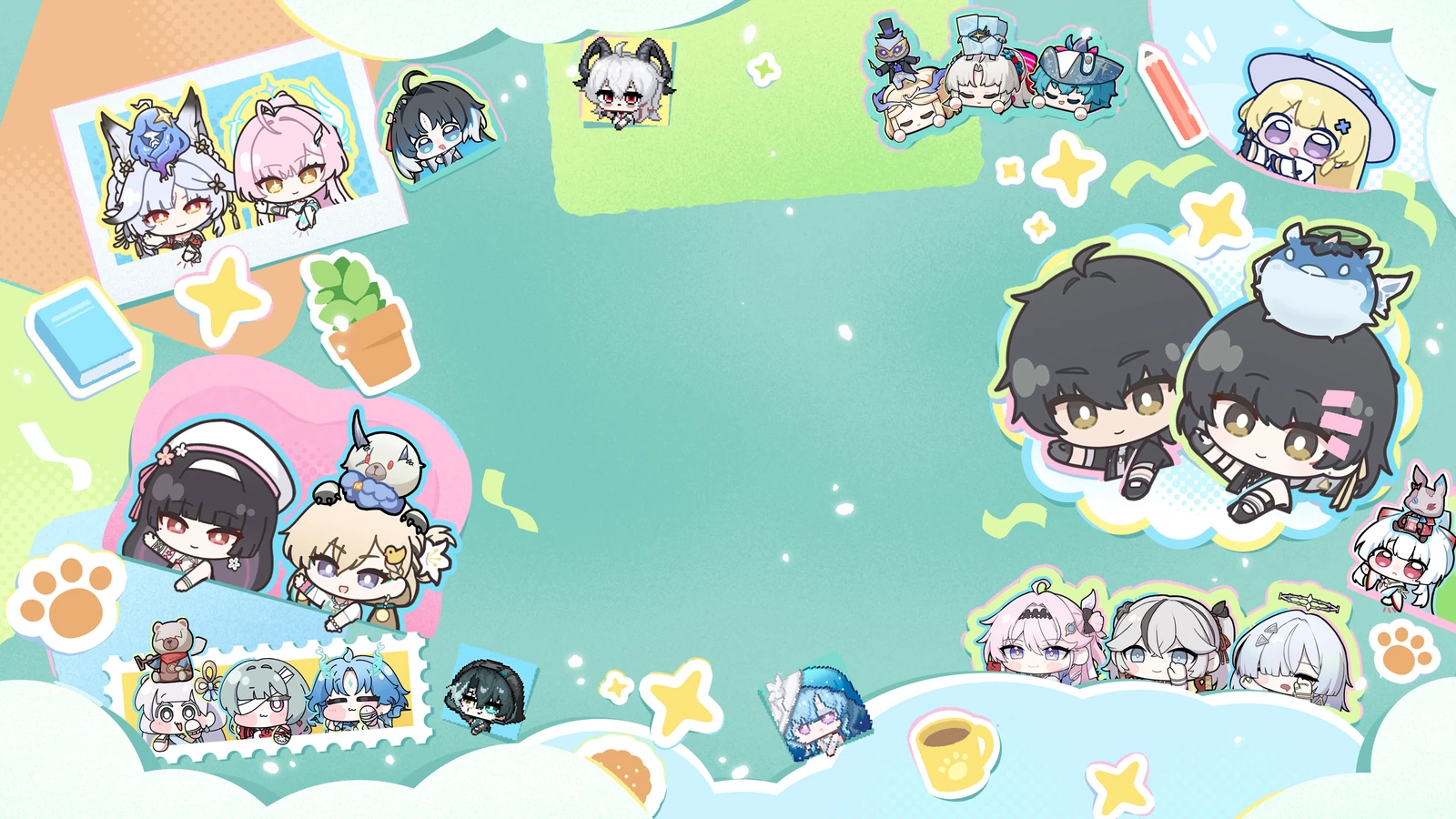
Kuro’s launch art shows the chibi style every Resonator takes in the app.
You do not need the game installed, and the pet works without an account. Chests, the gift code and multiplayer all need you to sign in with a Wuthering Waves account, since your unlocks are stored there.
Key Features
Every key press and mouse click makes your Resonator pat the counter bar, and the number on it keeps climbing. That running total is what fills your chests. When a chest is ready, a small chest bubble pops up beside the pet.
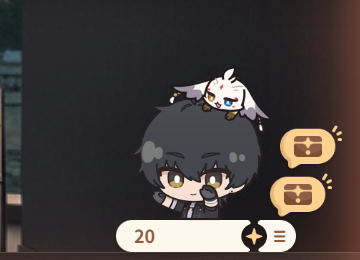
The pet sits just above the taskbar and stays on top of your other windows, so it keeps you company while you work, study or browse. It only takes up a small patch of screen.

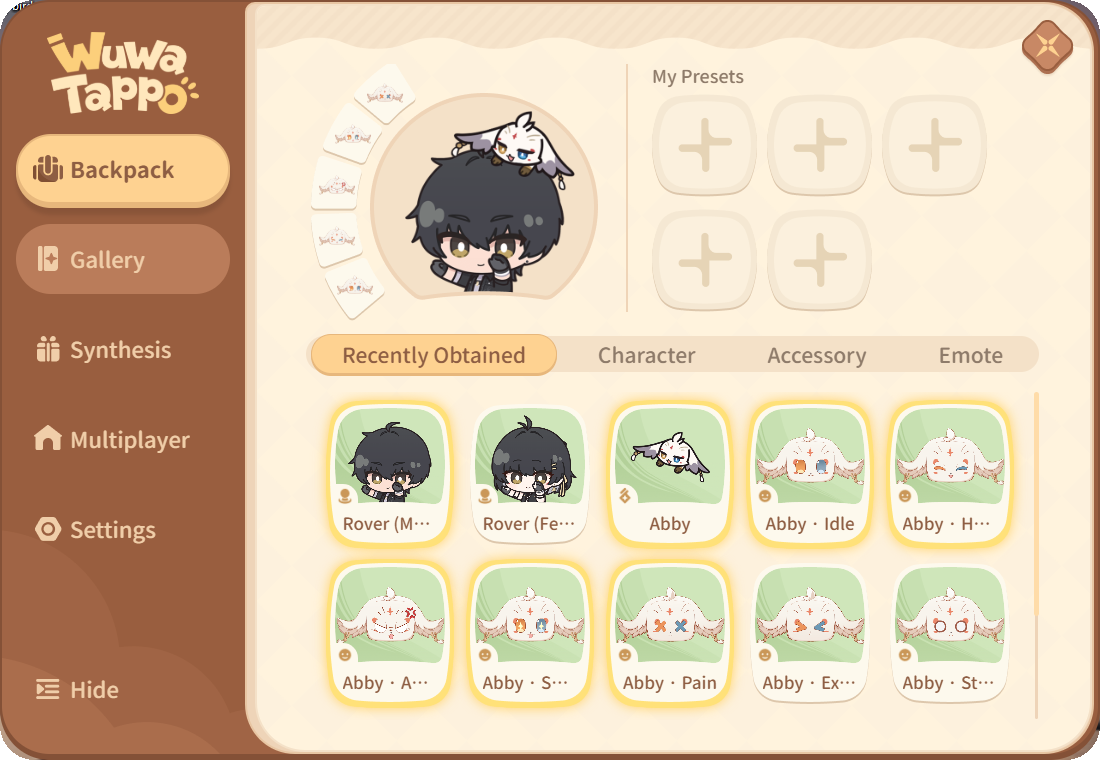
The Backpack holds every character, accessory and emote you own. Put an accessory on any character, then save the look to one of five preset slots so you can switch back in one click.
The Gallery lists every item in the app, sorted by rarity. Items you have not found yet show as faded cards, and each rarity shows how many you own out of the total, so you always know how close you are.
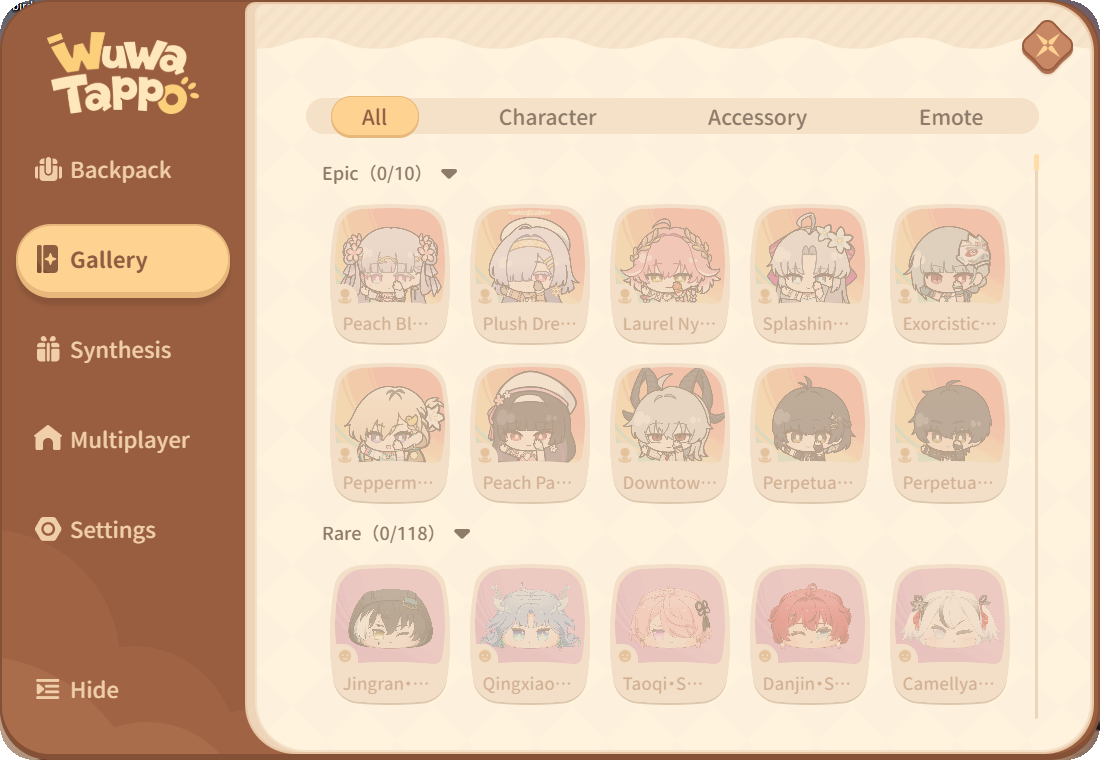
Chests hold new characters, accessories and emotes. At launch Kuro listed more than 200 characters, over 100 accessories and more than 500 emotes.
One player creates a room and shares its Room ID. Up to 20 people can join, and everyone’s pet and emotes show up for the group.
How to Get Wuwa Tappo on Windows
Wuwa Tappo is not on Steam or the Microsoft Store. The only official source is Kuro’s download page, which hands you a single 64-bit installer of about 190 MB.
- Step 1. Open the official download page at Kuro’s Wuwa Tappo site and click the download button.
- Step 2. Run the installer and click Yes when Windows asks for permission.
- Step 3. Pick your language from the menu in the top left corner.
- Step 4. Tick the box to agree to the Terms of Use and Privacy Policy.
- Step 5. Click Install. Open Customize first if you want a different install folder.
- Step 6. Click Start when the installer says Installation Completed.
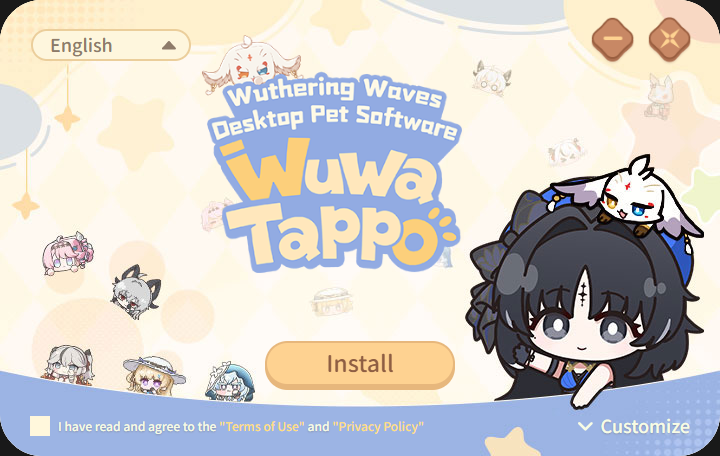
The installer is one screen: language, terms, Install. Customize changes the folder.
The first time it opens, an About Wuwa Tappo box explains what the app is. Click Confirm, or tick Do not show again so it stays closed on the next launch.
Official download from Kuro Games. Windows only.
How to Sign In to Wuwa Tappo
Signing in turns on chests, the gift code and multiplayer. You use the same account you play Wuthering Waves with.
- Step 1. Click a chest bubble beside your pet, or click the menu icon (three lines) next to the counter and open Settings.
- Step 2. Click Log In at the bottom of Settings. A Kuro sign-in page opens in your browser.
- Step 3. Sign in with your Wuthering Waves account.
- Step 4. Go back to the app and pick a server where you have game progress.
Only sign in through the official Kuro page that the app opens. No real site will ask for your Wuthering Waves password inside a chat, a Discord DM or a form someone sends you.
Wuwa Tappo Gift Code
Kuro shared one launch gift code with the release. Enter WuwaTappo to get Yangyang: Classic, a free extra character. Each account can claim it once.
- Step 1. Sign in with your Wuthering Waves account.
- Step 2. Open Settings from the menu next to the counter.
- Step 3. Paste the code into the Redemption Code box near the top and click Confirm.
- Step 4. Check Backpack or Gallery to find Yangyang.
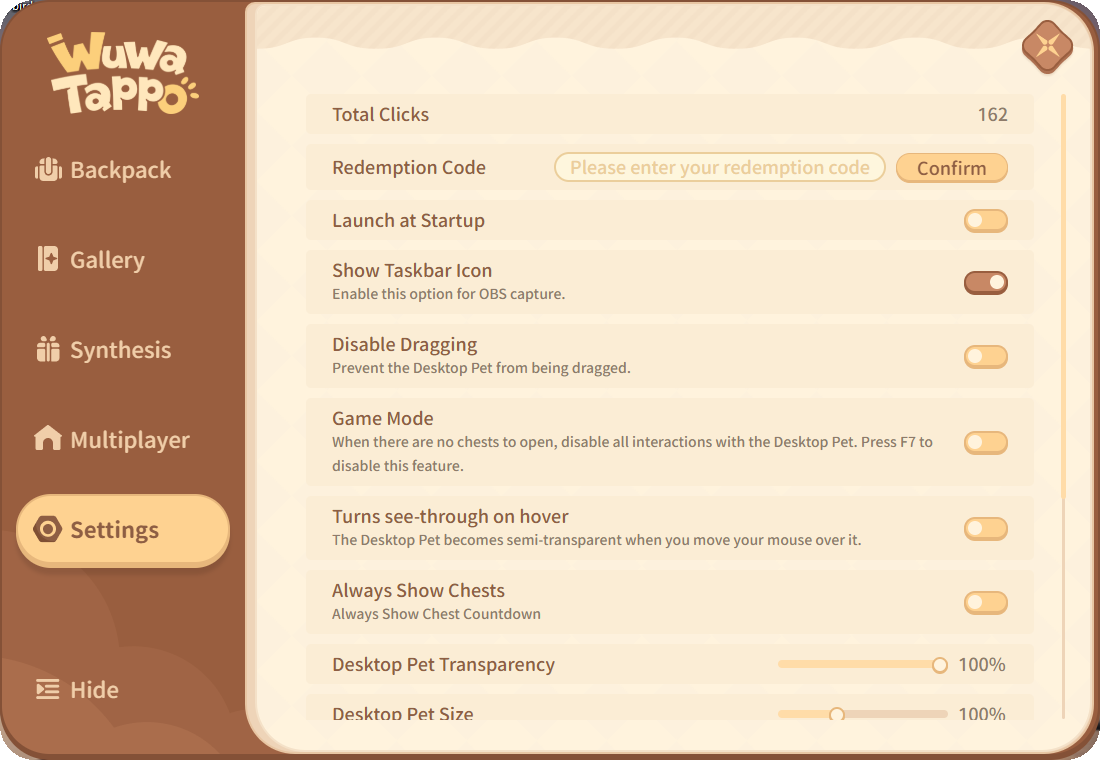
The Redemption Code box sits second from the top of Settings, under your total click count.
Kuro posts new codes on its official Wuthering Waves channels. Codes on random sites that promise rare characters are often fake or expired.
How Wuwa Tappo Chests Work
Chests are the reason to keep the app open. Your typing and clicking fill them, and you can hold two at a time. When both slots are full, the timer stops until you open one, so claim chests when the bubble shows up.
Items come in common, uncommon, rare and epic. Common items make up most drops, and epic ones are very rare.
The Synthesis tab turns duplicates into something new. Enhance Synthesis takes ten items of the same type and rarity and gives you one random item of a higher rarity. Same-Tier Synthesis swaps spares for a random item of the same rarity.
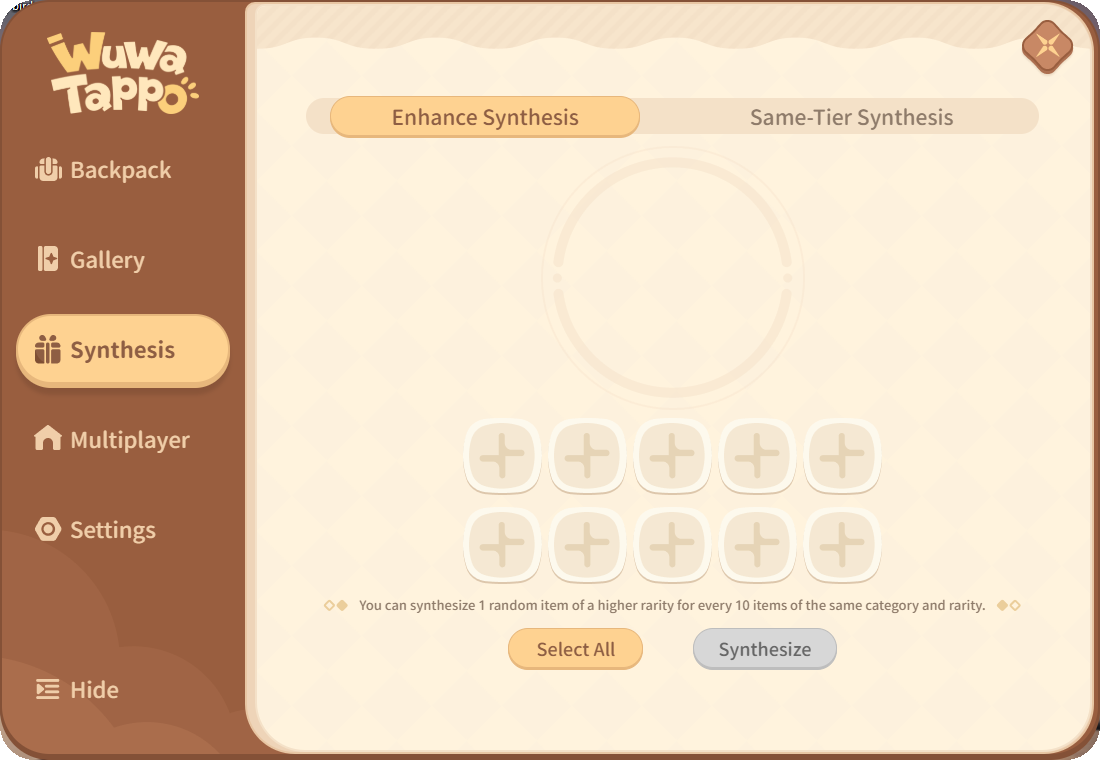
Fill the ten slots, or press Select All, then Synthesize.
Kuro calls the app free. Rarity odds and chest timers can change in later updates, so treat any exact numbers you see online as a snapshot.
How to Play Wuwa Tappo with Friends
Rooms let your friends’ pets show up on your desktop next to yours. One person hosts, and up to 20 people can join with a Room ID. Everyone needs to be signed in.
- Step 1. Open the Multiplayer tab from the menu next to the counter.
- Step 2. Click Create Room to get a Room ID.
- Step 3. Share the Room ID with your friends.
- Step 4. Friends paste it into the Enter Room ID box and click Join Room.
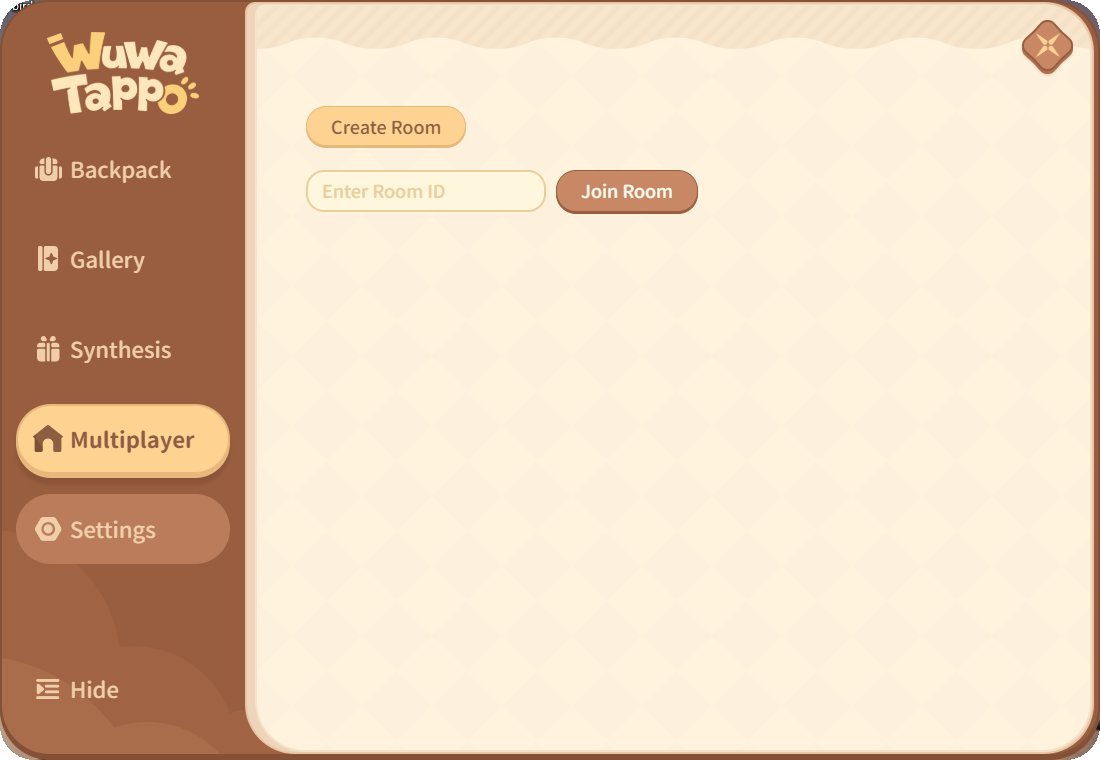
The whole Multiplayer tab: create a room, or join one with an ID.
Wuwa Tappo Settings Worth Changing
Open Settings from the menu next to the counter. Most people only need to change two or three of these, but they decide whether the pet feels charming or annoying.
Off by default. Turn it on if you want your pet waiting every time Windows starts, or leave it off and open the app when you want it.
When no chests are ready, the pet ignores all clicks so it never gets in the way of a game. Press F7 to turn it off again.
The pet goes semi-transparent when your mouse moves over it, so you can still click whatever sits behind it.
Two sliders shrink the pet or fade it out. Useful on a small laptop screen or a busy desktop.
On by default. It gives the pet its own taskbar button, which OBS (free streaming software) needs to capture the pet as a window. Turn it off if you do not stream.
Locks the pet in place so you cannot move it by accident. Leave it off while you find the corner you like.
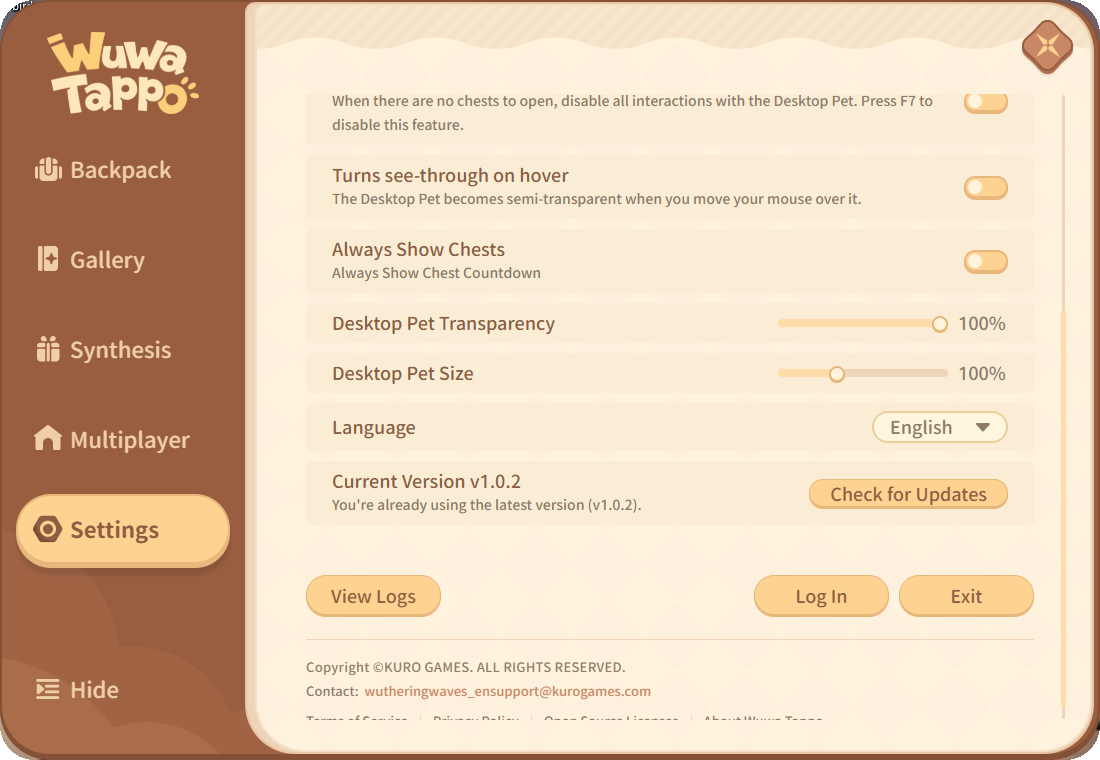
The bottom of Settings holds the language menu, Check for Updates, Log In and Exit.
Wuwa Tappo vs Bongo Cat
If you already run Bongo Cat, Wuwa Tappo will feel familiar within a minute. The tapping, the counter and the chest drops all come from the same design. The real choice is which characters you want on your screen. Our Bongo Cat for Windows guide covers the original.
You can run both at once, though two pets tapping in the same corner gets crowded fast. Pick the one whose characters you actually like looking at.
Is Wuwa Tappo Safe?
Yes, as long as you get it from Kuro’s official page. The installer we tested came from Kuro’s own server and carries a valid digital signature (a certificate that proves who published the file). It installs to its own folder in Program Files and ships with an uninstaller, so removing it is clean.
The honest caveat: to count your key presses, the app has to see every key you press in any window, the same way Bongo Cat does. Kuro’s Privacy Policy covers what it collects, and it is worth a read. If that bothers you, close the app before typing anything sensitive, and never install a copy from a mirror site or a file someone sends you.
Tips for Getting Started
Claim the gift code first
Sign in, open Settings and enter WuwaTappo before anything else. It is a free character, and it only takes a minute.
Open chests when they appear
You can only hold two. With both slots full the timer stops, so a full chest bar is wasted typing time.
Save your duplicates
Spare items are not useless. Ten of one rarity combine into an item of the next tier up.
Make a room for your friends
Open the Multiplayer tab, click Create Room and share the Room ID in your group chat.
Tick Do not show again
The About box opens on every launch until you tick it, so tick it once and it stays out of the way.
Wuwa Tappo FAQ
Do I need Wuthering Waves installed to use Wuwa Tappo?
Is Wuwa Tappo available on Mac, Android or iPhone?
Does Wuwa Tappo close when I click the X on its menu?
How do I uninstall Wuwa Tappo?
What are the Wuwa Tappo system requirements?
Support and Community
- The official Wuthering Waves website from Kuro Games, for game news and official announcements.
- The official Wuthering Waves Discord, linked from the Wuwa Tappo download page, for help and new codes.
- r/WutheringWaves on Reddit, the game’s main community, for screenshots of rare pulls and room invites.
- Wuthering Waves on X, where Kuro announced Wuwa Tappo and posts its updates.
More Windows software guides: Bongo Cat for Windows · DesktopHut for Windows · Wallpaper Engine for Windows · Lively Wallpaper for Windows · Rainmeter for Windows · Best Anime Games on PC
Discover more from Windows Mode
Subscribe to get the latest posts sent to your email.
















Add your first comment to this post