Windows apps

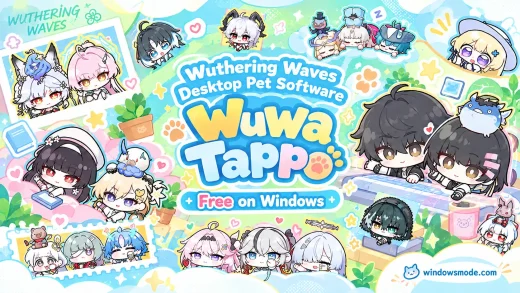
Wuwa Tappo Wuthering Waves desktop pet title with a Free on Windows label, surrounded by chibi Resonators, with both Rovers leaning over a keyboard and the windowsmode.com logo in the corner

Wuwa Tappo for Windows: The Wuthering Waves Desktop Pet

Wuwa Tappo is a free desktop pet from Kuro Games that puts chibi Wuthering Waves characters on your taskbar. They tap along as you type and click, and your keystrokes fill chests with new characters, accessories and emotes. This guide covers the install, the free WuwaTappo gift code, how chests work, multiplayer rooms, and how it compares to Bongo Cat.
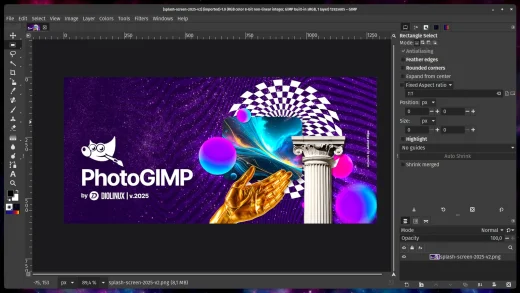
GIMP window with PhotoGIMP applied, showing a single-column toolbox on the left, Rectangle Select tool options and the Layers panel on the right, and the purple PhotoGIMP by Diolinux splash artwork open on the canvas

PhotoGIMP for Windows: Make GIMP Look and Work Like Photoshop

PhotoGIMP is a free patch that gives GIMP a Photoshop-style layout and Photoshop keyboard shortcuts on Windows. This guide covers the install steps, including the extra step the newest GIMP needs, a shortcut cheat sheet, how it compares with Photoshop, and how to undo it.

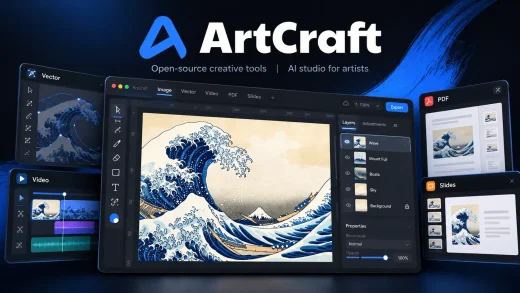
ArtCraft logo above a dark app window editing The Great Wave off Kanagawa in layers, with smaller Vector, Video, PDF and Slides app panels around it

ArtCraft for Windows: The Free, Open-Source Apps Built to Replace Adobe

ArtCraft is a free, open-source set of Windows apps built to do the jobs of Photoshop, Premiere Pro, Lightroom, Illustrator, InDesign, After Effects and Acrobat, plus apps that stand in for Figma and Microsoft Office. This guide covers what each app does, how to install them with the ArtCraft Launcher, what is free, whether it is legal, and whether the alpha builds are ready to replace your current tools.