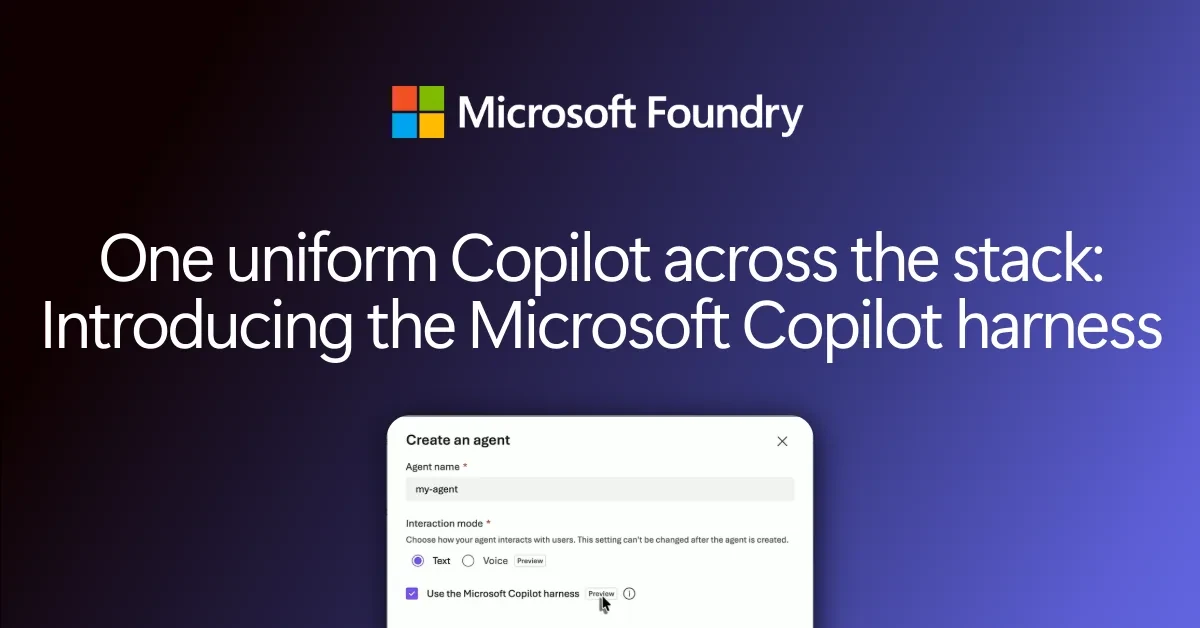
Microsoft wants to take the hardest plumbing out of building AI agents. The new Microsoft Copilot harness is now in public preview in Foundry Agent Service, part of Azure. It is a managed engine that runs an agent’s step-by-step work for you: calling the model, using tools, handling files and handing small jobs to helper agents. Microsoft announced it on the Microsoft Foundry blog on October 28, 2026.
Microsoft also made long-running resilience generally available for hosted agents. That lets agents that run for hours or days restart after a crash instead of losing the job. If you build agents on Azure, these two changes decide how much code your team still has to own.
What the Copilot harness actually does
An AI model can plan a task, but it can’t finish one alone. Something has to feed it context, run the tools it asks for, keep track of files and decide what happens next. That “something” is the agent loop, and most teams end up writing their own version of it.
With the harness, Microsoft runs that loop and the secure sandbox it works in. You describe the agent, and Foundry does the rest. The preview brings four building blocks:
- Reusable skills: package instructions, scripts and files into a procedure the agent can reuse across tasks.
- Connected tools: plug in Foundry tools and Model Context Protocol (MCP) servers, the common standard for linking AI to apps, with set sign-in and approval rules.
- Files, code and subagents: the agent can read and write files, run commands, browse the web and pass small jobs to built-in helper agents.
- Agent definitions in source control: build in the Foundry portal, or keep the agent’s setup next to your app code.
You can pick any supported Foundry model that handles reasoning and tool calls, and swap it later without rewriting the loop around it.
“With the Microsoft Copilot harness in Foundry Agent Service, we had a solution running in less than a week, allowing us to focus on design and capabilities instead of the infrastructure underneath it.”
Chris Evans, Chief Technology Officer, Confluence Technologies, quoted by Microsoft
Where the harness fits next to other Foundry agents
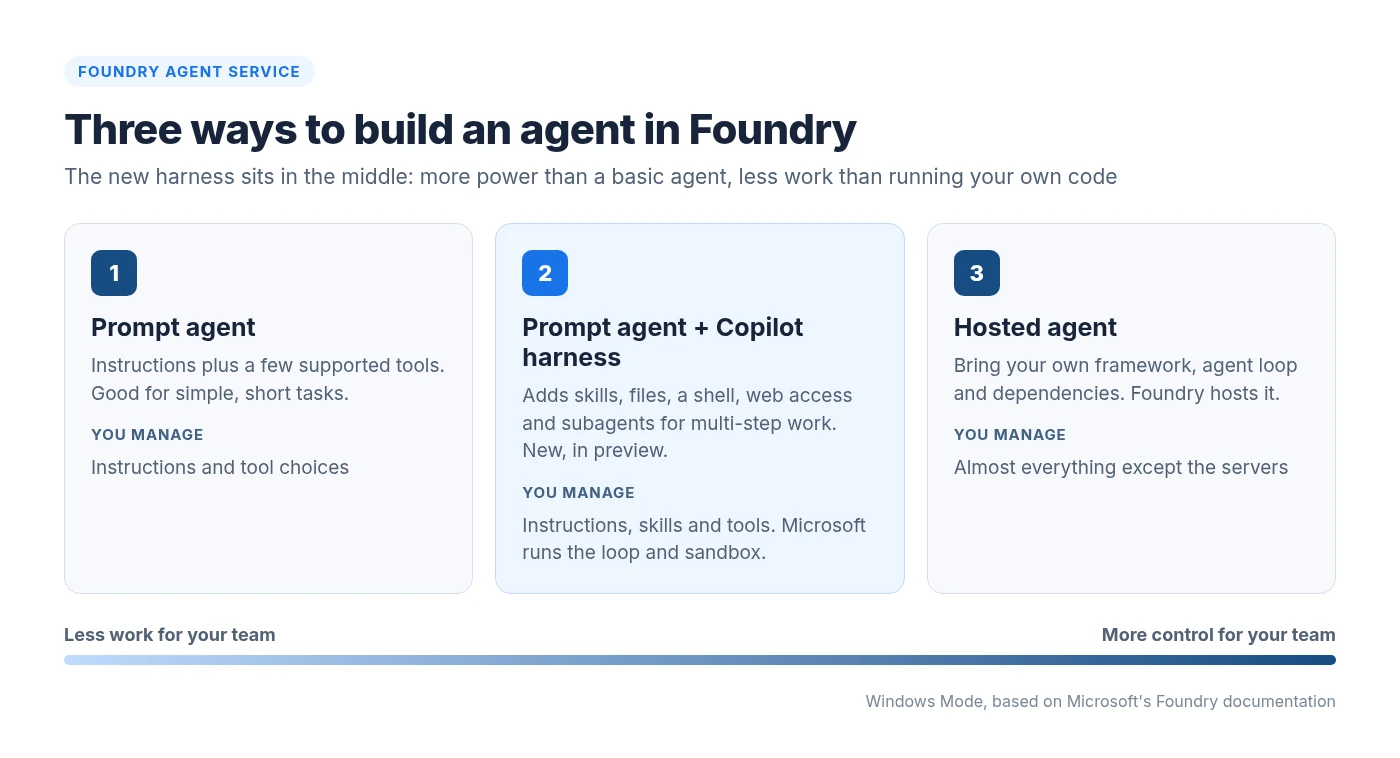
Foundry now offers three levels of control. A basic prompt agent is enough when instructions and a few tools do the job. Adding the harness gives that same agent skills, files and subagents for harder, multi-step work. A hosted agent is for teams that need their own framework, middleware or custom loop, with Foundry only hosting it.
Here’s how small a skill can be. Microsoft’s example is a plain text file, skills/research-brief/SKILL.md, that tells the agent how to produce a sourced research brief:
---
name: research-brief
description: Produce an evidence-backed research brief.
---
Confirm the question, audience, scope, and relevant time period.
Gather evidence using approved tools. Cite sources and dates.
Return key findings, supporting evidence, limitations, and open questions.
You then point the agent at that skill in an azure.yaml file and deploy it with the Azure Developer CLI (azd deploy --all). The Foundry portal and the Foundry Toolkit for Visual Studio Code work too. Microsoft’s web research quickstart walks through a full example.
Long-running resilience for hosted agents is now GA
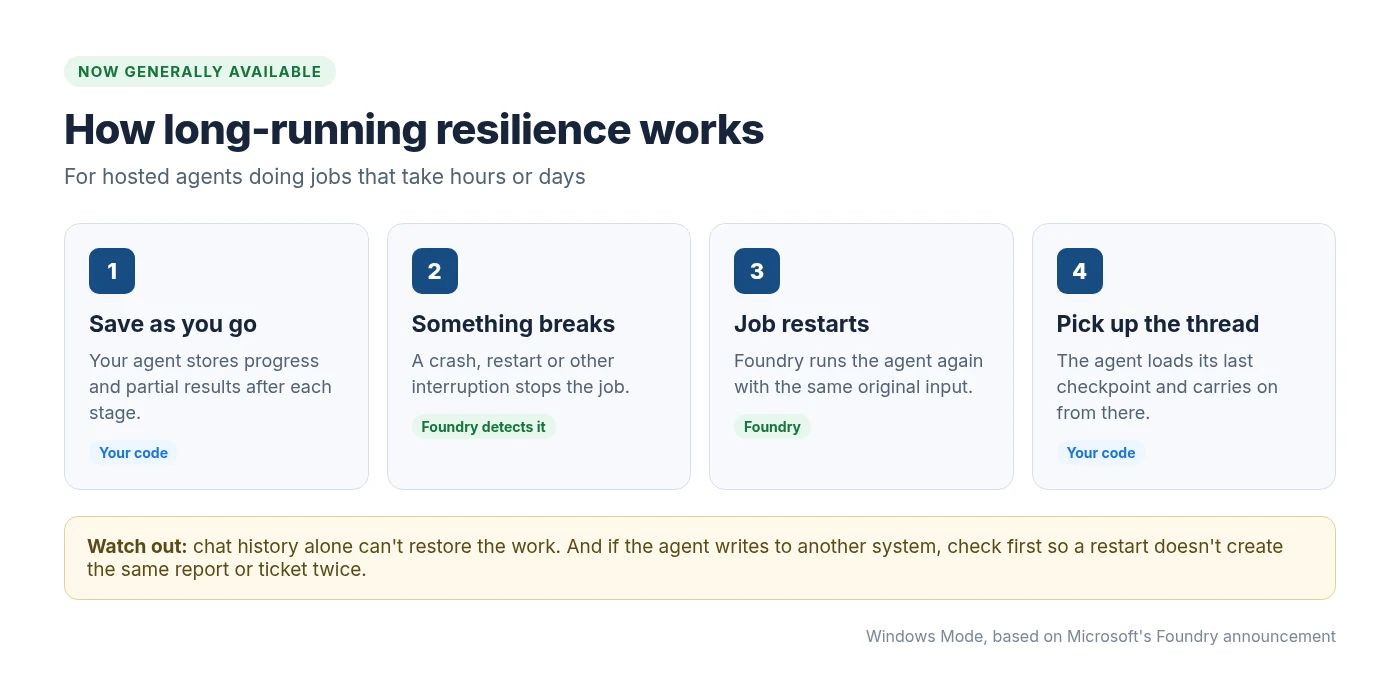
Some agent jobs take hours or days, such as crunching a large dataset. Until now, a crash or restart in the middle meant starting over. Foundry now spots the interruption and restarts the agent with its original input.
Do this first
Resilience is not automatic magic. Microsoft says conversation history alone isn’t enough to restore work in progress. Save progress after each stage, and if the agent creates something in another system (a report, a ticket, an email), check whether it already exists before creating it again after a restart.
Pricing, regions and preview limits
The harness itself costs nothing until December 1, 2026. You still pay for model use and any separately billed tools during that time. After that, the sandbox is billed by use:
| What you pay for | Price from December 1, 2026 |
|---|---|
| Sandbox compute | $0.0994 per vCPU-hour |
| Sandbox memory | $0.0118 per GiB-hour |
| Model use and other tools | Billed separately, as today |
Microsoft says prices can vary by region and agreement. A few preview limits are worth knowing before you start:
- Regions: Australia East, Canada Central, Central US, Germany West Central, Japan East, Sweden Central, UK South, West Europe and West US, per Microsoft’s limits page.
- New agents only: you choose the harness when you create an agent. Existing agents don’t change, and you can’t switch one over yet.
- No bring-your-own model and no Foundry Memory during the preview.
- Hands-off sandbox: Foundry sets the CPU, memory and idle settings, and you can’t adjust them.
As with any Azure preview, Microsoft doesn’t recommend it for production work yet. New to the platform? Our guide to Microsoft Foundry explains how its models and agents fit together, and our look at GPT-6 Astra, Sol and Luna in Foundry covers the models many of these agents will run on.
Source: Microsoft Foundry blog and Microsoft Learn documentation. Details checked November 2, 2026.
Discover more from Windows Mode
Subscribe to get the latest posts sent to your email.











Add your first comment to this post