Readers like you help support this site. When you make a purchase using links on our site, we may earn an affiliate commission. All opinions remain our own.
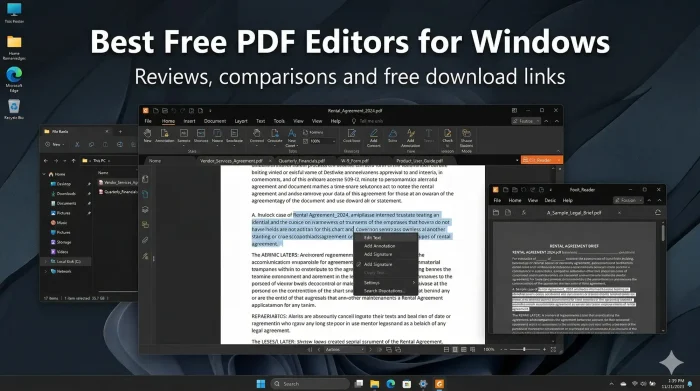
The best free PDF editors for Windows right now are PDFgear, Adobe Acrobat Reader, and PDF24 Creator. We cover 14 tools in total, including options for reading, marking up documents, handling many files at once, pen input, and editing straight from your browser with nothing to install.
Some of these are full editors that let you rewrite text, convert files, and scan and convert image-based PDFs into real text (OCR). Others are built for reading and marking up documents. A few have daily limits or watermarks on advanced features. We cover exactly what each tool does for free and who it is right for.
Pricing for paid upgrades changes often, so we link to every official page. Got a tool we missed? Reach out and let us know.
What We Look For
Works on Windows 10/11 · Genuinely free (no watermarks on core features) · PDF reading, editing, or marking up documents · Honest about limits · No forced account signup to try it
What are the Top Free PDF Editors for Windows?
Ranked by how much you actually get for free.
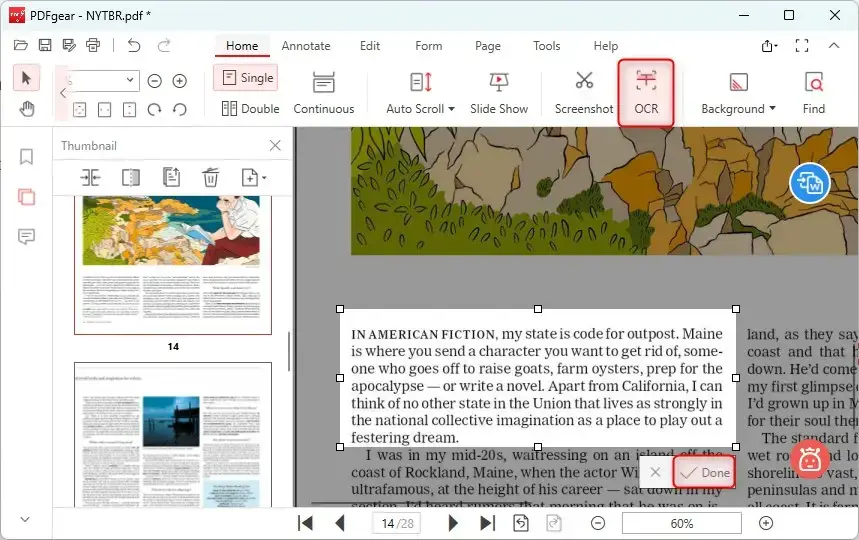
PDFgear is the most capable completely free PDF editor on Windows right now. You can edit text directly inside a PDF, convert files to Word, Excel, PowerPoint, or images, annotate, sign, and turn scanned documents into searchable, editable text. No file size limits. No watermarks on your output. No paid tier hiding the features you actually need.
The built-in AI assistant lets you ask questions about a document and get plain-language answers without copying text out first. It runs on Windows 10 and 11 and does not require an account to get started. PDFgear is the closest thing to a full free Acrobat replacement available today. Download from the official website or the Microsoft Store.
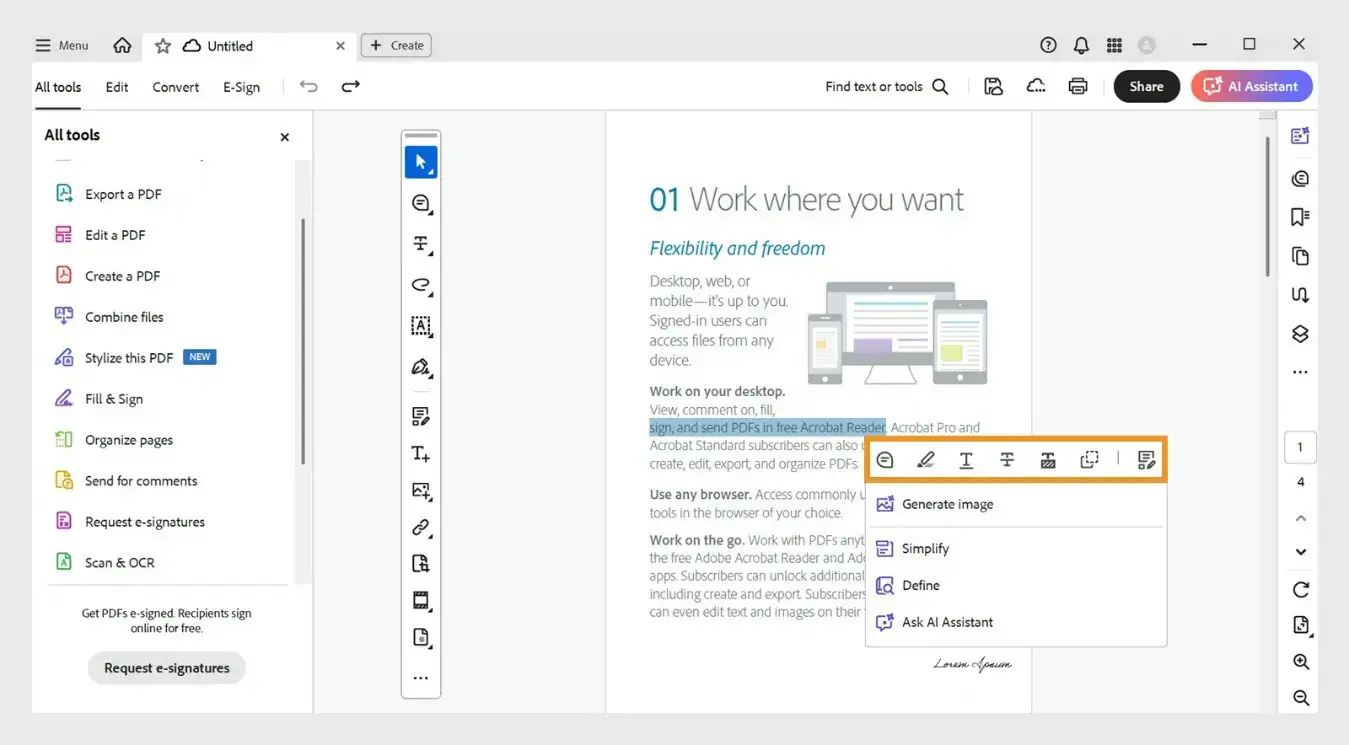
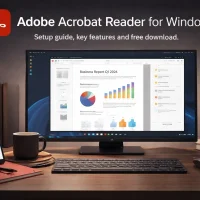
Adobe Acrobat Reader is the standard. It is the original PDF viewer and the most reliable tool for opening complex PDFs, files with embedded fonts, official forms, certificates, and digital signatures. If a PDF looks broken in every other reader, Acrobat Reader usually handles it correctly.
The free version does not edit text or convert files. What it does is read, annotate, fill forms, and sign documents better than anything else on this list. If you deal with government PDFs, contracts, or official documents, Acrobat Reader is the one to have installed. Available from the Microsoft Store and adobe.com. Read our full setup guide for details.
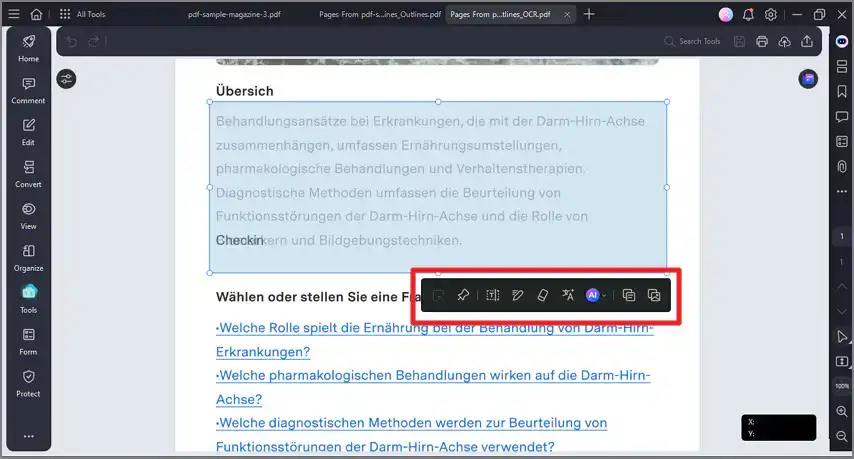
If you want to properly test a full premium PDF editor before paying, Wondershare PDFelement is the trial to use. The free trial gives you access to the complete feature set: direct text editing, PDF to Word/Excel/PowerPoint conversion, OCR, page management, form creation, redaction, e-signatures, and an AI assistant for summarizing and rewriting content. No features held back during the trial period.
The free tier adds watermarks to saved files, so it is not a long-term free option. But as a way to test a full PDF editor before spending anything, the trial gives you more access than almost any other free tier on this list. PDFelement consistently shows up as one of the top Acrobat alternatives in 2026, and the trial is the most honest way to evaluate it before paying. Available from the official website as a desktop download for Windows 10 and 11.
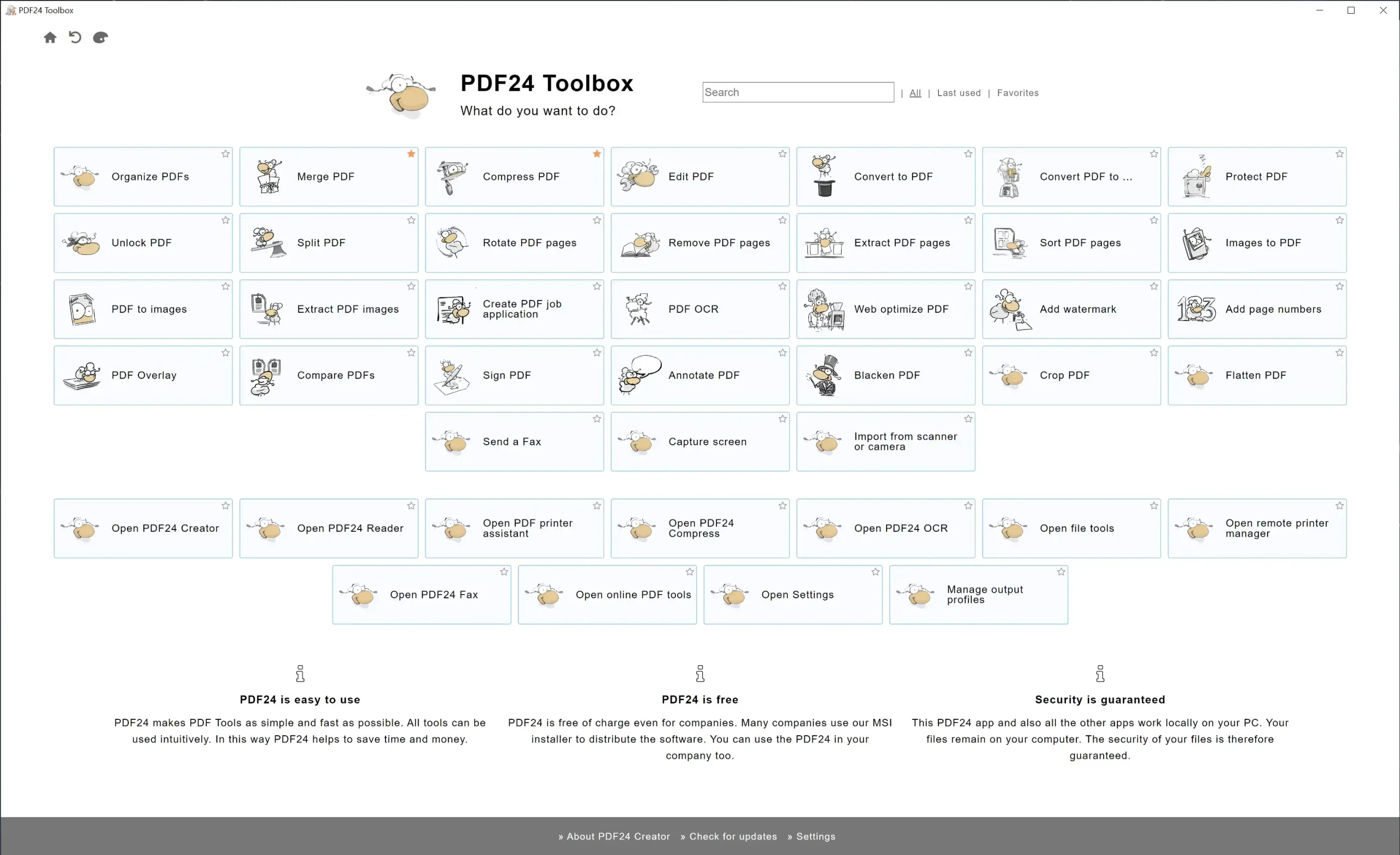
PDF24 Creator installs a PDF printer alongside its main editor. That means any Windows app that can print (Word, Chrome, Excel, anything) can save straight to PDF through PDF24, with no manual conversion needed. That alone makes it worth having for people who regularly create PDFs from Word docs, spreadsheets, or web pages without wanting to convert files manually.
It also handles merging files, splitting them apart, compressing large PDFs, converting formats, and turning scanned pages into searchable text. The interface is functional rather than modern, but few free tools cover this much ground. PDF24 is the pick if you process a lot of PDFs regularly and want a local tool that works completely offline. Completely free for personal and commercial use. Available from pdf24.org or the Microsoft Store.
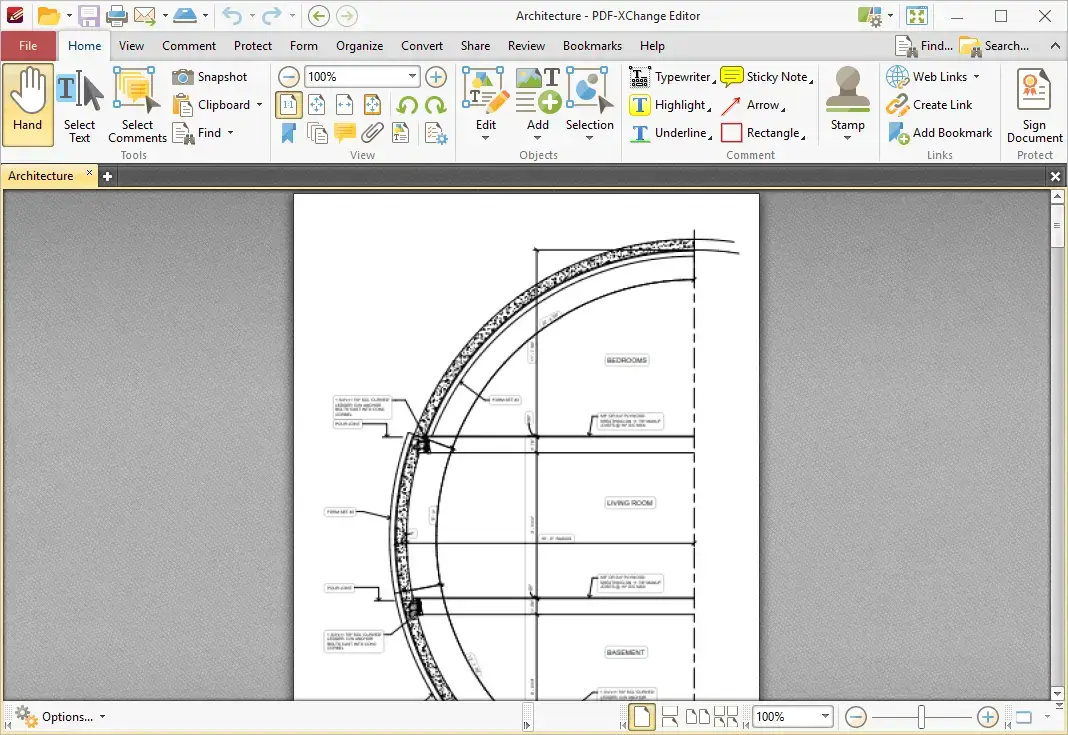
PDF-XChange Editor offers more free features than almost any other tool on this list, if you are willing to learn what is free and what is not. Over 70% of its features work with no watermarks at all. You get solid text editing, annotations, comments, stamps, digital signatures, and basic OCR without paying anything.
The catch is real: if you use a premium feature by accident, that document gets a watermark. It is easy to trigger without realizing it. PDF-XChange Editor rewards users who take the time to learn the feature boundaries. If you want the most editing capability without paying, and you do not mind reading the feature notes, this is the power user pick. Download from pdf-xchange.com.
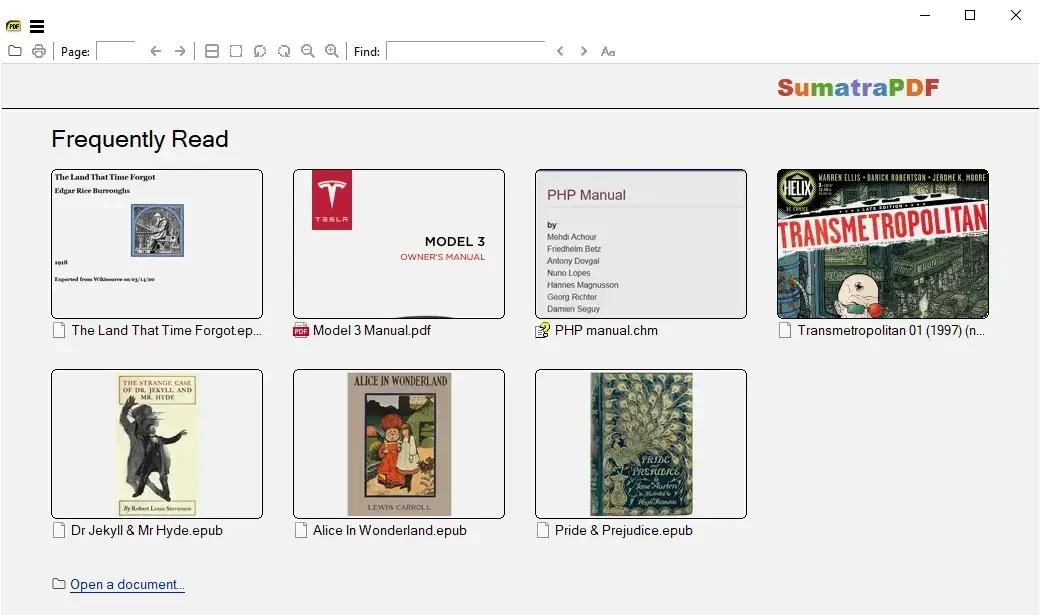
Sumatra PDF is the fastest and lightest PDF reader on this list. It is roughly 80 times smaller than Adobe Acrobat Reader, opens files almost instantly, and barely touches your CPU or RAM. If your PC is older or low-spec, Sumatra is the first thing to try.
It does not edit text or convert files. What it does is read PDFs, eBooks, and comics without any setup at all. The portable version runs from a USB drive and installs nothing on the PC. For pure reading speed on a tight machine, nothing on this list comes close. Open source, completely free, no ads, no account. Available from sumatrapdfreader.org.
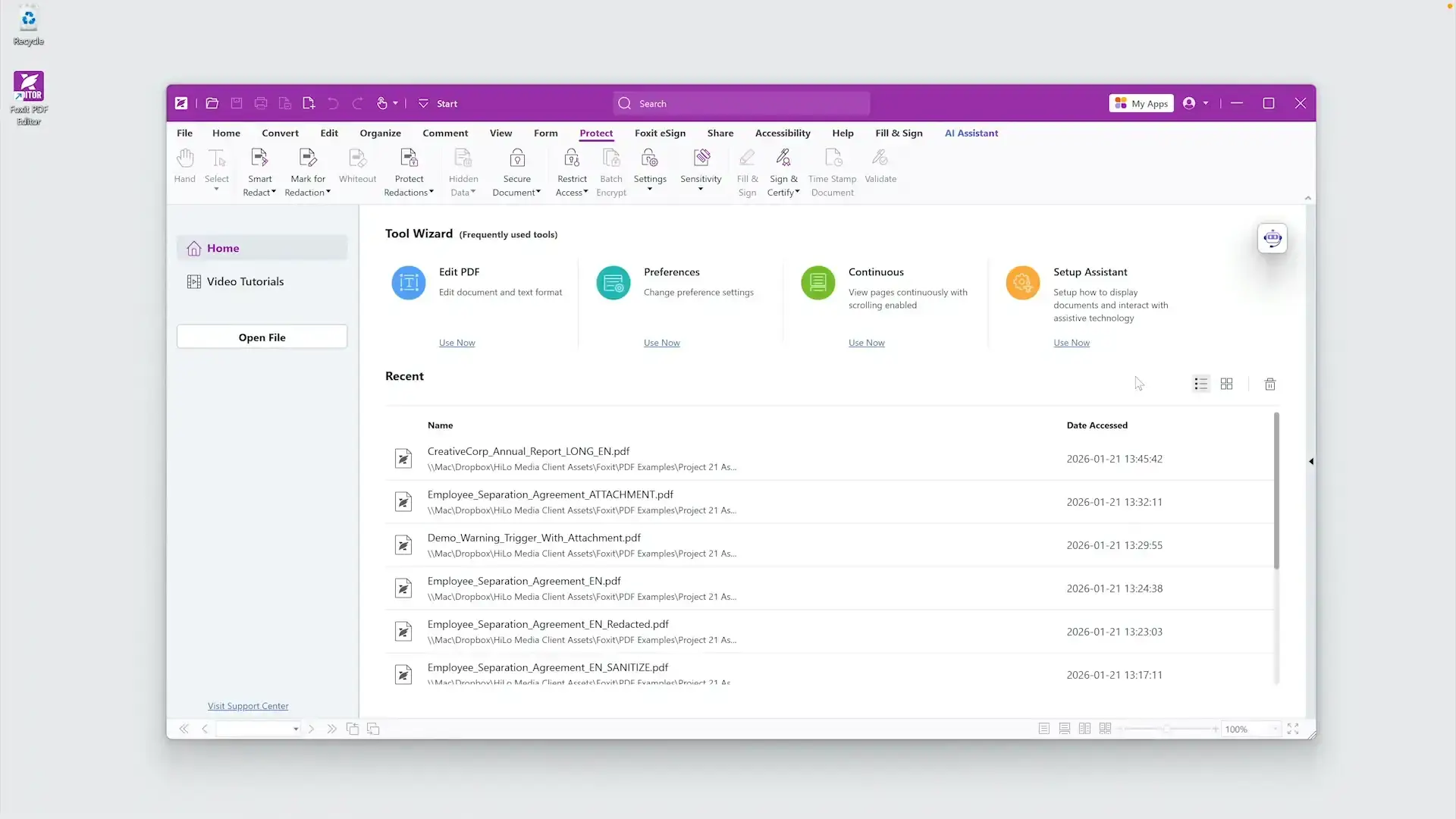
Foxit PDF Reader is the free tier of Foxit’s PDF product line, separate from the paid Foxit PDF Editor. It is a solid, reliable reader with a clean toolbar layout that feels familiar if you use Microsoft Office. You get annotations, highlights, sticky notes, stamps, and form filling at no cost.
It does not edit text or convert files in the free version, but it handles large and complex PDFs well and loads faster than Adobe Acrobat Reader. Foxit PDF Reader is the best free reader for users who want something polished and business-ready without paying. Available from foxit.com. Note: the installer may offer optional third-party software during setup, so read each screen before clicking next.
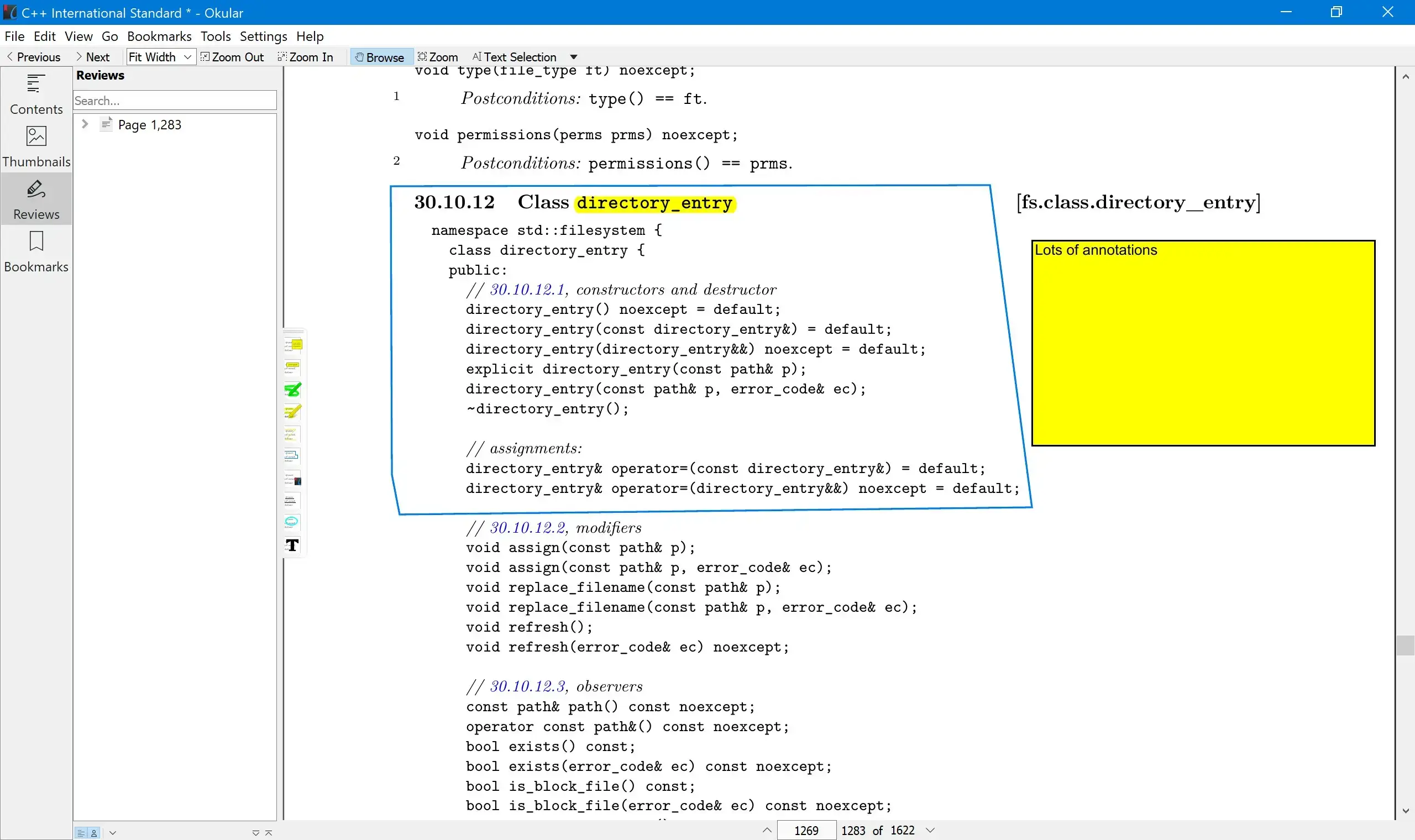
Okular is a free document viewer (open source, meaning anyone can check and improve its code), available on Windows via the Microsoft Store. It is particularly popular with students and researchers because it handles annotation well across a wide range of file types, not just PDF. It opens PDFs, eBooks, comics, and several other document formats from a single app.
You can highlight, underline, strike through text, draw freehand, add text boxes, stamps, and pop-up notes. It can also read and check digital signatures on signed documents. Okular is the best free option for readers who mark up documents heavily and want one app that handles all their file types. Available from the Microsoft Store or the KDE website.
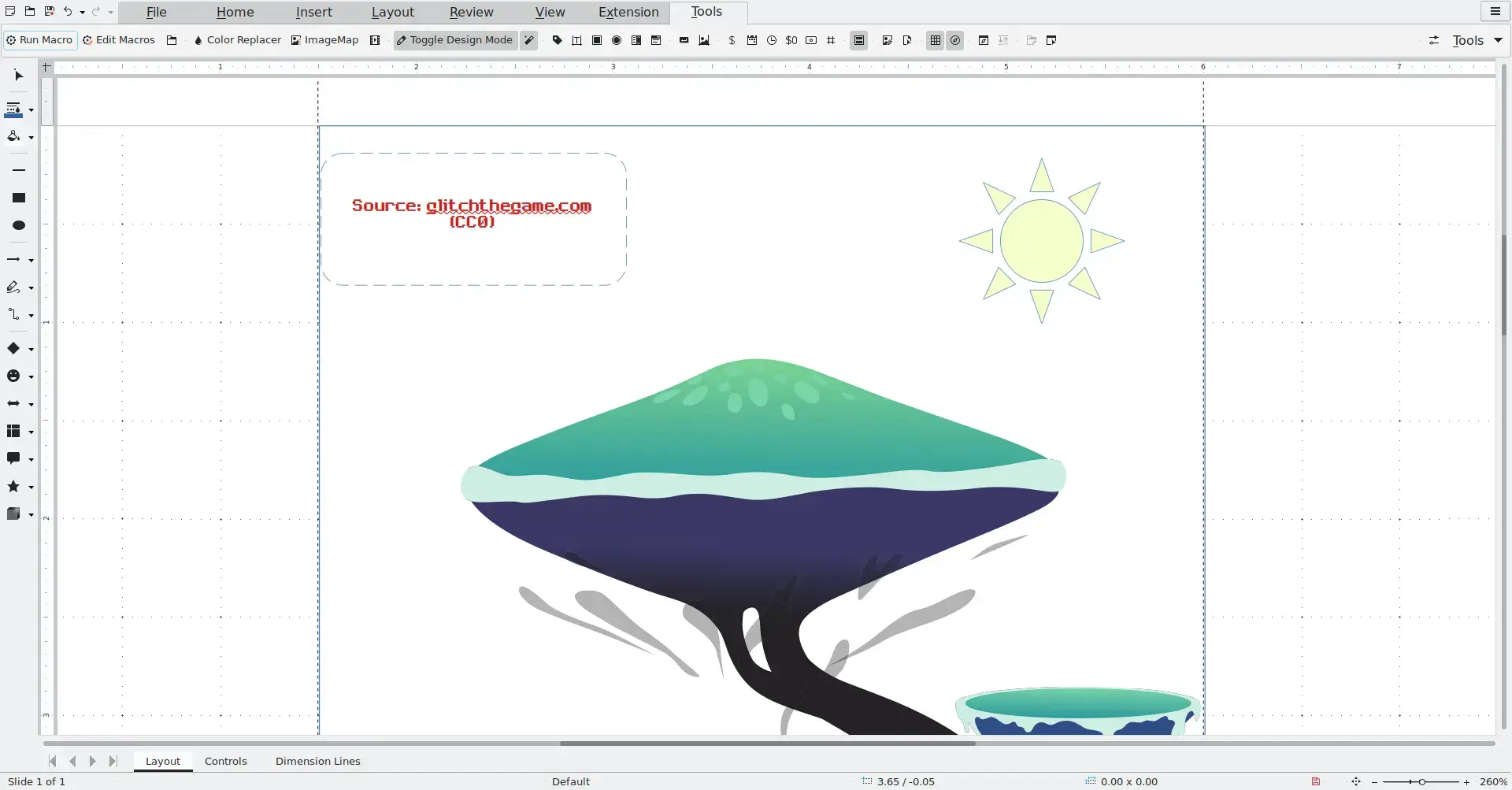
LibreOffice Draw is not a dedicated PDF editor, but it is one of the most capable free tools for making quick changes to existing PDFs. When you open a PDF in LibreOffice Draw, it pulls the content apart so you can change text, move images, add new elements, and adjust the layout without needing a paid editor.
The trade-off is that complex PDFs with unusual fonts or lots of overlapping elements can look slightly different after you edit them. It works best for simple, text-heavy documents where you need to correct a line, update a name, or add a paragraph. LibreOffice Draw is the right call when you already have the full LibreOffice suite installed and just need to fix something in a PDF quickly. Free, open source, available from libreoffice.org.
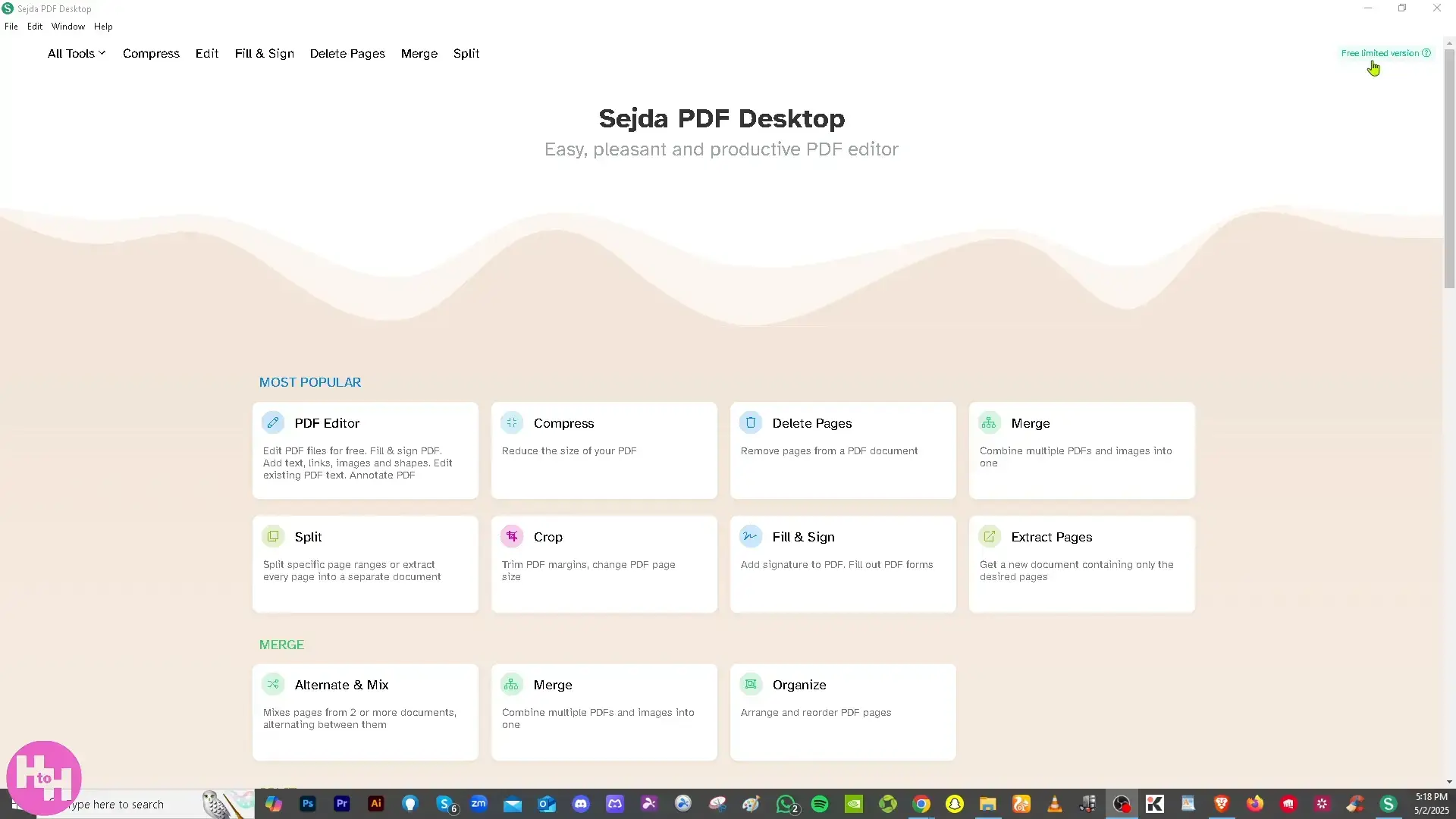
Sejda PDF Desktop is a Windows app that brings most of the popular Sejda web tools to your desktop and runs them offline. The free version is genuinely capable: you can edit text, annotate, convert, merge, split, compress, and sign PDFs without creating an account.
The limit is three tasks per day on the free plan, with files up to 50MB or 200 pages. That is enough for occasional use, but if you are processing files daily you will hit the ceiling fast. Sejda is the pick for people who need a clean, simple editor for occasional PDF tasks and do not want the complexity of a full desktop suite. Available from sejda.com.
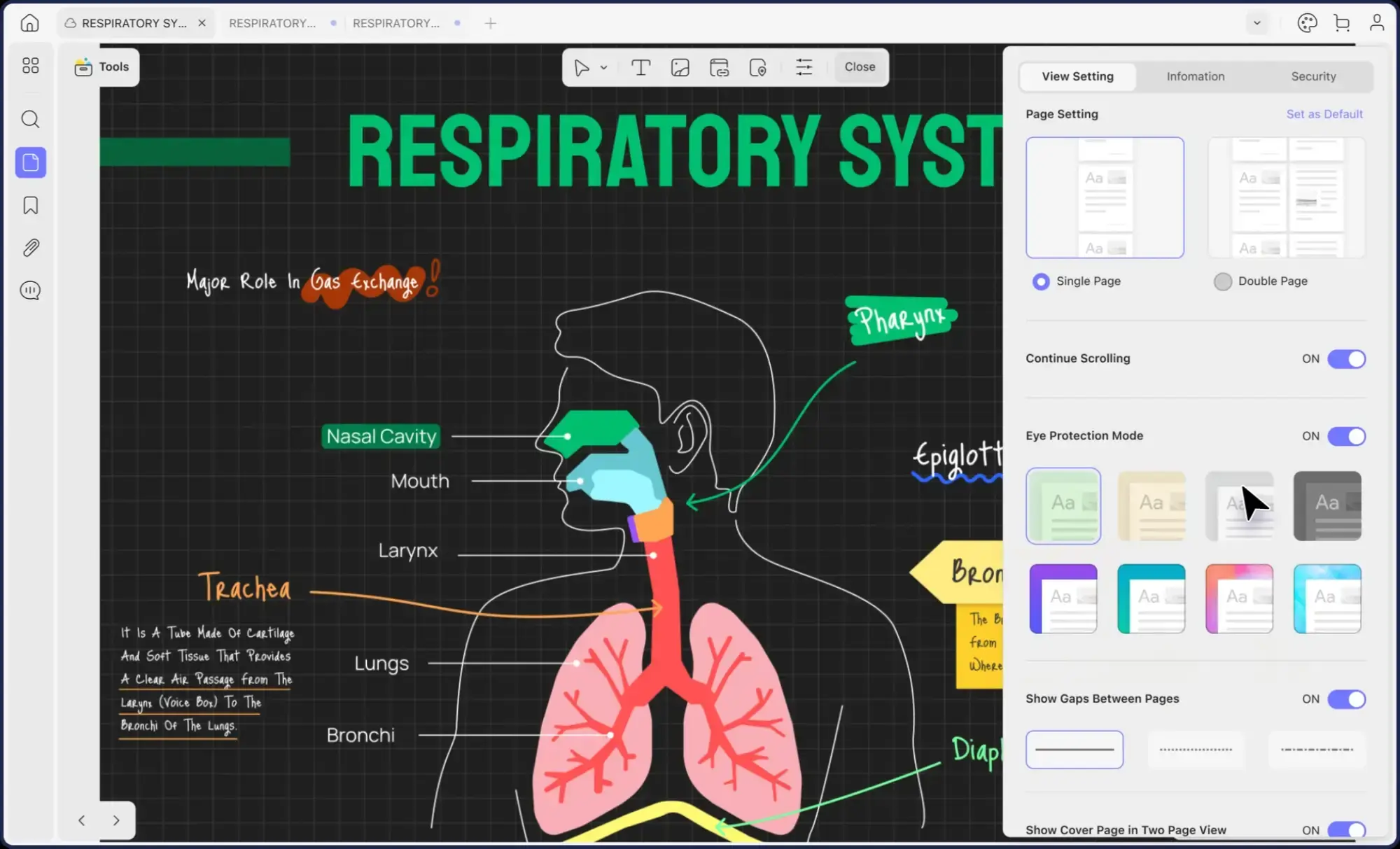 Updf editor from 14 Best PDF Editors for Windows in 2026: Tested and Compared
UPDF is a modern PDF tool with a clean, well-designed interface that feels closer to a premium app than a free one. The free version lets you annotate, fill forms, organize pages (add, delete, reorder, rotate, or split them), and access 1GB of cloud storage. It also includes an AI assistant for summarizing and asking questions about documents.
The limits are real: editing text and converting files add watermarks on the free plan, conversion is capped at twice per day, and OCR is limited to five uses before you need to upgrade. UPDF is worth trying if you want the best-looking free PDF interface and mostly need annotation and page management rather than text editing. Requires a free account. Available from updf.com.
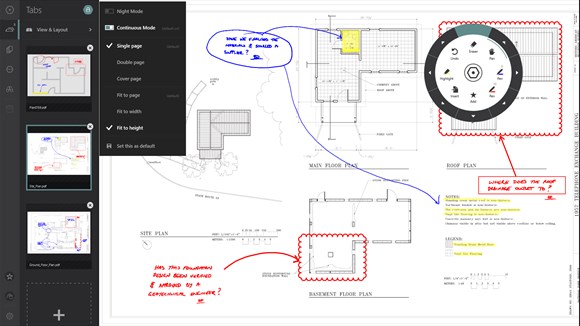
Drawboard PDF is built for people who work directly on the page with a stylus or touch input. It supports pressure-sensitive inking that responds like a real pen, which makes it a natural fit for students taking notes on lecture slides, engineers marking up technical drawings, or architects reviewing plans on a Surface or touchscreen laptop.
The free tier covers the core annotation tools: highlight, ink, text boxes, signatures, and basic page management. It does not edit text or convert files. If you have a Surface, a touchscreen Windows laptop, or a digital pen, Drawboard PDF is the annotation tool to try first. Available from the Microsoft Store.
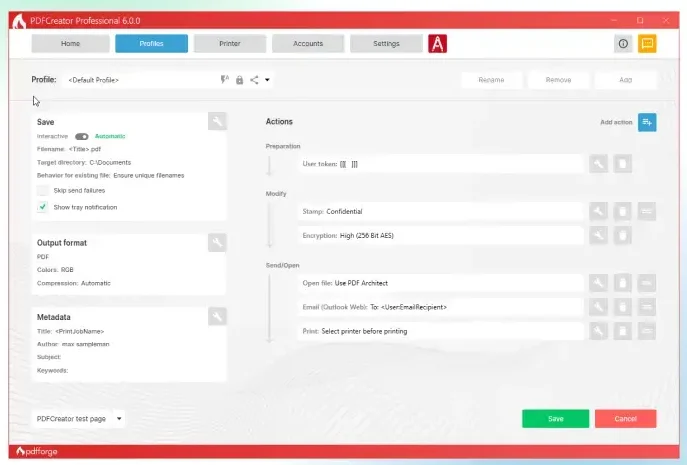
PDF Architect from pdfforge is the companion app to the popular PDFCreator virtual printer. The free version covers the basics: view PDFs, rotate and delete pages, rearrange page order, and merge multiple documents into one PDF. That covers a lot of what casual users actually need without paying anything.
Text editing, conversion, OCR, and advanced features are locked behind paid plans, but the free page management tools are clean and reliable. PDF Architect also comes with a 14-day full-feature trial when you first install it, so you can test the paid tools before deciding. PDF Architect is a sensible pick for users who need page management and merging and want a straightforward interface without extra complexity. Available from pdfforge.org.
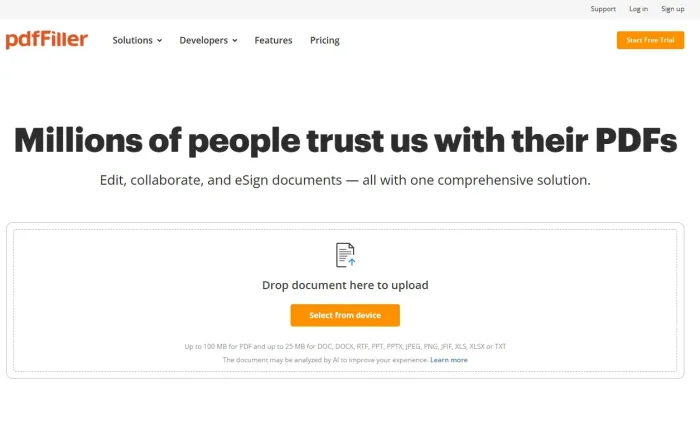
pdfFiller is the only tool on this list that runs entirely in your browser. No download, no installation, no admin rights needed. You open the website, upload your PDF, and start editing. That makes it the right pick for people on work computers where installing software is not an option, or anyone who just needs to fill and sign a document quickly without setting anything up.
The 30-day free trial gives you full access to text editing, form filling, e-signatures, PDF conversion, and cloud storage. After the trial, plans start from around $8 per month billed annually. If you cannot install software on your machine or share a computer, pdfFiller is the easiest way to get PDF work done with zero setup. Works on any Windows browser, no install required.
Which One Should You Pick?
Frequently Asked Questions
What is the best completely free PDF editor for Windows?
PDFgear is the most capable completely free PDF editor for Windows right now. It lets you edit text directly, convert PDFs to Word and Excel, mark up and sign documents, and turn scanned pages into searchable text, all with no file size limits and no watermarks. There is no paid tier to unlock.
Can I edit PDF text for free on Windows without watermarks?
Yes. PDFgear and PDF24 Creator both let you edit or process PDFs without adding watermarks to your output. PDF-XChange Editor and UPDF have free versions, but they add watermarks if you use premium features. If you need clean output with no watermarks, stick to PDFgear or PDF24.
Which free PDF tool is the lightest on system resources?
Sumatra PDF is the lightest option on this list by a wide margin. It is around 80 times smaller than Adobe Acrobat Reader, opens instantly, and runs on very low-end hardware. It is a reader and annotator only, not a full editor.
Do any of these free PDF editors work on Windows 10?
Yes, every tool on this list supports Windows 10 and Windows 11. PDFgear, Adobe Acrobat Reader, PDF24 Creator, PDF-XChange Editor, Sumatra PDF, Foxit PDF Reader, Okular, LibreOffice Draw, Sejda, UPDF, Drawboard PDF, PDF Architect, and Wondershare PDFelement all run on both versions. pdfFiller runs in any browser, so it works on any Windows version at all.
Which free PDF editor is best for pen and touch input on Windows?
Drawboard PDF is built for pen and touch. It supports pressure-sensitive inking that responds like writing on paper, which makes it popular with students, architects, and engineers. The free tier covers the core annotation tools and is available from the Microsoft Store.
Support and Community
Quick Comparison
| Tool | Edit Text | Convert | OCR | Watermarks | Best For |
|---|---|---|---|---|---|
| PDFgear | Yes | Yes | Yes | None | Full free editing |
| Adobe Acrobat Reader | No | No | No | None | Reading and forms |
| Wondershare PDFelement | Yes (trial) | Yes (trial) | Yes (trial) | On free tier | Best premium trial |
| PDF24 Creator | Limited | Yes | Yes | None | Merge, split, convert |
| PDF-XChange Editor | Yes | Paid only | Limited free | On premium features | Power users |
| Sumatra PDF | No | No | No | None | Speed, low-end PCs |
| Foxit PDF Reader | No | No | No | None | Reading and annotation |
| Okular | No | No | No | None | Open source, research |
| LibreOffice Draw | Yes | Yes | No | None | Simple text edits |
| Sejda Desktop | Yes | Yes | Limited | None (3 tasks/day) | Occasional tasks |
| UPDF | Yes | 2x/day free | 5 uses free | On edits | Modern UI, AI features |
| Drawboard PDF | No | No | No | None | Pen and touch markup |
| PDF Architect | View only | No | No | None | Page management |
| pdfFiller | Yes (trial) | Yes (trial) | No | On free tier | Online forms and e-sign |
Pricing and features change. Always check each tool’s official page before downloading.
More Windows software guides: Best Browsers · Best Free FTP Clients · Free Online Video Editors · Best Free AI Code Editors
Discover more from Windows Mode
Subscribe to get the latest posts sent to your email.