Readers like you help support this site. When you make a purchase using links on our site, we may earn an affiliate commission. All opinions remain our own.
The best video editing software for Windows are PowerDirector, DaVinci Resolve, Adobe Premiere Pro, Filmora, and Vegas Pro. All of them run on Windows 10 and 11, and most offer free versions or trials so you can start editing without paying anything.
Whether you need a quick editor for social media clips or a full production suite for YouTube and client work, these desktop tools handle it. We tested all 10 for AI features, ease of use, export quality, and how much you get for free.
If you think we’re missing one that deserves a spot, drop a comment below or reach out to us.
What We Look For
Free version or trial available · AI-powered editing tools · Runs on Windows 10/11 · Beginner-friendly with pro options · Good template and stock media library
Quick Comparison
| Editor |
Price |
Free Version |
Top AI Feature |
Best For |
| PowerDirector |
$4.08/mo |
30-day trial |
Text-based editing |
All-rounder |
| Pinnacle Studio |
$54.95 |
30-day trial |
Smart selection |
Multi-cam editing |
| Vegas Pro |
$12.99/mo |
30-day trial |
Motion tracking |
Pro creators |
| DaVinci Resolve |
Free / $295 |
Yes (no watermark) |
Neural engine |
Color grading |
| Premiere Pro |
$22.99/mo |
7-day trial |
Auto-reframe |
Industry standard |
| Filmora |
$49.99/yr |
Free (watermark) |
Smart cutout |
Beginners |
| Lightworks |
$9.99/mo |
Yes (720p) |
Auto-sync |
Film editors |
| Shotcut |
Free |
Yes (full) |
Keyframing |
Open-source fans |
| OpenShot |
Free |
Yes (full) |
Animations |
Simple projects |
| VSDC |
Free |
Yes (full) |
Motion tracking |
Budget editing |
What Is the Best Video Editing Software for PC?
Here are our top 10 picks, tested and ranked for 2026.
1
CyberLink PowerDirector 365
Editor’s Pick
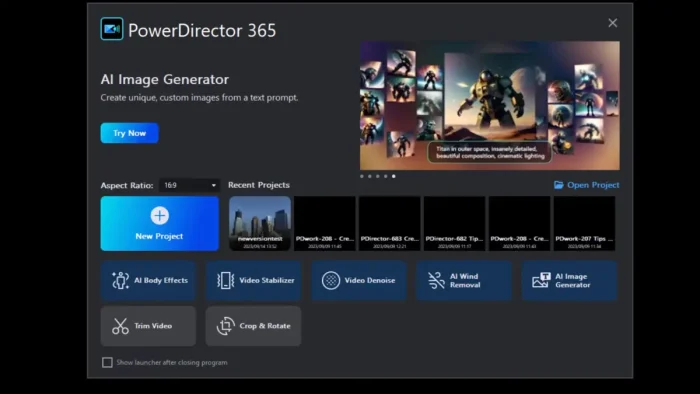
PowerDirector is a powerhouse for beginners and pros, known for lightning-fast rendering and an intuitive interface. The AI tools handle heavy lifting like text-based editing (cut filler words by editing a transcript) and auto-generating anime-style effects from your clips.
The 30-day free trial unlocks all features. After that, it’s $4.08/month for the full suite with premium effects and watermark-free exports.
AI Text-Based Editing
AI Anime Effects
100+ Templates
Stock Library
Drag-and-Drop
Best for: Students making projects, YouTubers creating vlogs, teachers designing lessons, and businesses crafting ads.
Read our full review.
Tip: Use the AI text-based editing to cut filler words from vlogs. Just edit the transcript and the video updates automatically.
2
Pinnacle Studio
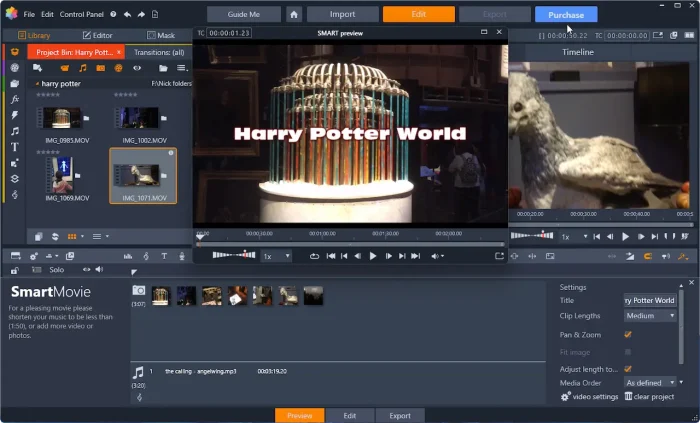
Pinnacle Studio delivers pro-grade editing with a clean interface. The AI smart selection tool auto-detects and masks objects so you can apply effects to specific areas. Multi-cam editing handles up to six camera angles, and the effects library is massive.
The 30-day trial gives full access. After that, it’s a one-time purchase starting at $54.95 for the standard version.
AI Smart Selection
Multi-Cam (6 angles)
Keyframing
Effects Library
100+ Templates
Best for: YouTubers crafting vlogs, students in media courses, teachers creating tutorials, and businesses producing promo videos.
Read our full review.
3
Vegas Pro
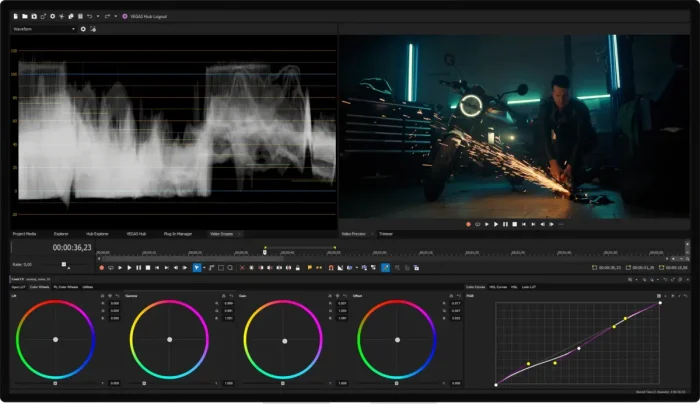
Vegas Pro is built for creators who need flexibility and power. The nested timeline system handles complex projects, motion tracking applies effects to moving objects, and the AI text-based editing lets you cut footage by editing a transcript.
The 30-day trial includes everything. After that, it’s $12.99/month or a one-time purchase.
AI Text-Based Editing
Motion Tracking
Nested Timelines
Stock Library
Templates
Best for: YouTubers creating polished content, students in film courses, and businesses making professional ads.
Read our full review.
4
DaVinci Resolve

DaVinci Resolve is Hollywood-grade editing software with a free version that rivals paid tools. The color grading is considered the best in the industry, the Fusion module handles visual effects, and there is no watermark on exports. The learning curve is steep, but the payoff is worth it.
The free version includes most features. DaVinci Resolve Studio ($295 one-time) adds GPU acceleration and advanced AI tools.
AI Neural Engine
Pro Color Grading
Fusion VFX
Multi-Cam Editing
No Watermark (Free)
Best for: YouTubers who need pro-grade edits, students learning editing, and anyone who wants powerful software without paying.
Read our full review.
5
Adobe Premiere Pro
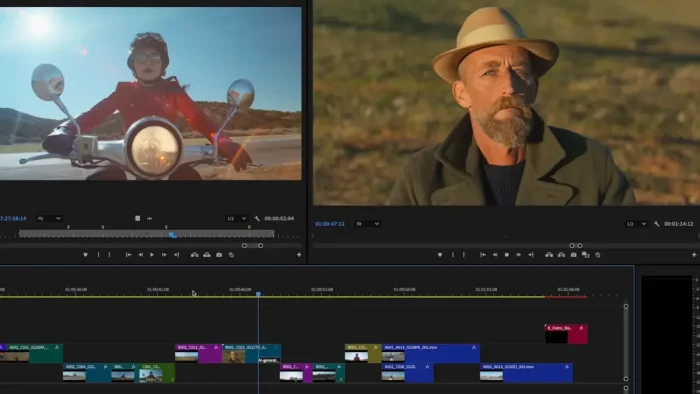
Premiere Pro is the industry standard used by professionals worldwide. It integrates with the full Adobe ecosystem (After Effects, Audition), and the AI auto-reframe tool adjusts clips for different aspect ratios in one click. The 7-day trial is short, but it gives full access.
Subscription starts at $22.99/month. There is no free version, only the trial.
AI Auto-Reframe
Multi-Track Timeline
Motion Graphics
Adobe Stock
Templates
Best for: Professional editors, YouTubers who want the industry standard, and creators already in the Adobe ecosystem.
Read our full review.
6
Filmora
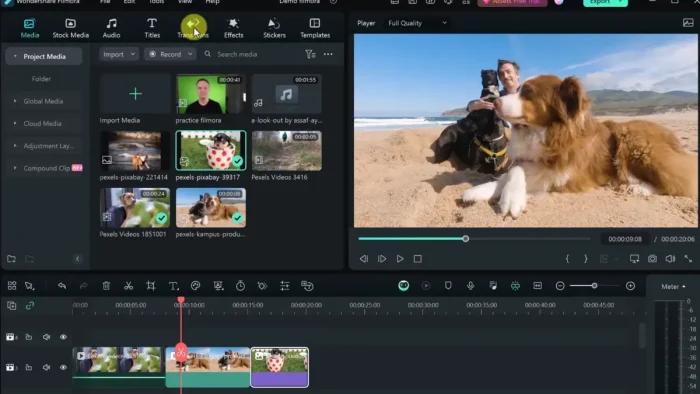
Filmora is the go-to for beginners who want a clean, simple editor that still has teeth. The AI smart cutout removes backgrounds in one click, text-to-speech adds voiceovers without a microphone, and the template library is massive with over 1,000 layouts.
The free version works but adds a watermark. Paid plans start at $49.99/year.
AI Smart Cutout
AI Text-to-Speech
1000+ Templates
Drag-and-Drop
Stock Library
Best for: Students making presentations, YouTubers creating vlogs, teachers producing lessons, and anyone who wants a simple editor that looks professional.
7
Lightworks
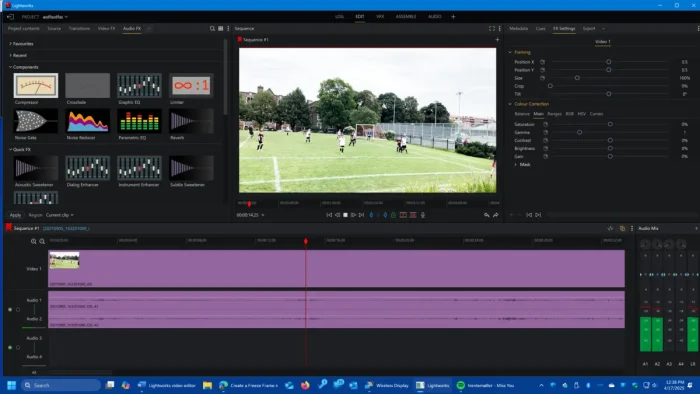
Lightworks has been used on Hollywood films like The Wolf of Wall Street and Pulp Fiction. The free version exports up to 720p with no watermark, and the AI auto-sync tool aligns audio and video tracks automatically. For a free editor with real film industry credentials, it is hard to beat.
The free version handles most tasks. Premium plans start at $9.99/month for 4K exports and advanced features.
AI Auto-Sync
Multi-Track Timeline
Color Grading
Stock Library
No Watermark (Free)
Best for: YouTubers crafting pro content, students in film courses, teachers producing tutorials, and anyone who wants a free editor with Hollywood pedigree.
8
Shotcut
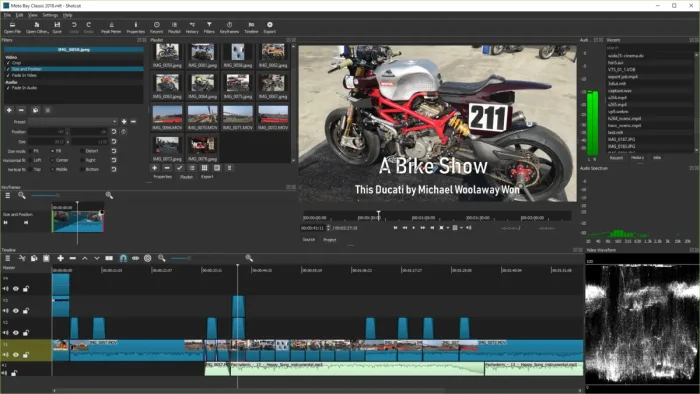
Shotcut is completely free, open-source, and has no watermark. It supports 4K editing, handles mixed resolutions and frame rates on the same timeline, and includes chroma key for green screen effects. The interface is customizable, so you can set it up the way you want.
Everything is free. No trials, no tiers, no watermarks. Fully open-source.
Keyframing
Multi-Format Timeline
Chroma Key
Audio Tools
Customizable UI
Best for: Students on a budget, open-source enthusiasts, and anyone who wants a capable free editor without restrictions.
9
OpenShot
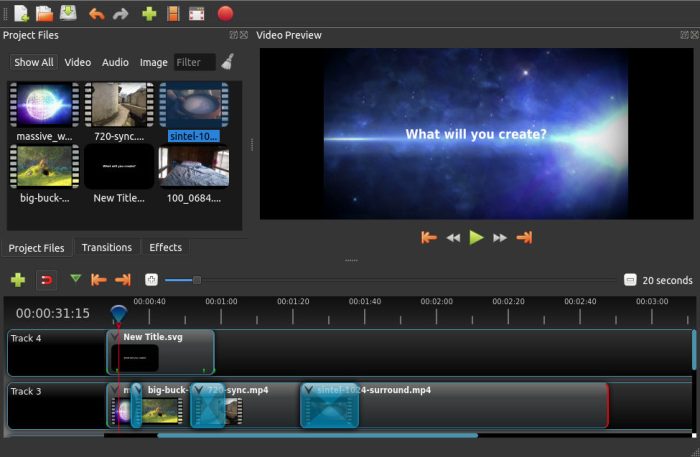
OpenShot is the simplest free editor on this list. It is open-source with unlimited tracks, basic animation effects, chroma key, and time remapping. If you just need to cut clips together, add some transitions, and export without a watermark, OpenShot gets the job done.
Completely free with all features. No paid version, no watermark.
Animation Framework
Unlimited Tracks
Chroma Key
Time Remapping
Transitions & Filters
Best for: Complete beginners, students on a budget, and anyone who needs a simple, no-fuss editor for basic projects.
10
VSDC Free Video Editor
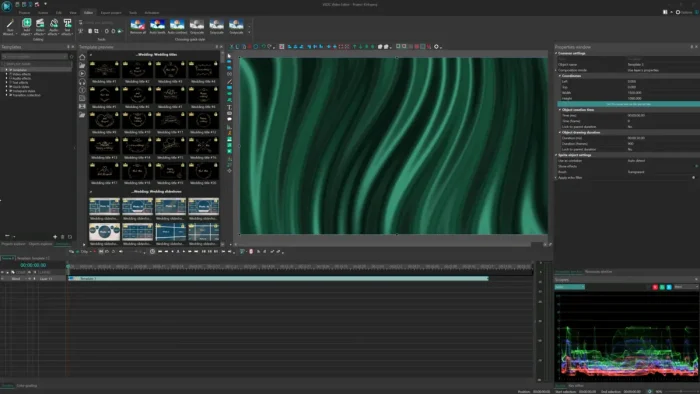
VSDC is a free Windows editor that runs well even on older hardware thanks to hardware acceleration. The AI motion tracking follows objects for dynamic effects, chroma key handles green screen, and there is no watermark on exports. A solid choice if your PC is not the newest.
The free version includes all core features. The pro version adds advanced tools for a one-time fee.
AI Motion Tracking
Chroma Key
Hardware Acceleration
Audio Editing
No Watermark (Free)
Best for: Users with older PCs, students on a budget, and anyone who wants a free editor with AI motion tracking and no watermark.
Frequently Asked Questions
What is the best free video editing software for Windows?
DaVinci Resolve is the best free video editor for Windows. The free version includes professional color grading, AI tools, visual effects, and multi-cam editing with no watermark. Shotcut and OpenShot are also completely free and open-source alternatives.
Is DaVinci Resolve really free?
Yes. DaVinci Resolve’s free version includes most of the features professionals use, including the full editing suite, color grading tools, Fusion VFX, and Fairlight audio. There is no watermark on exports. The paid Studio version adds GPU acceleration, AI neural engine features, and HDR tools.
Do I need a powerful PC for video editing?
It depends on the software. Lightweight editors like Filmora, OpenShot, and VSDC run well on older hardware. Professional tools like DaVinci Resolve and Premiere Pro benefit from a dedicated GPU, 16GB+ RAM, and an SSD. Most editors list their system requirements on their download page.
What is the difference between online and desktop video editors?
Desktop editors install on your PC and generally offer more power, better performance with large files, and work offline. Online editors run in your browser with no installation but depend on your internet connection. Desktop editors are better for longer, more complex projects.
Can I edit 4K video with free software?
Yes. DaVinci Resolve, Shotcut, and VSDC all support 4K editing in their free versions. Performance depends on your hardware, so a dedicated GPU and at least 16GB of RAM are recommended for smooth 4K editing.
Which video editor has the best AI features?
PowerDirector and DaVinci Resolve lead in AI features. PowerDirector offers AI text-based editing, anime effects, and auto-captions. DaVinci Resolve’s AI neural engine handles face detection, object tracking, and scene analysis. Filmora also has strong AI tools like smart cutout and text-to-speech.
Related Guides: Best Online Video Editors, Best Browsers for Windows, DaVinci Resolve 20, Adobe Premiere Pro
Post Views: 22,091
Related Posts
Discover more from Windows Mode
Subscribe to get the latest posts sent to your email.