Key takeaways
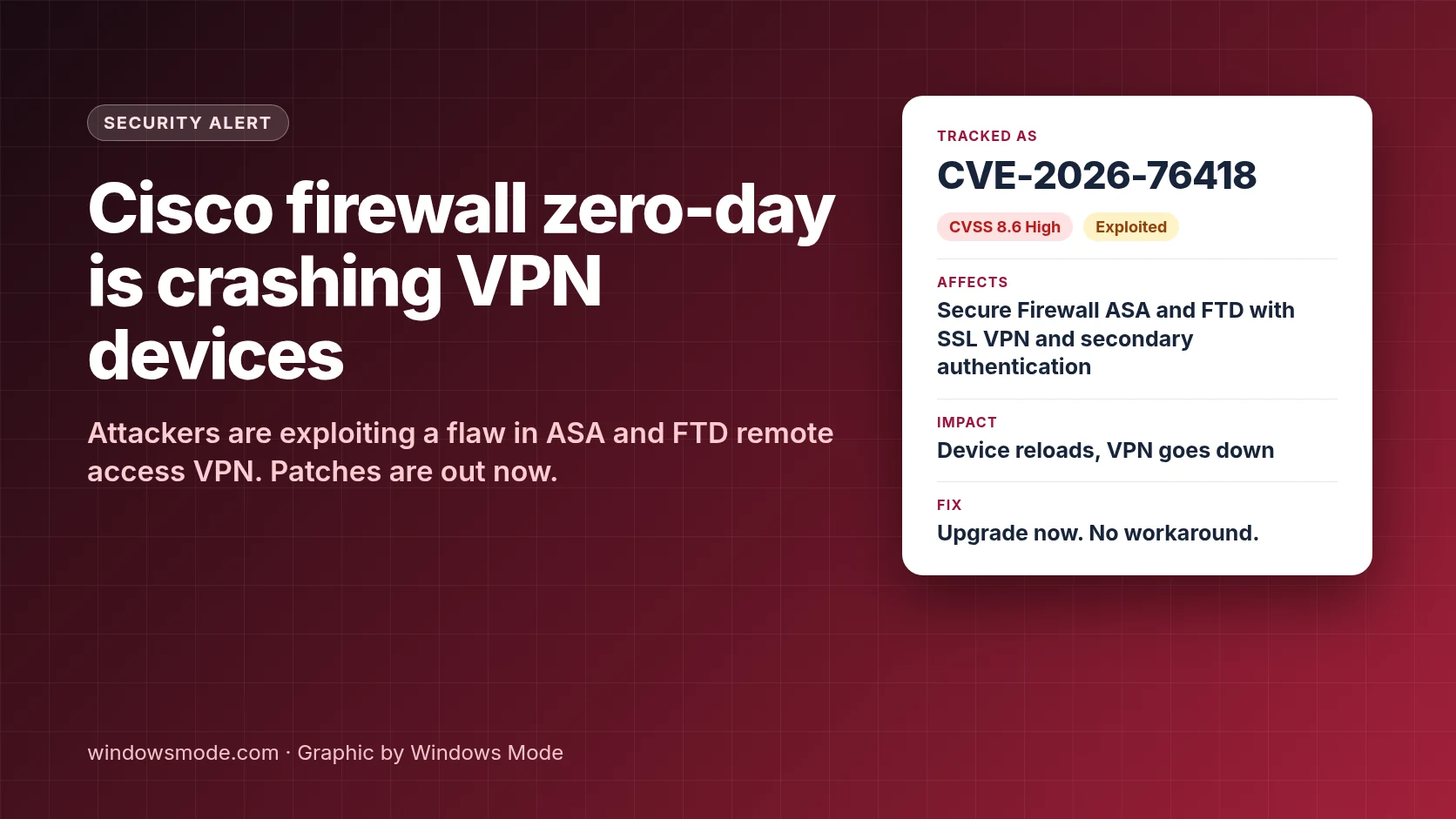
- CVE-2026-76418 (CVSS 8.6, High) lets an attacker who isn’t logged in force a Cisco ASA or FTD firewall to reload, knocking its VPN offline.
- Cisco says the flaw is already being exploited. Only devices with SSL VPN and secondary authentication on a tunnel group are exposed.
- Patches are out for every supported train. There’s no workaround, only a temporary mitigation that weakens VPN security.
Cisco is warning that attackers are actively exploiting a new flaw in its firewall VPN software to crash devices. The bug, tracked as CVE-2026-76418, sits in the Remote Access SSL VPN service of Cisco Secure Firewall Adaptive Security Appliance (ASA) Software and Secure Firewall Threat Defense (FTD) Software. Cisco published its security advisory on October 28, 2026.
A successful attack makes the firewall reload. For a company that sends remote staff through that box, that means every VPN session drops, and an attacker can keep doing it. If your Windows laptops connect to work through Cisco Secure Client (formerly AnyConnect), this is the device on the other end.
What the flaw does
Cisco says the bug comes from “logic errors when secondary authentication is configured on a tunnel group.” Secondary authentication means the VPN asks for a second set of credentials, often from a separate server. A tunnel group is the connection profile users sign in to.
An attacker sends a specially crafted request while connecting to the SSL VPN, and the firewall restarts. Crucially, Cisco notes that “a successful VPN login is not required to reach the affected processing path.” Anyone who can reach your VPN login page can try it.
This is a denial of service, not a break-in. Cisco’s advisory doesn’t say attackers can read traffic or run code. Cisco says its security team became aware of active exploitation in October 2026. The bug itself was found by Eric Fernald while resolving a Cisco support case. Cisco hasn’t said who is behind the attacks.
Is your firewall exposed?
Most Cisco firewalls won’t be affected. A device is exposed only when three things are true at once:
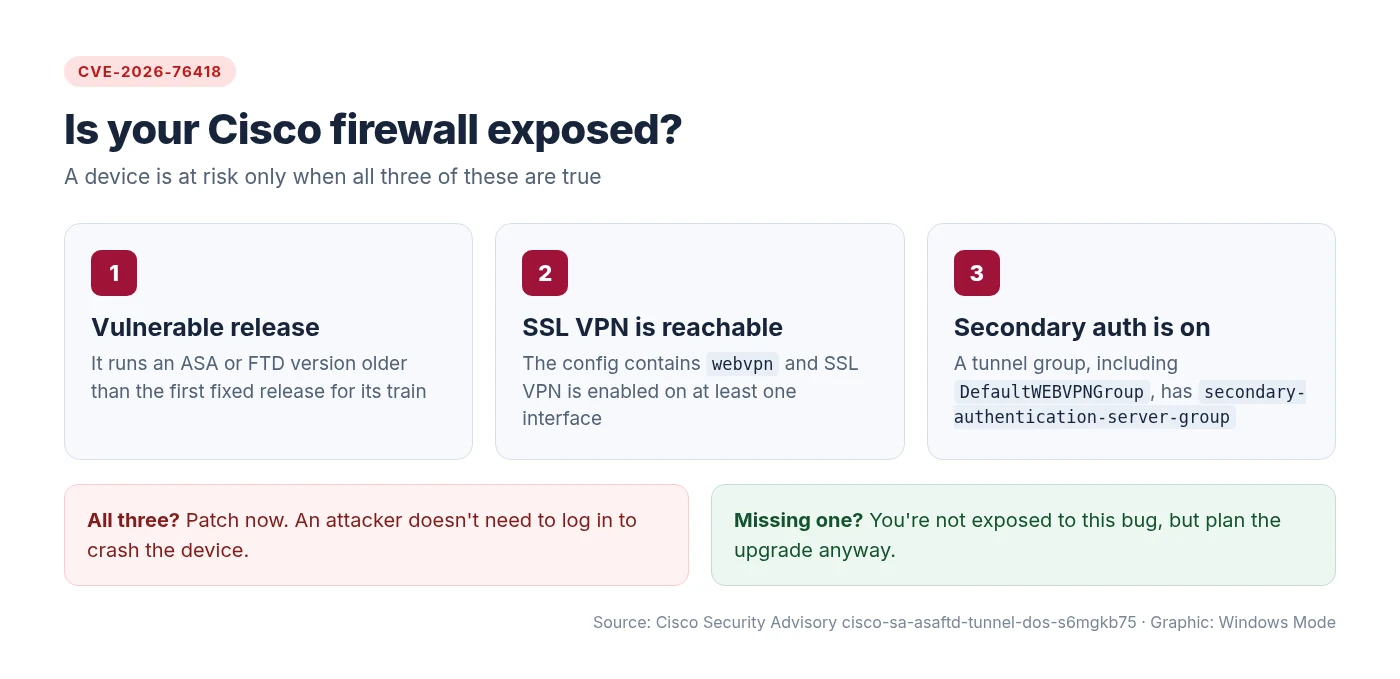
On ASA, two commands show what you need. Look for webvpn with SSL VPN enabled on an interface, then check each tunnel group, including DefaultWEBVPNGroup, for secondary-authentication-server-group:
show running-config webvpn
show running-config tunnel-group
Easy to miss
Check every tunnel group, not just the ones shown on the login page. And if you turned the group list off with no tunnel-group-list enable, you still need to check DefaultWEBVPNGroup. Cisco says disabling the list doesn’t remove exposure when the default group uses secondary authentication.
On FTD, review the deployed remote access VPN policy and the resulting running configuration in Secure Firewall Management Center (FMC) or Secure Firewall Device Manager (FDM). Remote access VPN lives under Devices > VPN > Remote Access in FMC.
Which versions fix it
Cisco has fixed releases for every supported train. Upgrade to at least the version below for yours:
| ASA release train | First fixed release |
|---|---|
| 9.16 and earlier | 9.16.4.104 |
| 9.18 | 9.18.4.96 |
| 9.20 | 9.20.4.50 |
| 9.22 | 9.22.3.200 |
| 9.23 | 9.23.1.48 |
| 9.24 | 9.24.1.27 or 9.24.10.1 |
| FTD release train | First fixed release |
|---|---|
| 7.0 and earlier | 7.0.11 |
| 7.2 | 7.2.13 |
| 7.4 | 7.4.9 |
| 7.6 | 7.6.7 |
| 7.7 | 7.7.14 |
| 10.0 | 10.0.3 |
| 10.1 | 10.1.1 |
These are only the first releases that fix this one bug. Run your exact build through the Cisco Software Checker, which returns the earliest release that fixes every advisory affecting it, so you don’t patch one hole and miss another.
Can’t patch today? Use the mitigation
Cisco is firm that there are no workarounds. It does offer a mitigation, and which one you use depends on the default tunnel group:
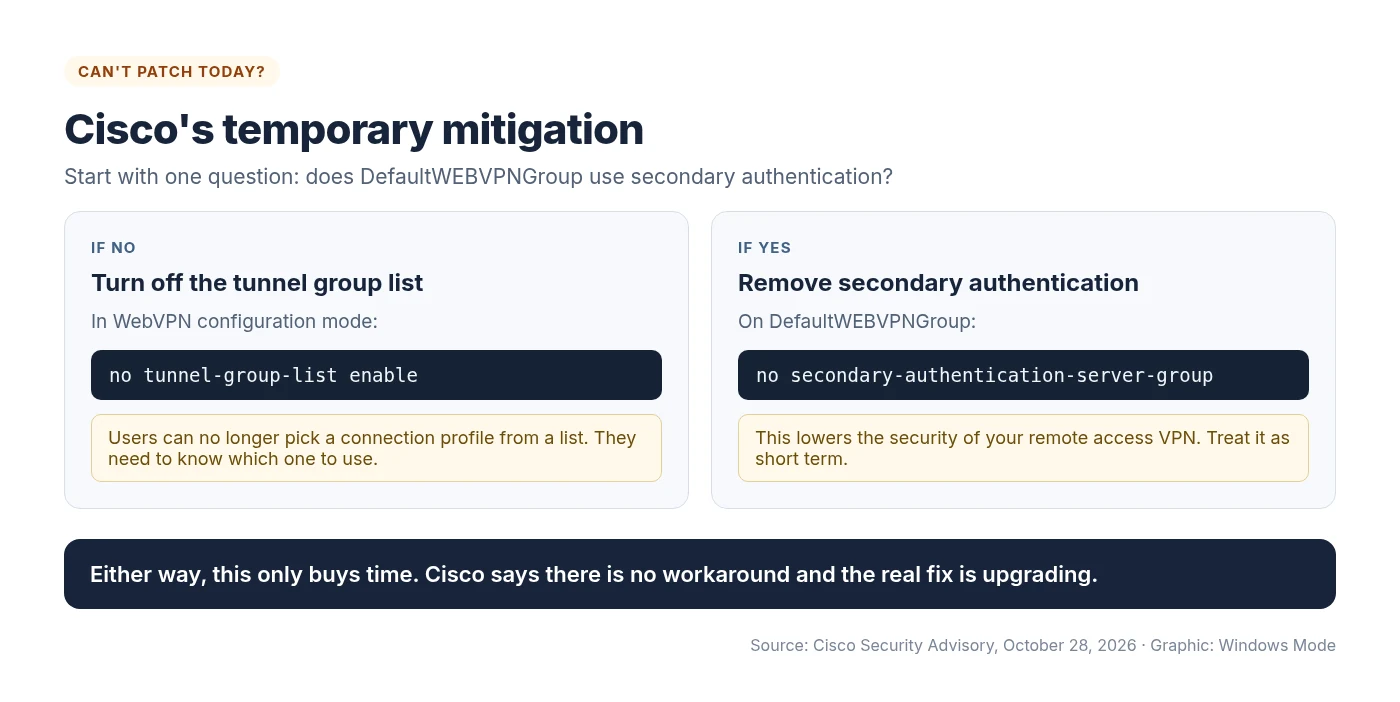
Cisco adds that the mitigation was tested successfully in its lab, but warns that any mitigation “may negatively impact the functionality, performance, and/or security posture” of your network. Test it on your own setup first.
What to do next
- Check exposure today using the three conditions above, on every ASA and FTD that runs remote access VPN.
- Patch exposed devices first, then the rest. Use the Software Checker to pick the right build.
- Look back at your logs. Unexplained reloads or crash files on a VPN firewall in recent days are worth a closer look.
- Warn your help desk. If remote users report VPN drops, a crashing firewall may be the cause, not their Windows PC.
Network gear at the edge keeps drawing attackers. Earlier this year we covered attackers exploiting a Cisco Unified Communications Manager flaw weeks after its patch, and government agencies urging enterprises to harden routers. Quick patching on these boxes pays off.
Source: Cisco Security Advisory cisco-sa-asaftd-tunnel-dos-s6mgkb75, with reporting from Network World and BleepingComputer. Details checked October 31, 2026.
Discover more from Windows Mode
Subscribe to get the latest posts sent to your email.

















Add your first comment to this post