Readers like you help support this site. When you make a purchase using links on our site, we may earn an affiliate commission. All opinions remain our own.
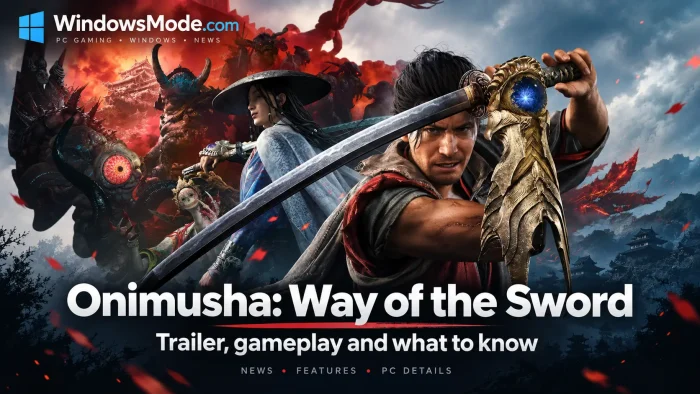
Onimusha: Way of the Sword is a swordplay action game for PC from Capcom, available on Steam. You play Miyamoto Musashi, a young samurai who arrives in a Kyoto overrun by demons called Genma. Fights are built around reading an attack and answering it, not around learning combos.
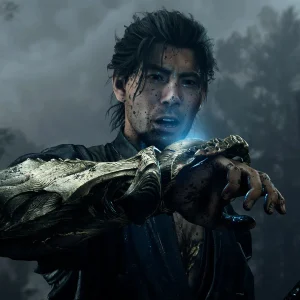
The Oni Gauntlet on Musashi’s left arm is the core of the whole design. It pulls souls out of the Genma you kill, and those souls pay for your healing, your upgrades and your special attacks. Fighting carefully and fighting often are the same thing here.
It launched on September 4, 2026 alongside the PS5, Xbox Series X and S and Switch 2 versions. Capcom lists Windows 11 and an SSD, and the game has full controller support. It is the first new mainline Onimusha in two decades.
Already playing? Tell us which boss made you rethink your parry timing. Got questions before buying? Reach out to us directly.
What You Need to Know
- Three PC stores sell it: Steam, the Epic Games Store and the Microsoft Store. The Microsoft Store version is Xbox Play Anywhere, so one purchase covers PC and Xbox.
- There is a free demo and a separate free benchmark tool. Run the benchmark before you spend anything.
- Capcom lists Windows 11 as the operating system for both minimum and recommended specs. Windows 10 is not listed.
- Single player only. There is no co-op and no multiplayer mode.
- You need 50 GB on an SSD. A hard drive is not supported.
Quick Facts
 Stream It on Boosteroid
How to Download Onimusha: Way of the Sword on Windows
Three stores sell the PC version, and the game is the same on all three. The Microsoft Store version is the one to pick if you also own an Xbox, because it is Xbox Play Anywhere and one purchase covers both machines.
- Step 1. Open the Onimusha: Way of the Sword Steam page, or the Epic Games Store page.
- Step 2. Download the free benchmark tool from Capcom’s benchmark page and run it first.
- Step 3. Check that you are on Windows 11, because Capcom does not list Windows 10.
- Step 4. Pick your edition. Standard is the full game, and the other two add cosmetic items only.
- Step 5. Sign in to your store account, or make a free one.
- Step 6. Pay, then open your library and start the install.
- Step 7. Clear 50 GB on an SSD before the download starts.
- Step 8. Let the store install DirectX and the Visual C++ Redistributable when it asks.
- Step 9. Plug in a controller. Keyboard and mouse work, but the game is built around a gamepad.
- Step 10. Open the graphics menu and turn on DLSS or FSR if your card supports it.
Where to Buy It on PC
Three stores sell the PC version and the game itself is identical on all three. The difference is what else the purchase gets you.

Steam
The default choice. Steam Cloud saves, achievements, trading cards and the biggest discussion board when something breaks.

Epic Games Store
Same game, same price. Worth it if you already keep your library there or you have Epic credit to spend.

Microsoft Store
Buy once, play on PC and on Xbox, with saves and achievements carried between them.
Xbox Play Anywhere is the detail most buyers miss
The Microsoft Store listing is an Xbox Play Anywhere title. One $69.99 purchase gives you the PC version and the Xbox Series X and S version, and your save file and achievements follow you between them.
If you own an Xbox as well as a PC, that is the same money for two copies. If you are PC only, it changes nothing and Steam is the friendlier store. Buying it twice on two platforms is the mistake to avoid here.
☁️ Your PC is too weak? Cloud gaming is an option.
A Windows 11 requirement and a 50 GB SSD install rule out a lot of laptops. Boosteroid has the game in its catalog and runs it on its own hardware, so your machine only plays a video feed. Use a wired connection, because parry windows in this game are tight and input lag eats them.
Price and Editions
There are three versions and the difference between them is cosmetic. The $69.99 Standard edition is the complete game, with every stage, every boss and the full story. Nothing in the campaign sits behind a bigger purchase.
The $79.99 Deluxe edition adds the Deluxe Kit: three charms, four sword appearances, a red armour outfit for Musashi and a Crimson Lotus Oni Gauntlet. Charms do change your stats, so this is the one place the extra money touches gameplay, though the game is balanced without them.
The $89.99 Premium Deluxe edition adds everything in the Deluxe Kit plus three haori coats, six outfits for the supporting characters and an in-game mini soundtrack.
You are not locked in. Capcom sells the kits separately, so you can buy Standard now and add the Deluxe Kit for $19.99 or the Premium Deluxe Kit for $29.99 later. Buying Standard first and upgrading costs the same as buying the bundle up front.
Some cosmetic items are free
Capcom lists free downloadable extras on the Steam page alongside the paid kits, including outfits for two supporting characters and a materials pack. Check the DLC list on the store page after you buy, because free items still have to be claimed.
What Is Onimusha: Way of the Sword?
Onimusha: Way of the Sword is the first new mainline entry in Capcom’s Onimusha series since 2006. The story stands on its own, so you do not need to have played the older games or watched the Netflix series to follow it. It is set in Edo-period Kyoto, wrapped in a corrupting fog the game calls Malice.
You play Miyamoto Musashi, the historical swordsman, here reimagined as a young fighter looking to prove himself. Capcom used the late actor Toshiro Mifune as the face model for him, with permission from his estate, which is why the character reads as a classic samurai film lead rather than a modern game protagonist.
The loop is straightforward. You move through a mostly linear path with optional side areas, fight Genma, absorb the souls they drop with the Oni Gauntlet, and spend those souls on healing and upgrades. Capcom announced that the game sold more than one million units on its launch day.
Official Trailer
Watch the official Onimusha: Way of the Sword launch trailer to see the parry flashes that end fights in one hit, the Oni Gauntlet pulling souls out of dead Genma, and the demon-lit Kyoto streets you fight through.
Key Features
Swordplay Built Around the Parry
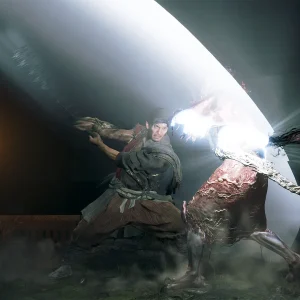
Attacks and blocks drain stamina on both sides. Time a block to the exact frame of an incoming strike and you open the enemy up for a kill, which is faster and safer than trading hits.
Oni Vision
A sense that reveals Genma you cannot see, along with hidden paths and items. It turns exploring a fog-covered street into something you do deliberately rather than by accident.
Duels Against Human Swordsmen
Not everything you fight is a demon. Some of the hardest fights are against people whose swordwork matches yours, and those are the ones that test what you have learned.
A Story You Can Start Cold
The plot is self-contained. Twenty years of series history is available if you want it and irrelevant if you do not.
The Oni Gauntlet and the Kyoto It Haunts
Two things carry this game more than any feature list can explain. Here is what each of them actually looks like in play.
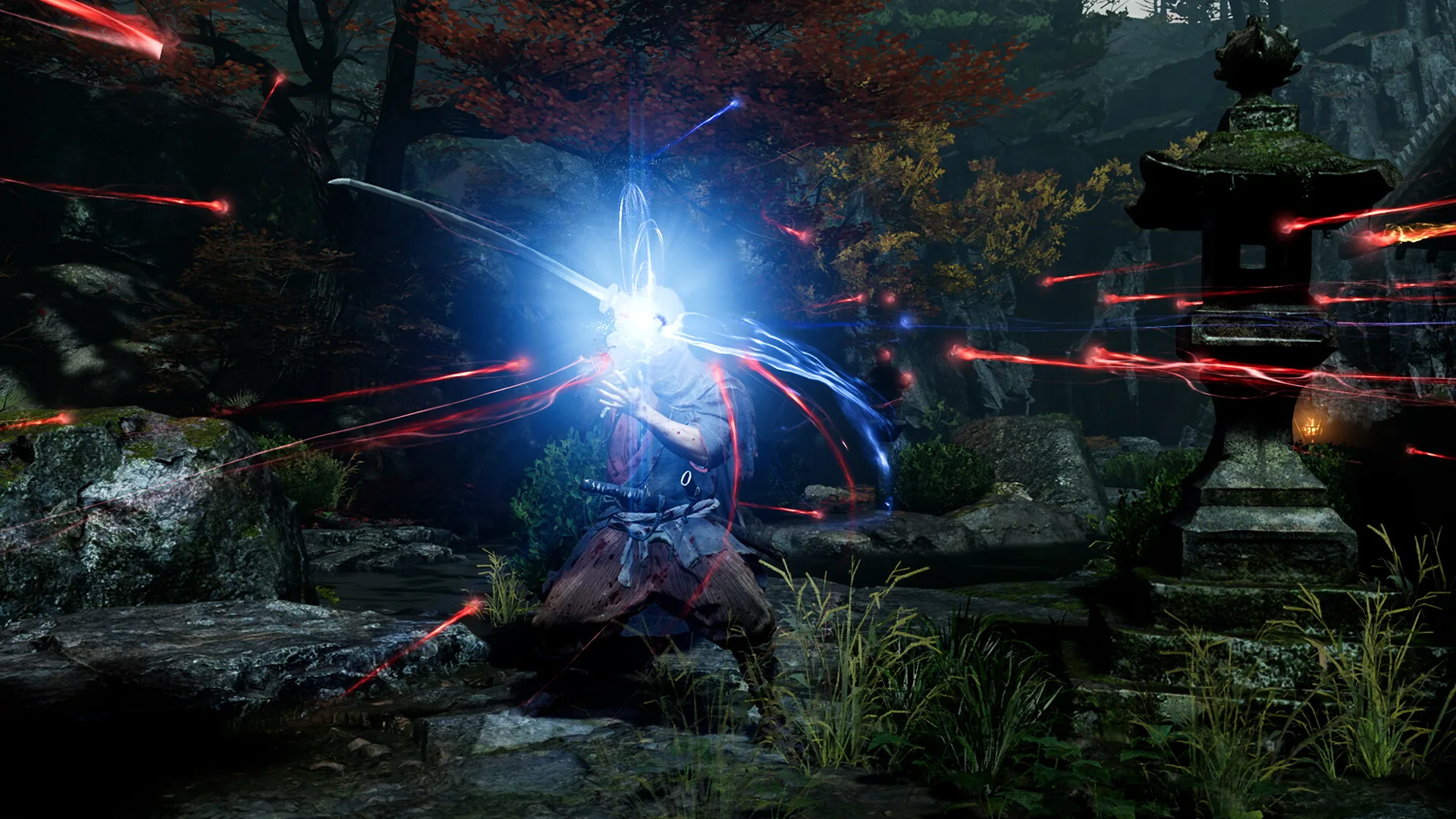
The gauntlet absorbs three kinds of soul from every Genma you kill. One color heals you, one pays for upgrades and one charges your special attacks. That is why fighting carefully and fighting often end up being the same instruction: every kill is income, and standing back costs you as much as dying does.
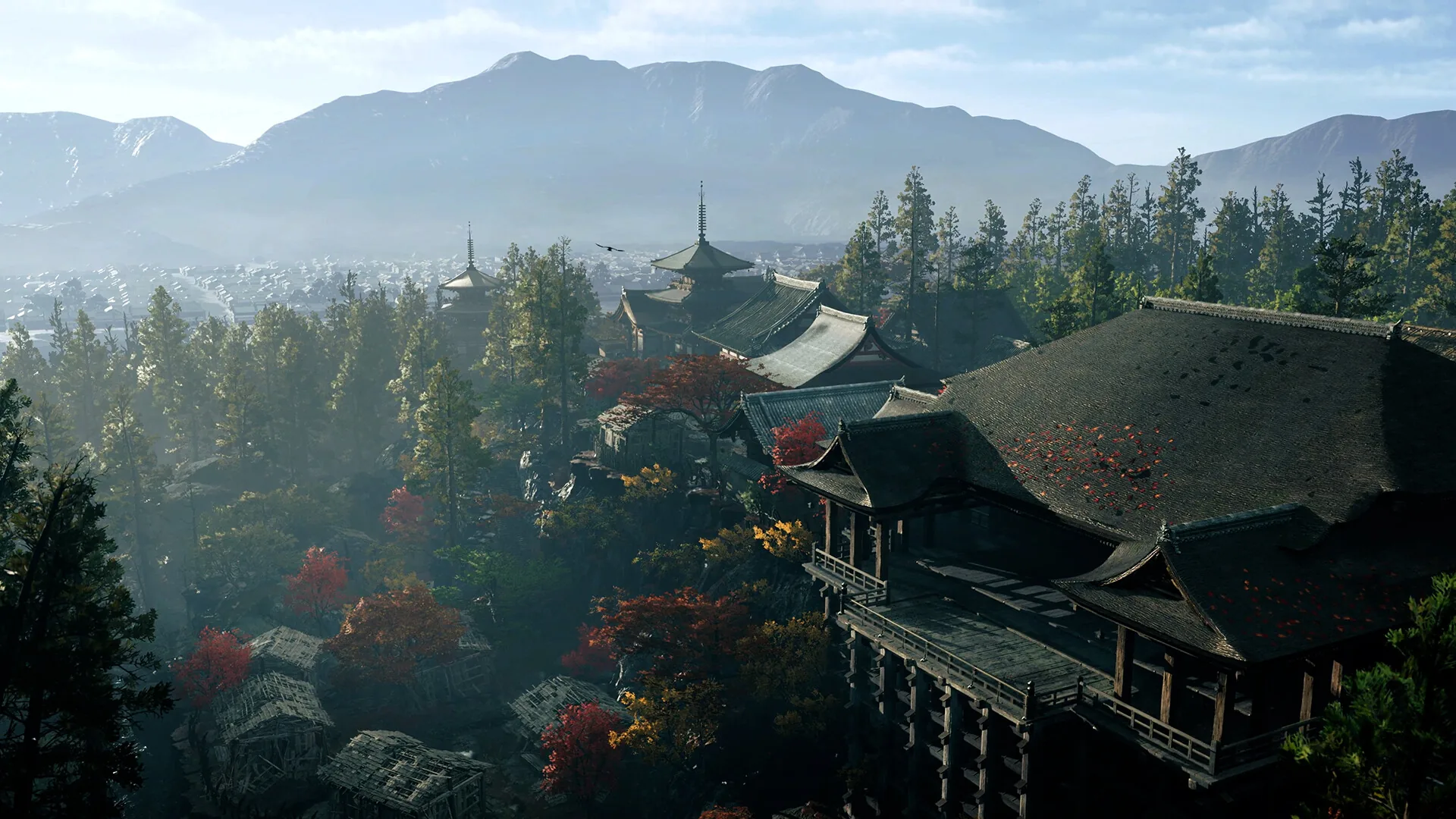
Kyoto is rebuilt from the real city, then wrapped in Malice. Shrines, temple roofs and mountain approaches are recognizable before the fog reaches them, which is what makes the corrupted districts land. The setting does the horror work without a single jump scare.
Try It Before You Buy
Two free downloads sit next to the paid game, and most people miss the second one. A demo tells you whether you like it, and a benchmark tells you whether your PC can run it. Use both.
DEMO
Free and Playable Now
Capcom ships a free demo on the same stores as the game. It was expanded after its first release, so it now covers more than the original slice did. It is the cheapest way to find out whether the parry timing clicks for you.
BENCHMARK
A Separate Free Download
The benchmark is its own program, not a setting inside the game. It runs a scene, then scores your machine and reports average and 1 percent low frame rates, so you learn what your hardware does before you pay.
SPACE
18 GB for the Benchmark
The benchmark tool needs 18 GB on its own, on top of the 50 GB the full game wants. Run it, read the score, then uninstall it if space is tight.
WHAT TO READ
The 1 Percent Low Number
Average frame rate hides stutter. The 1 percent low is the number that tells you whether the game will hitch during a fight, which is exactly when a dropped frame costs you a parry.
The demo is also on the Epic Games Store and the Microsoft Store, and both downloads are listed on Capcom’s official site for the game.
Is This Game for You?
You Will Love It If:
- ✅ You want a sword game where reading the enemy matters more than memorizing combos
- ✅ You have wanted a new Onimusha since 2006 and never expected one
- ✅ You like a tight, mostly linear campaign you can finish rather than an open world
- ✅ You enjoy historical Japanese settings and want Kyoto built with care
- ✅ You play with a controller and want a game designed for one
You Might Not If:
- ❌ You want co-op or any kind of multiplayer, because this is single player only
- ❌ You are still on Windows 10, which Capcom does not list as supported
- ❌ You have no SSD, since the game and the benchmark both require one
- ❌ You want an open world to wander, because the path here is largely set
- ❌ You dislike parry-driven combat, which is most of what this game asks of you
🎥 Our Take
Capcom made the right call by not turning this into an open world. The combat is the whole product, and a tighter path means every fight is placed on purpose instead of scattered across a map. The parry is generous enough that you will land one in your first hour and demanding enough that you will still be improving at it ten hours later, which is a hard balance to hit.
The PC side is where the caution belongs. Windows 11 as the listed minimum will shut some readers out, and the SSD requirement is not negotiable. If you are on modern hardware, buy it and start with the demo to check the feel. If you are on an older machine or still on Windows 10, run the benchmark first and let the score decide for you rather than the store page.
Why Play on PC?
- Frame rate you control. Parry windows are measured in frames, so a steady frame rate is worth more here than extra visual detail. On PC you can drop settings until it holds.
- Upscaling built in. Capcom supports NVIDIA DLSS and AMD FSR, which render at a lower resolution and rebuild the image, buying back performance on mid-range cards.
- HDR support. Steam lists HDR for the PC version, which matters in a game this dark, where a lot of the detail lives in shadow.
- Three stores to buy from. Steam, Epic Games and the Microsoft Store all sell it, and the Microsoft Store version doubles as the Xbox copy.
- Controller choice. Full controller support means you use the pad you already like rather than the one a console shipped with.
System Requirements
Tips for Beginners
Block early and often until the timing lands
The parry window is more forgiving than it looks. Hold the block button through an enemy swing and you will feel where the flash happens, then start tightening it up from there.
Spend souls the moment you have them
Souls are a resource, not a score. Sitting on them through a boss fight helps nobody, and the game hands you more every time you kill something.
Use Oni Vision in every new area
It reveals hidden Genma and paths you will otherwise walk past. Two seconds at the entrance to a street saves a backtrack later.
Run the benchmark before you buy anything
It is free, it takes minutes, and the 1 percent low number tells you more about how the game will feel than any recommended spec card.
Play the demo with a controller
Keyboard and mouse work, but the timing this game asks for is easier to feel on a pad. Judge the combat on the input it was designed around.
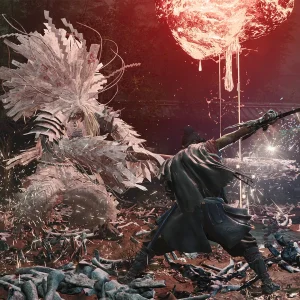
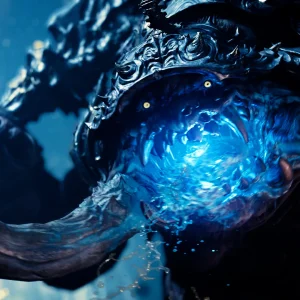
Onimusha: Way of the Sword Screenshots
More of the Genma designs, the parry effects and the characters you meet along the way. Click any shot to open it full size.
-
- Onimusha way of the sword musashi fighting plant genma in shrine courtyard from
-
- Onimusha way of the sword musashi parry flash against charging genma from
-
- Onimusha way of the sword musashi close up holding the oni gauntlet from
-

- Onimusha way of the sword rival swordsman in wide brimmed hat and blue robe from
-
- Onimusha way of the sword giant genma demon with glowing blue eye from
-
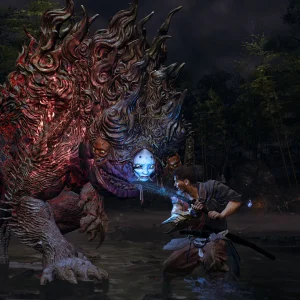
- Onimusha way of the sword musashi facing a large genma beast in a river from
-
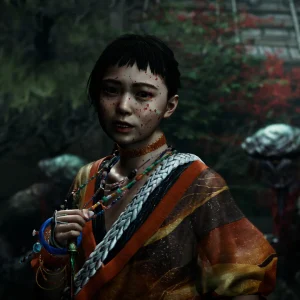
- Onimusha way of the sword young village girl character close up from
-
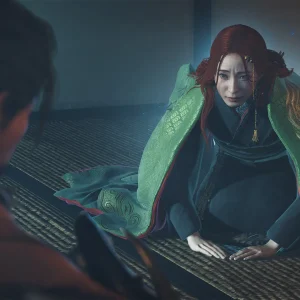
- Onimusha way of the sword red haired woman in green kimono indoors from
Onimusha: Way of the Sword FAQ
Is there a free demo of Onimusha: Way of the Sword on PC?
Does Onimusha: Way of the Sword run on Windows 10?
Is the game on GOG or Xbox Game Pass?
Can I upgrade from the Standard edition to Deluxe later?
Do I need to play the older Onimusha games first?
What are the system requirements for Onimusha: Way of the Sword on PC?
Support and Community
- r/Onimusha, the series subreddit, where boss help, build talk and mod threads are posted daily
- Onimusha: Way of the Sword Steam Discussions, the first place to look for crashes, launch errors and controller problems
- The official Onimusha: Way of the Sword site, Capcom’s own page for the game and the source for most of the facts here
- Capcom Support, where account, purchase and technical problems get handled
Explore more Windows games: Sekiro · Ghost of Tsushima · Nioh 3 · Best Action Games for PC
Need a PC upgrade to run these? See our Best Gaming Desktops guide.
Discover more from Windows Mode
Subscribe to get the latest posts sent to your email.









Add your first comment to this post