Key Points
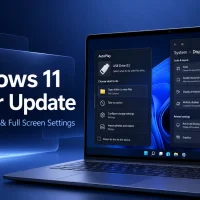
• Microsoft released Windows 11 Build 26100.7918 and 26200.7918 to Release Preview Channel Insiders, adding gradual rollout features and normal performance improvements.
• New capabilities include a built-in network speed test on the taskbar, support for Microsoft Entra ID groups in Windows access controls, and native Sysmon functionality for enhanced security event logging.
• Improvements address reliability issues in login screens, file explorer navigation, storage settings, and device sleep/wake behavior on docked laptops.
Microsoft is rolling out Windows 11 Build 26100.7918 and 26200.7918 to Insiders in the Release Preview Channel, updating both Windows 11 version 24H2 (Build 26100) and version 25H2 (Build 26200) with new features and system refinements. The release highlights gradual rollout features alongside broader updates delivered through normal rollout.
New features in the gradual rollout include a built-in network speed test accessible from the taskbar via Wi-Fi or Cellular Quick Settings, or by right-clicking the network tray icon. This test opens in the default browser and can measure Ethernet, Wi-Fi, and cellular connections for performance troubleshooting.
Microsoft is also adding native Sysmon functionality to Windows for the first time, allowing capture and logging of system events useful for threat detection. Sysmon is disabled by default and must be manually enabled through Settings or PowerShell commands. This feature replaces the previous add-on version and integrates event logging directly into the Windows event log.
For administrative and security management, the update enables Windows to resolve and display Microsoft Entra ID group and role security identifiers directly, removing the reliance on on-premises Active Directory for identity display within file permissions, group memberships, and access control settings.
Other gradual rollout features bring pan-and-tilt camera controls via Settings > Bluetooth & devices > Cameras, the ability to set .webp files as desktop backgrounds, and an Emoji 16.0 emoji set with newly added characters.
The normal rollout delivers system reliability improvements across several areas: Windows update settings gain responsiveness, login and lock screen stability is enhanced, nearby sharing improves for larger files, projecting functionality becomes more reliable after Windows Key + P commands, and high-volume printing performance is optimized.
File Explorer refinements include adding an Extract All option for non-ZIP file archives and fixing middle-click taskbar behavior so each click opens a new explorer window rather than returning to an existing one. Display improvements reduce power-on to usability time when resuming from sleep, especially on heavily loaded systems and docked laptops with closed lids connected to AC power.
Microsoft expects these features to reach eligible devices gradually, with some enhancements flowing to all users at general availability.
Read the rest: Source Link
You might also like: Try AutoCAD 2026 for Windows, best free FTP Clients on Windows & browse the best Surface Laptops to buy.
Remember to like our facebook and our twitter @WindowsMode for a chance to win a free Surface every month.
Discover more from Windows Mode
Subscribe to get the latest posts sent to your email.