Readers like you help support this site. When you make a purchase using links on our site, we may earn an affiliate commission. All opinions remain our own.
The best online video editors are FlexClip, Veed.io, InVideo, Clipchamp, CapCut, and Canva. All of them run right in your browser on any PC or phone with no downloads, and most are free to start.
Whether you’re putting together social media clips, YouTube content, school projects, or business promos, these tools handle it. We tested all 10 for ease of use, AI features, template quality, and free plan value.
If you think we’re missing one that deserves a spot, drop a comment below or reach out to us.
What We Look For
Free plan available · AI-powered edit tools · Works on desktop and mobile browsers · Easy enough for beginners · Good template and stock media library
Quick Comparison
| Editor |
Top AI Feature |
Free Plan |
Mobile App |
Best For |
| FlexClip |
Text-to-video |
Yes |
Web only |
Quick projects |
| Veed.io |
Auto subtitles |
Yes |
Yes |
Team collaboration |
| InVideo |
Script generator |
Yes |
Yes |
Marketing videos |
| Clipchamp |
Voice generator |
Yes |
Yes |
Windows users |
| WeVideo |
AI voiceover |
Yes |
Yes |
Schools and teams |
| Canva |
Magic Studio |
Yes |
Yes |
Design-first videos |
| Adobe Express |
Video enhancer |
Yes |
Yes |
Adobe ecosystem |
| Biteable |
Animation generator |
Yes |
Web only |
Animated promos |
| Wave.video |
Text-to-speech |
Yes |
Web only |
Social media pros |
| CapCut |
Auto captions |
Yes |
Yes |
TikTok creators |
What Are the Best Online Video Editors on PC?
Here are our top 10 picks, tested and ranked for 2026.
1
FlexClip
Editor’s Pick
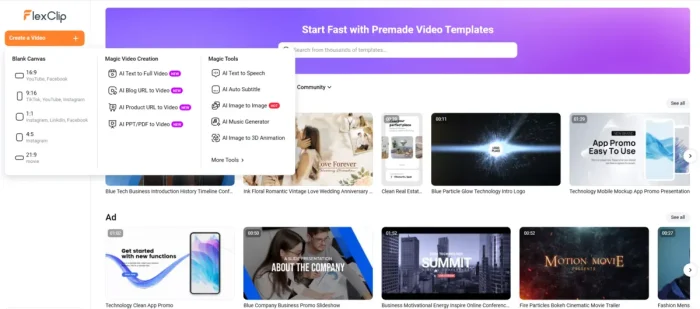
FlexClip keeps video editing simple. Upload your clips, pick a template, and you’re off. The drag-and-drop interface means you don’t need to learn a timeline-based editor, and the AI tools handle the heavy lifting like generating videos from text prompts or adding voiceovers automatically.
The free plan gives you access to templates and AI features with some export limits. For most quick projects, it’s enough to get the job done.
AI Text-to-Video
AI Text-to-Speech
1000+ Templates
Stock Library
Drag-and-Drop
Best for: Students, YouTubers, teachers, and small businesses who need polished videos fast without a learning curve.
Tip: Use the AI text-to-speech feature to add narration to tutorials without a microphone. Just type your script and pick a voice.
2
Veed.io

Veed.io is built around making social media content easy. The standout feature is its AI auto subtitle tool, which generates and styles captions in one click. If you work with a team, you can share projects and get real-time feedback right inside the editor.
The free plan covers AI subtitles and basic editing. You’ll need to upgrade for team collaboration features and removing the watermark on exports.
AI Auto Subtitles
AI Background Removal
Team Collaboration
Brand Kits
Templates
Best for: YouTubers who need captions, teams collaborating on video projects, and businesses that want consistent branding across videos.
3
InVideo
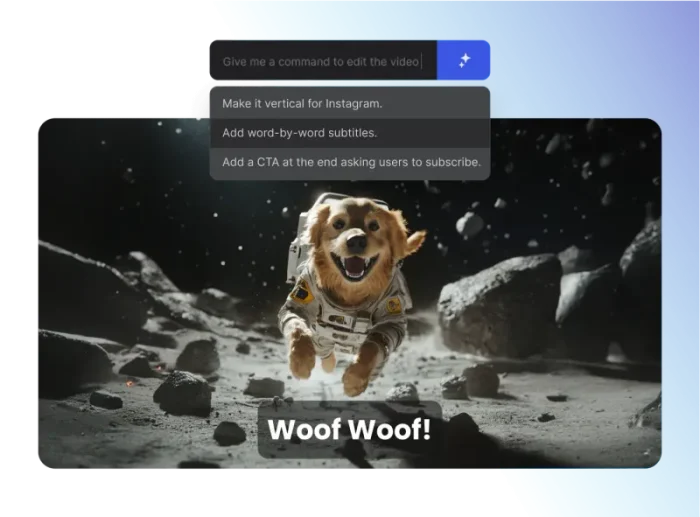
InVideo leans heavily into marketing and business video creation. The template library is massive (over 5,000 options), and the AI script generator can draft video scripts for you based on a topic. It’s a solid pick if you’re making ads, product demos, or explainer videos.
The free plan gives you access to templates and basic AI tools. Premium stock footage and advanced features require an upgrade.
AI Text-to-Video
AI Script Generator
5000+ Templates
Stock Media
Transitions & Effects
Best for: Marketers and small businesses creating ads, product videos, and social media promos at scale.
4
Clipchamp

Microsoft bought Clipchamp and baked it right into Windows 11, so if you’re already on Windows, you might already have it. The interface is clean and beginner-friendly, and the AI voice generator produces surprisingly natural-sounding narration.
The free plan is generous for basic editing. Green screen, premium stock, and some export options are behind the paywall.
AI Voice Generator
Green Screen
Templates
Stock Library
Direct Export to YouTube/TikTok
Best for: Windows users who want a built-in editor, students making presentations, and casual creators making short social clips.
5
WeVideo
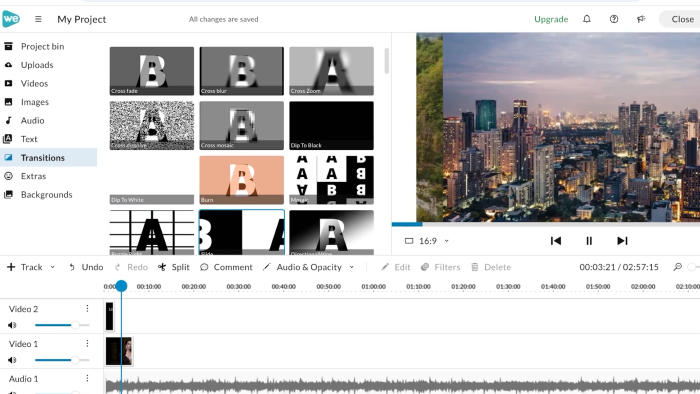
WeVideo has been around for a while and has built up over 30 million users, mostly in education. The big draw is collaborative editing where multiple people can work on the same project simultaneously. It also has a solid green screen tool and cloud storage for all your projects.
The free plan handles basic editing and collaboration. Advanced features and extra storage need a paid plan.
Collaborative Editing
AI Voiceover
Green Screen
Stock Media
Cloud Storage
Best for: Teachers creating classroom content, student groups collaborating on assignments, and teams working on shared video projects.
6
Canva
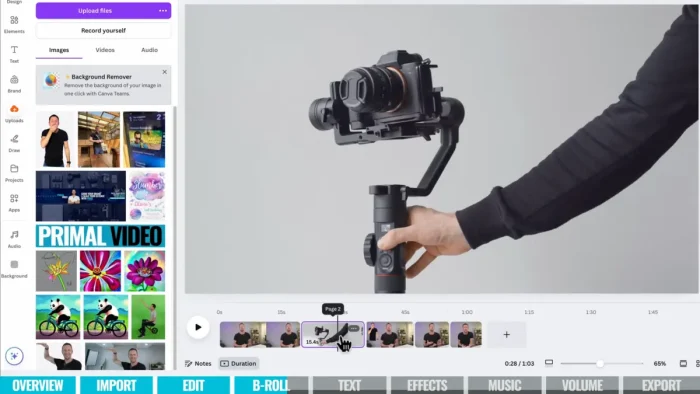
Canva started as a graphic design tool, but its video editor has gotten surprisingly capable. The approach is design-first: pick a template, swap in your content, add text animations, and export. If you already use Canva for other design work, the video editor fits right into that workflow.
The free plan includes AI tools and a big template library. Pro users get brand kits and premium stock access.
AI Magic Studio
Text Animations
Thousands of Templates
Brand Kits
Stock Library
Best for: Anyone already using Canva for design who wants to add video to their toolkit. Great for social media posts and branded content.
7
Adobe Express
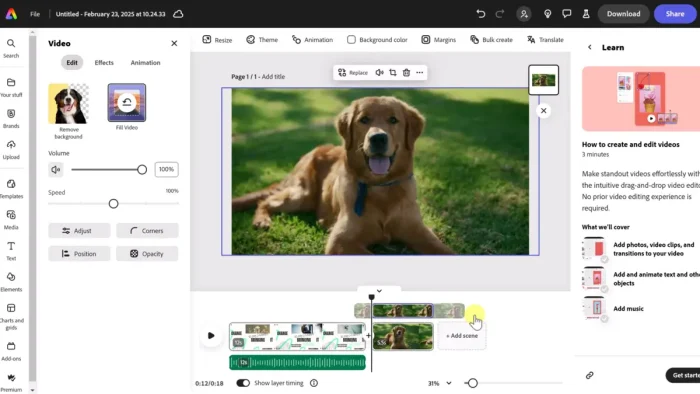
Adobe Express takes the power behind Premiere and After Effects and wraps it in a much simpler package. The AI video enhancer can fix low-quality footage with a click, and the template library is well-designed for social media formats. It plays nicely with other Adobe apps if you use them.
The free plan includes AI enhancements and templates. Premium Adobe assets and advanced features require a subscription.
AI Video Enhancer
Animated Text Effects
Templates
Adobe Stock Library
Direct Social Sharing
Best for: Creators already in the Adobe ecosystem, and anyone who needs to quickly fix or enhance existing video clips.
8
Biteable

Biteable focuses on animated and promotional videos. The AI animation generator turns text prompts into animated scenes, which is great for explainer videos or product intros. The template library is designed specifically for business and marketing use cases.
The free plan includes templates and basic animations. Watermark-free exports and premium features need a paid plan.
AI Animation Generator
Marketing Templates
Stock Footage
Text Overlays
Social Export
Best for: Businesses creating ad campaigns, marketers making explainer videos, and anyone who needs animated content without After Effects skills.
9
Wave.video
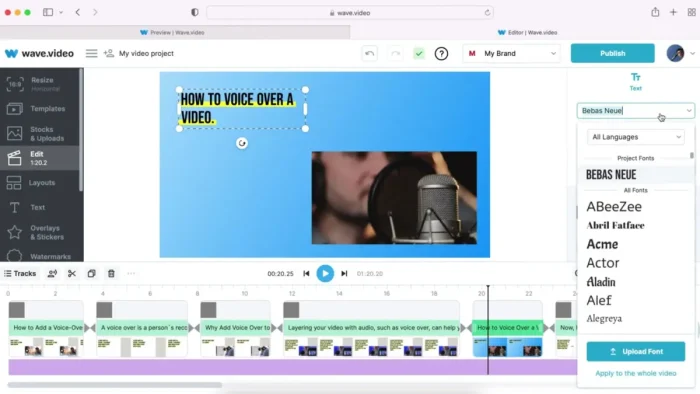
Wave.video goes beyond editing by including video hosting. Create your video, host it on Wave’s servers, and embed it directly on your website, all from one platform. The stock library is massive with millions of clips and images, and the AI text-to-speech adds voiceovers instantly.
The free plan covers basic editing and hosting. Premium stock, advanced exports, and extended hosting need a paid plan.
AI Text-to-Speech
Video Hosting
Millions of Stock Assets
Templates
Social Sharing
Best for: Social media managers, bloggers who want to host videos on their own site, and agencies managing multiple client accounts.
10
CapCut
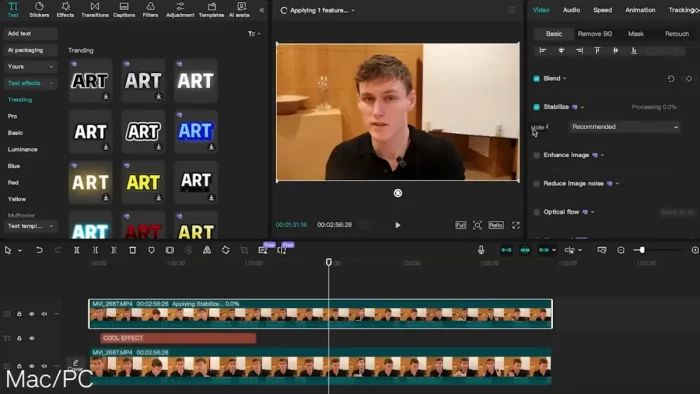
CapCut is made by ByteDance (the company behind TikTok), and the TikTok integration shows. Templates, effects, and export options are all tuned for short-form social video. The web editor works on PC, and there are mobile apps for editing on the go. Keep in mind that availability may vary by region.
The free plan is strong: AI tools and no watermark on exports. Premium features and effects are available through an upgrade.
AI Background Removal
AI Auto Captions
TikTok Templates
Filters & Effects
No Watermark (Free)
Best for: TikTok and Instagram Reels creators, short-form video makers, and anyone who wants a free editor with no watermark.
Frequently Asked Questions
Are these video editors really free?
All 10 editors on this list offer free plans that let you get started without paying anything. The free tiers usually include basic editing tools, templates, and some AI features. More advanced options like premium stock footage, watermark-free exports, or team collaboration features typically require a paid plan.
Do online video editors work on phones?
Most of them do. Tools like CapCut, Canva, InVideo, and Veed.io all have mobile apps or mobile-friendly web editors. A few like FlexClip and Biteable are designed primarily for desktop browsers but still work on mobile through the browser.
Which online video editor has the best AI features?
It depends on what you need. FlexClip and InVideo stand out for text-to-video generation. Veed.io has the strongest auto subtitle tool. CapCut is hard to beat for background removal and auto captions for social media. Adobe Express has a solid AI video enhancer for fixing footage quality.
Can I use these editors without creating an account?
Most online editors require you to sign up with an email or Google account, even on the free tier. This is so your projects are saved to the cloud. A few let you try the editor before signing up, but you’ll need an account to export your finished video.
Is Clipchamp really built into Windows 11?
Yes. Microsoft acquired Clipchamp and it comes pre-installed on Windows 11 as the default video editor. You can also use it in any browser at clipchamp.com if you’re on Windows 10 or another OS.
What happened to CapCut in the US?
CapCut’s availability has fluctuated in the US due to concerns around its parent company ByteDance (which also owns TikTok). As of early 2026, CapCut is accessible in the US, but its status could change. Check the CapCut website for the latest availability in your region.
Ready to start editing?
All these editors are free to try. Pick one, open your browser, and start creating.
Start with FlexClip (Free)
Related Guides: Best Video Editing Software for PC, Best Free PDF Editors, Best Browsers for Windows, DaVinci Resolve 20, Adobe Premiere Pro
Post Views: 20,129
Related Posts
Discover more from Windows Mode
Subscribe to get the latest posts sent to your email.















Add your first comment to this post