Quick Summary
- Fresh Insider Builds: Microsoft released new test updates for Windows 11 across the Beta and Experimental preview channels.
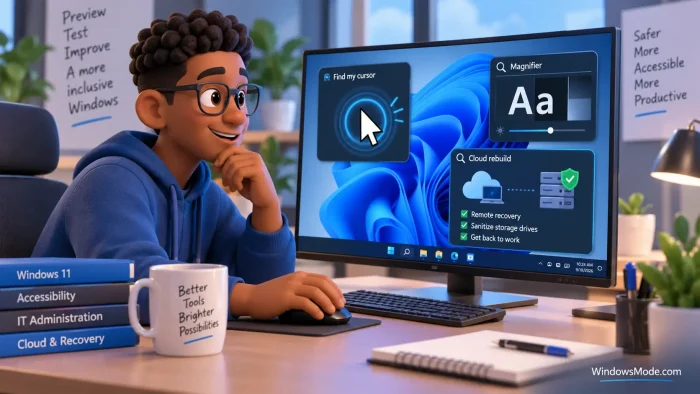
- Easier Screen Navigation: The update brings an active mouse locator animation and an eye-friendly contrast switch for the Magnifier tool.
- Cleaner Cloud Rebuilds: System recovery can now completely sanitize storage drives and can be launched remotely by workplace network administrators.
What Is Changing in This Release
Microsoft rolled out new test versions of Windows 11 for participants in the Windows Insider Program. These test flights center on making the screen easier to see and giving IT professionals more control when reinstalling systems over the network.
The Experimental channel contains the bulk of the practical visual adjustments. Here is how each major addition works:
- Mouse Indicator Animation: When searching for a lost mouse cursor on crowded screens, the spotlight animation can now stay visible continuously until you press the Escape key, rather than vanishing after a split second.
- Magnifier Contrast Toggle: Users who rely on the built-in screen magnifier can switch on a dedicated contrast mode. This reduces bright glare without altering the color balance across your entire display.
- Drive Sanitization During Cloud Rebuild: When resetting a Windows 11 computer with a fresh copy directly from Microsoft servers, the utility can now sanitize connected storage drives to help protect private data.
Who This Update Matters For
Because these features are still in testing, they only apply to devices enrolled in the Windows Insider preview channels. Everyday Windows 11 users running standard home or office computers will not see these changes right away.
For home users and accessibility enthusiasts, the mouse and magnifier upgrades bring immediate everyday relief. For companies and schools, the remote drive wiping features allow administrators to clean up and reassign troubled laptops without needing physical access to the device.
If you are testing these preview builds on your machine, let us know how the new accessibility options feel in the comments section below.
Read the full announcement at the Windows Insider Blog.
Discover more from Windows Mode
Subscribe to get the latest posts sent to your email.













Add your first comment to this post