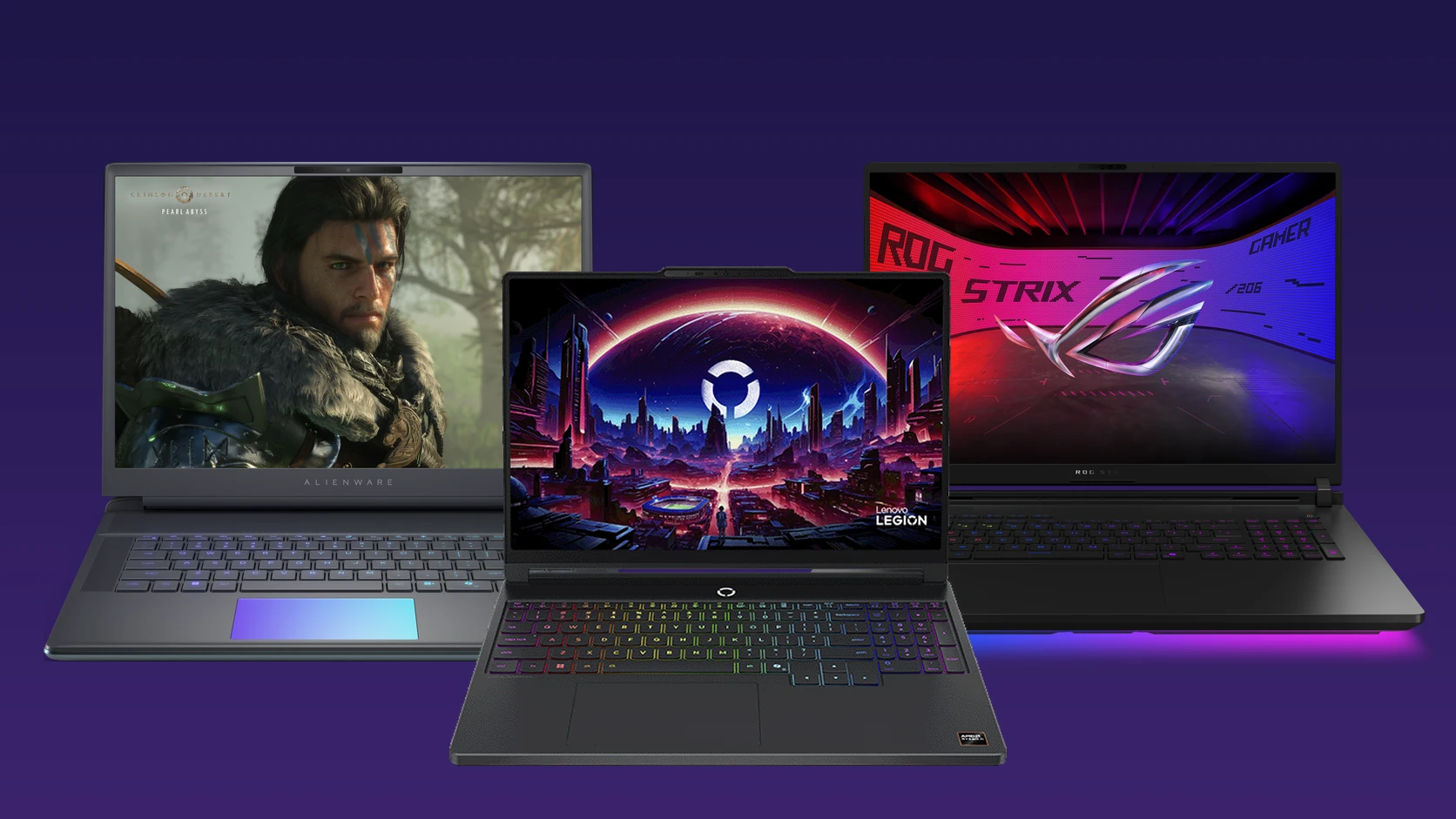
Alienware 16 Area-51, Lenovo Legion 5a and ASUS ROG Strix SCAR 18. Images: Dell, Lenovo, ASUS.
The top gaming laptops right now are the Lenovo Legion 5a, the Lenovo LOQ 15, the Razer Blade 16 and the ASUS ROG Strix G16. Every pick is a current model with NVIDIA RTX 50 series graphics or AMD’s new Ryzen AI Max chips, from budget 15-inch laptops to an 18-inch desktop replacement.
We checked every spec against the maker’s own pages and linked the exact configuration we describe. Gaming laptop prices move a lot, so the buttons show today’s price on Amazon. Have a question about a model? Get in touch with us.
- Best for most gamers: Lenovo Legion 5a
- Best budget: Lenovo LOQ 15 or HyperX OMEN 15
- Best 14-inch: ASUS TUF Gaming A14
- Best thin and premium: Razer Blade 16
- Most powerful: ASUS ROG Strix SCAR 18
Best Gaming Laptops to Buy
Each pick shows the screen, graphics chip, processor and weight of the exact model we link.
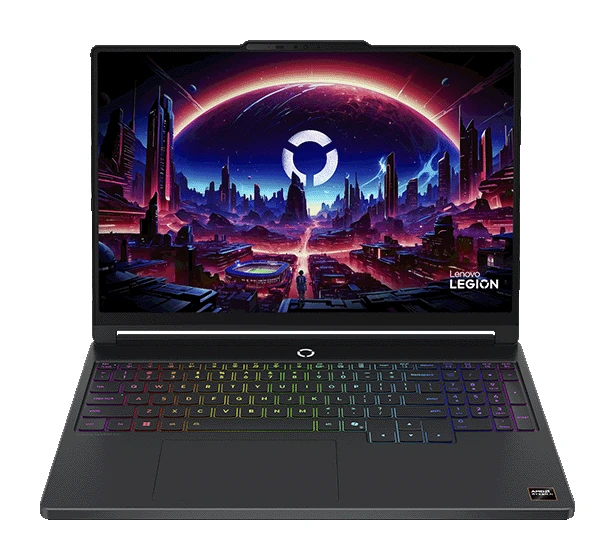
1. Lenovo Legion 5a (Gen 11)
Best for most gamers
The easiest recommendation on this list. You get a sharp OLED screen, an RTX 5060 that handles new games at high settings, and 32GB of memory in a body that weighs about 4 lb. It is the best balance of screen, speed and price we found.
Screen
15.3-inch OLED, 165Hz
Graphics
RTX 5060
Processor
Ryzen 7 250
Weight
About 4.1 lb
Good to know: the Amazon listing is the 32GB, 1TB model. Lenovo also sells a cheaper version with an RTX 5050 and 16GB.
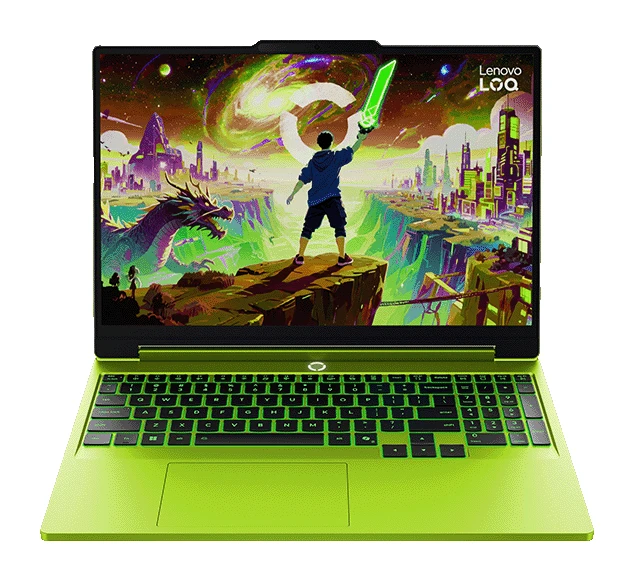
2. Lenovo LOQ 15 (Gen 11)
Best budget RTX 5060
The same RTX 5060 graphics and Ryzen 7 chip as the Legion 5a, in a plainer body with a regular IPS screen. It plays the same games at the same frame rates for less money. The 165Hz screen keeps fast shooters smooth.
Screen
15.3-inch, 165Hz
Graphics
RTX 5060
Processor
Ryzen 7 250
Weight
About 4.6 lb
Good to know: the screen is 1920 x 1200 and less vivid than an OLED. The Amazon model comes in Luna Grey, not the green shown here.
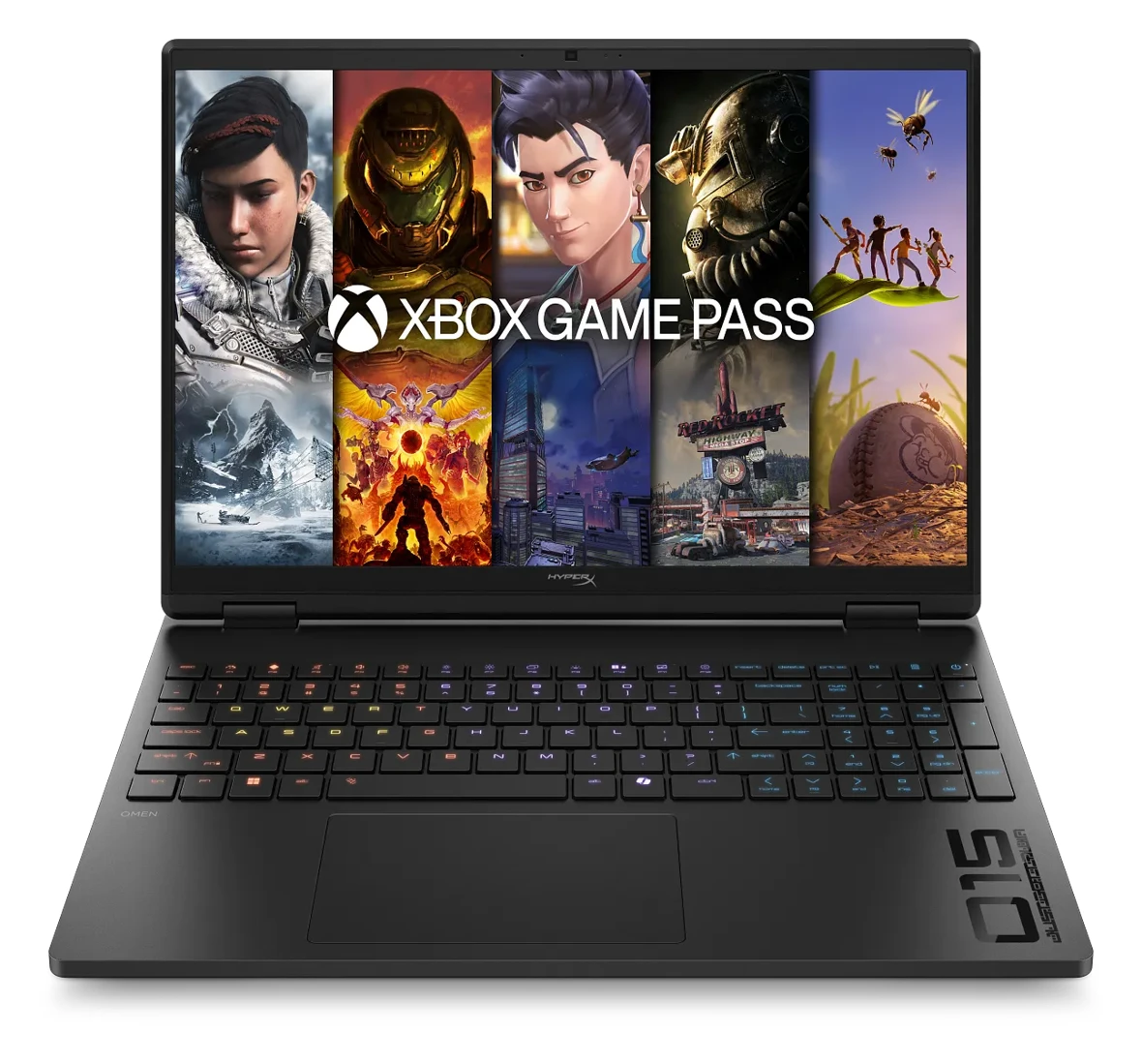
3. HyperX OMEN 15
Lowest price on the list
HP’s OMEN line now carries the HyperX name, and this is its entry model. The RTX 5050 runs most games well at 1080p on medium to high settings. It is the cheapest way into a new RTX 50 series laptop.
Screen
15.3-inch, 165Hz
Graphics
RTX 5050
Processor
Ryzen 5 240
Storage
512GB SSD
Good to know: 512GB fills up after a handful of big games, so plan on adding an external drive or a bigger SSD later.
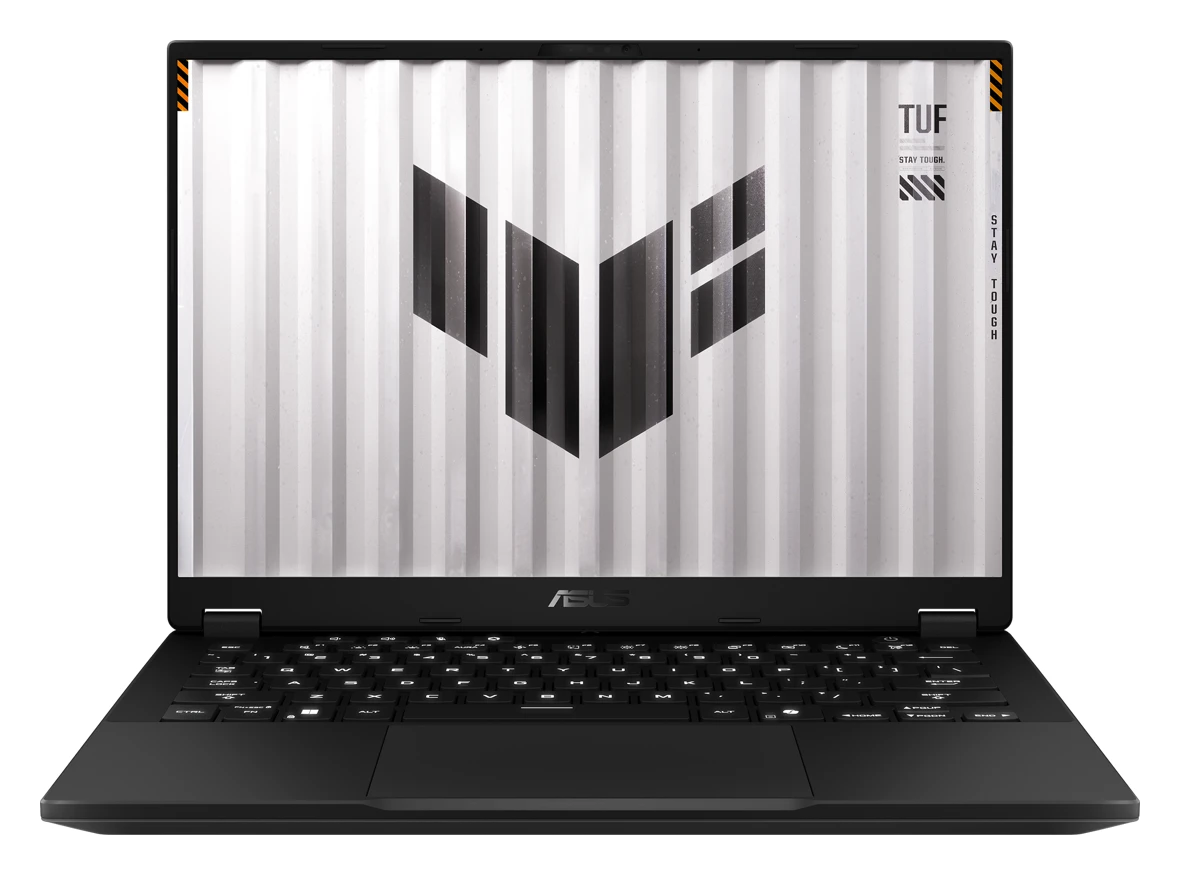
4. ASUS TUF Gaming A14 (2026)
Best 14-inch
A small, light gaming laptop with no separate graphics card. The AMD Ryzen AI Max+ chip has strong built-in graphics instead, which runs cooler and lasts longer on battery. Pick it if you carry your laptop every day and game in the evening.
Screen
14-inch, 165Hz
Graphics
Radeon 8060S (built in)
Processor
Ryzen AI Max+ 392
Weight
About 3.3 lb
Good to know: the 32GB of memory is shared with the graphics and cannot be upgraded. It is also a Copilot+ PC, so it gets Windows’ on-device AI features.
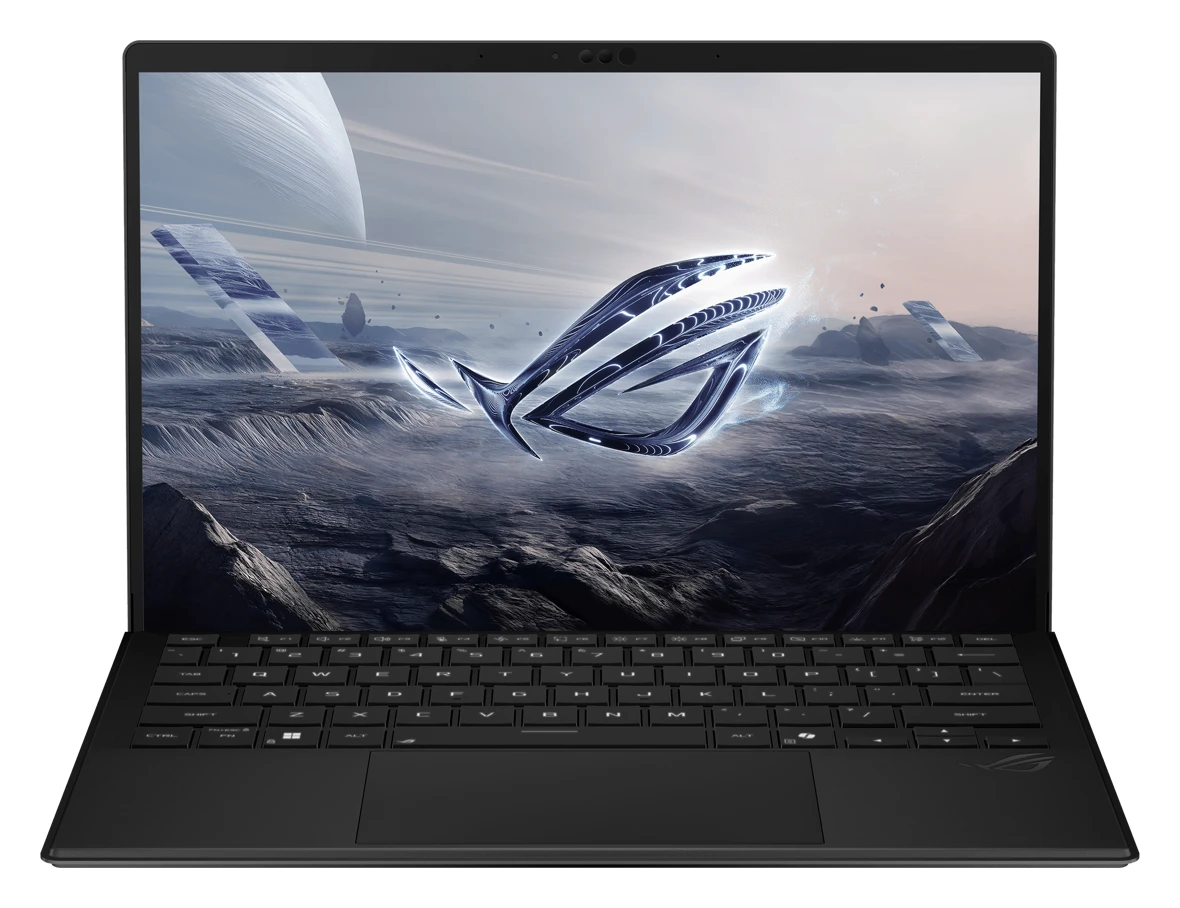
5. ASUS ROG Flow Z13
Best 2-in-1 gaming tablet
A tablet with a kickstand and a detachable keyboard that can still run real PC games. It uses the top Ryzen AI Max+ 395 chip, with the same type of built-in graphics as the TUF A14. Nothing else here doubles as a drawing tablet and a gaming PC.
Screen
13.4-inch touch, 180Hz
Graphics
Radeon 8060S (built in)
Processor
Ryzen AI Max+ 395
Memory
32GB
Good to know: the keyboard is included. A small tablet cannot shed heat like a big laptop, so it runs loud under heavy games.
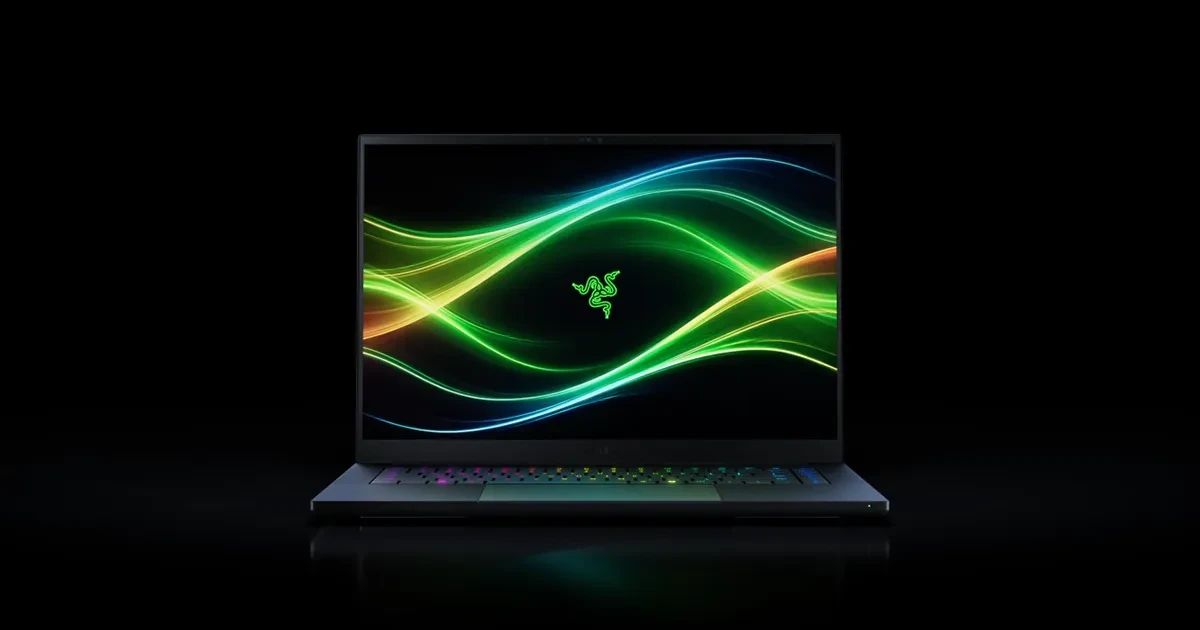
6. Razer Blade 16 (2026)
Best thin and premium
An aluminum laptop under 0.6 inches thick that still carries an RTX 5070 Ti. Its 240Hz OLED screen has deep blacks and rich color. It suits people who want one machine for work, travel and games, and will pay for it.
Screen
16-inch OLED, 240Hz
Graphics
RTX 5070 Ti
Processor
Core Ultra 9 386H
Weight
About 4.7 lb
Good to know: the memory is built into the board, so buy the amount you need. It has Thunderbolt 5 for fast docks and drives.
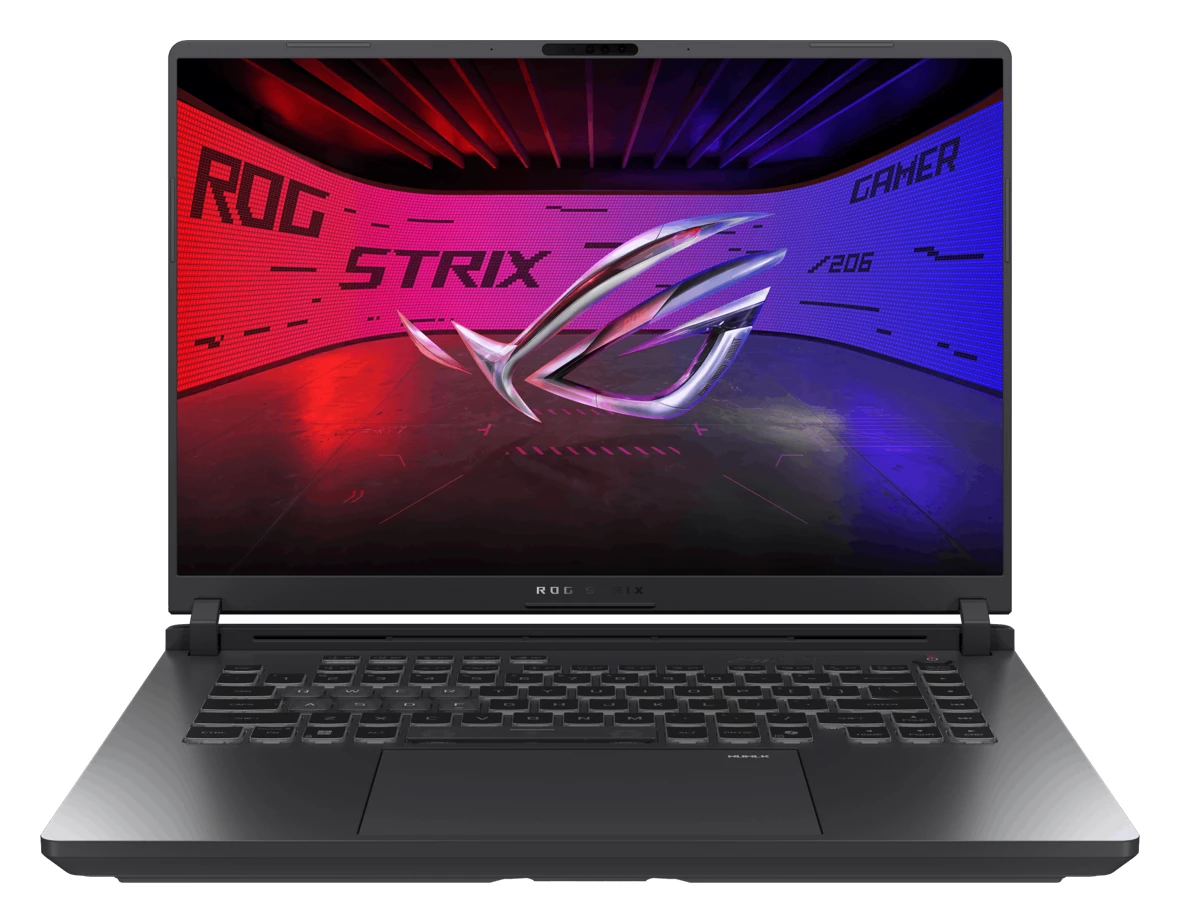
7. ASUS ROG Strix G16 (2026)
Best high-end 16-inch
A full-power RTX 5080 running at up to 175W, paired with Intel’s new Core Ultra 9 290HX Plus. This is the pick for high settings at 1440p and high frame rates in competitive games. Memory and storage can be upgraded later.
Screen
16-inch 2.5K, 240Hz
Graphics
RTX 5080
Processor
Core Ultra 9 290HX Plus
Memory
32GB, up to 64GB
Good to know: the screen runs at 240Hz by default and reaches 300Hz when you switch the graphics mode to Ultimate in Armoury Crate.
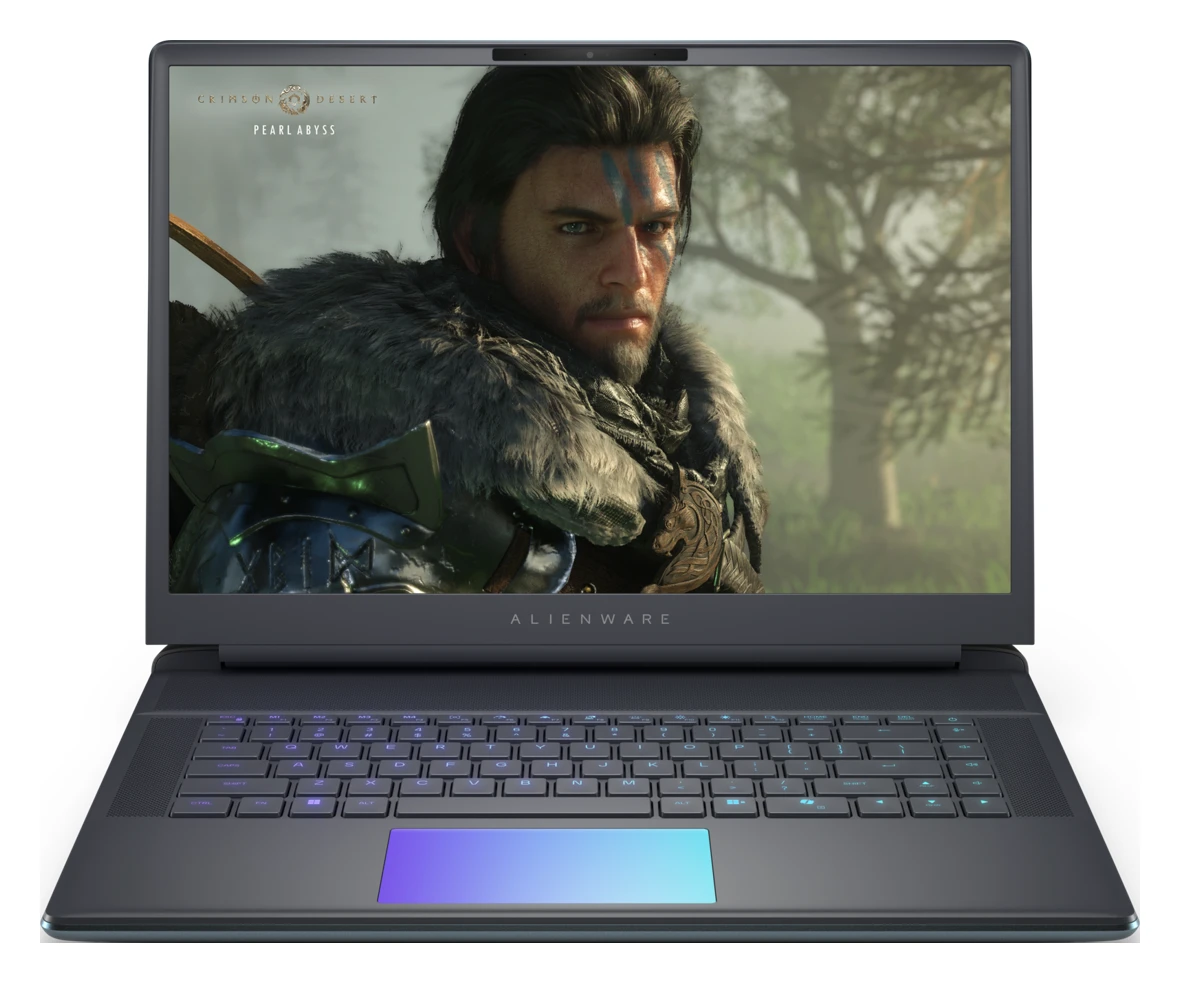
8. Alienware 16 Area-51
Best cooling and build
Dell’s flagship gaming laptop, with a thick cooling system, a glass touchpad that lights up, and a large 96Wh battery. It stays quieter than thinner laptops when you push it for hours.
Screen
16-inch, 240Hz
Graphics
RTX 5070 Ti
Processor
Core Ultra 9 275HX
Weight
Up to 7.5 lb
Good to know: it is heavy, and the 360W charger adds about 2.2 lb more to your bag.
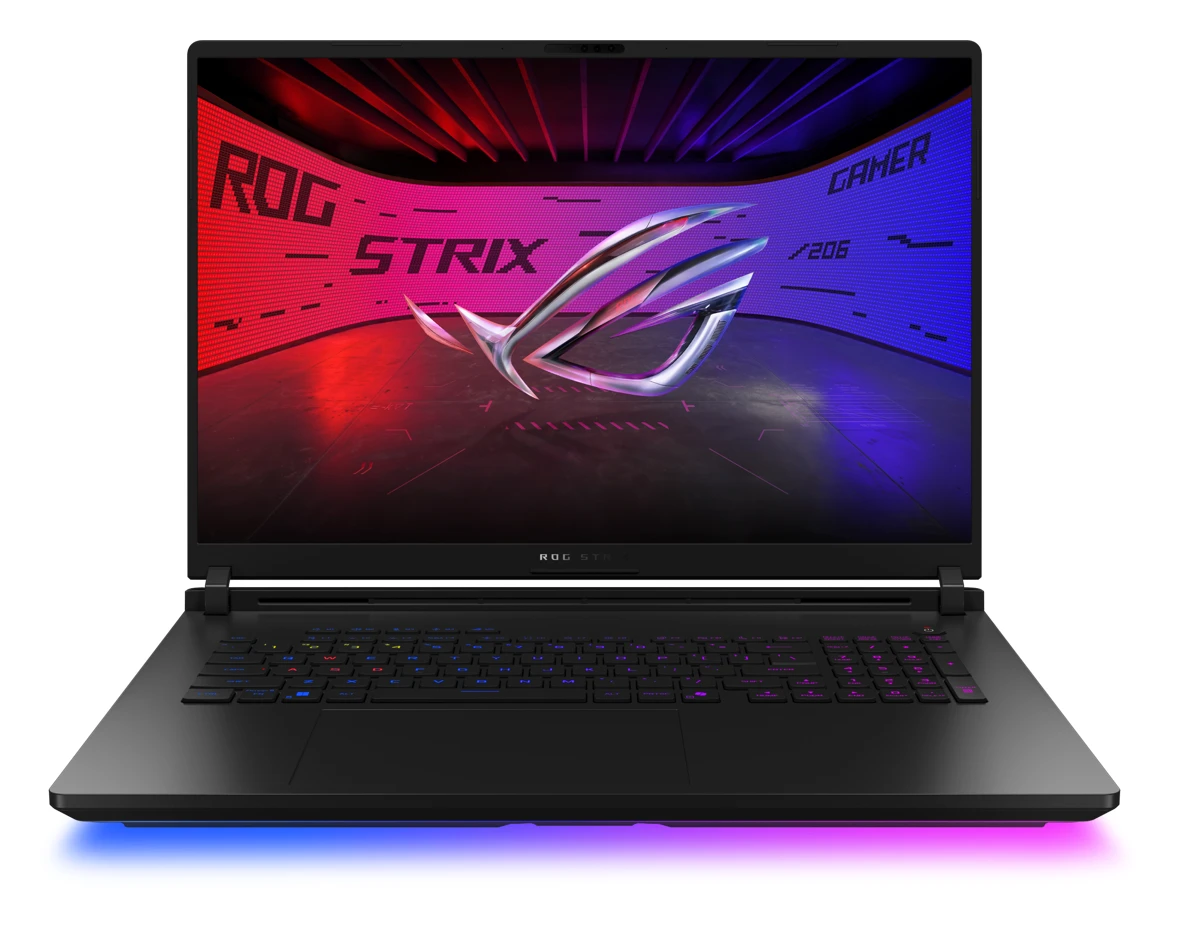
9. ASUS ROG Strix SCAR 18 (2026)
Most powerful
An 18-inch desktop replacement with a 4K Mini LED screen, an RTX 5080 and Intel’s top laptop chip. Buy it if the laptop will mostly sit on a desk and you want desktop-level speed. ASUS also sells it with an RTX 5090.
Screen
18-inch 4K Mini LED, 240Hz
Graphics
RTX 5080
Processor
Core Ultra 9 290HX Plus
Weight
About 8.2 lb
Good to know: this is a big, heavy machine. If it never leaves your desk, compare it with our gaming desktop picks first.
Gaming Laptops Compared
Every pick side by side. More dollar signs mean a higher price.
Show the comparison table
| Laptop | Best for | Screen | Graphics | Price |
|---|---|---|---|---|
| Lenovo Legion 5a | Most gamers | 15.3-inch OLED, 165Hz | RTX 5060 | $$ |
| Lenovo LOQ 15 | Budget RTX 5060 | 15.3-inch, 165Hz | RTX 5060 | $ |
| HyperX OMEN 15 | Lowest price | 15.3-inch, 165Hz | RTX 5050 | $ |
| ASUS TUF Gaming A14 | 14-inch, battery life | 14-inch, 165Hz | Radeon 8060S (built in) | $$ |
| ASUS ROG Flow Z13 | 2-in-1 tablet | 13.4-inch touch, 180Hz | Radeon 8060S (built in) | $$ |
| Razer Blade 16 | Thin and premium | 16-inch OLED, 240Hz | RTX 5070 Ti | $$$ |
| ASUS ROG Strix G16 | High-end 16-inch | 16-inch, 240Hz | RTX 5080 | $$$ |
| Alienware 16 Area-51 | Cooling and build | 16-inch, 240Hz | RTX 5070 Ti | $$$ |
| ASUS ROG Strix SCAR 18 | Most powerful | 18-inch 4K Mini LED, 240Hz | RTX 5080 | $$$$ |
Planning to run AI models on it too? Graphics memory matters more than frame rates for that, so see our best laptops for running AI locally. Buying mostly for office work and video calls? Our best laptops for work are lighter and last longer on battery.
How to Choose a Gaming Laptop
Start with the graphics chip
The graphics chip decides how well games run more than anything else. An RTX 5050 is fine for 1080p, an RTX 5060 is the sweet spot, and an RTX 5070 Ti or 5080 is for high settings at 1440p and above.
Get at least 16GB of memory
16GB is the minimum for new games and 32GB is better if you stream or keep a browser open while you play. Check whether the memory can be upgraded later before you buy the smaller amount.
Match the screen to your games
A 144Hz or 165Hz screen makes fast games look smoother. OLED screens have deeper blacks and richer color for story games. Very high refresh rates only help if your graphics chip can reach those frame rates.
Plan for size and weight
A 14-inch laptop at around 3 lb is easy to carry every day. 16-inch models weigh 4 to 7 lb, and 18-inch machines are best left on a desk. Remember the charger, which can weigh 1 to 2 lb on its own.
Can a Surface or Copilot+ PC Play Games?
Light games and cloud gaming, yes. Most Copilot+ PCs use Arm chips, which run Xbox Game Pass titles through the cloud and many Steam games through Windows’ built-in translator, but some games with anti-cheat software do not start at all. See our guide to the Xbox app on Arm PCs before you buy one for gaming.
Surface Laptop Ultra is the exception, with NVIDIA RTX Spark graphics. It is covered in our best Surface laptops guide.
Older Laptops We Removed
Earlier versions of this list included the Lenovo Legion Pro 5i Gen 9, HP Victus 15, ASUS TUF A16, Dell G15, Gigabyte AORUS Master 16, MSI Raider GE78 HX and Surface Laptop 13-inch. Most used RTX 40 series or older graphics, so we replaced them with current models.
Gaming Laptops FAQ
Is an RTX 5050 laptop good enough for new games?
Yes, at 1080p. An RTX 5050 runs most new games at medium to high settings, and NVIDIA’s DLSS (an upscaling feature that boosts frame rates) helps in demanding ones. If you want high settings at 1440p, or plan to keep the laptop for many years, an RTX 5060 or better is the safer buy.
Should I buy a gaming laptop or a gaming desktop?
Buy a laptop if you need to move it, even just between rooms or to school. If it will always sit on one desk, a desktop gives you more speed for the money, runs quieter and is easier to upgrade. Our best gaming desktops guide covers the desktop side.
Can I upgrade the memory and storage in a gaming laptop?
It depends on the model. Laptops with removable memory sticks, such as the ROG Strix G16, can be upgraded later. Thin laptops like the Razer Blade 16 and the TUF A14 have memory built into the board, so buy the amount you will need. Most gaming laptops have at least one SSD slot you can upgrade.
How long does a gaming laptop battery last while gaming?
Usually one to two hours with a separate graphics card running at full speed. Gaming laptops also cut performance on battery, so plug in for serious play. Battery life for browsing and video is much longer, especially on the TUF A14 and Flow Z13.
Explore More: Best Gaming Desktops to buy, Best Surface Laptops to buy, Best Laptops for Running AI Locally, Best Laptops for Work to buy
Discover more from Windows Mode
Subscribe to get the latest posts sent to your email.
















Add your first comment to this post