Microsoft Edge just got two updates worth noticing on the same day. The Stable channel moved to Edge 157.0.4341.42, and Microsoft launched a reworked content experience on the Edge new tab page and the Windows Discover dashboard.
The Discover feed is live today in the United States, Canada, the United Kingdom, Australia and India. Edge 157 also makes launches faster on recent Windows 11 builds when Edge is already running in the background, and it finishes a long-running sign-in change that may ask a few people to sign in again.
The new Discover feed on every new tab
In a November 5 Edge Blog post, Microsoft says it rebuilt the recommendation system to put more weight on relevance, freshness and quality. The same experience appears when you open a new tab in Edge on the desktop or open Discover from the Windows taskbar.
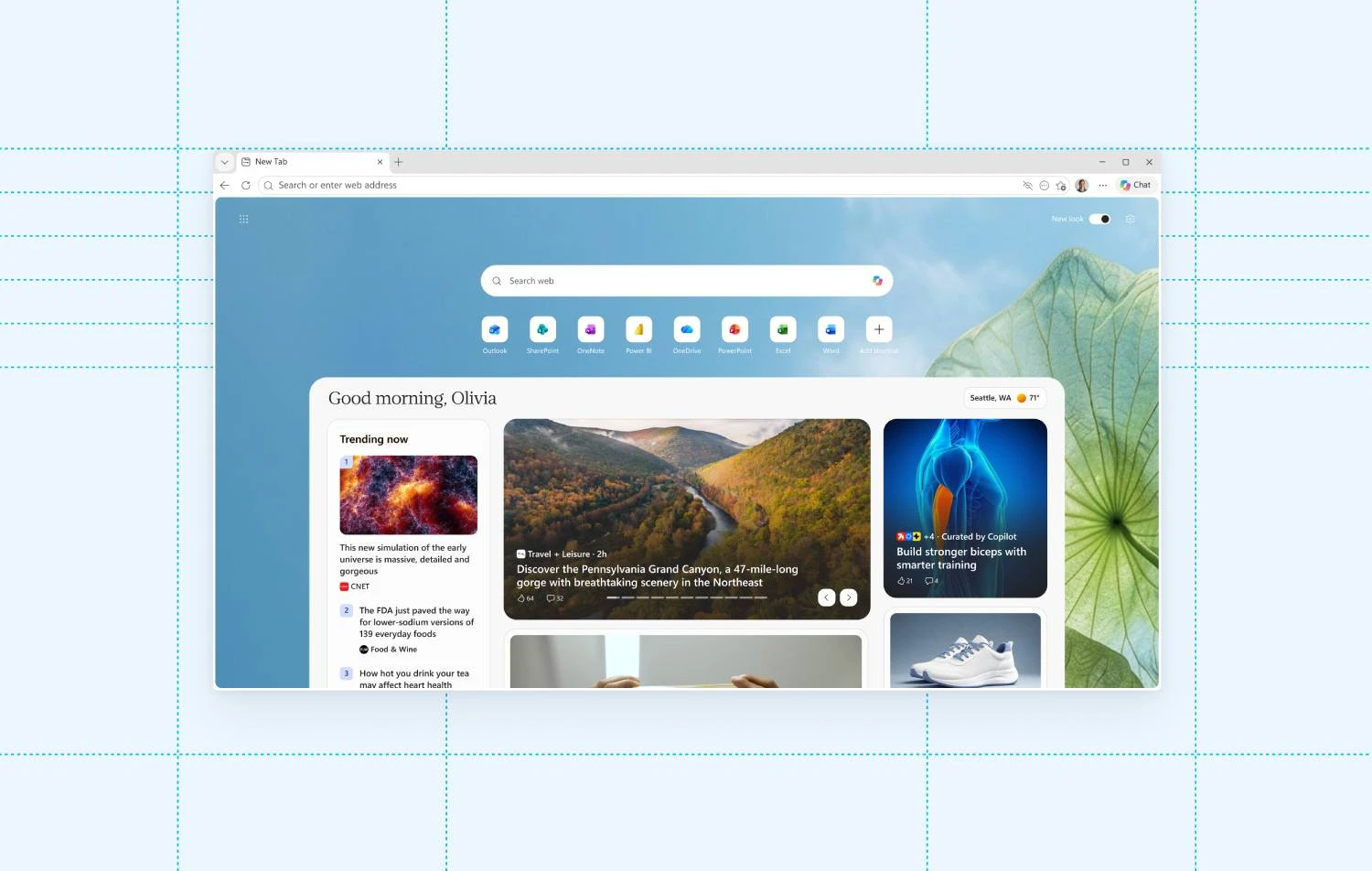
What Microsoft says is in the new experience:
- Smarter recommendations aimed at stories that match your interests and major events.
- Trusted publishers and creators: content from more than 1,500 premium publishers (examples Microsoft names include USA TODAY, Business Insider and PEOPLE) plus more than 3,500 creators.
- More video: Microsoft says video now accounts for more than 40% of engagement on the platform, with partners publishing more than 45,000 videos a day.
- Curated by Copilot, expanded: AI pulls perspectives from multiple articles into one view, with attribution back to the original reporting. Partners can manage AI Experiences through Partner Hub.
- Follow topics and publishers to shape what you see, or adjust settings for look and feel.
Microsoft plans to bring the experience to more countries and surfaces later, including mobile, Bing.com and MSN.com.
How to customize or turn the feed down
- Open a new tab, then use the page settings or personalization controls Microsoft surfaces there to follow or unfollow topics and publishers.
- In Edge Settings, search for new tab or start and pick a simpler new tab layout if you want less content (exact labels can vary by version and market).
- On Windows, Discover from the taskbar uses the same content experience in the five countries above. If you do not use it, you can leave Discover closed or unpin related entry points from the taskbar.
What is new in Edge 157 Stable
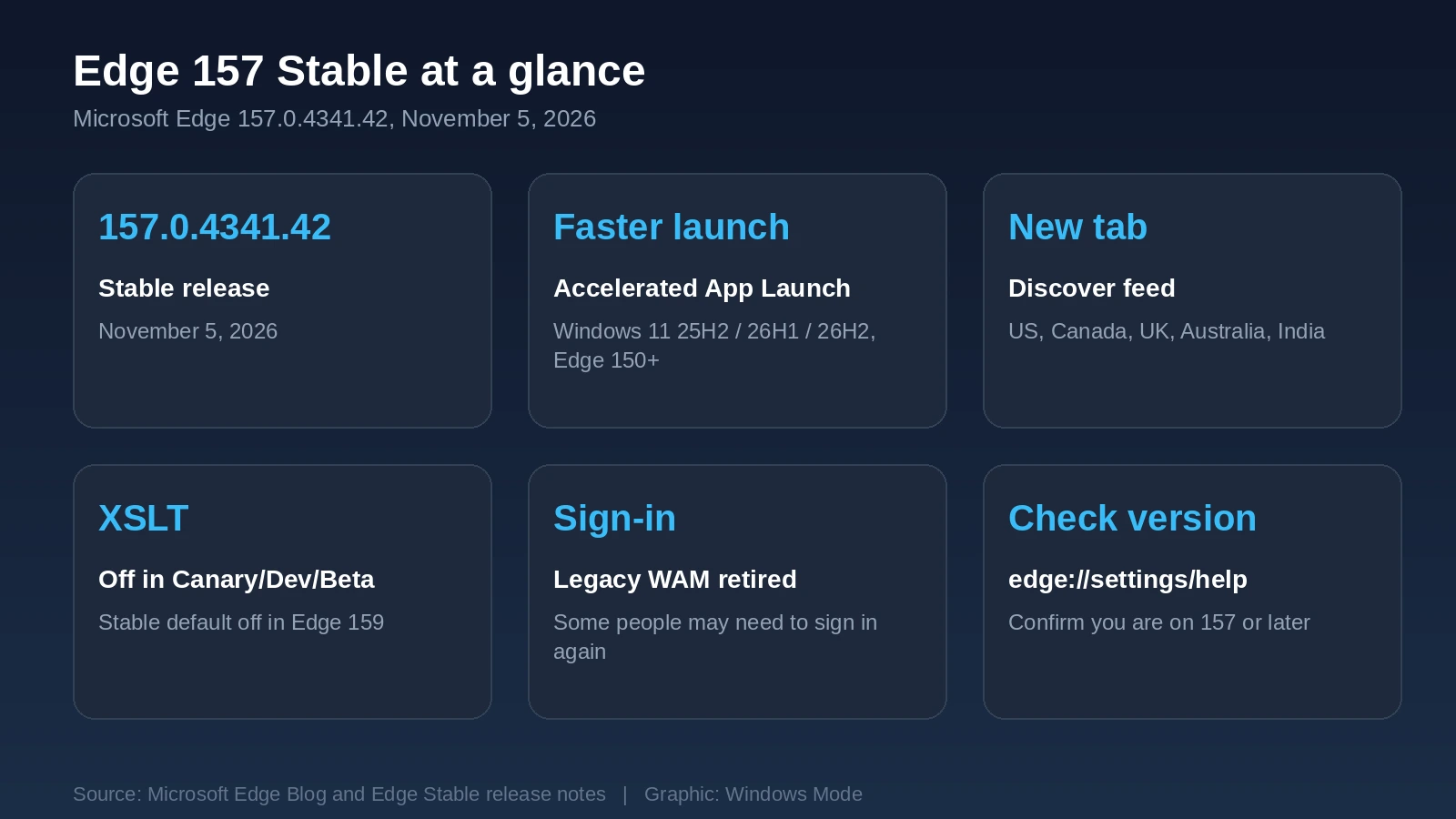
According to the Microsoft Edge Stable release notes, version 157.0.4341.42 landed on November 5, 2026. Here are the changes that matter most on a Windows PC.
| Change | What it means |
|---|---|
| Accelerated App Launch | Edge opens faster and more consistently when it is already running in the background, especially on a busy PC. Enabled on Windows 11 versions 25H2, 26H1 and 26H2, and needs Edge 150 or later. |
| XSLT off by default (pre-Stable) | Browser-native XSLT is off by default in Canary, Dev and Beta in Edge 157. Stable gets the same default in Edge 159. Admins can force it with the XSLTEnabled policy. Temporary origin trials and the policy are planned to stop working in Edge 176. |
| Legacy direct-WAM sign-in retired | Edge finishes moving Windows sign-in to OneAuth. Most people already moved automatically. A few remaining profiles may need to sign in to Edge again after updating to 157. WAM itself is not going away. |
| Apple account sign-in | You can sign in to Edge with an Apple account as well as a Microsoft account. Admins can control this with NonMicrosoftAccountSignInEnabled. |
| Fading tabs removed | The Fade inactive tabs setting is gone from performance settings. Tabs no longer fade. |
| Clearer tab memory info | Tab hover cards show clearer memory use and savings when inactive tabs are discarded. Preview images and memory info have separate settings. |
If Edge asks you to sign in again
That is expected for a small set of profiles that had not finished the OneAuth migration. Sign in as usual. Admins can check edge://signin-internals under Edge Auth Library Information to see whether a managed profile still shows WAM.
How to check your Edge version
- Open Microsoft Edge.
- Paste
edge://settings/helpinto the address bar and press Enter. - Confirm the version is 157.0.4341.42 or later. If an update is waiting, let Edge finish it and restart.
- On Windows 11, also check you are on 25H2, 26H1 or 26H2 if you want Accelerated App Launch. Press Win + R, type winver, and press Enter.
The same Edge build applies on Windows 11/10. Accelerated App Launch is documented for the Windows 11 versions above, not for Windows 10.
Frequently Asked Questions
Where is the new Discover new tab page available?
Do I need Edge 157 for the Discover feed?
Will XSLT break my sites in Stable Edge 157?
Source: Microsoft Edge Blog, Microsoft Edge Stable release notes.
Discover more from Windows Mode
Subscribe to get the latest posts sent to your email.














Add your first comment to this post