Microsoft is putting AI into every stage of Windows vulnerability management – finding bugs earlier, helping engineers remediate them, validating fixes at scale, and pushing organizations to deploy patches faster. The company says AI helps defenders and attackers alike, so the time between a published fix and a patched device now matters more than ever.
The update comes from Nuno Costa, Partner Director for Windows Servicing and Delivery, on the Windows Experience Blog (November 5, 2026). It covers discovery through MDASH, AI-assisted remediation, validation, transparency, and the practical tools IT teams can use on Windows 11/10 and Windows Server.
Finding and fixing vulnerabilities with AI
Microsoft still receives disclosures from researchers and partners, and its own security and engineering teams find issues internally. Those paths meet at the Microsoft Security Response Center (MSRC).
AI is now a larger part of that pipeline. One example is MDASH, an agentic code scanner that uses multiple AI models and specialized agents to find and validate potential vulnerabilities. Humans still review the findings and decide what to do. The goal is earlier, more actionable discoveries – not a raw flood of false positives.
The same idea applies to remediation. AI helps engineers assess impact, map affected Windows versions, spot variants in related code, plan backports, and build security and regression tests. Engineers keep ownership of the final decisions and output.

Validation, then transparent Patch Tuesday
More discoveries need stronger validation. Windows still combines internal flighting, functional testing, security proof-of-concept tests, app compatibility checks, and the Security Update Validation Program (SUVP) with OEMs, security vendors, ISVs and customers. AI assists with test selection, test creation, triage, analysis and reporting.
Optional non-security preview updates remain part of the path. Organizations can put those builds on selected devices before the same content lands in the next month’s security update, giving Microsoft more real-world signal across hardware, apps and configurations.
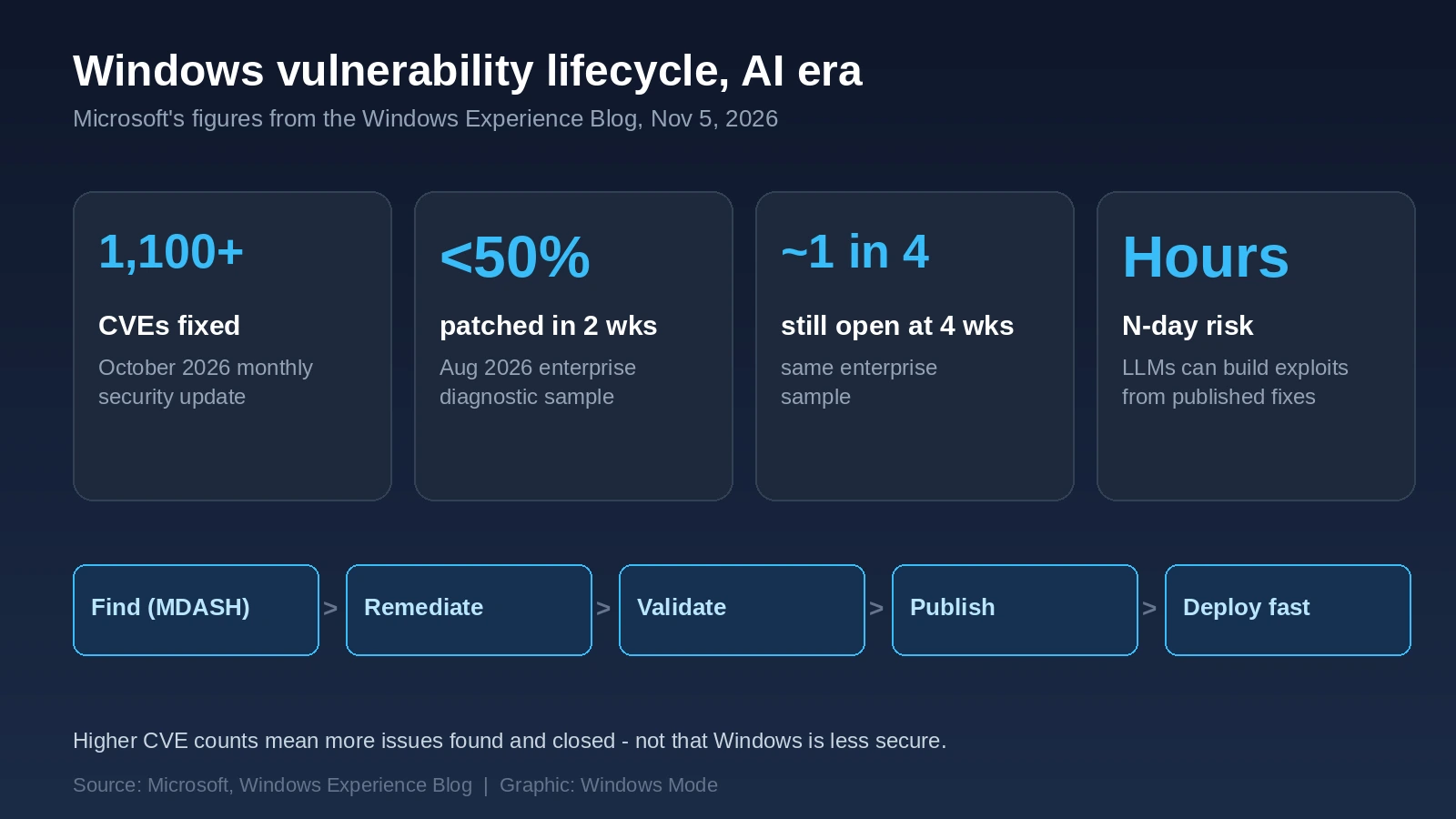
The October 2026 monthly security update addressed more than 1,100 CVEs for Windows. Microsoft is clear that a higher CVE count does not mean Windows is less secure. It means more issues were found – by AI, by researchers, and by internal teams – and closed. Details ship in the Security Update Guide and in machine-readable CSAF, VEX and API feeds so security tools can track what each device still needs.
Why speed matters after Patch Tuesday
Once a fix is public, attackers can analyze it. Microsoft cites Anthropic research showing large language models can help develop N-day exploits in hours, not days. That turns slow patch rollout into a measurable exposure window.
The enterprise patch gap Microsoft wants closed
Diagnostic data from an August 2026 enterprise sample showed fewer than half of devices had installed that month’s security update within two weeks, and about one in four still had not after four weeks. Microsoft cannot finish the lifecycle alone: protection only counts once it is on the device.
| Stage | What Microsoft is doing | What orgs should do |
|---|---|---|
| Find | MDASH and other AI-assisted scanning, plus MSRC intake from researchers | Track Microsoft’s Security Update Guide and CSAF/VEX feeds |
| Fix | AI-assisted impact analysis, variants, backports and tests; engineers own decisions | Prioritize internet-facing, identity and high-value systems first |
| Validate | Flighting, PoC and app-compat tests, SUVP with partners; AI for test triage | Use optional non-security previews on a small pilot ring |
| Publish | Patch Tuesday updates, release notes, cumulative packages, machine-readable advisories | Treat release day as the start of the clock, not the end of the task |
| Deploy | Autopatch, hotpatching, Azure Update Manager for eligible Server 2025 paths | Stay supported; shorten the deploy window; hotpatch where eligible |
Autopatch and hotpatching for faster protection
Microsoft’s practical asks for organizations are straightforward:
- Stay on supported versions of Windows and Windows Server, and install security updates promptly after release.
- Windows Autopatch through Microsoft Intune for staged Windows 11 deployments and reporting.
- Hotpatching on eligible Windows 11 devices so monthly security updates can land without a restart (periodic baseline cumulative updates still need a restart).
- Windows Server 2025 hotpatch on eligible Azure, Azure Local and Azure Arc-connected servers, orchestrated with Azure Update Manager.
Older supported client and server versions should keep using the update tools available to them. Extended security updates are a bridge while you move to a supported release, not a long-term substitute for staying current.
Bottom line for Windows admins
Microsoft is accelerating how it finds, fixes and explains Windows vulnerabilities. The remaining bottleneck is often your own deployment window. Autopatch, hotpatching and a short pilot of non-security previews are the concrete levers it wants IT teams to pull on Windows 11/10 and Server fleets.
Source: Microsoft.
Discover more from Windows Mode
Subscribe to get the latest posts sent to your email.
















Add your first comment to this post