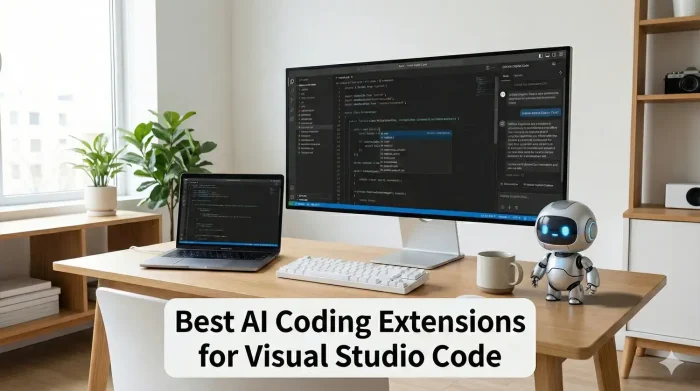
 The best AI coding extensions for VS Code in 2026 include Cline for autonomous coding, Windsurf (via the Codeium extension) for deep context, and GitHub Copilot. The industry has shifted from simple autocomplete to “Agentic AI,” where tools like Roo Code and Aider act as virtual employees that can architect solutions and fix bugs autonomously.
The “Autocomplete” era is over. In 2025, we are witnessing the “Agentic Shift.” The new generation of tools doesn’t just guess the next word; they understand your entire project structure, execute terminal commands, and refactor code across thousands of files.
We analyzed the 21 most influential tools redefining software development. Whether you need a privacy-focused local model or a full-cloud agent, these are the extensions that actually matter.
Feel free to leave a comment below or contact us if you want to recommend an extension on this post.
What are the best Visual Studio Code extensions for Vibe Coding?
1. GitHub Copilot
The Standard

What it does: The progenitor of modern AI coding. It uses “Ghost Text” to predict code as you type and now features “Copilot Edits,” allowing it to coordinate changes across multiple files simultaneously.
Why you need it: It is the baseline expectation for the industry. With new “Agent Mode” features, it can self-correct errors and handle complex refactoring tasks, all while offering IP indemnification for enterprise users.
ext install GitHub.copilot2. Amazon Q Developer
AWS Expert

What it does: Specialized for the AWS ecosystem. It outperforms generalist models in generating Infrastructure-as-Code (Terraform, CDK) and includes a security scanning engine that auto-patches vulnerabilities.
Why you need it: If you work in AWS, this is indispensable. It can upgrade Java versions automatically and write secure IAM policies that actually adhere to best practices.
ext install AmazonWebServices.amazon-q-vscode3. Gemini Code Assist
Massive Context

What it does: Leverages Google’s massive context window (millions of tokens) to “read” your entire enterprise repository at once. It also uniquely flags code citations to prevent license issues.
Why you need it: Perfect for legacy codebases. You can ask “Where is user data validated?” and it synthesizes the answer from disparate files across the entire project.
ext install GoogleCloudTools.cloudcodeThe “Agentic Vanguard”: Autonomous Coding
These tools utilize a loop of thought, action, and observation. They act as “AI Employees” that execute tasks requiring multiple steps and error correction.
4. Cline
Open Source

What it does: Transforming VS Code into a task delegation platform. Cline can create files, run terminal commands, and uses “Computer Use” capabilities to visually inspect and fix frontend UI issues.
Why you need it: It operates on a “permission-first” basis, giving you full control while it handles the labor. It helps you architect the solution while the agent handles the implementation.
ext install saoudrizwan.claude-dev5. Roo Code
Power User

What it does: A powerful fork of Cline designed for advanced workflows. It introduces “Modes” (Architect, Code, Ask) to separate high-level design from implementation details.
Why you need it: It allows for extreme customizability. You can set project-specific rules (e.g., “Always use TypeScript”) that the agent must follow, enforcing standards automatically.
ext install RooVeterinaryInc.roo-cline6. Windsurf (Codeium)
Deep Context

What it does: Features the “Cascade” context engine which builds a semantic index of your codebase. Unlike simple search, it understands the relationship between your variables and classes across the entire repo.
Why you need it: It offers imperceptible latency. By using smaller, proprietary models, it provides “instant” autocomplete while maintaining deep awareness of your project structure.
ext install Codeium.codeium7. Aider
Git Centric

What it does: A pair programmer that communicates via git commits. When it completes a task, it commits the code with a descriptive message, creating a safe “undo” point for every change.
Why you need it: It creates a “Repository Map” to understand your project without wasting tokens. The git-centric workflow allows for aggressive experimentation since no change is ever destructive.
ext install Apertia.vscode-aider8. Blackbox AI
Zero Friction
What it does: Combines code generation with real-time web search. It can retrieve up-to-date information (like new framework features) that standard models might miss.
Why you need it: It blurs the line between IDE and browser. If you need snippets for a brand-new library release, Blackbox can find them without you leaving the editor.
ext install Blackboxapp.blackboxPrivacy-First & Model Agnostic
Focusing on “Bring Your Own Model” (BYOM) architectures and local execution for privacy-conscious developers.
9. Tabnine
Privacy & Compliance

What it does: Runs entirely on your local machine or corporate VPC. It trains a bespoke model on your specific codebase to learn your team’s unique idioms and naming conventions.
Why you need it: The default choice for regulated industries (finance, defense). It guarantees that no code ever leaves your secure environment.
ext install TabNine.tabnine-visual-studio10. Continue
BYOM Standard

What it does: A universal interface that lets you plug in any model you want, from local Ollama/Llama 3 instances to paid GPT-4 keys.
Why you need it: It decouples the UI from the AI. You get total control over the RAG pipeline and can run everything offline for zero cost (excluding hardware).
ext install Continue.continue11. CodeGPT
Model Flexibility
What it does: Acts as a unified interface for OpenAI, Azure, Google, Anthropic, and Mistral. It allows you to switch providers instantly to avoid vendor lock-in.
Why you need it: It enables “Model Arbitrage.” You can use a cheap model for boilerplate and switch to an expensive “smart” model for complex debugging, all within one tool.
ext install DanielSanMedium.dscodegptQuality Assurance & Refactoring
Writing code is only half the battle. These tools generate tests, review code for security flaws, and manage technical debt.
12. Qodo
Code Integrity

What it does: It flips the paradigm, instead of generating code, it generates tests *from* your code. It identifies edge cases and null pointer exceptions you likely missed.
Why you need it: “Verification First.” It prevents buggy AI code from entering your codebase and includes a pre-commit agent that acts as a first line of defense for code reviews.
ext install Codium.codium13. Sourcery
Refactoring

What it does: Acts like an intelligent linter for Python and JavaScript. It suggests semantic refactorings (e.g., converting loops to list comprehensions) to improve readability.
Why you need it: It gamifies technical debt management. By providing real-time metrics on code complexity, it encourages you to keep functions small and maintainable.
ext install sourcery.sourcery14. EarlyAI
TDD Automation

What it does: An autonomous agent for Unit Testing. It generates tests, runs them, and iteratively refines the code until the tests pass (Green State).
Why you need it: It automates the “Shift Left” philosophy. Instead of writing boilerplate tests manually, EarlyAI ensures high test coverage with zero effort.
ext install Early-AI.EarlyAI15. Bito
Team Flow

What it does: Your “AI Teammate” for macro-productivity. It creates documentation, release notes, and explains complex diffs in one click.
Why you need it: It stops context switching. By automating the “chores” of development (like writing docs), Bito keeps you in the creative problem-solving flow.
ext install Bito.BitoDocumentation & Comprehension
16. Mintlify
Docs as Code

What it does: It treats documentation as a compilation target. It analyzes parameter types and logic flow to generate context-aware docstrings that actually explain the “why,” not just the “what.”
Why you need it: It fixes stale documentation. By integrating docs into the coding process, it ensures your comments always match the actual code logic.
ext install mintlify.document17. CodeVisualizer
Visual Flow

What it does: Translates code into interactive flowcharts. It visualizes decision trees, loops, and logic paths instantly.
Why you need it: Perfect for untangling “Spaghetti Code.” Seeing the path of execution visually helps you spot logical dead ends that are invisible in plain text.
ext install DucPhamNgoc.codevisualizer18. Readable
Comment Hygiene

What it does: Adds AI-generated inline annotations to make code self-explanatory. Uniquely, it detects “stale comments” that no longer match the code.
Why you need it: Misleading comments are worse than no comments. Readable flags these discrepancies, ensuring your code narrative matches reality.
ext install pcsoftware.readableGlobal & Specialized Challengers
19. Fitten Code
Low Latency

What it does: Optimized specifically for sub-250ms response times. It provides “instant” semantic completion and excels at translating logic between languages (e.g., Java to Python).
Why you need it: If network lag breaks your flow, this is the solution. It preserves semantic intent during translation, making it powerful for porting legacy apps.
ext install FittenTech.Fitten-Code20. CodeGeeX
Multilingual

What it does: A large-scale model trained on a massive corpus of non-English comments. It excels in cross-lingual scenarios and mixed-language codebases.
Why you need it: Essential for international teams. It bridges the communication gap by translating comments and explanations between languages like Chinese and English.
ext install amin.codegeex21. CodeMate
Self-Correcting
What it does: Positions itself as a “Self-Correcting” environment. When a program fails, it analyzes the runtime error, correlates it with the source code, and proposes a fix.
Why you need it: It reduces the “Mean Time to Resolution.” Acts as an always-on pair programmer specifically for troubleshooting difficult bugs.
ext install CodeMate.codemateThe Final Verdict on Vibe Coding
The question for developers is no longer “Should I use AI?” but “Which AI architecture aligns with my workflow?”
Whether you choose the assisted typing of Copilot, the autonomous engineering of Cline, or the deep context of Windsurf, the result is the same: the barrier between thought and software is thinner than ever before.
More VS Code Resources:
- Getting Started: The Ultimate VS Code Setup Guide
- ⚡ Speed: VS Code Cheat Sheet: Shortcuts, God Mode & PDF
- 🎨 Aesthetics: 20 Best VS Code Themes: Dark, Light & Aesthetic
- Universal List: Best VS Code Extensions for All Developers
- JavaScript: Extensions for JavaScript Coders
- Flutter: Extensions for Flutter Developers
- Python: Extensions for Python Developers
- Web Design: Extensions for Frontend Developers
- React: Extensions for React Native Developers
- C++: Extensions for C++ Developers
- WordPress: Extensions for WordPress Developers
Discover more from Windows Mode
Subscribe to get the latest posts sent to your email.