Readers like you help support this site. When you make a purchase using links on our site, we may earn an affiliate commission. All opinions remain our own.
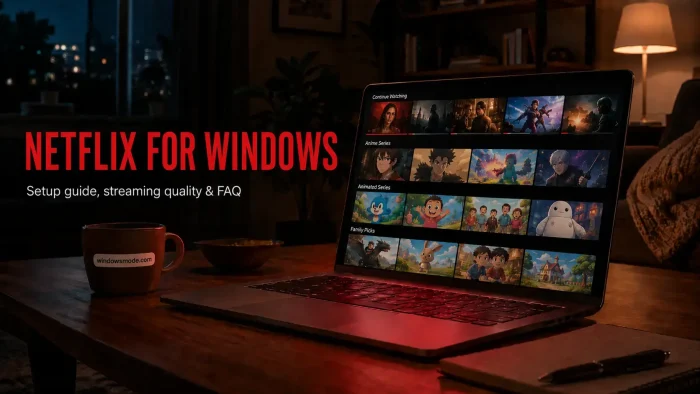
Netflix is a subscription video streaming service, available on Windows through a free app from the Microsoft Store or directly in your browser. You pay a monthly fee and get a library of movies, shows, documentaries, and Netflix-made originals. No separate Windows-only version exists, so the catalog matches what you would get on a TV or phone, just bigger.
What changes on Windows is picture quality, and that depends on your plan, not just your PC. Only the top streaming plan unlocks full 4K resolution with HDR. Lower plans cap out at 1080p even on a brand new gaming PC.
This guide covers how to install the app or use the browser, what each plan tier actually gets you, and how to fix the most common playback problems on a Windows PC.
Already a subscriber? Jump to the install steps below. Got questions about plans or streaming quality before signing up? Reach out to us directly.
What You Need to Know
- The Netflix app is free to install, but you need a paid subscription to watch anything.
- Windows cannot download shows for offline viewing. That feature only works on phones, tablets, and Chromebooks.
- 4K and HDR only work on the top plan tier, with a fast enough connection and compatible hardware.
Price
Free app, paid plans to stream
Developer
Netflix, Inc.
Windows Versions
Windows 10/11
Also On
Mac, Mobile, TV
Who Should Use the Netflix App on Windows?
Most people watching Netflix on a PC are fine with either the app or a browser tab. The choice mostly comes down to convenience, not features, since both play the same catalog at the same quality.
- Use it if you already have a Netflix subscription and want a dedicated window or taskbar shortcut instead of a browser tab.
- Skip it if you only watch occasionally. A browser works exactly the same with no extra install.
- Be careful if you are on Windows 7 or 8. Those versions only stream in standard definition, and Microsoft no longer supports them with updates.
How to Get Netflix on PC
- Step 1. Open the Start menu and search for “Microsoft Store.”
- Step 2. Search for “Netflix” inside the Store and select the official app from Netflix, Inc.
- Step 3. Click Install. If prompted to install Microsoft Edge first, allow it. The Netflix app needs Edge’s engine to run, even if you never open Edge directly.
- Step 4. Open Netflix from the Start menu once installed.
- Step 5. Sign in with your Netflix email and password, or create a new account if you don’t have one.
- Step 6. Pick a profile and start watching.
Prefer a browser instead? Go to netflix.com, sign in, and press play. No install needed. Microsoft Edge and Google Chrome both support the highest streaming quality on Windows.
What Is Netflix?
Netflix is a subscription video streaming service. You pay a monthly fee and get access to a library of movies, TV shows, documentaries, and Netflix-made originals, all without ads on the higher plans.
The Windows version is not a separate product. It streams the exact same catalog as the phone, TV, and web versions, with your watch history, profiles, and “Continue Watching” list synced across every device you use. The app itself only handles playback and your account login, the same as the website does, and does not touch any other files or settings on your PC.
Key Features
Up to 4K Streaming
Subscribers on the top plan tier with the right hardware and connection get full 4K resolution with HDR on Windows.
Multiple Profiles
Each household member gets their own profile, watch history, and personalized recommendations.
Dolby Atmos Audio
Supported titles play with spatial audio on Windows PCs with compatible sound hardware, through the app or Edge.
Cross-Device Sync
Pause on your PC and pick up exactly where you left off on your phone, TV, or tablet.
Offline-Free Browsing
No install needed if you would rather watch straight from a browser tab at netflix.com.
Parental Controls
Set PINs and maturity ratings per profile to manage what younger viewers can access.
System Requirements
| Requirement | Minimum |
| Operating System | Windows 10 or 11, fully updated |
| Browser (if not using the app) | Microsoft Edge or Google Chrome, latest version |
| Internet Connection | 3 Mbps minimum, 15 Mbps or higher for 4K |
| 4K Hardware | Recent Intel, AMD, or Nvidia graphics with HEVC video decoding support |
| Account | Microsoft account (for the Store app) plus an active Netflix subscription |
Plans and Pricing
Netflix runs three plan tiers, and the difference between them is picture quality, ads, and how many screens can stream at once, not the content library itself. Every plan gets the same shows and movies.
| Plan Tier | Ads | Max Quality | Screens at Once |
| Entry tier | Yes | 1080p | 2 |
| Mid tier | No | 1080p | 2 |
| Top tier | No | 4K, HDR, spatial audio | 4+ |
Netflix changes plan prices and names often enough that printing exact figures here would go stale fast. Check Netflix’s own pricing page for current prices in your country before you sign up.
Common Issues and Compatibility Notes
App won’t install, asks for Microsoft Edge
Reinstall or repair Microsoft Edge through the Microsoft Store, then try the Netflix install again.
Video stuck in standard definition
Check your plan tier first. The entry and mid tiers cap at 1080p. Only the top tier unlocks 4K, and only on hardware that supports it.
No download or offline option appears
This is expected. Windows is not on Netflix’s list of download-capable devices. Use a phone, tablet, or Chromebook for offline viewing instead.
Audio out of sync or choppy playback
Usually a connection speed issue, not the app. Test your internet speed and close other apps using bandwidth in the background.
Tips for Getting Started
Set up separate profiles right away
Give each person in your household their own profile before you start watching. It keeps recommendations accurate and stops one person’s watch history from showing up in someone else’s queue.
Check your plan before troubleshooting quality
Most “why is this blurry” questions come down to plan tier, not your PC. Confirm what resolution your plan actually supports before you start changing settings.
Use a wired connection if you can
Wi-Fi works fine for most plans, but 4K playback is far more stable over ethernet, especially if other devices on your network are also streaming.
Turn on parental PINs right after setup
If kids share the PC, set PINs and maturity ratings per profile immediately. It takes a minute and saves a lot of headaches later.
Bookmark netflix.com as a backup
If the app ever acts up, the browser version plays the exact same catalog at the same quality with zero troubleshooting needed.
Netflix Screenshots
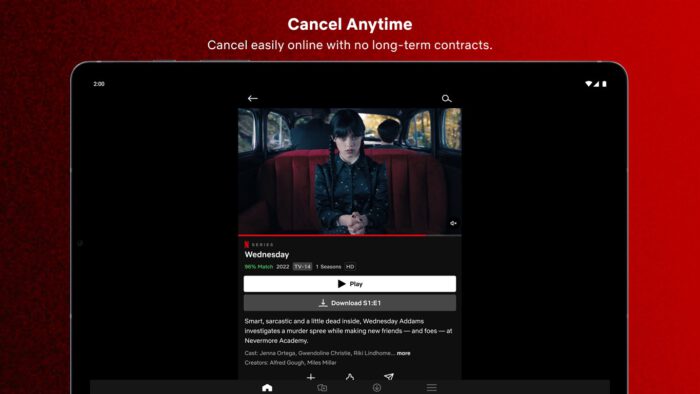
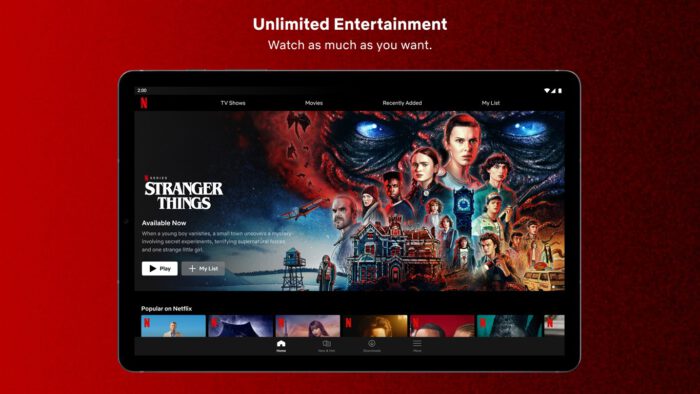
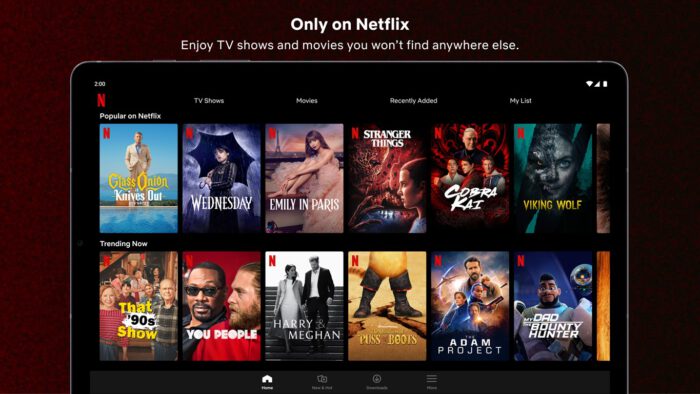
These screenshots show Netflix running in the Windows app, from the home screen browsing view to playback controls.
-
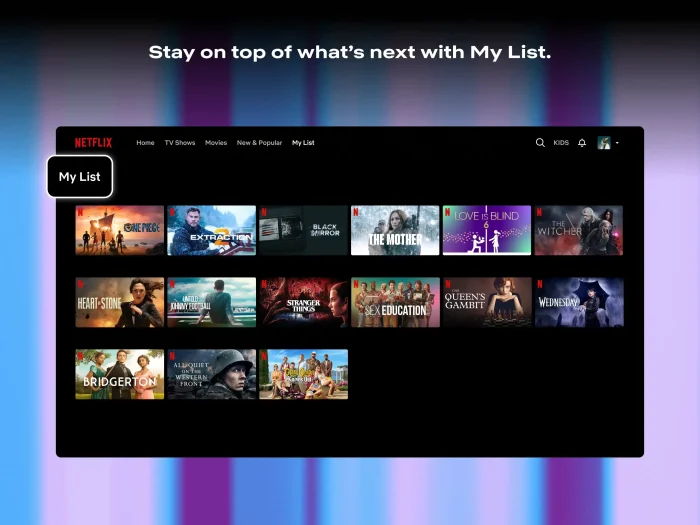
- Custom list shows movies from Netflix for Windows 11
-
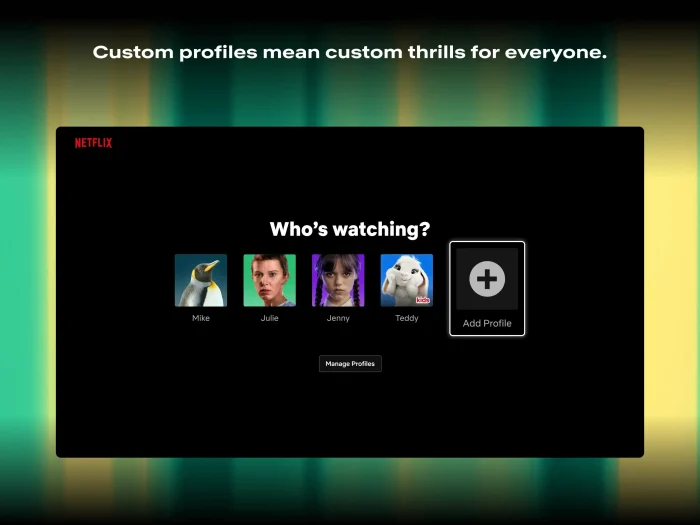
- Custom profiles from Netflix for Windows 11
-
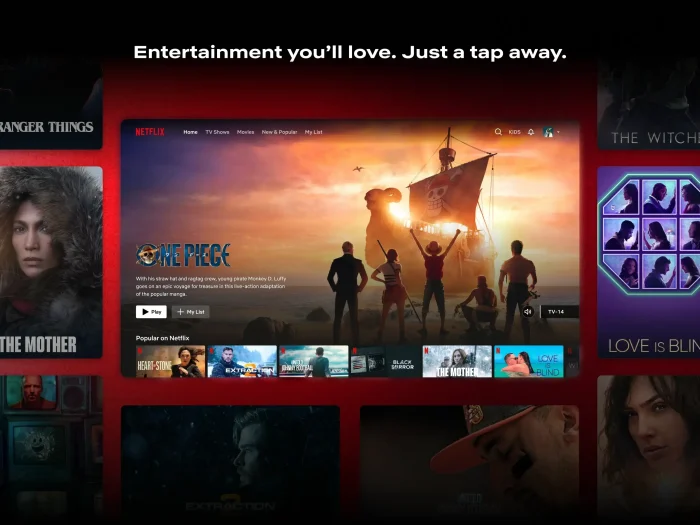
- Homescreen screenshot from Netflix for Windows 11
Frequently Asked Questions
Can I download Netflix shows to watch offline on Windows?
No. Netflix only supports offline downloads on Android, iPhone, iPad, Fire tablets, and Chromebooks. There is no download option on Windows, whether you use the app or a browser. You need an internet connection to watch on PC.
Do I need the Netflix app, or can I just use a browser?
Either works. The Microsoft Store app and browsers like Microsoft Edge or Google Chrome all stream at the same quality on supported hardware. The app is just easier to find and pin to your taskbar.
Why does the Netflix app ask me to install Microsoft Edge?
The Netflix app for Windows runs on the same engine as Edge, so it needs Edge installed on your PC even if you never open Edge directly. This is a Microsoft Store requirement, not a Netflix one.
What are the minimum system requirements for Netflix on Windows?
Windows 10 or 11 with the latest updates, a Microsoft Store account, and a broadband internet connection. For 4K, you need a stronger connection and a compatible processor or graphics card. Full specs are in the System Requirements section above.
Why is Netflix only playing in standard definition on my PC?
This usually means your plan does not include HD or 4K, your internet connection is too slow, or your PC’s graphics hardware does not support the higher quality. Check your plan tier first, since that is the most common cause.
Does Netflix still offer a free trial?
No. Netflix removed free trials in most countries years ago. You need to pick a paid plan to start watching.
Can I play Netflix games on my Windows PC?
Not directly. Netflix Games now runs through phones and tablets using a separate Netflix Game Controller app, with the game streaming to a TV or device screen. There is currently no Windows desktop version of Netflix Games.
Support and Community
Stuck on something this guide didn’t cover? The r/netflix subreddit is active and useful for real-world troubleshooting from other users.
More Windows software guides: VLC Media Player for Windows · Disney for Windows · Crunchyroll for PC · Google App for Windows · Prime Video for Windows
Discover more from Windows Mode
Subscribe to get the latest posts sent to your email.














Error code everytime I try to install on Win 11
What error code?