Readers like you help support this site. When you make a purchase using links on our site, we may earn an affiliate commission. All opinions remain our own.
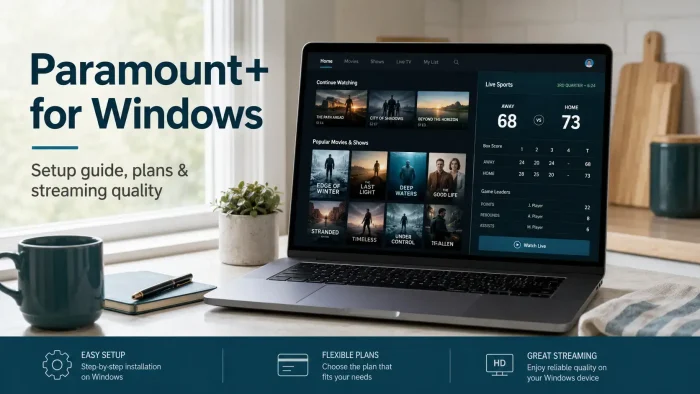
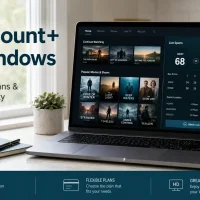
Paramount+ is a streaming service for PC from Paramount, available on Windows through a free app from the Microsoft Store or directly in your browser.
A subscription unlocks CBS shows, hit movies, live sports, news, and Paramount+ Originals like the Star Trek and Yellowstone universes. The catalog mixes on-demand library titles with live channels you can flip through like cable.
What catches a lot of new subscribers off guard is which plan unlocks what. Live access to your local CBS station, including NFL on CBS, is a Premium-only feature. The cheaper Essential plan still includes plenty of live channels and on-demand shows, just not your local CBS feed.
This guide covers how to install the app or use the browser, what each plan actually gets you, and a few Windows-specific limits worth knowing before you subscribe.
Already a subscriber? Jump to the install steps below. Got questions about plans or quality before you sign up? Reach out to us directly.
What You Need to Know
- The Paramount+ app is free to install, but a paid Essential or Premium subscription is required to watch beyond a small selection of free previews.
- Live local CBS programming, including NFL on CBS, only comes with the Premium plan. Essential covers on-demand shows and a set of live curated channels instead.
- Offline downloads are mobile-app only. Neither the Windows app nor the browser lets you save shows to watch without an internet connection.
Price
Free app, subscription to stream
Developer
CBS Interactive Inc.
Windows Versions
Windows 10/11
Also On
Mac, Mobile, TV, Consoles
Who Should Use the Paramount+ App on Windows?
- Use it if you want CBS shows, live sports, and Paramount+ Originals in one app, especially if you already follow Star Trek, Yellowstone, or NFL on CBS.
- Skip it if live local CBS programming is the main reason you’re subscribing and you’re not ready to pay for Premium, since Essential doesn’t include it.
- Be careful if you were hoping to download shows for offline viewing on your PC. That feature only exists on the mobile apps, not on Windows in any form.
How to Get Paramount+ on PC
- Step 1. Open the Start menu and search for “Microsoft Store.”
- Step 2. Search for “Paramount+” inside the Store and select the official app from CBS Interactive Inc.
- Step 3. Click Get or Install. The app itself is free.
- Step 4. Open Paramount+ from the Start menu once installed.
- Step 5. Sign in with your Paramount+ account email and password, or create a new account and pick a plan.
- Step 6. Pick a show from the home screen or browse live channels, and start watching.
Prefer a browser instead? Go to paramountplus.com, sign in, and press play. No install needed, and the catalog is identical either way. Picture quality is capped the same way on both the app and a browser tab, so neither option has a quality edge on a PC.
What Is Paramount+?
Paramount+ is a video streaming service built around CBS, Paramount Pictures, and Paramount-owned cable brands like Comedy Central, MTV, and Nickelodeon. It mixes a large on-demand library with live channels you can flip through, plus live sports including NFL on CBS and UEFA Champions League.
The Windows version is not a separate product. It streams the same catalog as the phone, TV, and web versions, with your watchlist and watch progress synced across every device you use. Live local CBS programming only unlocks on the Premium plan, so what you see on the live channel guide can change depending on which tier you’re signed up for.
Paramount+ also carries Originals built around its biggest franchises, including new Star Trek series and the Yellowstone universe, along with a growing library of SHOWTIME content for Premium subscribers.
Key Features
Live Sports
NFL on CBS and UEFA Champions League stream live, alongside CBS Sports HQ for highlights and analysis between games.
Live Curated Channels
A set of always-on live channels organized by genre, so you can flip through something to watch instead of scrolling a menu.
Paramount+ Originals
Exclusive series built around the Star Trek and Yellowstone universes, plus other shows you won’t find streaming anywhere else.
CBS News 24/7
A live, ad-supported news channel built into the app, no separate sign-in or extra cost required.
My List
Save shows and movies to a personal watchlist so you can pick up where you left off across devices.
SHOWTIME Library
Premium subscribers get the full SHOWTIME catalog included, while Essential only includes a select handful of SHOWTIME series.
System Requirements
| Requirement | Minimum |
| Operating System | Windows 10 or higher |
| Browser (if not using the app) | Microsoft Edge, Google Chrome, or Firefox, latest version, with JavaScript and cookies enabled |
| Internet Connection | Broadband, since Paramount+ has no offline mode on Windows |
| Maximum Picture Quality | Standard HD on the Windows app and browser. 4K UHD and HDR (sharper picture and richer color, available on select titles) are limited to supported TVs and streaming devices, not PC. |
| Account | Paramount+ account with an active Essential or Premium subscription |
Plans and Pricing
Paramount+ offers two paid tiers in the US: Essential and Premium. There’s no free ad-supported way to watch beyond a small selection of previews.
| Plan | Live Local CBS | Offline Downloads | SHOWTIME |
| Essential | No | No | Select shows only |
| Premium | Yes, where available | Yes, on mobile only | Full library |
Both plans allow up to three devices streaming at the same time and up to six profiles per account. Offline downloads on Premium work only through the official mobile apps, never on Windows. Paramount+ changes plan prices often enough that printing exact figures here would go stale fast. Check the official Paramount+ plans page for current prices before you sign up.
Paramount Plus Keyboard Shortcuts
These shortcuts work the same way in a browser and in the Windows app, since both use the same player. Sourced directly from Paramount+’s own accessibility help page.
| Key | Action |
| Space | Play or pause |
| J | Rewind 15 seconds |
| L | Fast-forward 15 seconds |
| ↑ ↓ | Increase or decrease volume |
| M | Mute or unmute |
| F | Enter or exit full screen |
| Tab | Move to the next button, link, or piece of content |
| Shift Tab | Move to the previous button, link, or piece of content |
| Enter | Select the highlighted button, link, or piece of content |
Common Issues and Compatibility Notes
Can’t find a download button anywhere
Offline downloads only exist on the iOS and Android apps, and only on the Premium plan. Neither the Windows app nor the browser version supports it on any tier.
Local CBS channel missing from the live guide
That’s expected on the Essential plan. Live local CBS, including NFL on CBS, only shows up for Premium subscribers, and availability can still vary by market.
Picture doesn’t look like 4K even on Premium
That’s expected on a PC. 4K UHD (a sharper picture than standard HD), Dolby Vision, and HDR10 (both add richer color and contrast) are limited to select titles on supported TVs and streaming devices, not the Windows app or browser.
App won’t sign in or keeps logging out
Make sure the Microsoft Store and the app are both fully updated. Signing out and back in on paramountplus.com first can also clear up account sync issues.
Tips for Getting Started
Set up profiles for each household member
With up to six profiles per account, separate profiles keep watch history and recommendations from blending together.
Check which plan you need before game day
If watching NFL on CBS live is the goal, confirm you’re on Premium first. Essential won’t carry the live local broadcast.
Add shows to My List as you find them
It keeps your queue organized once you’re juggling more than a couple of shows or films at once.
Remember the three-stream limit
Both plans cap out at three devices streaming at once. A fourth device has to wait until one of the others stops.
Install the mobile app too if you travel
Since Windows has no offline mode, download shows on your phone before a flight or commute where you won’t have signal.
Paramount+ Screenshots
These screenshots show Paramount+ running in the Windows app, from browsing the home screen to playback and the live channel guide.
-
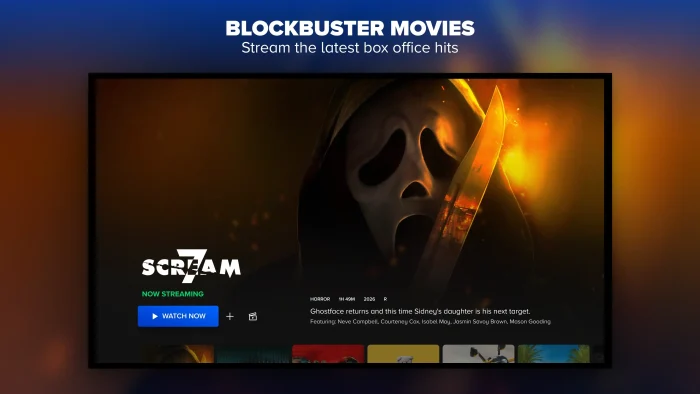
- Blockbuster movies from Paramount+ for Windows: Setup, Plans & Streaming Guide
-
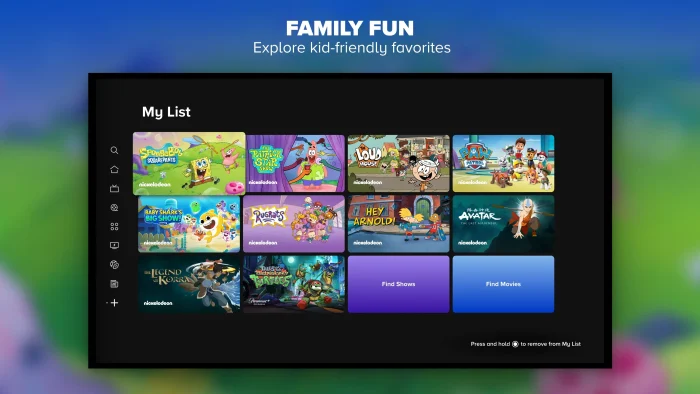
- Cartoons for family children from Paramount+ for Windows: Setup, Plans & Streaming Guide
-
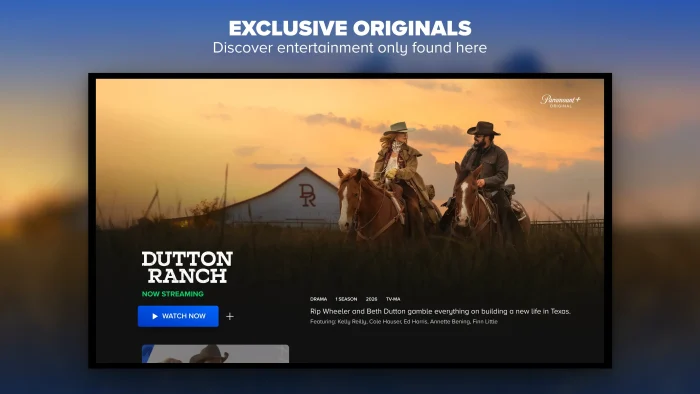
- Exclusive original movies tv shows on paramount plus from Paramount+ for Windows: Setup, Plans & Streaming Guide
-

- Live sports on paramount plus from Paramount+ for Windows: Setup, Plans & Streaming Guide
-
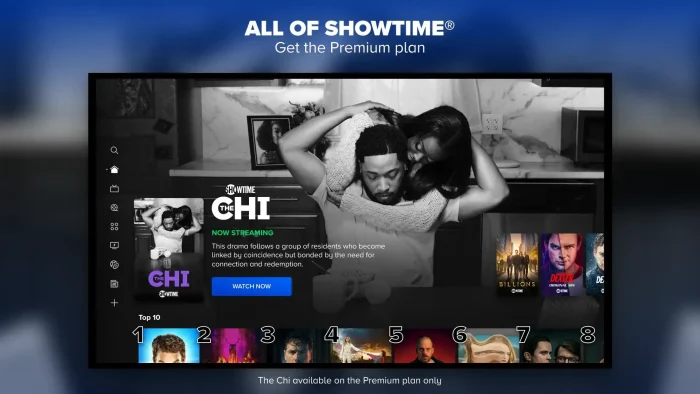
- Premium plan on paramount plus from Paramount+ for Windows: Setup, Plans & Streaming Guide
-
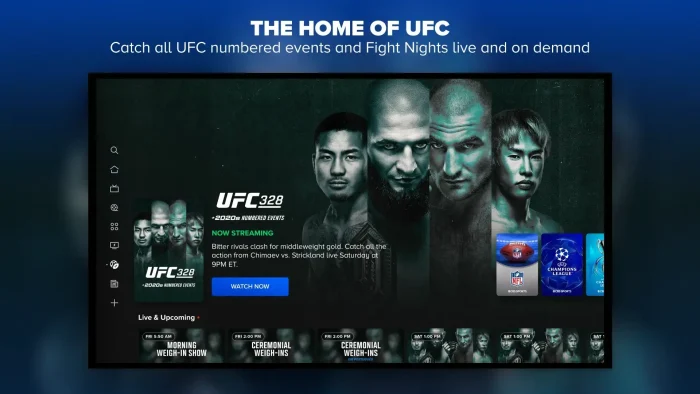
- Ufc partner from Paramount+ for Windows: Setup, Plans & Streaming Guide
Frequently Asked Questions
Can I download Paramount+ shows to watch offline on Windows?
No. Offline downloads only work on the official Paramount+ mobile apps for iOS and Android. The Windows app and the browser version both need an internet connection every time you watch, even on the Premium plan that includes downloads on other devices.
Does Paramount+ support 4K on a Windows PC?
Not directly. Paramount+ offers 4K UHD (a sharper picture than standard HD) with Dolby Vision and HDR10 (both add richer color and contrast) on select titles for Premium subscribers, but this is mainly delivered through supported TVs and streaming devices. The Windows app and browser stream in lower resolutions, so don’t expect 4K playback on a PC even with Premium.
How many devices can stream Paramount+ at the same time?
Up to three devices at once, on both the Essential and Premium plans. There’s no way to pay for more simultaneous streams. A fourth device has to wait until one of the other three stops watching.
Does the Essential plan include live local CBS programming?
No. Live access to your local CBS station, including NFL on CBS and the local news, is a Premium-only feature. Essential subscribers can still watch a curated set of live channels and on-demand CBS content, just not the live local affiliate feed.
How many profiles can I create on a Paramount+ account?
Up to six profiles per account, so different household members can keep separate watchlists and viewing history.
Is there still a free version of Paramount+?
No. Paramount+ requires a paid Essential or Premium subscription to watch beyond a small selection of free previews.
What are the system requirements for the Paramount+ app on Windows?
Windows 10 or later, with the Microsoft Store kept up to date, plus a broadband internet connection for streaming. Full details are in the System Requirements section above.
Support and Community
Stuck on something this guide didn’t cover? Paramount+’s official help center covers app-specific troubleshooting, account, and billing questions. The r/ParamountPlus subreddit is also active and useful for real-world troubleshooting from other users.
More Windows software guides: Netflix for Windows · Disney+ for Windows · Prime Video for Windows · Crunchyroll for Windows
Discover more from Windows Mode
Subscribe to get the latest posts sent to your email.